javascript-obfuscator
A powerful obfuscator for JavaScript and Node.js
- 16k
- TypeScript
- BSD-2-Clause
- 10 d ago
Automate PowerShell script source code obfuscation & virtualization with a flexible Web API for GoLang.
Repo PELock/PowerShell-Pro-Obfuscator-Go, read from GitHub 17 h ago. PELock has not joined Take My Repo.
PELock/PowerShell-Pro-Obfuscator-Go is a public repo on GitHub by PELock. Automate PowerShell script source code obfuscation & virtualization with a flexible Web API for GoLang. It declares the Apache-2.0 license on GitHub. It is written mainly in Go, has 1 stars and last changed on 2026-09-20. Nobody has reviewed it on Take My Repo yet, which says nothing about its quality. Read from GitHub on 2026-11-21.
PowerShell Pro Obfuscator protects proprietary .ps1 scripts with renaming, polymorphic string and integer encryption, control-flow flattening, finite-state automata (FSA), a VM engine, self-defending integrity checks, a protection linker, and anti-debugging probes.
Obfuscate, virtualize & protect PowerShell .ps1 scripts with polymorphic string encryption, VM engine, finite-state automata transforms, self-integrity & anti-debugging checks — via GUI, CLI, online tool, or API.
More technical details, downloads, documentation available at:
https://www.pelock.com/products/powershell-pro-obfuscator
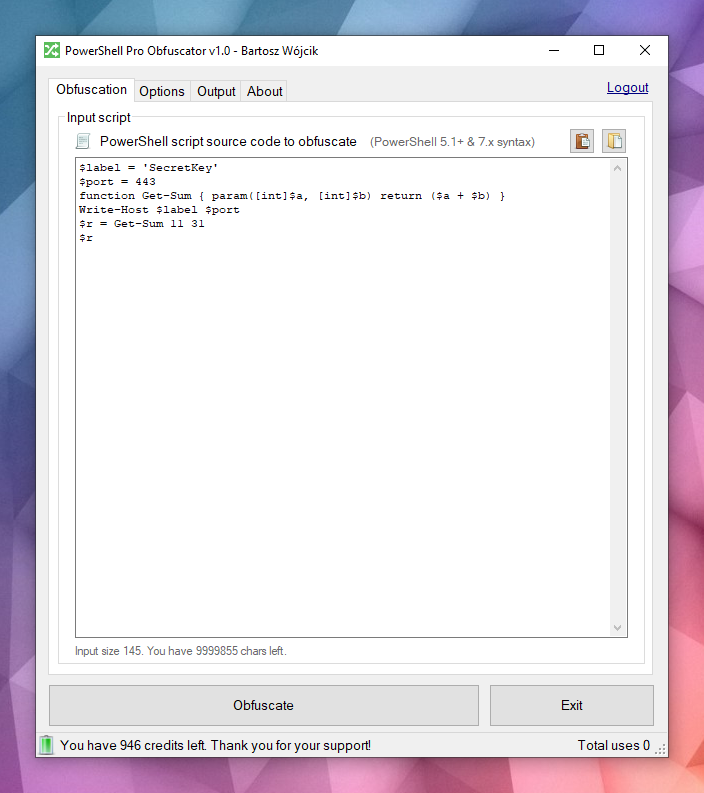
It's available for Windows & Linux:
Multiple programming APIs available:
An online obfuscator interface:
Scripts are typically distributed as plain .ps1 files or embedded in modules. That convenience means anyone with file access can read the full logic, hunt for credentials or API keys in strings, and steal your algorithms unless you take extra steps to hide intent.
PowerShell is a cross-platform shell and scripting language built on .NET. It is widely used for automation, configuration, DevOps pipelines, and endpoint management on Windows and Linux.
PowerShell Pro Obfuscator comes with many advanced obfuscation, virtualization & protection strategies. You can easily tune protection versus size and performance.
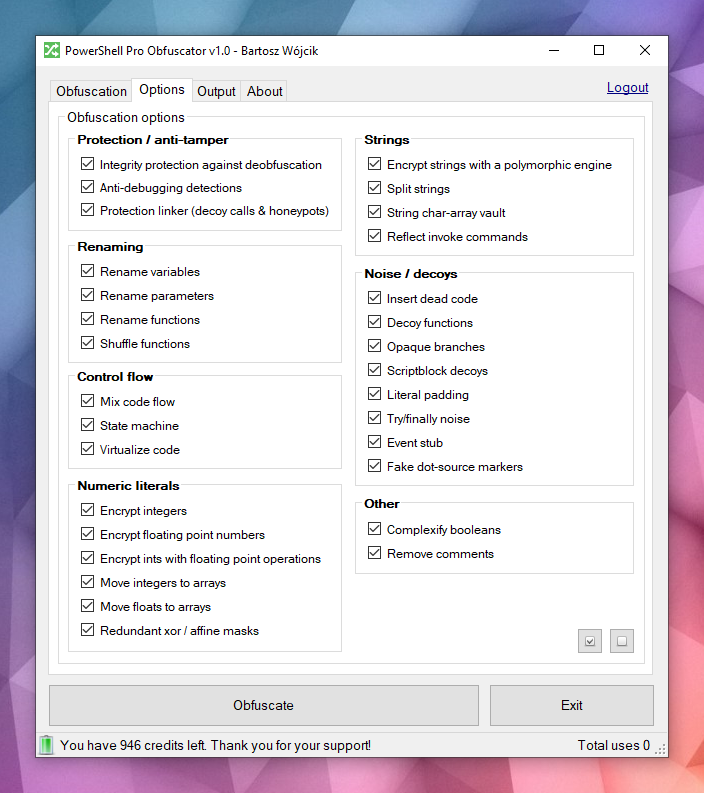
 Powerful obfuscation
PowerShell Pro Obfuscator uses state-of-the-art obfuscation strategies such as polymorphic string encryption, integers & floats encryption, and decoy noise. The result conceals literals and structure while preserving tested runtime behaviour.
 Code virtualization
Selected statements are lifted into a random generated VM engine opcodes with shuffled switch cases, decoy opcodes, and an obfuscated dispatcher loop. Analysts must interpret the virtual machine instead of reading plain PowerShell.
 Finite-state automata (FSA)
 obfuscation rewrites linear PowerShell statement blocks into dual-state automata with opaque schedulers and shuffled dispatch handlers. Instead of reading code top to bottom, analysts must follow numeric states, transition tables, and decoy paths to reconstruct the original order.
 Anti-debugging
 protection inserts polymorphic probes that detect attached debuggers, PowerShell breakpoints, debug preference and tracing modes, and related host signals. When a check fires, the obfuscated script exits silently instead of revealing protected logic under interactive analysis.
 Self-integrity checks
A bootstrap probe verifies on-disk script shape (function counts and integrity tokens) and sets a tamper key when the file no longer matches the obfuscated build. String decryptors consume that key, so patched scripts return garbage instead of plaintext. This self-defending layer raises the cost of casual deobfuscation and file edits.
 Protection linker
A late pass wires honeypot resolvers, bogus helper calls with random arguments, and shallow-stack tripwires that stay active only before bootstrap completes. Extracted snippets keep noisy call surfaces that look real under static review. Normal execution after a successful integrity check remains unchanged.
Look at this example — the same script becomes harder to read at a glance after obfuscation.
function Get-Greeting {
    param([string]$Name)
    Write-Host "Hello World from $Name!"
}
Get-Greeting "PowerShell Pro Obfuscator"
$script:_HnJTskg = 0
$jwNTQ = 297 * 400 + 36
$x4e8bfda = [Math]::Abs($jwNTQ - 8074)
$_EvKocNn = [Math]::Max($jwNTQ, $x4e8bfda) - [Math]::Min($jwNTQ, $x4e8bfda)
[void]$_EvKocNn
$script:_jUoXkBYh = 0
function gnJjzMCN3V8P {
    param([int]$slot, [int]$salt, [int]$guard)
    if (-not ((Get-Variable -Name _HnJTskg -Scope Script -ErrorAction SilentlyContinue).Value)) { return '' }
    @('JFE', 'm0ao', 'R8Ysw') | ForEach-Object { $_.ToUpper() } | Out-Null
if ((((($slot * 31) + $salt) -band 65535) -ne $guard)) { return '' }
    $tk = (Get-Variable -Name _jUoXkBYh -Scope Script -ErrorAction SilentlyContinue).Value
    $IEm39CSpDOEFp = @{ 'Ouj1' = 455; 'vjzO' = 170; 'IQNV' = 291 }
$IEm39CSpDOEFp['R5LrM'] = $IEm39CSpDOEFp['Ouj1'] + $IEm39CSpDOEFp['vjzO']
$YWxSO = ($IEm39CSpDOEFp.Values | Measure-Object -Sum).Sum
[void]$YWxSO
if ($null -eq $tk) { [long]$tk = 0 }
    $v93a130f2e4 = 508
switch ($v93a130f2e4) {
    524 { $_GYF7IA14Go = 'H1Vph' }
    561 { $_GYF7IA14Go = 'HAWoB' }
    default { $_GYF7IA14Go = $v93a130f2e4 * 2 }
}
[void]$_GYF7IA14Go
$dk = (Get-Variable -Name vb6a18ffee4 -Scope Script -ErrorAction SilentlyContinue).Value
    try { $xgLN5KZyEusFo7 = [Math]::Sqrt(850) } finally { [void]$xgLN5KZyEusFo7 }
if ($null -eq $dk) { [long]$dk = 0 }
    $d = @(46866, 46865)
    if ((((-not 113))-and(([int](272 -ne 272) -eq 21)))-and(([Math]::Sign(-12) -eq 4))) { $w4iTzi2hooy1GW = @(711, 562, 665); $w4iTzi2hooy1GW = ($w4iTzi2hooy1GW | Measure-Object -Sum).Sum }
$r = ''
    for ($s9qOSpiZzufQlVyV = 0; $s9qOSpiZzufQlVyV -lt $d.Length; $s9qOSpiZzufQlVyV++) {
        [long]$v = [long]$d[$s9qOSpiZzufQlVyV]
        for ($jL9gL7PEtQeIS = 2; $jL9gL7PEtQeIS -ge 0; $jL9gL7PEtQeIS--) {
            for ($PsbomDHxAy = 2; $PsbomDHxAy -ge 0; $PsbomDHxAy--) {
                    [long]$v = [long]$v + ([long](230))
            }
        }
        for ($zhH33vzxjIzegl9 = 0; $zhH33vzxjIzegl9 -ge 0; $zhH33vzxjIzegl9--) {
                [long]$v = [long]$v + ([long]([int]((((((236 + (-3 * $s9qOSpiZzufQlVyV) + (3 * $zhH33vzxjIzegl9))) % 256) + 256) % 256))))
                [long]$v = [long]$v -bxor ([long](53766))
        }
        [long]$v = [long]$v - ([long]($salt + $slot + $tk + $dk + 0))
        if ([long]$v -ge 0 -and [long]$v -le 0xFFFF) { $r += [char][int][long]$v }
        elseif ([long]$v -ge 0x10000 -and [long]$v -le 0x10FFFF) { $r += [System.Char]::ConvertFromUtf32([int][long]$v) }
    }
    return $r
}
and more...
Would you still recognise the original intent if you only had the obfuscated text and no prior copy of the script?
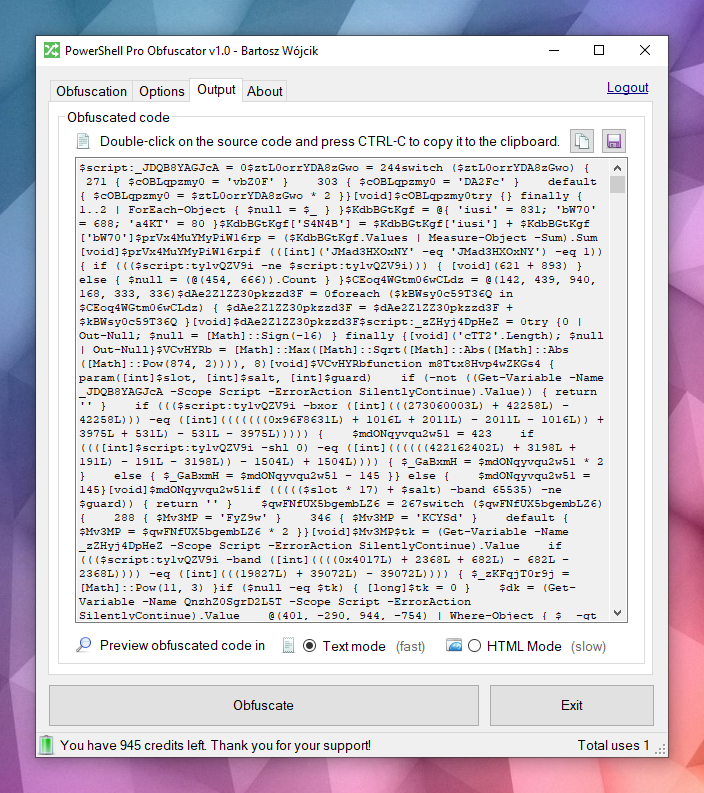
The engine parses PowerShell source into an AST tree, then applies selectable transforms: identifier renaming, control-flow flattening, finite-state automata (FSA), VM virtualization, polymorphic string and integer encryption, noise and decoy insertion, self-defending integrity probes, the protection linker, and anti-debugging checks. Many techniques are specific to this product; some ideas are shared with our other protection tools.
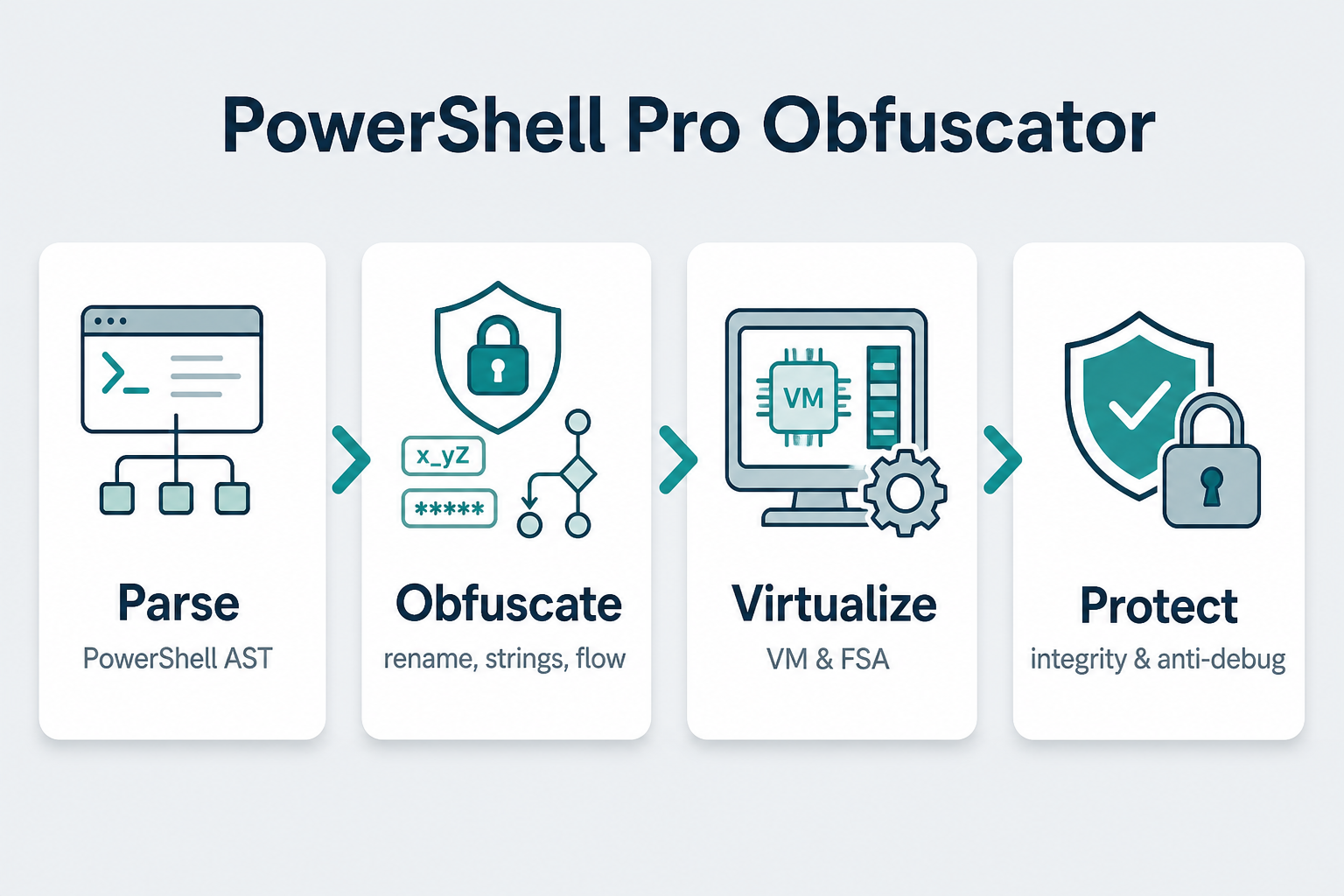
When all passes finish, the engine emits a new .ps1. Edge cases in the PowerShell grammar and hosting environments mean you should always test the output in your target runtime.
Take no chances, use PowerShell Pro Obfuscator to obfuscate, virtualize and protect your PowerShell scripts and algorithms.
Our company has a long history in obfuscation technologies and code obfuscators (see our x86 Assembly, AutoIt & Java obfuscators).
We actively bugfix, research and develop new obfuscation strategies for our tools.
You can count on our expertise and support in this field.
The preferred way to install the Web API SDK is via Go modules.
go get github.com/PELock/PowerShell-Pro-Obfuscator-Go
The module path is github.com/PELock/PowerShell-Pro-Obfuscator-Go.
login/main.go/******************************************************************************
* PowerShell Pro Obfuscator WebApi interface usage example.
*
* In this example we will verify our activation key status.
*
* Version : v1.0.0
* Language : Go
* Author : Bartosz Wójcik
* Web page : https://www.pelock.com
*
*****************************************************************************/
package main
import (
"context"
"fmt"
"os"
powershellproobfuscator "github.com/PELock/PowerShell-Pro-Obfuscator-Go"
)
func main() {
client := powershellproobfuscator.New("ABCD-ABCD-ABCD-ABCD")
result, err := client.Login(context.Background())
if err != nil {
fmt.Fprintln(os.Stderr, err)
os.Exit(1)
}
fmt.Printf("Demo version status - %v\n", result.Demo)
fmt.Printf("Usage credits left - %d\n", result.CreditsLeft)
fmt.Printf("Total usage credits - %d\n", result.CreditsTotal)
fmt.Printf("Max. source code size - %d\n", result.StringLimit)
}
options/main.go/******************************************************************************
* PowerShell Pro Obfuscator WebApi interface usage example.
*
* In this example we will obfuscate sample source with custom options.
*
* Version : v1.0.0
* Language : Go
* Author : Bartosz Wójcik
* Web page : https://www.pelock.com
*
*****************************************************************************/
package main
import (
"context"
"fmt"
"os"
powershellproobfuscator "github.com/PELock/PowerShell-Pro-Obfuscator-Go"
)
func main() {
client := powershellproobfuscator.New("ABCD-ABCD-ABCD-ABCD")
// should the source code be compressed (both input & compressed)
client.EnableCompression = false
//
// global obfuscation options
//
// you can disable a particular obfuscation strategy globally if it
// fails or you don't want to use it without modifying the source codes
//
// by default all obfuscation strategies are enabled
//
// protection against tampering with protected code (integrity verification)
client.SelfDefending = true
// protection linker (decoy call graph)
client.ProtectionLinker = true
// rename variable names to random string values
client.RenameVariables = true
// rename parameter names to random string values
client.RenameParameters = true
// rename function names to random string values
client.RenameFunctions = true
// shuffle function order in the output source
client.ShuffleFunctions = true
// change linear code execution flow via control-flow flattening
client.ControlFlowFlatten = true
// rewrite statement blocks into finite-state automata (state-machine obfuscation)
client.StateMachine = true
// lift selected statements into a VM engine (virtualized statements)
client.VMStrategy = true
// encrypt integers
client.EncryptIntegers = true
// split strings into concatenated chunks
client.SplitStrings = true
// encrypt strings using randomly generated polymorphic encryption algorithms
client.EncryptStrings = true
// move integers to arrays
client.IntegersToArrays = true
// move floats to arrays
client.FloatsToArrays = true
// insert dead code
client.InsertDeadCode = true
// replace boolean conditions with equivalent complex expressions
client.ComplexifyBooleans = true
// represent integers via floating-point math
client.IntegersToFloating = true
// encrypt floating point numbers
client.EncryptFloating = true
// insert decoy functions
client.DecoyFunctions = true
// insert anti-debugging detections
client.DetectDebugger = true
// insert fake dot-source comment markers
client.FakeDotSourceMarkers = true
// insert opaque predicate branches
client.OpaqueBranches = true
// insert scriptblock decoys
client.ScriptblockDecoys = true
// insert here-string padding
client.LiteralPadding = true
// use indirect command invocation
client.ReflectInvokeCommands = true
// store string fragments in char-code array vaults
client.StringCharArrayVault = true
// wrap code in try/finally blocks with dead noise
client.TryFinallyNoise = true
// apply redundant xor / affine integer masks
client.AffineIntegerMask = true
// insert dead event/timer stubs
client.EventStub = true
// strip comments from the output source
client.RemoveComments = true
source := `function Get-Greeting {
param([string]$Name)
Write-Host "Hello World from $Name!"
}
Get-Greeting "PowerShell Pro Obfuscator"`
result, err := client.ObfuscateScriptSource(context.Background(), source)
if err != nil {
fmt.Fprintln(os.Stderr, err)
os.Exit(1)
}
if result.Error != powershellproobfuscator.ErrorSuccess {
fmt.Fprintf(os.Stderr, "An error occurred, error code: %d\n", result.Error)
os.Exit(1)
}
fmt.Println(result.Output)
}
simple/main.go/******************************************************************************
* PowerShell Pro Obfuscator WebApi interface usage example.
*
* In this example we will obfuscate sample source with default options.
*
* Version : v1.0.0
* Language : Go
* Author : Bartosz Wójcik
* Web page : https://www.pelock.com
*
*****************************************************************************/
package main
import (
"context"
"fmt"
"os"
powershellproobfuscator "github.com/PELock/PowerShell-Pro-Obfuscator-Go"
)
func main() {
client := powershellproobfuscator.New("ABCD-ABCD-ABCD-ABCD")
source := `function Get-Greeting {
param([string]$Name)
Write-Host "Hello World from $Name!"
}
Get-Greeting "PowerShell Pro Obfuscator"`
result, err := client.ObfuscateScriptSource(context.Background(), source)
if err != nil {
fmt.Fprintln(os.Stderr, err)
os.Exit(1)
}
if result.Error != powershellproobfuscator.ErrorSuccess {
fmt.Fprintf(os.Stderr, "An error occurred, error code: %d\n", result.Error)
os.Exit(1)
}
fmt.Println(result.Output)
}
See the examples/ directory in this repository for complete samples.
Online interface for PowerShell Pro Obfuscator is available at:
https://www.pelock.com/powershell-pro-obfuscator/
You can download it at:
https://www.pelock.com/products/powershell-pro-obfuscator/download
Installation package contains an additional command line interface:
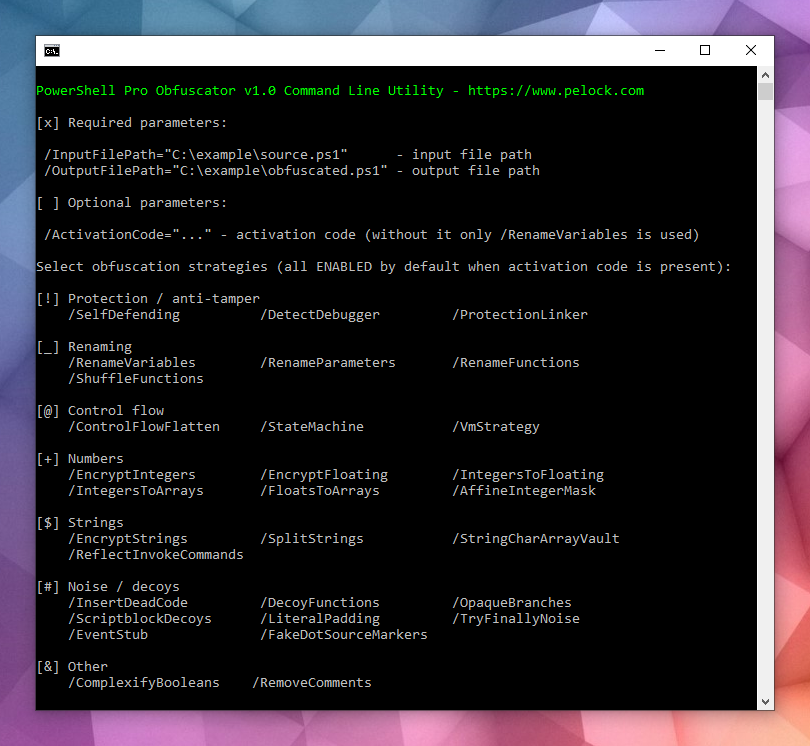
PowerShell Pro Obfuscator ships with a command-line interface for Windows and Linux automation.
Use it to integrate obfuscation into build servers, CI jobs, or batch packaging.
Bartosz Wójcik
PELock/PowerShell-Pro-Obfuscator-Go is a public repo on GitHub by PELock. Automate PowerShell script source code obfuscation & virtualization with a flexible Web API for GoLang.
It declares the Apache-2.0 license on GitHub.
Its maker tagged it for Windows. That is declared by the maker; Take My Repo has not tested it.
Open "Take it" on its page: Take My Repo writes an install plan for your machine and hands it to your AI agent (Claude Code, Codex or Cursor), which asks you before each step. Take My Repo has not tested it on any machine.
Its last change on GitHub was on 2026-09-20. Take My Repo does not judge from that whether it is maintained.
A powerful obfuscator for JavaScript and Node.js
Nobody has reviewed it on Take My Repo yet, which says nothing about its quality.
Open-source Windows and Office activator featuring HWID, Ohook, TSforge, and Online KMS activation methods, along with advanced troubleshooting.
AutoIt Obfuscator (Python module) lets you protect AutoIt script source code against analysis, reverse engineering, and decompilation using advanced obfuscation techniques and polymorphic encryption.
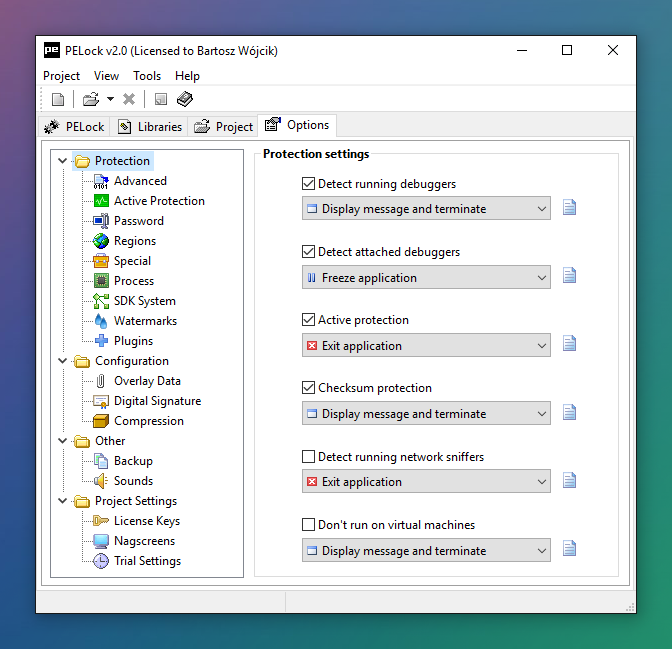
Software copy protection against cracking & reverse engineering with anti-cracking & anti-debugging techniques. Software license key system with time trial options.
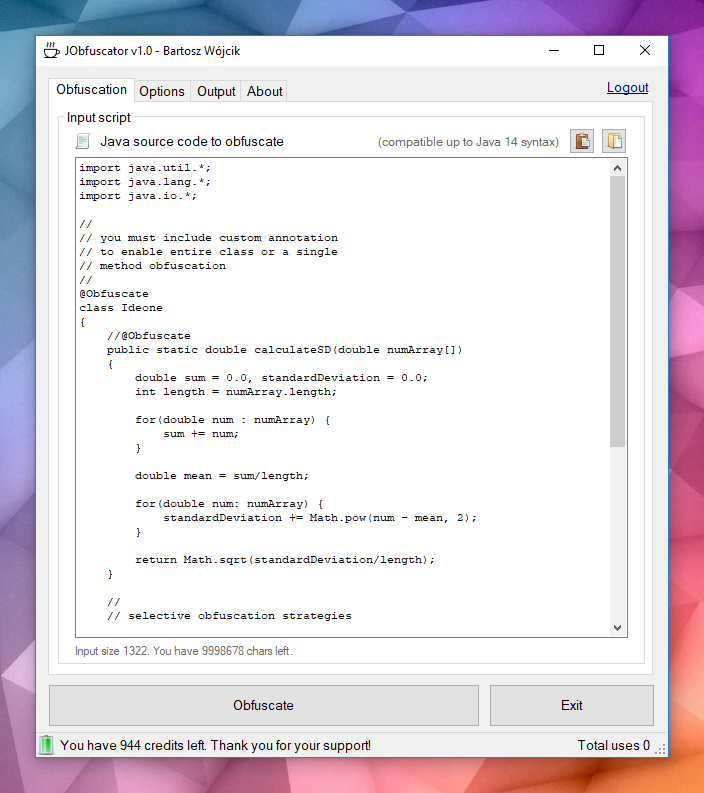
JObfuscator is a source code obfuscator for the Java language. Protect Java source code & algorithms from hacking, cracking, reverse engineering, decompilation & technology theft. PHP package for the composer.
AutoIt Obfuscator lets you protect AutoIt script source code against analysis, reverse engineering & decompilation using advanced obfuscation techniques and polymorphic encryption.
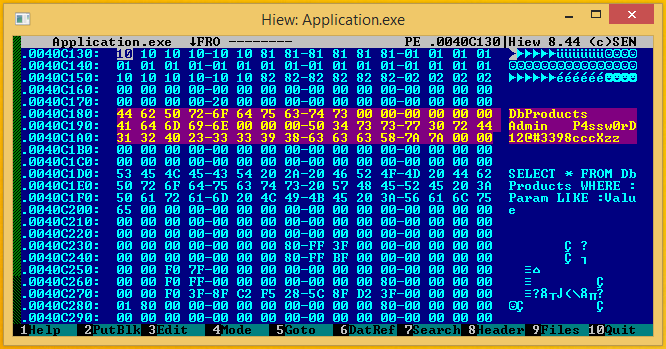
How to write a CrackMe for a CTF competition. Source code, technical explanation, anti-debugging and anti reverse-engineering tricks.
Willy is a monospaced font created a long ago by my demoscene friend Willy, it's perfect for displaying ascii-art.
String Encryption and File Encryption for C/C++, C#, Visual Basic .NET, Delphi/Pascal/Object Pascal, Java, JavaScript, Python, Ruby, AutoIt, PowerShell, Haskell, MASM, FASM programming languages.