Radio-Code-Calculator-Python
Radio Code Calculator is an online service along with Web API & SDK for generating car radio unlock codes for popular vehicle brands.
- 26
- Python
- 2 y ago
Radio Code Calculator is an online service along with Web API & SDK for generating car radio unlock codes for popular vehicle brands.
Repo PELock/Radio-Code-Calculator-JavaScript, read from GitHub 16 h ago. PELock has not joined Take My Repo.
PELock/Radio-Code-Calculator-JavaScript is a public repo on GitHub by PELock. Radio Code Calculator is an online service along with Web API & SDK for generating car radio unlock codes for popular vehicle brands. It declares no license on GitHub. Public does not mean open source: without a license, nobody is granted the right to reuse it. It is written mainly in JavaScript, has 2 stars and last changed on 2025-12-02. Nobody has reviewed it on Take My Repo yet, which says nothing about its quality. Read from GitHub on 2026-11-21.
Radio Code Calculator is an online service along with Web API & SDK for generating car radio unlock codes for popular vehicle brands.
Following a breakdown or a disconnection of the car battery, most of the vehicle radio & navigation units will ask for an unlocking code. It's standard anti-theft protection.
Our car Radio Code Calculator allows you to generate 100% valid radio codes to unlock car radios & navigation without the need to use the expensive service of authorized dealers.
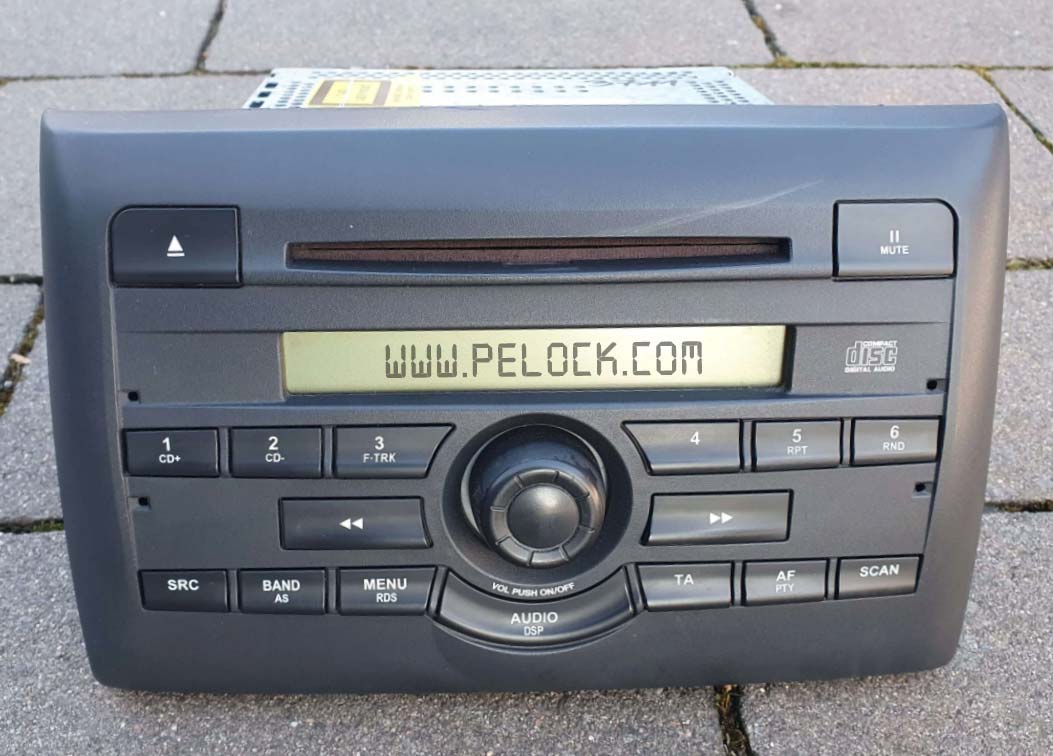
The service is available through a simple online interface and Web API, with multiple SDK development libraries for popular programming languages.
Thanks to our solution, you can create, for instance, mobile or web applications that allow for easy generation of radio codes.
Our service is being continuously developed and new algorithms are gradually added for new car models and their radios.
If a new algorithm is added, you will get automatic and free access to it as part of your current license.
Individual calculators are available on our site as a paid service for end customers. You can verify them and see lists of supported radios on the relevant subpages:
Where and who can use the radio code generation service and make money from code generation?
 App developers
The main audience for our software is clearly developers and programmers, either of mobile or desktop applications.
 Online stores
If you run an online e-commerce store, you can sell radio codes through it using our software solutions.
 Auto repair shops
We also encourage car repair shops whose customers often use car radio unlocking services.
 Private individuals
 will also profit from our solution by generating codes and selling them on car forums or auction sites such as eBay, Craigslist.
You can generate codes without limitation with your purchased one-year license.
Set your own price for generating a single code and start earning by using tried and tested algorithms from a programming language you know.
If you are not a programmer - don't worry. Just use our online calculator.
The preferred way of WebApi interface installation is via NPM.
Run:
npm i radio-code-calculator
Or add this entry:
  "dependencies": {
    "radio-code-calculator": "latest"
  },
directly to your package.json in dependencies section.
The installation package is available at https://www.npmjs.com/package/radio-code-calculator
The installation packages have been uploaded to repositories for several popular programming languages and their source codes have been published on GitHub:
| Repository | Language | Installation | Package | GitHub |
|---|---|---|---|---|
 |
PHP | Add the following line to require section of your composer.json file "pelock/radio-code-calculator": "*" |
Packagist | Sources |
 |
Python | Run pip install radio-code-calculator |
PyPi | Sources |
 |
JavaScript, TypeScript | Run npm i radio-code-calculator or add the following to dependencies section of your package.json file "dependencies": { "radio-code-calculator": "latest" }, |
NPM | Sources |
This example demonstrates code generation for a selected radio model. All input parameter validation is done on the server side and if the radio serial number has an invalid length or pattern - the service will return an error.
"use strict";

/******************************************************************************
 *
 * Radio Code Calculator API - WebApi interface usage example
 *
 * In this example, we will demonstrate how to generate a code for a specific
 * type of car radio.
 *
 * Version      : v.1.1.6
 * JS           : ES6
 * Dependencies : radio-code-calculator
 * Author       : Bartosz Wójcik (support@pelock.com)
 * Project      : https://www.pelock.com/products/radio-code-calculator
 * Homepage     : https://www.pelock.com
 *
 * @link https://www.pelock.com/products/radio-code-calculator
 * @copyright Copyright (c) 2021-2024 PELock LLC
 * @license Apache-2.0
 *
/*****************************************************************************/

//
// include Radio Code Calculator API module
//
import { RadioCodeCalculator, RadioErrors, RadioModel, RadioModels } from "radio-code-calculator";

//
// create Radio Code Calculator API class instance (we are using our activation key)
//
let myRadioCodeCalculator = new RadioCodeCalculator("ABCD-ABCD-ABCD-ABCD");

//
// generate radio code (using Web API)
//
myRadioCodeCalculator.calc(RadioModels.FORD_M_SERIES, "123456").then((result) => {

	console.log("Radio code is " + result["code"]);

}).catch((error) => {

	switch(error["error"])
	{
	case RadioErrors.INVALID_RADIO_MODEL: console.log("Invalid radio model (not supported)"); break;
	case RadioErrors.INVALID_SERIAL_LENGTH: console.log("Invalid serial number length (expected " + result["serialMaxLen"] + " characters)"); break;
	case RadioErrors.INVALID_SERIAL_PATTERN: console.log("Invalid serial number regular expression pattern (expected " + result["serialRegexPattern"]["php"] + " regex pattern)"); break;
	case RadioErrors.INVALID_SERIAL_NOT_SUPPORTED: console.log("This serial number is not supported"); break;
	case RadioErrors.INVALID_EXTRA_LENGTH: console.log("Invalid extra data length (expected " + result["extraMaxLen"] + " characters)"); break;
	case RadioErrors.INVALID_EXTRA_PATTERN: console.log("Invalid extra data regular expression pattern (expected " + result["extraRegexPattern"]["php"] + " regex pattern"); break;
	case RadioErrors.INVALID_INPUT: console.log("Invalid input data"); break;
	case RadioErrors.INVALID_COMMAND: console.log("Invalid command sent to the Web API interface"); break;
	case RadioErrors.INVALID_LICENSE: console.log("Invalid license key!"); break;
	default: console.log(`Something unexpected happen while trying to login to the service (error code ${error}).`); break;
	}
});
Radio codes are generated based on input parameters such as the radio's serial number, among others.
Radio serial numbers are different for different radios, they have different lengths and different patterns, some may consist of just digits e.g. 1234, while others may consist of digits and letters e.g. AB1234XYZ.
Validation of this data is done on the server side. However, to make things more efficient, we can use the information about available limits and patterns of particular serial numbers to, for example, set these limits in controls in our own applications without unnecessary calls to the Web API.
"use strict";

/******************************************************************************
 *
 * Radio Code Calculator API - WebApi interface usage example
 *
 * In this example, we will demonstrate how to generate a code for a specific
 * type of car radio. This example shows how to use an extended offline
 * validation.
 *
 * Version      : v.1.1.6
 * JS           : ES6
 * Dependencies : radio-code-calculator
 * Author       : Bartosz Wójcik (support@pelock.com)
 * Project      : https://www.pelock.com/products/radio-code-calculator
 * Homepage     : https://www.pelock.com
 *
 * @link https://www.pelock.com/products/radio-code-calculator
 * @copyright Copyright (c) 2021-2024 PELock LLC
 * @license Apache-2.0
 *
/*****************************************************************************/

//
// include Radio Code Calculator API module
//
import { RadioCodeCalculator, RadioErrors, RadioModel, RadioModels } from "radio-code-calculator";

//
// create Radio Code Calculator API class instance (we are using our activation key)
//
let myRadioCodeCalculator = new RadioCodeCalculator("ABCD-ABCD-ABCD-ABCD");

//
// generate a single radio unlocking code
//
let serial = "123456";
let extra = "";

//
// select a radio model
//
let radioModel = RadioModels.FORD_M_SERIES;

//
// display radio model information, you can use it to set limits in your controls e.g.
//
// textFieldRadioSerial.maxLength = radioModel.serial_max_len
// textFieldRadioSerial.regEx = radioModel.serial_regex_pattern()
//
// (if allowed by your controls)
//
console.log(`Radio model ${radioModel.name} expects a serial number of ${radioModel.serial_max_len} length and ${radioModel.serial_regex_pattern()} regex pattern<br>`);

// additional information
if (radioModel.extra_max_len > 0)
{
	console.log(`Additionally an extra field is required with ${radioModel.extra_max_len} and ${radioModel.extra_regex_pattern()} regex pattern<br>`);
}

//
// validate the serial number (offline) before sending the Web API request
//
let error = radioModel.validate(serial, extra);

if (error !== RadioErrors.SUCCESS)
{
    if (error === RadioErrors.INVALID_SERIAL_LENGTH)
        console.log(`Invalid serial number length (expected ${radioModel.serial_max_len} characters<br>`);
    else if (error == RadioErrors.INVALID_SERIAL_PATTERN)
        console.log(`Invalid serial number regular expression pattern (expected ${radioModel.serial_regex_pattern()} regex pattern)<br>`);
    else if (error == RadioErrors.INVALID_SERIAL_NOT_SUPPORTED)
        console.log("This serial number is not supported");
    else if (error == RadioErrors.INVALID_EXTRA_LENGTH)
        console.log(`Invalid extra data length (expected ${radioModel.extra_max_len} characters)<br>`);
    else if (error == RadioErrors.INVALID_EXTRA_PATTERN)
        console.log(`Invalid extra data regular expression pattern (expected ${radioModel.extra_regex_pattern()} regex pattern)<br>`);

    process.exit(1);
}

//
// generate radio code (using Web API)
//
myRadioCodeCalculator.calc(radioModel, serial).then((result) => {

	console.log("Radio code is " + result["code"]);

}).catch((error) => {

	switch(error["error"])
	{
	case RadioErrors.INVALID_RADIO_MODEL: console.log("Invalid radio model (not supported)"); break;
	case RadioErrors.INVALID_SERIAL_LENGTH: console.log("Invalid serial number length (expected " + result["serialMaxLen"] + " characters)"); break;
	case RadioErrors.INVALID_SERIAL_PATTERN: console.log("Invalid serial number regular expression pattern (expected " + result["serialRegexPattern"]["php"] + " regex pattern)"); break;
	case RadioErrors.INVALID_SERIAL_NOT_SUPPORTED: console.log("This serial number is not supported"); break;
	case RadioErrors.INVALID_EXTRA_LENGTH: console.log("Invalid extra data length (expected " + result["extraMaxLen"] + " characters)"); break;
	case RadioErrors.INVALID_EXTRA_PATTERN: console.log("Invalid extra data regular expression pattern (expected " + result["extraRegexPattern"]["php"] + " regex pattern"); break;
	case RadioErrors.INVALID_INPUT: console.log("Invalid input data"); break;
	case RadioErrors.INVALID_COMMAND: console.log("Invalid command sent to the Web API interface"); break;
	case RadioErrors.INVALID_LICENSE: console.log("Invalid license key!"); break;
	default: console.log(`Something unexpected happen while trying to login to the service (error code ${error}).`); break;
	}
});
If you would like to download information about all supported radio models and their parameters such as serial number length and pattern - you can do so.
"use strict";

/******************************************************************************
 *
 * Radio Code Calculator API - WebApi interface usage example
 *
 * In this example we will list all the available calculators and, their
 * parameters like name, maximum length of the radio serial number and its
 * regex pattern.
 *
 * Version      : v.1.1.6
 * JS           : ES6
 * Dependencies : radio-code-calculator
 * Author       : Bartosz Wójcik (support@pelock.com)
 * Project      : https://www.pelock.com/products/radio-code-calculator
 * Homepage     : https://www.pelock.com
 *
 * @link https://www.pelock.com/products/radio-code-calculator
 * @copyright Copyright (c) 2021-2024 PELock LLC
 * @license Apache-2.0
 *
/*****************************************************************************/

//
// include Radio Code Calculator API module
//
import { RadioCodeCalculator, RadioErrors, RadioModel, RadioModels } from "radio-code-calculator";

//
// create Radio Code Calculator API class instance (we are using our activation key)
//
let myRadioCodeCalculator = new RadioCodeCalculator("ABCD-ABCD-ABCD-ABCD");

//
// get the list of the supported radio calculators and their parameters (max. length, regex pattern)
//
myRadioCodeCalculator.list().then((result) => {

	let radio_models = result["radioModels"];

	console.log("Supported radio models " + radio_models.length + "<br>");

	radio_models.forEach(radio_model => {

		console.log("Radio model name - " + radio_model.name + "<br>");

		console.log("Max. length of the radio serial number - " + radio_model.serial_max_len + "<br>");
		console.log("Regex pattern for the radio serial number - " + radio_model.serial_regex_pattern() + "<br>");

		// is extra field specified?
		if (radio_model.extra_max_len > 0)
		{
			console.log("Max. length of the radio extra data - " + radio_model.extra_max_len + "<br>");
			console.log("Regex pattern for the radio extra data - " + radio_model.extra_regex_pattern() + "<br>");
			console.log("<br>");
		}

	});

}).catch((error) => {

    if (error["error"] == RadioErrors.INVALID_LICENSE)
        console.log("Invalid license key!");
    else
        console.log(`Something unexpected happen while trying to login to the service (error code ${error}).`);
});
You can download the parameters of the selected calculator.
"use strict";

/******************************************************************************
 *
 * Radio Code Calculator API - WebApi interface usage example
 *
 * In this example, we will demonstrate how to get information about the
 * specific radio calculator and its parameters (max. length & regex pattern).
 *
 * Version      : v.1.1.6
 * JS           : ES6
 * Dependencies : radio-code-calculator
 * Author       : Bartosz Wójcik (support@pelock.com)
 * Project      : https://www.pelock.com/products/radio-code-calculator
 * Homepage     : https://www.pelock.com
 *
 * @link https://www.pelock.com/products/radio-code-calculator
 * @copyright Copyright (c) 2021-2024 PELock LLC
 * @license Apache-2.0
 *
/*****************************************************************************/

//
// include Radio Code Calculator API module
//
import { RadioCodeCalculator, RadioErrors, RadioModel, RadioModels } from "radio-code-calculator";

//
// create Radio Code Calculator API class instance (we are using our activation key)
//
let myRadioCodeCalculator = new RadioCodeCalculator("ABCD-ABCD-ABCD-ABCD");

//
// query information about the radio model
//
myRadioCodeCalculator.info("ford-m-series").then((result) => {

	let radio_model = result["radioModel"];

	console.log("Radio model name - " + radio_model.name + "<br>");

	console.log("Max. length of the radio serial number - " + radio_model.serial_max_len + "<br>");
	console.log("Regex pattern for the radio serial number - " + radio_model.serial_regex_pattern() + "<br>");

	// is extra field specified?
	if (radio_model.extra_max_len > 0)
	{
		console.log("Max. length of the radio extra data - " + radio_model.extra_max_len + "<br>");
		console.log("Regex pattern for the radio extra data - " + radio_model.extra_regex_pattern() + "<br>");
		console.log("<br>");
	}

}).catch((error) => {
	if (error.error == RadioErrors.INVALID_LICENSE)
		console.log("Invalid license key!");
	else
		console.log(`Something unexpected happen while trying to login to the service (error code ${error["error"]}).`);
});
By checking the activation key status, we will get information about the license owner, license type and license expiration date.
"use strict";

/******************************************************************************
 *
 * Radio Code Calculator API - WebApi interface usage example
 *
 * In this example we will verify our activation key status.
 *
 * Version      : v.1.1.6
 * JS           : ES6
 * Dependencies : radio-code-calculator
 * Author       : Bartosz Wójcik (support@pelock.com)
 * Project      : https://www.pelock.com/products/radio-code-calculator
 * Homepage     : https://www.pelock.com
 *
 * @link https://www.pelock.com/products/radio-code-calculator
 * @copyright Copyright (c) 2021-2024 PELock LLC
 * @license Apache-2.0
 *
/*****************************************************************************/

//
// include Radio Code Calculator API module
//
import { RadioCodeCalculator, RadioErrors, RadioModel, RadioModels } from "radio-code-calculator";
//
// create Radio Code Calculator API class instance (we are using our activation key)
//
let myRadioCodeCalculator = new RadioCodeCalculator("ABCD-ABCD-ABCD-ABCD");

//
// login to the service
//
myRadioCodeCalculator.login().then((result) => {

    //
    // result[] array holds the information about the license
    //
    // result["license"]["activationStatus"] - True if license is active, False on invalid/expired keys
    // result["license"]["userName"] - user name/company name of the license owner
    // result["license"]["type"] - license type (0 - Personal License, 1 - Company License)
    // result["license"]["expirationDate"] - license expiration date (in YYYY-MM-DD format)
    //
    console.log("License activation status - " + (result["license"]["activationStatus"] ? "True" : "False") + "<br>");
    console.log("License owner - " + result["license"]["userName"]);
    console.log("License type - " + (result["license"]["type"] == 0 ? "Personal" : "Company") + "<br>");
    console.log("Expiration date - " + result["license"]["expirationDate"] + "<br>");

}).catch((error) => {

    if (error["error"] == RadioErrors.INVALID_LICENSE)
        console.log("Invalid license key!");
    else
        console.log(`Something unexpected happen while trying to login to the service (error code ${error}).`);
});
If you are interested in the Radio Code Calculator Web API or have any questions regarding radio code generator SDK packages, technical or legal issues, or if something is not clear, please contact me. I'll be happy to answer all of your questions.
Bartosz Wójcik
PELock/Radio-Code-Calculator-JavaScript is a public repo on GitHub by PELock. Radio Code Calculator is an online service along with Web API & SDK for generating car radio unlock codes for popular vehicle brands.
It declares no license on GitHub. Public does not mean open source: without a license, nobody is granted the right to reuse it.
Its maker has not tagged a system, so it is unknown here. Its README says what it needs.
Open "Take it" on its page: Take My Repo writes an install plan for your machine and hands it to your AI agent (Claude Code, Codex or Cursor), which asks you before each step. Take My Repo has not tested it on any machine.
Radio Code Calculator is an online service along with Web API & SDK for generating car radio unlock codes for popular vehicle brands.
Its last change on GitHub was on 2025-12-02. Take My Repo does not judge from that whether it is maintained.
Nobody has reviewed it on Take My Repo yet, which says nothing about its quality.
Arduino OBD-II Bluetooth Scanner Interface Library for Car Hacking Projects
CAN Commander is a comprehensive tool designed for the reverse engineering of CAN (Controller Area Network) bus systems. This project aims to provide a robust platform for automotive enthusiasts, engineers, and security researchers to interact with and analyze CAN networks, facilitating a deeper understanding and manipulation of communication.
Reverse engineer anything with agents, from app behavior down to native binaries.
A list of Free Software network services and web applications which can be hosted on your own servers
Software copy protection against cracking & reverse engineering with anti-cracking & anti-debugging techniques. Software license key system with time trial options.
JObfuscator is a source code obfuscator for the Java language. Protect Java source code & algorithms from hacking, cracking, reverse engineering, decompilation & technology theft. PHP package for the composer.
AutoIt Obfuscator lets you protect AutoIt script source code against analysis, reverse engineering & decompilation using advanced obfuscation techniques and polymorphic encryption.
How to write a CrackMe for a CTF competition. Source code, technical explanation, anti-debugging and anti reverse-engineering tricks.
Willy is a monospaced font created a long ago by my demoscene friend Willy, it's perfect for displaying ascii-art.
String Encryption and File Encryption for C/C++, C#, Visual Basic .NET, Delphi/Pascal/Object Pascal, Java, JavaScript, Python, Ruby, AutoIt, PowerShell, Haskell, MASM, FASM programming languages.