CSE3011-Python-Programming
This repository contains all the materials for CSE3011-Python-Programming at VIT Bhopal University.
- 1
- 2 y ago
Repo Pulkit1822/CSE3011-Python-Programming, read from GitHub 9 h ago. Pulkit1822 has not joined Take My Repo.
In short
Pulkit1822/CSE3011-Python-Programming is a public repo on GitHub by Pulkit1822. This repository contains all the materials for CSE3011-Python-Programming at VIT Bhopal University. It declares no license on GitHub. Public does not mean open source: without a license, nobody is granted the right to reuse it. It is written mainly in Python, has 1 stars and last changed on 2024-11-10. Nobody has reviewed it on Take My Repo yet, which says nothing about its quality. Read from GitHub on 2026-11-22.

CSE3011-Python-Programming
Result
Here are my scores:

Project Description
This project is a comprehensive collection of Python programming assignments and course materials for the CSE3011-Python-Programming course at VIT Bhopal University. The repository is designed to help students learn and practice Python programming concepts through various assignments and examples. Each assignment is well-documented with a README.md file that explains the purpose of the assignment, how to run the code, and the expected output.
Unique Features
- Well-Organized Structure: Each assignment has its own directory with a README.md file, making it easy to navigate and understand the content.
- Comprehensive Examples: The repository covers a wide range of Python programming concepts, from basic to advanced topics.
- Detailed Documentation: Each assignment is accompanied by detailed documentation, including code analysis, inputs, flow, and outputs.
- Practical Assignments: The assignments are designed to provide hands-on experience and reinforce the concepts learned in the course.
Technologies Used
This project utilizes the following technologies:
- Python: The primary programming language used for all assignments and examples.
- Markdown: Used for creating detailed documentation and README.md files for each assignment.
- Git: Version control system used to manage the repository and track changes.
Benefits of Technologies
- Python: Python is a versatile and widely-used programming language that is easy to learn and has a large community of developers. It is suitable for a wide range of applications, from web development to data analysis.
- Markdown: Markdown is a lightweight markup language that allows for easy formatting of text documents. It is widely used for creating documentation and README files.
- Git: Git is a powerful version control system that allows for efficient collaboration and tracking of changes in a project. It is essential for managing code repositories and ensuring the integrity of the project.
Running the Project Locally
To run the project on your local system, follow these steps:
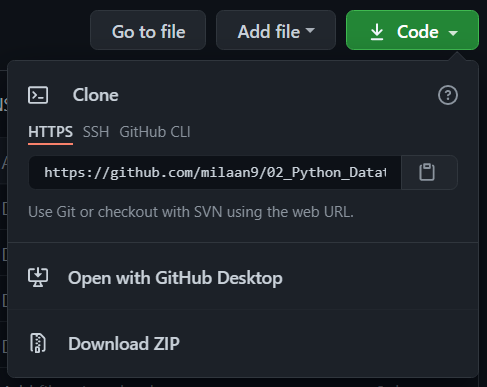
Clone the Repository: Clone the repository to your local machine using the following command:
git clone https://github.com/Pulkit1822/CSE3011-Python-Programming.gitNavigate to the Project Directory: Change to the project directory using the following command:
cd CSE3011-Python-ProgrammingInstall Python: Ensure that Python is installed on your system. You can download and install Python from the official website: Python.org
Run the Code: Navigate to the directory of the assignment you want to run and execute the Python script using the following command:
python <script_name>.pyFollow the Instructions: Follow the instructions provided in the README.md file of the assignment to understand the inputs and expected outputs.
Contribution Guidelines
I welcome contributions from the community to improve this repository. If you would like to contribute, please follow these guidelines:
Fork the Repository: Fork the repository to your GitHub account using the "Fork" button at the top right corner of the repository page.
Create a New Branch: Create a new branch for your changes using the following command:
git checkout -b <branch_name>Make Your Changes: Make the necessary changes to the code or documentation.
Commit Your Changes: Commit your changes with a descriptive commit message using the following command:
git commit -m "Description of your changes"Push Your Changes: Push your changes to your forked repository using the following command:
git push origin <branch_name>Create a Pull Request: Create a pull request to the main repository with a description of your changes. The repository maintainers will review your pull request and merge it if it meets the contribution guidelines.
Thank you for your contributions!
💡 Explore Sponsorship Options
To support this project, explore sponsorship options available for this repository, as every contribution counts and your support will greatly benefit its development 😊
Feedback
If you have any feedback, suggestions, or questions regarding this repository, please feel free to open an issue or contact me below on any of the platforms you prefer 😊


Happy learning and coding!
If you find this repository useful, don't forget to star it! ⭐️
Written by Pulkit
Questions
What is CSE3011-Python-Programming?
Pulkit1822/CSE3011-Python-Programming is a public repo on GitHub by Pulkit1822. This repository contains all the materials for CSE3011-Python-Programming at VIT Bhopal University.
Is CSE3011-Python-Programming open source?
It declares no license on GitHub. Public does not mean open source: without a license, nobody is granted the right to reuse it.
Does CSE3011-Python-Programming run on macOS, Windows or Linux?
Its maker has not tagged a system, so it is unknown here. Its README says what it needs.
How do I install CSE3011-Python-Programming?
Open "Take it" on its page: Take My Repo writes an install plan for your machine and hands it to your AI agent (Claude Code, Codex or Cursor), which asks you before each step. Take My Repo has not tested it on any machine.
Is CSE3011-Python-Programming still maintained?
Its last change on GitHub was on 2024-11-10. GitHub counts 0 open issues and pull requests. Take My Repo does not judge from that whether it is maintained.