
labpress
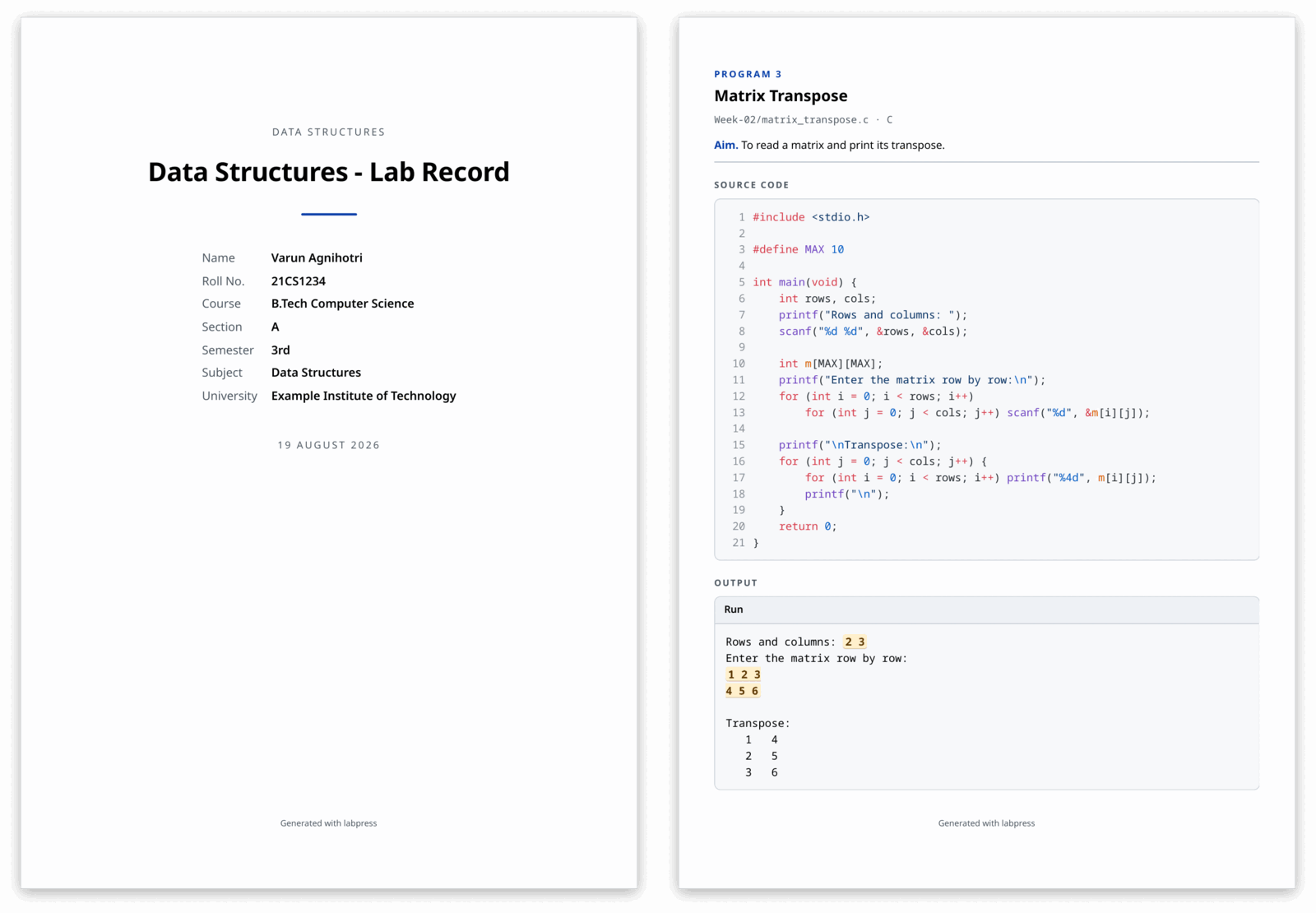
Turn a folder of lab programs into a print-ready record: syntax-highlighted source, real inputs, real captured output.
- 2
- MIT
- 3 mo ago
Repo PythonicVarun/labpress, read from GitHub 6 h ago. PythonicVarun has not joined Take My Repo.
- v2.0.0Release
v2.0.0
PDF by default, and Jupyter notebooks.
labpress ./labsnow writes the file you actually hand in. 1.x built an HTML
page and left the printing to you ---to htmlgets that back,--to both
gives you the pair.- Jupyter notebooks are picked up like any other file. Nothing is executed:
the notebook already records what each cell printed, so that is what goes on
the page. Run the cells and save before building, or the record comes out as
source with no output - Code cells render as one block with their output attached underneath, prose
cells read as prose, and plots come through as images - not as nbconvert's
In[ ]/Out[ ]rows. nbconvert'sremove-cell,hide-inputand
hide-outputtags are honoured, so the import cell can stay out of a
submission - The cover date can be set -
"date"in the config or--date, and one
date per week when using--split. It used to be whatever day you built the
record - Page breaks waste less paper. A block refuses to split only when it is
short enough to fit on a page anyway, and the footer no longer prints on top
of the last line
Upgrading from 1.x:
You used to run You now run labpress ./labslabpress ./labs --to htmllabpress ./labs --pdflabpress ./labsboth files, side by side labpress ./labs --to both--pdfstill parses so a 1.x command doesn't error out, and--outnames the
file without its extension deciding the format any more.npx labpress ./labs
A PDF needs a Chrome, Chromium, Brave or Edge you already have. Without one,
labpress says so, tells you where the HTML is, and exits 6.Package: https://www.npmjs.com/package/labpress
Full Changelog: v1.0.0...v2.0.0
- Jupyter notebooks are picked up like any other file. Nothing is executed:
- v1.0.0Release
v1.0.0