cleanyourtv
Debloat any Android or Google TV over Wi-Fi and get an Apple TV-style home.
- 61k
- Python
- 9 h ago
An open-source, keyboard-first web browser built in Rust. Vertical tabs, separate profiles, and built-in ad and tracker blocking. No telemetry or accounts.
Repo Quavon-dev/tarn-browser, read from GitHub 11 h ago. Quavon-dev has not joined Take My Repo.
Quavon-dev/tarn-browser is a public repo on GitHub by Quavon-dev. An open-source, keyboard-first web browser built in Rust. Vertical tabs, separate profiles, and built-in ad and tracker blocking. No telemetry or accounts. It declares the GPL-3.0 license on GitHub. It is written mainly in Rust, has 30 stars and last changed on 2026-11-24. Nobody has reviewed it on Take My Repo yet, which says nothing about its quality. Read from GitHub on 2026-11-24.
Debloat any Android or Google TV over Wi-Fi and get an Apple TV-style home.
Reverse engineer anything with agents, from app behavior down to native binaries.
An open-source, keyboard-first browser with built-in tracker and ad blocking.
Switch tabs by typing, browse with separate profiles, and set privacy controls per site. Built in Rust, with no telemetry or accounts.
Download Tarn · See the demo · Contribute
Features · Screenshots · Platforms · Build · Shortcuts · Development
[!NOTE] Status: pre-1.0. Features, settings and stored data can change between releases without a migration path.
Start with the macOS DMG or a Linux package from the latest GitHub release. Windows packages are provided as unsigned previews. iOS and Android builds are still in testing. For platform requirements and installation options, visit the Tarn download page.
macOS, with Homebrew:
brew install --cask quavon-dev/tarn/tarn
Windows, in PowerShell (installs for your user, no administrator rights):
irm https://github.com/Quavon-dev/tarn-browser/releases/latest/download/install.ps1 | iex
Windows, without installing: download Tarn-<version>-windows-x64-portable-unsigned.zip from the
release, unzip it anywhere (a USB stick works) and start tarn.exe. It keeps its profiles, history and site data in the
Data folder next to it. At start Tarn tries to limit that folder to you, SYSTEM and
administrators and warns when it cannot, as on FAT or exFAT sticks; a folder that already has its
own protected permissions keeps them, so unzip it where only you can write. Downloads still go to your Downloads folder and an AI key
to Windows' Credential Manager. The same script unpacks or updates it:
& ([scriptblock]::Create((irm https://github.com/Quavon-dev/tarn-browser/releases/latest/download/install.ps1))) -Portable -Path D:\Tarn
The portable build tells you when a new version is out but does not update itself; run the command
again, or unzip the new version over the old folder, keeping Data. Chromium protects cookies and
saved passwords with your Windows account, so on another computer or account sites sign you out.
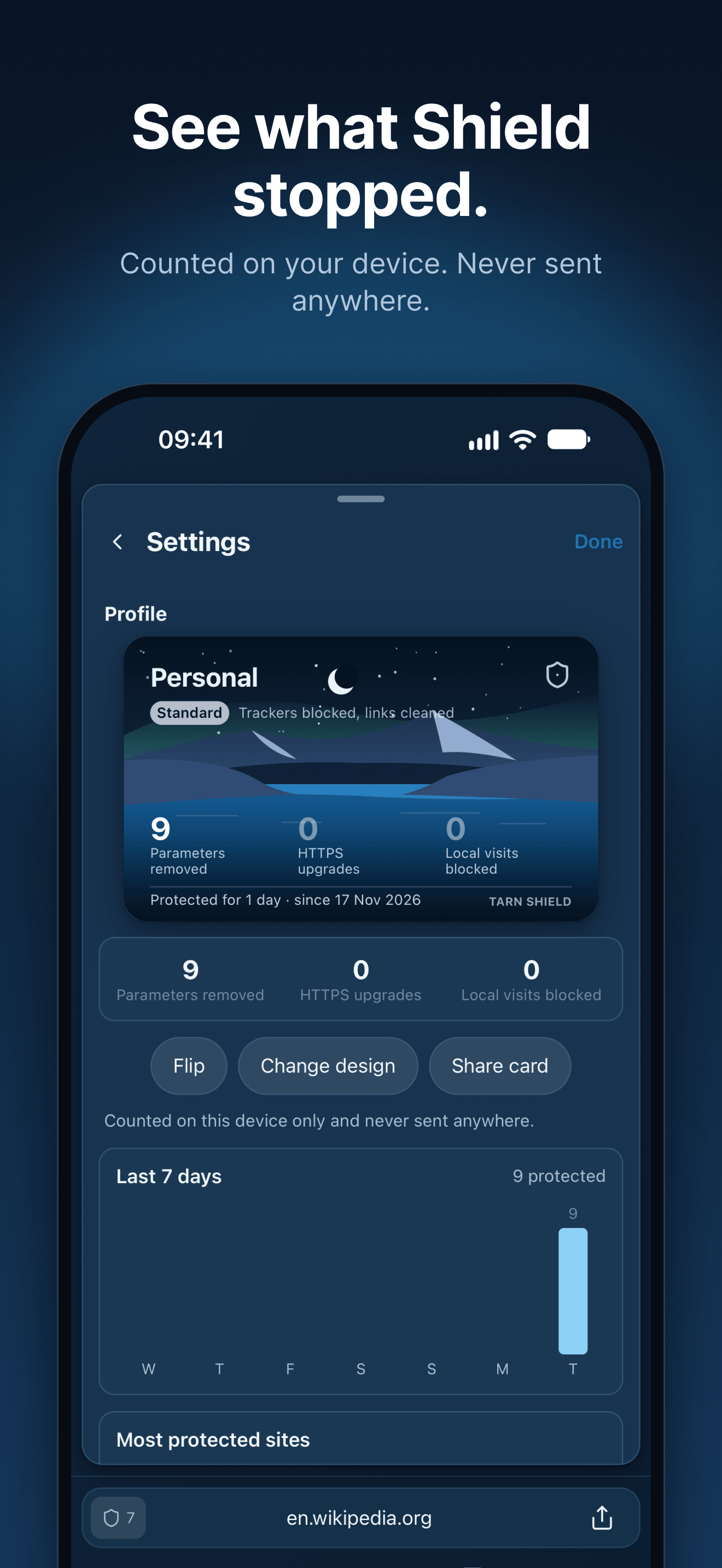
🛡️ Private by defaultShield blocks trackers and ads, strips tracking parameters and keeps pages off your local network. Strict adds HTTPS-only and no cross-site referrer; Lockdown turns off JavaScript and keeps no site data. Every level can be set per site. |
🧱 Blocking you can switchAds (EasyList, AdGuard and uBlock filters, placeholders hidden), trackers, cookie banners, YouTube ads, pop-ups and pop-up redirects, malware, phishing and scam sites, and adult sites if you want. Lists are signed and updated daily; dangerous sites get a warning page drawn by Tarn. |
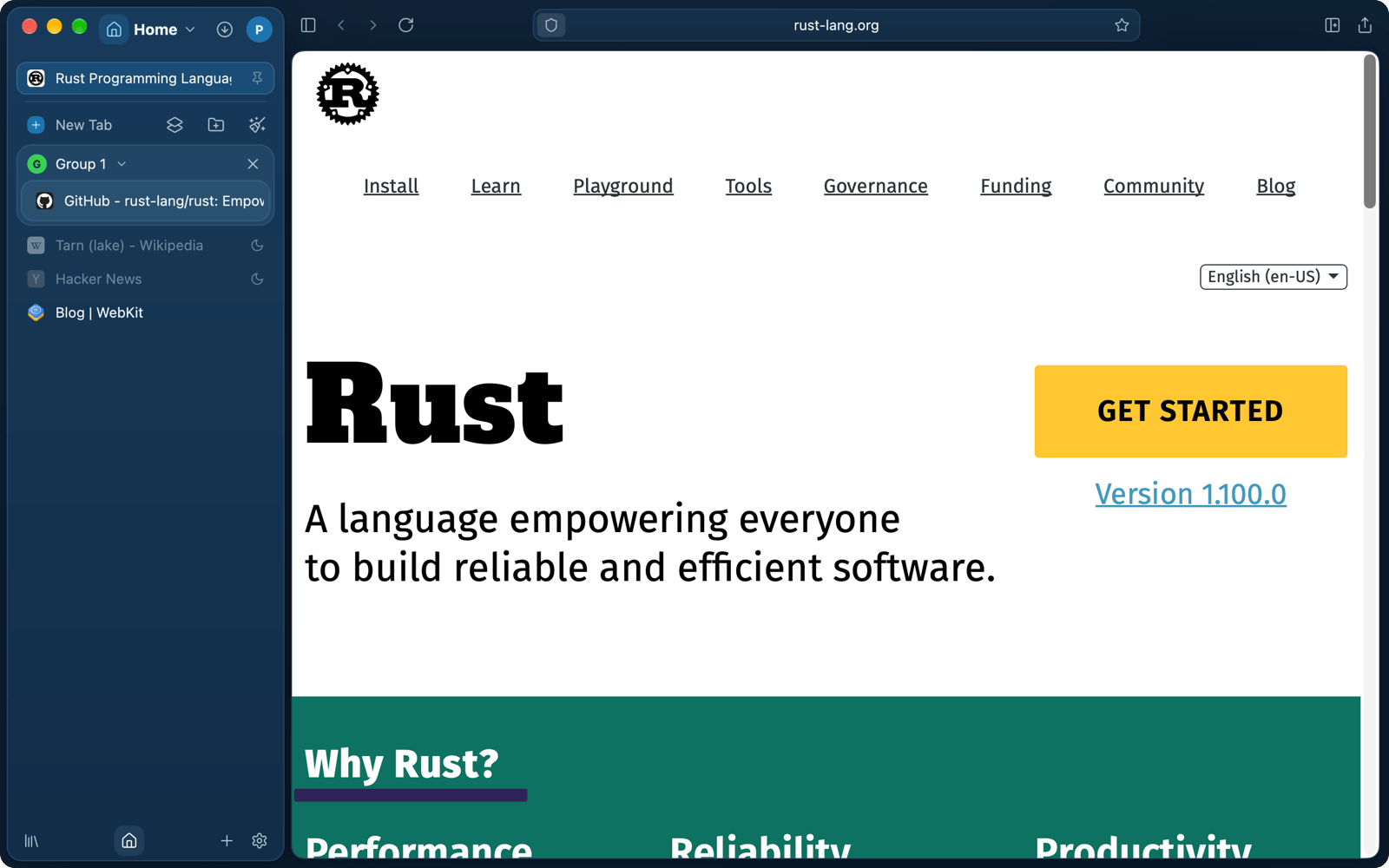
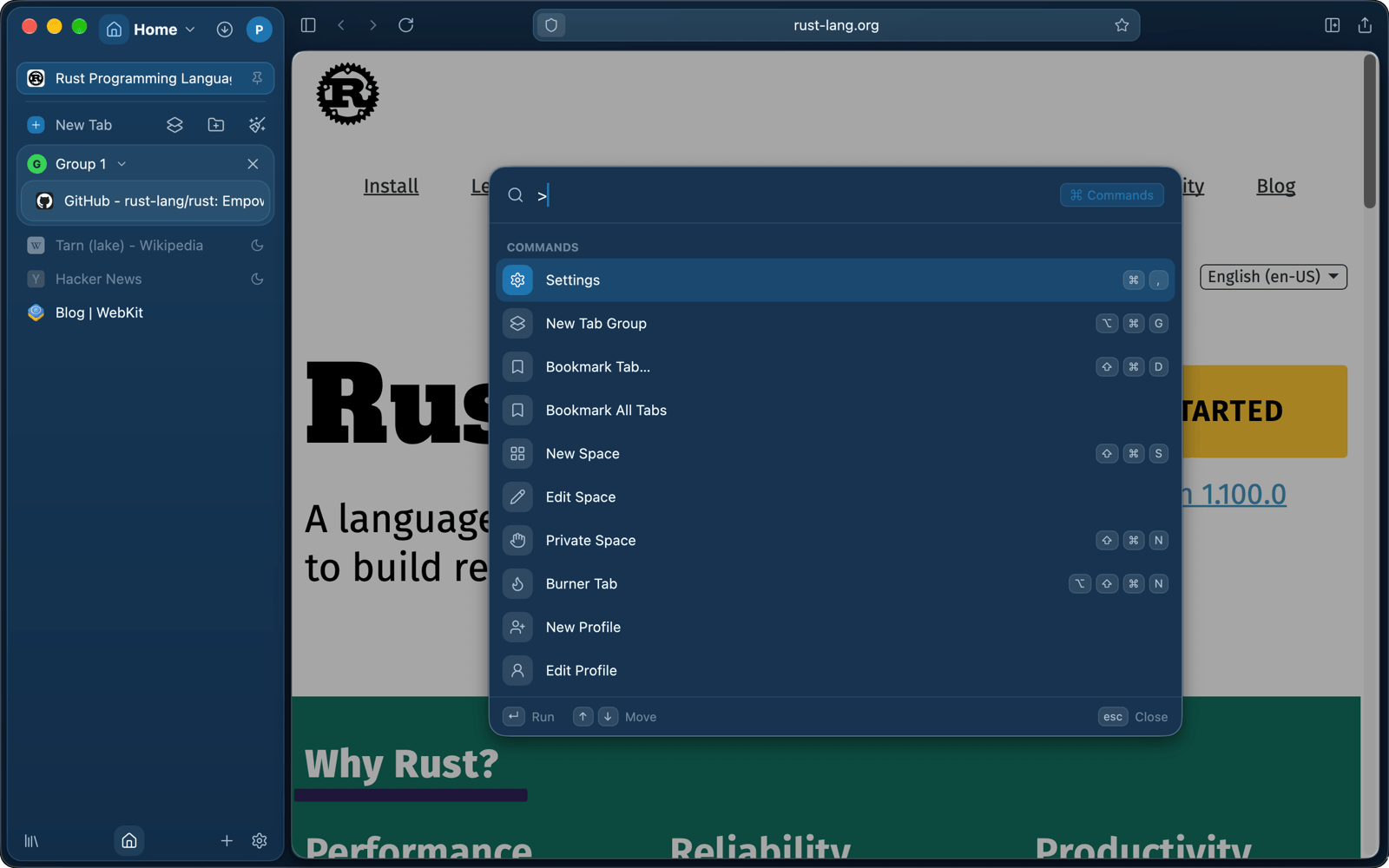
⌨️ Keyboard firstOne field for addresses, search, open tabs and app actions, with inline completion. A shortcut for nearly everything, most of them rebindable; ⌘/ lists them all. |
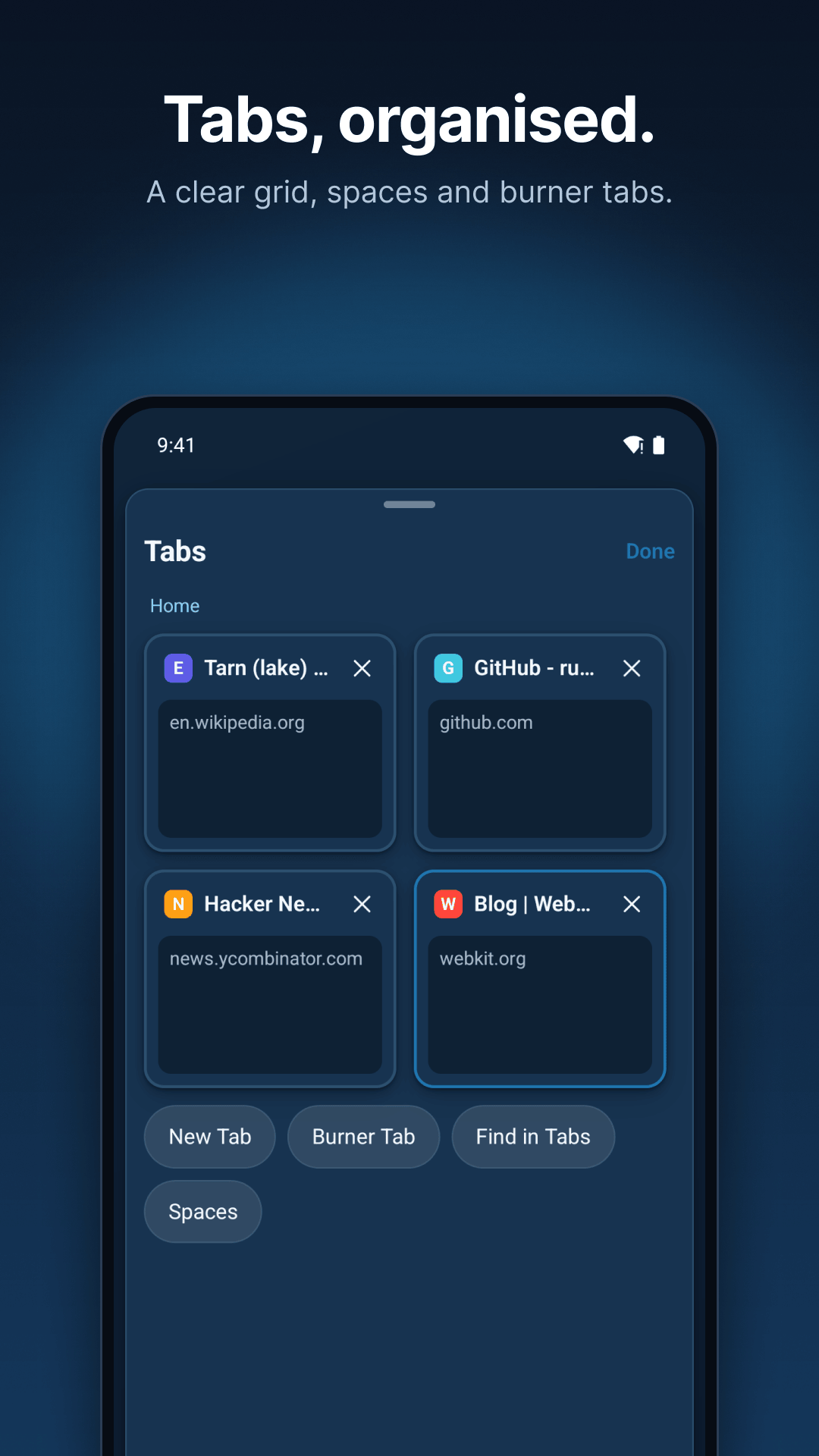
🗂️ Spaces and profilesEach space has its own name, colour and icon; profiles keep cookies, history and site data fully apart. Private spaces and burner tabs live in memory only; the Dock menu (the jump list on Windows) opens a New Private Window or a New Burner Window. Hosts can be routed to a space. |
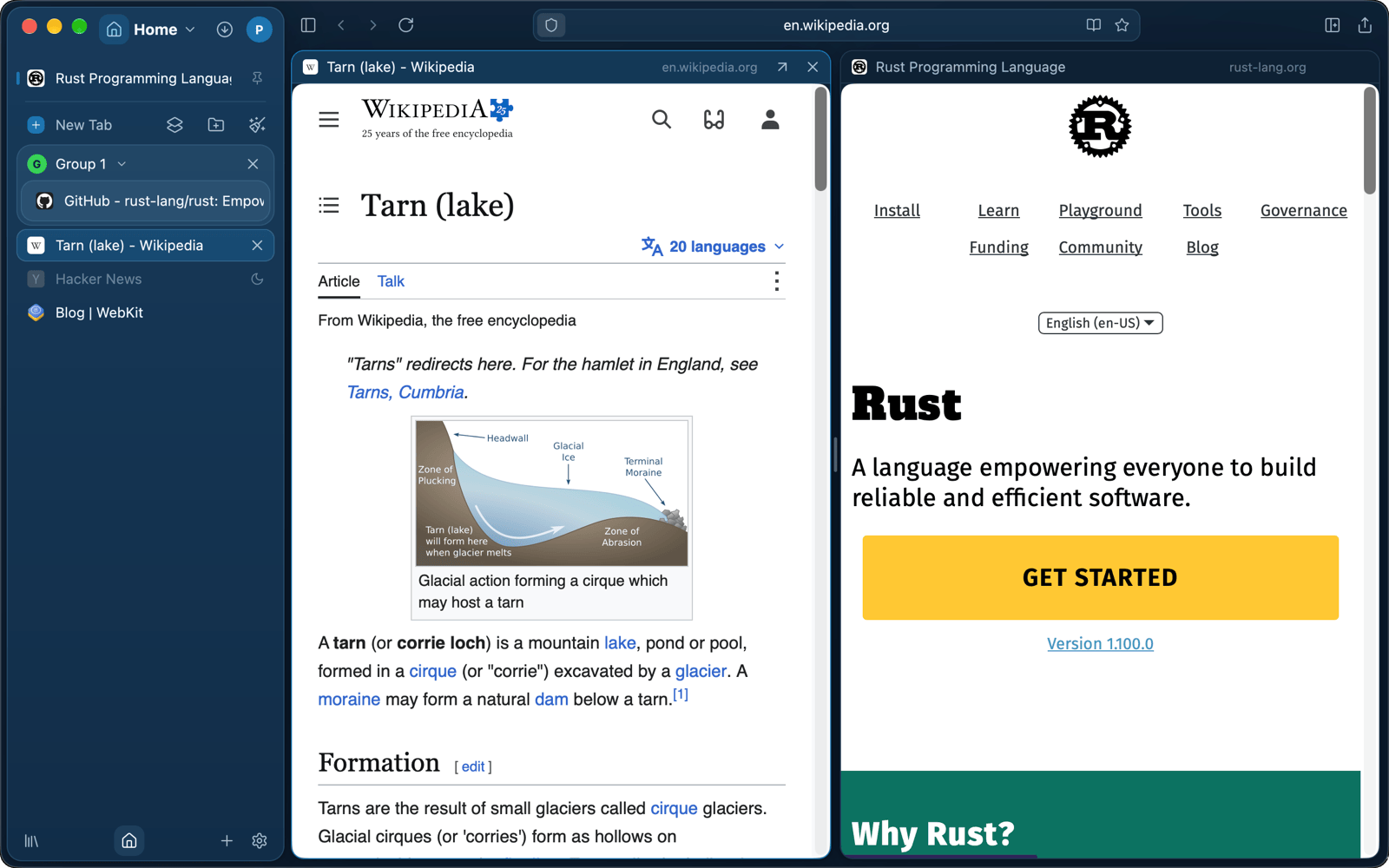
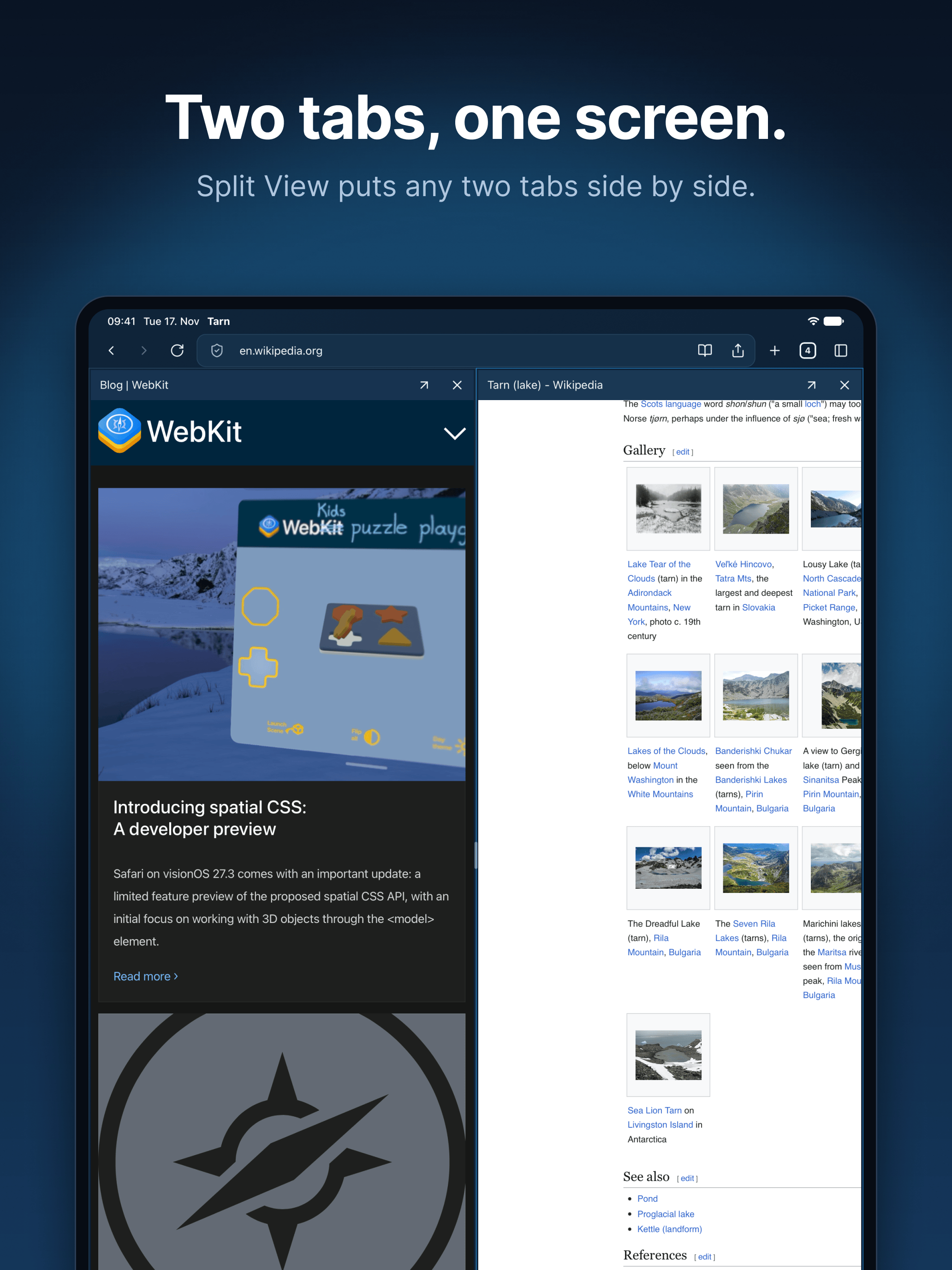
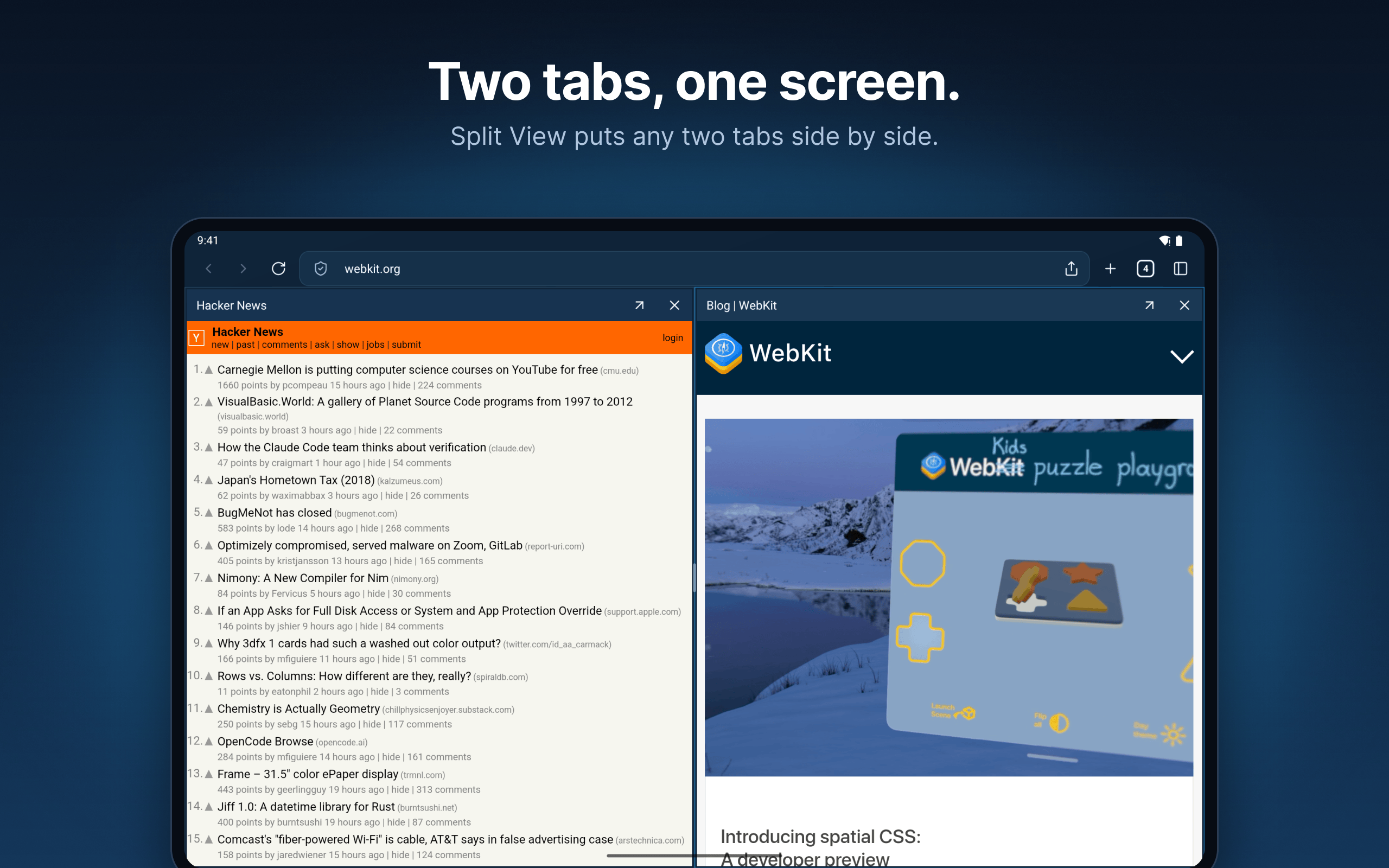
🪟 Tabs that stay out of the wayVertical tabs, pinned tabs that remember their page, tiles, folders, tab groups, Split View and link peek. Unused tabs sleep, and the heaviest background tabs sleep once they use over 1 GB (macOS). |
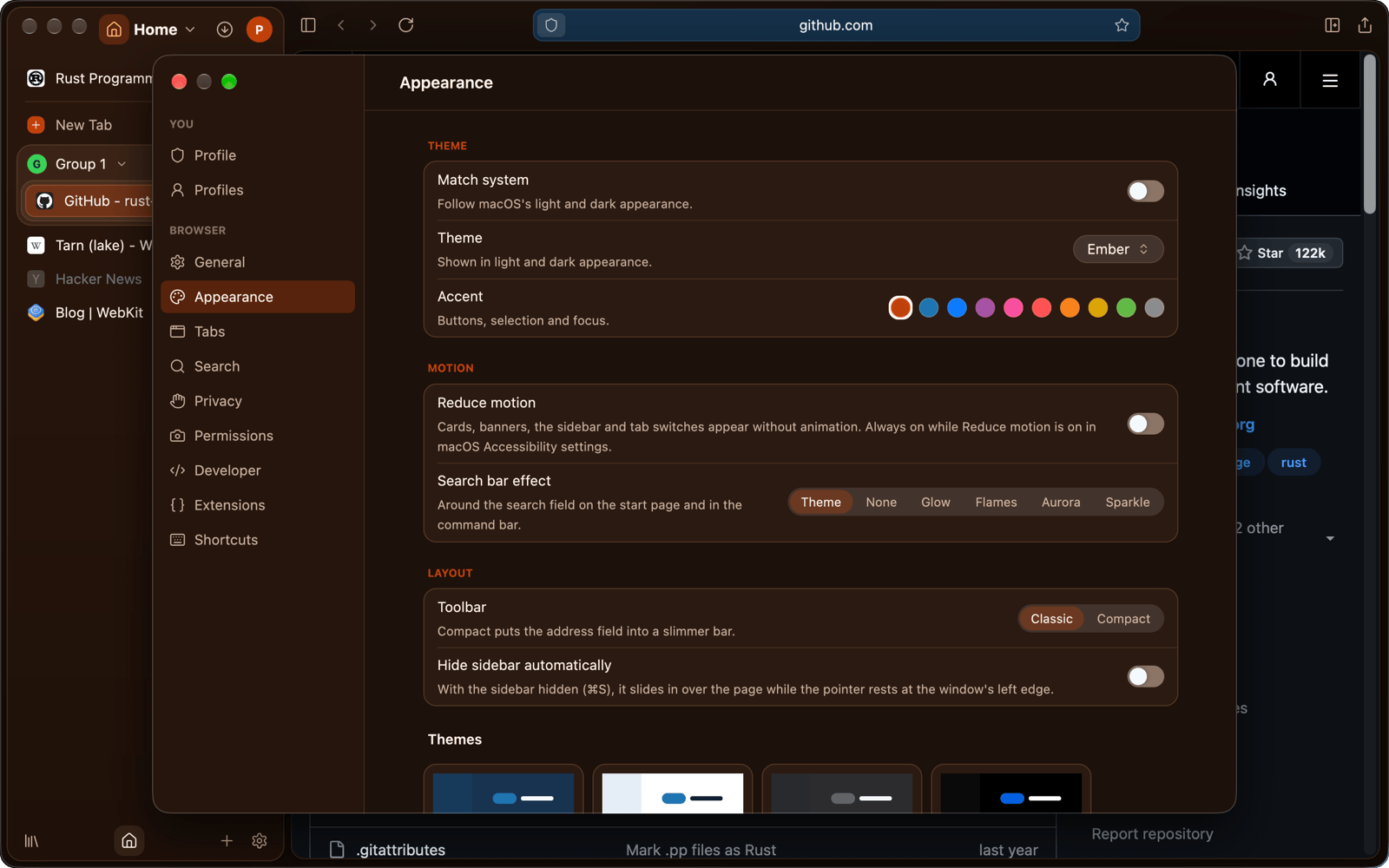
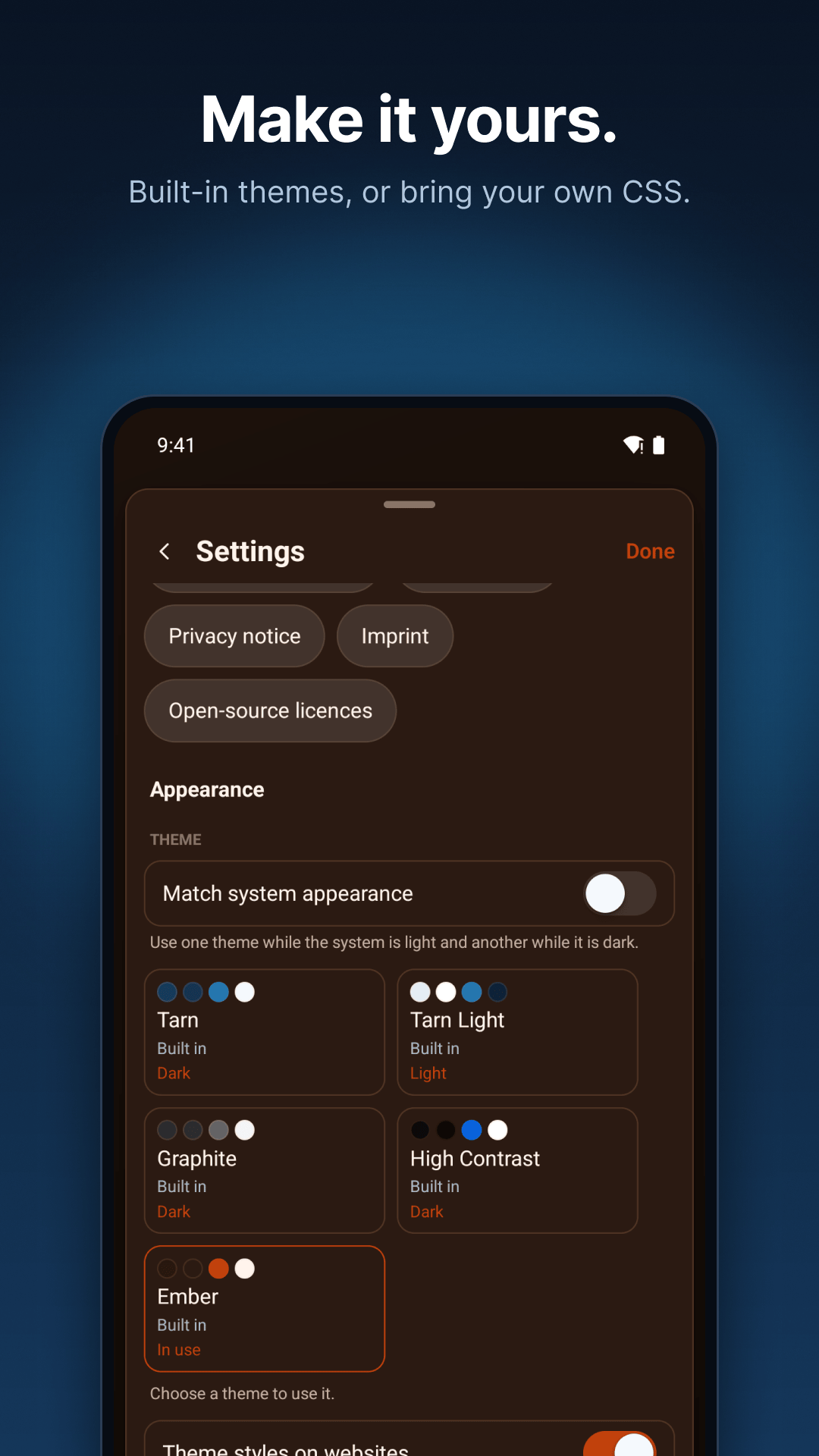
🎨 Yours to restyleBuilt-in themes, a colour editor and themes from a file, the clipboard, GitHub or the official catalog. Reader view, per-site zoom, dark mode and CSS, Picture in Picture and extensions. |
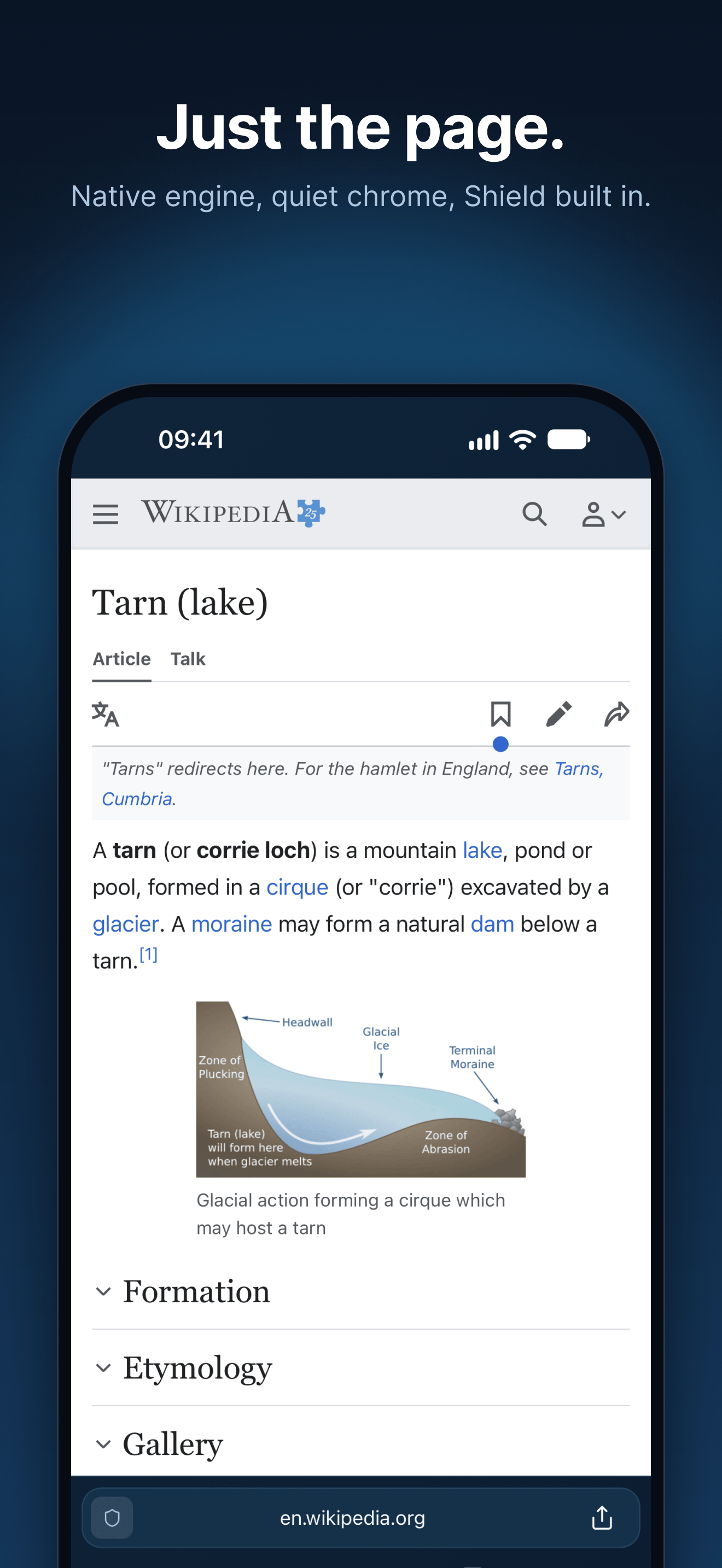
Native on every platform: GPUI draws the macOS and Windows interface, and the same Rust core runs the Linux, iOS and Android apps. Pages render in each platform's own engine.
 |
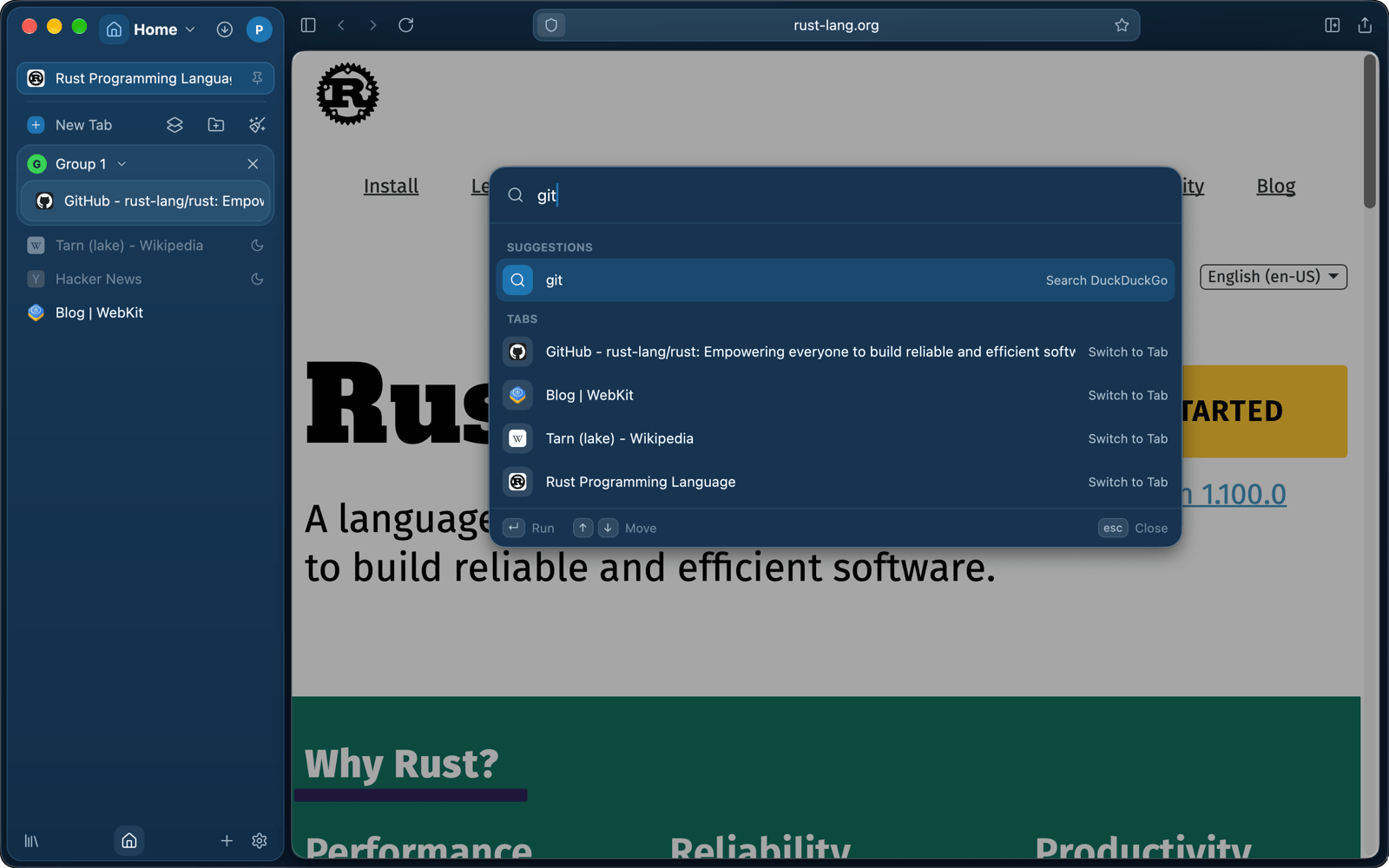 |
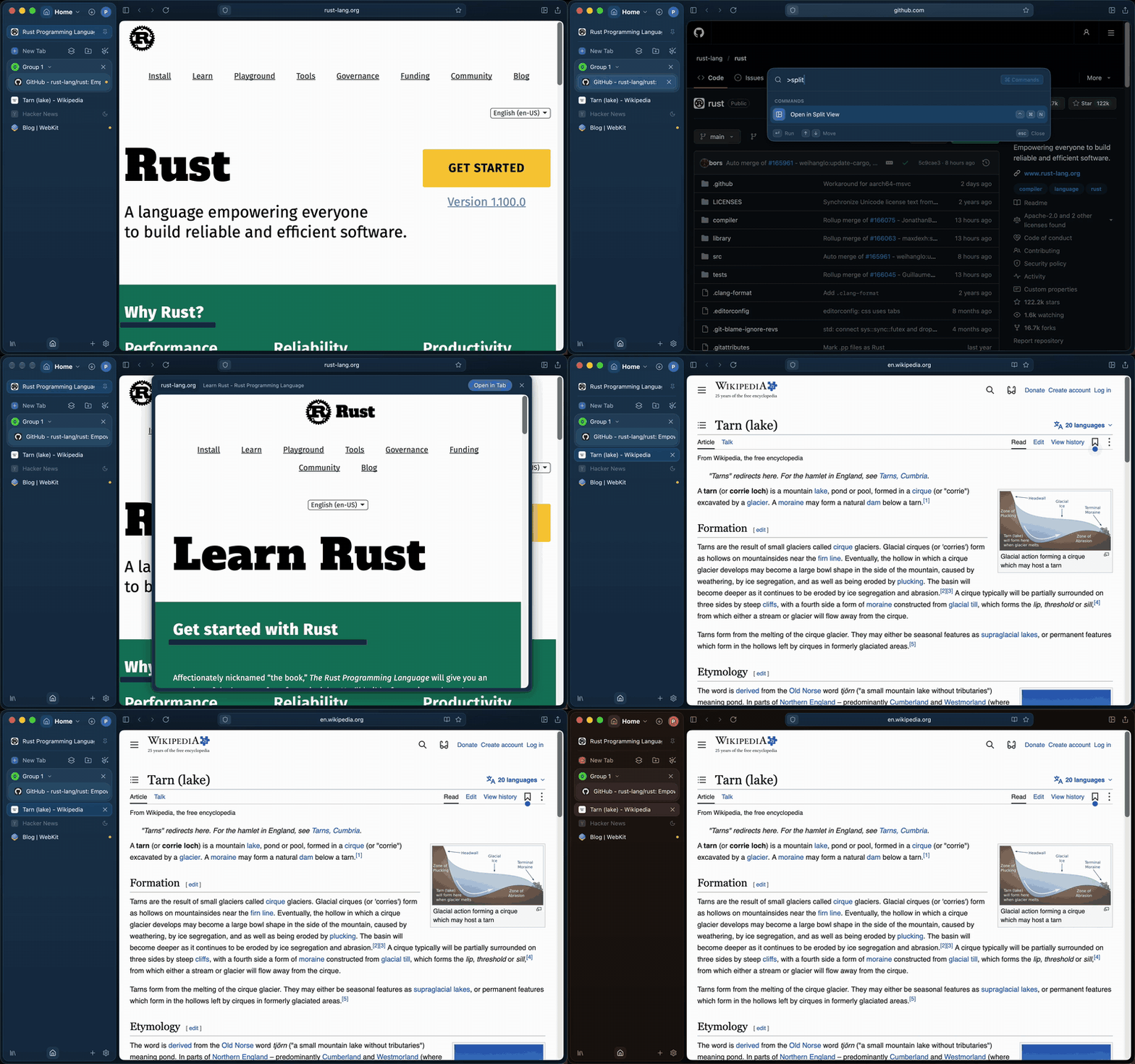
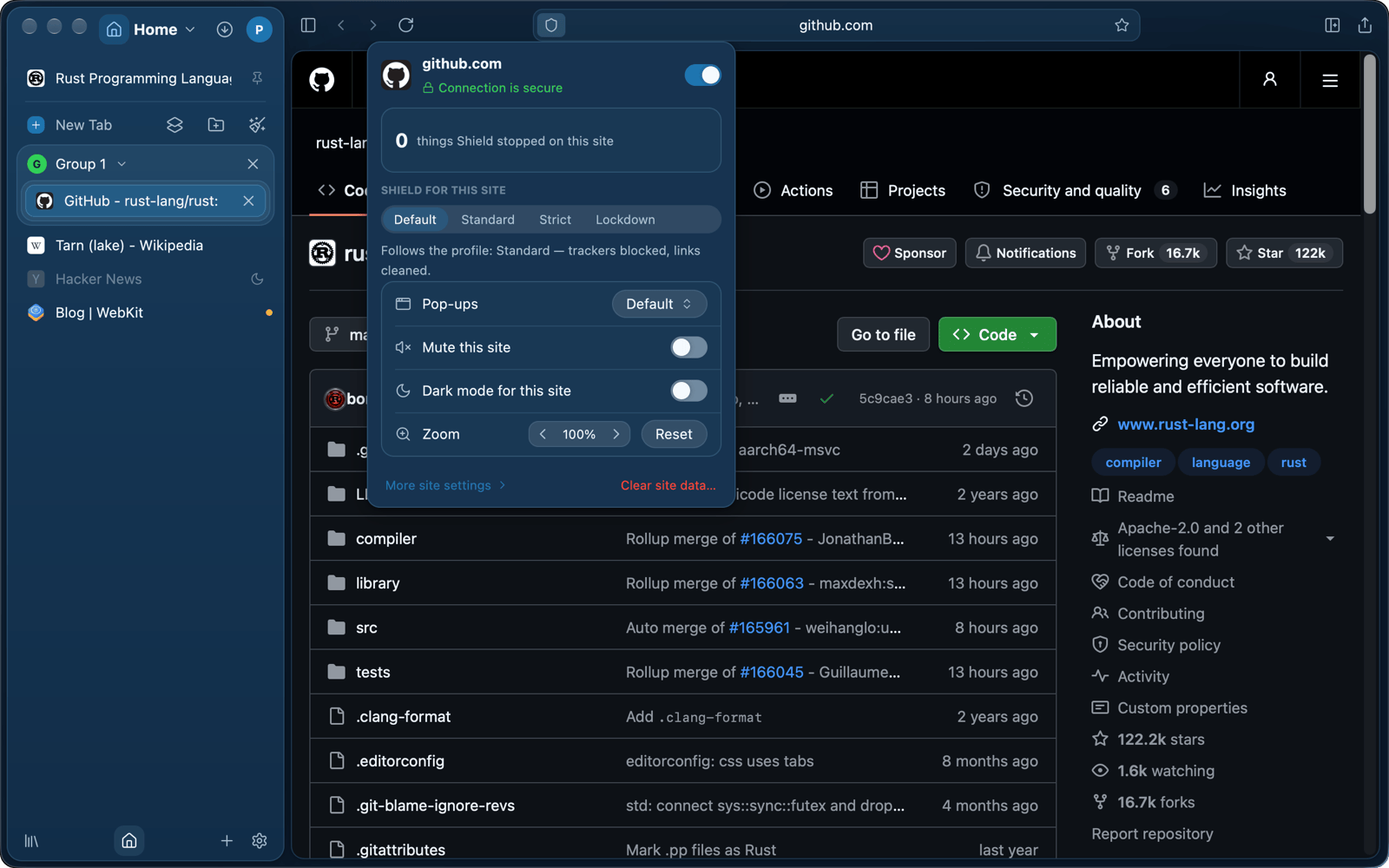
| Sidebar · pinned tabs, groups and sleeping tabs | One field · addresses, search and Switch to Tab |
 |
 |
Commands · type > or an action name |
Split View · ⌃⌘N |
 |
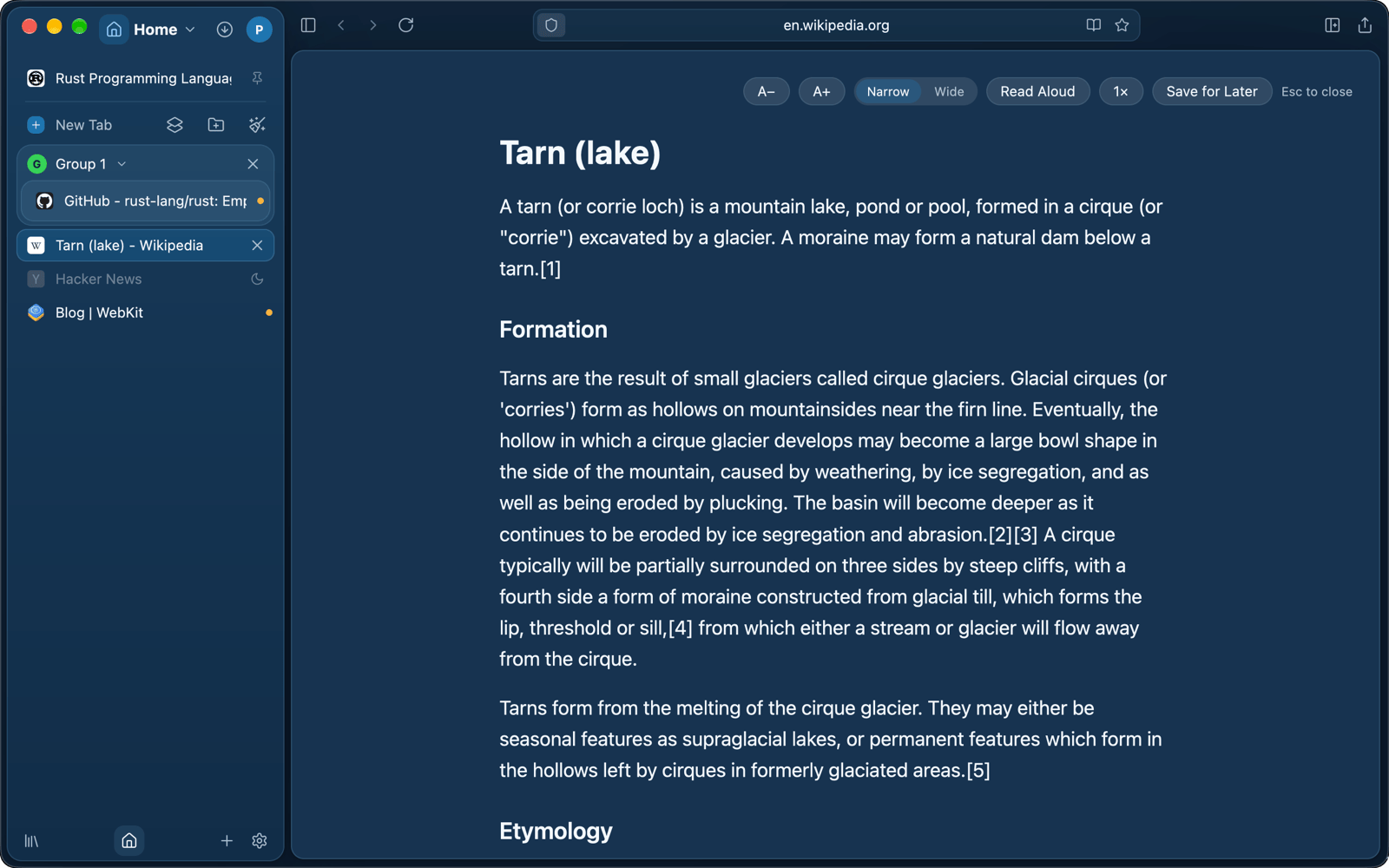 |
| Site settings · Shield level and permissions per site | Reader · ⌥⌘R, with Read Aloud |
 |
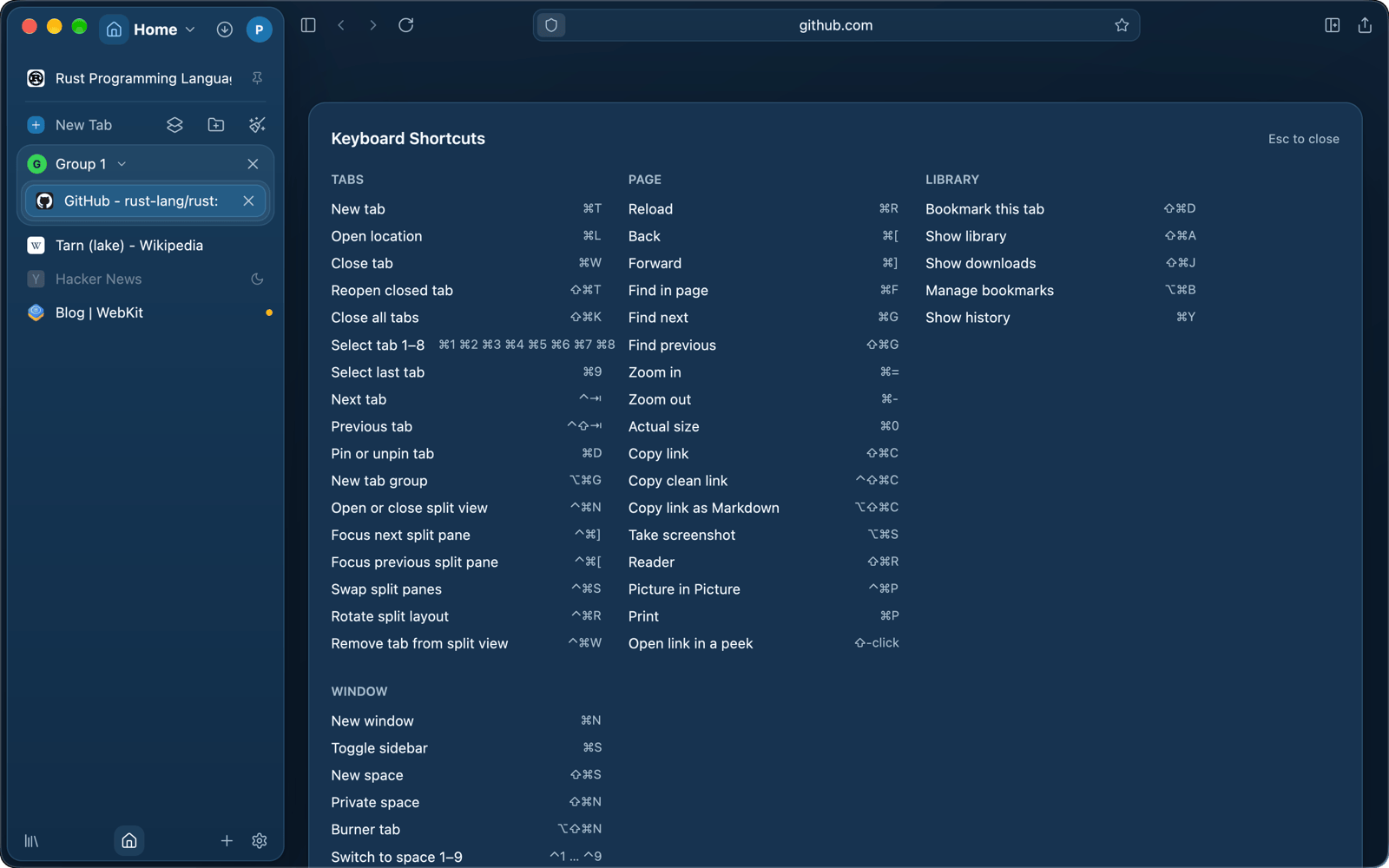 |
| Themes · Ember, one of the built-in themes, or your own CSS | Shortcut sheet · ⌘/ |
 |
 |
 |
 |
 |
 |
App Store and Google Play sets at their store sizes: docs/media/store/.
macOS is the lead client; every feature is meant to reach all five.
| Platform | Interface | Web engine | Requires |
|---|---|---|---|
| macOS | GPUI | System WebKit (Chromium optional) | macOS 14 Sonoma or later, Apple silicon or Intel |
| Windows | GPUI | Chromium (CEF) | Windows 10 or 11, x64 |
| Linux | Native Shell | WebKitGTK 6.0 | Debian 13, Ubuntu 26.04, Fedora 43 or Arch |
| iOS / iPadOS | Native Shell | WKWebView |
iOS 17 or later |
| Android | Native Shell | System WebView | Android 9 or later |
Shared by all of them: browser-core (state and decisions), engine, shield (blocking and
policy), store and sync. Contract: docs/shared-core.md; security
model and per-platform differences: docs/threat-model.md.
Needs the Xcode command line tools and the Rust toolchain pinned in rust-toolchain.toml (rustup
installs it on first use).
cargo run -p app --release
cargo run -p app -- https://example.com   # open a URL in a new tab
Profile data lives in ~/Library/Application Support/Tarn; set TARN_DATA_DIR to use another
directory. Debug builds also read TARN_TEST_FILTER_KEY, a 64-digit hex Ed25519 public key that
replaces the filter-list signing key so tests can install bundles they signed themselves, and
TARN_TEST_CATALOG_KEY, which replaces the extension catalog's signing key in the same way;
release builds ignore both.
From Git Bash with the MSVC toolchain; Chromium comes from the pinned CEF build:
export CEF_PATH="$(cygpath -w "$(scripts/fetch-cef.sh windows64)")"
cargo run -p app --release
Details, installer and signing: docs/windows-plan.md.
Each has its own Cargo workspace on Native Shell 0.5.0, so NSH stays out of the root workspace.
| Directory | What |
|---|---|
nsh-shared/ |
Theme tokens, icons and controls shared by the three apps (cargo test there) |
linux/ |
The Linux desktop app (linux/README.md) |
mobile/ |
The phone and tablet app (app/), the iOS web view (ios/) and the Android host app (android/, mobile/android/README.md) |
# Linux, in a Fedora 43 container (no Linux desktop needed)
docker build -t tarn-linux-fedora -f linux/docker/fedora.Dockerfile linux/docker
linux/scripts/cargo.sh test --locked && linux/scripts/test-display.sh
linux/packaging/build-all.sh deb-debian|deb-ubuntu|rpm|arch    # .deb, .rpm, AUR package

# Mobile (nsh 0.5.0 on PATH: https://nsh.dev/docs/installation)
cd mobile && cargo test --locked                               # shell and UI tests on the host
cd mobile/app && nsh package --target ios-simulator            # iOS simulator app
mobile/android/build.sh                                        # debug APK (ANDROID_HOME, NDK, JDK 17+)
The Linux app and its packages build with free and open-source tools only: the Fedora, Debian,
Ubuntu and Arch containers (linux/docker/, linux/packaging/) bring GCC, Clang, GTK, WebKitGTK
and Rust from their distributions and rustup, every crate has an open-source licence (cargo deny), and Docker runs them. The macOS and iOS clients need Apple's SDK and the Windows
client Microsoft's MSVC toolchain.
Packages: .deb for Debian 13 and Ubuntu 26.04, .rpm for Fedora 43 and an AUR PKGBUILD
Quavon-dev/tarn-browser is a public repo on GitHub by Quavon-dev. An open-source, keyboard-first web browser built in Rust. Vertical tabs, separate profiles, and built-in ad and tracker blocking. No telemetry or accounts.
It declares the GPL-3.0 license on GitHub.
Its maker tagged it for macOS, Windows and Linux, or as Docker or cross-platform. That is declared by the maker; Take My Repo has not tested it.
Playwright is a framework for Web Testing and Automation. It allows testing Chromium, Firefox and WebKit with a single API.
A list of Free Software network services and web applications which can be hosted on your own servers
Open "Take it" on its page: Take My Repo writes an install plan for your machine and hands it to your AI agent (Claude Code, Codex or Cursor), which asks you before each step. Take My Repo has not tested it on any machine.
Its last change on GitHub was on 2026-11-24. Take My Repo does not judge from that whether it is maintained.
Nobody has reviewed it on Take My Repo yet, which says nothing about its quality.
Take My Repo cannot say: it does not audit code and has not run tarn-browser. What is known comes from GitHub. It declares the GPL-3.0 license on GitHub. Its last change was on 2026-11-24. It has 30 stars, which measure popularity, not safety. Nobody has reviewed it on Take My Repo yet, which says nothing about its quality. Read the source before you run it. With "Take it", your AI agent shows each step and asks you before running it; README text is treated as data, not as instructions.