

reflexio
Make your agents improve themselves. Reflexio is an AI agent self-improvement harness that enables your AI agents to continuously learn from real user interactions.
- 389
- Apache-2.0
- 2 d ago
Repo ReflexioAI/reflexio, read from GitHub 2 d ago. ReflexioAI has not joined Take My Repo.
In short
ReflexioAI/reflexio is a public repo on GitHub by ReflexioAI. Make your agents improve themselves. Reflexio is an AI agent self-improvement harness that enables your AI agents to continuously learn from real user interactions. It declares the Apache-2.0 license on GitHub. It is written mainly in Python, has 389 stars and last changed on 2026-11-22. Nobody has reviewed it on Take My Repo yet, which says nothing about its quality. Read from GitHub on 2026-11-22.
Similar repos

Quick Start · Features · Integrations · SDK · CLI · Architecture · Docs · Community · Contributing
81% fewer planning steps · 72% less tokens · on real GDPVal knowledge-work tasks,
on top of what a SOTA self-improving Hermes agent already learns on its own.
See the benchmark →
Try managed Reflexio free
Prefer a hosted experience? Start at Reflexio.ai for free and get a 30-day Pro trial. Managed Reflexio includes advanced features such as enhanced retrieval and continuous RL-driven improvement—without infrastructure to operate yourself.
What is Reflexio?
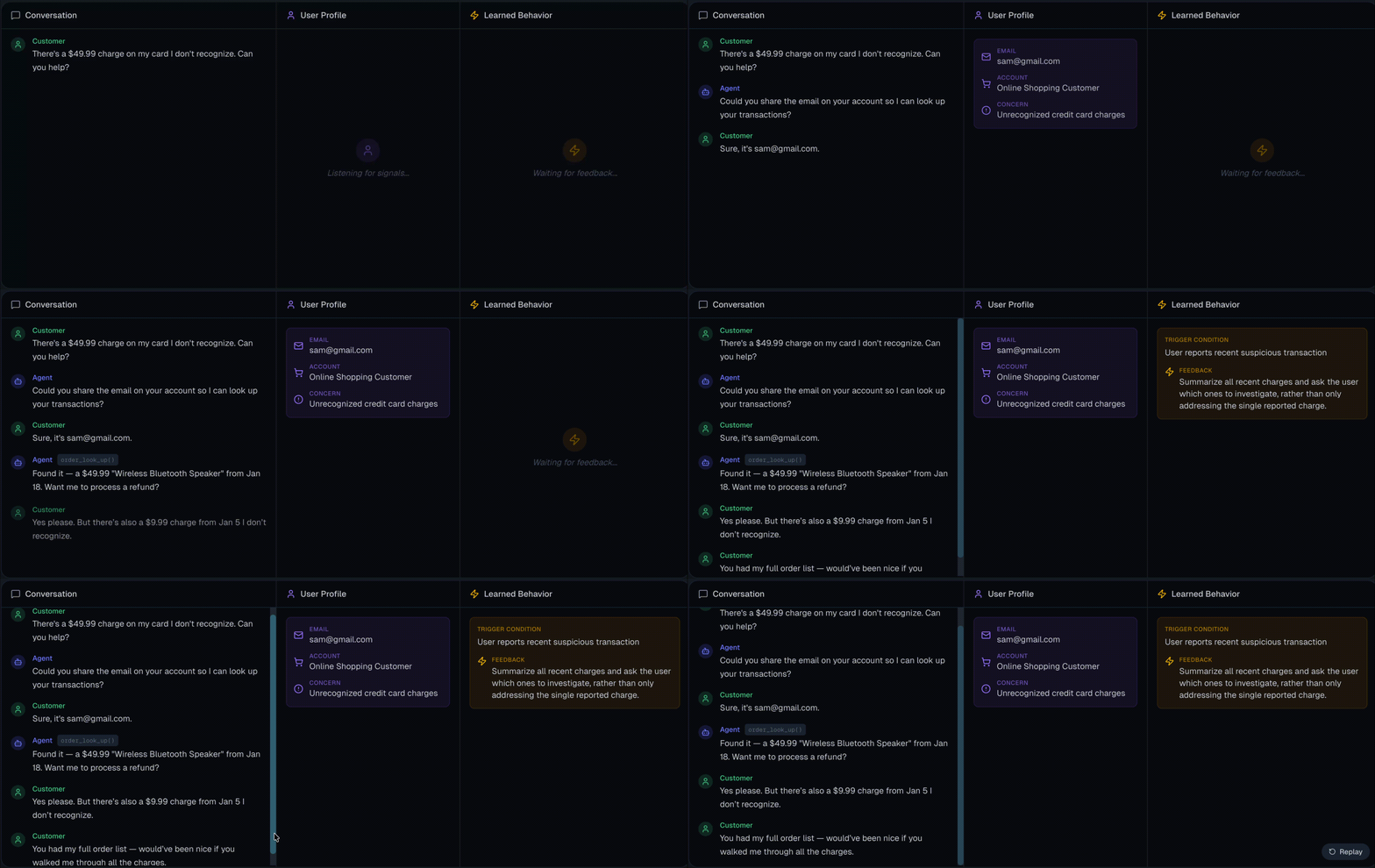
Reflexio is an AI agent self-improvement harness that enables your AI agents to continuously learn from real user interactions. It turns user corrections into persisted behavioral improvements for agents and captures successful execution paths for reuse.
User-specific learnings stay scoped to that user; lessons that recur across users can be aggregated into shared agent playbooks and approved for reuse.
As your agent is used more, it becomes smarter, faster, and more effective at solving domain-specific tasks. The moat for AI agents is what your agent learns from every interaction it handles.
Our vision is that AI systems should get better with every interaction.
Benchmarked on GDPVal: on 4 of 5 real knowledge-work tasks from OpenAI's public GDPVal benchmark, Reflexio cuts a median −81% planning steps and −72% tokens on a Hermes agent running
minimax/MiniMax-M2.7— measured against a warm baseline: the same agent re-running the task after it has already learned from itself. In other words, Reflexio's savings come on top of what a SOTA self-improving agent has learnt on its own. See the full writeup → benchmark/gdpval/RESULTS.md.
flowchart LR
    A[AI Agent] -->|conversations| B[Reflexio]
    G[Human Expert] -->|ideal responses| B
    B --> C[User Profiles]
    B --> D[Playbook Extraction]
    D --> E[Playbook Aggregation]
    B --> F[Success Evaluation]
Publish conversations from your agent, and Reflexio closes the self-improvement loop:
- Never Repeat the Same Mistake: Transforms user corrections and interaction signals into improved decision-making processes — so agents adapt their behavior and avoid repeating the same mistakes.
- Lock In What Works: Persists successful strategies and workflows so your agent reuses proven paths instead of starting from scratch.
- Transfer Learning Across Users: Corrections and successful strategies that recur across users can be aggregated into shared agent playbooks; approved playbooks improve the agent for everyone without retraining.
- Learn from Human Experts: Publish expert-provided ideal responses alongside agent responses — Reflexio automatically extracts actionable playbooks from the differences.
For developers: See developer.md for project structure, environment setup, testing, and coding guidelines.
Table of Contents
- Demo
- Quick Start
- Features
- Integrations
- SDK Usage
- Architecture
- Documentation
- Community
- Contributing
- Star History
- License
Demo
Quick Start
Prerequisites
| Tool | Description |
|---|---|
| Python >= 3.12 | Required for PyPI and source installs |
| uv | Required when running from source |
| Python's linked SQLite runtime | >= 3.38.0 (required for local SQLite storage; not the standalone sqlite3 CLI) |
| Node.js >= 18 | Required only for the local docs site in a source checkout |
Check the SQLite runtime linked to Python with:
python -c "import sqlite3; print(sqlite3.sqlite_version_info)"
Setup
Option A — Install from PyPI (fastest, for users):
pip install reflexio-ai

# start/stop services. data saved under ~/.reflexio
reflexio services start           # API (8061), inference (8069), SQLite storage
reflexio services stop            # Stop all services
The PyPI package does not ship the local docs site. Use the hosted documentation, or clone the repository if you want to run the docs locally.
Option B — Clone from source (for contributors):
# clone the repo
git clone https://github.com/ReflexioAI/reflexio.git
cd reflexio

# configure: copy env template, then set at least one LLM API key (OpenAI, Anthropic, etc.)
cp .env.example .env

# install dependencies
uv sync                                    # Python (includes workspace packages)
npm --prefix docs install                  # API docs

# start/stop services. data saved under ~/.reflexio
uv run reflexio services start             # API (8061), Docs (8062), inference (8069), SQLite
uv run reflexio services stop              # Stop all services
Source-checkout alternatives:
python -m reflexio.cli services startor./run_services.sh
The standalone server listens on loopback by default and needs no API key for
local use. To allow network clients, set REFLEXIO_API_KEY, start with
--backend-host 0.0.0.0, and send Authorization: Bearer <key> on data requests.
Use TLS for network access. Without a key, remote clients and nonlocal browser
origins cannot access data endpoints. See standalone access.
When the backend is selected, the launcher also starts the local inference
service on port 8069 unless REFLEXIO_EMBEDDING_SERVICE_URL points to a remote
service. It serves embeddings and the optional cross-encoder reranker; cloud
embedding configurations still use it for reranking. The deployment-wide
REFLEXIO_RERANK_ENABLED flag defaults to true. Set it to false to skip
reranker model loading/prewarm and disable reranker requests. Automatic
unified-search relevance flooring (which includes reranking) remains separately
off by default through retrieval_floor.enabled. If the loopback inference
service is unavailable, automatic reranking is silently skipped and retrieval
order is preserved. An unavailable remote/internal service is reported while
search still fails open.
The default local model, local/minilm-l6-v2, uses ONNX Runtime, tokenizers,
and NumPy directly; ChromaDB is not required. It retains the existing
384-dimensional MiniLM vectors padded to 512 dimensions and the cache at
~/.cache/chroma/onnx_models/all-MiniLM-L6-v2/onnx. A cold cache downloads the
~80 MB model archive and verifies its SHA-256 before extraction. Prepopulate
this cache for offline use; existing MiniLM databases do not need reindexing.
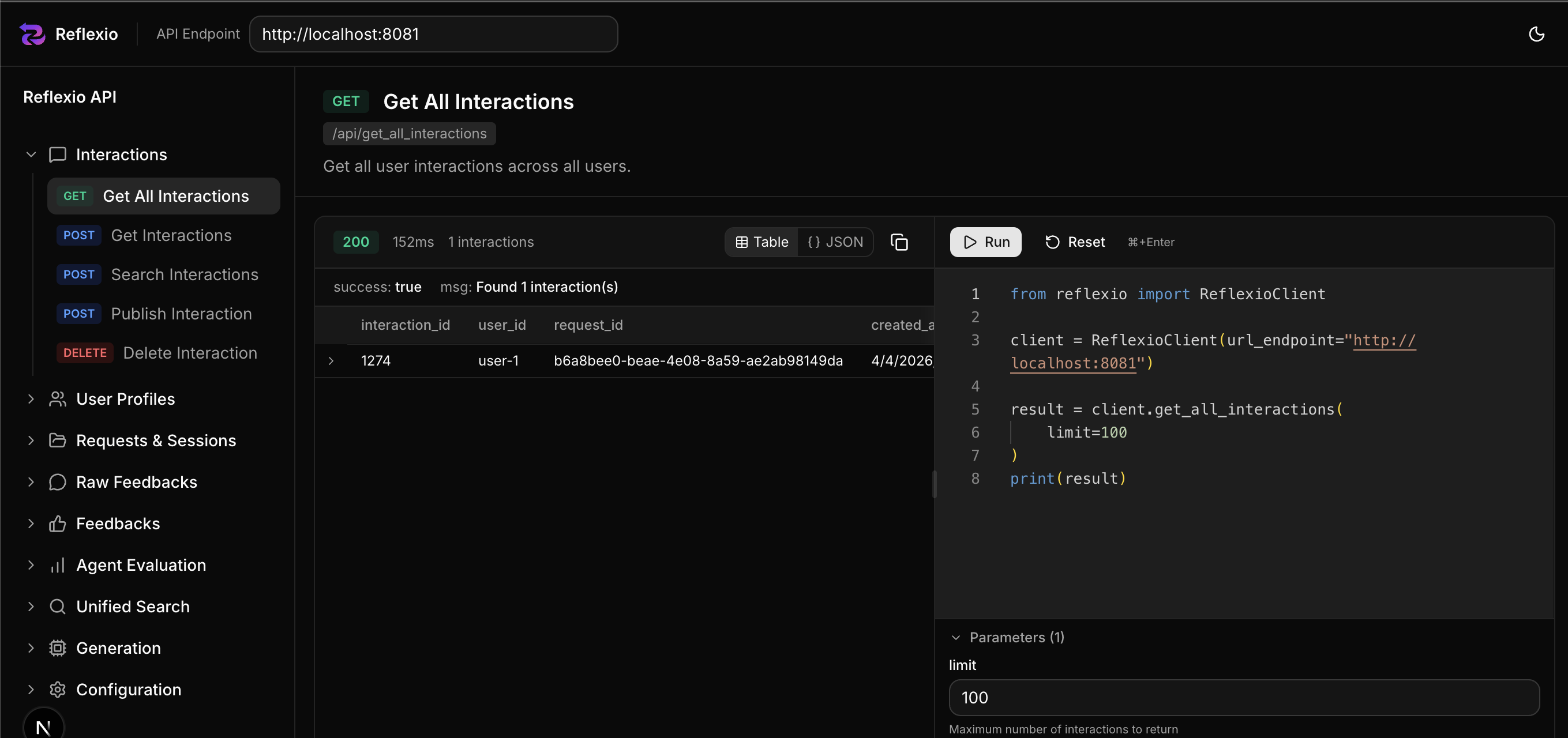
For a source checkout, open http://localhost:8062 to interactively browse and try out the API.
Try it in 30 seconds (CLI)
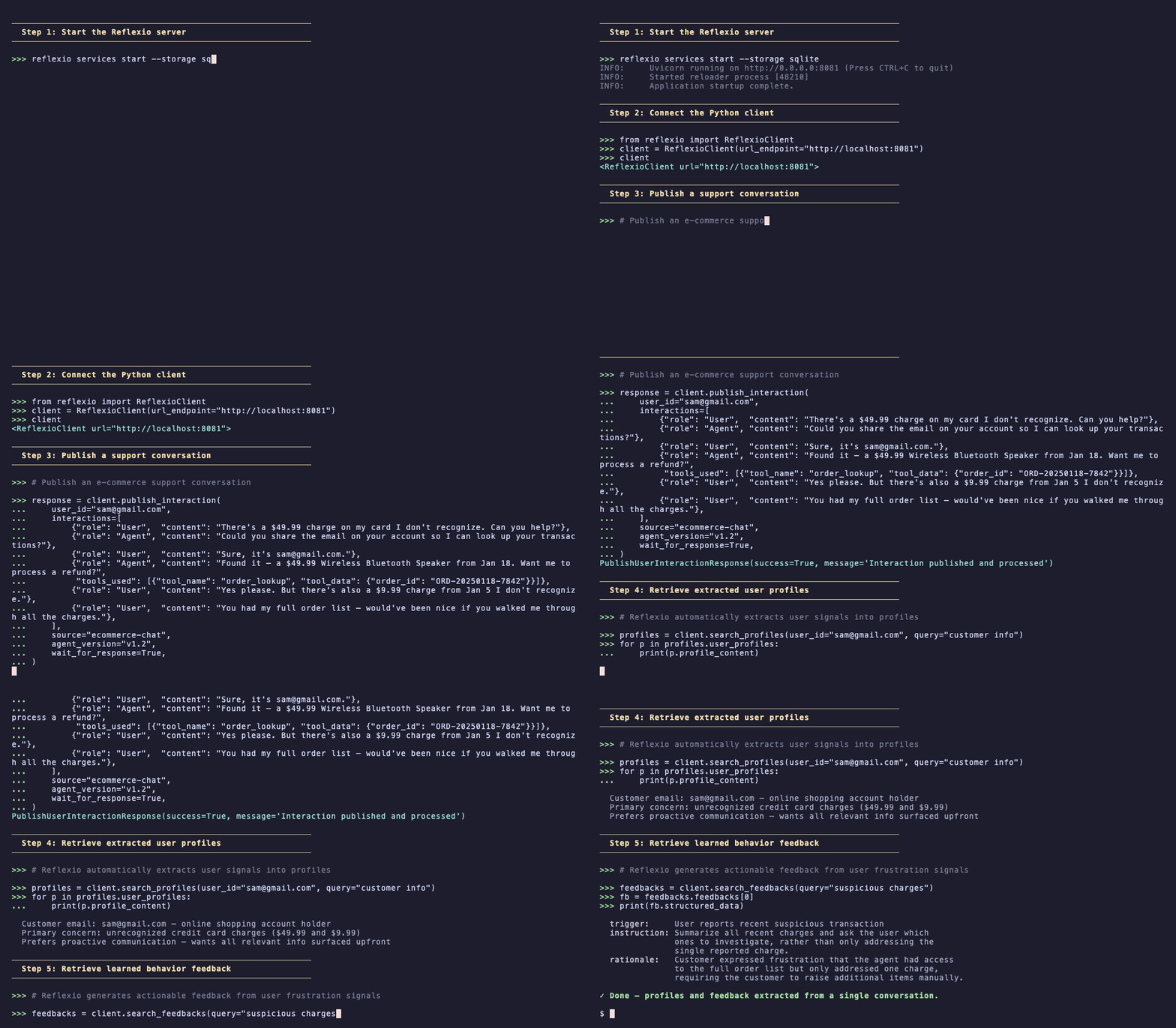
Reflexio ships a first-class CLI — the fastest way to see the loop end-to-end with no code. Publish a real multi-turn conversation where the user corrects the agent (that's the signal Reflexio learns from), then search for what was extracted. In a source checkout, prefix these commands with uv run.
reflexio publish --user-id alice --session-id deploy-demo-1 --wait --data '{
  "interactions": [
    {"role": "user",      "content": "Deploy the new service."},
    {"role": "assistant", "content": "Starting deployment to us-east-1..."},
    {"role": "user",      "content": "Wait — we never deploy production to us-east-1. Always use us-west-2."},
    {"role": "assistant", "content": "Understood. Switching to us-west-2."}
  ]
}'

# Search the extracted profiles and playbooks
reflexio search "deployment region" --user-id alice
Depending on the configured model and extraction gates, this conversation can
produce a user profile (production region is us-west-2) and a user playbook
(confirm region before deploying). Agent playbooks are created later by
aggregating recurring user playbooks across users and enter the approval
workflow. See the CLI reference for all input modes
(inline JSON, --file, --stdin) and the full command list.
Integrate with the Python SDK
import reflexio

client = reflexio.ReflexioClient(url_endpoint="http://localhost:8061/")

# A conversation is a session. Bind it once, then every call you make
# through `session` carries it — so the searches that fed the agent and
# the turns you publish stay linked to each other.
session = client.for_session("deploy-demo-1")

# Publish a multi-turn conversation where the user corrects the agent —
# Reflexio can extract a profile ("prod region = us-west-2") and a playbook
# ("confirm region before deploying").
session.publish_interaction(
    user_id="alice",
    interactions=[
        {"role": "user", "content": "Deploy the new service."},
        {"role": "assistant", "content": "Starting deployment to us-east-1..."},
        {
            "role": "user",
            "content": "Wait — we never deploy production to us-east-1. Always use us-west-2.",
        },
        {"role": "assistant", "content": "Understood. Switching to us-west-2."},
    ],
)
By default, Reflexio queues profile and playbook extraction in the background; the configured models and extraction gates determine which artifacts are produced. Large textual windows preserve original sources and freeze their chunk plan before provider work. Audited playbook reconciliation may use verified model input headroom beyond the ordinary extraction target; output reservations, safety margin and durable call limits still apply. Held capacity failures require explicit operator recovery with the original journal, rather than fresh automatic quota.
Integrate with the TypeScript SDK
npm install @reflexioai/client
import { ReflexioClient } from "@reflexioai/client";

const client = new ReflexioClient({ url: "http://localhost:8061/" });

// Same calls and field names as the Python SDK, camelCased method names.
const session = client.forSession("deploy-demo-1");

await session.publishInteraction({
  user_id: "alice",
  interactions: [
    { role: "user", content: "Deploy the new service." },
    { role: "assistant", content: "Starting deployment to us-east-1..." },
    { role: "user", content: "Wait — we never deploy production to us-east-1. Always use us-west-2." },
    { role: "assistant", content: "Understood. Switching to us-west-2." },
  ],
});

const context = await session.search({ query: "deploy the service", user_id: "alice" });
See client_ts/ for the full TypeScript client guide.
Features
Profile Generation
- Extracts stable facts about users and their environments with one configurable profile extractor
- Supports versioning (current → pending → archived) with upgrade/downgrade workflows
- Supports independent profile and playbook extraction windows and strides
Read more about user profiles →
Playbook Extraction & Aggregation
- Extracts playbooks from user behavior patterns
- Clusters similar entries and aggregates with LLM (with change detection to skip unchanged clusters)
- Approval workflow: review and approve/reject agent playbooks
Playbook consolidation uses one independently audited method. It drafts Create/Replace/Remove decisions, audits the complete proposed memory, and repairs affected decisions before saving. Replace can produce multiple playbooks. One 24-request allowance covers draft, read-only searches, audits, repairs and provider fallback attempts. A nonempty batch requires a draft and audit even when no incumbent matches. Exhaustion or failed audits preserve committed memory; drafts are never saved as a fallback. Candidate search threshold and top-k remain independent controls.
Questions
What is reflexio?
ReflexioAI/reflexio is a public repo on GitHub by ReflexioAI. Make your agents improve themselves. Reflexio is an AI agent self-improvement harness that enables your AI agents to continuously learn from real user interactions.
Is reflexio open source?
It declares the Apache-2.0 license on GitHub.
Does reflexio run on macOS, Windows or Linux?
Its maker has not tagged a system, so it is unknown here. Its README says what it needs.
How do I install reflexio?
Open "Take it" on its page: Take My Repo writes an install plan for your machine and hands it to your AI agent (Claude Code, Codex or Cursor), which asks you before each step. Take My Repo has not tested it on any machine.