
maintenance-tracker
Track maintenance for cars, motorcycles, trucks, and equipment. Monitor service intervals by mileage and time, get maintenance alerts, log complete history with notes. PHP/PDO/Bootstrap 5
- 0
- AGPL-3.0
- 6 wk ago
Repo RigacciOrg/maintenance-tracker, read from GitHub 2 d ago. RigacciOrg has not joined Take My Repo.
In short
RigacciOrg/maintenance-tracker is a public repo on GitHub by RigacciOrg. Track maintenance for cars, motorcycles, trucks, and equipment. Monitor service intervals by mileage and time, get maintenance alerts, log complete history with notes. PHP/PDO/Bootstrap 5. It declares the AGPL-3.0 license on GitHub. It is written mainly in PHP, has 0 stars and last changed on 2026-10-10. Nobody has reviewed it on Take My Repo yet, which says nothing about its quality. Read from GitHub on 2026-11-21.
Vehicle Maintenance Tracker
A web-based maintenance tracking system for vehicles and equipment. Set service intervals by distance or time, monitor maintenance alerts, and maintain complete service history with notes.
Features
Vehicle Management
- Multi-vehicle support - Track cars, motorcycles, trucks, boats, and equipment
- Vehicle profiles - Store nickname, license plate, VIN, and vehicle-specific notes
- Flexible models - Define reusable vehicle models with custom maintenance programs
Maintenance Tracking
- Dual-interval monitoring - Track by odometer/hour meter AND calendar time
- Custom maintenance programs - Define maintenance items and operations per vehicle model
- Urgency calculations - Visual indicators (green/yellow/red) show maintenance priority
- Quick registration - One-click operation logging with automatic timestamp
- Complete history - Full maintenance log with dates, meter readings, and notes
User Features
- Multi-user support - Separate accounts with role-based access (admin/user)
- Search functionality - Quick search in maintenance history and notes
- Responsive design - Works on desktop, tablet, and mobile devices
- Intuitive interface - Bootstrap 5 UI with color-coded status indicators
Data Management
- Timestamped notes - Log observations and issues with date and meter reading
- Flexible units - Support for kilometers, miles, hours, and custom units
- Time intervals - Define intervals in days, weeks, months, or years
- Data integrity - Unique constraints prevent duplicate entries
Screenshots
Mobile View
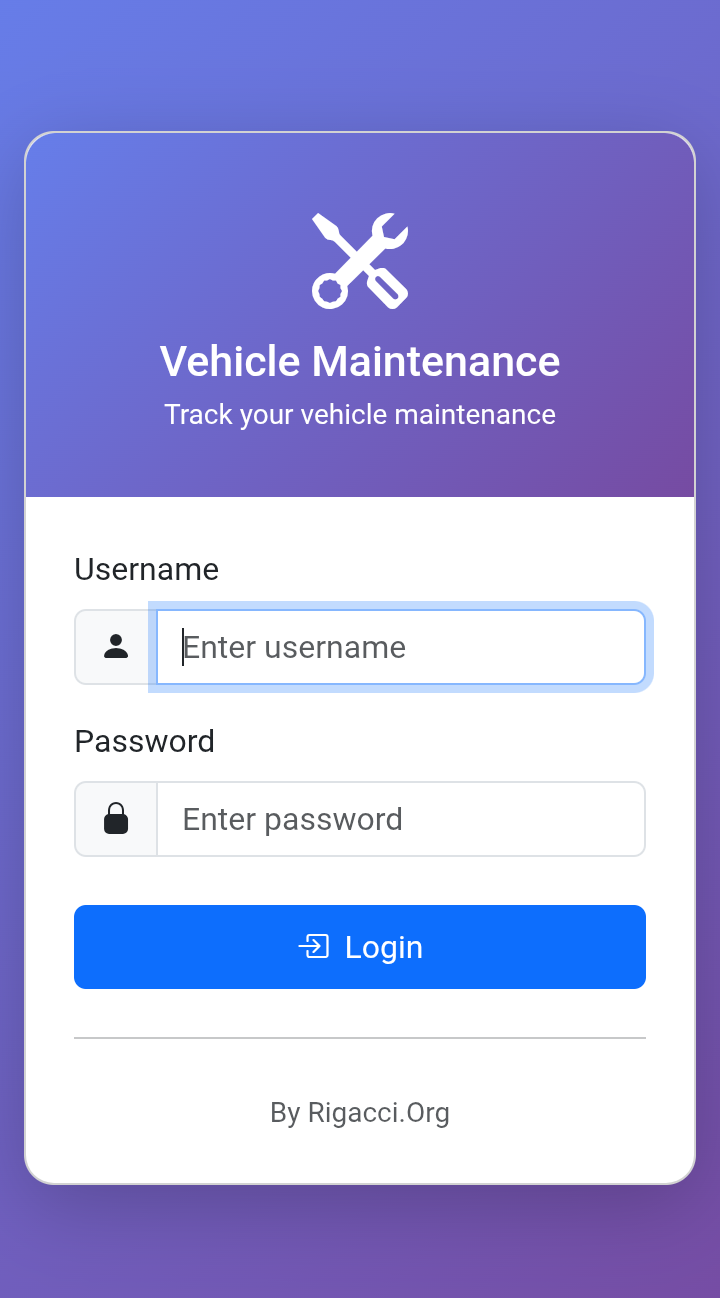
Login Screen |
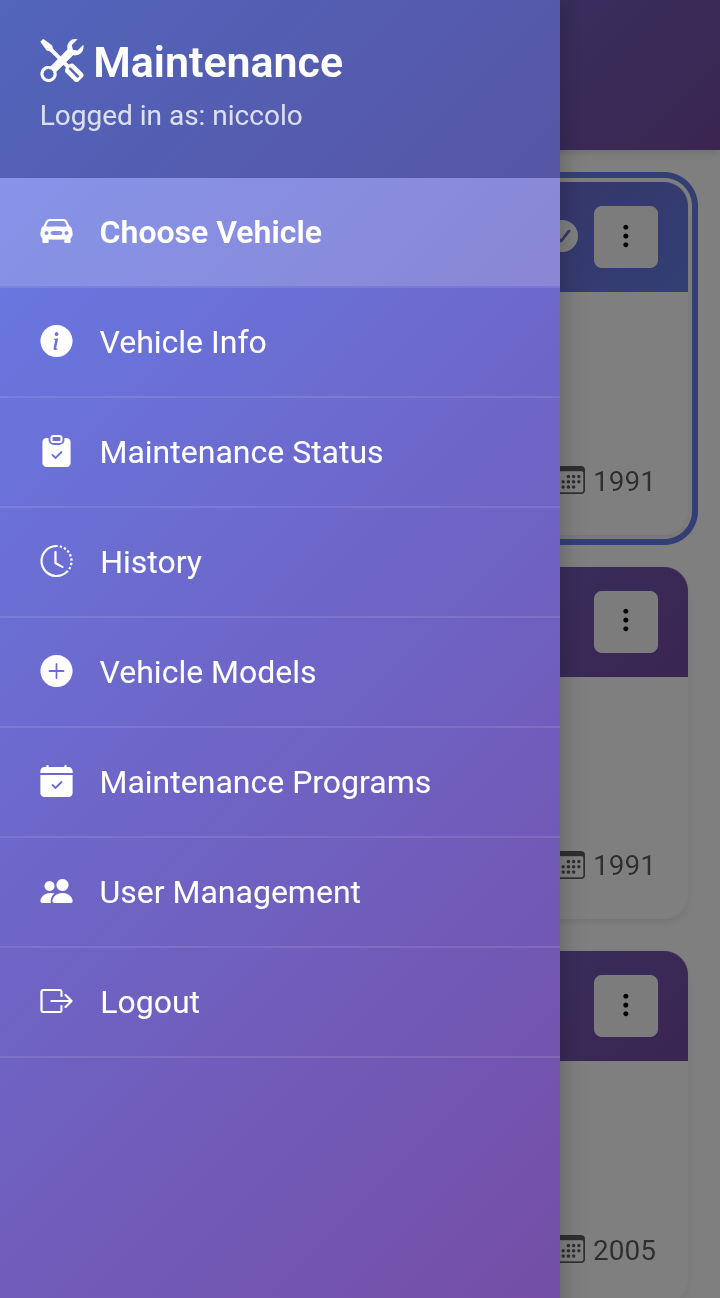
Main Menu |
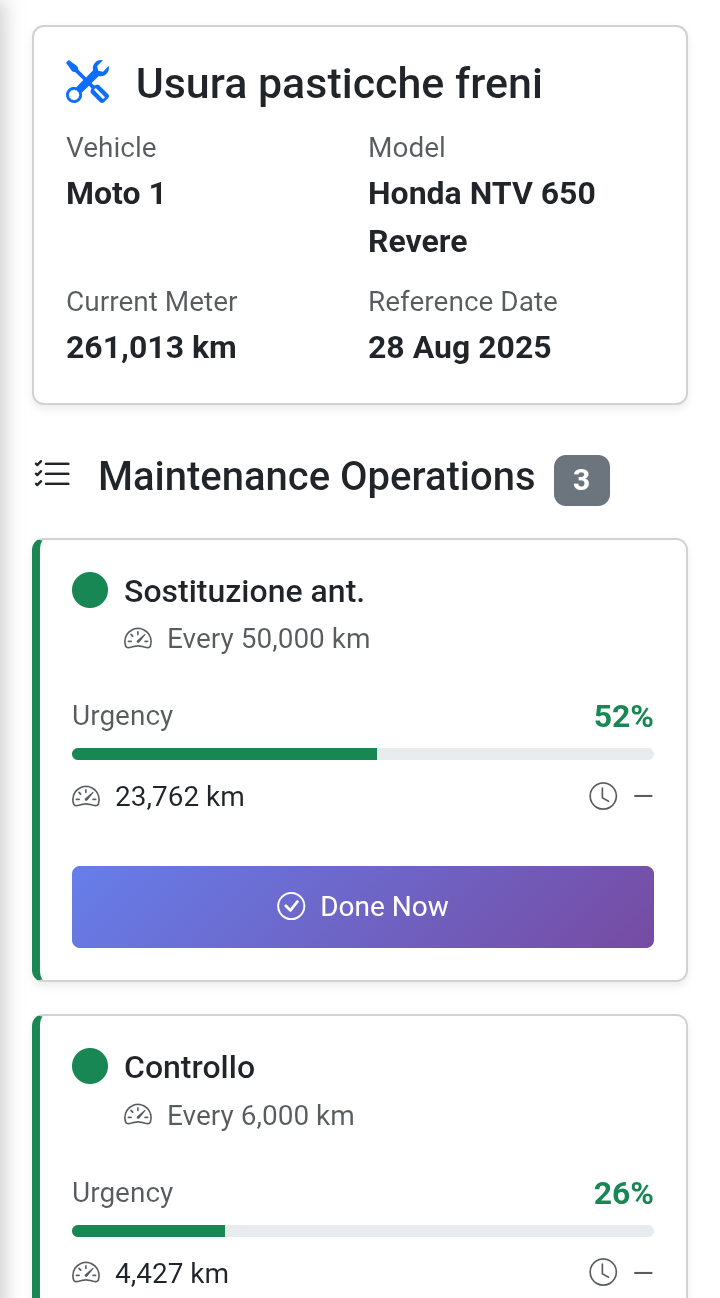
Operations |
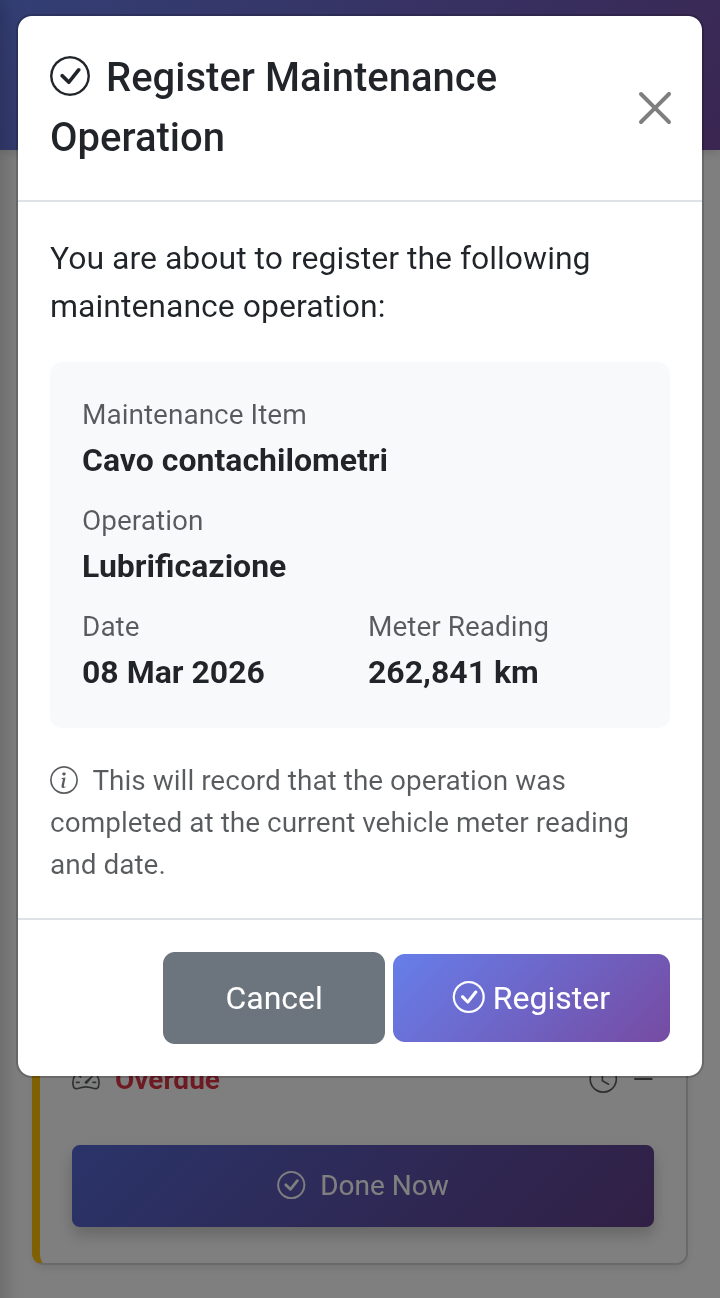
Register Operation |
Desktop View
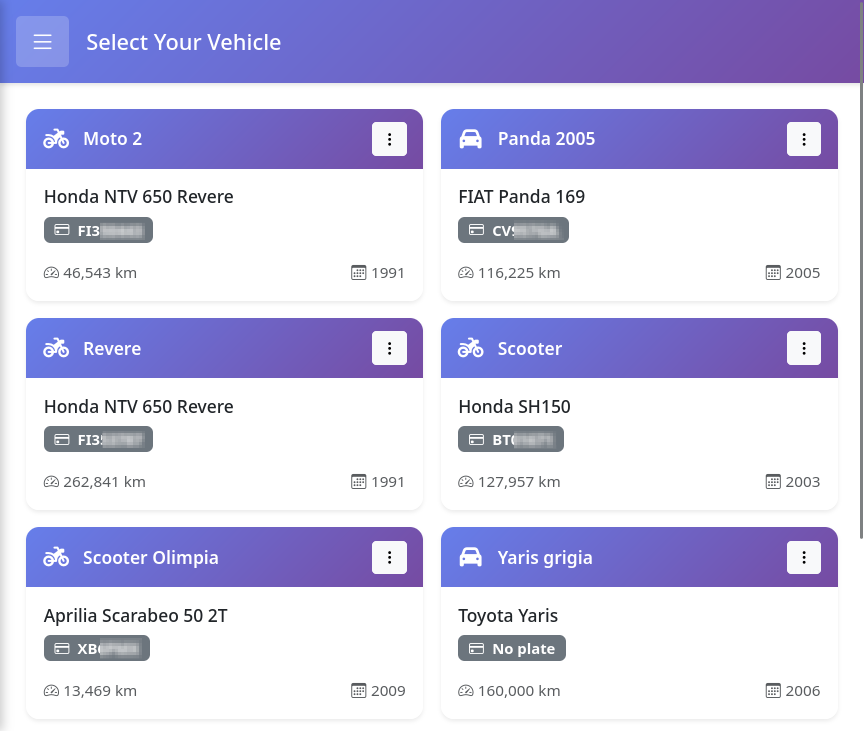
Vehicle Selection |
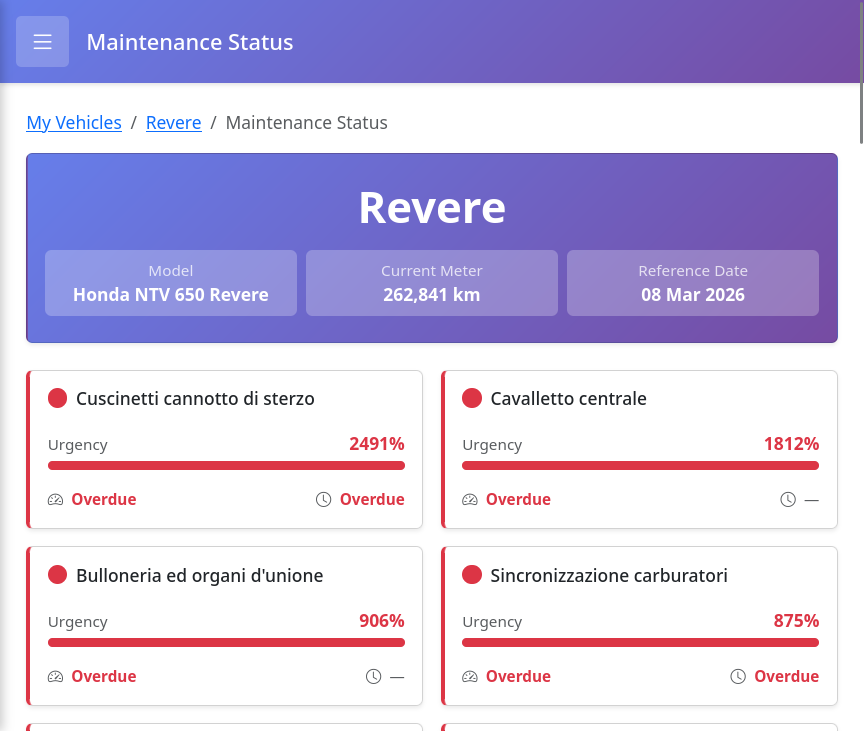
Maintenance Status |
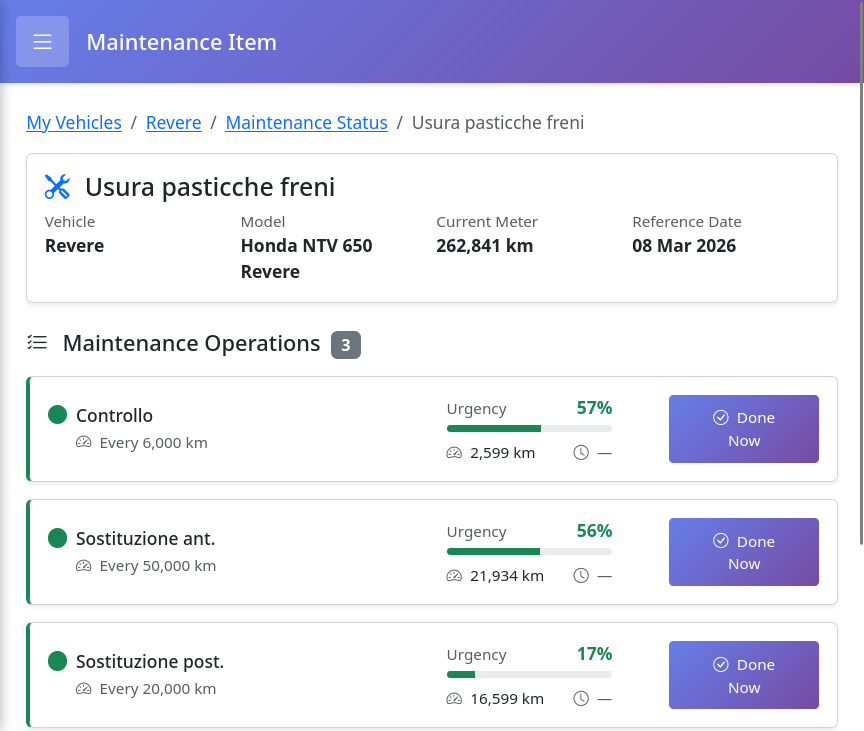
Maintenance Item |
Requirements
- Web Server - Apache or Nginx with PHP support
- PHP - Version 7.4 or higher
- Database - PostgreSQL 12+, MySQL 5.7+ or SQLite3
- PHP Extensions - PDO, pdo_pgsql (or pdo_mysql or pdo_sqlite3), session, mbstring
Installation
1. Clone the Repository
git clone https://github.com/RigacciOrg/maintenance-tracker.git
cd maintenance-tracker
2. Configure Web Server
Copy all files to your web server's document root or a subdirectory:
# Example for Apache on Ubuntu/Debian
sudo mkdir -p /var/www/html/maintenance-tracker
sudo cp -r * /var/www/html/maintenance-tracker/
3. Create Database
For PostgreSQL:
# Create database
sudo -u postgres createdb maintenance_tracker

# Create user
sudo -u postgres psql
postgres=# CREATE USER maintenance_user WITH PASSWORD 'your_password';
postgres=# GRANT ALL PRIVILEGES ON DATABASE maintenance_tracker TO maintenance_user;
postgres=# \q
For MySQL:
mysql -u root -p
mysql> CREATE DATABASE maintenance_tracker;
mysql> CREATE USER 'maintenance_user'@'localhost' IDENTIFIED BY 'your_password';
mysql> GRANT ALL PRIVILEGES ON maintenance_tracker.* TO 'maintenance_user'@'localhost';
mysql> FLUSH PRIVILEGES;
mysql> EXIT;
4. Initialize Database Schema
For PostgreSQL:
psql -U maintenance_user -d maintenance_tracker -f database-pgsql.sql
For MySQL:
mysql -u maintenance_user -p maintenance_tracker < database-mysql.sql
For SQLite:
sqlite3 maintenance_tracker.db < database-sqlite.sql
chmod 664 maintenance_tracker.db
chown www-data:www-data maintenance_tracker.db
5. Configure Database Connection
Edit config/database.php and update the connection settings:
For PostgreSQL:
define('DB_TYPE', 'pgsql');
define('DB_HOST', 'localhost');
define('DB_NAME', 'maintenance_tracker');
define('DB_USER', 'maintenance_user');
define('DB_PASS', 'your_password');
For MySQL:
define('DB_TYPE', 'mysql');
define('DB_HOST', 'localhost');
define('DB_NAME', 'maintenance_tracker');
define('DB_USER', 'maintenance_user');
define('DB_PASS', 'your_password');
For SQLite:
define('DB_TYPE', 'sqlite');
define('DB_SQLITE_FILE', __DIR__ . '/../db/maintenance_tracker.db');
6. Important: Protect SQLite Database File
If you're using SQLite, the database file
(maintenance_tracker.db) must be protected from direct web
access to prevent unauthorized downloads.
Option 1: Place Database Outside Web Root (Recommended)
Store the database file outside your web-accessible directory:
/var/www/
├── html/                          ← Web root
│   └── maintenance-tracker/
│       ├── config/
│       ├── includes/
│       └── index.php
└── data/
    └── maintenance_tracker.db     ← Database here (not accessible via web)
Update config/database.php:
define('DB_SQLITE_FILE', '/var/www/data/maintenance_tracker.db');
Option 2: Use .htaccess to Block Access
If you must keep the database in the web root, create a
.htaccess file in your project root:
For Apache:
# .htaccess
<Files "*.db">
    Require all denied
</Files>
For Nginx:
Add to your server configuration:
location ~* \.db$ {
    deny all;
}
7. Initial Admin User
The database initialization script, based on the provided SQL
schema, creates a default admin user with the password
password. This password must be changed immediately after
the first login.
8. Access the Application
Open your browser and navigate to:
http://localhost/maintenance-tracker/
Default credentials:
- Username:
demo - Password:
password
⚠️ Important: Change the default password immediately after first login via User Management → My Account.
Usage
Quick Start Guide
- Login with your credentials
- Add a Vehicle Model (Maintenance Program → Vehicle Models)
- Define manufacturer, model name, vehicle type
- Set meter unit (km, miles, hours) and time unit (days)
- Create Maintenance Program (Maintenance Program → Maintenance Operations)
- Add maintenance items (e.g., "Engine Oil", "Brake System")
- Define operations with intervals (e.g., "Change Oil" every 10,000 km or 365 days)
- Add Your Vehicle (My Vehicles → Add Vehicle)
- Select the vehicle model
- Enter nickname, license plate, VIN
- Set current meter reading and date
- Monitor Maintenance Status
- View color-coded urgency indicators
- Click "Done Now" to quickly log completed operations
- Track History
- View complete maintenance history
- Add timestamped notes for observations
- Search through records
User Roles
Regular User:
- Create/edit/delete vehicle models
- Define maintenance programs with items and operations
- Create/manage own vehicles
- Track maintenance and history
- Change own password and email
Administrator:
- Manage users
- Full access to all features
Database Schema
The application uses the following main tables:
users- User accounts and authenticationvehicle_models- Reusable vehicle model definitionsmaintenance_items- Maintenance categories (e.g., Engine, Brakes)maintenance_operations- Specific operations with intervalsvehicles- User's vehiclesmaintenance_history- Service recordsvehicle_notes- Timestamped observations
See database-*.sql for complete schema definition.
Key Features of the Schema
- Cascading deletes: Deleting a user removes all their vehicles, models, and history
- Unique constraints: Prevents duplicate models, items, and operations
- Data validation: CHECK constraints on unit types ensure data integrity
- Flexible intervals: Support both time-based (days) and distance-based (km/miles) maintenance
- Audit trail: All tables include
created_attimestamp
Security
- Passwords hashed with
PASSWORD_DEFAULT(bcrypt) - Session-based authentication
- Input validation and sanitization
- PDO prepared statements (SQL injection protection)
- CSRF protection via server-side validation
- Access control on all pages
Configuration
Session Settings
Edit includes/auth.php to adjust session timeout:
ini_set('session.gc_maxlifetime', 3600); // 1 hour
Pagination
Adjust records per page in list views by modifying the respective PHP files.
Time Conversion
Time intervals are stored in days. Conversion factors in maintenance-operations.php:
- 1 week = 7 days
- 1 month = 30 days
- 1 year = 365 days
Troubleshooting
Database Connection Error
Check config/database.php settings and ensure:
- Database exists
- User has proper privileges
- Host/port are correct
- PDO extension is installed
Session Issues
Ensure PHP session directory is writable:
sudo chmod 1777 /var/lib/php/sessions
Permission Denied
Set proper file permissions:
sudo chown -R www-data:www-data /var/www/html/maintenance-tracker/
sudo chmod -R 755 /var/www/html/maintenance-tracker/
Development
Adding New Features
The codebase follows a simple MVC-like structure:
includes/- Reusable components (header, footer, auth)config/- Database configuration*.php- Page controllers (handle logic and display)
Code Style
- Use prepared statements for all database queries
- Validate and sanitize all user input
- Follow existing naming conventions
- Add comments for complex logic
Contributing
Contributions are welcome! Please:
- Fork the repository
- Create a feature branch (
git checkout -b feature/amazing-feature) - Commit your changes (
git commit -m 'Add amazing feature') - Push to the branch (
git push origin feature/amazing-feature) - Open a Pull Request
Please ensure your code follows the existing style and includes appropriate comments.
License
This project is licensed under the GNU Affero General Public License v3.0 (AGPL-3.0) - see the LICENSE file for details.
This means:
- ✅ Free to use, modify, and distribute
- ✅ Modifications must remain open source
- ✅ If you run this as a web service, you must provide source code to users
- ✅ Attribution required
Third-Party Libraries Included
This repository includes the following third-party libraries:
- Bootstrap 5.3.8 - MIT License
- Bootstrap Icons 1.13.1 - MIT License
- Font Awesome Free 7.2.0 - Font Awesome Free License
See respective LICENSE files in the vendor/ directory.
Support
For issues, questions, or feature requests, please open an issue on GitHub.
Acknowledgments
- Built with Bootstrap 5
- Icons by Bootstrap Icons
- PHP PDO for database abstraction
Roadmap
- Import/export maintenance history and programs (CSV, JSON)
- Email notifications for upcoming maintenance
- Multi-language support
- REST API for external integrations
- Document attachments (receipts, invoices)
Made with ❤️ for vehicle enthusiasts and fleet managers
Questions
What is maintenance-tracker?
RigacciOrg/maintenance-tracker is a public repo on GitHub by RigacciOrg. Track maintenance for cars, motorcycles, trucks, and equipment. Monitor service intervals by mileage and time, get maintenance alerts, log complete history with notes. PHP/PDO/Bootstrap 5.
Is maintenance-tracker open source?
It declares the AGPL-3.0 license on GitHub.
Does maintenance-tracker run on macOS, Windows or Linux?
Its maker has not tagged a system, so it is unknown here. Its README says what it needs.