MediaLoader
Media Loader - Desktop application for helping you download videos from YouTube and Instagram
- 2
- 4 mo ago
Repo RustamovAkrom/MediaLoader, read from GitHub 3 d ago. RustamovAkrom has not joined Take My Repo.
In short
RustamovAkrom/MediaLoader is a public repo on GitHub by RustamovAkrom. Media Loader - Desktop application for helping you download videos from YouTube and Instagram. It declares no license on GitHub. Public does not mean open source: without a license, nobody is granted the right to reuse it. It is written mainly in Go, has 2 stars and last changed on 2026-07-26. Nobody has reviewed it on Take My Repo yet, which says nothing about its quality. Read from GitHub on 2026-11-21.

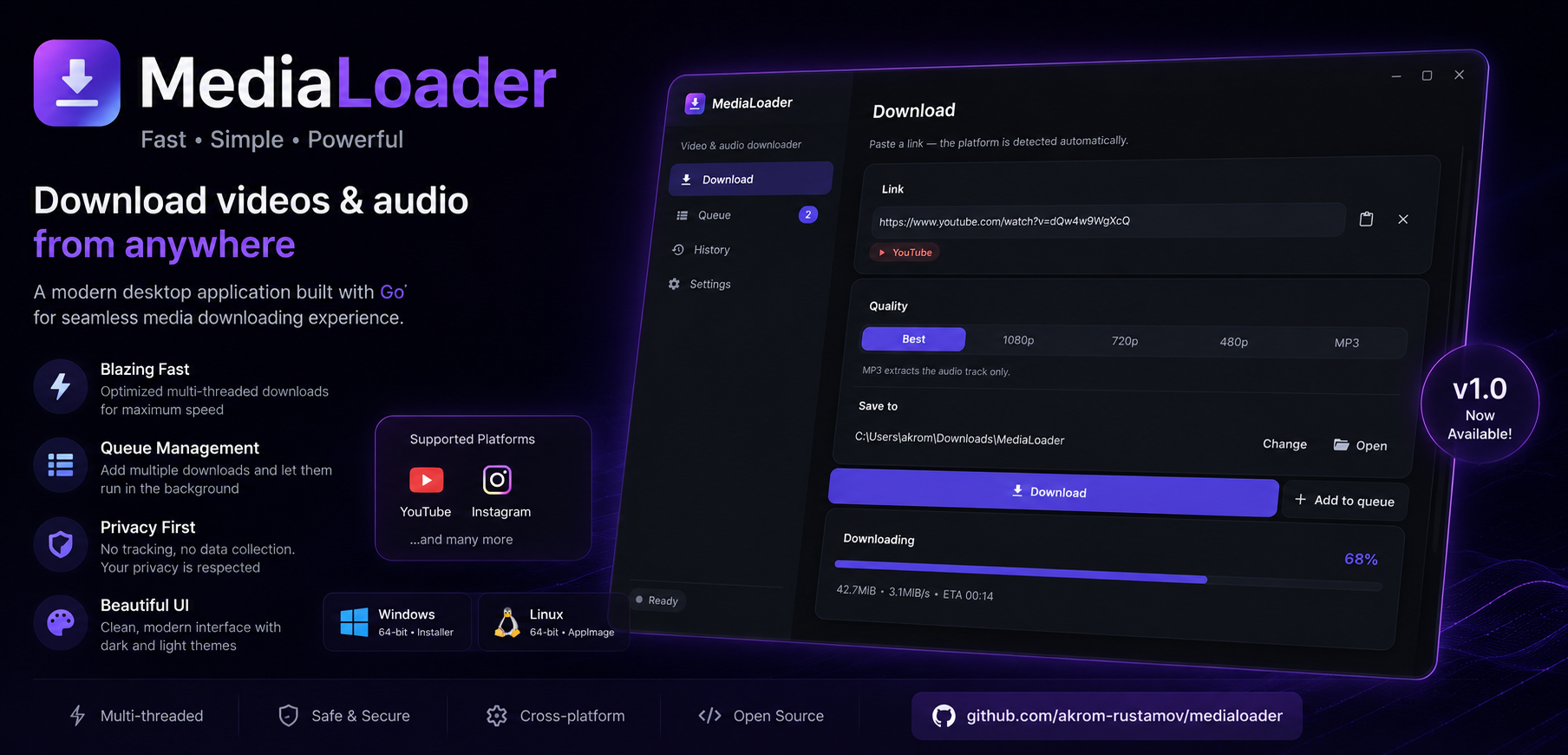
MediaLoader - YouTube & Instagram Downloader
Cross-platform desktop app written in Go with Fyne UI framework.
⬇️ Download
No installation, no Python, no setup. One file — download it and double-click.
The button always gives you the newest version · browse all releases
How to install
- Download
MediaLoader.exewith the button above (about 350 MB — everything is inside the file). - Move it anywhere you like, for example to your Desktop or
Documentsfolder. - Double-click it. That's it — there is nothing to install.
[!NOTE] "Windows protected your PC"? The app is not code-signed yet, so Windows SmartScreen warns about it. Click More info → Run anyway. The file is built from the source code in this repository.
The first launch takes a few extra seconds: MediaLoader unpacks its bundled
yt-dlp, FFmpeg and Deno into your user cache folder. Later launches are
instant.
macOS and Linux: no prebuilt package yet — see Build & Run to compile it yourself.
Features
- ✅ YouTube: videos, shorts, playlists, audio extraction
- ✅ Instagram: posts, reels (public only)
- ✅ 1000+ other sites via yt-dlp
- ✅ Quality selection: Best / 1080p / 720p / 480p / Audio MP3
- ✅ Download queue with status tracking
- ✅ Modern sidebar UI with dark and light themes
- ✅ Cross-platform: Windows, macOS, Linux
Previews
📸 Click to view screenshots — download, queue, history, settings, light theme
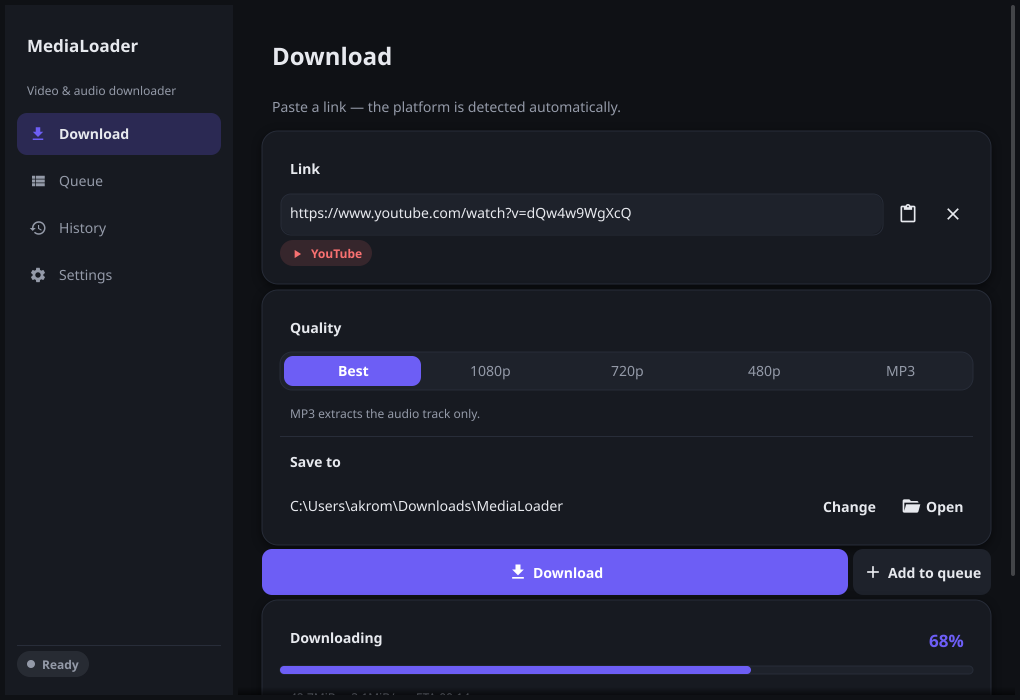
Download — automatic platform detection, quality segments, live progress |
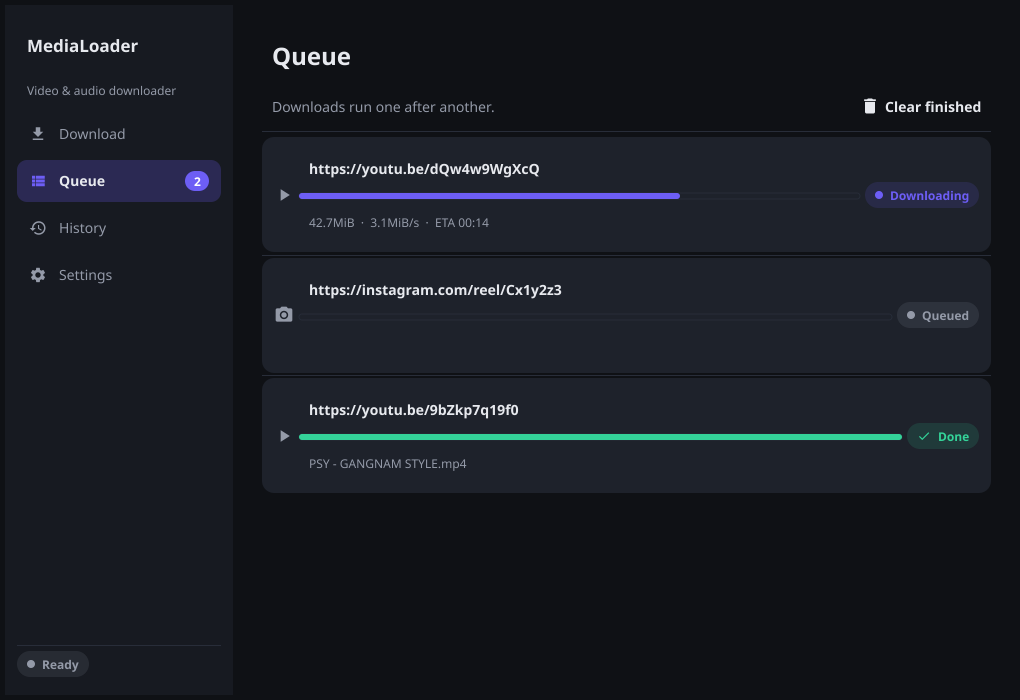
Queue — per-item progress, speed and ETA |
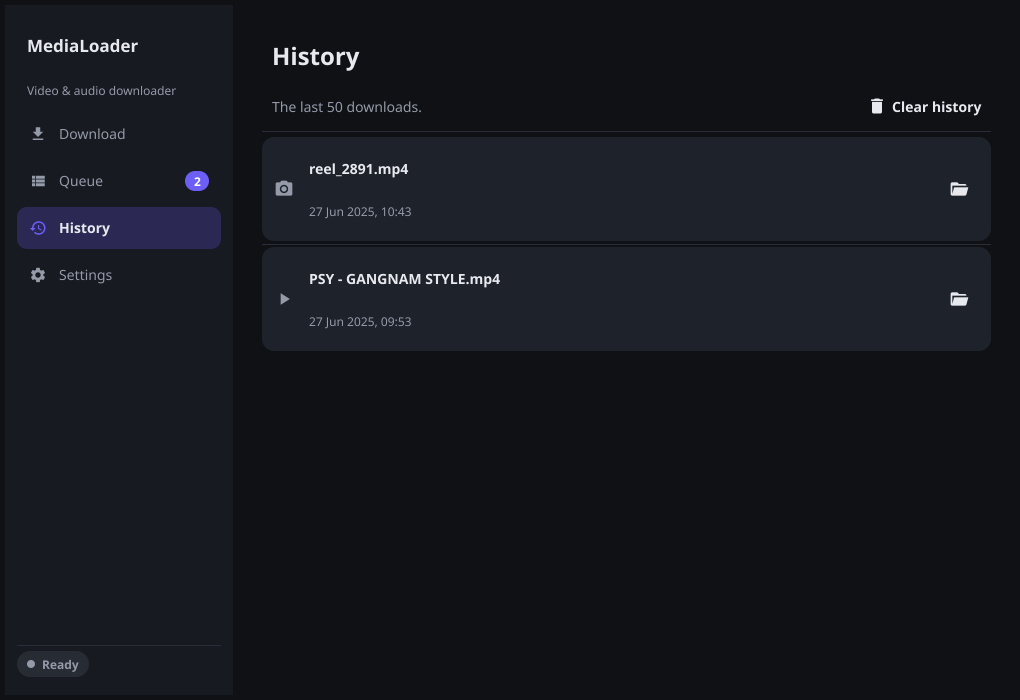
History — last 50 downloads with a shortcut to their folder |
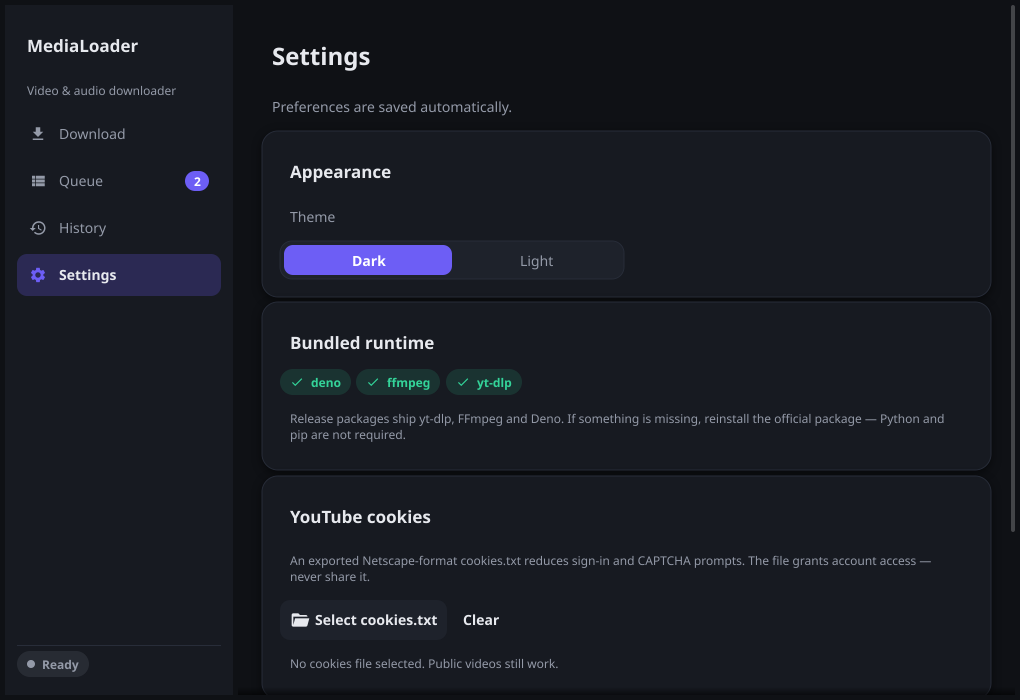
Settings — theme, bundled runtime status, cookies |
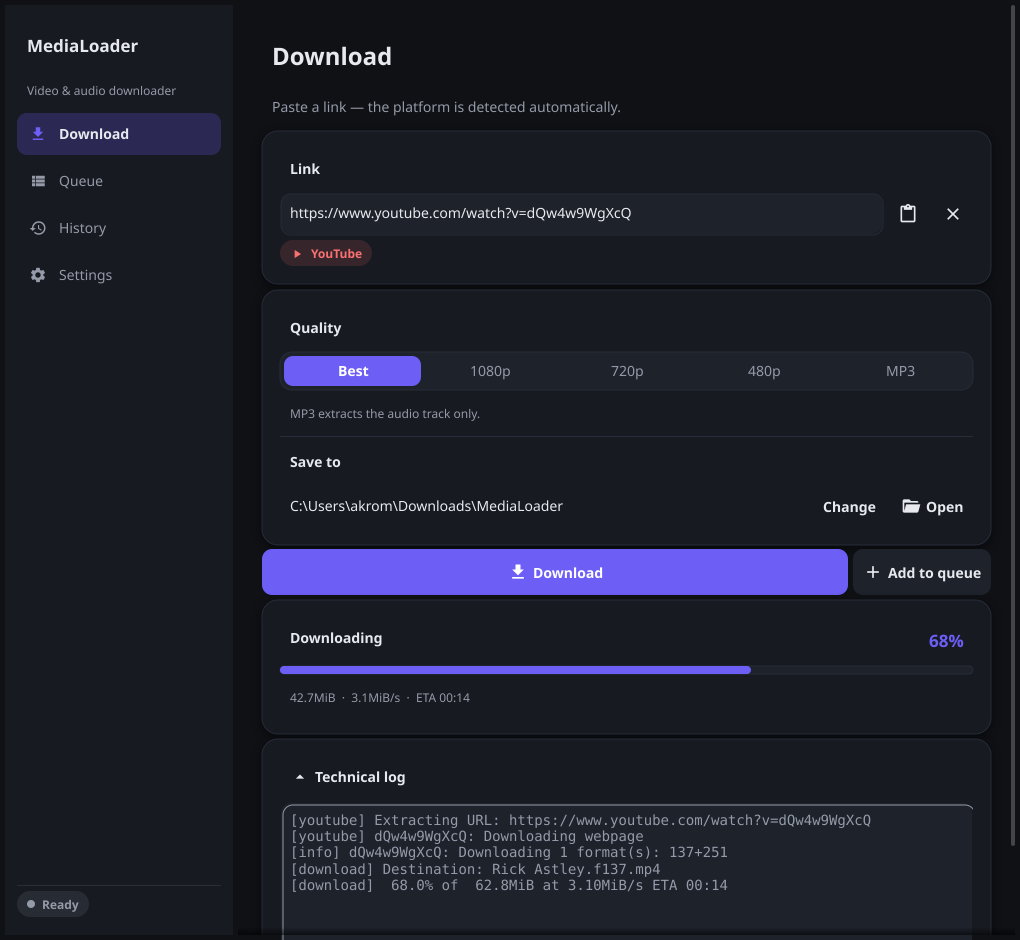
Technical log — collapsible raw yt-dlp output |
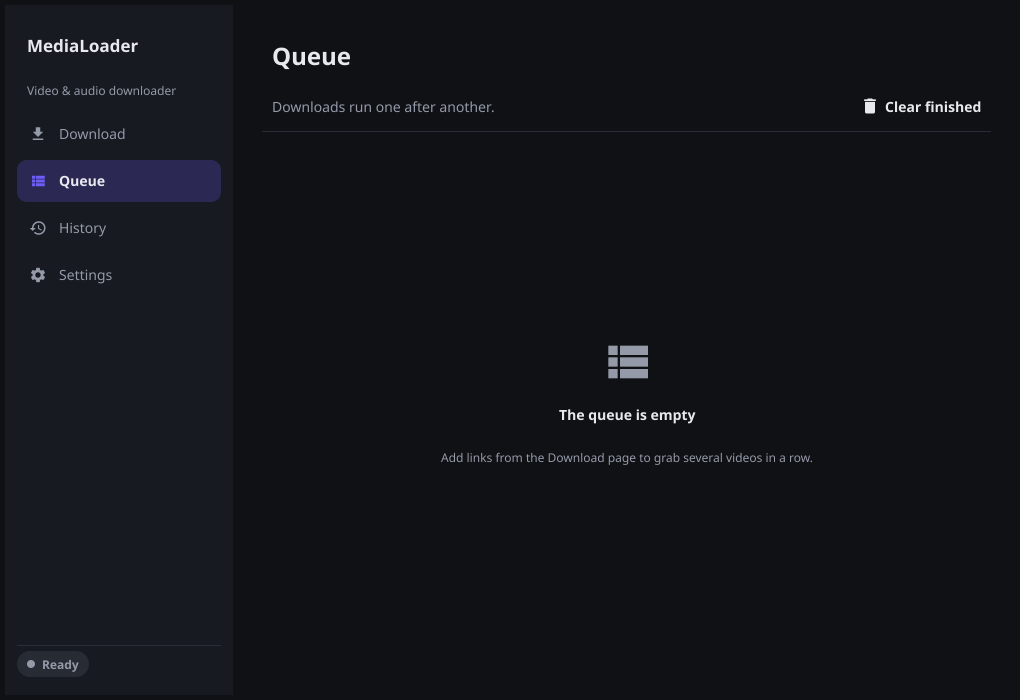
Empty states — every list explains what goes in it |
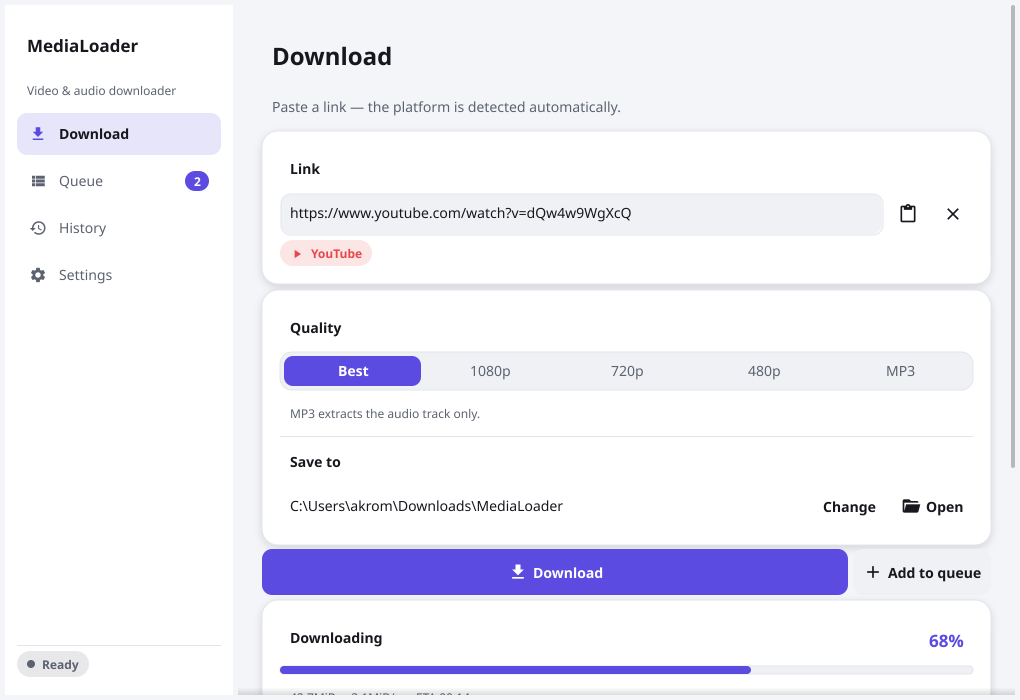
Light theme — switchable in Settings |
Install the desktop release
End users should download the installer/package for their OS. The release must
ship with its own yt-dlp, FFmpeg, and Deno runtimes; neither Python, pip, nor
a system PATH configuration is required.
MediaLoader[.exe]
bin/
  yt-dlp[.exe]
  ffmpeg[.exe]
  ffprobe[.exe]
  deno[.exe]
At launch, MediaLoader verifies these components. If one is missing, it asks the user to reinstall instead of failing during a download.
Development prerequisites
1. Install Go
# Ubuntu/Debian
sudo apt install golang-go

# macOS
brew install go

# Windows: download from https://go.dev/dl/
2. Install Fyne dependencies (Linux only)
sudo apt-get install gcc libgl1-mesa-dev xorg-dev
3. Provide the bundled runtime for local development
Put current platform-specific yt-dlp, ffmpeg, ffprobe, and deno
binaries in a directory, then point the app to it:
$env:MEDIA_LOADER_BIN_DIR = "C:\path\to\medialoader-runtime"
go run ./cmd
For release builds, copy this directory as bin/ next to the executable (or
to MediaLoader.app/Contents/Resources/bin on macOS). Pin versions and verify
SHA-256 checksums in CI before publishing an installer.
YouTube sign-in / "not a bot"
YouTube can temporarily block an IP address or ask for a browser sign-in. Each user must provide their own cookies; do not ship cookies with the app.
- Open
youtube.comin your own browser, sign in, and complete any CAPTCHA. - Export YouTube cookies in Netscape
cookies.txtformat. yt-dlp documents Get cookies.txt LOCALLY for Chrome andcookies.txtfor Firefox as suitable export extensions. - In MediaLoader, open Settings → Select cookies.txt and choose the exported file. The selected path is saved in your local app settings and passed to yt-dlp for subsequent downloads.
- Re-export the file after signing out, changing password, completing a new CAPTCHA, or when YouTube starts rejecting it.
cookies.txt grants access to your account session. Never commit, upload, or
share it; do not send it to support, and do not place it in an installer. The
repository ignores common cookie filenames. Advanced users may instead set
MEDIA_LOADER_COOKIES to an absolute file path.
The release bundles Deno because modern YouTube extraction needs a JavaScript runtime. It also bundles a current FFmpeg because YouTube often supplies video and audio as separate streams.
Build & Run
# Clone / download the project
cd medialoader

# Download Go dependencies
go mod tidy

# Run directly
go run cmd/main.go

# Build executable
go build -o medialoader cmd/main.go

# Windows build
GOOS=windows GOARCH=amd64 go build -o medialoader.exe cmd/main.go

# Build with no console window (Windows release)
go build -ldflags="-H windowsgui" -o medialoader.exe cmd/main.go
Project Structure
medialoader/
├── cmd/
│   └── main.go                  # Entry point
├── internal/
│   ├── downloader/
│   │   └── downloader.go        # bundled yt-dlp/FFmpeg/Deno wrapper
│   ├── config/
│   │   └── config.go            # User preferences
│   └── ui/
│       ├── app.go               # Window shell, pages and actions
│       ├── theme.go             # Dark/light palettes, sizes, radii
│       └── widgets.go           # Cards, chips, sidebar nav, segments
├── images/                      # README screenshots
├── go.mod
└── README.md
Usage
- Paste a YouTube or Instagram URL — the platform is detected automatically
- Choose quality (Best / 1080p / 720p / 480p / MP3 for audio only)
- Click Download for an immediate download
- Or click Add to queue to batch multiple URLs
- Output folder:
~/Downloads/MediaLoader/(configurable)
Instagram Notes
- Public posts and reels work without login.
- Private or protected content requires the account owner's valid cookies; MediaLoader never collects or creates browser credentials automatically.
Extending
- Add more platforms:
yt-dlpsupports 1000+ sites natively - Add thumbnail preview: use
fyne.io/fyne/v2/canvas.Image - Add history: store completed downloads in SQLite
- Add scheduler: use
time.AfterFuncfor scheduled downloads
Questions
What is MediaLoader?
RustamovAkrom/MediaLoader is a public repo on GitHub by RustamovAkrom. Media Loader - Desktop application for helping you download videos from YouTube and Instagram.
Is MediaLoader open source?
It declares no license on GitHub. Public does not mean open source: without a license, nobody is granted the right to reuse it.
Does MediaLoader run on macOS, Windows or Linux?
Its maker has not tagged a system, so it is unknown here. Its README says what it needs.