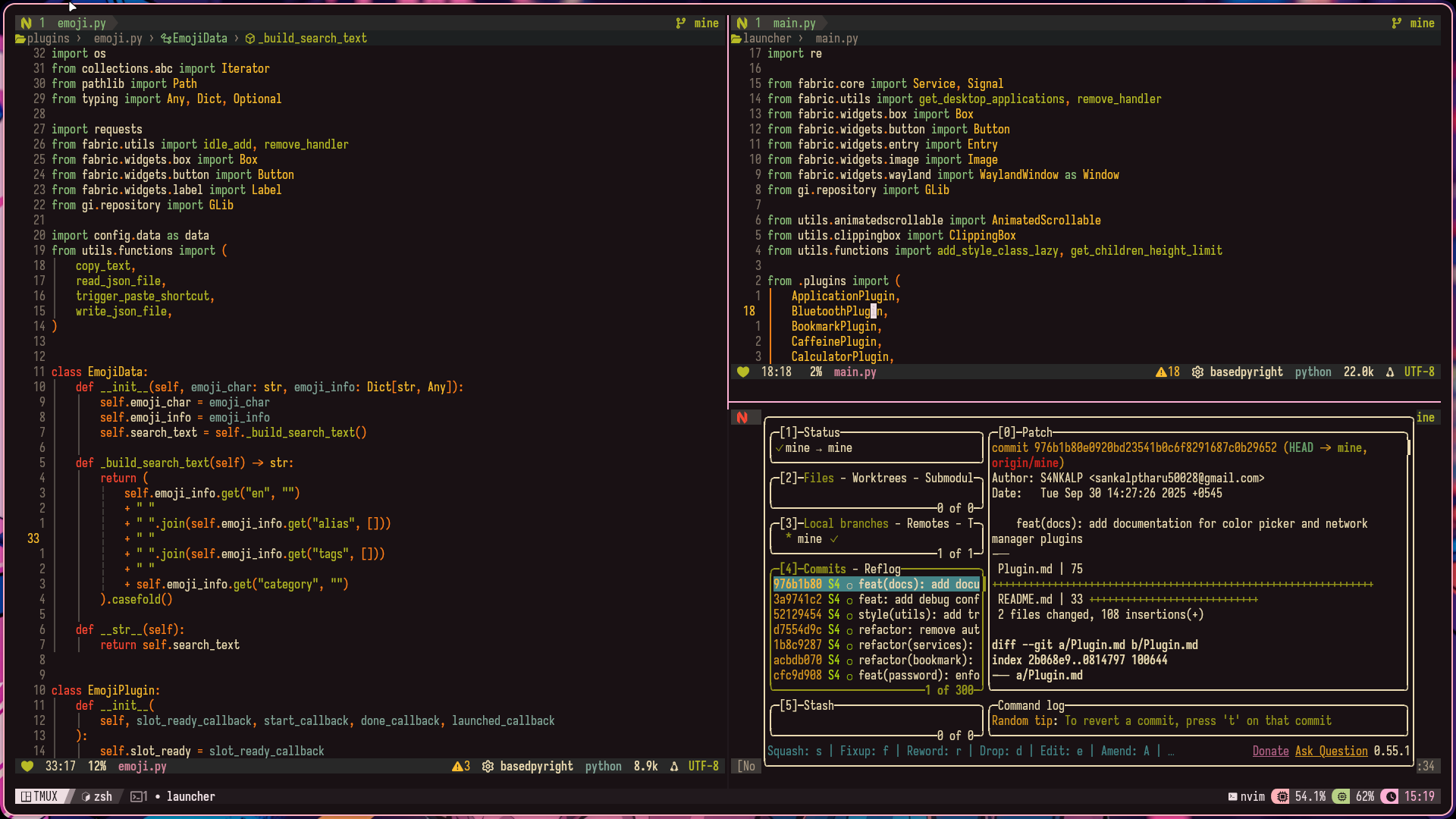

keycodex
Personalized Desktop Environment ❤️
- 8
- GPL-3.0
- 4 d ago
Repo S4NKALP/keycodex, read from GitHub 1 d ago. S4NKALP has not joined Take My Repo.
In short
S4NKALP/keycodex is a public repo on GitHub by S4NKALP. Personalized Desktop Environment ❤️. It declares the GPL-3.0 license on GitHub. It is written mainly in Lua, has 8 stars and last changed on 2026-11-21. Nobody has reviewed it on Take My Repo yet, which says nothing about its quality. Read from GitHub on 2026-11-24.
Similar repos
NvChad
Blazing fast Neovim framework providing solid defaults and a beautiful UI, enhancing your neovim experience.

Features
Native Plugin Management
- Uses Neovim's built-in
vim.packand a committednvim-pack-lock.jsonfor reproducible installs. - Interactive manager with
:PackUI/<leader>ps(update, delete, inspect, open plugin paths). - Missing plugins are installed by
vim.pack.add()on the first launch.
- Uses Neovim's built-in
Powered by Snacks.nvim
- Picker: files, grep, projects, git log/status/branches, LSP symbols, undo, todo comments.
- Notifier: notification history (
<leader>oN) and LSP attach messages. - Indent / Statuscolumn / Zen / Dim / Rename / Bufdelete / Profiler.
UI & UX
- Custom
KEYCODEXstart screen (lua/dashboard.lua), no dashboard plugin. gruvboxwith hand-tuned highlights, transparent background.- Mini ecosystem: files (
<leader>ee), icons, pairs, ai textobjects, surround, splitjoin, bracketed motions, diff overlay, custom statusline. - Smart column:
colorcolumnappears only when a line exceeds 120 columns.
- Custom
Developer Productivity
- LSP: native
vim.lsp.config/vim.lsp.enable, Mason for installation. - Completion:
blink.cmpwith Rust fuzzy matcher, LSP/path/snippet/buffer sources. - Format on save:
conform.nvim; toggle with<leader>tf, skip with<leader>wn. - Lint on save and on insert leave:
nvim-lint. - Treesitter:
nvim-treesitterhighlighting + indentation for configured languages. - Git:
gitsigns(signs, inline blame),mini.diffoverlay (<leader>gd),codediffhistory. - Secure env:
.envvalues are concealed except the line being edited,<leader>ettoggles. - Auto-directory: saving
dir/new_filecreates parent folders. - Paste reindent: pasted code snaps to the surrounding indentation.
- OpenCode: in-editor AI panel under
<leader>O.
- LSP: native
Installation
# System tools first: see prerequest.txt
git clone https://github.com/S4NKALP/keycodex ~/.config/nvim

# Launch Neovim - missing plugins install automatically
nvim
The first launch also installs every LSP server, formatter, linter and tree-sitter parser listed
in lua/extensions.lua via Mason's ensure_installed. :Mason is only
needed to add or remove tools by hand, and :TSInstallAll to re-run the parser install.
Project Structure
init.lua- Entry point.lua/- Core logic.pack_helper.lua-add()wrapper overvim.pack+ build hooks.packui.lua- Interactive plugin manager UI.keys.lua- Leader, base keymaps, yank/copy helpers.options.lua- Options, providers,filetypeadditions.autocmd.lua- Smart column,.envmasking, auto-mkdir, LSP attach.lsp.lua- Per-server LSP settings and capabilities.paste.lua- Reindent pasted text.dashboard.lua-KEYCODEXstart screen.extensions.lua- Lists of parsers, servers, formatters, linters.
plugin/- Plugin configuration (loaded in filename order).01-lsp.lua- Mason.coding.lua- conform, nvim-lint, todo-comments, code actions, diagnostics.editor.lua- blink.cmp, Navigator, hardtime, visual-multi, tabout, hlslens.git.lua- gitsigns, codediff.mini.lua- Mini modules and statusline.refactor.lua- refactoring.nvim, picked through the snacks picker.snacks.lua- Snacks modules, layouts, LSP notifications.tools.lua- OpenCode, toggleterm, wakatime.treesitter.lua- Parsers, highlighting, autotag, matchup.ui.lua- Colorscheme, markview, color highlighter, showkeys.whichkey.lua- Keymap groups and labels.
Keybindings
Leader is <Space>. Pressing <leader> waits for which-key to list everything.
| Key | Action |
|---|---|
<leader>ff |
Find files |
<leader>fg |
Live grep |
<leader>fp |
Projects |
<leader>ee |
File explorer (mini.files) |
<leader>ef |
Open file under cursor (paths, path:line, Python imports) |
<leader>ps |
Plugin manager (:PackUI) |
<leader>. |
Code action |
<leader>rr |
Rename symbol |
<leader>rf |
Refactor (inline/extract, snacks picker) |
<leader>rd / <leader>rj |
Definition / usages |
<leader>cf |
Format buffer |
<leader>tf |
Toggle autoformat |
<leader>wn |
Write without formatting |
<leader>oc |
Toggle codelens |
<leader>gd |
Toggle diff overlay |
<leader>wz |
Zen mode |
<leader>t1 / <leader>t2 |
Toggle terminal |
<C-hjkl> |
Move across tmux/nvim splits |
<C-\> |
Previous pane |
Handcrafted by Sankalp
Questions
What is keycodex?
S4NKALP/keycodex is a public repo on GitHub by S4NKALP. Personalized Desktop Environment ❤️.
Is keycodex open source?
It declares the GPL-3.0 license on GitHub.
Does keycodex run on macOS, Windows or Linux?
Its maker has not tagged a system, so it is unknown here. Its README says what it needs.
How do I install keycodex?
Open "Take it" on its page: Take My Repo writes an install plan for your machine and hands it to your AI agent (Claude Code, Codex or Cursor), which asks you before each step. Take My Repo has not tested it on any machine.
Is keycodex still maintained?
Its last change on GitHub was on 2026-11-21. Take My Repo does not judge from that whether it is maintained.


