
misspoppyrabbit
🐰 A fully-local pocket assistant OS for the M5Stack Cardputer — ADHD-friendly meeting alerts, agenda, tasks, pomodoro, voice notes & a live Web UI. 117% local.
- 10
- C++
- 3 mo ago
DotNote is a personal Note Banner using python and a MAX7219 Matrix LED
Repo SebasPinto/DotNote-py, read from GitHub 1 h ago. SebasPinto has not joined Take My Repo.
SebasPinto/DotNote-py is a public repo on GitHub by SebasPinto. DotNote is a personal Note Banner using python and a MAX7219 Matrix LED. It declares no license on GitHub. Public does not mean open source: without a license, nobody is granted the right to reuse it. It is written mainly in HTML, has 4 stars and last changed on 2025-11-01. Nobody has reviewed it on Take My Repo yet, which says nothing about its quality. Read from GitHub on 2026-11-22.
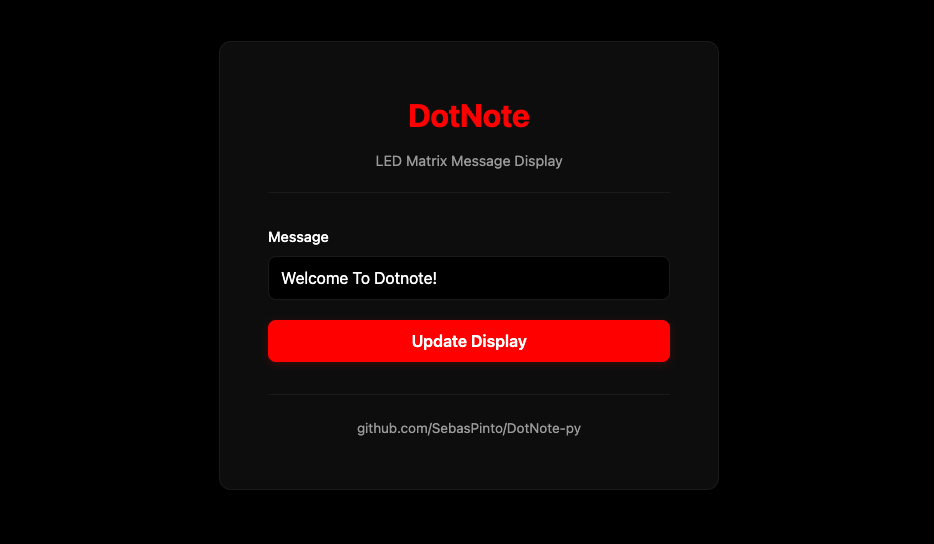
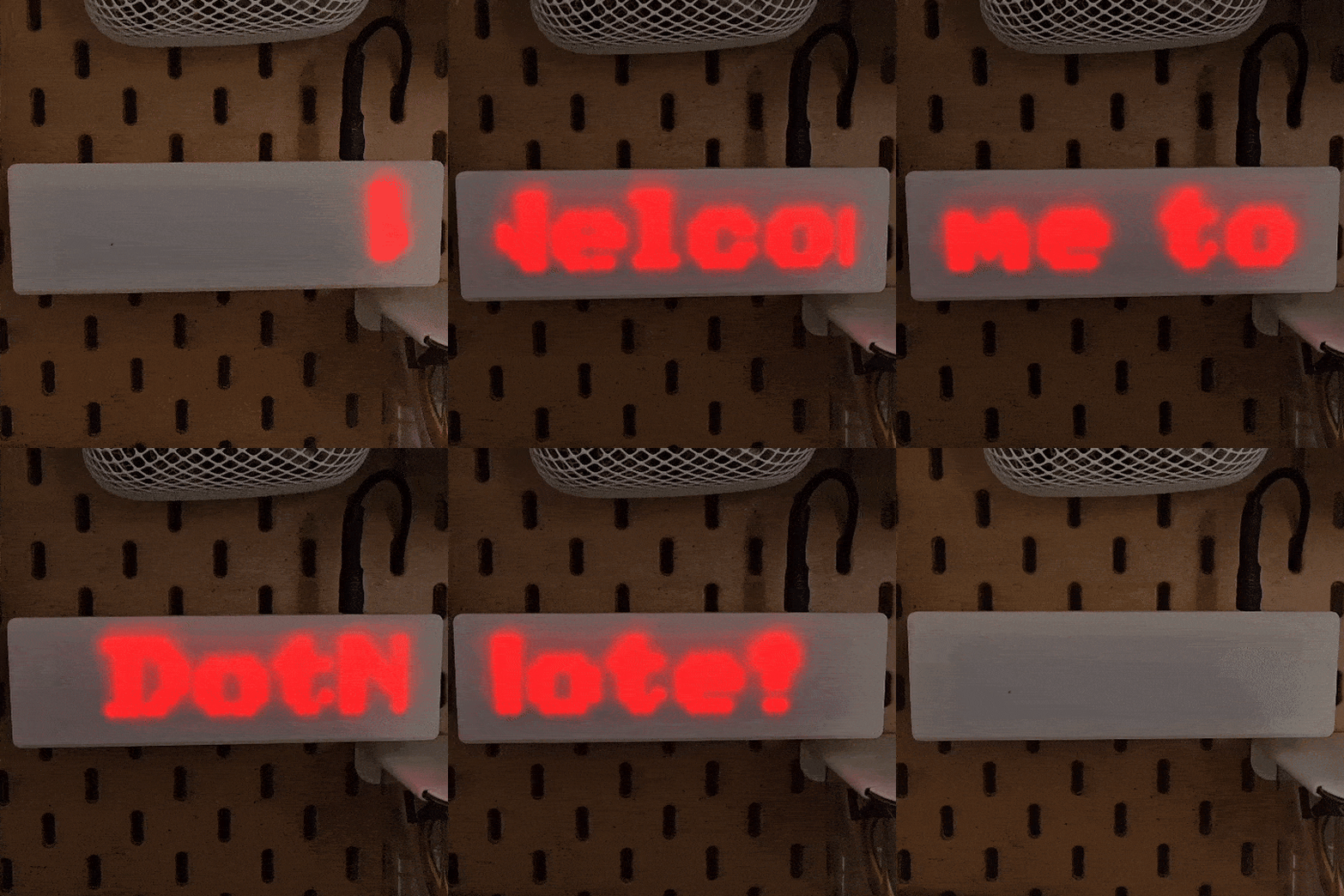
A simple and elegant web interface to display scrolling messages on MAX7219 LED matrix displays using Raspberry Pi
DotNote turns your Raspberry Pi and LED matrix into a customizable message display. Perfect for door signs, notifications, reminders, and creative projects. Control it from any device on your network through a simple web interface or API.
| MAX7219 Pin | Raspberry Pi Pin | GPIO/Function | Physical Pin |
|---|---|---|---|
| VCC | 5V Power | 5V | Pin 2 or 4 |
| GND | Ground | GND | Pin 6 |
| DIN | MOSI | GPIO 10 | Pin 19 |
| CS | CE0 | GPIO 8 | Pin 24 |
| CLK | SCLK | GPIO 11 | Pin 23 |
| Buzzer Pin | Raspberry Pi Pin | GPIO | Physical Pin |
|---|---|---|---|
| Positive | GPIO 23 | GPIO 23 | Pin 16 |
| Negative | Ground | GND | Pin 14 |
Note: The buzzer GPIO pin can be changed in the configuration section of
dotnote.py
sudo raspi-config
Navigate to: Interface Options → SPI → Enable
Reboot your Raspberry Pi:
sudo reboot
sudo apt-get update
sudo apt-get install -y python3-pip python3-dev git
# Clone the repository
git clone https://github.com/yourusername/dotnote.git
cd dotnote

# Install Python dependencies
pip3 install -r requirements.txt
python3 dotnote.py
The server will start on port 5000. Access it from any device on your network:
http://[raspberry-pi-ip]:5000
To find your Raspberry Pi's IP address:
hostname -I
All configuration options are at the top of dotnote.py. Edit these parameters to customize DotNote:
# LED Matrix Configuration
CASCADED_DEVICES = 4          # Number of 8x8 matrices (4 = 32x8 display)
BLOCK_ORIENTATION = -90       # Rotation: -90, 0, 90, 180
ROTATE = 0                    # Display rotation: 0, 1, 2, 3
BRIGHTNESS = 5                # Brightness: 0-15

# Display Behavior
SCROLL_SPEED = 0.05           # Seconds between scroll steps (lower = faster)
DEFAULT_MESSAGE = "Welcome to DotNote!   "
MESSAGE_SPACING = "   "       # Spacing between message loops

# Buzzer Configuration
BUZZER_ENABLED = True         # Enable/disable buzzer
BUZZER_PIN = 23               # GPIO pin for buzzer
BEEP_DURATION = 0.2           # Beep length in seconds
BEEP_COUNT = 2                # Number of beeps per update

# Server Configuration
SERVER_HOST = '0.0.0.0'       # Listen on all interfaces
SERVER_PORT = 5000            # Web server port

# Logging Configuration
LOG_FILE = "messages.log"     # Log file location
LOG_ENABLED = True            # Enable/disable logging
curl "http://raspberry-pi-ip:5000/update?message=Hello%20World"
Response:
{
  "message": "Message updated"
}
Error Response:
{
  "error": "No valid message provided"
}
import requests

response = requests.get('http://192.168.1.100:5000/update',
                       params={'message': 'Hello from Python!'})
print(response.json())
To make DotNote start automatically on boot, create a systemd service:
sudo nano /etc/systemd/system/dotnote.service
Add the following content (adjust paths as needed):
[Unit]
Description=DotNote LED Matrix Display
After=network.target

[Service]
Type=simple
User=pi
WorkingDirectory=/home/pi/dotnote
ExecStart=/usr/bin/python3 /home/pi/dotnote/dotnote.py
Restart=always
RestartSec=10

[Install]
WantedBy=multi-user.target
Enable and start the service:
sudo systemctl daemon-reload
sudo systemctl enable dotnote.service
sudo systemctl start dotnote.service
Check service status:
sudo systemctl status dotnote.service
If you see SPI-related errors:
sudo raspi-config
# Navigate to: Interface Options → SPI → Enable
sudo reboot
lsmod | grep spils /dev/spi* (should show /dev/spidev0.0)BLOCK_ORIENTATION and ROTATE parametersAdjust these parameters in dotnote.py:
BLOCK_ORIENTATION: Try -90, 0, 90, or 180ROTATE: Try values 0, 1, 2, or 3sudo systemctl status dotnoteBUZZER_ENABLED = True in configurationBUZZER_PINdotnote/
├── dotnote.py # Main application
├── requirements.txt # Python dependencies
├── templates/
│ └── index.html # Web interface
└── messages.log # Message log (generated)
Contributions are welcome! Please feel free to submit a Pull Request.
This project is licensed under the MIT License.
Made with ❤️ for makers and tinkerers
If you found this project useful, please give it a ⭐ on GitHub!
SebasPinto/DotNote-py is a public repo on GitHub by SebasPinto. DotNote is a personal Note Banner using python and a MAX7219 Matrix LED.
It declares no license on GitHub. Public does not mean open source: without a license, nobody is granted the right to reuse it.
Its maker has not tagged a system, so it is unknown here. Its README says what it needs.
Open "Take it" on its page: Take My Repo writes an install plan for your machine and hands it to your AI agent (Claude Code, Codex or Cursor), which asks you before each step. Take My Repo has not tested it on any machine.
Its last change on GitHub was on 2025-11-01. Take My Repo does not judge from that whether it is maintained.
Nobody has reviewed it on Take My Repo yet, which says nothing about its quality.
🐰 A fully-local pocket assistant OS for the M5Stack Cardputer — ADHD-friendly meeting alerts, agenda, tasks, pomodoro, voice notes & a live Web UI. 117% local.
Turn a LilyGO T-Embed (ESP32-S3) into a signed BLE key for a Tesla, using Tesla's published Vehicle Command Protocol. Educational, AGPL-3.0.
