ECC
The agent harness performance optimization system. Skills, instincts, memory, security, and research-first development for Claude Code, Codex, Opencode, Cursor and beyond.
- 310k
- JavaScript
- MIT
- 1 d ago
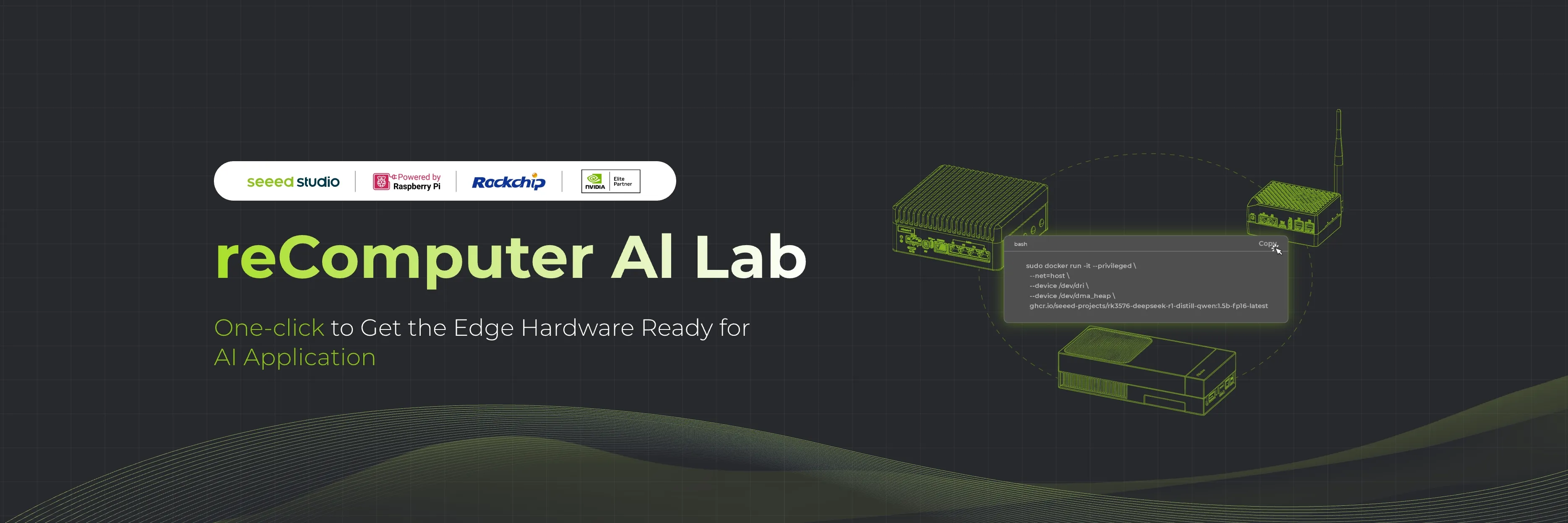
This repository utilizes Docker to package large language models and multimodal models optimized for Rockchip platforms. It provides a unified calling interface that is compatible with the OpenAI API, making it easy for users to integrate and use these models.
Repo Seeed-Projects/reComputer-RK-LLM, read from GitHub 2 d ago. Seeed-Projects has not joined Take My Repo.
Seeed-Projects/reComputer-RK-LLM is a public repo on GitHub by Seeed-Projects. This repository utilizes Docker to package large language models and multimodal models optimized for Rockchip platforms. It provides a unified calling interface that is compatible with the OpenAI API, making it easy for users to integrate and use these models. It declares the MIT license on GitHub. It is written mainly in Python, has 9 stars and last changed on 2026-10-24. Nobody has reviewed it on Take My Repo yet, which says nothing about its quality. Read from GitHub on 2026-11-22.
The agent harness performance optimization system. Skills, instincts, memory, security, and research-first development for Claude Code, Codex, Opencode, Cursor and beyond.
Docker-based deployment for pre-converted large language models (LLMs) and vision-language models (VLMs) on Seeed Studio reComputer boards with Rockchip RK3576 and RK3588-family processors. The bundled servers expose OpenAI-compatible APIs, with an Ollama-compatible chat endpoint for LLMs.
reComputer AI Lab is Seeed Studio's platform for discovering and deploying AI models on reComputer edge devices. Browse models for your hardware and find deployment tools for computer vision, LLMs, and VLMs.
Browse RK3576 models in reComputer AI Lab.
This project targets reComputer RK3576 and reComputer RK3588 boards with a 64-bit Linux image, Docker, and Docker Buildx installed. The repository includes the ARM64 runtime libraries and Python wheel required by the image. The containers need access to the board's NPU devices.
The repository builds a reusable ARM64 environment image and separate model images:
runtime/ + app/ + scripts/ -> environment image -> model image
The environment image contains the pinned RKLLM/RKNN runtimes and API servers.
Model images add only the selected .rkllm and optional .rknn artifacts.
Custom models can use the environment image directly by mounting their files.
Run a published model image. This example starts the Qwen2.5 1.5B Instruct
model for RK3576 with the w8a8 quantization:
sudo docker run --rm -it \
  --name recomputer-rk-llm \
  --privileged \
  -p 8001:8001 \
  -v /dev:/dev \
  -e INTERACTIVE_CHAT=true \
  -e LOG_LEVEL=warning \
  ghcr.io/seeed-projects/recomputer-rk-llm/llm/qwen2.5-1.5b-instruct:rk3576-w8a8
The command stays attached to the terminal and enables interactive chat for testing. If you want to run the same service in the background, use this command instead:
sudo docker run --rm -d \
  --name recomputer-rk-llm \
  --privileged \
  -p 8001:8001 \
  -v /dev:/dev \
  ghcr.io/seeed-projects/recomputer-rk-llm/llm/qwen2.5-1.5b-instruct:rk3576-w8a8
Choose another model from Available model definitions. New or updated images must be built and published before they can be pulled. The image already contains the converted model and its matching runtime; use the LLM guide or VLM guide for custom model files and request examples.
Check readiness and call the OpenAI-compatible API:
curl http://localhost:8001/health
curl http://localhost:8001/v1/chat/completions \
  -H 'Content-Type: application/json' \
  -d '{"model":"rkllm-model","messages":[{"role":"user","content":"Hello"}],"stream":false}'
For a custom VLM, set MODEL_KIND=vlm and provide both MODEL_FILE and
VISION_MODEL_FILE; see the VLM guide for the complete request
format.
To build the shared environment image on the target board or with an ARM64 Buildx builder:
docker buildx build --platform linux/arm64 \
  -f docker/Dockerfile \
  -t recomputer-rk-llm:env --load .
The definitions under models/ are used by the Build model
images GitHub Actions workflow. Each row below is a separate model image;
the values show the available quantization tags for each board:
| Type | Model | RK3576 | RK3588 |
|---|---|---|---|
| LLM | Qwen2.5 1.5B Instruct | w4a16, w8a8 |
w8a8 |
| LLM | Qwen2.5 3B Instruct | w4a16, w8a8 |
w8a8 |
| LLM | Qwen2 0.5B Instruct | w4a16-g128, w8a8 |
w8a8 |
| LLM | Qwen3 1.7B | w4a16, w4a16-g128, w8a8 |
w8a8 |
| LLM | Qwen3 4B | w4a16, w4a16-g128, w8a8 |
w8a8 |
| LLM | DeepSeek R1 Distill Qwen 1.5B | w4a16-g128, w8a8 |
w8a8 |
| LLM | Gemma 4 E2B IT | w4a16-g128, w8a8 |
w8a8 |
| LLM | Gemma 3 4B IT | w4a16, w8a8 |
w8a8 |
| LLM | MiniCPM3 4B | w4a16-g128, w8a8 |
w8a8 |
| LLM | MiniCPM4 0.5B | w4a16-g128, w8a8 |
w8a8 |
| LLM | Llama 3.2 1B Instruct | w4a16-g128, w8a8 |
w8a8 |
| LLM | Llama 3.2 3B Instruct | w4a16-g128, w8a8 |
w8a8 |
| LLM | Spark-X2.5 1.7B | w4a16-g128, w8a8 |
w8a8 |
| VLM | Gemma 4 E2B IT | w4a16-g128, w8a8 |
w8a8 |
| VLM | Qwen2.5-VL 3B Instruct | w4a16-g128, w8a8 |
w8a8 |
| VLM | Qwen3-VL 2B Instruct | w4a16-g128, w8a8 |
w8a8 |
| VLM | Qwen3-VL 4B Instruct | w4a16-g128, w8a8 |
w8a8 |
| VLM | Qwen3.5 2B | w4a16-g128, w8a8 |
w8a8 |
| VLM | Qwen3.5 4B | w4a16-g128, w8a8 |
w8a8 |
The Gemma 4 VLM definitions for RK3576 retain upstream's preview status: vision accuracy is reduced, and the W8A8 artifact also fails exact recall. See the definition comments and linked model card before selecting them.
Published image names follow this pattern:
ghcr.io/seeed-projects/recomputer-rk-llm/<type>/<model-id>:<platform>-<quantization>
To build a published model image, run Build RKLLM model images and select the desired scope, model, platform, and quantization.
The bundled RKLLM runtime is v1.3.1, with RKNN runtime and Toolkit Lite 2
v2.5.0. The ctypes definitions in
app/fastapi_server_llm.py and
app/fastapi_server_vlm.py match that ABI.
Runtime artifacts are kept under runtime/.
The servers include per-request cache reset and Gemma 4 image/audio support. Model weights remain downloads performed by the model-image build workflow. Build the environment image first, then rebuild the selected model images to include the updated runtime.
| Variable | Default | Purpose |
|---|---|---|
MODEL_PATH |
/app/models/model.rkllm |
Full model path |
MODEL_FILE |
empty | Model filename under /app/models |
MODEL_KIND |
llm |
llm or vlm |
VISION_MODEL_FILE |
empty | VLM .rknn filename |
AUDIO_MODEL_FILE |
empty | Optional Gemma 4 .rknn audio encoder filename |
VLM_MODEL_FAMILY |
auto |
Model profile: auto, qwen, or gemma4 |
VLM_IMAGE_SIZE |
392 |
Image size; model images supply the matching value |
RKLLM_EMBED_FLASH |
0 |
Embedding flash mode; model images supply the matching value |
TARGET_PLATFORM |
auto |
rk3576, rk3588, or rk3588s |
RUN_FREQ_FIX |
true |
Apply board frequency setup |
PORT |
8001 |
HTTP port |
API_MODEL_NAME |
rkllm-model (LLM), rkllm-vision (VLM) |
Public API model name |
INTERACTIVE_CHAT |
false |
Enable terminal chat for LLM |
app/                         API servers
runtime/lib/                 ARM64 RKLLM/RKNN shared libraries
runtime/wheels/              ARM64 Python runtime wheels
models/<kind>/<id>/<board>/  Model metadata and download URLs
docker/Dockerfile            Reusable environment image
docker/Dockerfile.model      Thin model image
docker/entrypoint.sh         Runtime/model selection and validation
scripts/                     Board frequency setup
.github/workflows/           Environment and model image builds
docs/LLM.md                  LLM deployment guide
docs/VLM.md                  VLM deployment guide
tools/                       API performance test clients
The performance clients measure time to first token (TTFT) and time per output token (TPOT):
python -m venv .env && source .env/bin/activate
pip install -r requirements.txt
python tools/llm_speed_test.py --help
python tools/vlm_speed_test.py --help
The examples use --privileged and -v /dev:/dev because Rockchip NPU access
varies by board image. Keep the service on a trusted network; authentication
and TLS are not included.
Seeed-Projects/reComputer-RK-LLM is a public repo on GitHub by Seeed-Projects. This repository utilizes Docker to package large language models and multimodal models optimized for Rockchip platforms. It provides a unified calling interface that is compatible with the OpenAI API, making it easy for users to integrate and use these models.
It declares the MIT license on GitHub.
Supports running FnNAS on Amlogic, Allwinner, and Rockchip devices. Support a311d, s922x, s905x3, s905x2, s912, s905d, s905x, s905w, s905, s905l, rk3588, rk3568, rk3399, rk3328, h6, etc.
Supports running Armbian on Amlogic, Allwinner, and Rockchip devices. Support a311d, s922x, s905x3, s905x2, s912, s905d, s905x, s905w, s905, s905l, rk3588, rk3568, rk3399, rk3328, h6, etc.
Production-grade C++ edge AI engine for video analytics and on-device VLM across Sophon, Rockchip RKNN, and x86, with visual orchestration, real-time OSD, events, and reproducible benchmarks.
Its maker tagged it for macOS, Windows and Linux, or as Docker or cross-platform. That is declared by the maker; Take My Repo has not tested it.
Open "Take it" on its page: Take My Repo writes an install plan for your machine and hands it to your AI agent (Claude Code, Codex or Cursor), which asks you before each step. Take My Repo has not tested it on any machine.
Its last change on GitHub was on 2026-10-24. Take My Repo does not judge from that whether it is maintained.
Nobody has reviewed it on Take My Repo yet, which says nothing about its quality.
Take My Repo cannot say: it does not audit code and has not run reComputer-RK-LLM. What is known comes from GitHub. It declares the MIT license on GitHub. Its last change was on 2026-10-24. It has 9 stars, which measure popularity, not safety. Nobody has reviewed it on Take My Repo yet, which says nothing about its quality. Read the source before you run it. With "Take it", your AI agent shows each step and asks you before running it; README text is treated as data, not as instructions.