SideScroll
A cross-platform Avalonia UI framework for building fast, navigable, data-driven applications with automatically generated forms and smart tab navigation.
SideScroll is designed for navigating complex data hierarchies with speed and developer productivity in mind. It automatically selects the most likely next tabs as you navigate, allowing you to drill down 20, 30, or even 50 levels deep with ease. Every view can be saved as a shareable link, and any object can be instantly displayed or edited with auto-generated controls.
✨ Key Features
- 🚀 Smart Tab Navigation — Automatically predicts and displays the next most relevant tabs based on your navigation patterns
- 🖥️ Cross-Platform — Built on Avalonia UI, runs on Windows, macOS, Linux, and Web (WASM)
- ⚡ Rapid Development — Create tabs in code for easy linking and refactoring; no XAML required
- 🎨 Dynamic Forms — Load any object into a TabForm and get auto-generated Avalonia controls with attribute-based customization
- 💾 DataRepos — Manage local data storage with data-bound views and automatic serialization
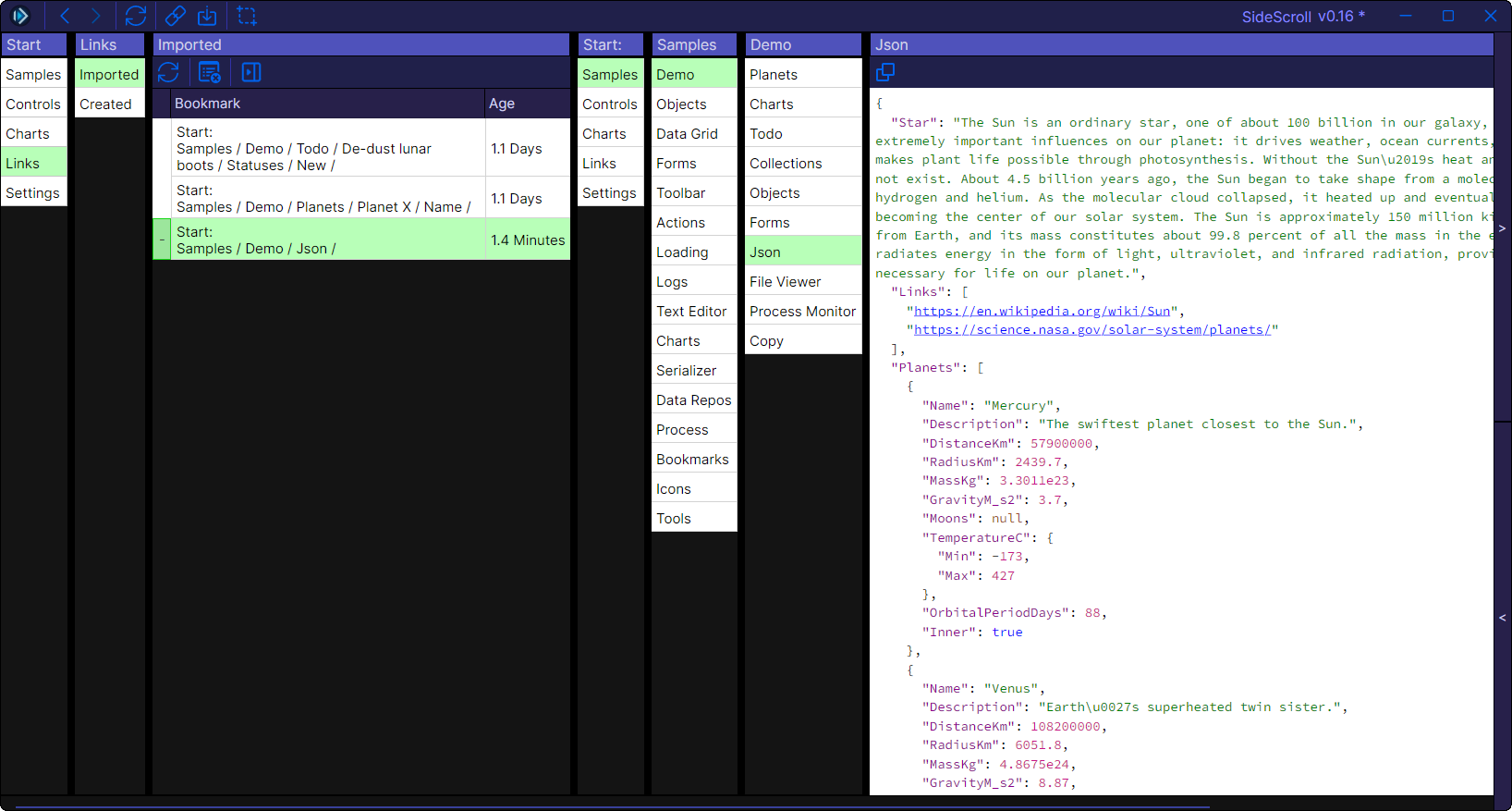
- 🔗 Shareable Links — Create and share deep links to any view or data state
- 📊 Interactive Charting — Integrated LiveCharts 2 with smooth animations, zooming, and interactive legends
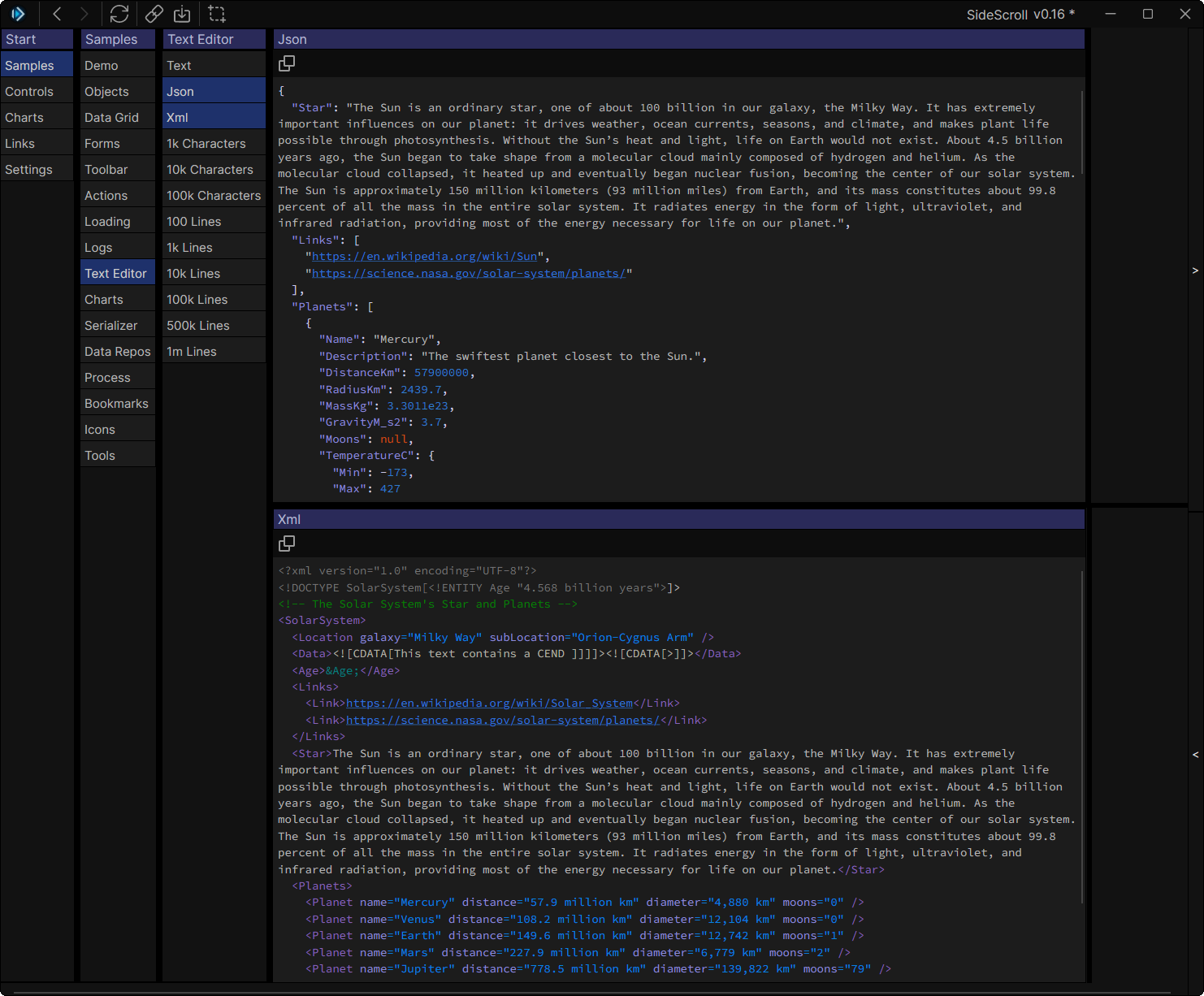
- 📝 Rich Text Editing — Built-in AvaloniaEdit support for syntax highlighting and text manipulation
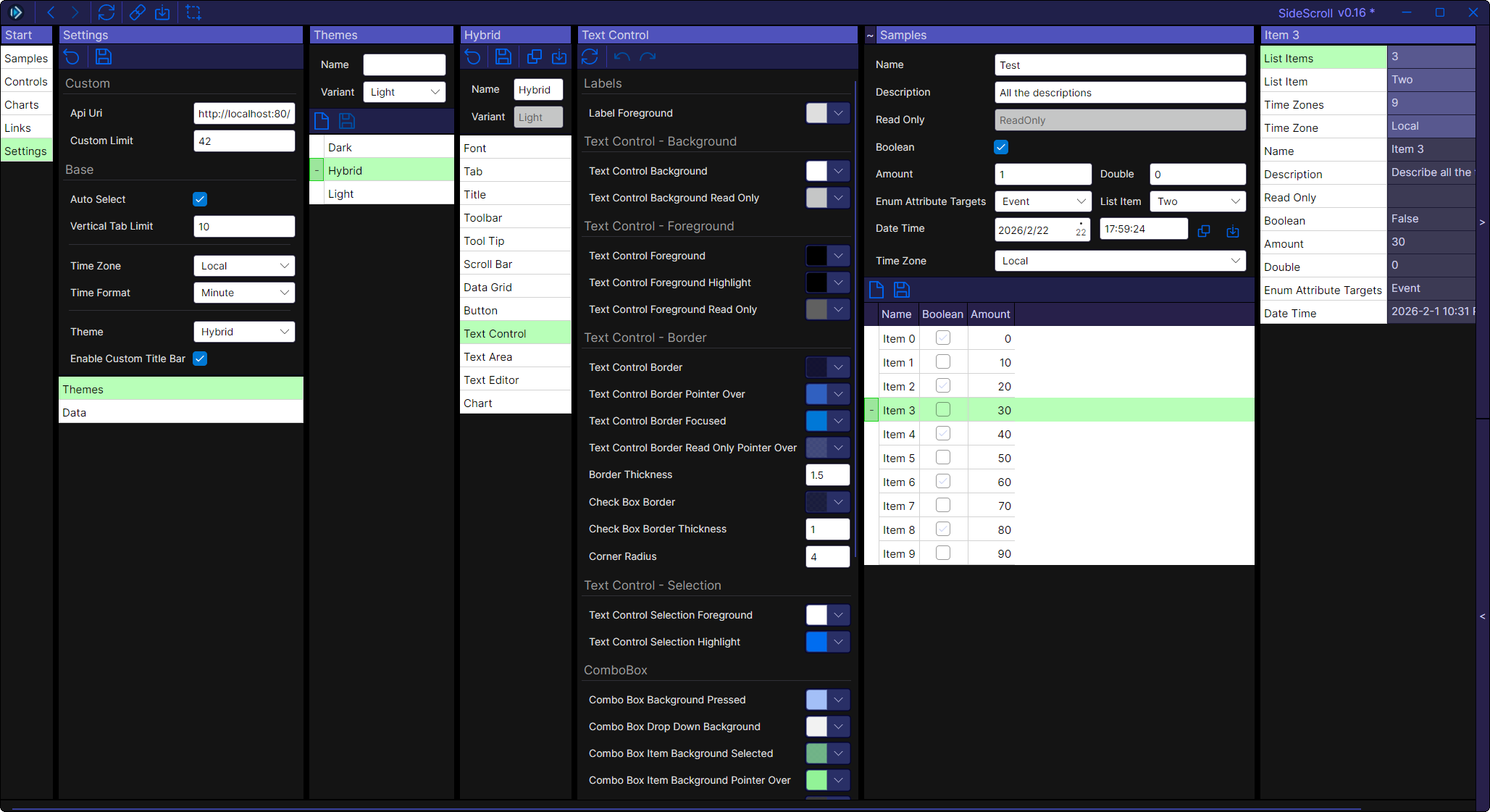
- 🎨 Customizable Themes — Light, dark, and custom themes with exportable/importable JSON configurations
- 🔍 Advanced Filtering — Powerful DataGrid filtering with nested queries and operators
🎬 Live Demo
Try SideScroll in your browser: https://sidescrollui.github.io/SideScroll/
Try the VideoGamesDB sample: https://sidescrollui.github.io/VideoGamesDB/
The demos run entirely in WebAssembly using Avalonia's browser support—no installation required!
Note: The browser version is experimental. For the best performance and full features, use the desktop application.
📸 Screenshots & Examples
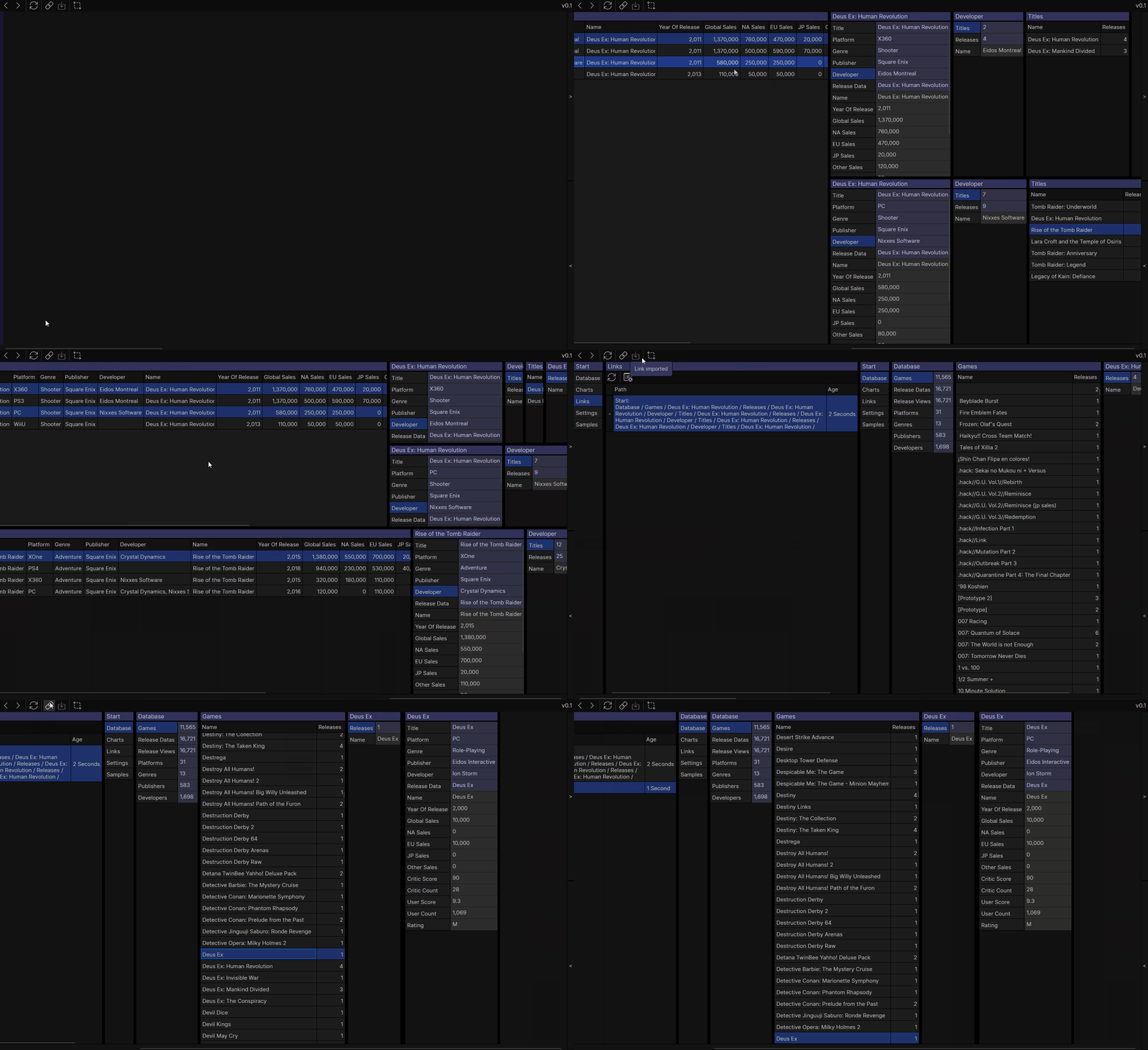
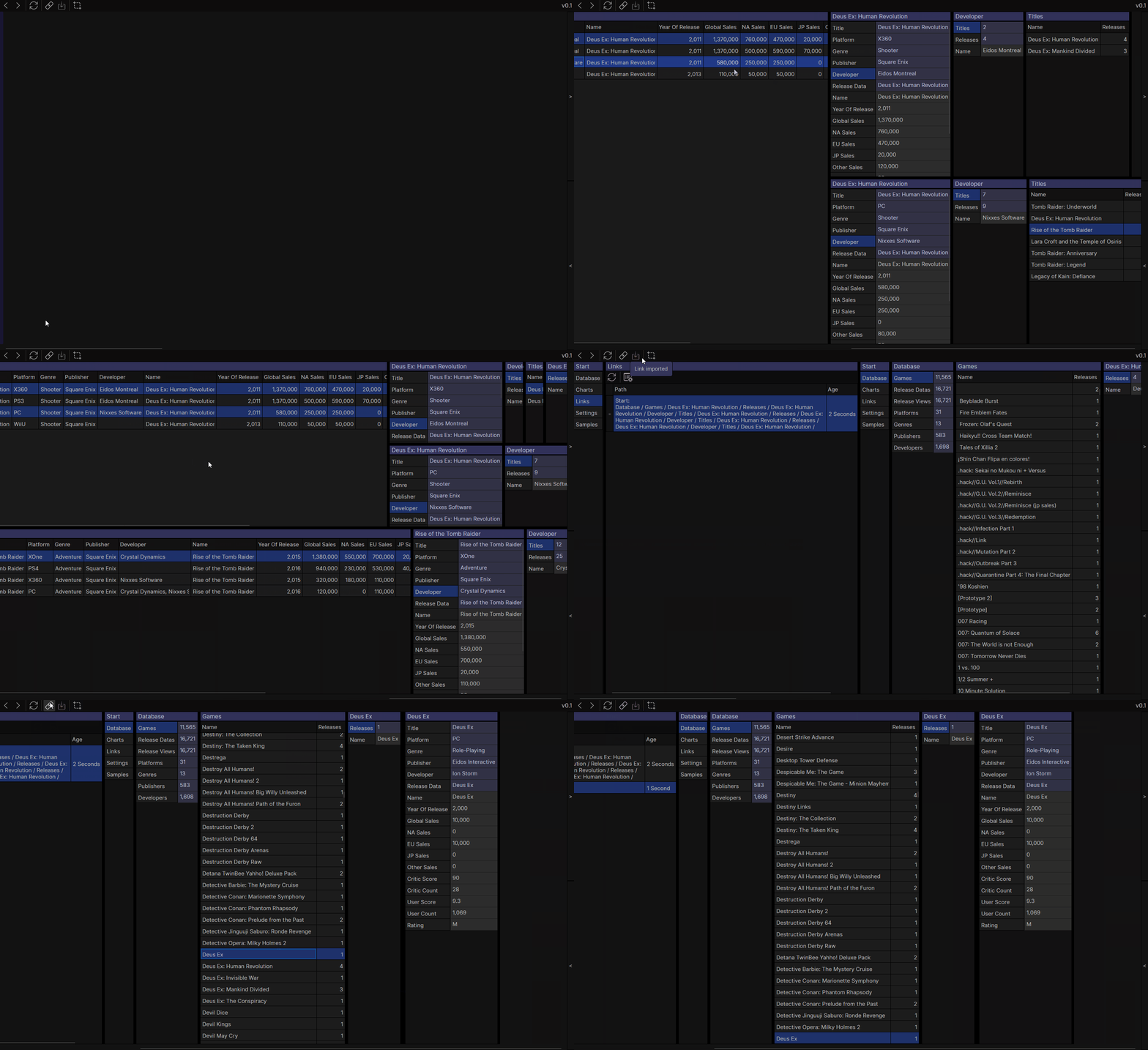
VideoGamesDB Sample
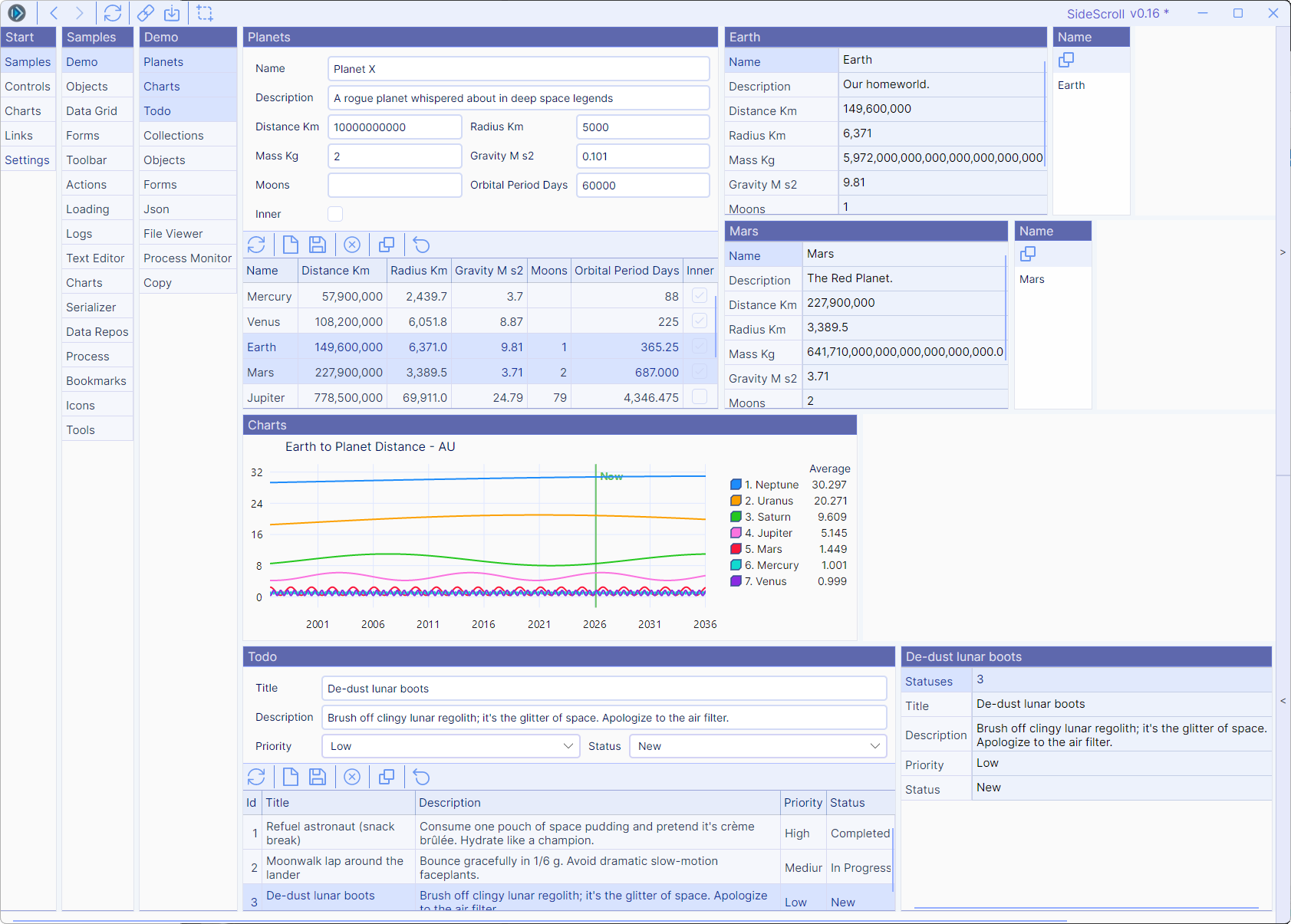
Light Theme
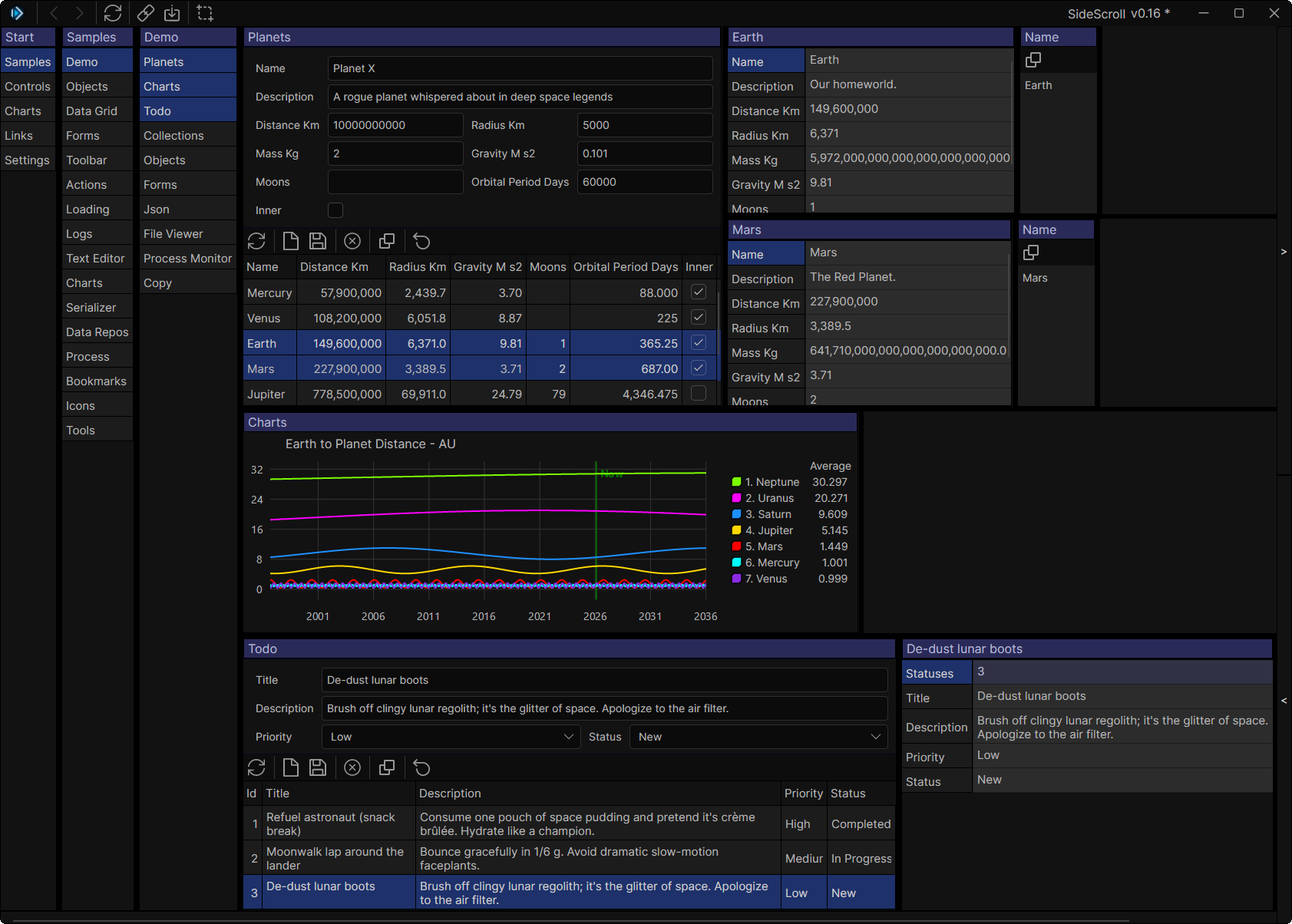
Dark Theme
Custom Theming - Hybrid Theme
Rich Text Editing with AvaloniaEdit
Shareable Links
🚀 Getting Started
Prerequisites
Installation & Running
-
Clone the repository
git clone https://github.com/SideScrollUI/SideScroll.git
cd SideScroll
-
Restore dependencies
-
Build the solution
-
Run the desktop demo application
dotnet run --project Programs/SideScroll.Demo.Avalonia.Desktop/SideScroll.Demo.Avalonia.Desktop.csproj
Quick Start - Create Your Own App
-
Install SideScroll templates
dotnet new install SideScroll.Templates
-
Create a new SideScroll application
dotnet new sidescroll.app -o MyApp
Or create a solution with library and program projects:
dotnet new sidescroll.sln -o MyApp
-
Run your new app
See the Project Setup Guide and SideScroll.Templates for more details.
📦 Project Structure
SideScroll/
├── Libraries/                          # Core framework libraries
│   ├── SideScroll/                     # Core functionality (Call, Tag, logging)
│   ├── SideScroll.Avalonia/            # Avalonia UI components
│   ├── SideScroll.Avalonia.Charts/     # Chart abstractions
│   ├── SideScroll.Avalonia.Charts.LiveCharts/  # LiveCharts implementation
│   ├── SideScroll.Avalonia.Samples/    # Sample tabs and demos
│   ├── SideScroll.Network/             # HTTP and network utilities
│   ├── SideScroll.Resources/           # Embedded resources (icons, samples)
│   ├── SideScroll.Serialize/           # Serialization and DataRepos
│   ├── SideScroll.Serialize.Browser/   # Browser-specific serialization
│   ├── SideScroll.Tabs/                # Tab system core
│   ├── SideScroll.Tabs.Samples/        # Sample tab implementations
│   └── SideScroll.Tabs.Tools/          # File viewer and utility tabs
├── Programs/                           # Runnable applications
│   ├── SideScroll.Demo.Avalonia.Desktop/   # Desktop demo app
│   └── SideScroll.Demo.Avalonia.Browser/   # WebAssembly demo app
├── Tests/                              # Unit tests
├── Docs/                               # Documentation
└── Images/                             # Screenshots and assets
📚 Documentation
For Users
For Developers
Additional Resources
🎯 Sample Projects
Explore these examples to see SideScroll in action:
🤝 Contributing
We welcome contributions! Whether it's bug reports, feature requests, documentation improvements, or code contributions, your help is appreciated.
Before contributing:
- Read the Contributing Guide
- Check existing issues and pull requests
- For major changes, open an issue first to discuss your proposal
Quick Contribution Checklist:
- Code follows the project's style guidelines
- Tests pass:
dotnet test
- Documentation is updated (if applicable)
- Changelog is updated (for significant changes)
🔧 Technology Stack
📄 License
This project is licensed under the MIT License - see the LICENSE file for details.
🌟 Why SideScroll?
Perfect for:
- 🗂️ Data exploration tools with complex hierarchies
- 🔍 Debugging interfaces with deep object inspection
- 📊 Dashboard applications with related data views
- 🛠️ Developer tools requiring quick navigation between components
- 📖 Knowledge bases with interconnected information
Recommended Setup:
- Widescreen monitor for optimal experience (SideScroll shines when you can see multiple levels at once!)
- Mouse with horizontal scroll or keyboard navigation for quick scrolling