repl
An Online REPL for JavaScript/TypeScript
- 70
- MIT
- 8 mo ago
Repo Snowflyt/repl, read from GitHub 30 min ago. Snowflyt has not joined Take My Repo.
In short
Snowflyt/repl is a public repo on GitHub by Snowflyt. An Online REPL for JavaScript/TypeScript. It declares the MIT license on GitHub. It is written mainly in TypeScript, has 70 stars and last changed on 2026-04-05. Nobody has reviewed it on Take My Repo yet, which says nothing about its quality. Read from GitHub on 2026-11-22.
JS/TS REPL
An online REPL for JavaScript/TypeScript.
Features
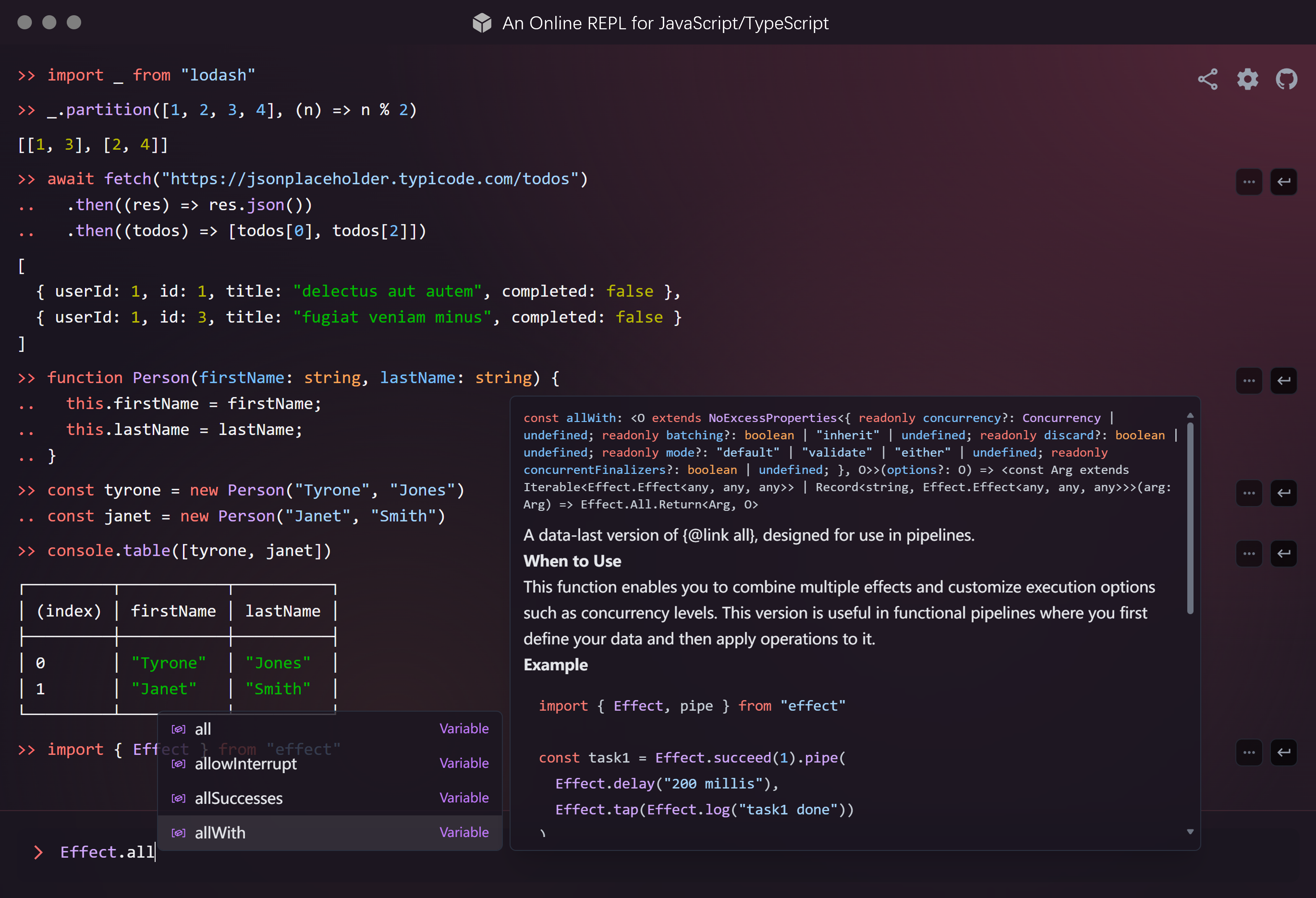
- Interactively execute
anyalmost any JavaScript/TypeScript code directly in your browser. - (Type annotations are stripped before execution, and no type checking is performed.)
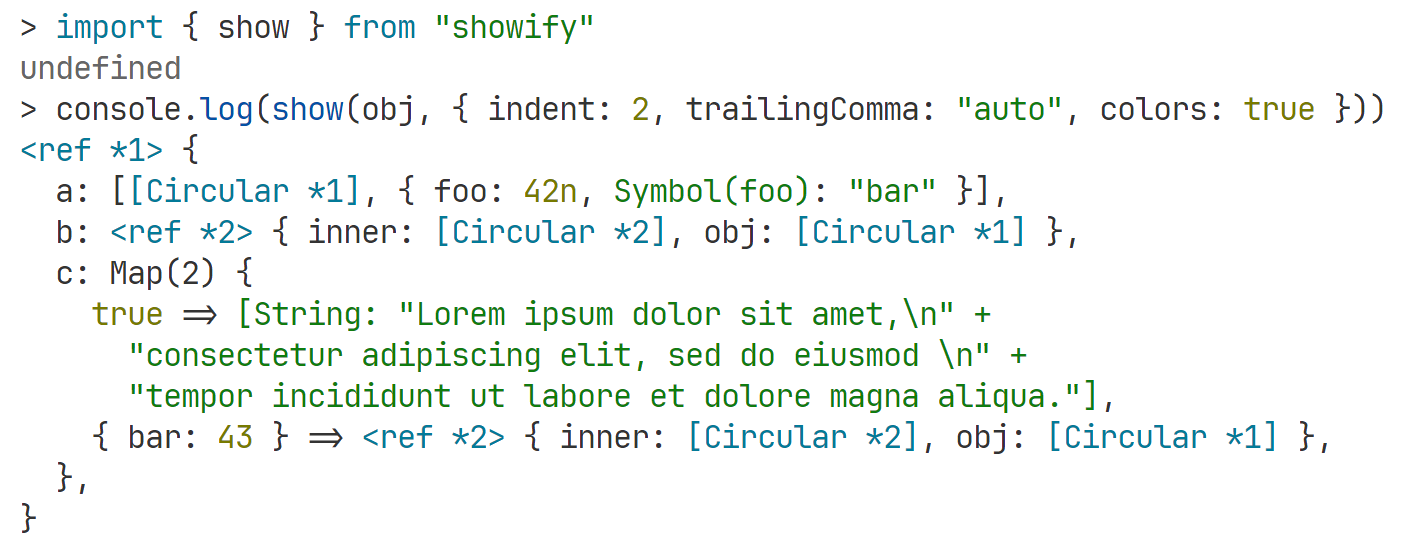
- Beautiful output with syntax highlighting (powered by highlight.js) and pretty-printing (enabled by showify).
- Import any NPM package directly with
importstatements (powered by esm.sh). - Auto-completion (intellisense) powered by the TypeScript language service running in a Web Worker. Third-party type definitions are automatically fetched when importing NPM packages (powered by @typescript/ata).
- Shareable links to your REPL, with history encoded in the URL.
- Rich content output for HTML (including plots/charts), Markdown, SVG, images, and more. See details in Rich Content Output.
- Top-level
awaitis supported, and can be cancelled using Ctrl + C. - Conveniently copy and jump to previous inputs using the buttons on the right side of the input field, and easily navigate through your history with the ↑ and ↓ keys.
- REPL commands for extra functionality:
:check <code>or:c <code>to get the type of an expression without executing it.:type <TypeExpr>or:t <TypeExpr>to get the evaluated type of a TypeScript type expression.
- Clear history with
clear()orconsole.clear(). - Full support for the
consoleAPI, including methods likeconsole.dir(),console.group(),console.table(),console.time(), etc. - Responsive layout, optimized for mobile devices.
Rich Content Output
This REPL can render Jupyter-style rich outputs by choosing the “richest” MIME type it supports. You can return:
- A regular output value (string, number, object, etc.), which will be pretty-printed.
- A DOM node (HTMLElement or DocumentFragment), which will be mounted live.
- A “MIME bundle” object keyed by MIME types (for example
text/html,text/markdown,image/png).
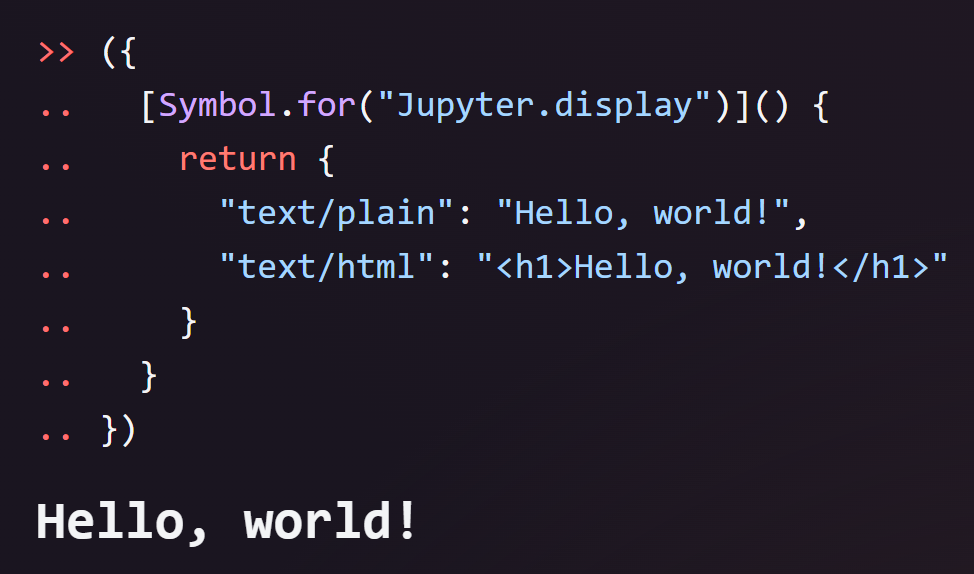
The easiest way is to return an object that implements the special method [Symbol.for("Jupyter.display")], similar to Jupyter Kernel for Deno. The method should return an object that maps a MIME type to the value to display.
({
  [Symbol.for("Jupyter.display")]() {
    return {
      "text/plain": "Hello, world!",
      "text/html": "<h1>Hello, world!</h1>",
    };
  },
});
[!TIP]
You can also use
Rich.$displayinstead of typingSymbol.for("Jupyter.display").
This REPL provides a set of helpers under the global Rich namespace:
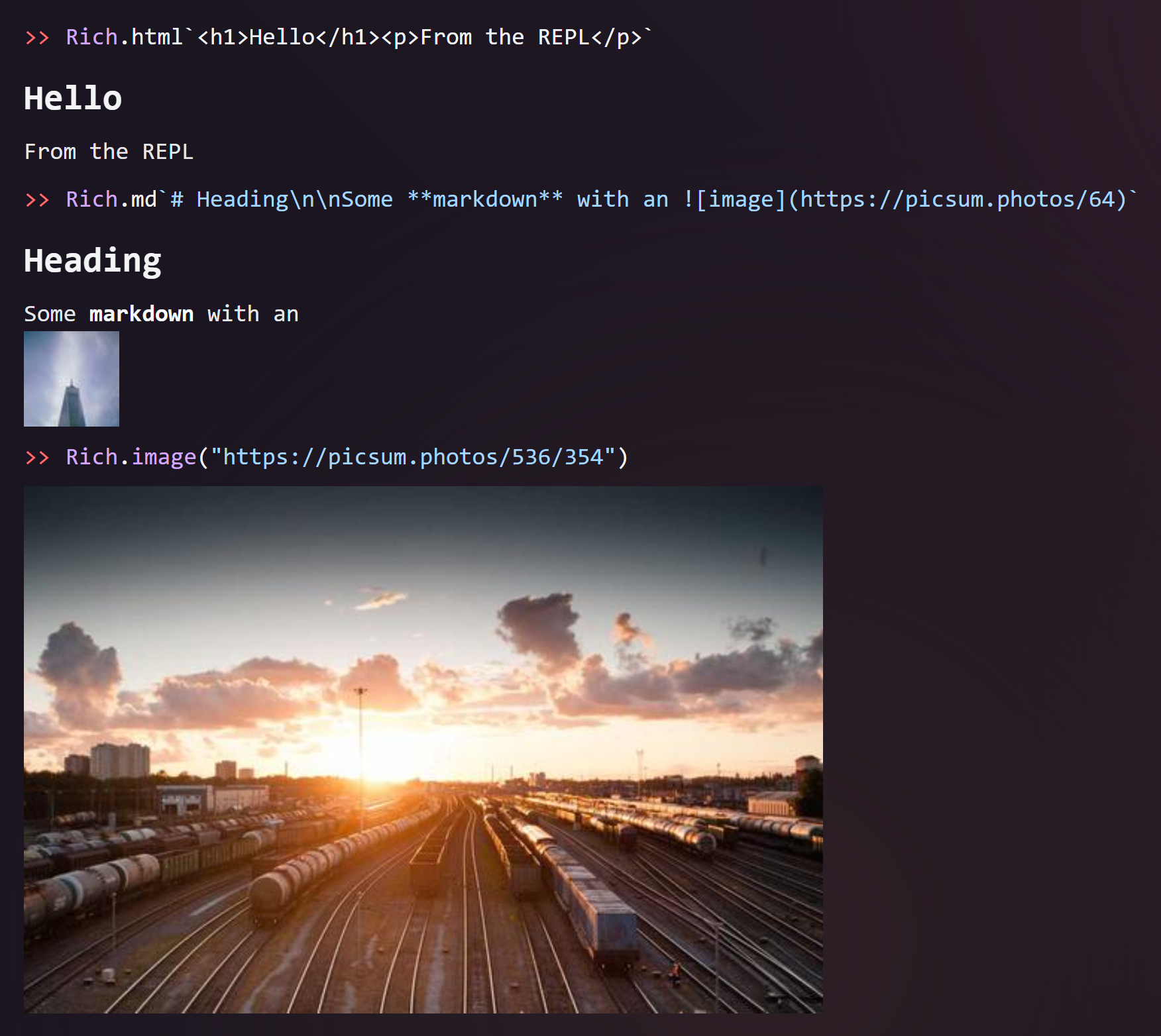
Rich.html— tagged template to render HTMLRich.md— tagged template to render MarkdownRich.mdBlock— likeRich.mdbut hides the input (Markdown cell)Rich.svg— tagged template to render SVG markupRich.image(input)— render an image from a URL (http/https/data/blob) or bytes (Uint8Array/ArrayBuffer)
Examples:
Rich.html`<h1>Hello</h1><p>From the REPL</p>`;
Rich.md`# Heading\n\nSome **markdown** with an `;
Rich.svg`<svg viewBox="0 0 100 100" xmlns="http://www.w3.org/2000/svg">
<circle cx="50" cy="50" r="40" stroke="green" stroke-width="4" fill="yellow" />
</svg>`;
Rich.image("https://picsum.photos/536/354");
// You can also provide bytes with an explicit MIME
const bytes = new Uint8Array(/* ... */);
Rich.image(bytes, "image/png"); // If MIME is not provided, it will be inferred
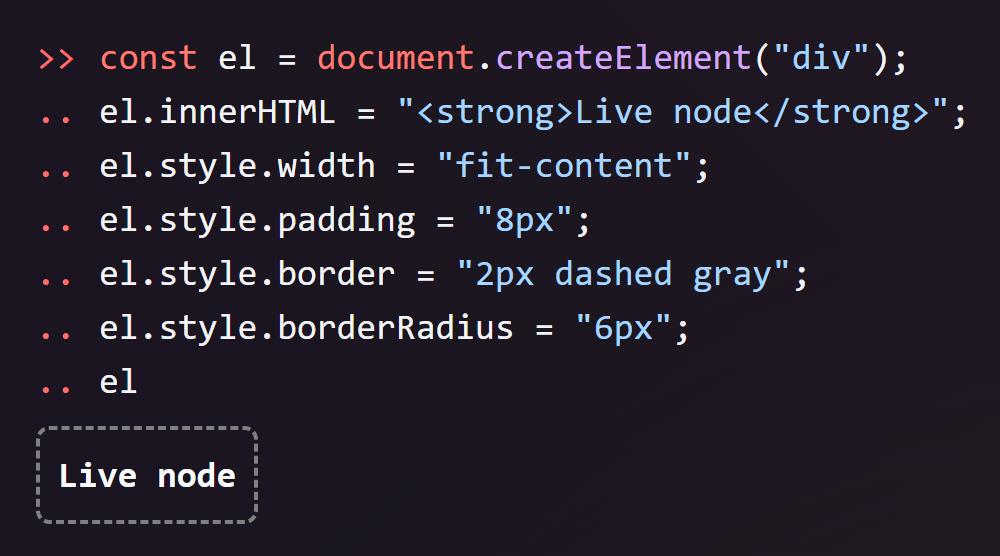
Returning a DOM node is also supported:
const el = document.createElement("div");
el.innerHTML = "<strong>Live node</strong>";
el.style.width = "fit-content";
el.style.padding = "8px";
el.style.border = "2px dashed gray";
el.style.borderRadius = "6px";
el;
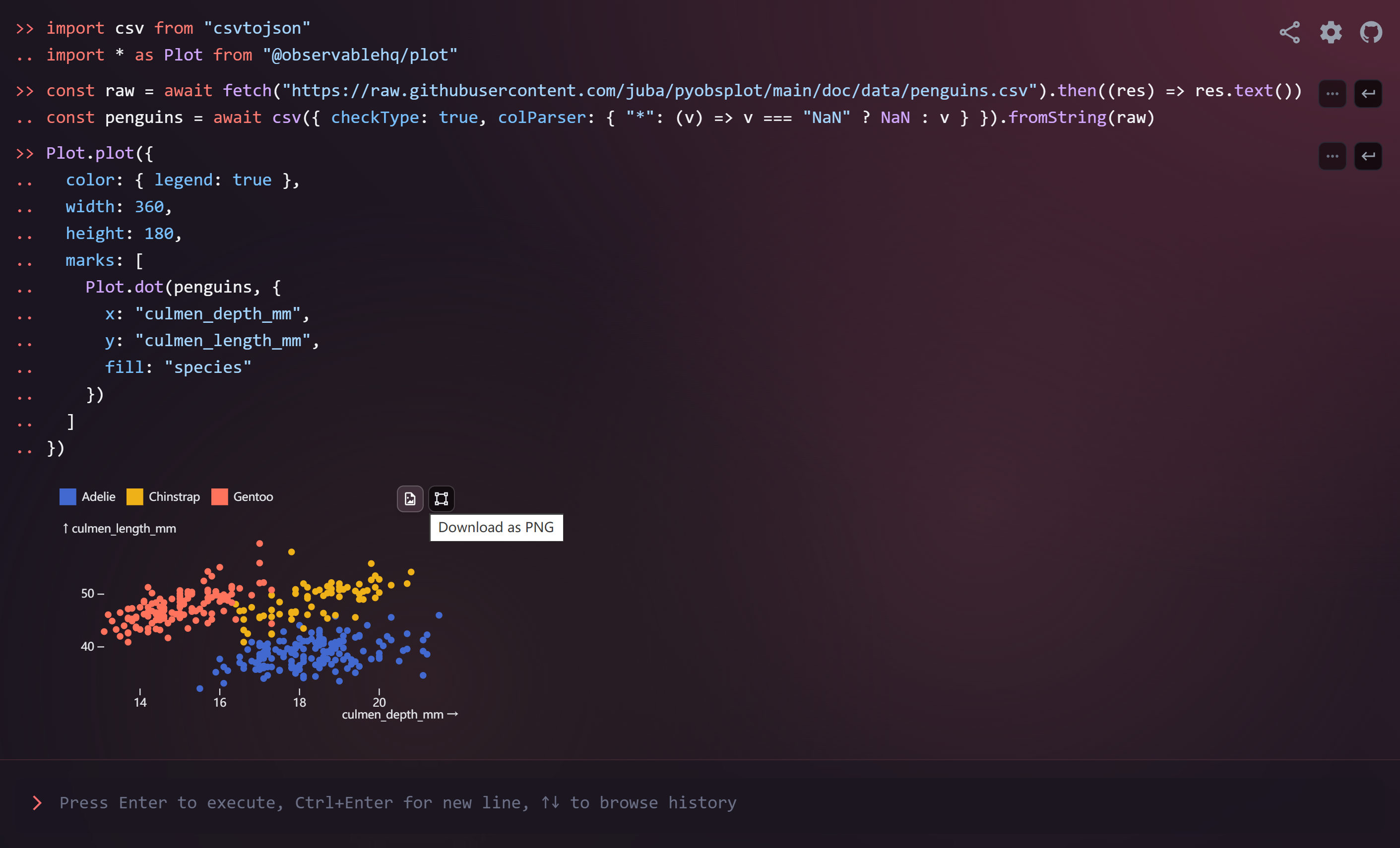
You can even render a plot using third-party libraries like Observable Plot:
import csv from "csvtojson";
import * as Plot from "@observablehq/plot";

const raw = await fetch(
  "https://raw.githubusercontent.com/juba/pyobsplot/main/doc/data/penguins.csv",
).then((res) => res.text());
const penguins = await csv({
  checkType: true,
  colParser: { "*": (v) => (v === "NaN" ? NaN : v) },
}).fromString(raw);

Plot.plot({
  color: { legend: true },
  marks: [
    Plot.dot(penguins, {
      x: "culmen_depth_mm",
      y: "culmen_length_mm",
      fill: "species",
    }),
  ],
});
Try it in this REPL!
Additionally, you can include an "application/x.repl-hide-input" key in the MIME bundle to hide the input line for that cell. For example:
({
  [Symbol.for("Jupyter.display")]() {
    return {
      "application/x.repl-hide-input": true,
      "text/markdown": "# This input is hidden\n\nUsing a special MIME type.",
    };
  },
});
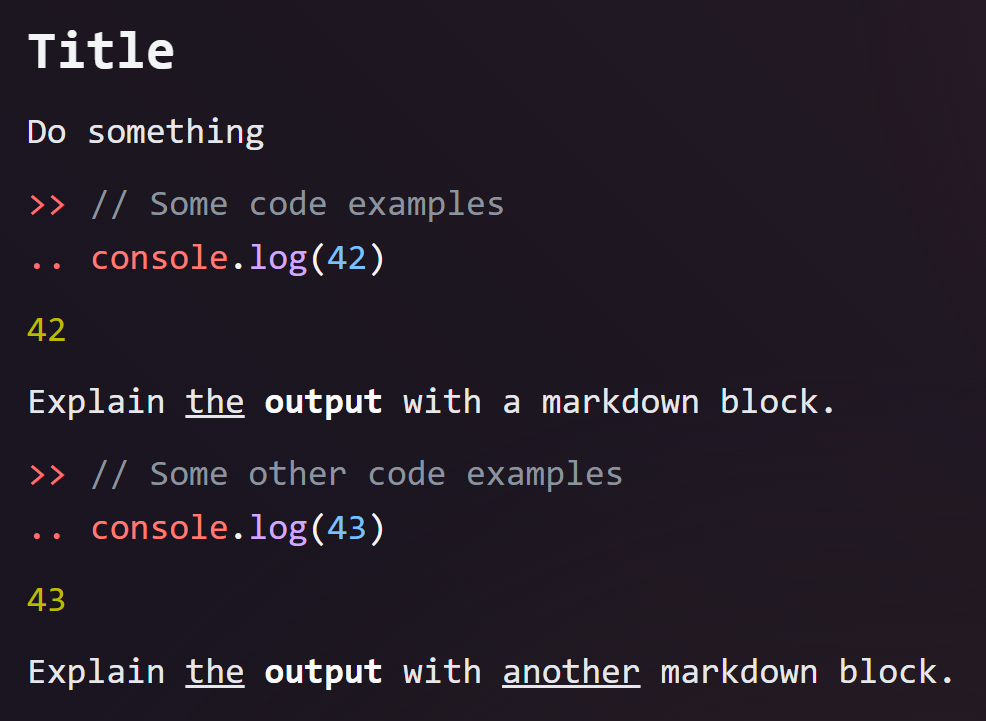
With this approach, you can create Markdown cells like in Jupyter notebooks. We provide a convenience method for that as well:
Rich.mdBlock`# Title\n\nThis input is hidden.`;
Try it in this REPL!
You can also display something immediately (as a side-effect) using the display(value) function, which returns a Promise. The value is rendered as follows:
- Strings: stringified with quotes and escaping (like
JSON.stringify). - DOM nodes: mounted live with a persisted snapshot.
- Objects implementing
Symbol.for("Jupyter.display"): rendered as rich MIME bundles. - Other values: stringified like
console.log.
await display("Hello, world!");

// Display a rich HTML figure immediately
await display(Rich.html`<h1>Hello</h1><p>From the REPL</p>`);

// Display markdown immediately and hide the input line (Jupyter-style)
await display(Rich.mdBlock`# Title\n\nThis input is hidden.`);
Limitations
Simulated Global Scope
This REPL simulates rather than implements a true global scope, which affects how closures work between separate evaluations. For example:
const f = () => value; // First evaluation
const value = 42; // Second evaluation
f(); // Third evaluation - ReferenceError!
Behavior explanation:
- When pasted as a single block, this code works as expected because it’s evaluated together.
- When run line-by-line, it fails because each line is evaluated in its own isolated context.
Technical details: Each code snippet is processed as follows:
- The TypeScript compiler API analyzes the code.
- Top-level variables are extracted to a shared context object.
- This context is passed to subsequent evaluations.
This effectively transforms the above example into something like:
const context = {};

const updateContext = (obj) => {
  for (const key in obj) {
    context[key] = obj[key];
  }
};

updateContext(
  new Function(
    ...Object.keys(context),
    `
      const f = () => value;
      return { f };
    `,
  )(...Object.values(context)),
);

updateContext(
  new Function(
    ...Object.keys(context),
    `
      const value = 42;
      return { value };
    `,
  )(...Object.values(context)),
);

updateContext(
  new Function(
    ...Object.keys(context),
    `
      const __repl_result___ = f();
      return { __repl_result___ };
    `,
  )(...Object.values(context)),
);
console.log(context.__repl_result___);
Since the value variable is not defined in the first snippet of code, the f function will throw a ReferenceError when it’s called.
Questions
What is repl?
Snowflyt/repl is a public repo on GitHub by Snowflyt. An Online REPL for JavaScript/TypeScript.
Is repl open source?
It declares the MIT license on GitHub.
Does repl run on macOS, Windows or Linux?
Its maker tagged it for macOS, Windows and Linux, or as Docker or cross-platform. That is declared by the maker; Take My Repo has not tested it.
How do I install repl?
Open "Take it" on its page: Take My Repo writes an install plan for your machine and hands it to your AI agent (Claude Code, Codex or Cursor), which asks you before each step. Take My Repo has not tested it on any machine.
Is repl still maintained?
Its last change on GitHub was on 2026-04-05. GitHub counts 0 open issues and pull requests. Take My Repo does not judge from that whether it is maintained.
What do people who ran repl say?
Nobody has reviewed it on Take My Repo yet, which says nothing about its quality.