

opcilloscope
Browse and monitor OPC UA servers from your terminal. Lightweight, cross-platform, keyboard and mouse friendly.
- 147
- MIT
- 5 wk ago
Repo SquareWaveSystems/opcilloscope, read from GitHub 23 h ago. SquareWaveSystems has not joined Take My Repo.
In short
SquareWaveSystems/opcilloscope is a public repo on GitHub by SquareWaveSystems. Browse and monitor OPC UA servers from your terminal. Lightweight, cross-platform, keyboard and mouse friendly. It declares the MIT license on GitHub. It is written mainly in C#, has 147 stars and last changed on 2026-10-21. Nobody has reviewed it on Take My Repo yet, which says nothing about its quality. Read from GitHub on 2026-11-24.
Similar repos

opcilloscope
A lightweight, cross-platform OPC UA client for the terminal.
Browse, monitor, and subscribe to industrial automation data right from your terminal. Keyboard-driven with mouse support. No bloated GUI, no complex setup, no license fees.
Why opcilloscope?
| Traditional OPC Clients | opcilloscope |
|---|---|
| Heavy desktop apps | Single self-contained executable |
| Minutes to install | curl | bash and you're running |
| Resource-hungry GUIs | Terminal-native interface |
| Windows-only | Windows, Linux, macOS (x64 & ARM64) |
| Click-heavy workflows | Keyboard-driven, mouse support |
Use cases: commissioning (verify PLC tags), troubleshooting (live values during fault diagnosis), integration testing (validate OPC UA server configs), recording (export to CSV for reports).
Features
- Browse — Lazily explore the OPC UA address space. Expand only what you need.
- Monitor — Subscribe to variables with
Enter. Receive OPC UA monitored-item notifications instead of polling values. - Inspect — Full node attributes: Description, DataType, AccessLevel, ValueRank.
- Scope — Real-time multi-signal oscilloscope (up to 5 signals, 30 s sliding window).
- Record — Export selected monitored variables to CSV. Notifications are queued with full-precision, locale-independent values (ISO 8601 UTC timestamps,
.decimal separator, arrays as semicolon-joined elements). A bounded queue protects the UI if storage falls behind, and any dropped records are reported when recording stops. - Configure — Save/load connection and subscription configs (
.cfgJSON files). - Themes — Dark (default), light, and terminal (inherits your terminal's ANSI colour scheme).
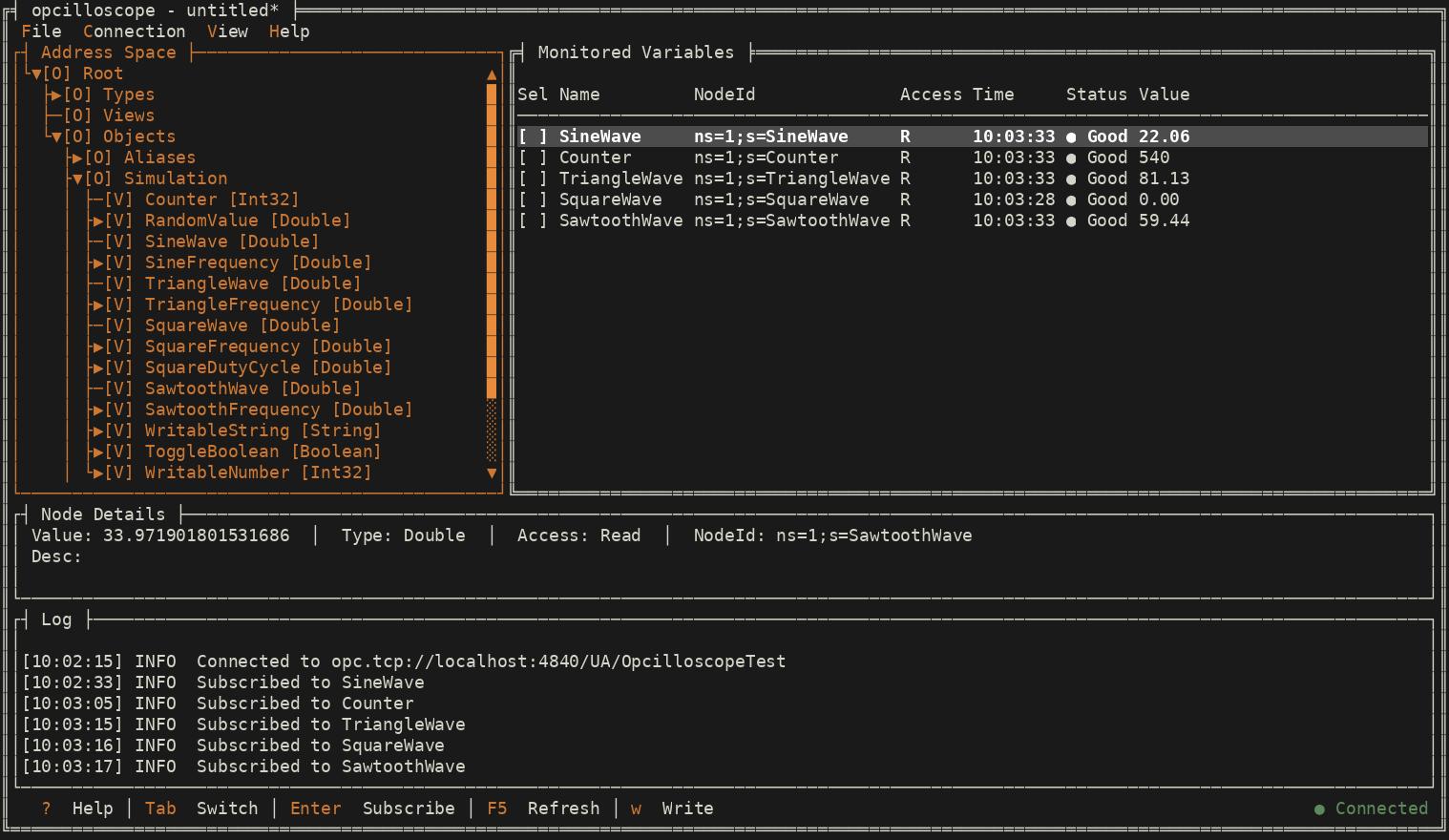
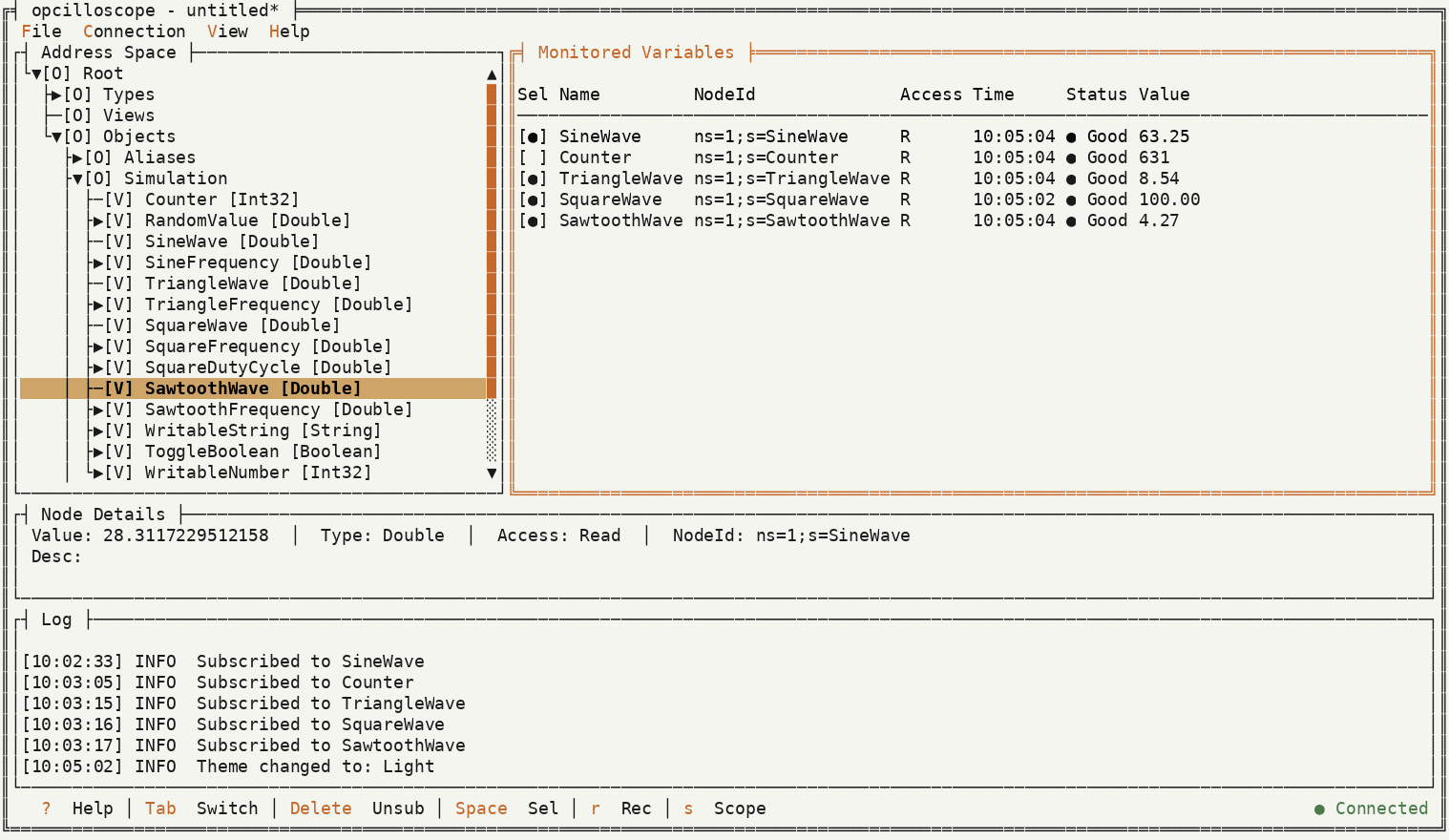
Scope view — a soothing sine wave
How signal sampling works
opcilloscope does not repeatedly read each value. It creates OPC UA subscriptions and monitored items, then processes the data-change notifications delivered by the server. This is distinct from the OPC UA PubSub transport model.
OPC UA Server
  │  samples monitored items (250 ms requested by default)
  │  delivers subscription notifications (250 ms publishing interval by default)
  ▼
opcilloscope receives data-change notifications
  ├─→ Scope View     — retains up to 2,000 numeric samples per signal while open
  └─→ CSV Recording  — queues selected-variable notifications for background writes
Data capture and screen rendering are decoupled:
| What | Rate | Details |
|---|---|---|
| Server sampling | 250 ms requested | Configurable through a saved configuration; the server may revise the interval |
| Subscription publishing | 250 ms by default | Adjustable from 100 ms to 10 s in the connect dialog |
| Scope redraw | 10 FPS (100 ms) | Renders whatever samples arrived since last frame |
| CSV recording | Every accepted notification for selected variables | Uses a 10,000-record bounded queue and flushes every 10 records |
The scope view starts with a sliding 30-second window (zoomable from 5 s to 300 s). It draws with Unicode braille subcells, so display resolution depends on the terminal's dimensions.
Keyboard Shortcuts
| Key | Action |
|---|---|
Tab |
Cycle between panes |
Enter |
Subscribe to selected node |
F5 |
Refresh address space tree |
Delete |
Unsubscribe from selected variable |
Space |
Toggle selection / pause scope |
S |
Open scope with selected variables |
W |
Write value to node |
R |
Toggle CSV recording (selected monitored variables) |
+ / - |
Zoom in / out (scope) |
Ctrl+O / Ctrl+S |
Open / save configuration |
Ctrl+Shift+S |
Save configuration as |
Ctrl+R |
Toggle CSV recording |
Ctrl+Q |
Quit |
? |
Help |
Install
Linux / macOS:
curl -fsSL https://raw.githubusercontent.com/SquareWaveSystems/opcilloscope/main/install.sh | bash
Windows (PowerShell):
irm https://raw.githubusercontent.com/SquareWaveSystems/opcilloscope/main/install.ps1 | iex
Or grab a binary from GitHub Releases.
Release archives include the self-contained executable, the project license, and notices for bundled third-party components. The installers preserve those notices in an app-owned license directory.
The installers require the matching release checksum and refuse an unverified download. On Windows, the default install directory is added to your user PATH; a custom OPCILLOSCOPE_INSTALL_DIR is treated as shared and leaves PATH unchanged.
macOS note: the binaries are unsigned, so archives downloaded with a browser are quarantined by Gatekeeper. Either use the curl installer above, or clear the quarantine attribute after extracting:
xattr -d com.apple.quarantine <binary>.
Then run:
opcilloscope
An automatic/omitted or partial security profile requires a SignAndEncrypt
endpoint and selects the strongest matching candidate offered by the server.
Explicit securityMode: "Sign" opts into signed-but-unencrypted traffic.
Explicit anonymous securityMode: "None" opts into unsecured plaintext;
username authentication never permits None.
Server certificates that fail validation are rejected by default. For a
development server, opcilloscope --insecure disables server certificate
validation for that run; it does not enable plaintext transport. Do not use
this option in production. The connection log reports the trusted-certificate
store path when validation fails.
Uninstall
Linux / macOS:
curl -fsSL https://raw.githubusercontent.com/SquareWaveSystems/opcilloscope/main/uninstall.sh | bash
Or manually on Linux:
rm ~/.local/bin/opcilloscope
rm -rf "${XDG_DATA_HOME:-$HOME/.local/share}/opcilloscope/licenses"
rm -rf "${XDG_CONFIG_HOME:-$HOME/.config}/opcilloscope"  # optional: configs and recent files
rm -rf "${XDG_DATA_HOME:-$HOME/.local/share}/opcilloscope/pki"  # optional: certificates
Or manually on macOS:
rm ~/.local/bin/opcilloscope
rm -rf "$HOME/Library/Application Support/opcilloscope/licenses"
rm -rf "$HOME/Library/Application Support/opcilloscope/configs"  # optional
rm -f "$HOME/Library/Application Support/opcilloscope/recent-files.json"  # optional
rm -rf "$HOME/Library/Application Support/opcilloscope/pki"  # optional: certificates
Windows (PowerShell):
irm https://raw.githubusercontent.com/SquareWaveSystems/opcilloscope/main/uninstall.ps1 | iex
Or manually:
$installDir = "$env:LOCALAPPDATA\Programs\opcilloscope"
Remove-Item "$installDir\opcilloscope.exe" -Force
Remove-Item "$installDir\opcilloscope-licenses" -Recurse -Force
$userPath = [Environment]::GetEnvironmentVariable("Path", "User")
$pathEntries = @($userPath -split ";" | Where-Object { $_.Trim().TrimEnd('\') -ine $installDir.TrimEnd('\') })
[Environment]::SetEnvironmentVariable("Path", ($pathEntries -join ";"), "User")
Remove-Item "$env:APPDATA\opcilloscope" -Recurse -Force             # optional: configs and recent files
Remove-Item "$env:LOCALAPPDATA\opcilloscope\pki" -Recurse -Force    # optional: certificates
If you set OPCILLOSCOPE_INSTALL_DIR, replace only the executable path above on
Linux/macOS; license notices remain in the platform data directory shown above.
On Windows, replace both $installDir executable/license paths with the custom
directory and skip the PATH-removal lines; the installer never adds a custom
directory to PATH. Configuration and certificate locations do not move. The
uninstall scripts remove only files owned by opcilloscope rather than recursively
deleting a shared custom install directory.
Quickstart (Developer)
Requires the .NET 10 SDK version pinned in global.json (10.0.109). Because rollForward is disable, other SDK versions are rejected.
git clone https://github.com/SquareWaveSystems/opcilloscope.git
cd opcilloscope
dotnet build Opcilloscope.sln
dotnet run --project Opcilloscope.csproj
Run the cross-platform unit, integration, and component suite:
dotnet test Opcilloscope.sln
On Linux, also exercise a freshly published binary through the real PTY E2E harness:
dotnet test Tests/Opcilloscope.E2ETests/Opcilloscope.E2ETests.csproj
See docs/TESTING.md for test layers and exact-artifact usage.
OPC UA Test Servers
Built-in test server (Counter, SineWave, RandomValue, writable nodes):
dotnet run --project Tests/Opcilloscope.TestServer
# Starts at opc.tcp://localhost:4840/UA/OpcilloscopeTest
Public servers (no setup required):
| Server | Endpoint URL |
|---|---|
| OPC UA Server | opc.tcp://opcuaserver.com:48010 |
| Eclipse Milo | opc.tcp://milo.digitalpetri.com:62541/milo |
Docker (Microsoft OPC PLC):
docker run -p 50000:50000 mcr.microsoft.com/iotedge/opc-plc:latest \
  --autoaccept --unsecuretransport
# Connect to opc.tcp://localhost:50000
Contributing
Contributions welcome! Please submit an issue or a pull request, and see CONTRIBUTING.md for development and review guidance.
License
The opcilloscope source code is MIT-licensed — see LICENSE.
Official binary releases are self-contained builds that bundle the OPC Foundation UA .NET Standard stack and other third-party components. The bundled stack version (1.5.378.156) is distributed by the OPC Foundation under its MIT license; earlier versions of that stack were dual-licensed GPL-2.0/RCL. See THIRD-PARTY-NOTICES.md for the full list of bundled components and their licenses.
Built by Square Wave Systems
Inspired by lazygit
Questions
What is opcilloscope?
SquareWaveSystems/opcilloscope is a public repo on GitHub by SquareWaveSystems. Browse and monitor OPC UA servers from your terminal. Lightweight, cross-platform, keyboard and mouse friendly.
Is opcilloscope open source?
It declares the MIT license on GitHub.
Does opcilloscope run on macOS, Windows or Linux?
Its maker tagged it for macOS, Windows and Linux, or as Docker or cross-platform. That is declared by the maker; Take My Repo has not tested it.




