ECC
The agent harness performance optimization system. Skills, instincts, memory, security, and research-first development for Claude Code, Codex, Opencode, Cursor and beyond.
- 309k
- JavaScript
- MIT
- 3 d ago
AI code converter that runs both programs and shows whether they behave the same. 10 languages, any AI provider, sandboxed.
Repo Suraj64x/CodeShift, read from GitHub 3 h ago. Suraj64x has not joined Take My Repo.
Suraj64x/CodeShift is a public repo on GitHub by Suraj64x. AI code converter that runs both programs and shows whether they behave the same. 10 languages, any AI provider, sandboxed. It declares the MIT license on GitHub. It is written mainly in TypeScript, has 0 stars and last changed on 2026-11-13. Nobody has reviewed it on Take My Repo yet, which says nothing about its quality. Read from GitHub on 2026-11-22.

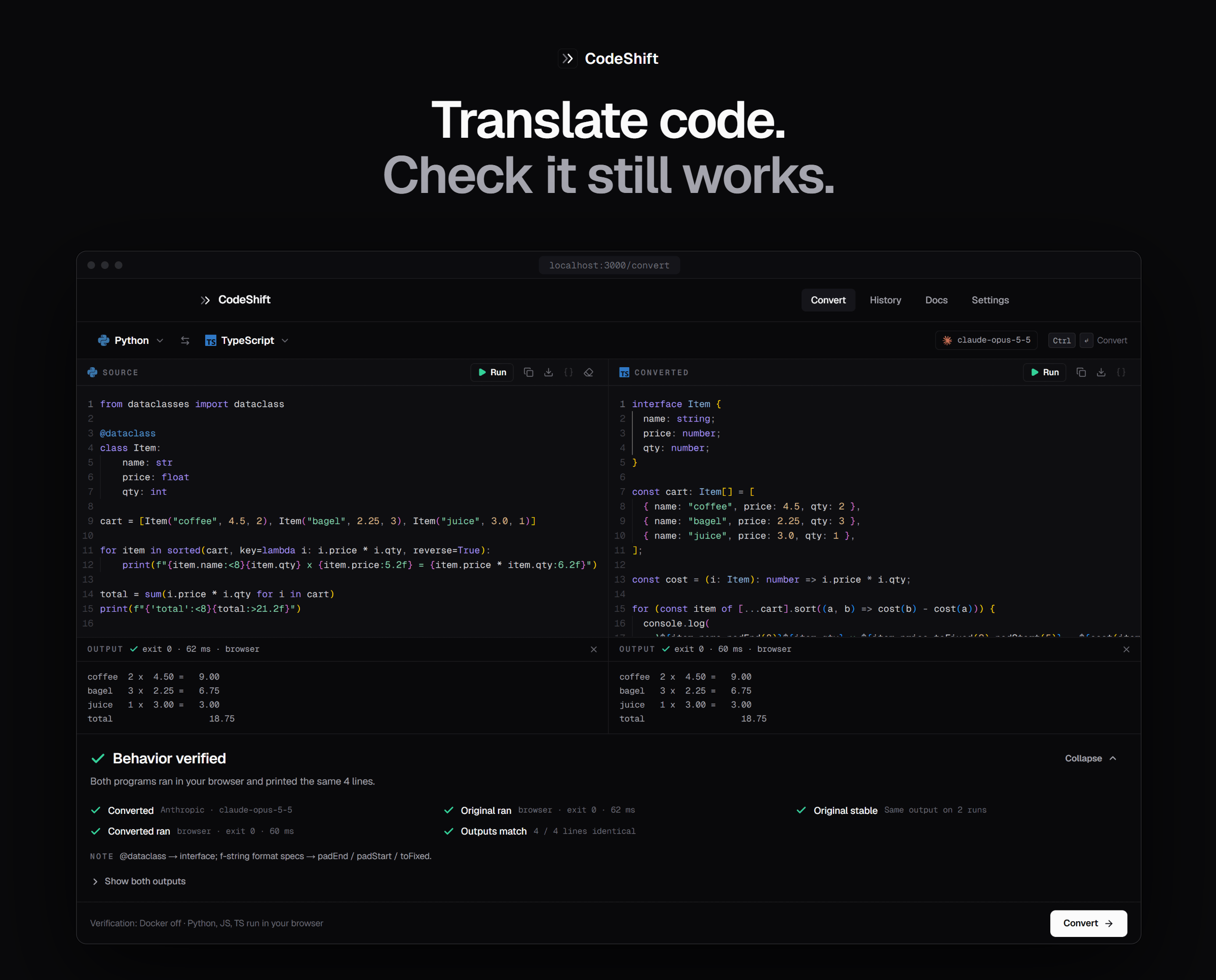
AI converts your code between 10 languages — then runs both programs to check they still behave the same.
Quick start · How it works · Features · API · Contributing
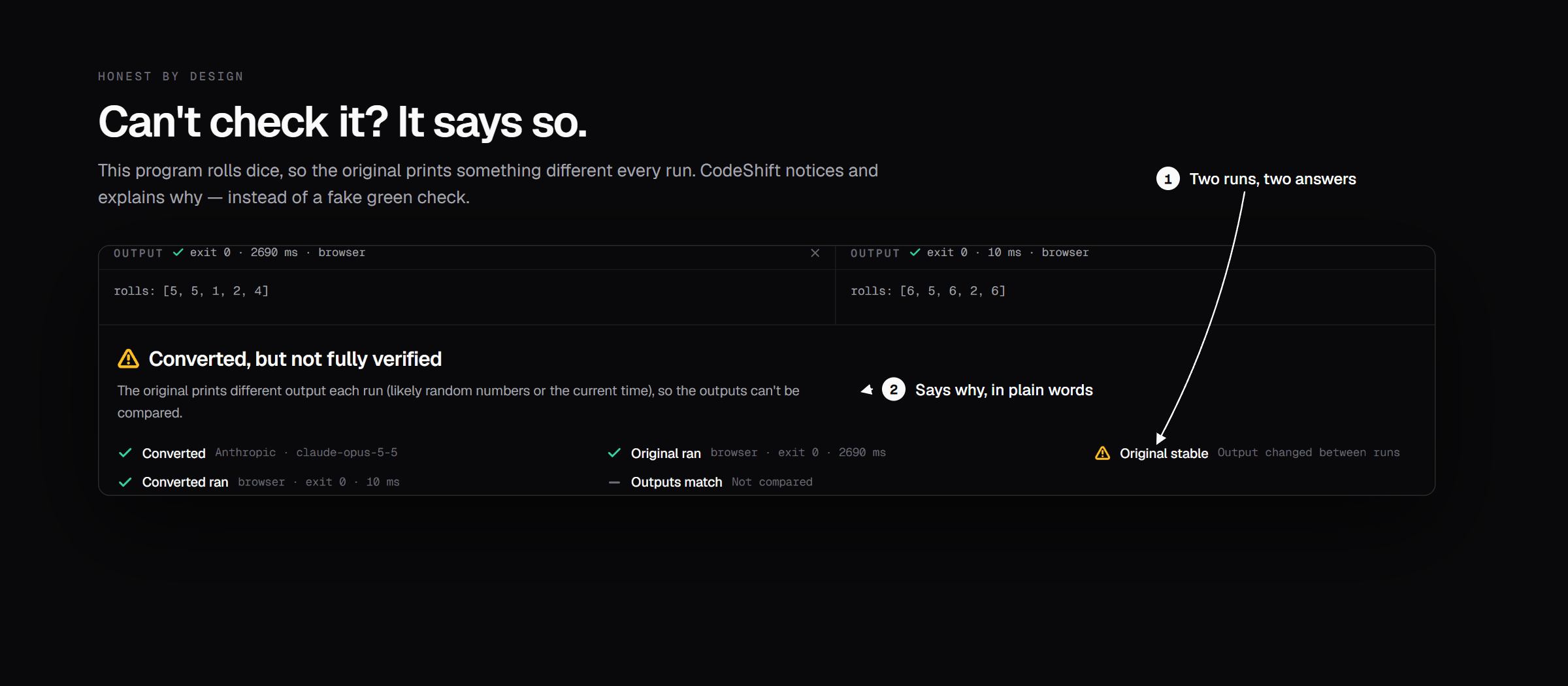
Most AI converters end with "Done!" and code you're asked to trust.
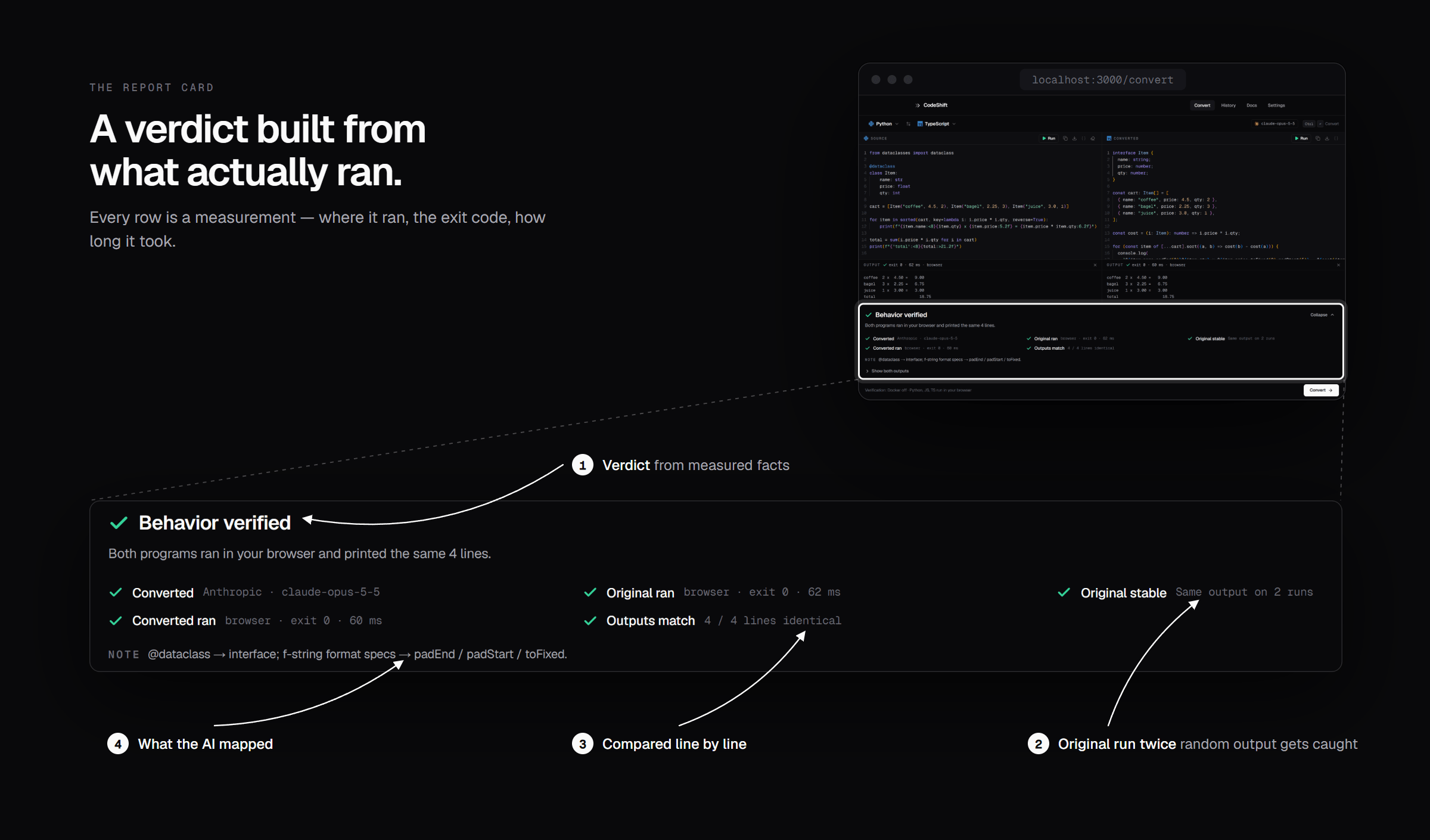
CodeShift runs the original and the conversion in sandboxes, compares their output line by line, auto-fixes mismatches, and shows you a report card. A green ✓ appears only when both programs really ran and printed the same thing. When something can't be checked, it tells you why.
Needs Node.js 22.18+ and an API key from any supported provider.
git clone https://github.com/Suraj64x/CodeShift.git
cd CodeShift
npm install
npm run dev
Open http://localhost:3000 → Settings → pick a provider, paste your key, press Test connection. Done.
Copy .env.example to .env.local and fill in any of these. A key typed into Settings wins over the file.
ANTHROPIC_API_KEY=
OPENAI_API_KEY=
GEMINI_API_KEY=
OPENROUTER_API_KEY=
Python, JavaScript and TypeScript run right in your browser. For the other seven, start Docker Desktop and pull the images once:
docker pull python:3.12-alpine node:22-alpine eclipse-temurin:21-jdk-alpine gcc:14 golang:1.23-alpine rust:1-alpine php:8.3-cli-alpine ruby:3.3-alpine
Without Docker those languages still convert, but are clearly marked not verified.
flowchart LR
    A[Your code] --> B[AI converts<br/>maps libraries]
    B --> C{Graphical?}
    C -- yes --> P[▶ Play window]
    C -- no --> D[Run original ×2<br/>stability check]
    B --> E[Run conversion]
    D --> F{Compare<br/>line by line}
    E --> F
    F -- match --> G[✓ Verified]
    F -- differ --> H[AI auto-fix<br/>up to 2 tries]
    H --> E
    F -- can't check --> I[△ Not fully verified<br/>with the reason]
| Verdict | Means |
|---|---|
| ✓ Behavior verified | Both programs ran and printed identical output. |
| △ Not fully verified | Something couldn't be checked — no runtime, random output, a graphical program. The report says which. |
| ✕ Output mismatch | Outputs still differ after auto-fix. You see the first differing line and what the AI tried. |
Same output on a run is strong evidence, not a proof — and CodeShift never claims more than it measured.
 |
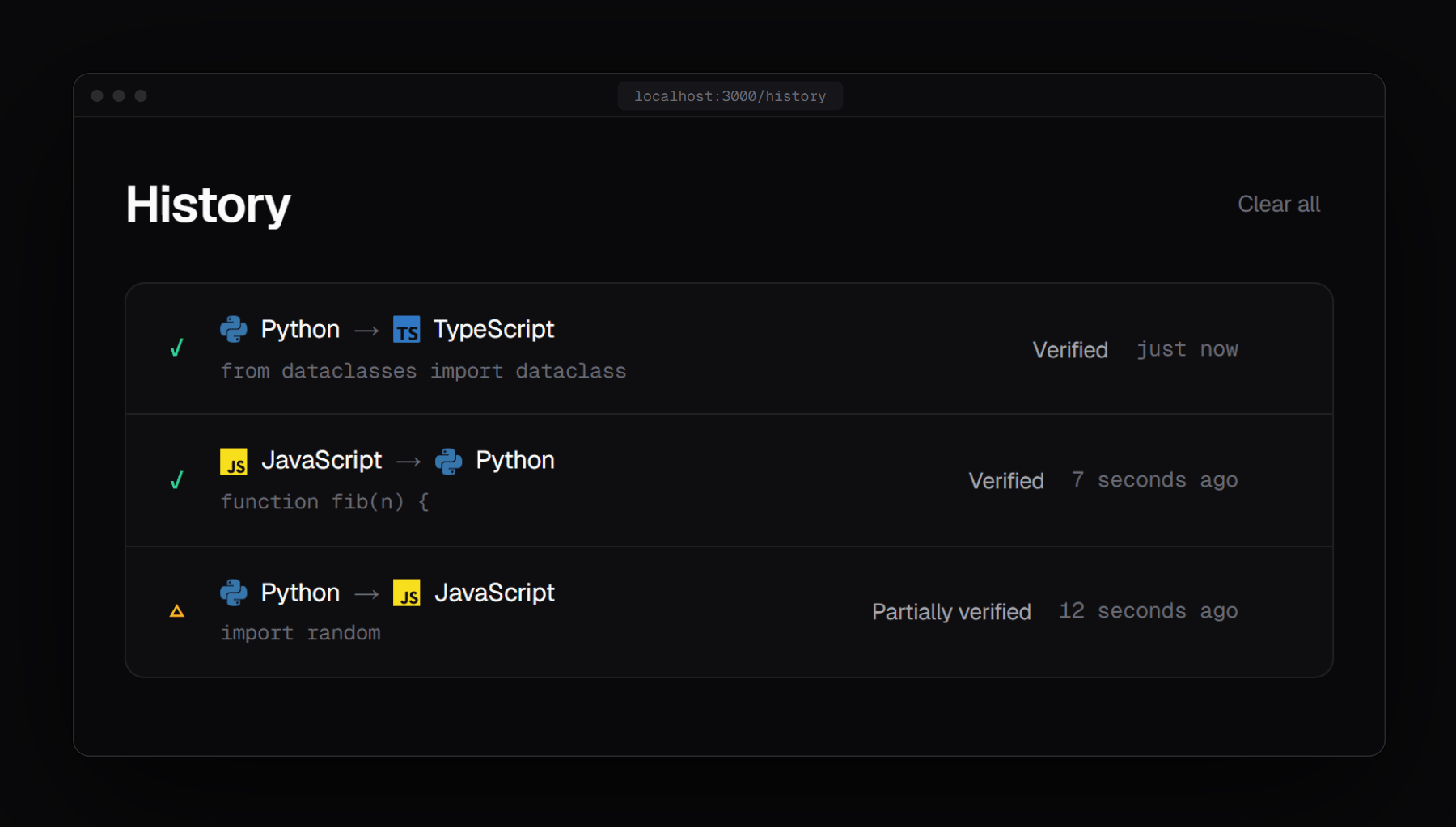 |
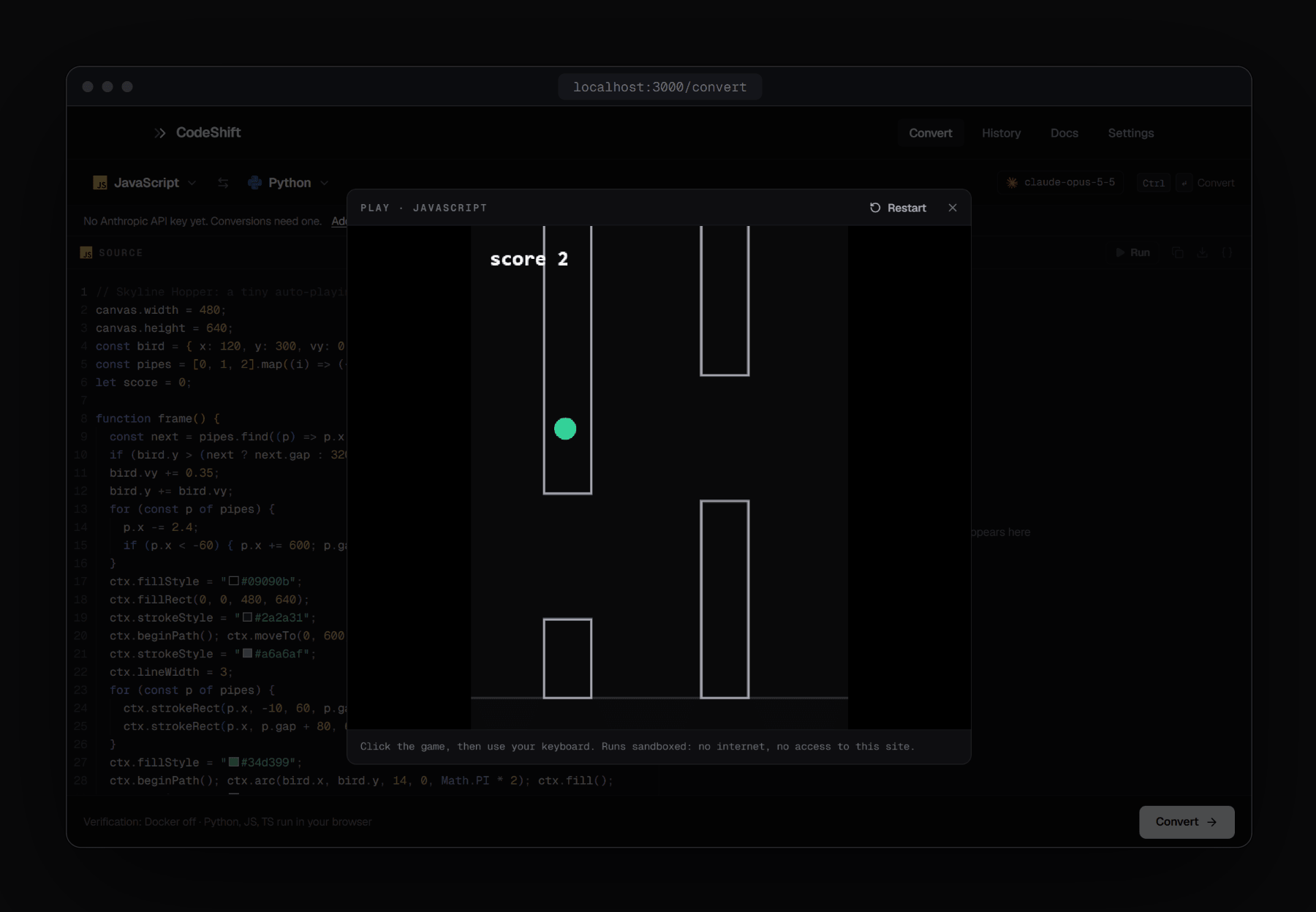
| Play — graphical JS/TS in a locked-down sandbox | History — verdicts saved with every conversion |
 |
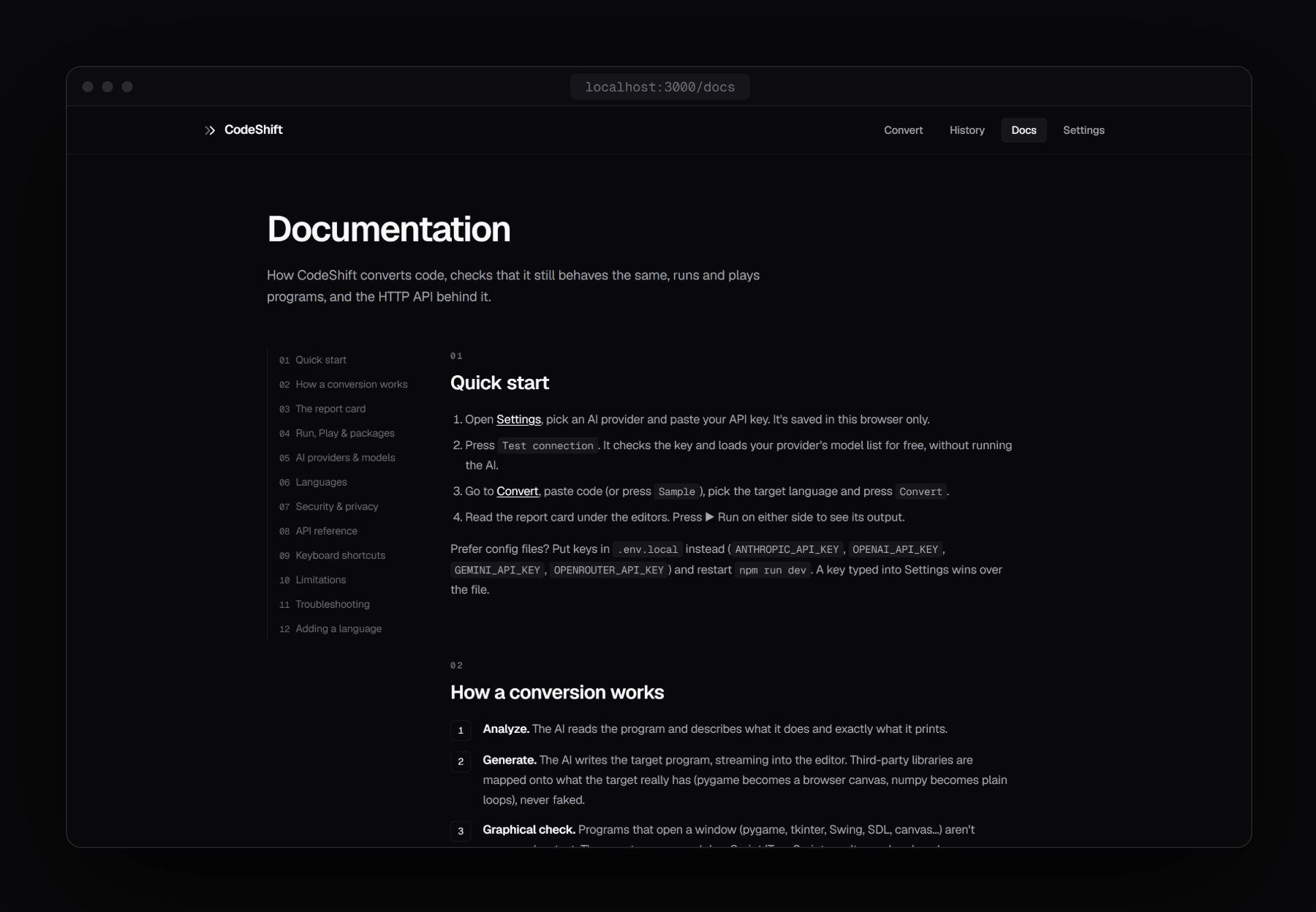 |
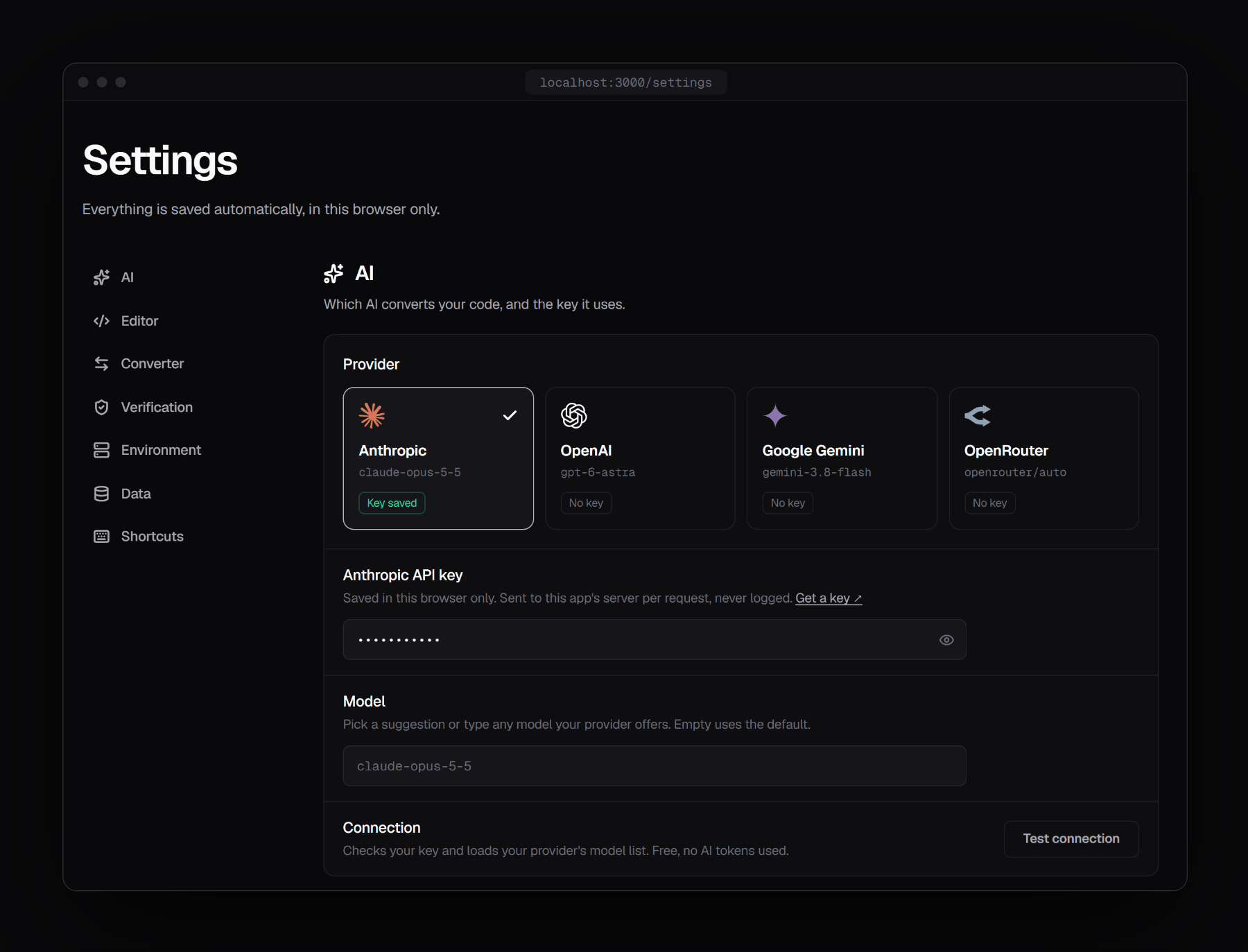
| Settings — pick a provider, test your key | Docs — built in, including the API reference |
| Provider | Default model | Get a key |
|---|---|---|
| Anthropic | claude-opus-5-5 |
console.anthropic.com |
| OpenAI | gpt-6-astra |
platform.openai.com |
| Google Gemini | gemini-3.8-flash |
aistudio.google.com |
| OpenRouter | openrouter/auto |
openrouter.ai |
Any model your provider offers works — Test connection loads your key's live model list.
| Runs in your browser | Runs in Docker |
|---|---|
| Python · JavaScript · TypeScript | Java · C · C++ · Go · Rust · PHP · Ruby |
sandbox="allow-scripts" iframe with a default-src 'none' CSP — no storage, cookies or network.x-ai-key header, and are never logged.| Route | Does |
|---|---|
POST /api/ai/convert |
Convert code — streams NDJSON (analysis-delta, code-delta, done, error) |
POST /api/ai/fix |
Repair a conversion whose output didn't match |
POST /api/ai/models |
List the models a key can use (free) |
POST /api/execute |
Run one program in the Docker sandbox |
GET /api/capabilities |
Which keys, Docker and languages are available |
curl -N http://localhost:3000/api/ai/convert \
  -H "Content-Type: application/json" \
  -H "x-ai-key: $ANTHROPIC_API_KEY" \
  -d '{"provider":"anthropic","model":"claude-opus-5-5","sourceLanguage":"python","targetLanguage":"javascript","sourceCode":"print(sum([1, 2, 3]))"}'
Full request/response shapes: Docs → API reference in the app.
app/              pages (/, /convert, /history, /docs, /settings) and /api/*
components/       UI — editors, report card, Run & Play windows, landing
lib/
  types.ts        the shared contract every layer builds against
  languages.ts    the 10 language configs — add a language here
  ai/             providers: anthropic.ts (SDK) + openai-compat.ts
  client/         browser pipeline, execution, history & settings
  execution/      Docker sandbox runner
  report.ts       turns measured results into the report card
public/workers/   in-browser runners: Pyodide, JS, TS
Issues and pull requests are welcome.
lib/languages.ts — editors, prompts, sandboxes and docs all read from it.npm run lint, npm run check and npm run build.MIT © 2026 Suraj64x
Built with Next.js, Monaco, Pyodide, Framer Motion and Lucide. Logos from Simple Icons (CC0) and Lobe Icons (MIT) are trademarks of their owners, shown for identification only.
Suraj64x/CodeShift is a public repo on GitHub by Suraj64x. AI code converter that runs both programs and shows whether they behave the same. 10 languages, any AI provider, sandboxed.
It declares the MIT license on GitHub.
Its maker tagged it for macOS, Windows and Linux, or as Docker or cross-platform. That is declared by the maker; Take My Repo has not tested it.
Open "Take it" on its page: Take My Repo writes an install plan for your machine and hands it to your AI agent (Claude Code, Codex or Cursor), which asks you before each step. Take My Repo has not tested it on any machine.
Its last change on GitHub was on 2026-11-13. GitHub counts 0 open issues and pull requests. Take My Repo does not judge from that whether it is maintained.
Nobody has reviewed it on Take My Repo yet, which says nothing about its quality.
The agent harness performance optimization system. Skills, instincts, memory, security, and research-first development for Claude Code, Codex, Opencode, Cursor and beyond.
Convert code from C# to VB.NET and vice versa using Roslyn
f.k.a. Awesome ChatGPT Prompts. Share, discover, and collect prompts from the community. Free and open source — self-host for your organization with complete privacy.
Flutter makes it easy and fast to build beautiful apps for mobile and beyond
a multi-threaded chromium based sessions manager with anti-detection
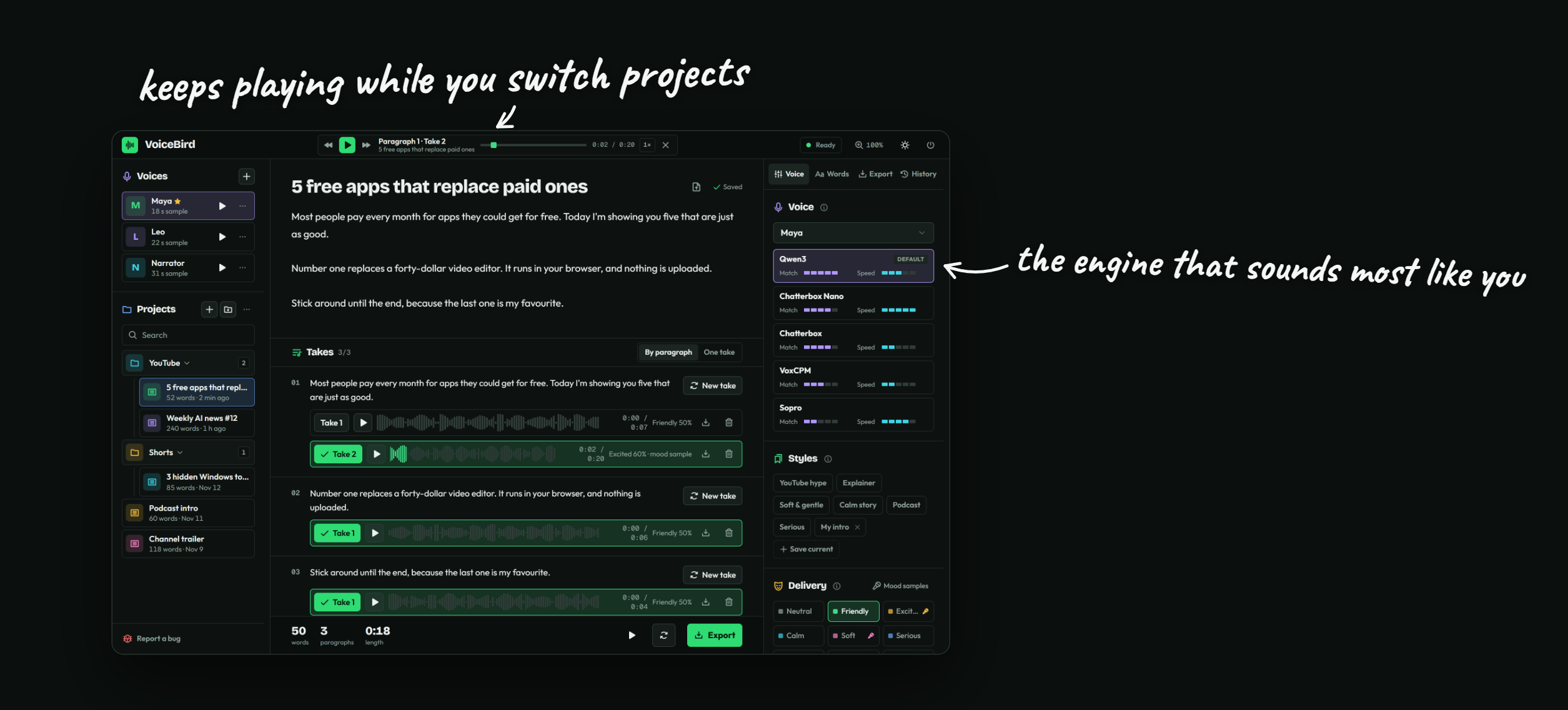
🐦 Clone your voice and turn any script into a studio-ready voice-over 🎙️ Free, unlimited and 100% local 🔒 GPU-fast, YouTube-ready export 🎬
AppleMusic on Windows, live on Discord. Rich Presence, synced lyrics, and Last.fm / ListenBrainz scrobbling in a tiny tray app.
Minimal fitness app for Android: camera form check, workouts, nutrition, groups and leaderboards