
sponge
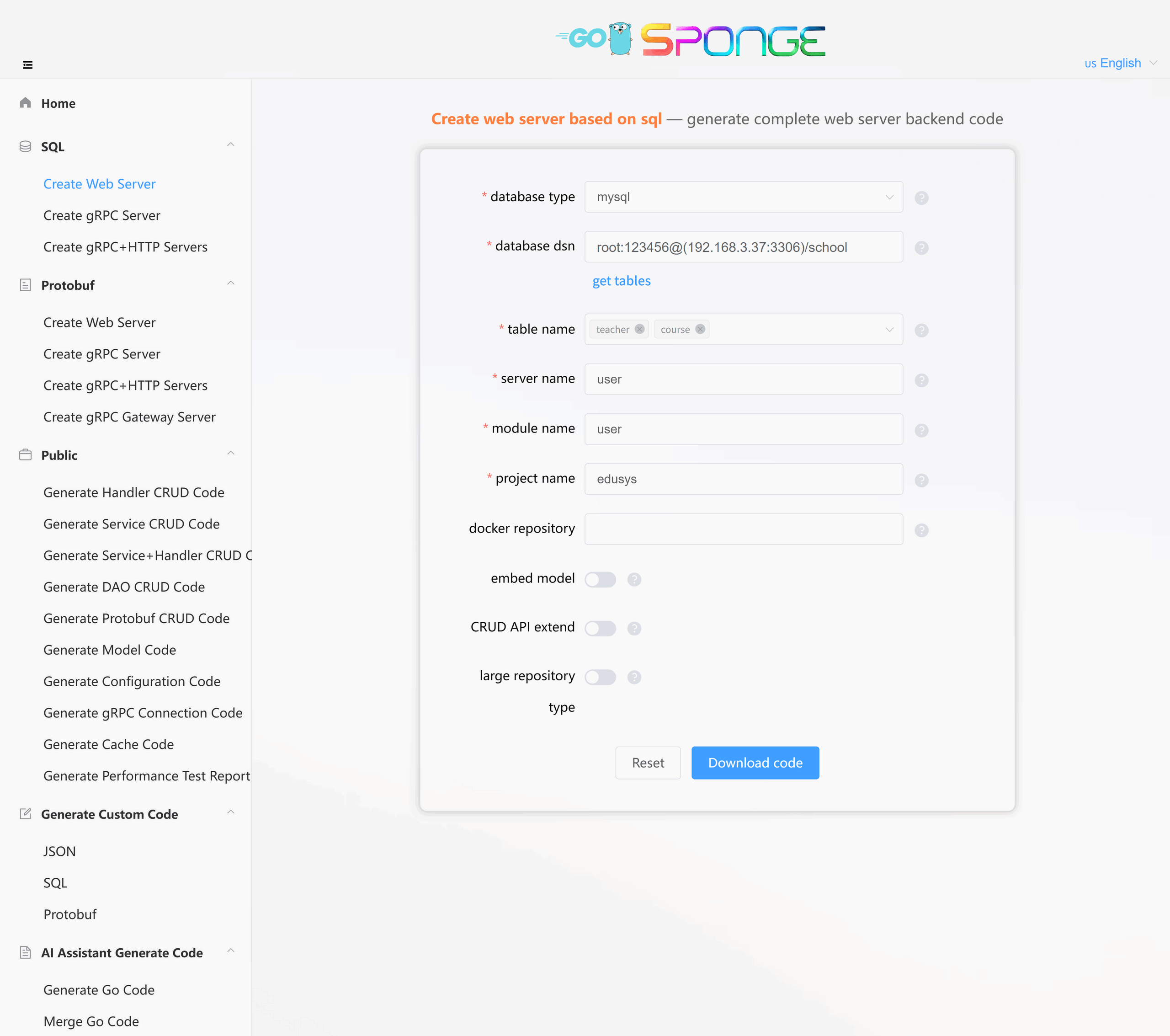
A powerful and easy-to-use Go development framework that enables you to effortlessly build stable, reliable, and high-performance backend services with a "low-code" approach.
- 2.9k
- Go
- MIT
- 12 mo ago
Local-first MCP security scanner for AI-generated apps: four open-source engines plus the Synvoya engine. Scan → fix → rescan from Claude Code, Cursor, Codex, and other agents.
Repo Synvoya/codeinspectus, read from GitHub 1 min ago. Synvoya has not joined Take My Repo.
Synvoya/codeinspectus is a public repo on GitHub by Synvoya. Local-first MCP security scanner for AI-generated apps: four open-source engines plus the Synvoya engine. Scan → fix → rescan from Claude Code, Cursor, Codex, and other agents. It declares the Apache-2.0 license on GitHub. It is written mainly in TypeScript, has 51 stars and last changed on 2026-11-15. Nobody has reviewed it on Take My Repo yet, which says nothing about its quality. Read from GitHub on 2026-11-25.
A powerful and easy-to-use Go development framework that enables you to effortlessly build stable, reliable, and high-performance backend services with a "low-code" approach.
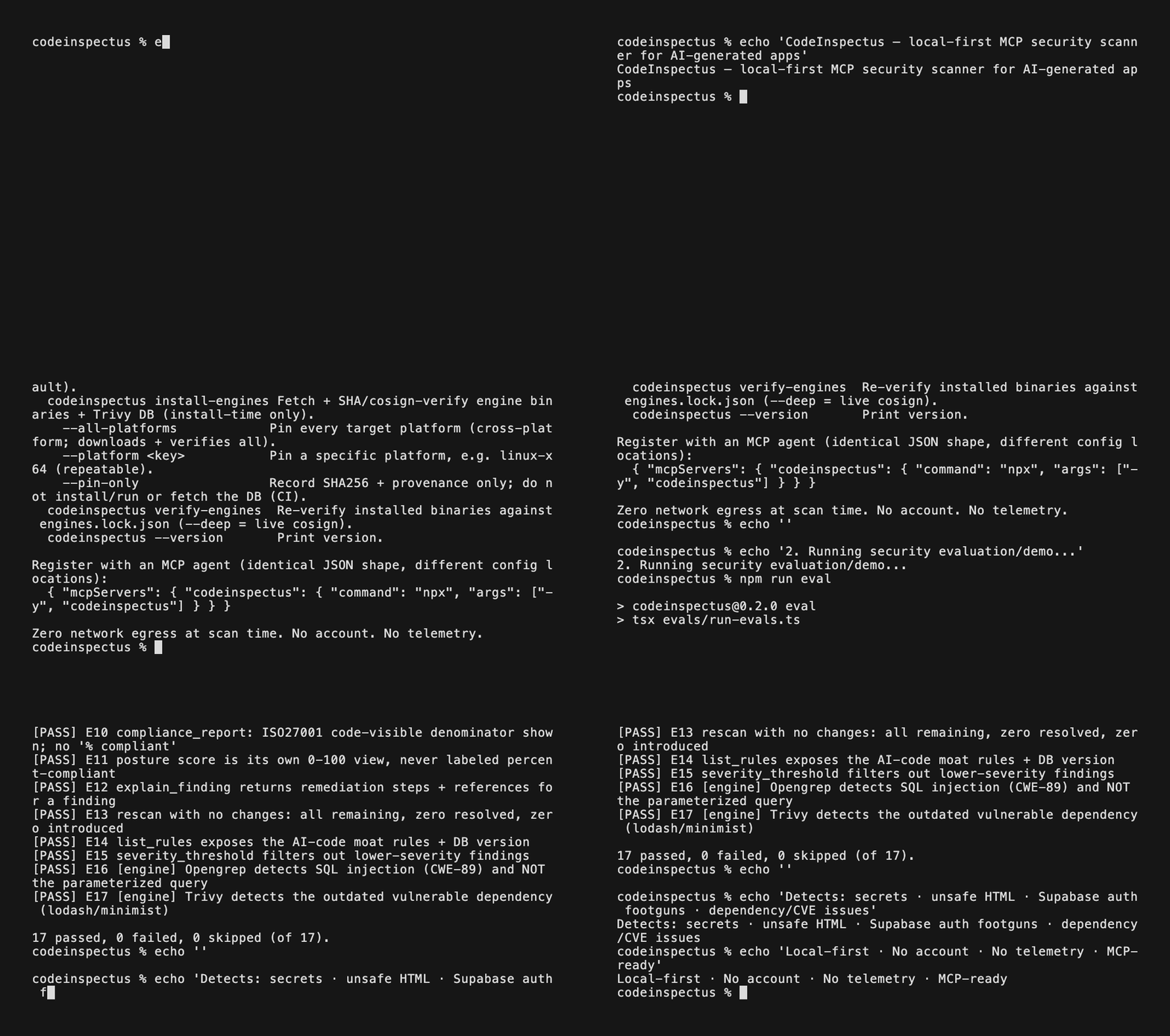
A local-first, privacy-preserving security MCP server and CLI. Any AI coding agent (Claude Code, Cursor, Codex, Windsurf, Cline, Aider) can invoke CodeInspectus to scan AI-generated / "vibe-coded" code for real vulnerabilities, map findings to compliance frameworks as honest code-level coverage, and drive a scan → fix → rescan loop — fully on your machine, with no account and zero network egress at scan time.

Reproduce the V2.1 proof: the codeinspectus@2.1.0 package scans an immutable public Rich
commit, finds one high-confidence GitHub Actions expression-injection pattern, applies GitHub's
documented intermediate-env remediation in a temporary clone, confirms it as 1 resolved,
0 remaining, 0 introduced, 0 not rechecked, then creates and verifies sealed evidence for both
states. Run the reproduction script or read the
scanner-derived case study. The recorded
pre-publication run used the exact V2.1 tarball; the script defaults to npm after publication.
The case uses the ai scanner class to isolate stable native behavior; use a normal full scan for
broad repository coverage.
If CodeInspectus is useful, star the repository so other AI-app builders can find it.
CodeInspectus runs five engines behind one normalized, CWE-keyed schema: four best-in-class open-source engines, plus the Synvoya engine, our own, which carries the AI-code-specific checks and recent advisories that generic scanners miss:
include_licenses: true / --licenses; off by default)MAL-) advisories. It runs only on the OSV databases you approved
for the ecosystems your repository usessyn-php-*, syn-node-*). See
docs/SYNVOYA.mdpubspec.lock, backed by a bundled offline OSV Pub snapshoteval/Function or import-proven shell-string APIs,
conventional Next.js and import-proven Express admin API handlers missing visible authentication
or server-side authorization, Supabase Edge Functions with explicit anonymous deployment but no
request authentication or privileged-operation authorization,
client-writable user_metadata authorization, and unsanitized model/user output
rendered via dangerouslySetInnerHTML (XSS / LLM05), plus explicit API-boundary
leaks, raw request-to-database writes, sensitive logging, and evidence-gated
security-header/CSP/Referrer-Policy/Permissions-Policy/session-cookie/Supabase-CAPTCHA
configuration checks. Separate
first-party packs cover six narrow Flutter/Dart source failure modes and eight bounded
Android/iOS repository-configuration failures, plus four React Native and two Expo
framework-specific mobile failures. A bounded Python AI/API pack covers ten narrow
Django, Flask, FastAPI, Starlette, Jinja, OpenAI, Anthropic, LangChain, and OS-command source failures.
Separate Go, Java, and C# AI packs each contribute one exact official OpenAI SDK
tool-argument-to-shell rule; the PHP pack contributes one equivalent rule for the
community-maintained openai-php/client ecosystem, and the Rust pack contributes one
bounded rule for the community-maintained async-openai ecosystem. A Ruby pack contributes one
equivalent rule for the exact official openai gem. A Firebase configuration pack contributes
three literal public-write rules for Firestore, Cloud Storage, and Realtime Database. A GitHub
Actions pack contributes two workflow rules for direct untrusted-context shell interpolation and
exact pull_request_target checkout-and-execute chains.The shipped manifest contains 122 curated detections: 70 first-party native rule
IDs (27 JavaScript/TypeScript, 6 Flutter/Dart, 4 Android, 4 iOS, 4 React Native, and
2 Expo, plus 10 Python AI/API, 1 Go AI, 1 Java AI, 1 C# AI, 1 PHP AI, 1 Rust AI, 1 Ruby AI,
3 Firebase configuration, 2 GitHub Actions workflow, and 2 JavaScript baseline SAST rules), 16 Opengrep-owned
SAST rules, 19 Synvoya PHP Opengrep rules (syn-php-*), 12 Synvoya Node.js Opengrep rules
(syn-node-*), and 5 custom Gitleaks rules. Four rules that failed the 4.1 fresh-set precision gate are
experimental: not reported, not counted, and named in their pack's limitations or the experimental folder
(precision). All 18
ci-baseline-* Opengrep YAML rules remain physically active:
the two native-owned rules reconcile exact results and fall back to Opengrep on mismatch or
native unavailability. Opengrep, Gitleaks, Trivy, and osv-scanner are optional, managed, additive engines.
CodeInspectus explains each engine's coverage, license, platform-specific size, and required action before asking permission. After approval it downloads the official, SHA-pinned engine binaries, stores them outside the npm package, and calls them as local subprocesses. It does not fork them.
AI-generated apps often ship with security mistakes that generic scanners miss: exposed client-side secrets, weak Supabase auth patterns, unsafe HTML rendering, prompt-injection sinks, and risky AI/vector-store integrations.
CodeInspectus combines proven local scanners with AI-app-specific rules, then exposes the workflow through an MCP server so coding agents can scan, explain, and help fix issues before shipping.
Prerequisite: Node.js ≥22. Node 24 LTS is recommended. No separate engine or Cosign
installation is required. CodeInspectus can bootstrap a SHA-pinned Cosign verifier inside
~/.codeinspectus/ after approval; signature verification remains fail-closed.
On Linux, the current upstream Opengrep assets require glibc. Alpine/musl remains supported for
native CodeInspectus rules, Gitleaks, and Trivy, but setup marks Opengrep unavailable before any
download and reports aggregate scan coverage as partial when it is selected.
The official @contentauth/c2pa-node validator is an optional peer because its upstream package
downloads a platform-native binding during its own lifecycle script. Normal CodeInspectus installs
do not install that peer. Install it explicitly alongside CodeInspectus when local C2PA validation
is required; otherwise candidate assets report partial content_provenance coverage.
One command sets everything up:
npx codeinspectus init
init finds the AI assistants on this machine (Claude Code, Codex, Cursor, VS Code, Windsurf, Cline),
then shows one screen with every change: each assistant and the exact command it runs or file it
edits, each of the four open-source engines (Opengrep, Gitleaks, Trivy, OSV-Scanner) with its size and
licence, and the OSV databases the current project's lockfiles need, with their sizes. Nothing is
written or downloaded before you say yes (--yes without a terminal; --dry-run only shows the
screen). A single download over 100 MB (on a first install the Cosign verifier, about 140–200 MB depending on
platform, and the Trivy DB, about 140 MB; the OSV npm database, about 220 MB) is marked on that screen and gets a second question (a no installs everything else); with --yes it
needs --large. Claude Code is registered with claude mcp add-json --scope user and VS Code with
code --add-mcp; other assistants' config files are merged, never replaced. A file that is not plain
JSON (comments, trailing commas) is left untouched and the manual step is printed, an existing
different codeinspectus entry is left alone, and the first change to a file keeps a copy at
<file>.codeinspectus-backup. Nothing from a config file (such as tokens in an env block) is ever
printed. Running it again reports "already registered" and downloads nothing
new. Options: --path <repo> (which project's lockfiles choose the OSV databases; default: the current
folder unless it is your home folder or the filesystem root),
--clients claude,codex, --skip-engines, --json. After a release, npx codeinspectus@latest init --update
fetches new engine pins and refreshes your installed databases (npx may otherwise run a cached copy).
To choose engines yourself, or to register an assistant by hand (see Client registration), use the commands below.
# Interactive: inspect coverage, licenses, and sizes; then approve all or choose components.
npx codeinspectus setup

# Automation after an operator has reviewed the plan:
npx codeinspectus setup --status
npx codeinspectus setup --all
npx codeinspectus setup --select opengrep,gitleaks

# osv-scanner: install it and download only the OSV databases this repository needs
# (--path reads lockfile names to pick ecosystems; --osv-ecosystems names them explicitly).
npx codeinspectus setup --select osv-scanner --path /absolute/path/to/repository
npx codeinspectus setup --select osv-scanner --osv-ecosystems npm,PyPI
On a terminal, a first bare npx codeinspectus run opens this guided setup (its first line points
to npx codeinspectus init). MCP clients continue
to start over piped stdio and expose codeinspectus_setup: agents must request a plan, show it,
ask permission, then call install with confirm_downloads=true. Declined choices are saved so
users are not repeatedly prompted; setup --reset clears them.
Setup first checks local state without network access. It downloads only missing,
mismatched, or newly pinned binaries, verifies them against the immutable lockfile shipped in the
npm package, and atomically installs them under ~/.codeinspectus/. It refreshes the offline
Trivy vulnerability DB only when it is missing, lacks rescan provenance, or is more than seven
days old. Rule-only CodeInspectus upgrades therefore download nothing. After setup, scans
perform zero network I/O.
osv-scanner's vulnerability data is one OSV database per package ecosystem. Setup downloads a
database only after you approve it, only for the ecosystems your repository's lockfiles name
(--path, or the path the MCP setup tool takes) or the ones you list with --osv-ecosystems, and
only from osv-vulnerabilities.storage.googleapis.com. The allow-list is language ecosystems: npm,
PyPI, Packagist, Go, crates.io, RubyGems, Maven, NuGet, and Pub, plus the small "GitHub Actions" database
(about 100 KB, offered when the repository has workflows) that Synvoya's Actions matcher reads. Distribution
ecosystems are never downloaded. The npm database is over 200 MB zipped, so setup shows each size before you approve.
OSV publishes no signature for these files; integrity is TLS to that one host plus a SHA-256
CodeInspectus records at install time. Setup (unless you declined osv-scanner) and a bare
repair-engines (while osv-scanner is installed) also refresh an OSV database you already
installed once it is more than seven days old or has lost its install record; neither adds an
ecosystem you did not approve. To add a database later:
npx codeinspectus repair-engines osv-scanner --osv-ecosystems PyPI.
Every scan and codeinspectus_list_rules response includes structured engine_setup state:
ready, repair_required, db_refresh_recommended, or unsupported_platform. MCP agents are
instructed to explain non-ready state and obtain approval through codeinspectus_setup. There is
no silent npm postinstall download. repair-engines remains available for advanced/manual use;
the older install-engines command remains a compatibility alias.
If a Trivy DB was installed before 0.3.2, scan output tells your agent that CVE rescan
tracking is not yet enabled. The agent should run setup (codeinspectus_setup, or npx codeinspectus setup)
once; this re-fetches the DB through the verified install path and records its provenance.
Until then, vanished CVEs conservatively report not_rechecked; current scan findings
remain complete and unaffected.
Re-verify your pinned binaries any time:
npx codeinspectus verify-engines
Once a day, starting 24 hours after the newest database download (the Trivy DB or an OSV database),
scan, rescan and list-rules results over MCP carry a database_update
Synvoya/codeinspectus is a public repo on GitHub by Synvoya. Local-first MCP security scanner for AI-generated apps: four open-source engines plus the Synvoya engine. Scan → fix → rescan from Claude Code, Cursor, Codex, and other agents.
It declares the Apache-2.0 license on GitHub.
Its maker tagged it for macOS, Windows and Linux, or as Docker or cross-platform. That is declared by the maker; Take My Repo has not tested it.
Open-source AI penetration testing tool to find and fix your app’s vulnerabilities.
Shannon is an AI pentester for web applications and APIs. It analyzes your source code, identifies attack vectors, and executes real exploits to prove vulnerabilities before they reach production.
Reverse engineer anything with agents, from app behavior down to native binaries.
The agent harness performance optimization system. Skills, instincts, memory, security, and research-first development for Claude Code, Codex, Opencode, Cursor and beyond.
Explain code that AI wrote for you, in an interview or at work. An open source Claude Code skill that asks how you would build each part of your repo, so you re-derive its design decisions yourself. It also works on open source repos you want to learn.
Open "Take it" on its page: Take My Repo writes an install plan for your machine and hands it to your AI agent (Claude Code, Codex or Cursor), which asks you before each step. Take My Repo has not tested it on any machine.
Its last change on GitHub was on 2026-11-15. GitHub counts 12 open issues and pull requests. Take My Repo does not judge from that whether it is maintained.
Nobody has reviewed it on Take My Repo yet, which says nothing about its quality.
Take My Repo cannot say: it does not audit code and has not run codeinspectus. What is known comes from GitHub. It declares the Apache-2.0 license on GitHub. Its last change was on 2026-11-15. It has 51 stars, which measure popularity, not safety. Nobody has reviewed it on Take My Repo yet, which says nothing about its quality. Read the source before you run it. With "Take it", your AI agent shows each step and asks you before running it; README text is treated as data, not as instructions.