
PX4-Multiagent-Simulation
Simulation environment for multiagent drone systems using PX4, ROS 2, and Gazebo enabling users to spawn and control multiple drones, configure sensors, and test autonomous behaviors in a reproducible and extensible setup. Support Micro-XRCE agent and MAVROS
- 11
- BSD-3-Clause
- 10 mo ago
Repo TannerGilbert/PX4-Multiagent-Simulation, read from GitHub 7 min ago. TannerGilbert has not joined Take My Repo.
In short
TannerGilbert/PX4-Multiagent-Simulation is a public repo on GitHub by TannerGilbert. Simulation environment for multiagent drone systems using PX4, ROS 2, and Gazebo enabling users to spawn and control multiple drones, configure sensors, and test autonomous behaviors in a reproducible and extensible setup. Support Micro-XRCE agent and MAVROS. It declares the BSD-3-Clause license on GitHub. It is written mainly in Python, has 11 stars and last changed on 2026-02-09. Nobody has reviewed it on Take My Repo yet, which says nothing about its quality. Read from GitHub on 2026-11-24.
PX4 Multiagent Simulation
This repository provides a ROS 2 and Gazebo-based simulation environment for multiple PX4-controlled vehicles. It includes custom airframes with LiDAR and camera sensors, control nodes for high-level vehicle operation, and support for both Micro XRCE-DDS and MAVROS for communication with PX4.
Features:
- Multi-vehicle simulation with PX4 SITL
- Custom airframes with configurable LiDAR and camera sensors
- Simple GUI nodes for drone control (arming, takeoff, offboard / position control)
- Support for Micro XRCE-DDS and MAVROS bridges
- Optional external odometry integration (vision / motion capture)
- Easily configurable worlds and sensor setups via Xacro and SDF
Maintainer: Gilbert Tanner
Table of Contents
- Setup
- Run simulation
- Robot configuration
- Custom worlds
- Drone control
- Use external odometry source
- Limitations
- Contact
Setup
- Install PX4 Autopilot and setup the simulation environment.
- Follow ROS 2 User Guide
- Clone repository
git clone https://github.com/TannerGilbert/PX4-Multiagent-Simulation.git --recursive - Add the custom airframes from the
configfolder to your PX4 build.- Follow Custom Airframe guide.
- Install ROS dependencies
rosdep update rosdep install --from-paths src --ignore-src -r -y - Build workspace
colcon build --symlink-install --cmake-args -DCMAKE_BUILD_TYPE=Release - Create sourcing alias
echo "alias px4ws='source <path-to-workspace>/install/setup.bash'" >> ~/.bashrc
source ~/.bashrc
Run simulation
Source workspace
source <path-to-workspace>/install/setup.bashDefine robots in
robots.yamlExample:
robots:
  - name: drone1
    position: [0, -1, 1, 0, 0, 0]
    type: drone
    model: x500_lidar_and_camera
    px4_id: 22000
  - name: drone2
    position: [0, -1, 0, 0, 0, 0]
    type: drone
    model: x500_lidar_and_camera
    px4_id: 22000
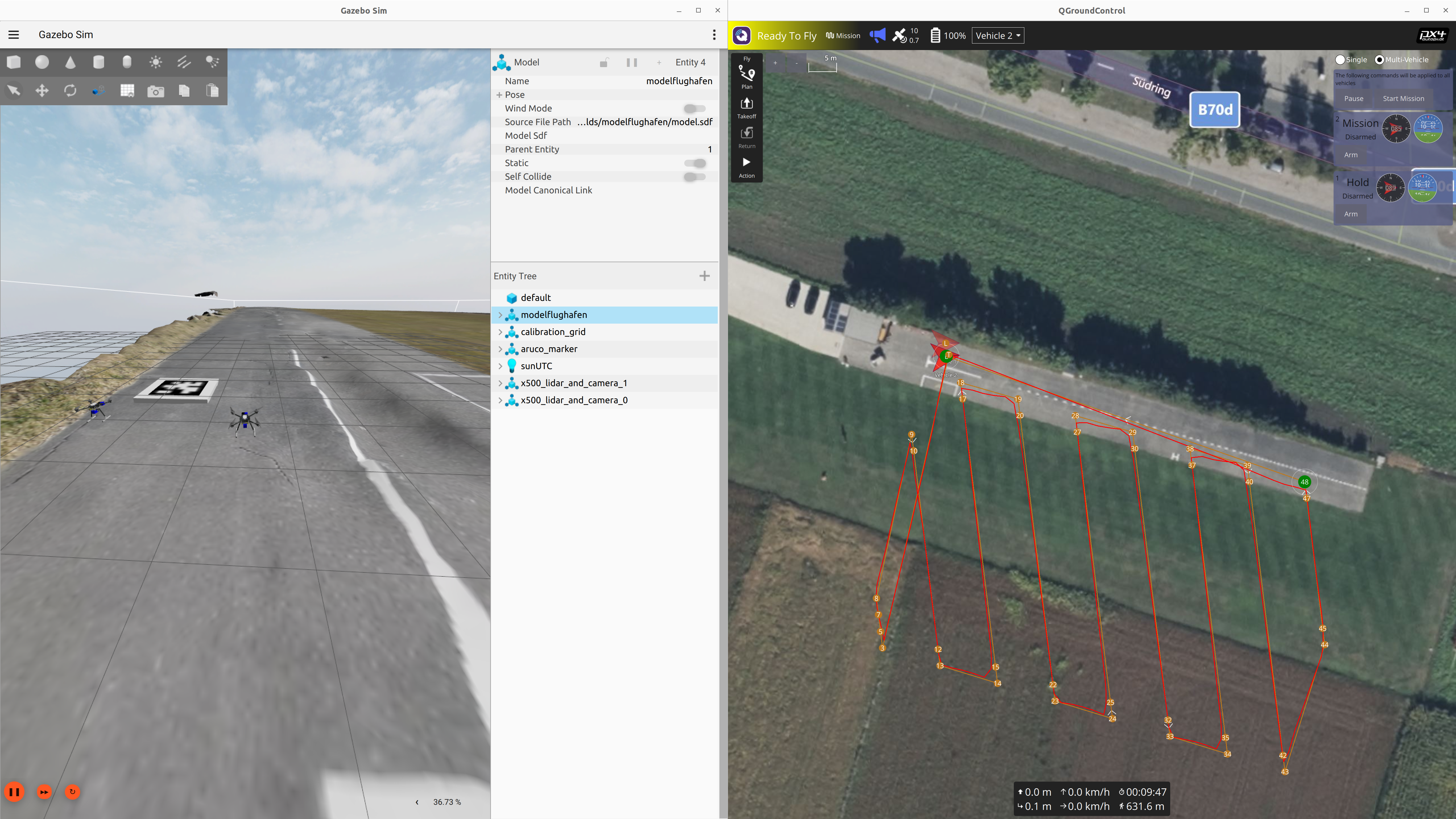
Launch the simulation
ros2 launch multiagent_simulation multiagent_simulation.launch.pyLaunch the simulation with a specific world file
ros2 launch multiagent_simulation multiagent_simulation.launch.py world_file:=rubico.sdfUse Micro-XRCE agent instead of MAVROS
ros2 launch multiagent_simulation multiagent_simulation.launch.py use_micro_xrce:=trueThe number and position of the drones can be modified inside the launch file. The default is 2 drones.
Robot configuration
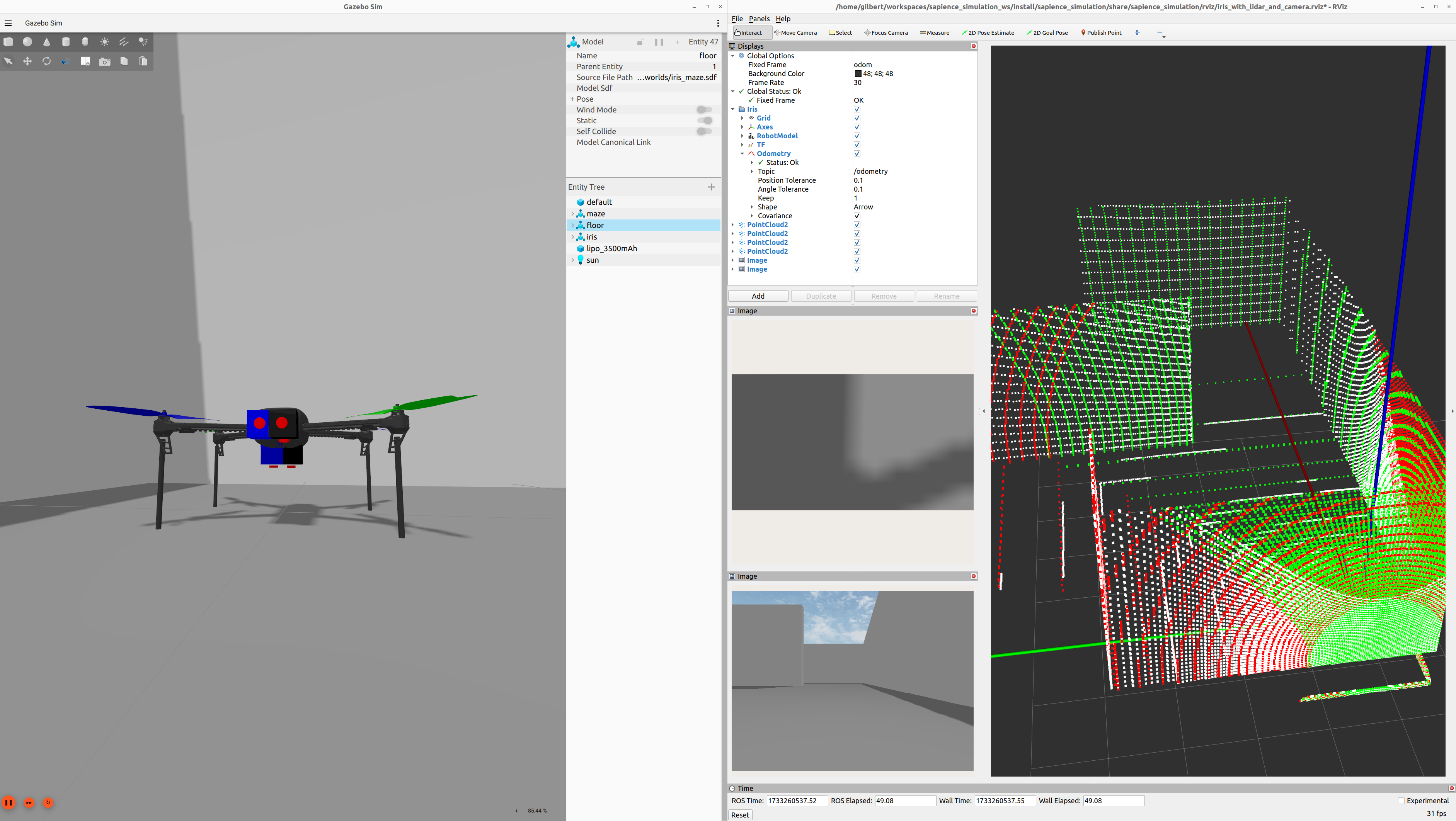
The LiDAR(s) and camera(s) are defined in separate xacro files (lidar, camera) as macros making it possible to quickly add or remove sensors for testing.
Example:
<xacro:lidar_sensor name="lidar_1" pose="0.18 0.02 0.22 0 1.57 0" horizontal_fov="3.141592655"
      vertical_fov="0.785398165" horizontal_samples="1024" vertical_samples="128" update_rate="20" />
The xacro is then converted to SDF inside the multiagent_simulation.launch.py file.
Custom worlds
For creating custom worlds please refer to the Create custom world guide.
Drone control
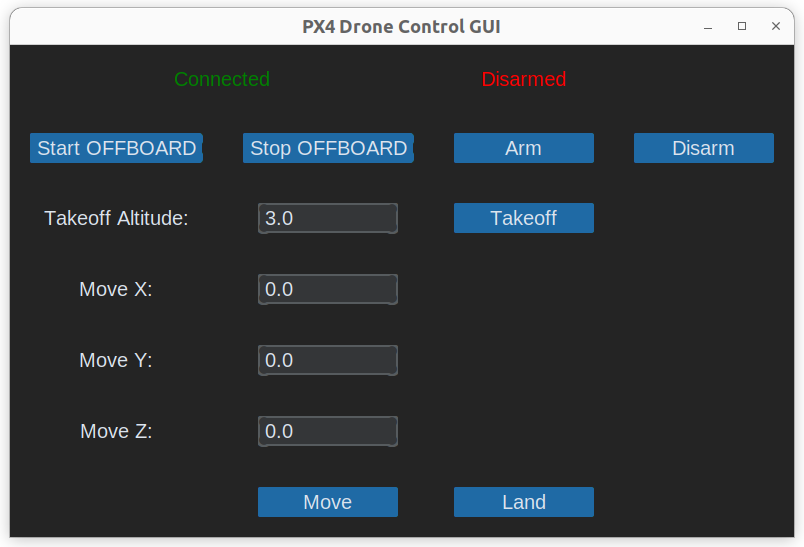
The control_drone node allows the user to arm the drone, takeoff, and move using position control or switch to offboard mode.
Note: After starting the simulation it might take a few seconds until the drone can be armed. If arming was successful "Disarmed" should change to "Armed".
ros2 run multiagent_simulation control_drone
Use external odometry source
To use an external odometry source for the drones, first the drone configuration needs to be changed. The config folder contains configurations for both GPS mode and external odometry mode. For details on the needed changes check the Using Vision or Motion Capture Systems for Position Estimation guide from PX4.
Change settings via QGroundControl
- Open QGroundControl and connect to the simulation.
- Go to Vehicle Configurations -> Parameters.
- Go to Tools -> Load from file for review... -> Select either
gps_mode.paramsorexternal_odometry_mode.params
Change settings via MAVROS
The settings can also be applied via Mavros automatically via the following command:
ros2 run mavros mav --mavros-ns px4_1/mavros param load -qgc <px4_param_file>
This command is already included in multiagent_simulation.launch.py but will only work if MAVROS is used instead of the Micro XRCE-DDS agent.
Disabling GT odometry forwarding
Currently PX4 is forwarding the Gazebo GT odometry directly to /fmu/in/vehicle_visual_odometry by default as reported in https://github.com/PX4/PX4-Autopilot/issues/25313. This leads to conflicts if a custom odometry is also provided to /fmu/in/vehicle_visual_odometry if using Micro-Agent or /mavros/vision_pose/pose if using MAVROS.
The topic that is forwarded is /world/$WORLD/model/$MODEL/link/base_link/odometry_with_covariance which is published by the OdometryPublisher present for example in the X500 model.
<plugin
    filename="gz-sim-odometry-publisher-system"
    name="gz::sim::systems::OdometryPublisher">
    <odom_frame>odom</odom_frame>
    <robot_base_frame>base_link</robot_base_frame>
    <dimensions>3</dimensions>
</plugin>
Disabling the forwarding can be achieved by remapping the covariance topic:
<plugin
    filename="gz-sim-odometry-publisher-system"
    name="gz::sim::systems::OdometryPublisher">
    <!-- Remap so it's not used by PX4 -->
    <odom_covariance_topic>odom_cov_gt</odom_covariance_topic>
    <odom_frame>odom</odom_frame>
    <robot_base_frame>base_link</robot_base_frame>
    <dimensions>3</dimensions>
</plugin>
[!NOTE] I suggest not keeping this remapping active when flying without external position estimate because trajectory tracking accuracy noticeably decreases with GPS only compared to GPS plus GT odometry. This most likely could be circumvented with changes to the PX4 configuration but I haven't tested this yet.
Passing external odometry
After changing the PX4 settings to only listen to VISION input and disabling the GT forwarding the only step left is to feed in the external odometry to the /<namespace>/fmu/in/vehicle_visual_odometry topic if using Micro-Agent or the /<namespace>/mavros/vision_pose/pose topic if using MAVROS.
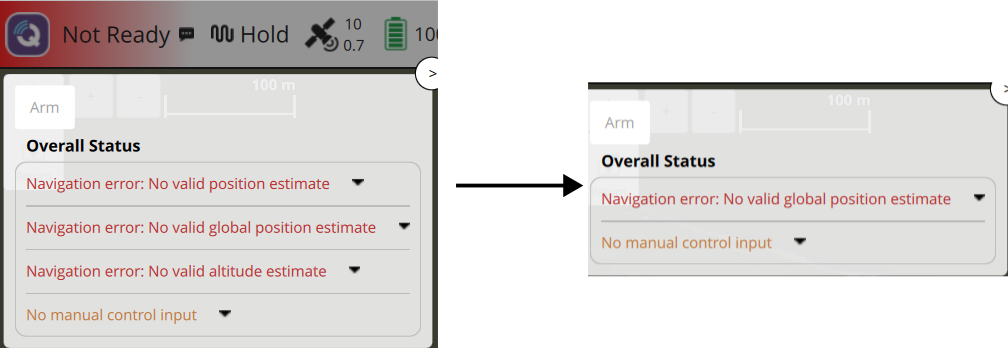
If the external position estimate is valid the "No valid position estimate" and "No valid altitude estimate" messages should disappear.
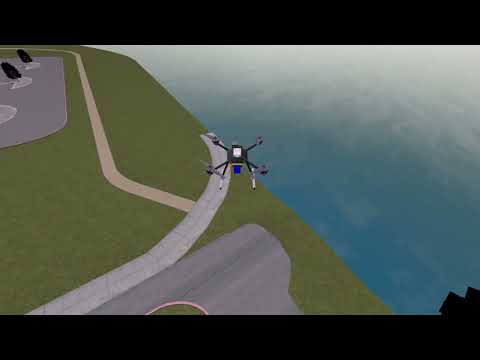
Demo video:
Limitations
- Currently I haven't found a reliable way of using MAVROS and Micro XRCE-DDS at the same time in simulation.
Contact
For any inquiries, please reach out to gilberttanner.contact@gmail.com or open an issue on this repository.
Questions
What is PX4-Multiagent-Simulation?
TannerGilbert/PX4-Multiagent-Simulation is a public repo on GitHub by TannerGilbert. Simulation environment for multiagent drone systems using PX4, ROS 2, and Gazebo enabling users to spawn and control multiple drones, configure sensors, and test autonomous behaviors in a reproducible and extensible setup. Support Micro-XRCE agent and MAVROS.
Is PX4-Multiagent-Simulation open source?
It declares the BSD-3-Clause license on GitHub.