Trello-Inspired Kanban Workspace
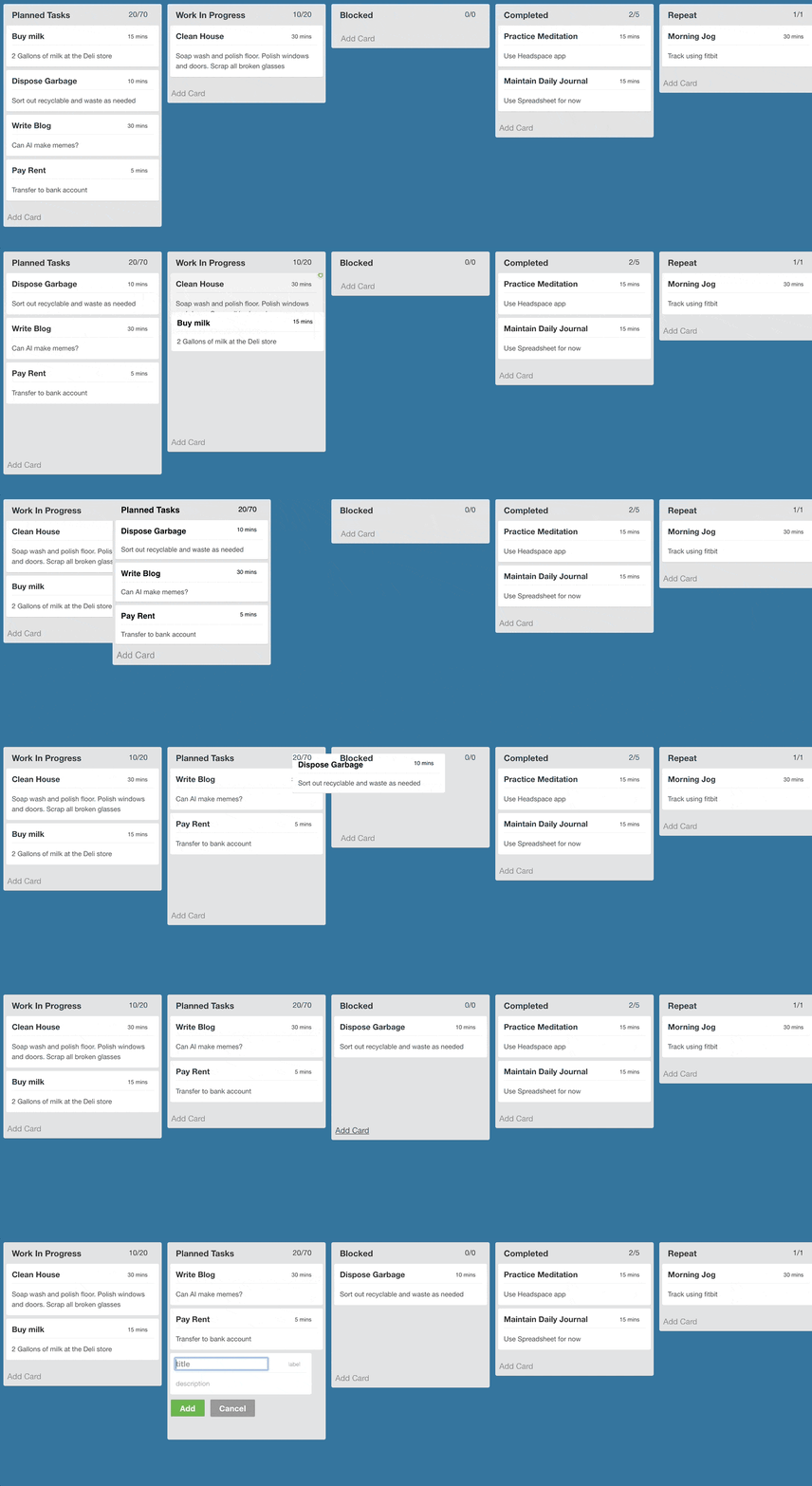
A modern Trello-style productivity workspace with boards, inbox capture, Kanban lists, draggable cards, card details, labels, checklists, due dates, members, comments, activity history, and responsive mobile/desktop layouts.
Live deployment:
Features
- Multi-board workspace with board dashboard.
- Inbox section for quick task/card capture.
- Board section with horizontal Kanban lists.
- Drag and drop cards between lists and back to inbox.
- Create, rename, reorder, collapse, and delete lists.
- Create, edit, archive, and delete cards.
- Card detail modal with title, description, labels, due date, checklist items, comments, and activity.
- Global user assignment with avatar images.
- Multiple simulated users with account switching from the navbar.
- Board switching modal.
- Responsive mobile layout with one active workspace section at a time.
- Vercel frontend deployment and Render backend deployment.
Tech Stack
Frontend:
- React 18
- Vite
- TypeScript
- Tailwind CSS
- Zustand
- Axios
- React Router
- dnd-kit
- Radix UI primitives
- Lucide icons
Backend:
- FastAPI
- SQLAlchemy
- Pydantic
- PostgreSQL
- Uvicorn
Deployment:
- Vercel for frontend
- Render for backend
- PostgreSQL database, for example Neon or Render Postgres
Project Structure
frontend/   React + Vite frontend
backend/    FastAPI backend
Important files:
frontend/vercel.json       Vercel config when frontend is selected as root
backend/runtime.txt        Python runtime pin
backend/.python-version    Python version for Render
render.yaml                Optional Render Blueprint config
Local Setup
1. Backend
Create and activate a Python environment:
py -3.11 -m venv backend\.venv
backend\.venv\Scripts\python.exe -m pip install -r backend\requirements.txt
Create the backend environment file:
Copy-Item backend\.env.example backend\.env
Example backend/.env:
DATABASE_URL=postgresql://postgres:postgres@localhost:5432/trello_kanban
CORS_ORIGINS=http://localhost:5173
CORS_ORIGIN_REGEX=
AUTO_SEED=true
Run the backend:
cd backend
.\.venv\Scripts\python.exe -m uvicorn app.main:app --reload
Backend health check:
http://localhost:8000/health
2. Frontend
Install dependencies:
cd frontend
npm install
Create frontend/.env:
VITE_API_URL=http://localhost:8000
Run the frontend:
npm run dev
Frontend URL:
http://localhost:5173
Build Checks
Frontend:
cd frontend
npm run build
Backend import check:
cd backend
$env:PYTHONDONTWRITEBYTECODE='1'
python -B -c "import app.main"
Environment Variables
Frontend
VITE_API_URL=https://trello-d5l0.onrender.com
Backend
PYTHON_VERSION=3.11.9
DATABASE_URL=postgresql://USER:PASSWORD@HOST:5432/DBNAME
CORS_ORIGINS=https://trello.techycsr.dev
CORS_ORIGIN_REGEX=^https://.*\.vercel\.app$
AUTO_SEED=true
Use CORS_ORIGINS for exact frontend domains. Use CORS_ORIGIN_REGEX if you want Vercel preview deployments to call the backend.
Deployment
Frontend on Vercel
Use these Vercel settings:
- Root Directory:
frontend
- Install Command:
npm ci
- Build Command:
npm run build
- Output Directory:
dist
Set this Vercel environment variable:
VITE_API_URL=https://trello-d5l0.onrender.com
The project includes frontend/vercel.json for SPA routing fallback.
Backend on Render
Use these Render settings:
- Root Directory:
backend
- Build Command:
pip install -r requirements.txt
- Start Command:
uvicorn app.main:app --host 0.0.0.0 --port $PORT
- Health Check Path:
/health
Set these Render environment variables:
PYTHON_VERSION=3.11.9
DATABASE_URL=postgresql://USER:PASSWORD@HOST:5432/DBNAME
CORS_ORIGINS=https://trello.techycsr.dev
CORS_ORIGIN_REGEX=^https://.*\.vercel\.app$
AUTO_SEED=true
Python is pinned to 3.11.9 because newer Render defaults can force native dependencies such as pydantic-core to compile from source.
API Overview
Users:
Boards:
GET /boardsPOST /boardsGET /boards/{board_id_or_code}PATCH /boards/{board_id}DELETE /boards/{board_id}
Lists:
POST /listsPATCH /lists/{list_id}DELETE /lists/{list_id}PATCH /lists/reorder
Cards:
POST /cardsPATCH /cards/{card_id}DELETE /cards/{card_id}PATCH /cards/movePOST /cards/{card_id}/commentsGET /cards/search
Labels:
Data Model Summary
The backend stores:
- Users
- Boards
- Board members
- Lists
- Cards
- Labels
- Card labels
- Card members
- Checklists
- Checklist items
- Card activity records
List and card ordering use numeric position values so items can move smoothly without renumbering every row.
Multi-User Support
This app supports simulated multi-user collaboration.
Assumptions:
- There is no password-based authentication in this assignment build.
- The active user is selected in the UI and stored in
localStorage.
- Requests send the selected user through the
X-USER-ID header.
- The backend validates board access using board ownership, board membership, or share-token access.
- Global users can be assigned to cards.
- Activity records store which user performed a card action when available.
Seeded users include:
TechyCSR, Alex, Sarah, John, Emma, Liam, Sophia, Noah, Olivia, Ethan
Runtime Schema
The backend uses SQLAlchemy create_all plus additive runtime schema patching for assignment-friendly deployment. This keeps older local or hosted databases compatible without requiring Alembic migrations.
For a production-grade long-term project, Alembic migrations would be the next step.
Assumptions and Notes
- Production database should be PostgreSQL.
- SQLite fallback exists for quick local smoke checks.
- Render free instances can cold start, so the frontend API timeout is set higher than a local-only app.
- Uploaded file attachments are not implemented; card covers use colors or external image URLs.
- Real-time WebSocket collaboration is not implemented yet.
- The current deployment is designed for Vercel frontend and Render backend.
Future Improvements
- Add real authentication and invite-based permissions.
- Add WebSocket live updates.
- Add archived-card browsing and restore actions.
- Add file attachments.
- Add Alembic migrations.
- Add Playwright end-to-end tests for drag/drop and card editing.