bettercap
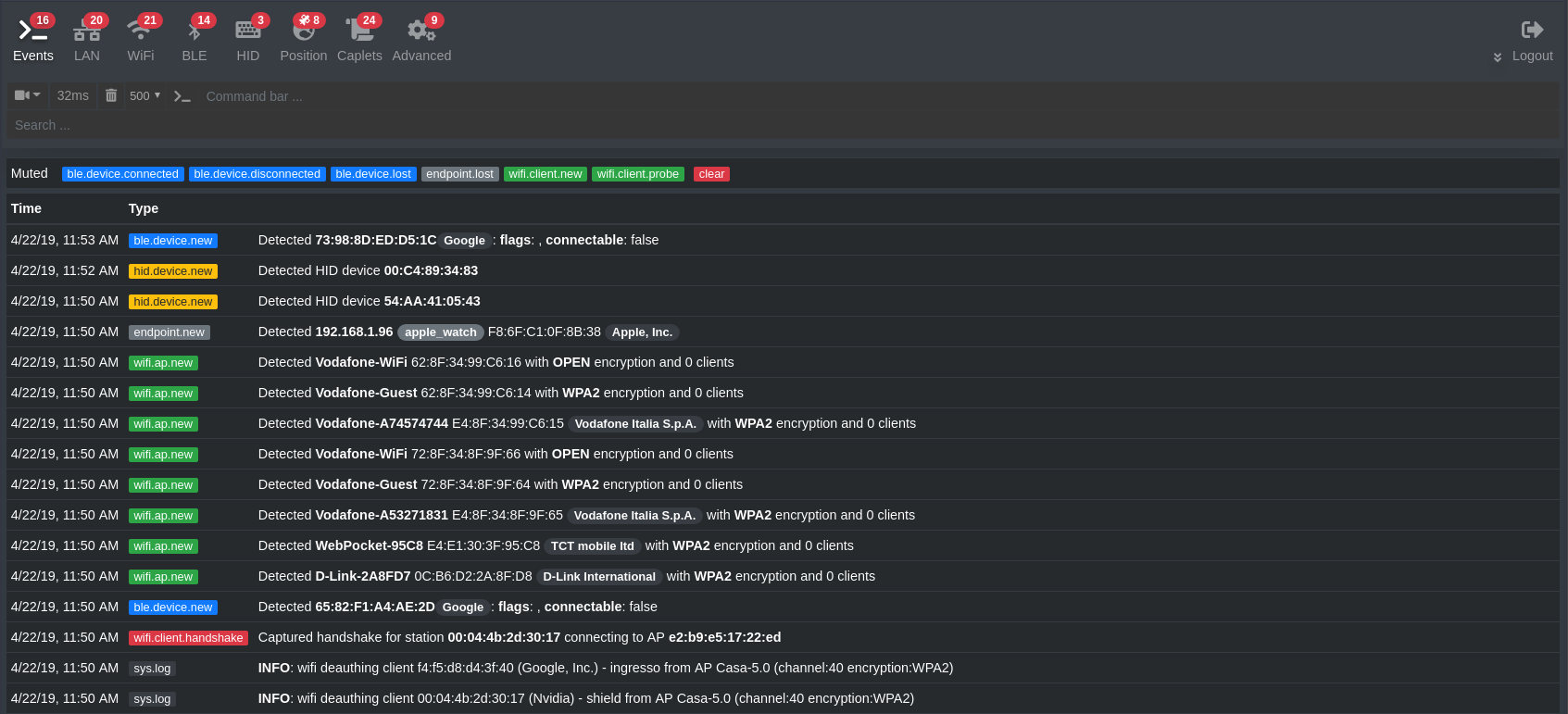
The Swiss Army knife for 802.11, BLE, HID, CAN-bus, IPv4 and IPv6 networks reconnaissance and MITM attacks.
- 20k
- Go
- 23 h ago
The maintainer has not written a description at the source.
Repo TexasInstruments/simplelink-ble5stack-examples, read from GitHub 1 min ago. TexasInstruments has not joined Take My Repo.
TexasInstruments/simplelink-ble5stack-examples is a public repo on GitHub by TexasInstruments. It declares the BSD-3-Clause license on GitHub. It is written mainly in HTML, has 6 stars and last changed on 2026-10-12. Nobody has reviewed it on Take My Repo yet, which says nothing about its quality. Read from GitHub on 2026-11-23.
This repository contains BLE examples for TI devices supported by the SimpleLink Low Power SDKs (LPF2 and LPF3). To learn which devices are supported by each SDK, refer to the SDK Device Association section.
This repository redistributes examples from TI's SimpleLink LPF3 SDK and SimpleLink LPF2 SDK. These SDKs are part of the SimpleLink Low Power ecosystem.
More details, including supported devices, IDEs, and toolchains are provided in the respective SDK release notes.
The examples/ directory contains the same examples provided in those SDKs, in the same directory structure.
The LPF2 and LPF3 SDKs are provided as Git submodules in their respective subdirectories. If you're only interested in devices supported by the LPF3 SDK, you will only need to initialize and update the LPF3 SDK submodule.
As a quick reference, you can initialize and update a single Git submodule in one step like this:
# To initialize and update the F2 SDK
.../simplelink-ble5stack-examples$ git submodule update --init cc13xx_cc26xx_sdk

# To initialize and update the F3 SDK
.../simplelink-ble5stack-examples$ git submodule update --init simplelink-lowpower-f3-sdk
Alternatively you can initialize/update all submodules when cloning a repo
with git clone --recurse-submodules {repo-ref}. See Git documentation for
details.
Once initialized and updated, you can refer to each SDK's README.md and Release Notes for details on how to download its dependencies, and build its libraries.
Note, the links above are to online copies of the latest SDK READMEs. They are useful for online readers, but be sure to consult the SDK submodule's actual README.md after cloning, checking out your branch/tag, and updating your submodule, as details may change from release to release.
Each time you update an SDK submodule, you will need to build its libraries.
This process can vary between the different SDKs, so refer to each SDK's
README.md for specifics, but generally you will need to edit the imports.mak
file at the top, then run make.
Note that sometimes the dependencies can vary from SDK to SDK. For example, if you've been using the F2 SDK and SysConfig version X, and want to start using the F3 SDK, it may require a newer SysConfig version. So, again, be sure to refer to each SDK's README.md and Release Notes.
Often newer versions of dependencies are compatible, so you can use newer-and-compatible versions than the SDK was validated against. But each SDK does have its own imports.mak so you can specify different dependency versions for each SDK if needed.
After building the SDK libraries, you can build the BLE examples. The examples support a few ways to build:
Remember, before building the examples, you must build the SDK libraries!
To build an example from the command line using GNU
make, change into the
appropriate example's directory (e.g.
{rtos}/{board}/ble5stack/{example}/{rtos}/{toolchain}), then run make.
.../simplelink-ble5stack-examples$ cd examples/rtos/LP_CC2651R3SIPA/ble5stack/basic_ble/freertos/ticlang/
.../ticlang$ make
Note, you can also clean the example with make clean.
Remember, before building the examples, you must build the SDK libraries!
The examples also include TI Code Composer Studio (CCS) project support, enabling them to be imported into, and built by, CCS.
Before importing the example, the SDK(s) location must be registered with CCS:
Repeat for each SDK you will be using. This registers the SDK with CCS. Successful registration of an SDK will show it in the "Discovered Products" list:

Now you can import an example!

Remember, before building the examples, you must build the SDK libraries!
Follow the instructions in your respective SDK's Quick Start Guide:
Click the links below for a list of boards in each SDK that BLE examples are provided for. Note that TI does not provide boards for every device, so in some cases you may need to SysConfig-migrate an example from a similar board to your specific device.
TexasInstruments/simplelink-ble5stack-examples is a public repo on GitHub by TexasInstruments. Its maker has not written a description.
It declares the BSD-3-Clause license on GitHub.
Its maker has not tagged a system, so it is unknown here. Its README says what it needs.
Open "Take it" on its page: Take My Repo writes an install plan for your machine and hands it to your AI agent (Claude Code, Codex or Cursor), which asks you before each step. Take My Repo has not tested it on any machine.
Its last change on GitHub was on 2026-10-12. GitHub counts 0 open issues and pull requests. Take My Repo does not judge from that whether it is maintained.
The Swiss Army knife for 802.11, BLE, HID, CAN-bus, IPv4 and IPv6 networks reconnaissance and MITM attacks.
Nobody has reviewed it on Take My Repo yet, which says nothing about its quality.
Texas Instrument’s SimpleLink Low Power F3 Software Development Kit
Additional examples to compliment TI's Bluetooth Low Energy Stack offerings.
An IoT Solution,Blinker library for embedded hardware. Works with Arduino R4, ESP32.
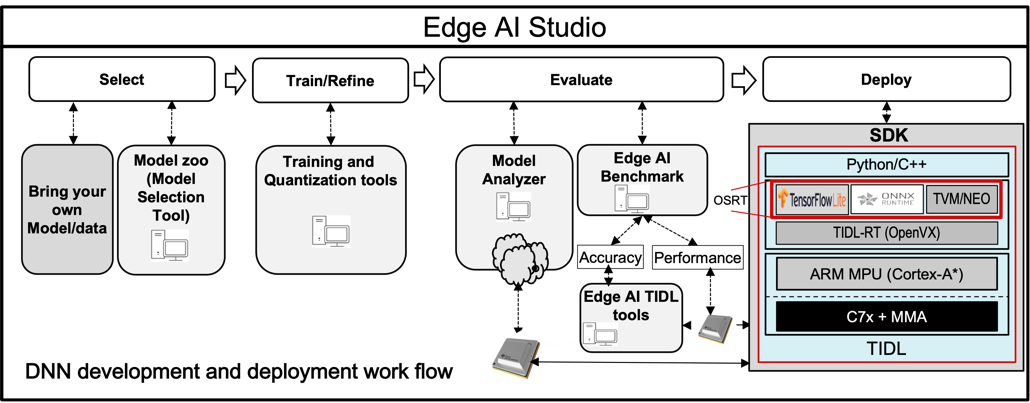
Edgeai TIDL Tools and Examples - This repository contains Tools and example developed for Deep learning runtime (DLRT) offering provided by TI’s edge AI solutions.
Industry-leading SAR and Delta-Sigma ADCs with easy-to-use design resources to enable premium performance
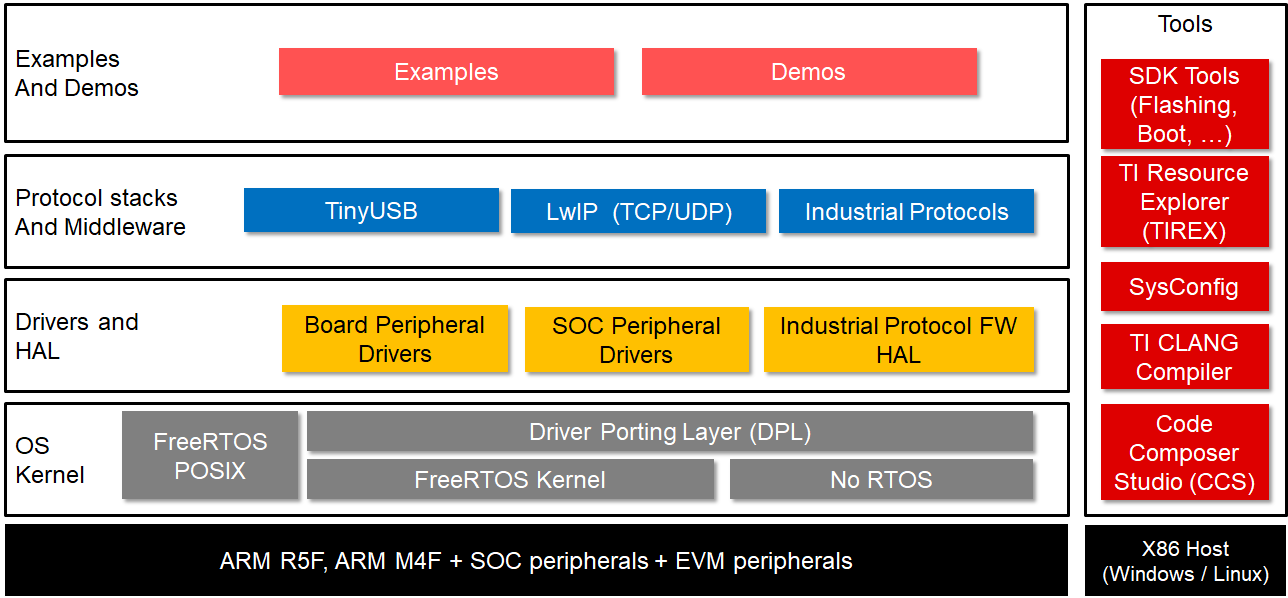
TI MCU+ SDK core source code repository with drivers, protocol stacks and example applications