LabTrack
👨🏻🔬 Nostalgic recreation of a 2009 school laboratory inventory app, rebuilt as a genuine Visual Basic 6 desktop project.
- 0
- 3 wk ago
Repo Thavarshan/LabTrack, read from GitHub 1 h ago. Thavarshan has not joined Take My Repo.
In short
Thavarshan/LabTrack is a public repo on GitHub by Thavarshan. 👨🏻🔬 Nostalgic recreation of a 2009 school laboratory inventory app, rebuilt as a genuine Visual Basic 6 desktop project. It declares no license on GitHub. Public does not mean open source: without a license, nobody is granted the right to reuse it. It is written mainly in Visual Basic 6.0, has 0 stars and last changed on 2026-11-04. Nobody has reviewed it on Take My Repo yet, which says nothing about its quality. Read from GitHub on 2026-11-23.
LabTrack
Laboratory inventory, remembered and rebuilt
LabTrack began as a school software competition project in 2009. This repository is a nostalgic recreation of that project as an editable, genuine Visual Basic 6 desktop application.
Some projects stay with you. LabTrack was the first software project I was part of: my cousin built the app, and I created its UI graphics. I wanted to bring that memory back in the language and desktop style we used then.
The story behind LabTrack
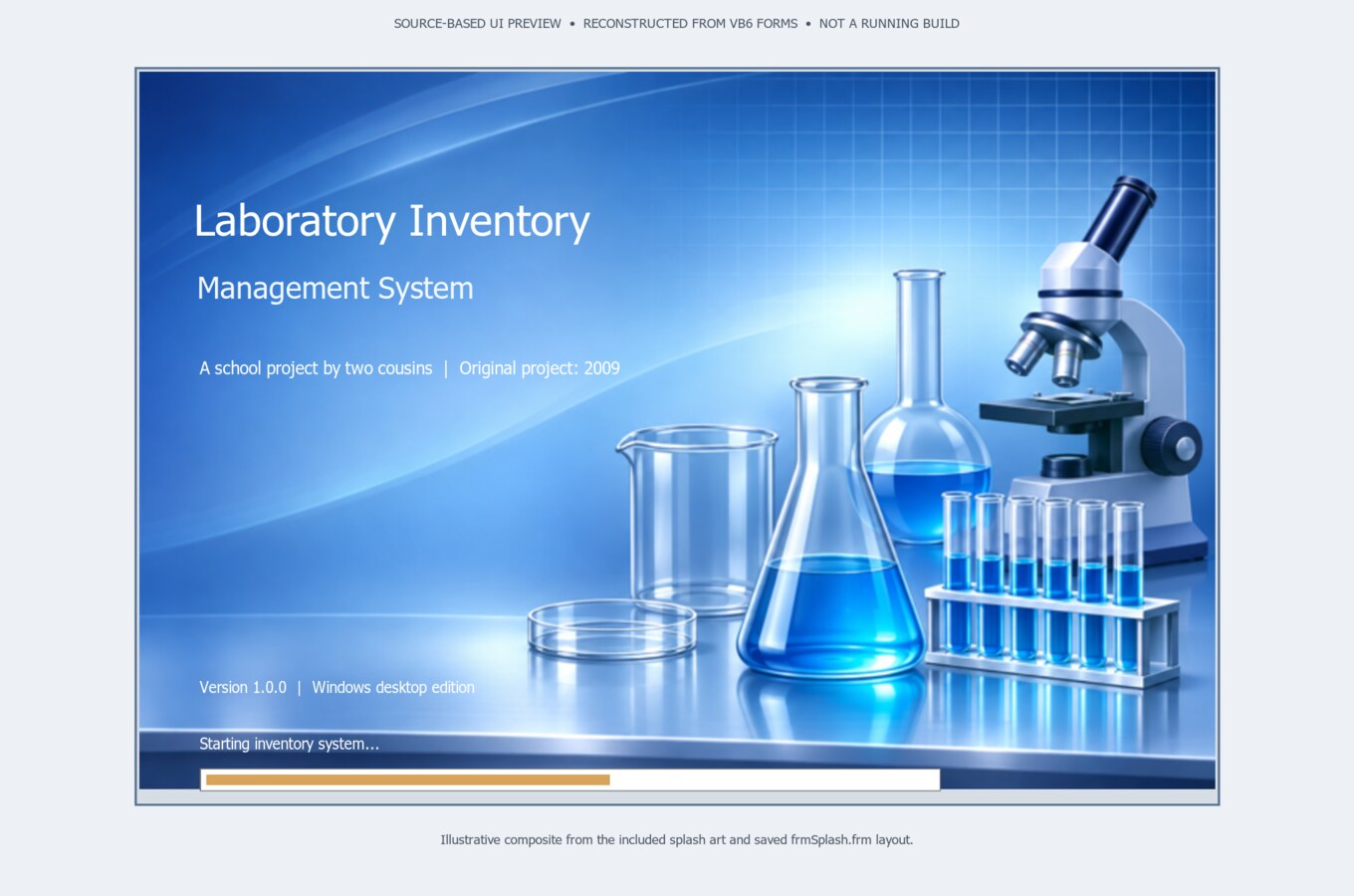
In 2009, my cousin @benielT and I took part in a school software development competition. He coded and built the entire Laboratory Inventory Management System, LabTrack, in Visual Basic 6. I watched it take shape and provided the UI graphics I created in Adobe Fireworks. The app had desktop forms and a splash screen.
The original source code is gone, and I have always regretted losing the first software project I was part of. Rebuilding LabTrack is a way to return to that moment, remember what my cousin and I each contributed, and preserve where my interest in software development began. The aim is to keep the experience rooted in VB6 and the Windows desktop era, rather than turn the project into something unrelated.
This is a recreation based on the history I remember. It is not the original source, and it does not claim to reproduce undocumented screens or behavior pixel for pixel.
Original project contributors
- @benielT — coded and built the complete original LabTrack application in Visual Basic 6.
- @Thavarshan — created and provided the application's UI graphics using Adobe Fireworks.
These credits recognize our contributions to the 2009 school competition project that inspired this recreation.
Interface previews
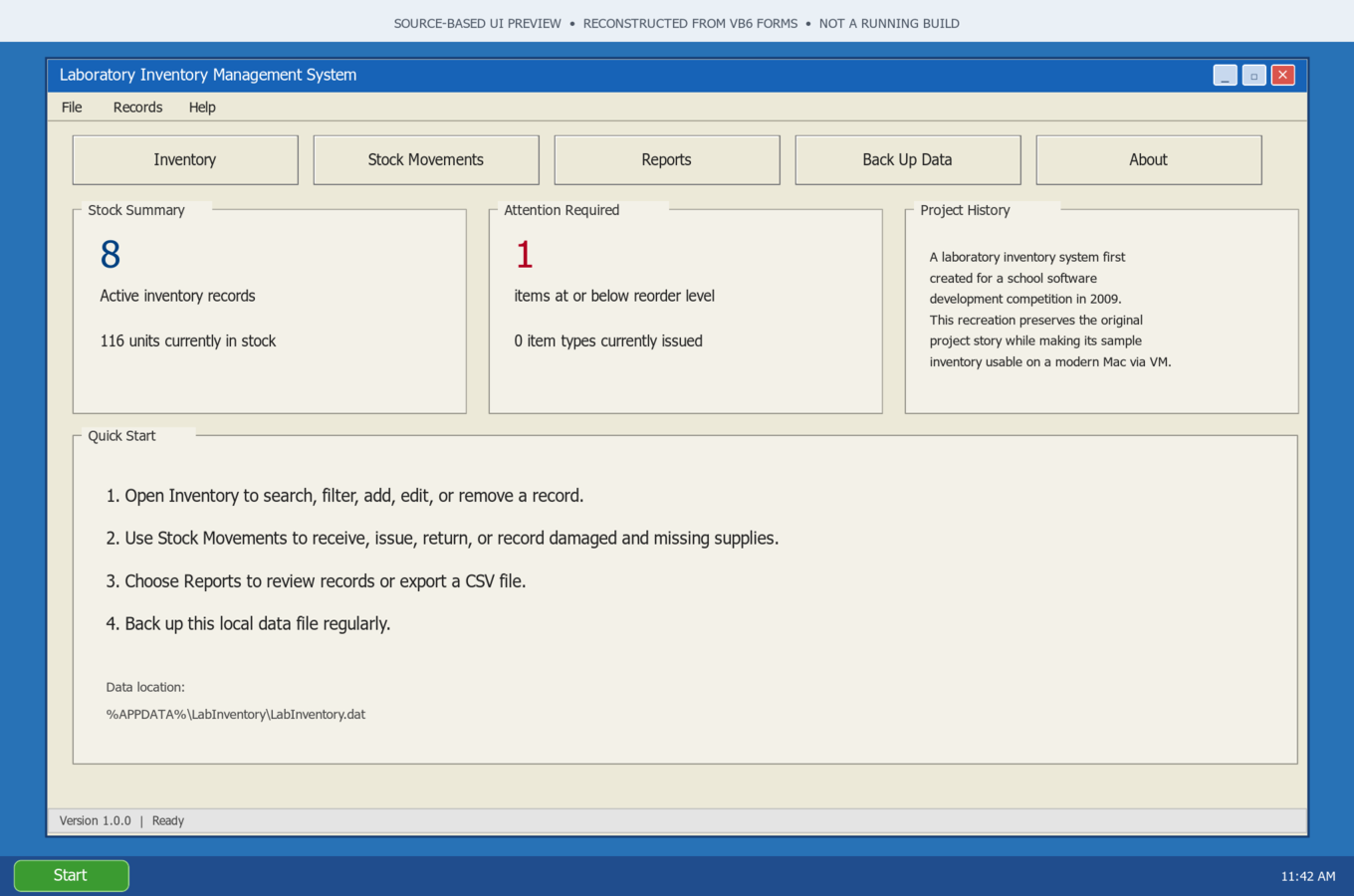
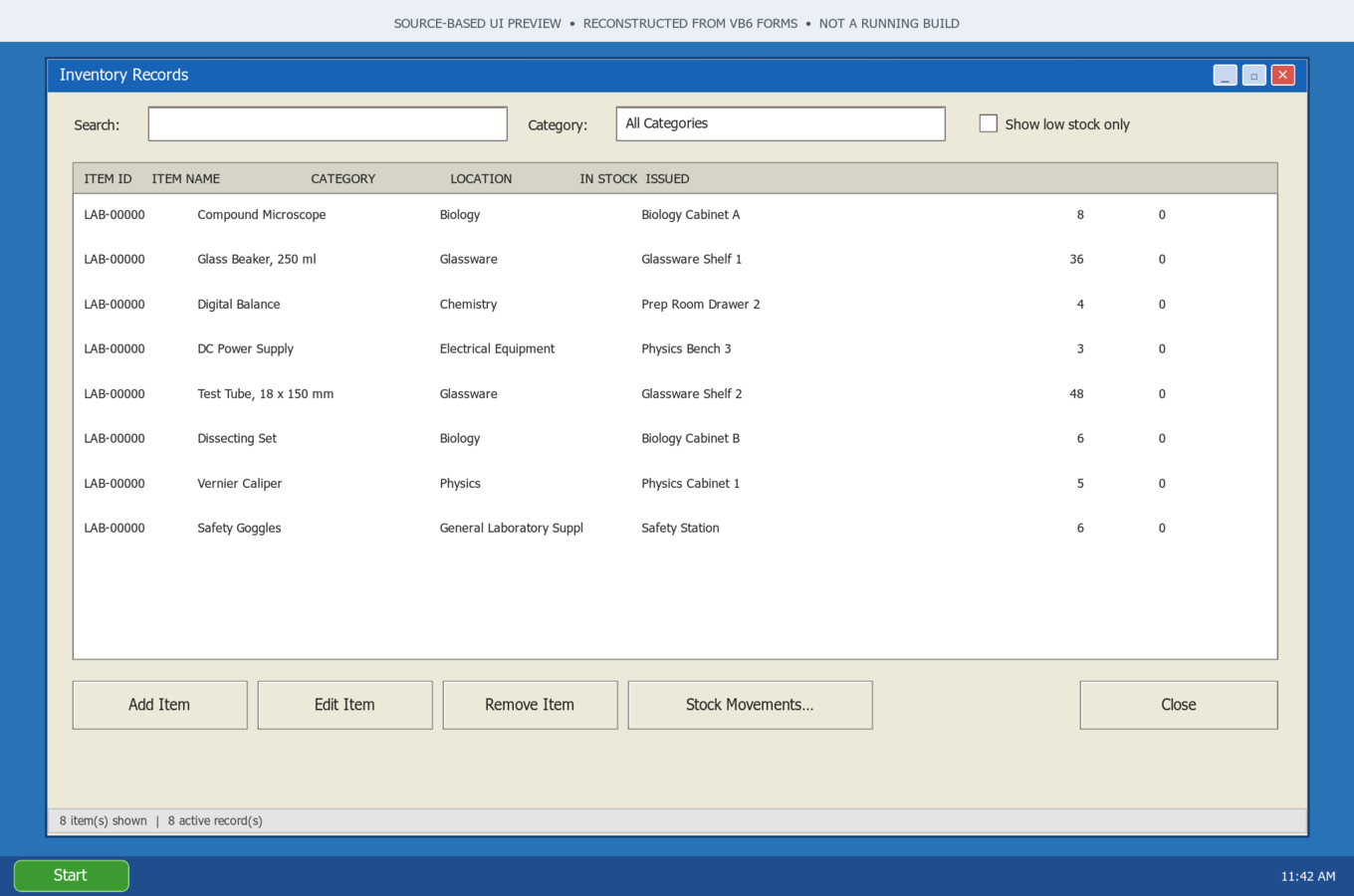
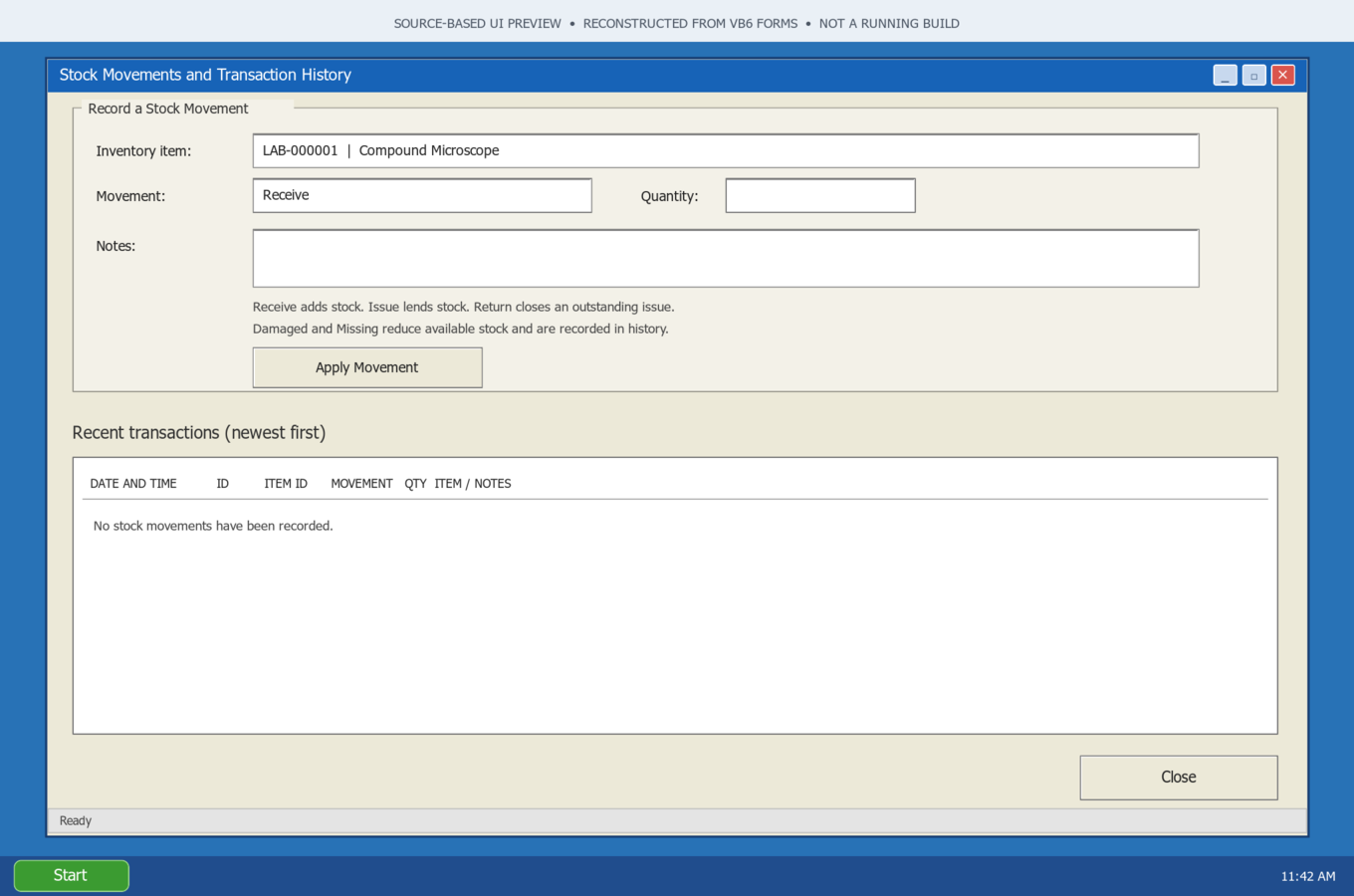
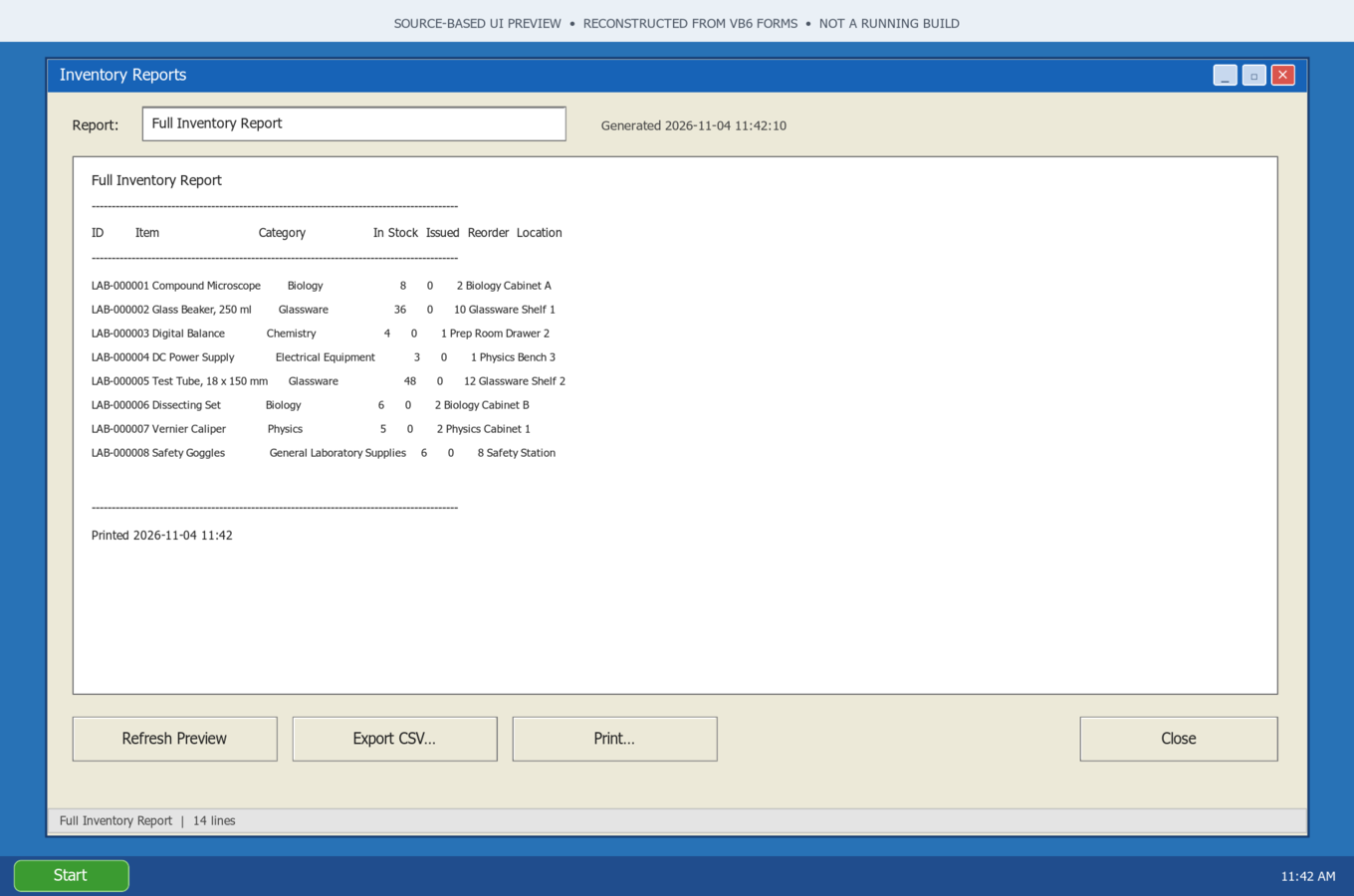
The images below are source-based UI preview mockups, reconstructed from the current VB6 form layouts and the included splash artwork. They are illustrative previews, not screenshots captured from a compiled or running Windows build. The project still needs to be opened, compiled, and visually checked in the licensed Windows VM.
Splash screen
Main window
Inventory records
Stock movements
Reports
What is included
- A genuine Visual Basic 6 Standard EXE project with editable
.vbp,.frm,.bas, and.clsfiles. - Inventory search and category/low-stock filtering, item entry and editing, and soft removal.
- Stock receiving, issuing, returns, damaged and missing records, with transaction history.
- Inventory, low-stock, issued-equipment, and transaction reports, with CSV export and printing.
- Local file storage, automatic backup, manual backup and restore, and sample laboratory inventory.
- UTM setup, usage, architecture, and Windows validation notes.
The forms use VB6's built-in controls and the project has no third-party OCX dependencies. The original project was called LabTrack; this recreation's project file and output executable are currently named LabInventory.vbp and LabInventory.exe.
Run and build
The VB6 IDE and compiler are Windows software. On an Apple Silicon Mac, the documented development route is an emulated 32-bit Windows XP VM in UTM with a legally obtained Visual Basic 6 IDE. The setup guide covers that workflow and an optional Windows 11 ARM runtime check.
- Follow docs/Setup.md to prepare the Windows VM.
- Copy the full project folder into a writable guest folder, keeping
Assetsbeside the project. - Open
LabInventory.vbpin the VB6 IDE, press F5, and work through docs/VM-validation-checklist.md. - Compile to
release/only after checking the application in the VM. Copy theAssetsfolder beside the compiled executable so the splash art can load.
See docs/Usage.md for inventory workflows and docs/Architecture.md for the data format.
Verification status
The source and project references have been reviewed on macOS, but the application has not been compiled or run in Windows. There is no verified executable in release/, and the interface previews above do not replace a real VM build or screenshots. The Windows validation checklist describes what remains to be checked before calling this a verified Windows build.
Project layout
| Path | Purpose |
|---|---|
LabInventory.vbp |
Visual Basic 6 Standard EXE project |
frm*.frm |
Splash, main, inventory, item editor, movement, report, and About forms |
mod*.bas, clsDataPaths.cls |
Startup, persistence, validation, inventory, reports, and data-folder logic |
Assets/ |
Splash-screen bitmap and source artwork |
docs/ |
Setup, usage, architecture, and VM validation documentation |
release/ |
Destination for a verified Windows executable |
Questions
What is LabTrack?
Thavarshan/LabTrack is a public repo on GitHub by Thavarshan. 👨🏻🔬 Nostalgic recreation of a 2009 school laboratory inventory app, rebuilt as a genuine Visual Basic 6 desktop project.
Is LabTrack open source?
It declares no license on GitHub. Public does not mean open source: without a license, nobody is granted the right to reuse it.
Does LabTrack run on macOS, Windows or Linux?
Its maker has not tagged a system, so it is unknown here. Its README says what it needs.
How do I install LabTrack?
Open "Take it" on its page: Take My Repo writes an install plan for your machine and hands it to your AI agent (Claude Code, Codex or Cursor), which asks you before each step. Take My Repo has not tested it on any machine.
Is LabTrack still maintained?
Its last change on GitHub was on 2026-11-04. Take My Repo does not judge from that whether it is maintained.
What do people who ran LabTrack say?
Nobody has reviewed it on Take My Repo yet, which says nothing about its quality.