PythonTkinter
Graphical User Interface (GUI) exercises developed in Python using the native Tkinter library.
- 1
- MIT
- 6 mo ago
Repo TheNarratorVIMMXX/PythonTkinter, read from GitHub 2 d ago. TheNarratorVIMMXX has not joined Take My Repo.
In short
TheNarratorVIMMXX/PythonTkinter is a public repo on GitHub by TheNarratorVIMMXX. Graphical User Interface (GUI) exercises developed in Python using the native Tkinter library. It declares the MIT license on GitHub. It is written mainly in Python, has 1 stars and last changed on 2026-05-14. Nobody has reviewed it on Take My Repo yet, which says nothing about its quality. Read from GitHub on 2026-11-21.
📚 Tkinter Practices - GUI with Python
This repository contains a collection of 14 educational exercises developed with Tkinter, Python's standard library for creating graphical user interfaces (GUI).
🎬 Preview
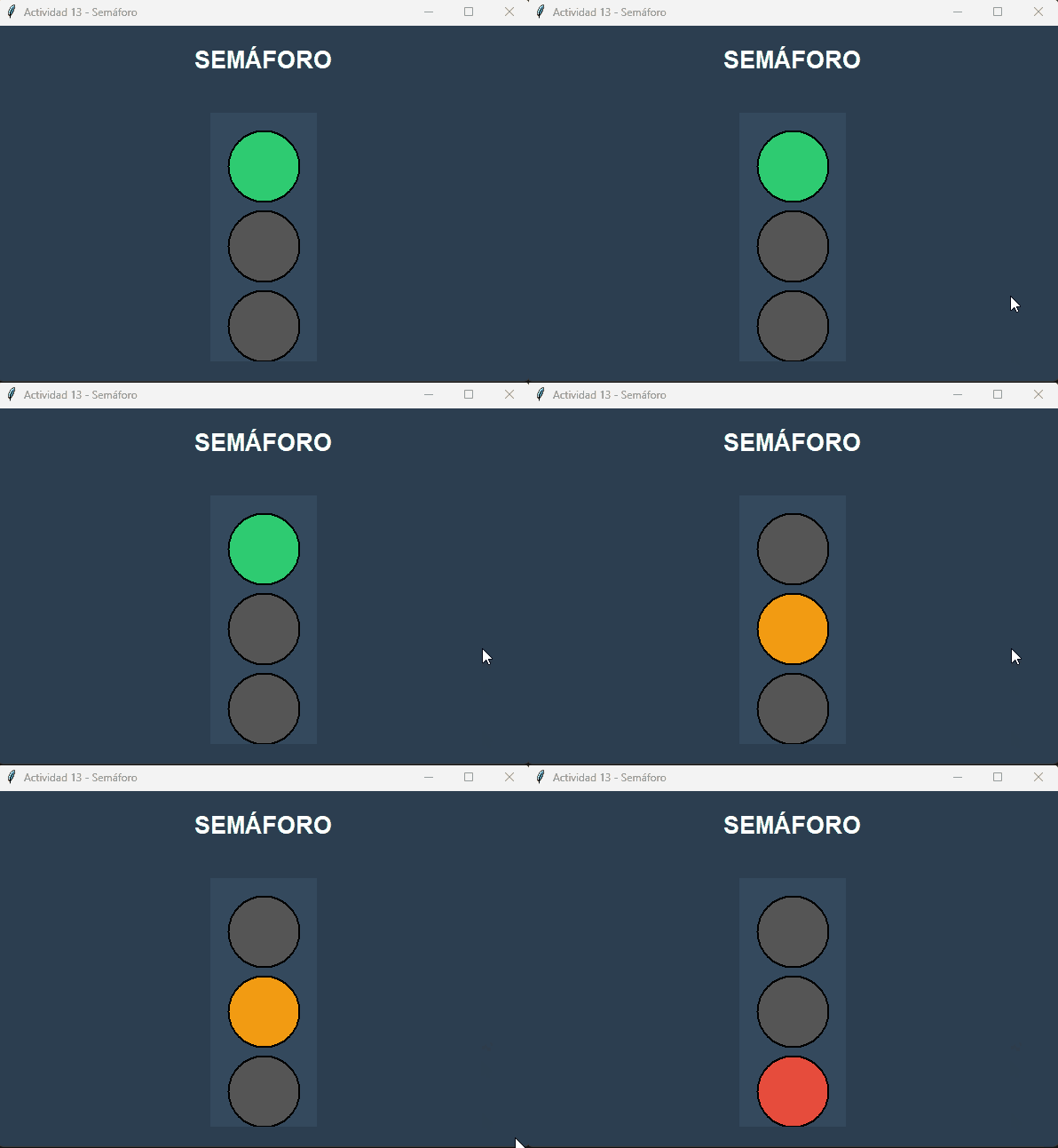
🚦 Automatic Traffic Light - Practice 13
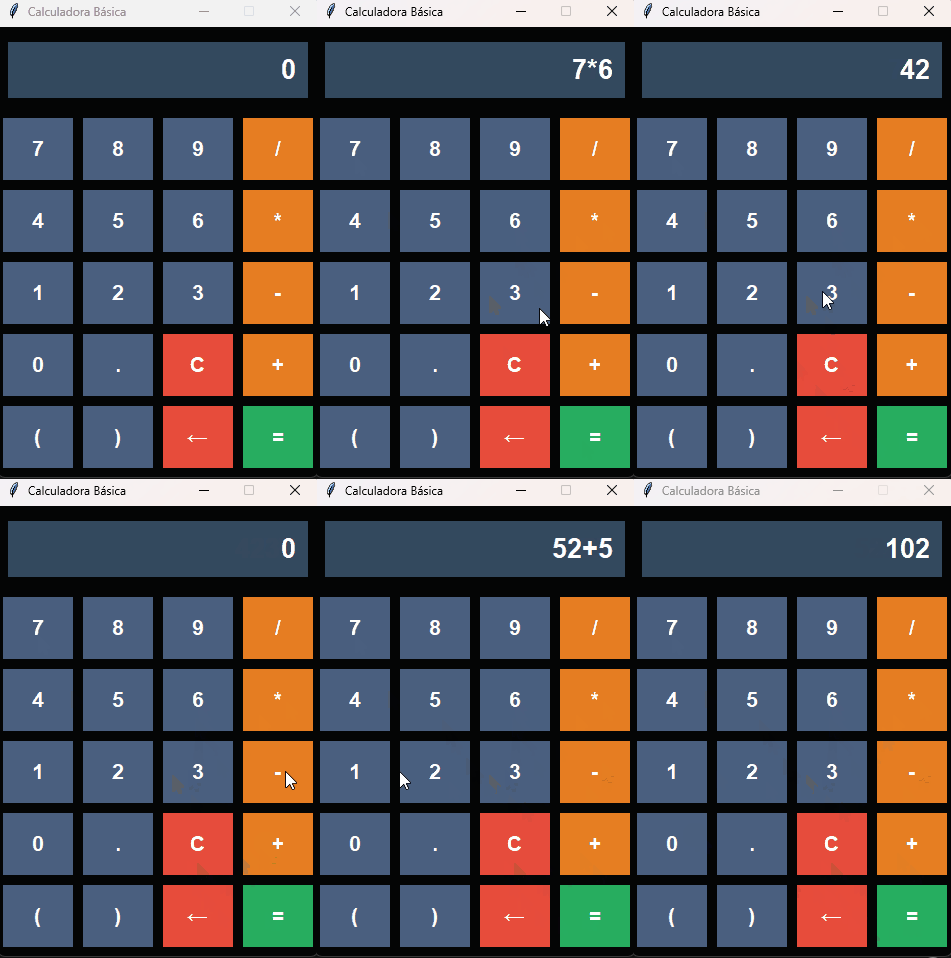
🧮 Full Calculator - Practice 14
📋 Project Contents
This project is a series of progressive exercises ranging from basic concepts to more complex Tkinter applications:
🔹 Basic Practices (1-5)
- Practice 1: Basic 1000x500 window
- Practice 2: Window with custom title and background color
- Practice 3: Label with custom styles (font, colors, padding)
- Practice 4: Button that prints messages to the terminal
- Practice 5: Button that changes a label's text
🔹 Data Input and Forms (6-7)
- Practice 6: Text field with button to display the entered name
- Practice 7: Interactive questionnaire with multiple input fields
🔹 Layout with Frames (8-9)
- Practice 8: 4-frame grid (2x2) with different colors
- Practice 9: Nested frames with an inner button
🔹 Advanced Interactivity (10-11)
- Practice 10: Move a label horizontally with buttons
- Practice 11: Selection list (Listbox) with display of selected item
🔹 Complete Applications (12-14)
- Practice 12: Simple addition calculator with error validation
- Practice 13: Traffic light simulator with automatic switching and timer
- Practice 14: Full basic calculator with arithmetic operations, keyboard support and validation
🎯 Learning Objectives
These practices cover the following core Tkinter concepts:
- ✅ Creating and configuring windows (
Tk()) - ✅ Basic widgets:
Label,Button,Entry,Listbox,Canvas - ✅ Geometry managers:
pack(),grid(),place() - ✅ Event handling with
commandandbind() - ✅ Layout organization with
Frameand nested frames - ✅ Input data validation
- ✅ Using timers with
after() - ✅ Pop-up messages with
messagebox - ✅ Advanced customization (colors, fonts, styles)
🚀 Highlights
Practice 13: Automatic Traffic Light
- Realistic traffic light simulation with three lights (red, yellow, green)
- Automatic switching every 5 seconds
- Visual countdown timer
- Design using
Canvasfor graphical representation
Practice 14: Full Calculator
- Basic arithmetic operations (+, -, *, /)
- Parentheses and decimal support
- Keyboard shortcuts (Enter, Escape, Backspace)
- Expression validation with error handling
- Modern interface with color-coded buttons
- Clear and delete buttons
📦 Requirements
Python 3.x
tkinter (included in standard Python installations)
▶️ How to Run
- Clone this repository:
git clone https://github.com/TheNarratorVIMMXX/tkinter-practices.git
cd tkinter-practices
- Run any practice directly:
python practica_01.py
python practica_14.py  # Full calculator
📚 Key Concepts Learned
- Layout Management: Differences between
pack(),grid()andplace() - Event-Driven Programming: Event handling with callbacks
- Data Validation: Using
try-exceptblocks for user input - Global State: Managing global variables to maintain state
- Timers and Animation: Using
after()for time-based operations - Best Practices: Documentation, descriptive names, logic separation
📄 License
This project is educational and available for free use for learning purposes. Allows anyone to use, study, modify, and share the software freely.
🤝 Contributions
If you'd like to add more practices or improve existing ones, contributions are welcome!
📧 Contact
- Author: Carlos Gabriel Magallanes López
- Email: cgmagallanes23@gmail.com
- Development Date: October 15-16, 2025
⭐ If this repository was helpful, don't forget to give it a star on GitHub!
Questions
What is PythonTkinter?
TheNarratorVIMMXX/PythonTkinter is a public repo on GitHub by TheNarratorVIMMXX. Graphical User Interface (GUI) exercises developed in Python using the native Tkinter library.
Is PythonTkinter open source?
It declares the MIT license on GitHub.
Does PythonTkinter run on macOS, Windows or Linux?
Its maker has not tagged a system, so it is unknown here. Its README says what it needs.
How do I install PythonTkinter?
Open "Take it" on its page: Take My Repo writes an install plan for your machine and hands it to your AI agent (Claude Code, Codex or Cursor), which asks you before each step. Take My Repo has not tested it on any machine.
Is PythonTkinter still maintained?
Its last change on GitHub was on 2026-05-14. Take My Repo does not judge from that whether it is maintained.
What do people who ran PythonTkinter say?
Nobody has reviewed it on Take My Repo yet, which says nothing about its quality.