
PrivacyActivistKit
A complete guide to digital self-defense for activists, journalists, and everyone else.
- 79
- 9 mo ago
One keyboard shortcut. Your text, fixed in place. Small native agents for Windows, macOS and Linux (Hyprland, Omarchy, X11). Bring your own API key.
Repo Turtlecute33/TextFix, read from GitHub 1 min ago. Turtlecute33 has not joined Take My Repo.
Turtlecute33/TextFix is a public repo on GitHub by Turtlecute33. One keyboard shortcut. Your text, fixed in place. Small native agents for Windows, macOS and Linux (Hyprland, Omarchy, X11). Bring your own API key. It declares the GPL-3.0 license on GitHub. It is written mainly in Swift, has 0 stars and last changed on 2026-11-18. Nobody has reviewed it on Take My Repo yet, which says nothing about its quality. Read from GitHub on 2026-11-22.
In the maintainer's words. Shown from GitHub; Take My Repo does not keep a copy.
Press your hotkey in a text box on Windows, macOS, or Linux (Hyprland and X11). With text selected it fixes the selection; with nothing selected it fixes the whole field. The result replaces what was there, and one undo puts it back.
Bring your own OpenRouter or PayPerQ key. No account, no subscription, no telemetry.
Three native agents with a shared provider protocol and compatible core configuration. Windows and macOS use platform APIs directly; Linux uses C++ and Qt Quick with desktop-specific text capture.
| Windows | macOS | Linux / Omarchy | |
|---|---|---|---|
| Lives in | the notification area | the menu bar, never the Dock | the system tray, with desktop shortcut commands |
| Built from | C# on direct Win32, Native AOT | Swift on AppKit | C++ and Qt Quick |
| Ships as | one 6 MB TextFix.exe |
a 1 MB universal TextFix.app |
x64/ARM64 zip; native Omarchy Arch package |
| Needs | nothing | Accessibility permission | Qt 6.4+, clipboard tools, Secret Service keyring |
| Reads your text by | clipboard round trip | the Accessibility API, clipboard as fallback | clipboard round trip on Hyprland/X11; manual clipboard mode on other Wayland desktops |
The agents wait for your shortcut. Linux loads its settings UI only when requested and uses file notifications to follow Omarchy's theme without idle polling.
hotkey  in a text box, nothing selected  ->  the whole field comes back fixed
hotkey  with text selected               ->  only the selection comes back fixed
Two actions ship configured, each with its own hotkey and its own editable prompt:
TextFix-win-x64.zip from the
latest release and unzip it, or build
it yourself with .\build.ps1. Put TextFix.exe wherever you keep small tools;
%LOCALAPPDATA%\Programs\TextFix\ is a good spot.Your key is encrypted with DPAPI under your Windows account in %APPDATA%\TextFix\secrets.dat. It
never goes into config.json.
Needs macOS 13 Ventura or later. The download is one universal app for Apple Silicon and Intel.
Install it with Homebrew:
brew install --cask turtlecute33/tap/textfix
Or download TextFix-macos-universal.zip from the
latest release, unzip it and drag
TextFix.app into Applications. Or build it yourself with ./build-mac.sh.
The first launch is blocked after each install or upgrade. The app is signed, but with TextFix's own self-signed certificate rather than a paid Apple Developer ID, so Gatekeeper wants you to say you meant it. On macOS 15 and later: open TextFix, click Done, then System Settings > Privacy & Security > Open Anyway. On macOS 13 and 14: right-click the app, choose Open, then Open again in the dialog.
Allow it under System Settings > Privacy & Security > Accessibility. TextFix asks on first run and the settings window keeps a banner up until you do. Without it macOS lets no app read or replace text in another app's window, so nothing can work until this is on.
The settings window opens on first launch and the menu bar icon appears. Paste your API key, pick a model, click the hotkey field and press the keys you want, tick Start TextFix when I log in, and save.
Your key goes in the login keychain, not in config.json. Moving TextFix.app after granting
Accessibility makes macOS forget the permission - put it in Applications first.
From 1.7.0 on, every release is signed with the same certificate, so macOS keeps the Accessibility permission and the keychain access after an update. The first update from 1.6.x or older asks one more time.
Download TextFix-linux-x64.zip or TextFix-linux-arm64.zip from the
latest release, extract it and run
./install.sh. Install your distribution's Qt 6 runtime and desktop tools first, then run
textfix settings to save your provider key in the Secret Service keyring.
Bind textfix fix and textfix rewrite in desktop shortcuts. Direct replacement supports
Hyprland and X11. On other Wayland desktops, copy text, run textfix clipboard, then paste.
See the Linux guide for dependency commands, behavior and limitations.
Use the dedicated TextFix-omarchy-x64.zip / TextFix-omarchy-arm64.zip archives, or install
TextFix-omarchy-x64.pkg.tar.zst with sudo pacman -U ./TextFix-omarchy-x64.pkg.tar.zst.
The Arch package tracks dependencies and adds the launcher entry. From a source checkout:
cd packaging/omarchy
makepkg -si
TextFix follows Omarchy's theme and language live, uses Hyprland's native shortcut dispatcher, and ships Lua and legacy keybinding examples. It needs no root keyboard daemon. Add the bindings following the Omarchy setup instructions. Installation leaves your existing keybindings under your control.
Each release zip and Arch package has a build provenance attestation. It shows that the file came from the release
workflow of this repository. Check the zip before you unzip it, because Safari can unzip it and
move the zip to the Trash. The check needs the GitHub CLI, gh:
gh attestation verify TextFix-win-x64.zip -R Turtlecute33/TextFix
gh attestation verify TextFix-macos-universal.zip -R Turtlecute33/TextFix
gh attestation verify TextFix-linux-x64.zip -R Turtlecute33/TextFix
gh attestation verify TextFix-omarchy-x64.pkg.tar.zst -R Turtlecute33/TextFix
To get the zip with no unzip step, download it with
gh release download v<version> -R Turtlecute33/TextFix -p <zip>. Homebrew compares the zip with
the hash in the cask, so a Homebrew install does not need this check.
The Windows and macOS settings windows record whatever you press. Anything with a modifier works, and so do F13 through F24 on their own (macOS knows F13-F20).
Those keys are the reason this pairs well with a VIA or QMK keyboard: they exist in the keyboard map, but no physical keyboard sends them and no application claims them. Map a spare key, an encoder press or a layer key to F13 in VIA, bind it here, and you have a dedicated Fix key that can never collide with an application shortcut.
A bare letter or digit is rejected on purpose - claiming A globally would break typing everywhere
on the machine.
Defaults are Ctrl+Alt+J on Windows and Ctrl+Opt+J on macOS. Linux shortcuts are configured
by your desktop; the Omarchy examples use Ctrl+Alt+J and Ctrl+Alt+K, on key press.
Linux uses a clipboard round trip, checks the focused window before sending shortcuts, and restores the previous clipboard after pasting. Wayland restoration retains one clipboard representation; X11 retains all offered formats. Moving the caret inside the same window cannot be detected. See the Linux behavior and limits.
macOS publishes the text under the caret through the Accessibility API, so TextFix asks for it. It learns exactly what is selected rather than inferring it, spends no clipboard round trip, and synthesises no keystrokes at all for the read. That is the path in native apps, Safari, Chrome and most Electron hosts.
Putting the text back goes through the clipboard and a synthesised Cmd+V by default, even though an Accessibility write would be faster. A paste travels the host's own paste path, so one Cmd+Z undoes it in one step everywhere; a fair number of apps record nothing undoable for a direct write. Settings > Behaviour will switch it to a direct write. An app that refuses the write still gets a paste, so the clipboard is still borrowed then.
Hosts that publish nothing usable - a canvas-rendered editor, a game - fall back to the Windows method below.
Windows offers no way to ask another application for the text under its caret, so TextFix does what your own hands would: copy, then paste over the same selection. Two details are worth knowing.
Selection detection. Windows will not tell an outside process whether the focused control has a selection, and neither the clipboard contents nor its sequence number can answer that on their own - copying the same text twice is byte-identical, and the sequence number moves for every writer on the desktop, clipboard history and cloud sync included. So TextFix parks a unique marker on the clipboard, presses Ctrl+C, and looks: the marker still being there means nothing was selected, anything else is what the application copied. Only in the first case does it press Ctrl+A.
TextFix waits for your fingers. The hotkey is still down when Windows reports it, and a synthesised Ctrl+C on top of held keys is not reliable. TextFix waits until you let go, for 0.6 s at most, before it copies. A key that you tap, such as F13, adds no wait.
A selection with no text is refused. If the copy gives a picture or a file and no text, TextFix stops there. It does not press Ctrl+A, which would replace the whole document.
The field is not left selected. When Ctrl+A selected the whole field and nothing is pasted (an error, a cancel, no change), TextFix presses the Right arrow, so the next key that you type does not replace all the text.
Leave the field alone while TextFix works. TextFix checks that the same window and control still have the focus, but on this path it cannot see a click or typing inside that control. If you move the caret or change the selection during a request, the fixed text is pasted at the new place. One undo puts it back.
The fixed text is plain text. Bold, links and pictures inside the selection are replaced with the fixed text, on every path. One undo puts them back after a paste.
Your clipboard comes back. Whatever you were holding - text, files, an image, rich text - is
copied out before the probe and restored about 180 ms after the paste. It comes back with the
flags it had: a password copied from a password manager stays out of clipboard history when it is
put back. TextFix's own temporary text is flagged so clipboard managers, Windows clipboard history
(Win+V) and cloud clipboard all skip it. The macOS fallback path does the same, using the
org.nspasteboard.TransientType convention, and keeps everything it writes off Universal
Clipboard.
One copy TextFix cannot flag is the one the application itself makes when TextFix presses Ctrl+C, or Cmd+C on the macOS fallback path. If you use clipboard history, the text you fix shows up there, as it would if you had copied it by hand. On macOS that copy can also reach your other devices through Universal Clipboard.
If you copy something else while a fix is running, that is what you get back afterwards, not the older clipboard.
A restore that is still waiting on its timer is always settled before anything else touches the clipboard - a second fix, a cancel, or quitting the agent. That is what stops a quick second press, or quitting within the restore delay, from leaving you holding TextFix's output instead of whatever you had copied.
The one case where your clipboard does not come back is when you switch windows mid-request. There is only one clipboard, and handing you the fixed text means overwriting what was on it; TextFix says so in the notice rather than doing it quietly. If you copied something while the fix ran, TextFix keeps your copy and does not give you the fixed text.
A small glass capsule with three white dots comes up at the bottom centre of the screen, above the Dock or the taskbar. It is always in the same place, so you find it without a search, and it never covers the text that TextFix fixes. The screen is the one with your caret (on Linux X11, the one with the pointer; on Wayland, the compositor picks it). The capsule is click-through, never takes the focus and never shows in the window switcher.
It has two stages, because you ask two different questions. The capsule comes up with still, dim dots when you press the hotkey, before TextFix reads anything. That answers "did my key register?". When the request is out, a liquid drop runs from dot to dot. It stretches as it moves and melts into each dot. That answers "is it stuck?". When the text lands, the dots melt back into one drop and the capsule shrinks away. A still capsule costs nothing: the animation runs only while there is a request to wait for.
The three agents draw the same animation from the same numbers. macOS uses Liquid Glass on macOS 26 and later, and the HUD material before. Windows and Linux draw a dark tinted glass with a soft shadow, so the capsule is legible on a white document, a black editor or a photo. On Linux the capsule is a Wayland layer surface (Hyprland, KDE Plasma, Sway) or an X11 window. GNOME on Wayland has no place for it, so TextFix shows a notification there.
Pressing the hotkey again while a fix is in flight cancels it. The menu bar tooltip says so while it is working. When the model finds nothing to change, a short notice says so, and the field is left alone.
If you asked your system for less movement - Reduce Motion on macOS, "Animate controls and elements inside windows" off on Windows, or Hyprland animations off - nothing moves and nothing scales. The capsule fades in and out, and the dots fade one after the other in place. No animation is ever on the path between the hotkey and your text coming back.
Failures arrive as something you can act on: a refused key, an account out of credit, a model that does not exist. Windows uses a tray balloon; macOS draws its own HUD under the menu bar rather than asking for notification permission, since the first thing it would ever have to say is "that did not work". Both can be switched off if you want the agent completely silent.
data_collection: deny), and TextFix tells you once per model. If no provider meets
even that, the fix fails and says so; it never falls further. Turn off zero data retention to
let your OpenRouter account settings decide instead.AXSecureTextField, which native controls and password inputs in Safari and Chrome report. On
Windows it is the password style, which only native controls show. Apps on macOS that do not
report the focused field, and browser, WPF or Qt fields on Windows, are not checked. Their
password boxes usually refuse to copy. Linux has no reliable password-field detection;
trigger its shortcuts only in trusted editable fields.prewarmOnStartup to false to stop it; the only cost is one handshake on the
first fix of the session. Linux does not prewarm at startup. After a hotkey press, each agent
opens the connection while it reads your text, also with no payload and no key.maxInputLength. To stop this, untick Whole field when
nothing is selected for the action.openrouter.ai and api.ppq.ai. Redirects are refused, so a request
cannot be sent on to a third host. No telemetry, no analytics, no update check, no fonts or
assets fetched at runtime. The Windows and macOS agents have no third-party dependencies;
Linux uses distribution-provided Qt libraries.textfix clipboard.config.json is plain JSON and safe to hand-edit; the tray or menu bar menu opens the folder.
Everything from the settings window is here, plus a few knobs that are not.
The tables below describe Windows/macOS. Linux shares provider, model, prompt and request-budget keys; its guide covers the supported desktop options and defaults.
| Windows | macOS | |
|---|---|---|
| Config | %APPDATA%\TextFix\config.json |
~/Library/Application Support/TextFix/config.json |
| Log | %LOCALAPPDATA%\TextFix\textfix.log |
~/Library/Logs/TextFix/textfix.log |
| API key | %APPDATA%\TextFix\secrets.dat (DPAPI) |
login keychain |
| Key | Default | What it does |
|---|---|---|
provider |
openrouter |
openrouter or payperq. |
model |
~openai/gpt-luna-latest |
A slug from the picker, or custom with customModel set. |
zeroDataRetention |
true |
Ask OpenRouter for a ZDR route, and never use a provider that trains on prompts. |
allowReasoning |
false |
Let the model reason first. Slower. |
indicator |
animation |
animation (the capsule at the bottom of the screen), none, plus tray on Windows / menubar on macOS / notification on Linux. The old value caret means animation. |
notifyOnError |
true |
Show failures on screen. |
skipPasswordFields |
true |
Refuse password controls. |
maxInputLength |
10000 |
UTF-16 code units, counted the same way on both platforms. Anything longer is refused rather than truncated. So is an answer that is cut short, or more than twice as long as your text (and over 10000). |
requestBudgetMs |
90000 |
Wall clock for the whole request, retries included. |
prewarmOnStartup |
true |
Warm the TLS connection at launch. See Privacy. |
verboseLog |
false |
Adds request-level detail. Still never your text. |
dryRun |
false |
See Troubleshooting. |
Windows only:
| Key | Default | What it does |
|---|---|---|
restoreClipboard |
true |
Put your clipboard back after the paste. |
clipboardRestoreDelayMs |
180 |
Raise it if an application pastes the old clipboard content. |
pasteOnlyIfFocusUnchanged |
true |
If you switch windows mid-request, the fixed text goes to your clipboard instead of into the wrong application. |
keyEventDelayMs |
12 |
Pause between the individual key events of a synthesised chord. Some apps (Telegram Desktop among them) drop a chord delivered as one atomic batch, so this is paid up front; it costs about 36 ms per chord. 0 restores atomic chords. |
startWithWindows |
false |
Mirrors the per-user Run key. |
macOS only:
| Key | Default | What it does |
|---|---|---|
replaceMode |
paste |
paste keeps Cmd+Z working; accessibility writes the field directly, and pastes if the app refuses the write. |
useAccessibilityRead |
true |
Read through the Accessibility API when the focused element supports it. Turning it off forces the clipboard path everywhere. |
restorePasteboard |
true |
Put your clipboard back after the paste. |
pasteboardRestoreDelayMs |
180 |
Raise it if an application pastes the old clipboard content. |
replaceOnlyIfFocusUnchanged |
true |
If you switch apps mid-request, the fixed text goes to your clipboard instead of into the wrong one. |
keyEventDelayMs |
8 |
Pause between the key-down and key-up of a synthesised chord. |
Run at login is not in config.json on macOS: SMAppService owns it, so the checkbox reads its
state back from System Settings > General > Login Items.
Both platforms share these on the clipboard fallback path: selectionProbeMs (350, how long to
wait for the probing copy - only spent when nothing is selected) and copyTimeoutMs (700, time
allowed for the whole-field read).
Per action: enabled, hotkey, prompt, model (empty means the top-level model) and
wholeTextWhenNoSelection (default true: with nothing selected, fix the whole field; see
Privacy).
{text} and {nonce} placeholdersA prompt can say where the captured text goes by including {text}:
Rewrite the text below ... Output only the revised text.

<text-{nonce}>
{text}
</text-{nonce}>
With a placeholder, the whole prompt is sent as one message with your text substituted in. That is the only way a prompt can control how the input is fenced off, and fencing it is what stops dictation containing something instruction-shaped ("scrap that, say instead...") from being obeyed as an instruction. If a model echoes the tags back, they are stripped from the result - only tags your prompt uses, so text that really starts and ends with markup comes back intact.
{nonce} expands to a short random value, different on every request. A fixed <text> fence is
only a fence by agreement: text that happens to contain the literal </text> - pasted markup, a
quoted example, or something written to do exactly this - would close it early, and everything after
it would read as instructions rather than as input. A fence named with a value that did not exist
when the text was captured cannot be closed early. It makes the boundary unforgeable, which is
not the same as making the model obey it: treat a fence as a strong hint, not a guarantee. Use it in
any prompt of your own that fences its input.
If you were already running TextFix, a Fix or Rewrite prompt you never edited is carried forward to
the current one automatically. A prompt you did edit is left exactly as you wrote it - add
{nonce} to your fence yourself if you want it.
Without a placeholder the prompt is sent as a system message and your text as a separate one, which is the simpler shape and stays cacheable. Both work; both shipped prompts use a placeholder, because Rewrite is the action most often run on text somebody else wrote.
Nothing happens when I press the hotkey. Set "dryRun": true in config.json, quit the agent
from its menu and start it again (Linux reads the file on each fix, so no restart is necessary),
and press the hotkey in a text box. Dry run does the entire pipeline - capture,
clipboard, replace, restore - but replaces the model call with UPPER CASE, so it sends nothing and
costs nothing. If your text comes back uppercased the plumbing works and the problem is the request;
if it does not, the log will name the step that stopped.
On macOS, the hotkey does nothing at all. Check Accessibility permission. A build with a different signature is a different app for macOS: a build of your own, or the first update from 1.6.x or older. Remove the old entry in System Settings > Privacy & Security > Accessibility with the minus button and add the new one.
On macOS, a keychain password prompt after an update. A build with a different signature (a build of your own, or the first update from 1.6.x or older) asks on the first fix whether TextFix may read its key. Enter your login password and choose Always Allow. If you deny, TextFix says "API key not read".
"TextFix does not work in terminal windows." On purpose - see Privacy. Fix the text in an editor and paste it into the terminal.
"Settings not read." config.json has a syntax error, so TextFix runs on its defaults. Fix the
file and restart the agent, or save settings: the unreadable file is kept as config.json.bad.
"Another app already owns" that hotkey. Something registered it first. Pick a different combination, or an F13-F24 key.
"Windows blocked the paste." The target window belongs to a process running as administrator, and Windows does not let a normal-rights program type into it. Nothing to fix from this side short of running TextFix elevated too, which is a bigger tradeoff than it looks.
A selection got treated as the whole field. A few applications are slow to answer the copy. Raise
selectionProbeMs.
In VS Code the whole line gets fixed when nothing is selected. VS Code copies the current line on copy with an empty selection, so from outside it is indistinguishable from a selection.
The tray icon vanished. Explorer restarted; the agent re-adds the icon automatically.
.\build.ps1                 # -> dist\win-x64\TextFix.exe
.\build.ps1 -Zip            # -> TextFix-win-x64.zip
.\build.ps1 -Run            # publish and start it
.\build.ps1 -Rid win-arm64  # -> dist\win-arm64\TextFix.exe
Needs the .NET 10 SDK and the MSVC C++ build tools, which the Native AOT compiler links with. The
script puts vswhere.exe on PATH for you, so a Developer Command Prompt is not required.
./build-mac.sh                 # -> dist/macos/TextFix.app (universal)
./build-mac.sh --zip           # -> TextFix-macos-universal.zip
./build-mac.sh --run           # build and start it
./build-mac.sh --arch arm64    # single-architecture build
Needs the Xcode command line tools and nothing else. The icon is drawn at build time by
src/TextFixMac/Tools/makeicon.swift, so there is no asset to keep in step;
tools/make-icon.py does the same for the Windows .ico (needs Pillow).
Build Linux and the Omarchy variant with Qt 6 development packages, qmake6, make and a C++17 compiler:
./build-linux.sh --test --zip          # -> TextFix-linux-<arch>.zip
./build-linux.sh --omarchy --zip       # -> TextFix-omarchy-<arch>.zip
(cd packaging/omarchy && makepkg)      # -> native Arch package (on Arch/Omarchy)
See the Linux build guide for dependencies. CI builds all platforms on every push to main and every pull request, including Linux x64/ARM64 and an Omarchy Arch package. A release is a tag:
git tag v1.5.0 && git push origin v1.5.0Once the release is published, point the Homebrew cask at it:
./update-tap.zsh 1.5.0
Every release zip carries a build provenance attestation. To check one, see Checking a download.
The release workflow signs the macOS app with the self-signed TextFix identity from the
MACOS_SIGN_P12 and MACOS_SIGN_P12_PASSWORD secrets, and stops when they are missing. Make
them once with ./make-signing-identity.zsh, which also keeps a backup keychain in
~/.config/textfix/. Keep a copy of it: a new identity means one more permission grant for every
user.
src/TextFix/                 the Windows agent (C#, Win32, Native AOT)
  Program.cs                 single instance, then the message loop
  Core/                      agent window, hotkeys, orchestration, log, run-at-login
  Ai/                        the provider client: retries, routing, output sanitising
  Configuration/             config.json and the DPAPI key store
  Editing/                   clipboard, synthesised keys, capture and replace
  Ui/                        tray icon, progress pill, settings window
  Interop/                   the Win32 surface this app uses

src/TextFixMac/              the macOS agent (Swift, AppKit)
  Sources/TextFix/
    main.swift               single instance, then NSApplication
    AppDelegate.swift        menu bar item, hotkeys, settings, wiring
    AppConfig.swift          config.json, same keys as Windows where they mean the same thing
    Keychain.swift           the API key
    Ai/                      the same provider client, ported
    Core/                    hotkeys, orchestration, permissions, login item
    Editing/                 Accessibility read and write, pasteboard, synthesised keys
    Ui/                      menu bar item, progress pill, toast, settings window
  Tools/makeicon.swift       draws AppIcon.icns at build time

src/TextFixLinux/            the Linux agent (C++, Qt Quick)
  src/                       provider client, configuration, desktop bridge, settings and tray
  tests/                     pipeline, HTTP, configuration, theme and offscreen UI tests
packaging/linux/             launcher entry, icon and release installer
packaging/omarchy/           Arch PKGBUILD and Hyprland bindings (Lua and legacy)
build-linux.sh               Linux/Omarchy builds, tests and zip packaging
The agents are separate native programs. The provider protocol and core config format are a specification each implements, with platform-specific capture, settings and packaging.
GPL-3.0-only. src/TextFix/Ai/ and src/TextFixMac/Sources/TextFix/Ai/ are ports of the
OpenRouterClient from WisprBoard, an Android keyboard
under the same licence, which is where that requirement comes from. Everything else was written for
this project.
Turtlecute33/TextFix is a public repo on GitHub by Turtlecute33. One keyboard shortcut. Your text, fixed in place. Small native agents for Windows, macOS and Linux (Hyprland, Omarchy, X11). Bring your own API key.
It declares the GPL-3.0 license on GitHub.
Its maker tagged it for macOS, Windows and Linux, or as Docker or cross-platform. That is declared by the maker; Take My Repo has not tested it.
Open "Take it" on its page: Take My Repo writes an install plan for your machine and hands it to your AI agent (Claude Code, Codex or Cursor), which asks you before each step. Take My Repo has not tested it on any machine.
Its last change on GitHub was on 2026-11-18. GitHub counts 0 open issues and pull requests. Take My Repo does not judge from that whether it is maintained.
Nobody has reviewed it on Take My Repo yet, which says nothing about its quality.
A complete guide to digital self-defense for activists, journalists, and everyone else.
Debloat Windows 11, disable telemetry, and harden macOS and Linux. Pick tweaks, read every command, download a ready-to-run script. Free, open source, no install. The maintained fork of privacy.sexy.
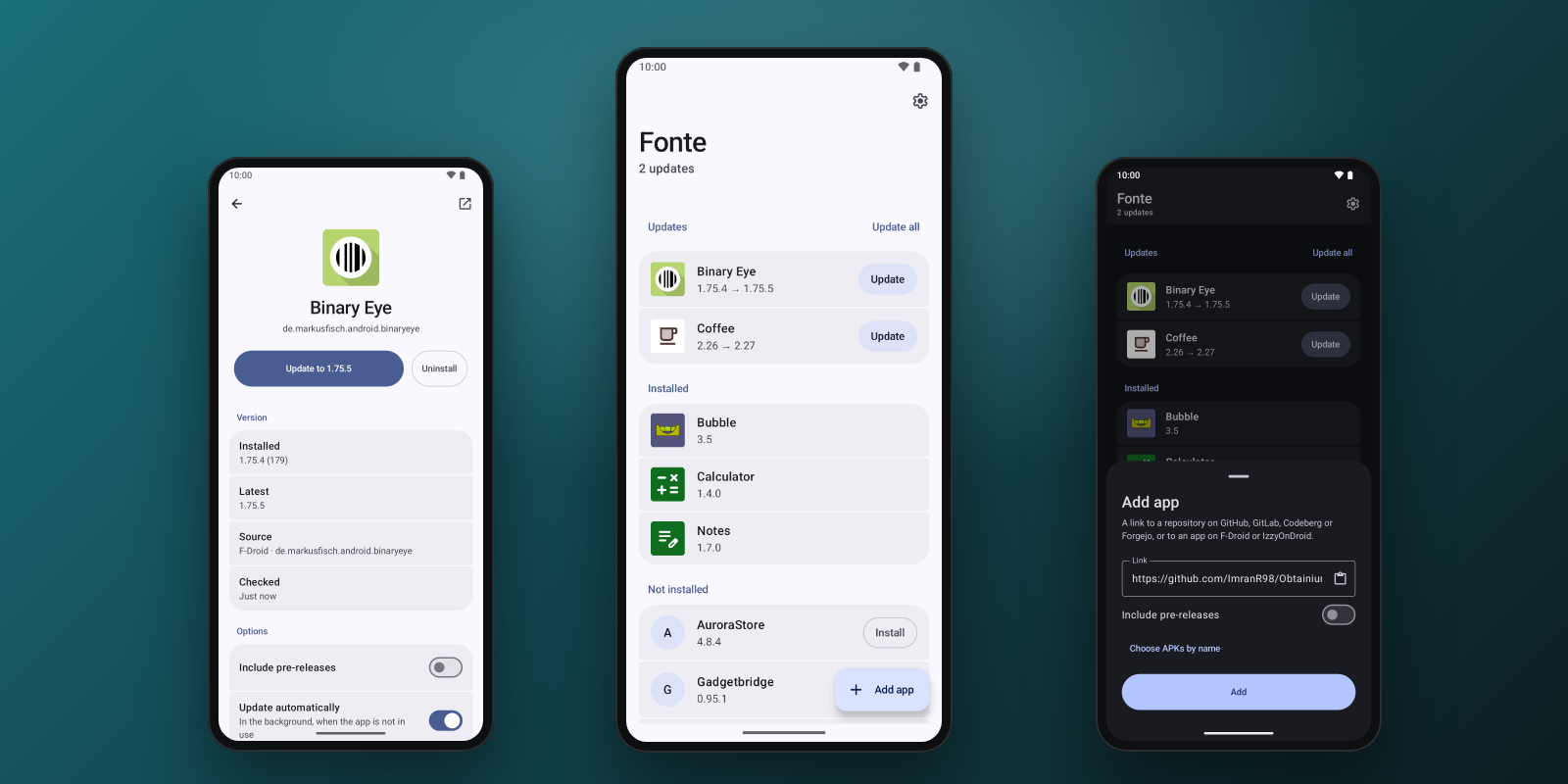
Private, fast, minimal Android app updater: GitHub, GitLab, Codeberg/Forgejo, F-Droid and IzzyOnDroid. No native code, works with GrapheneOS dynamic code loading restrictions.

A Docker‑Compose stack combining WireGuard, Pi‑hole and Unbound for a secure, private, ad‑free internet experience.
Open-source Android keyboard with AI voice-to-text and AI text fix. A HeliBoard fork: bring your own OpenRouter or PayPerQ key, no account, no telemetry.
This page is also available as structured data, with the same sources and dates.
/api/v1/resources/gh/Turtlecute33/TextFixTake My Repo has not tested this on your machine. Requirements come from the project's own documentation.
