Open-Generative-AI
Uncensored AI Image & Video Generator — Free AI image & video generation studio with 800+ models (Flux, Midjourney, Kling, Sora, Veo). No content filters. Self-hosted, MIT licensed.
- 36k
- JavaScript
- MIT
- 8 h ago
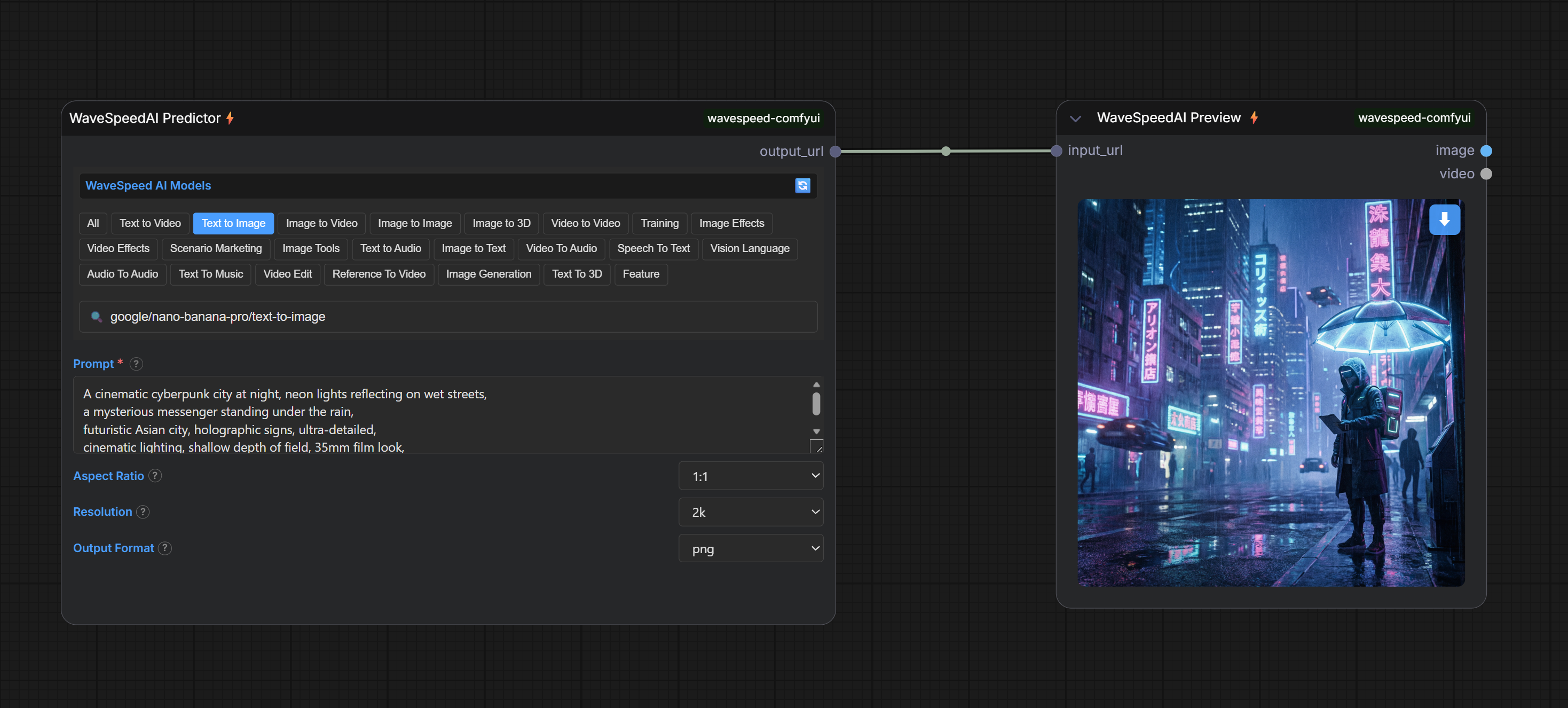
WaveSpeed nodes for ComfyUI — run hundreds of hosted image and video models (Seedream, Nano Banana, GPT Image, Seedance, Wan) inside your workflows
Repo WaveSpeedAI/wavespeed-comfyui, read from GitHub 3 min ago. WaveSpeedAI has not joined Take My Repo.
WaveSpeedAI/wavespeed-comfyui is a public repo on GitHub by WaveSpeedAI. WaveSpeed nodes for ComfyUI — run hundreds of hosted image and video models (Seedream, Nano Banana, GPT Image, Seedance, Wan) inside your workflows. It declares the MIT license on GitHub. It is written mainly in JavaScript, has 64 stars and last changed on 2026-11-03. Nobody has reviewed it on Take My Repo yet, which says nothing about its quality. Read from GitHub on 2026-11-24.
Uncensored AI Image & Video Generator — Free AI image & video generation studio with 800+ models (Flux, Midjourney, Kling, Sora, Veo). No content filters. Self-hosted, MIT licensed.
Support for 20+ AI generation categories including:
💡 Built on: ComfyUI v0.8.2 (Frontend v1.35.9)
Step 1: Clone the plugin
cd ComfyUI/custom_nodes
git clone https://github.com/WaveSpeedAI/wavespeed-comfyui.git
cd wavespeed-comfyui
Step 2: Find ComfyUI's Python path
Start ComfyUI and check the console output for:
** Python executable: D:\Projects\ComfyUI\.venv\Scripts\python.exe
Copy that path.
Step 3: Install dependencies
Use the Python path from Step 2:
# Windows example:
D:\Projects\ComfyUI\.venv\Scripts\python.exe -m pip install -r requirements.txt

# Linux/Mac example:
/home/user/ComfyUI/.venv/bin/python -m pip install -r requirements.txt
Step 4: Restart ComfyUI
Close and restart ComfyUI. You should see WaveSpeed nodes available.
⚠️ Why this matters: If you just run
pip install -r requirements.txt, it might install to the wrong Python environment, causingModuleNotFoundError.
Restart ComfyUI after installation.
Settings → WaveSpeed → Enter API Keyconfig.json in plugin directory:{
"api_key": "your_api_key_here"
}
💡 Prefer node-based API key input? Switch to the
feature/client-node-api-keybranch to use a dedicated WaveSpeed Client node for API key configuration via node connection instead of Settings.
⏱️ First Load Notice: After an API key is configured, the first load makes one authenticated model-catalog request and usually takes 5-10 seconds depending on your network. Categories and model details are derived from that cached catalog, so subsequent loads are instant.
📸 High-Quality Image Generation
Use Case: Generate professional-quality images from text descriptions
Models: Flux Dev, SDXL, Ghibli Style, etc.
Key Features:
Result:

🎬 Create Videos from Text
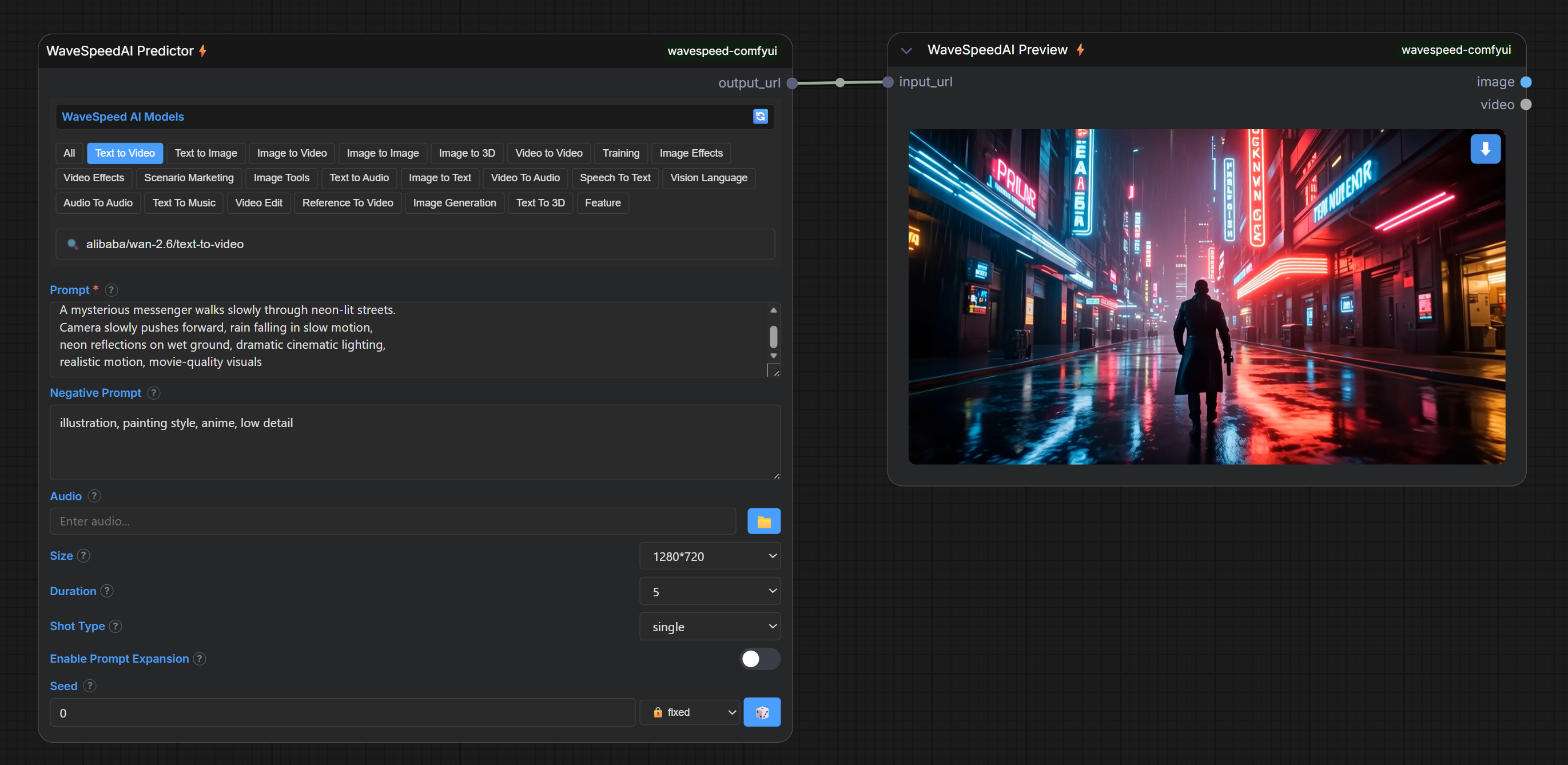
Use Case: Generate short videos from text prompts
Models: Kling v1.6, Minimax Video, Wan2.1, etc.
Key Features:
Note: Video generation may take several minutes. The plugin has no overall wait limit: it keeps waiting until the task completes, fails or is cancelled.
Result:
https://github.com/user-attachments/assets/c6f5383b-2b80-4166-b9ea-dcfe406884b6
🎨 Transform and Edit Images
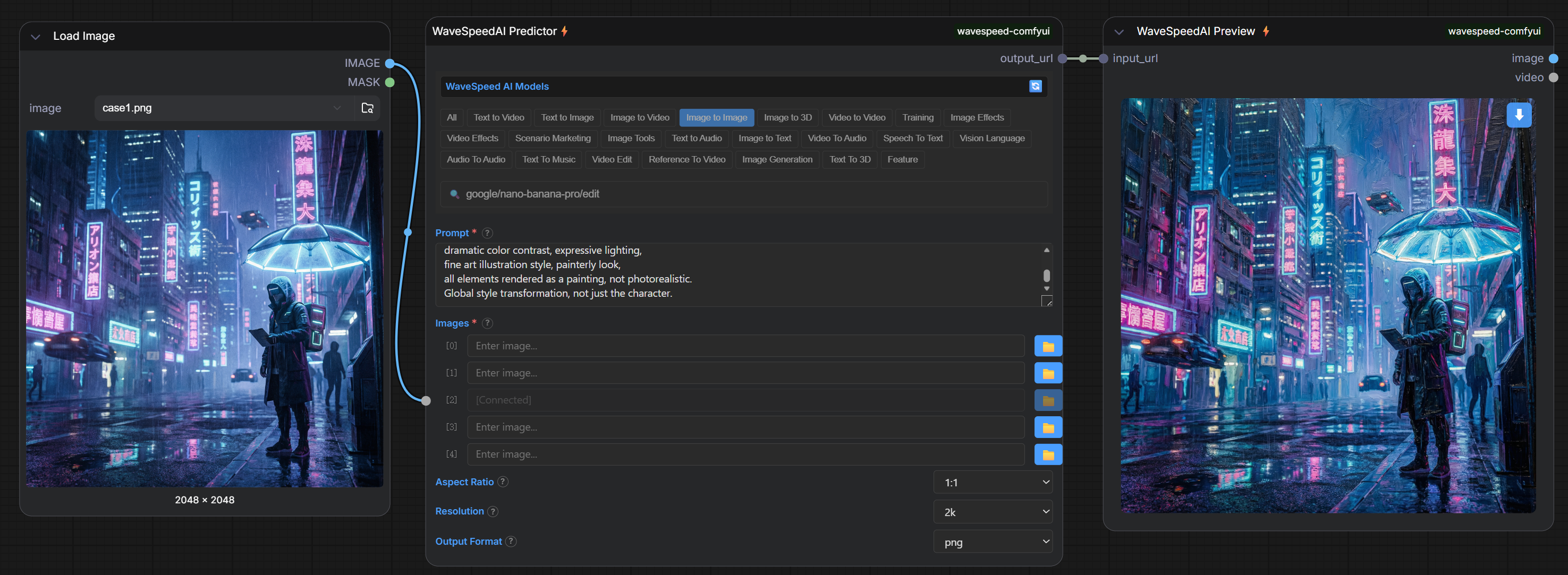
Use Case: Transform existing images with AI
Models: Flux Redux, Instant Character, Step1X Edit, etc.
Key Features:
Result:

🎬 Animate Static Images
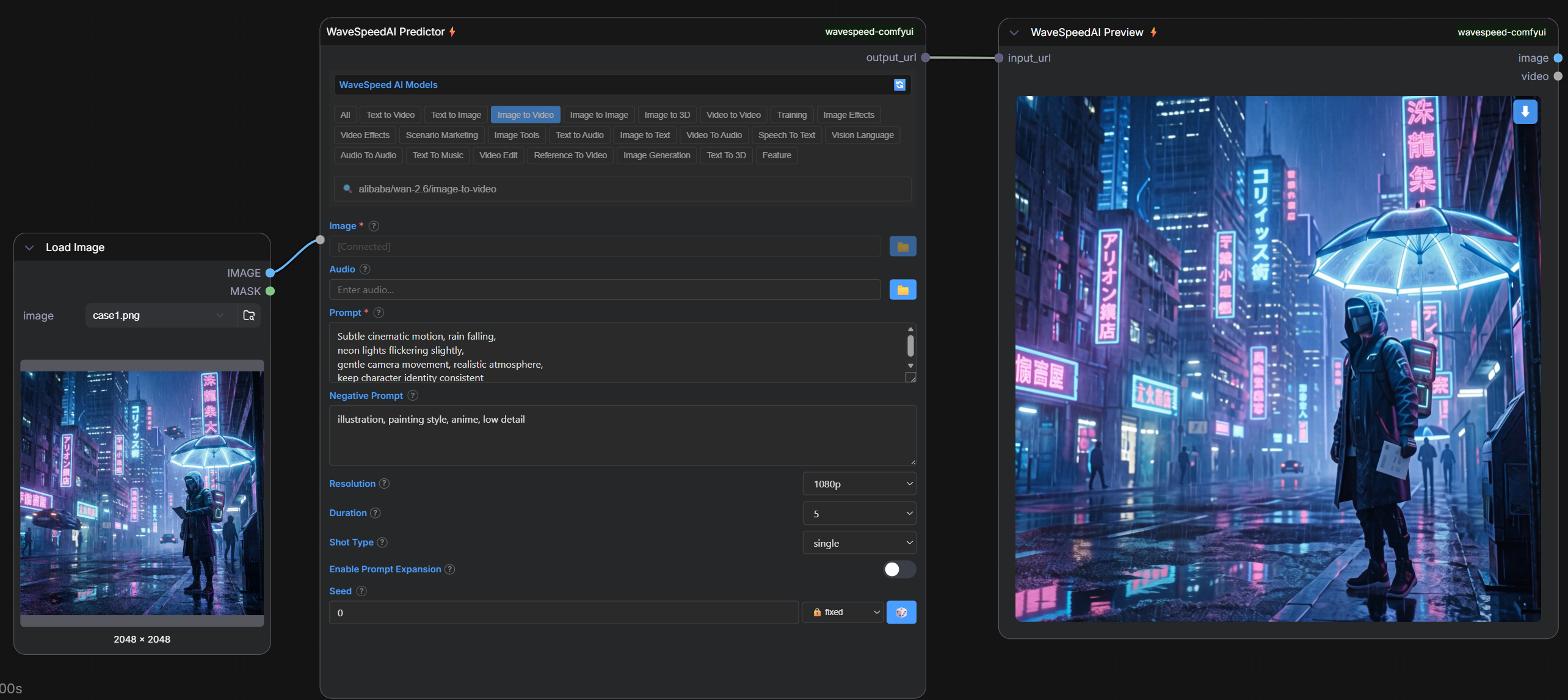
Use Case: Bring static images to life with motion
Models: Stable Video Diffusion, I2VGen-XL, etc.
Key Features:
Result:
📹 Download Video | 📥 Download Workflow JSON
🎞️ Enhance and Transform Videos
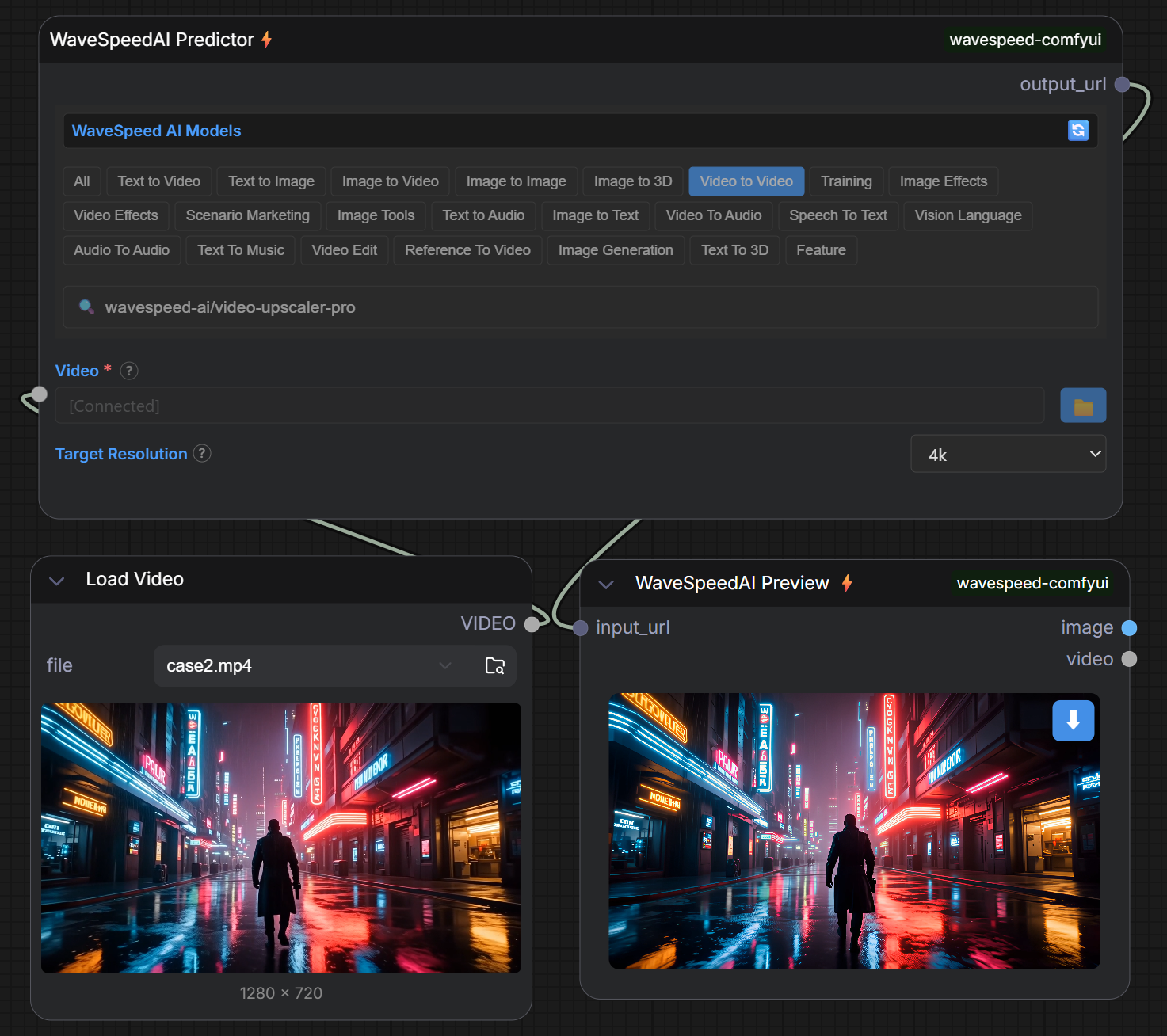
Use Case: Upscale, stylize, or transform videos
Models: Seedance v1.5, Real-ESRGAN, etc.
Key Features:
Result:
📹 Download Video | 📥 Download Workflow JSON
🎵 Generate Audio from Text
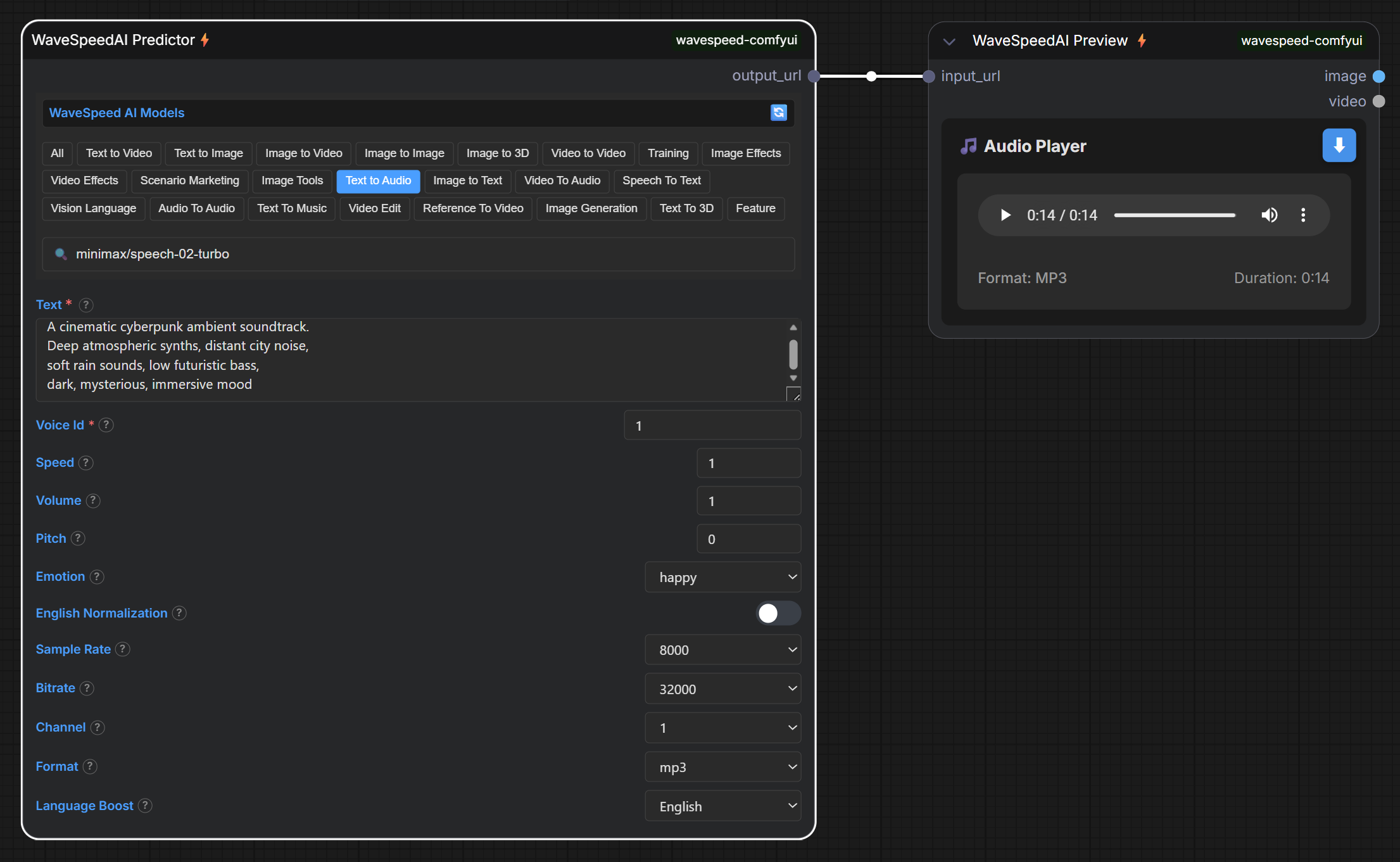
Use Case: Generate music, sound effects, or voice from text
Models: Dia TTS, MMAudio V2, etc.
Key Features:
Result:
🎲 Convert Images to 3D
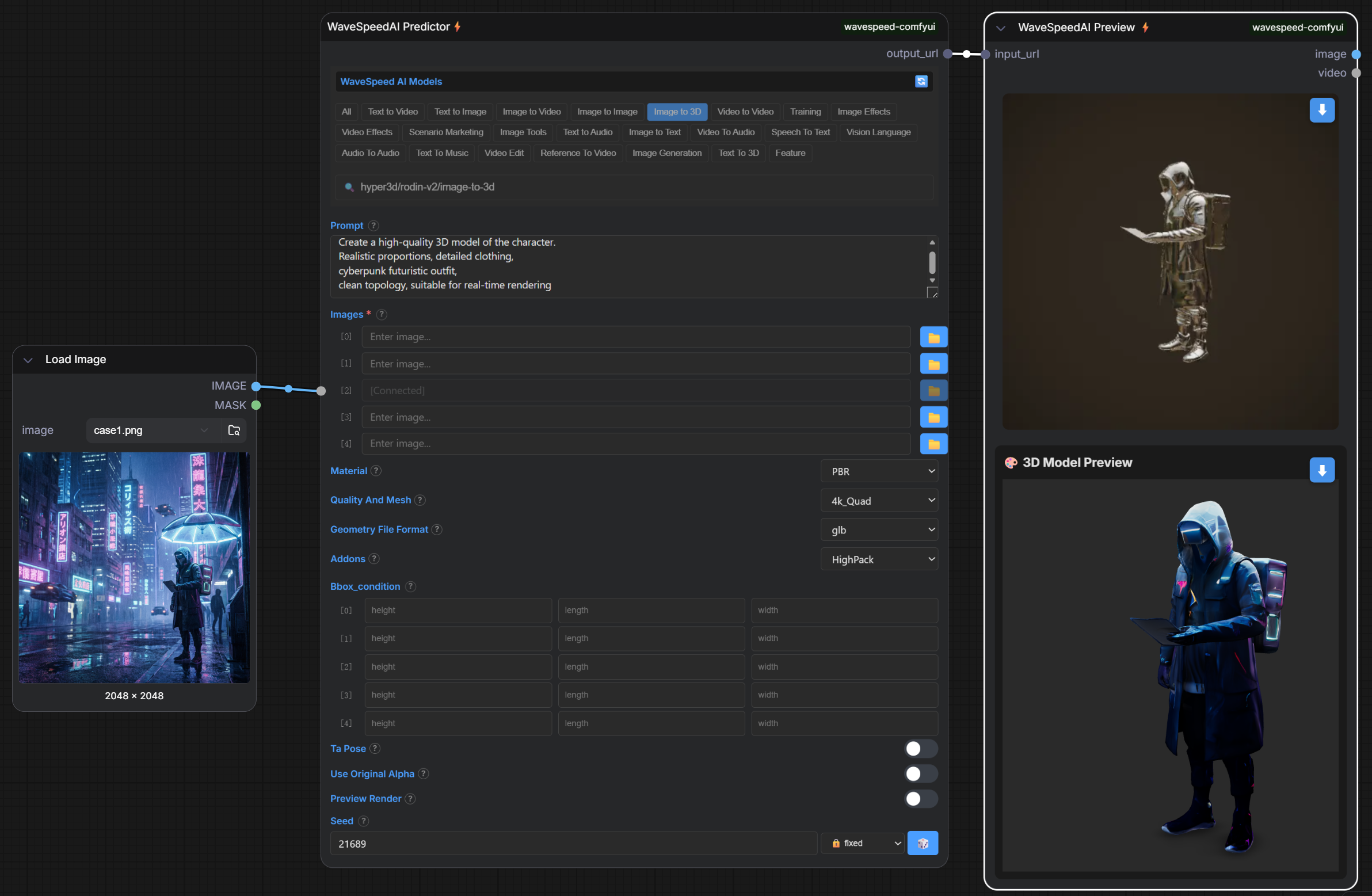
Use Case: Generate 3D models from 2D images
Models: Hunyuan 3D V2, etc.
Key Features:
Result:
📦 Download 3D Model (.glb) | 📥 Download Workflow JSON
🔗 Advanced ComfyUI Integration
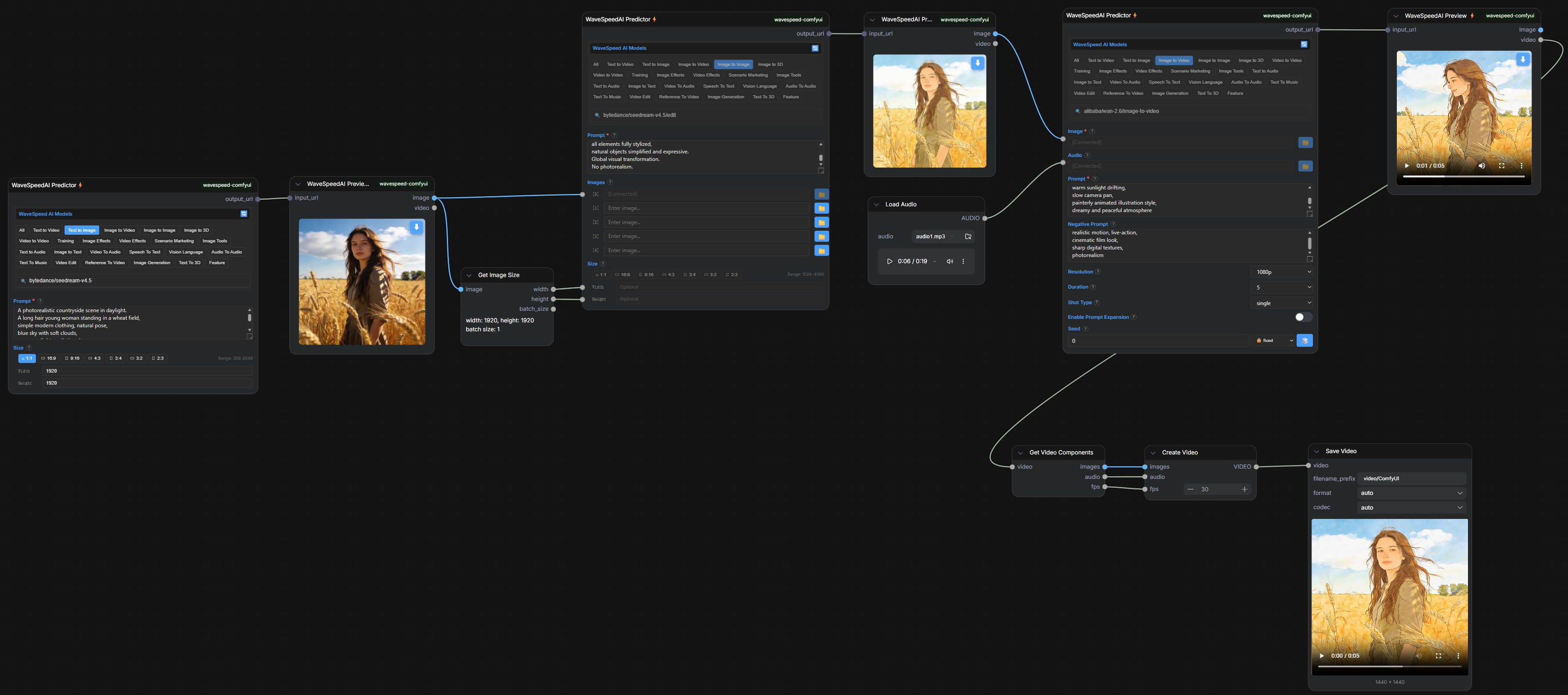
Use Case: Demonstrate seamless integration with ComfyUI native nodes and complex multi-stage pipelines
Workflow Highlights:
Pipeline Stages:
Stage 1: Text-to-Image (WaveSpeed Predictor #1)
Stage 2: Image-to-Image Enhancement (WaveSpeed Predictor #2)
Stage 3: Image-to-Video Animation (WaveSpeed Predictor #3)
Stage 4: Preview & Save (Native ComfyUI Nodes)
Key Integration Features:
✅ Tensor Compatibility
✅ Output Flexibility
✅ Workflow Persistence
✅ Native ComfyUI Features
Results:
Stage 1 & 2 Outputs (Text-to-Image → Image-to-Image):
 Stage 1: Generated Image |
WaveSpeedAI/wavespeed-comfyui is a public repo on GitHub by WaveSpeedAI. WaveSpeed nodes for ComfyUI — run hundreds of hosted image and video models (Seedream, Nano Banana, GPT Image, Seedance, Wan) inside your workflows.
It declares the MIT license on GitHub.
Its maker has not tagged a system, so it is unknown here. Its README says what it needs.
Open "Take it" on its page: Take My Repo writes an install plan for your machine and hands it to your AI agent (Claude Code, Codex or Cursor), which asks you before each step. Take My Repo has not tested it on any machine.
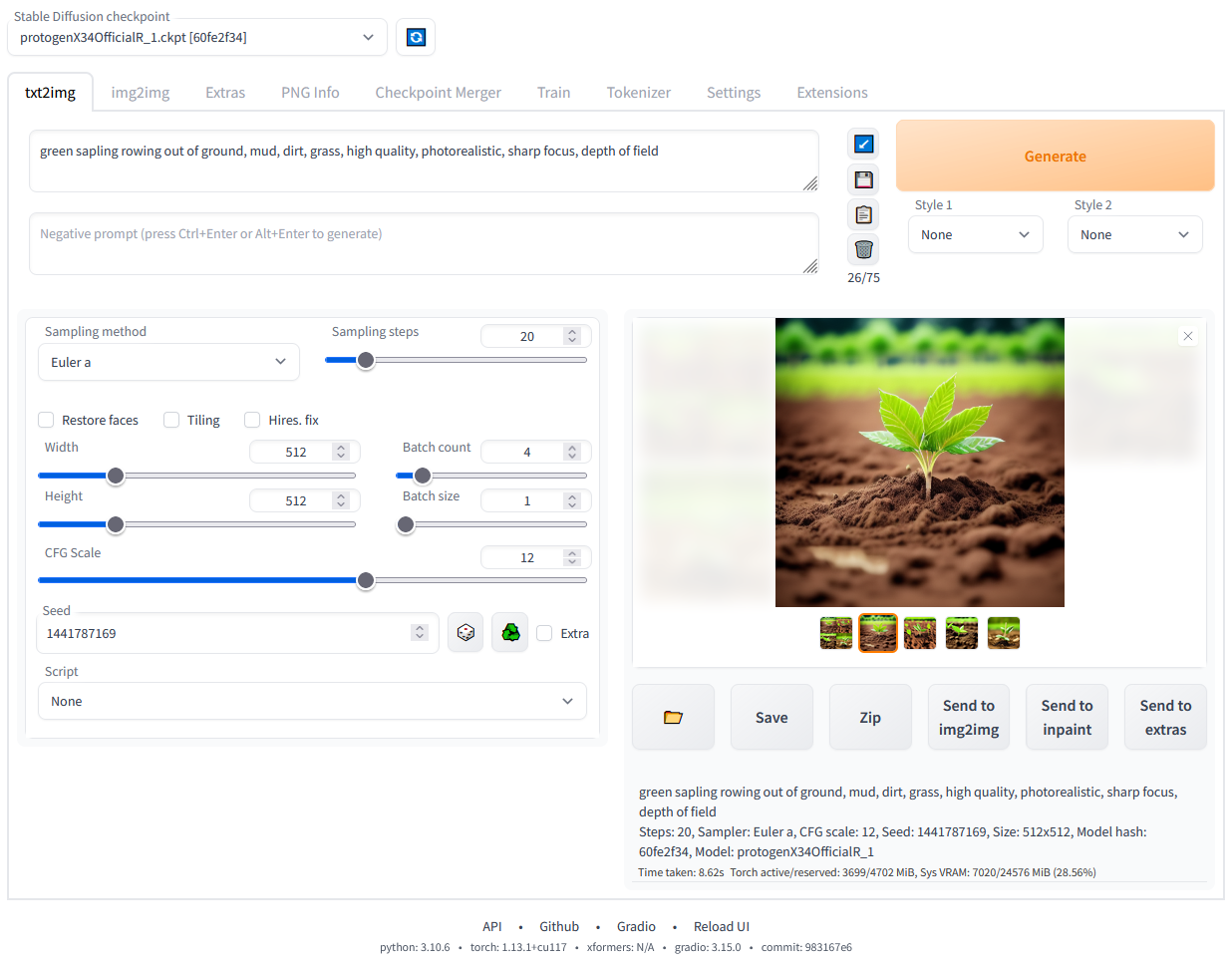
The most powerful and modular diffusion model GUI, api and backend with a graph/nodes interface. The fastest local inference engine in the world.
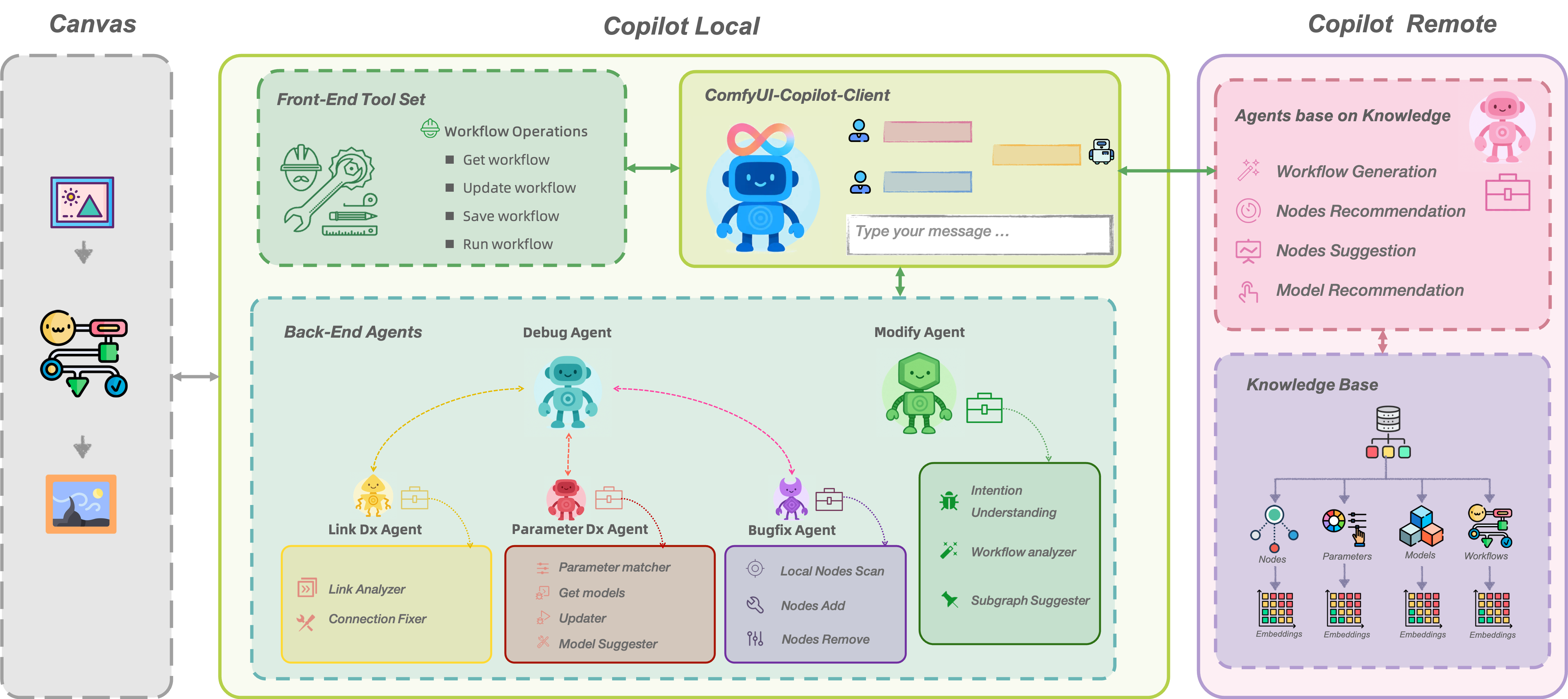
An AI-powered custom node for ComfyUI designed to enhance workflow automation and provide intelligent assistance
Prompt as Code | GPT Image 2 / 2.5 提示词与案例库,530+ 个案例、20+ 套工业级模板与可复用 Skills,新增 2.5 同提示词对比专区,附完整提示词与生成记录,持续更新。
🎬 Evidence-led Seedance 2.5 / 2.0 prompt library: 1000+ cases traced to original posts, 490+ cross-model retest runs, 27 copy-ready templates, 80+ installable AI-video Skills. Synced daily from goodcase.ai. EN / 中文 / 日本語.
Its last change on GitHub was on 2026-11-03. Take My Repo does not judge from that whether it is maintained.
Nobody has reviewed it on Take My Repo yet, which says nothing about its quality.
Take My Repo cannot say: it does not audit code and has not run wavespeed-comfyui. What is known comes from GitHub. It declares the MIT license on GitHub. Its last change was on 2026-11-03. It has 64 stars, which measure popularity, not safety. Nobody has reviewed it on Take My Repo yet, which says nothing about its quality. Read the source before you run it. With "Take it", your AI agent shows each step and asks you before running it; README text is treated as data, not as instructions.