
Memex
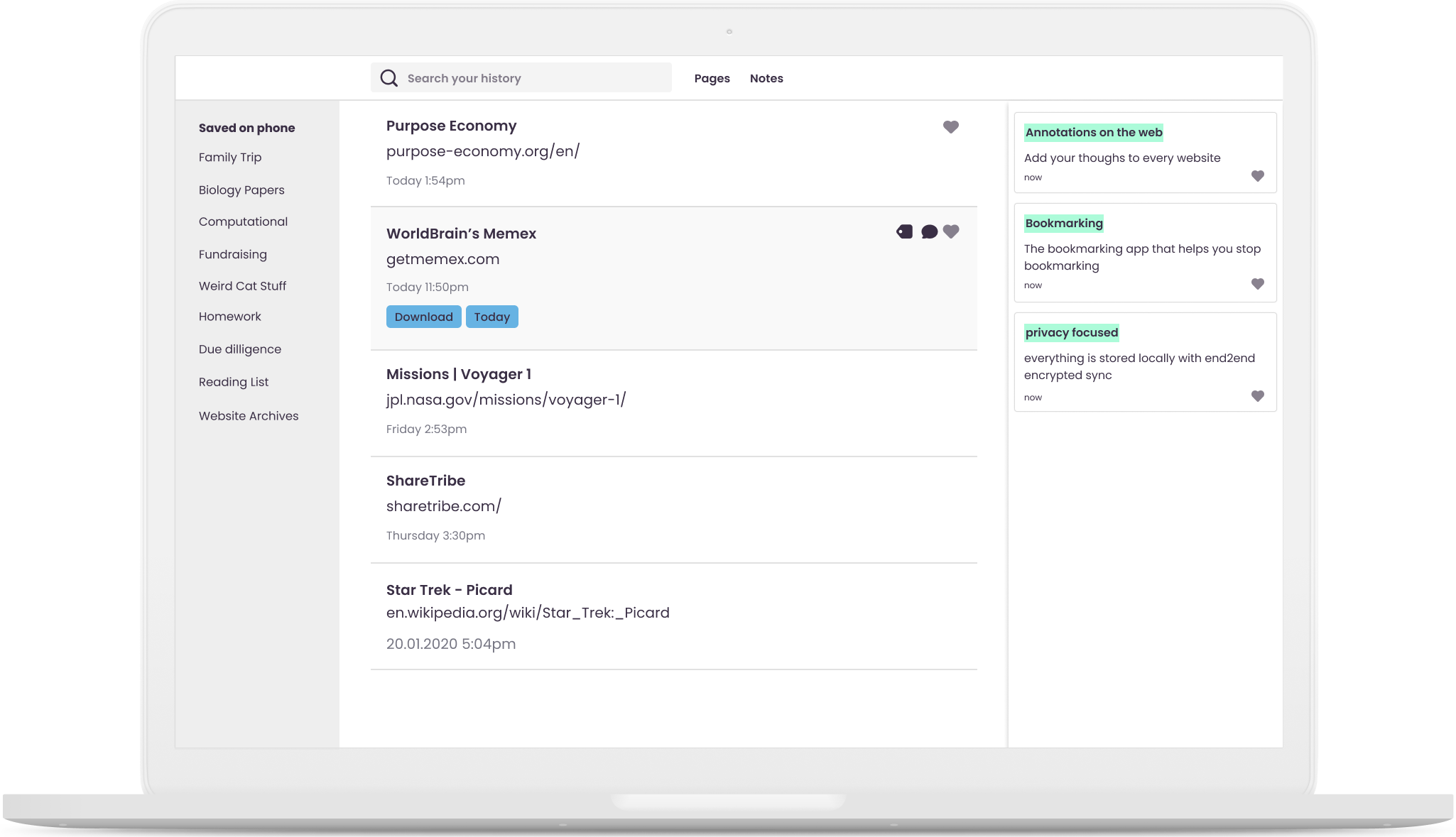
Browser extension to curate, annotate, and discuss the most valuable content and ideas on the web. As individuals, teams and communities.
- 4.7k
- TypeScript
- 12 mo ago
Prompt-discovered deterministic web and browser-extension UI testing with OpenHands and OpenCode
Repo WorldBrain/agentic-ui-testing, read from GitHub 1 d ago. WorldBrain has not joined Take My Repo.
WorldBrain/agentic-ui-testing is a public repo on GitHub by WorldBrain. Prompt-discovered deterministic web and browser-extension UI testing with OpenHands and OpenCode. It declares the MIT license on GitHub. It is written mainly in Python, has 3 stars and last changed on 2026-09-14. Nobody has reviewed it on Take My Repo yet, which says nothing about its quality. Read from GitHub on 2026-11-21.
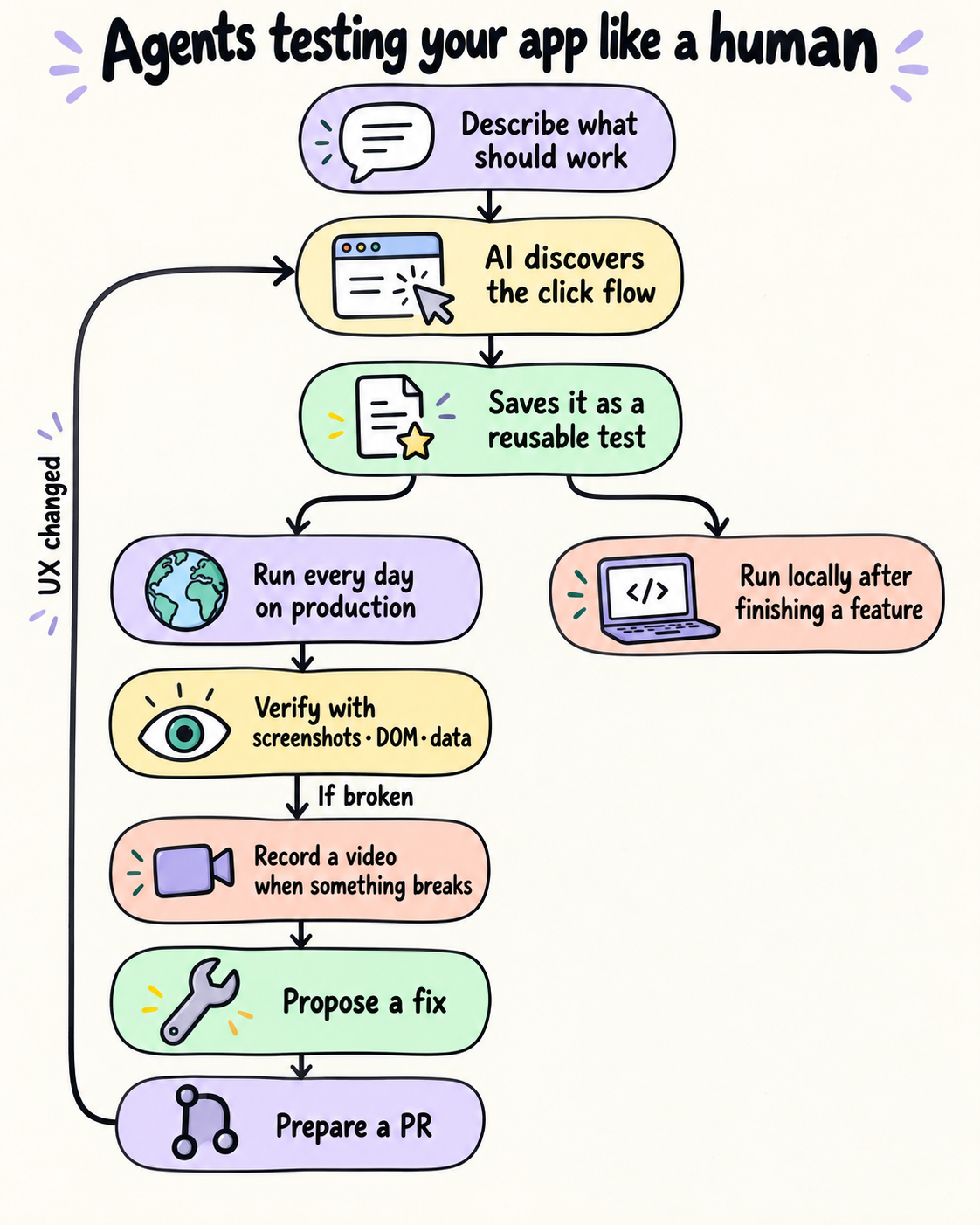
A share-once demo: describe a workflow, let an agent discover it in your real application, save a deterministic recipe, and replay it with screenshots and video. When a recipe fails, the agent can investigate the code, prepare a repair, and write a PR description. You can explicitly publish the repair as a draft PR.
prompt → OpenCode + OpenRouter → OpenHands browser → JSON recipe
JSON recipe → OpenHands replay → result.json + screenshots + continuous MP4
failure → OpenCode investigation → source repair + PR.md → optional draft PR
OpenHands owns Chromium inside the Linux container. OpenCode defaults to
openrouter/z-ai/glm-5.3-flash. Saved recipes replay without a model or an
OpenRouter key. Your coding agent adapts this demo to your project; application-
specific database checks and account provisioning are outside its scope.
Install Docker Desktop/Engine and Node.js 24+, then run from this folder:
npm link
agentic-ui build
agentic-ui run --workspace ./demo --recipe .agentic-ui/recipes/example-homepage.json
This checks the real public Example Domain page; no credentials are required.
Look in demo/.agentic-ui/artifacts/ for results, screenshots, and recording.mp4.
The first build downloads the browser and agent runtimes. The CLI defaults to
linux/arm64. To select an AMD/x86 image, set AGENTIC_UI_PLATFORM=linux/amd64
before build, discover, run, or repair. agentic-ui doctor shows the
selected platform.
Give your coding agent this prompt, replacing the path and workflow:
Read this package's README.md and AGENTS.md. Set up Agentic UI Testing for /absolute/path/to/my-project. Inspect its instructions and startup commands, initialize configuration, and help me supply missing credentials in .env.agentic-ui. Start the real application and check container connectivity. Discover a scenario for: [the user outcome I want to test]. Replay the saved recipe and show me its result and video. Configure relevant source validation for repair analysis. Preserve existing secrets and project changes. Do not publish a PR unless I ask.
To initialize manually:
agentic-ui init --workspace /absolute/path/to/my-project
Edit agentic-ui.config.json: set targetUrl, test-account variable names in
credentials ([] for public workflows), and source directories in repair.paths.
Set repair.prepareCommand and repair.validationCommand to project-specific
argv arrays, e.g. ["npm", "ci"] and ["npm", "test"], when appropriate.
Use http://host.docker.internal:3000 with the actual port for a host app, which
must accept Docker connections. Your project starts the app and its dependencies.
Create or edit the project's .env.agentic-ui, preserving existing files:
OPENROUTER_API_KEY=your-openrouter-key
TEST_EMAIL=your-dedicated-test-account
TEST_PASSWORD=your-test-account-password
Create a key at OpenRouter and fund that
account for discovery/repair. Only set account variables named in your config.
init adds a secret-file ignore entry. Shell variables take precedence, then the
project's .env.agentic-ui, then this package's .env.agentic-ui. Ordinary .env
files are not loaded. AGENTIC_UI_TARGET_URL overrides the configured URL.
Run agentic-ui doctor --workspace /absolute/path/to/my-project to check setup.
agentic-ui discover --workspace /absolute/path/to/my-project \
  --prompt "Log in with the configured account, open Settings, and verify the profile heading"
agentic-ui run --workspace /absolute/path/to/my-project \
  --recipe .agentic-ui/recipes/login-and-open-settings.json
Use the actual recipe filename reported by discovery. The agent explores the live
UI and saves recipes under .agentic-ui/recipes/; the controller independently
replays new recipes and records its verdict in verification.json.
Recipes support navigate, click, fill, press, wait_for, assert_text,
assert_url, and screenshot. Credentials use ${TEST_EMAIL} references rather
than values. Review and commit configuration, recipes, and generated ignore files.
Replay produces step results, screenshot checkpoints, failure evidence, and a
continuous MP4. browser.videoQuality: "quick" records 720p at 10 fps; "demo"
records 1080p at 60 fps with an 800 ms dwell between steps. Set
browser.recordVideo: false to disable recording.
For extensions, build an unpacked extension and set extensionPath to its
repository-relative directory containing manifest.json. It loads in OpenHands
during discovery/replay. Use a stable manifest key if your scenario requires a
stable extension ID. Profiles persist under .agentic-ui/profile/.
Repair starts from a clean Git checkout; commit config and recipes first:
agentic-ui repair --workspace /absolute/path/to/my-project \
  --failure .agentic-ui/artifacts/RUN_ID/result.json
The controller reproduces the failure. OpenCode investigates and may edit source
directly in your checkout. The controller checks changed paths and independently
runs repair.validationCommand. Under .agentic-ui/repairs/, inspect report.json,
PR.md, the transcript, and validation output. There is no automatic rollback.
The demo does not build/serve a repaired candidate: replaying the original URL
does not validate source edits. The PR description records that limitation.
Review the changes and description, then optionally publish:
gh auth login
gh auth setup-git
agentic-ui publish-pr --workspace /absolute/path/to/my-project \
  --report .agentic-ui/repairs/REPAIR_ID/report.json
Publication requires a product-defect repair, passing controller-run source
validation, and exactly the recorded changes and Git HEAD. It creates a branch,
commits, pushes to origin, and opens a draft PR. GitHub CLI needs repository
push and PR permissions. Remote jobs do not automatically publish.
Locally the CLI mounts your project into Docker. Remotely railway.json builds
the same Dockerfile; the worker clones your target GitHub repository and invokes
the same controller. Commit config and recipes to that target repository. Deploy
this demo repository as a one-shot Railway job, attach a volume at /data, and set:
GITHUB_REPOSITORY=owner/target-repository
AGENTIC_UI_JOB=run
AGENTIC_UI_RECIPE=.agentic-ui/recipes/login-and-open-settings.json
AGENTIC_UI_TARGET_URL=https://your-deployed-app.example
Add test-account variables required by the target config. Public repositories
need no token; private ones need GITHUB_TOKEN with repository Contents read
access. GITHUB_REF optionally selects a branch/tag. Discovery uses job discover,
AGENTIC_UI_PROMPT, and OPENROUTER_API_KEY. Repair uses job repair, the key,
AGENTIC_UI_FAILURE, and AGENTIC_UI_RESUME_RUN (the previous run's directory
name) to restore evidence. The target app must already be running and reachable.
Successful and failed jobs retain evidence under /data/runs/<id>/evidence.
Remote repairs also retain repair.patch and new files. Scheduling belongs to
the hosting platform. The local CLI defaults to linux/arm64, or uses the
architecture selected through AGENTIC_UI_PLATFORM; Railway selects its Linux
runtime architecture. Both run the same Dockerfile and controller. For closer
deployment parity across Apple Silicon and x86 machines, publish a multi-platform
image and set AGENTIC_UI_IMAGE to its immutable reference. Host Docker URLs are
local only.
Use trusted repositories and dedicated test accounts. The project is mounted writable; OpenCode permissions and post-run checks are advisory controls, not a sandbox for hostile code. Repair commands can read mounted files. The browser does not receive OpenRouter/GitHub keys, but credentials, browser sessions, videos, screenshots, and transcripts can contain sensitive data. Review artifacts before sharing; remove old evidence/profiles yourself.
This small demo defaults to Linux/arm64 containers locally, with Linux/amd64
available through AGENTIC_UI_PLATFORM. It uses live providers and has no hosted
dashboard, candidate deployment automation, or maintenance/support guarantee.
See AGENTS.md for instructions to preserve when adapting it.
WorldBrain/agentic-ui-testing is a public repo on GitHub by WorldBrain. Prompt-discovered deterministic web and browser-extension UI testing with OpenHands and OpenCode.
It declares the MIT license on GitHub.
Its maker has not tagged a system, so it is unknown here. Its README says what it needs.
Open "Take it" on its page: Take My Repo writes an install plan for your machine and hands it to your AI agent (Claude Code, Codex or Cursor), which asks you before each step. Take My Repo has not tested it on any machine.
Its last change on GitHub was on 2026-09-14. Take My Repo does not judge from that whether it is maintained.
Nobody has reviewed it on Take My Repo yet, which says nothing about its quality.
Browser extension to curate, annotate, and discuss the most valuable content and ideas on the web. As individuals, teams and communities.
WorldBrain's Chrome Extension to full-text search through your browser history & bookmarks.
Storex Core - A modular and portable database abstraction ecosystem for JavaScript
