holehe
holehe allows you to check if the mail is used on different sites like twitter, instagram and will retrieve information on sites with the forgotten password function.
- 16k
- Python
- GPL-3.0
- 2 y ago
X (Twitter) API Python SDK & scraper. A Tweepy & snscrape alternative for tweets. Not affiliated with X Corp.
Repo Xquik-dev/x-twitter-scraper-python, read from GitHub 12 min ago. Xquik-dev has not joined Take My Repo.
Xquik-dev/x-twitter-scraper-python is a public repo on GitHub by Xquik-dev. X (Twitter) API Python SDK & scraper. A Tweepy & snscrape alternative for tweets. Not affiliated with X Corp. It declares the Apache-2.0 license on GitHub. It is written mainly in Python, has 7 stars and last changed on 2026-11-24. Nobody has reviewed it on Take My Repo yet, which says nothing about its quality. Read from GitHub on 2026-11-25.
holehe allows you to check if the mail is used on different sites like twitter, instagram and will retrieve information on sites with the forgotten password function.
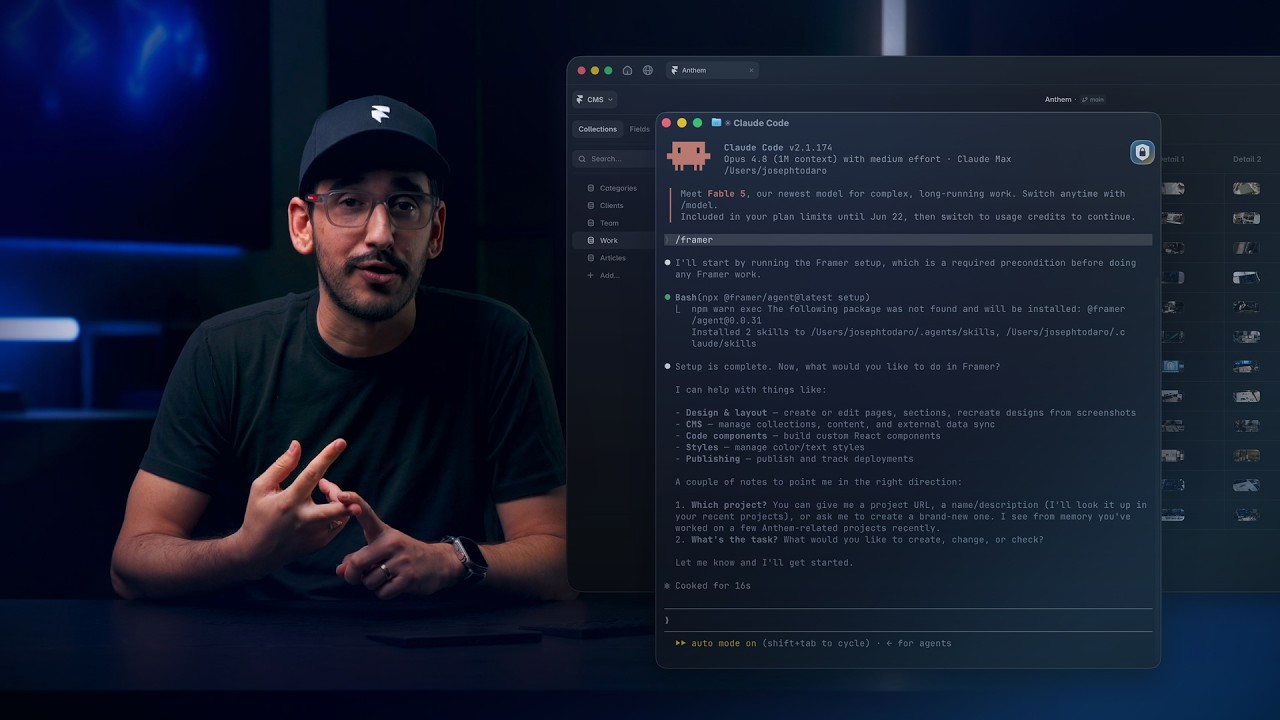
Watch Framer build a tweet ticker with Xquik, from 6:07.
This Python SDK calls the Xquik API.
Use this Twitter API Python SDK by Xquik to read tweets as Pydantic models. Sync & async clients share every method. Public reads need no X developer account.
Xquik is the world's fastest and cheapest X (Twitter) scraper service with the most complete X (Twitter) data. Most other Apify Actors charge before filtering or deduplication. Xquik charges only for delivered, unique, filter-matching results and never pads rows. Xquik is independent and not affiliated with X Corp.
The Xquik REST API read 45 tweets per second on 2026-10-15. That cost $0.15 per 1,000. The fastest of 4 rival Actors read 12.5 per second. The cheapest cost $0.173 per 1,000. Compare each run. Most rival Actors charge before they filter or dedup. Xquik charges only for delivered, unique, filter-matching results.
The SDK requires Python 3.10 or later.
pip install x_twitter_scraper
Set X_TWITTER_SCRAPER_API_KEY, then run this search.
import os
from x_twitter_scraper import XTwitterScraper

client = XTwitterScraper(
    api_key=os.environ.get("X_TWITTER_SCRAPER_API_KEY"),  # Optional. The client reads this variable.
)

response = client.x.tweets.search(
    q="from:elonmusk",
    limit=10,
)
for tweet in response.tweets:
    print(tweet.id, tweet.text)
Next, read the Python SDK guide, API map or REST reference.
Checked on 2026-11-13. See each number with its date & source on xquik.com/benchmarks or as JSON.
Tweepy calls the official X API, which needs a developer account & bearer token.
This SDK reads public X data with an Xquik API key.
This call replaces a Tweepy search_recent_tweets call.
# Tweepy: client.search_recent_tweets(query="from:NASA", max_results=10)
response = client.x.tweets.search(q="from:NASA", limit=10)
Code built on snscrape's TwitterSearchScraper maps to 1 SDK call.
The SDK takes the same X search operators & returns typed tweets.
# snscrape: TwitterSearchScraper("from:NASA since:2026-10-01").get_items()
response = client.x.tweets.search(q="from:NASA since:2026-10-01", limit=25)
for tweet in response.tweets:
    print(tweet.id, tweet.text)
| Task | REST route | Usage |
|---|---|---|
| Search tweets without the X API | GET /x/tweets/search |
Use keyword or advanced operator queries. |
| Read an X profile timeline | GET /x/users/{id}/tweets |
Pass the cursor to read the next page. |
| Scrape Twitter followers | GET /x/users/{id}/followers |
Use an extraction for complete datasets. |
| Scrape following accounts | GET /x/users/{id}/following |
Use an extraction for complete datasets. |
| Read a home timeline | GET /x/timeline |
Connect an X account first. |
| Export large X datasets | POST /extractions |
Poll status, then download results. |
| Run giveaway draws | POST /draws |
Pick winners from post replies. |
| Download or upload media | /x/media/* |
Use typed file helpers. |
| Monitor an account | POST /monitors |
Deliver events through HMAC webhooks. |
| Post or reply | POST /x/tweets |
Confirm the account and payload. |
Use the typed REST SDK in application code. Add https://xquik.com/mcp to MCP clients.
Follow the MCP guide for current authentication support.
Import AsyncXTwitterScraper and await each API call.
import os
import asyncio
from x_twitter_scraper import AsyncXTwitterScraper

client = AsyncXTwitterScraper(
    api_key=os.environ.get("X_TWITTER_SCRAPER_API_KEY"),  # Optional. The client reads this variable.
)


async def main() -> None:
    response = await client.x.tweets.search(
        q="from:elonmusk",
        limit=10,
    )


asyncio.run(main())
Both clients expose the same resources and methods.
The async client uses httpx. Install aiohttp for an alternative backend.
pip install x_twitter_scraper[aiohttp]
Select it with http_client=DefaultAioHttpClient().
import os
import asyncio
from x_twitter_scraper import DefaultAioHttpClient
from x_twitter_scraper import AsyncXTwitterScraper


async def main() -> None:
    async with AsyncXTwitterScraper(
        api_key=os.environ.get("X_TWITTER_SCRAPER_API_KEY"),  # Optional. The client reads this variable.
        http_client=DefaultAioHttpClient(),
    ) as client:
        response = await client.x.tweets.search(
            q="from:elonmusk",
            limit=10,
        )


asyncio.run(main())
Nested request parameters use TypedDicts. Responses use Pydantic models with these helpers.
model.to_json().model.to_dict().Set python.analysis.typeCheckingMode to basic in VS Code to catch type errors.
Pass uploads as bytes, a PathLike, or (filename, contents, media_type).
import httpx
from x_twitter_scraper import XTwitterScraper

client = XTwitterScraper()

image = httpx.get("https://xquik.com/logo.png").content

client.x.media.upload(
    account="@elonmusk",
    file=("logo.png", image, "image/png"),
    idempotency_key="upload-2026-10-15",
)
The async client uses the same interface and reads PathLike content asynchronously.
Connection failures raise an APIConnectionError subclass.
Non-2xx responses raise an APIStatusError subclass with status_code and response.
Every SDK error inherits from APIError.
import x_twitter_scraper
from x_twitter_scraper import XTwitterScraper

client = XTwitterScraper()

try:
    client.x.tweets.search(
        q="from:elonmusk",
        limit=10,
    )
except x_twitter_scraper.APIConnectionError as e:
    print("Could not reach the server. Check the connection.")
    print(e.__cause__)  # Underlying httpx exception.
except x_twitter_scraper.RateLimitError as e:
    print("Rate limited. Retry later.")
except x_twitter_scraper.APIStatusError as e:
    print("Server returned a non-2xx status.")
    print(e.status_code)
    print(e.response)
The SDK uses these error classes.
| Status code | Error type |
|---|---|
| 400 | BadRequestError |
| 401 | AuthenticationError |
| 403 | PermissionDeniedError |
| 404 | NotFoundError |
| 409 | ConflictError |
| 422 | UnprocessableEntityError |
| 429 | RateLimitError |
| >=500 | InternalServerError |
| N/A | APIConnectionError |
The SDK retries connection errors and HTTP 408, 409, 429, and 5xx responses. It uses exponential backoff and attempts 2 retries by default.
Set max_retries to change or disable retries.
Set it on the client, or on 1 request through with_options.
from x_twitter_scraper import XTwitterScraper

client = XTwitterScraper(
    max_retries=0,
)

client.with_options(max_retries=5).x.tweets.search(
    q="from:elonmusk",
    limit=10,
)
Requests time out after 80 seconds, and connections after 5 seconds.
Set a float or httpx.Timeout through timeout.
Set it on the client, or on 1 request through with_options.
import httpx
from x_twitter_scraper import XTwitterScraper

client = XTwitterScraper(
    timeout=20.0,
)

client = XTwitterScraper(
    timeout=httpx.Timeout(60.0, read=5.0, write=10.0, connect=2.0),
)

client.with_options(timeout=5.0).x.tweets.search(
    q="from:elonmusk",
    limit=10,
)
Timeouts raise APITimeoutError.
Timed-out requests follow the default retry policy.
The SDK uses Python's logging module.
Set X_TWITTER_SCRAPER_LOG to info to enable logs.
export X_TWITTER_SCRAPER_LOG=info
Use debug for request and response details.
None, null & missing fieldsBoth missing and explicit null response fields map to None.
Check .model_fields_set to distinguish them.
response = client.x.tweets.search(q="from:NASA", limit=1)
tweet = response.tweets[0]

if tweet.community_note is None:
    if "community_note" not in tweet.model_fields_set:
        print('The response omitted "community_note".')
    else:
        print('The response set "community_note" to null.')
Prefix a method with .with_raw_response. to access the raw response.
from x_twitter_scraper import XTwitterScraper

client = XTwitterScraper()
response = client.x.tweets.with_raw_response.search(
    q="from:elonmusk",
    limit=10,
)
print(response.headers.get("X-My-Header"))

tweet = response.parse()  # Parse the regular x.tweets.search() result.
print(tweet.has_next_page)
Sync methods return APIResponse.
Async methods return AsyncAPIResponse with awaitable content readers.
.with_streaming_responseThe raw-response interface reads the complete body when you make the request.
Use .with_streaming_response and a context manager to read it on demand.
Call .read(), .text(), .json(), an iterator, or .parse().
The async client provides async versions of these methods.
with client.x.tweets.with_streaming_response.search(
    q="from:elonmusk",
    limit=10,
) as response:
    print(response.headers.get("X-My-Header"))

    for line in response.iter_lines():
        print(line)
The context manager always closes the response.
The SDK types every documented endpoint, parameter, and response property. Use its lower-level methods for undocumented API features.
Use client.get, client.post, or another HTTP method for undocumented endpoints.
Client options, including retries, apply to these requests.
import httpx

response = client.get(
    "/x/tweets/search",
    cast_to=httpx.Response,
    options={"params": {"q": "from:NASA", "limit": 1}},
)

print(response.headers.get("content-type"))
Pass extra values through extra_query, extra_body, or extra_headers.
Read an extra field through response.unknown_prop.
Use response.model_extra to get every extra field as a dictionary.
Replace the httpx client to configure these options.
Xquik-dev/x-twitter-scraper-python is a public repo on GitHub by Xquik-dev. X (Twitter) API Python SDK & scraper. A Tweepy & snscrape alternative for tweets. Not affiliated with X Corp.
It declares the Apache-2.0 license on GitHub.
Its maker has not tagged a system, so it is unknown here. Its README says what it needs.
A Python library for building AI agents that leverage the full power of Google Antigravity.
Twitter API Scraper | Without an API key | Twitter Internal API | Free | Twitter scraper | Twitter Bot
Give your AI agent eyes to see the entire internet. Read & search Twitter, Reddit, YouTube, GitHub, Bilibili, XiaoHongShu — one CLI, zero API fees.
Agent-native flight & hotel search and booking — MCP server, CLI, and Python/JS SDKs. Every airline in the world, major booking sites and OTAs, with per-flight reliability history.
Open "Take it" on its page: Take My Repo writes an install plan for your machine and hands it to your AI agent (Claude Code, Codex or Cursor), which asks you before each step. Take My Repo has not tested it on any machine.
Its last change on GitHub was on 2026-11-24. GitHub counts 4 open issues and pull requests. Take My Repo does not judge from that whether it is maintained.
Nobody has reviewed it on Take My Repo yet, which says nothing about its quality.
Take My Repo cannot say: it does not audit code and has not run x-twitter-scraper-python. What is known comes from GitHub. It declares the Apache-2.0 license on GitHub. Its last change was on 2026-11-24. It has 7 stars, which measure popularity, not safety. Nobody has reviewed it on Take My Repo yet, which says nothing about its quality. Read the source before you run it. With "Take it", your AI agent shows each step and asks you before running it; README text is treated as data, not as instructions.