
monolith
⬛️ GUI/CLI tool and library for saving complete web pages as a single HTML file
- 16k
- Rust
- 0BSD
- 10 d ago
Automaton-based placeholders and typing help for web forms
Repo Y2Z/formaton, read from GitHub 18 h ago. Y2Z has not joined Take My Repo.
Y2Z/formaton is a public repo on GitHub by Y2Z. Automaton-based placeholders and typing help for web forms. It declares the 0BSD license on GitHub. It is written mainly in TypeScript, has 0 stars and last changed on 2026-11-13. Nobody has reviewed it on Take My Repo yet, which says nothing about its quality. Read from GitHub on 2026-11-22.
In the maintainer's words. Shown from GitHub; Take My Repo does not keep a copy.
Placeholders and typing help derived from the HTML pattern attribute.
You write one regular expression in pattern="…". The browser already uses it
to validate the field. formaton reads the same pattern and works out what the user
can type next. It can then:
(212 becomes (212) for
\(\d{3}\) \d{3}-\d{4}2125551234 becomes (212) 555-1234abcd becomes ABCD for
[A-Z]{4}(___) ___-____, or a sample value such as
(000) 000-0000, including ghost text after a partial value: (212) ___-____maxlength<input pattern="\(\d{3}\) \d{3}-\d{4}">
<input type="email">
<input type="number" min="1" max="12">
<script type="module">
import { attachAll } from 'formaton';
attachAll(document, {
autoAdvance: true, // "press Tab" once a field is filled
onComplete: (value, field) => field.element.classList.add('valid'),
onFilled: (value, field) => console.log('done', value, field.rawValue),
onReject: (text, field) => console.log('does not fit:', text),
});
</script>
attach(element, options) does the same for one <input> or <textarea>
and returns a binding (attachAll(root, options) returns all the bindings that
do something). The pattern comes from options.pattern, then the pattern
attribute, then the type:
| Field | What formaton does |
|---|---|
any text-like input with a pattern (text, tel, search, url, password), <textarea> with options.pattern |
full typing help: separators, case, paste, backspace, editing in the middle |
type="email" |
the email grammar from the HTML standard, as a pattern; never "filled", since an address can always grow |
type="number" with integer min/max (and step 1) |
characters the range never uses (-, e, ., letters) are stopped before they get in; digits that cannot lead to a number in range are reverted; "filled" once no further digit fits (with max="12", after 2 or 12, not after 1) |
date, month, week, time, datetime-local |
the browser's own widget does the typing; formaton only reports "filled" (not while a year is half typed). Chrome turns segments left at 00 into 01 on blur (01/01/0001 is a valid date), so give the field a min |
| anything else | nothing (binding.kind === 'none') |
Options:
onComplete(value, binding): the value has become valid. 123 for a
CVV of \d{3,4}, 12345 for \d{5}(-\d{4})?. More may still follow,
so focus stays.onFilled(value, binding): the value is valid and nothing more can be
typed. A full phone number counts, and so does a 4-digit CVV; five digits
of a ZIP code do not, because -1234 may follow. This is when
autoAdvance moves on.onReject(text, binding): typed or pasted text that does not fit. This
includes typing past the end. The text is not inserted.autoAdvance: move focus to the next field in tab order once filled.
If formaton itself typed the last characters (the M of 9:30PM after you
typed p), the same keys typed right after (within 1.5 s) are dropped
instead of landing in the next field. This
only happens if the caret is at the end, so finishing an edit in the middle
does not jump away. Scripts cannot press Tab, so focusNext(element) does
what Tab would: it follows tabindex, and skips hidden, disabled and inert
elements and the extra buttons of a radio group. It is exported too.editMode: what typing in the middle of a value does to the characters
after the caret. overwrite replaces them one by one, shift moves them
along (what no longer fits is lost), truncate clears them. The default,
auto, shifts while the field still has room and overwrites once it is
filled. Deleting always pulls the rest back, except with truncate.1QWS1-1 becomes 1QWS1-, the next Backspace gives
1QWS. Optional ones (the - of a ZIP+4 code) are the user's to type or
delete like any other character.onFilled (and autoAdvance) fire again when the user re-types the last
character of a filled value, so correcting a field moves on just like
filling it did.animate (default true): characters formaton adds at the end are typed out
one by one, 15 ms each and at most 200 ms in all, so the user sees them
arrive. A number sets the milliseconds per character; false turns it off.
It is off when the user prefers reduced motion. Any key, click or paste
finishes it at once, so typing on never waits.prefix (default true): on focus, fill in what every value starts with
(+1 (), keep it while focused, and clear it on blur if nothing else was
typed.placeholder ('auto' | 'mask' | 'example' | false): with 'auto',
a mask such as (___) ___-____ is set when the field has no placeholder and
every value has that shape: fixed length, with fixed characters to show.
For lengths that vary (card numbers of several brands, IP addresses) a mask
would mislead, so none is set. maskChar changes the _.maxLength (default false): set maxlength from the pattern. It is off
because formaton enforces the length itself, and at maxlength browsers
swallow keystrokes (so onReject cannot fire) and truncate pastes before
formaton can reformat them.Every option can also be set per field in the HTML, with data-formaton-*
attributes that win over the options passed in: data-formaton-prefix="false",
data-formaton-animate="30", data-formaton-auto-advance,
data-formaton-edit-mode="shift", data-formaton-placeholder="mask",
data-formaton-mask-char="#", data-formaton-max-length, data-formaton-pattern. Or
pass attachAll a function that returns each element's options:
attachAll(form, (el) => ({ autoAdvance: true, prefix: !el.matches('.pasted') }));
For example, crypto addresses are nearly always pasted, and a field that
already shows bc1 on focus can confuse people:
<input pattern="bc1[ac-hj-np-z02-9]{11,71}" data-formaton-prefix="false">
The field stays empty on focus; typing q still gives bc1q, and pasting a
full address works either way.
A binding has element, formaton (the compiled pattern), kind, complete,
filled,
a read/write rawValue (2125551234), and detach().
Notes:
element.value itself. That does not fire input events, and
in Chrome it clears the field's undo history. Frameworks that keep their
own copy of the value (React's controlled inputs) need to read it back in
onFilled or on change.(212 gives (212) , 2012 gives 2012-, Ja
gives January when a year must follow.- after 2012 (which became 2012-), ) or ) after (212, +1 (
after focusing a field that starts with it. A second -, or a 1 after
+1 ( (area codes cannot start with 1), is rejected like any misfit.
Moving the caret ends that chance. Separators ahead of the caret are
stepped over (12|:54 plus :).type="email" fields have no caret API, and setting their value moves the
caret to the end. formaton turns the field into a text field for an instant to
put the caret back.import { compile } from 'formaton';
const phone = compile(String.raw`\(\d{3}\) \d{3}-\d{4}`);
phone.prefix(); // "("
phone.forced('(212'); // ") "
phone.fix('2125551234').value; // "(212) 555-1234"
phone.trimForced('(212) '); // "(212"
phone.example({ mask: '_' }); // "(___) ___-____"
phone.mask('212'); // "(212) ___-____"
phone.mask('(212) 5'); // "(212) 5__-____"
phone.test('(212) 555-1234'); // true
phone.maxLength(); // 14
phone.unformat('(212) 555-1234'); // "2125551234"
phone.format('2125551234').value; // "(212) 555-1234"
phone.minValueLength(); // 10
phone.maxValueLength(); // 10
compile(pattern, { mode }) returns a Formaton. mode is 'v', 'u' or
'auto' (default). Browsers compile pattern with the v flag, and auto
does the same wherever the JS engine supports it. An invalid pattern throws
FormatonSyntaxError. A valid pattern that an automaton cannot model throws
FormatonUnsupportedError; leave such fields unassisted.
All matching is full-string, as in the browser: ^(?:pattern)$.
| Method | Returns |
|---|---|
test(value) |
true if value matches |
isPrefix(value) |
true if value can still be completed into a match |
allowedNext(value) |
CharSet of possible next characters, or null at a dead end |
forced(value) |
the characters that must come next (stops once value is a complete match) |
prefix() |
forced(''): what every match starts with |
fix(value, { caseFix, insertForced, drop }) |
{ value, ok, complete, rejected }; value is always a viable prefix |
trimForced(value) |
value without trailing characters the pattern would insert by itself |
example({ value, length, mask, random }) |
a matching string, or null if none exists |
mask(value, { char, length }) |
example() with mask: '_': (212) ___-____ |
autoChars(value) |
per character: would formaton have inserted it by itself? |
unformat(value, from?) |
the raw value: only the characters the user chose, e.g. 2125551234 |
format(raw) |
{ value, ok, complete }: the inverse of unformat(), strict about its input |
minLength(), maxLength() |
lengths in UTF-16 code units (as maxlength counts them); Infinity if unbounded |
minValueLength(), maxValueLength() |
the same for the raw value: 10 and 10 for a US phone number |
integerRangePattern(lo, hi) |
(function) a pattern for the integers lo..hi, as used for type="number" |
fix() options all default to on, except drop:
caseFix flips a letter's case if only the other case is allowed.insertForced adds separators the user skipped.drop skips characters that cannot be placed. Without it, fix() stops at
the first such character and reports ok: false.A character is forced where the pattern allows exactly one character at that
position. forced() stops once the value is a complete match, so a ZIP code
does not grow a - after five digits. unformat(), format() and fix()
look past that point: 12345-6789 unformats to 123456789, and both
format('123456789') and fix('123456789') give back 12345-6789.
fix() needs no hint about whether its input is raw or formatted. It weighs
every reading (each character typed as is, with its case flipped, or after
inserted single-choice characters) and keeps the one that fits the most input,
preferring complete matches and then the fewest changes. For \+1 \d{10},
12125551234 becomes +1 2125551234 (country code typed), while 1212555123
becomes +1 1212555123. format() is the strict, exact inverse of
unformat(), for raw values you stored yourself. If a pattern ends in an optional forced character, like
the - of \d{3}-?, the raw value cannot record whether it was there, and
format() leaves it out.
example() options:
value is completed instead of starting empty. It goes through fix()
like anything typed or pasted, so raw (212), formatted ((212) and
half-formatted input all work, and whatever does not fit is rejected.length: 'max' produces the longest match. It falls back to the shortest
when the pattern is unbounded.mask replaces every character the user would have to choose.random supplies a random-number function for varied sample values.Everything an automaton can model:
\d \w \s, \x41, A, \u{1F600}, \cJ, …)., classes and negated classesv-mode nested classes, &&, -- and \q{…}\p{…} / \P{…}: Unicode properties, resolved through the JS engine, so no
tables are bundled^ and $Not supported: backreferences, lookahead and lookbehind, \b / \B, modifier
groups (?i:…), and properties of strings (\p{RGI_Emoji}).
With Docker (or podman), no Node.js needed on the host:
make serve          # demo at http://localhost:8080/demo/
make test           # engine tests
make test-browser   # DOM binding, typed into real Chromium
make build          # compile to dist/
make pack           # build formaton-<version>.tgz, as it would go to npm
make help           # everything else
The image keeps its node_modules outside the source tree, which is mounted
into the container, so your checkout stays clean apart from dist/ (and the
.tgz from make pack). make update-lock-file writes package-lock.json.
With Node.js 22 or later installed, the same tasks are npm scripts:
npm test               # builds with tsc, then runs the engine tests (node:test)
npm run test:browser   # needs Playwright's Chromium: npx playwright install chromium
npm run demo           # http://127.0.0.1:8080/demo/
0BSD
Y2Z/formaton is a public repo on GitHub by Y2Z. Automaton-based placeholders and typing help for web forms.
It declares the 0BSD license on GitHub.
Its maker has not tagged a system, so it is unknown here. Its README says what it needs.
Open "Take it" on its page: Take My Repo writes an install plan for your machine and hands it to your AI agent (Claude Code, Codex or Cursor), which asks you before each step. Take My Repo has not tested it on any machine.
Its last change on GitHub was on 2026-11-13. Take My Repo does not judge from that whether it is maintained.
Nobody has reviewed it on Take My Repo yet, which says nothing about its quality.
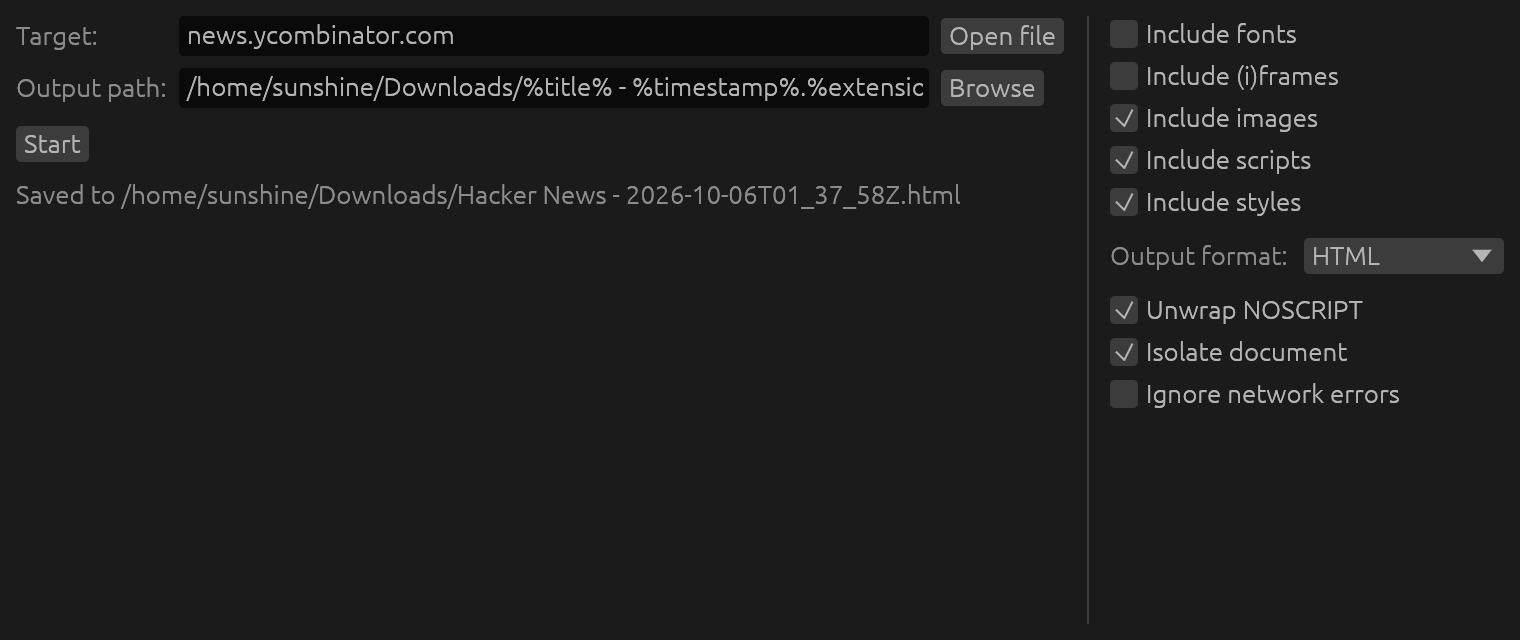
⬛️ GUI/CLI tool and library for saving complete web pages as a single HTML file
🔲 Display (animated) QR Codes straight in your terminal
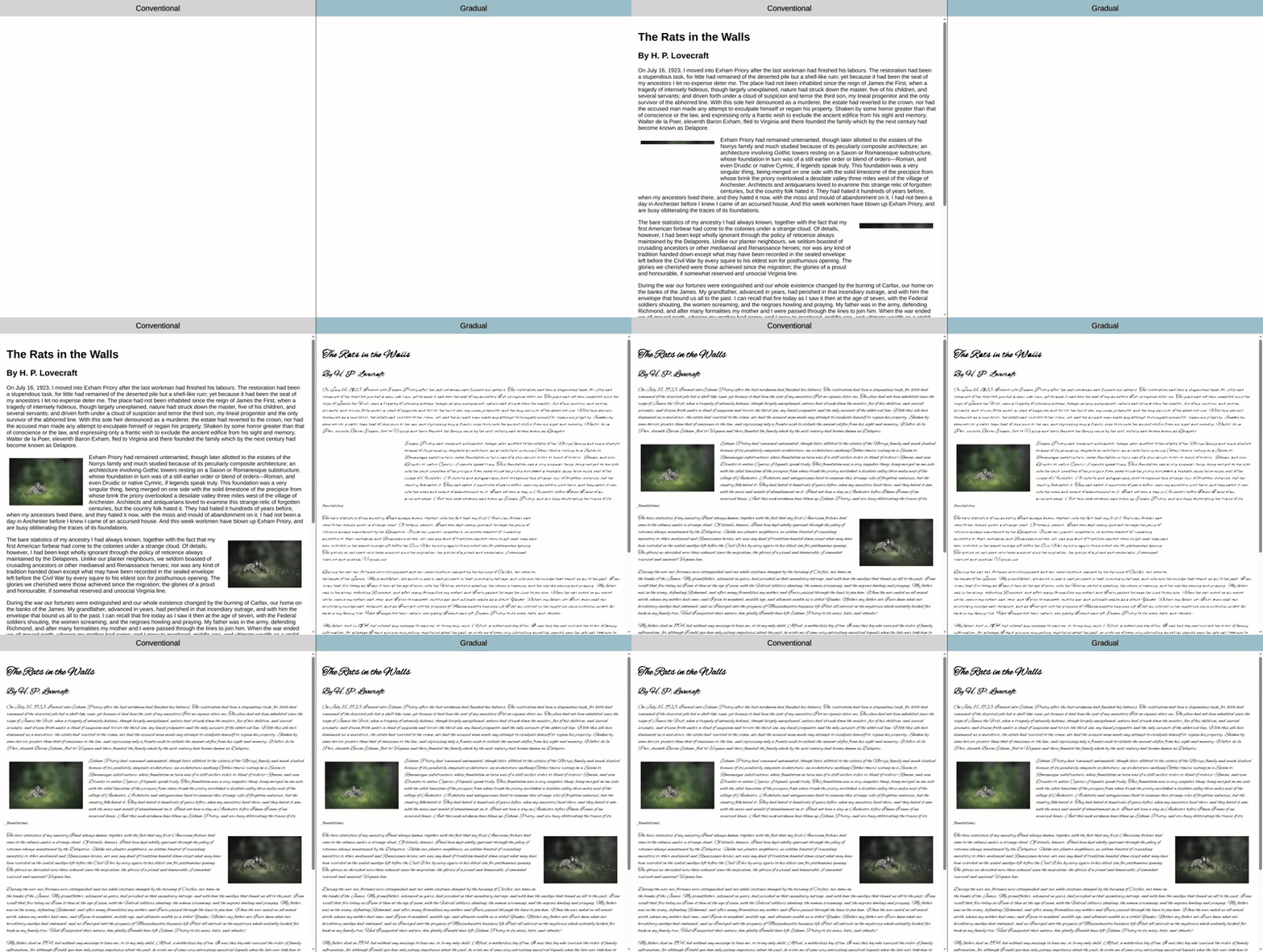
㊙️ Gradually loading web fonts PostCSS plugin that eliminates FOUT
CLI tool for retrieving internet domain and certificate information
This page is also available as structured data, with the same sources and dates.
Take My Repo has not tested this on your machine. Requirements come from the project's own documentation.
