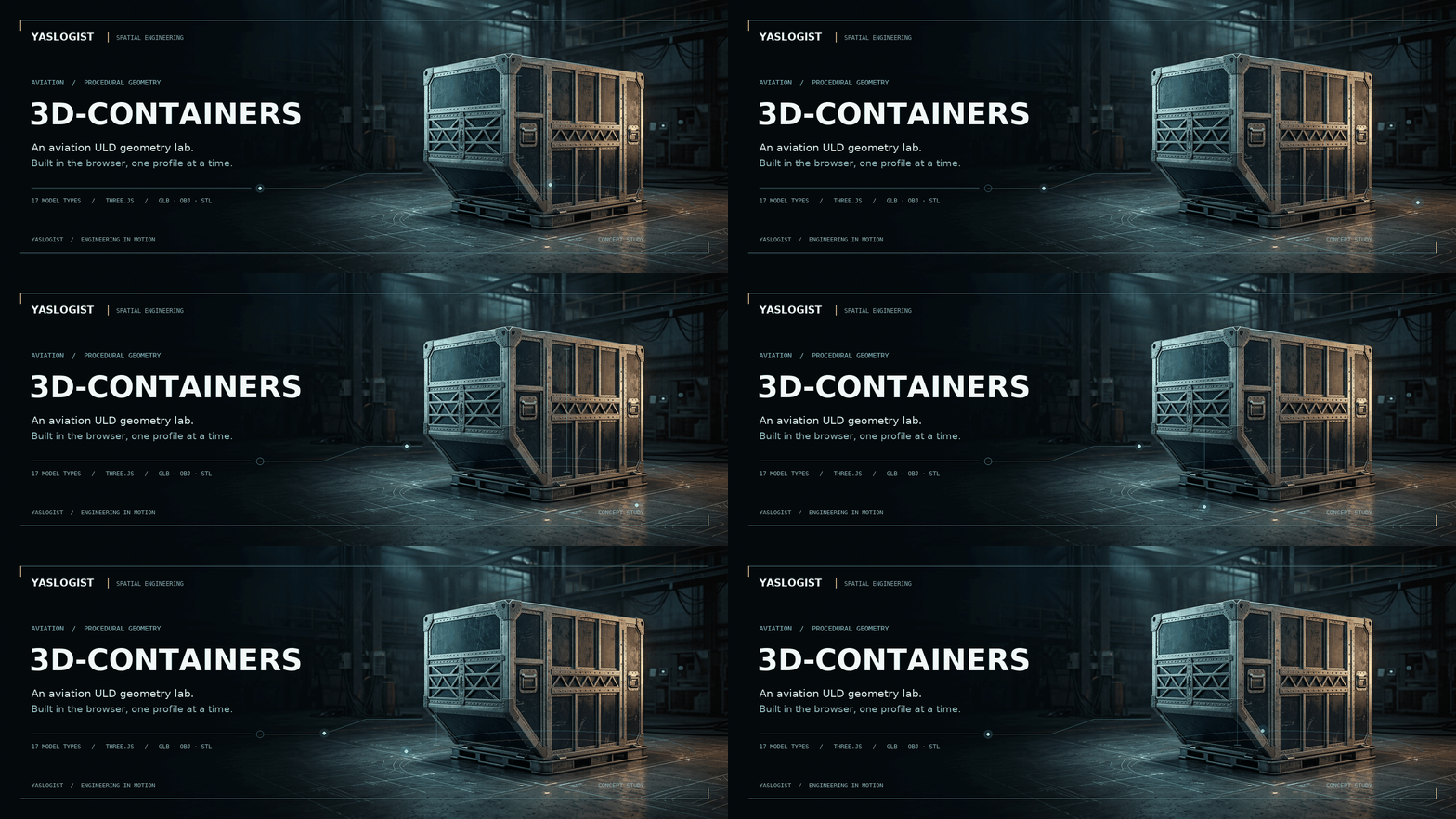

3D-Containers
The maintainer has not written a description at the source.
- 2
- 3 h ago
Repo YASLOGIST/3D-Containers, read from GitHub 1 min ago. YASLOGIST has not joined Take My Repo.
In short
YASLOGIST/3D-Containers is a public repo on GitHub by YASLOGIST. It declares no license on GitHub. Public does not mean open source: without a license, nobody is granted the right to reuse it. It is written mainly in TypeScript, has 2 stars and last changed on 2026-11-23. Nobody has reviewed it on Take My Repo yet, which says nothing about its quality. Read from GitHub on 2026-11-24.

ULD360
Procedural aviation ULD geometry, built and explored in the browser.
A creative engineering project by YASLOGIST.
The system · The fleet · Architecture · Quick start · Engineering notes
View the static hero poster · The hero is a conceptual illustration, not a dimensional rendering.01 / The system
ULD360 is an interactive laboratory for exploring aviation unit load devices (ULDs). It generates container and pallet geometry in the browser with TypeScript and Three.js rather than loading pre-made 3D models. React provides the workbench controls; procedural Canvas textures supply finishes, placards and simulated controller displays.
| Explore | Inspect | Take away |
|---|---|---|
| Switch between 17 modeled ULD types; adjust finishes, doors, details and model-specific options. | Orbit, compare envelopes, cut sections, measure points and inspect dimensions or assemblies. | Export GLB, OBJ or STL meshes, save a viewport PNG, inspect source, or share viewer settings by URL. |
Engineering boundary — This is a visualization and estimation tool, not a certified loading, fit or airworthiness system. Model dimensions, contours and ratings are registry values or approximations; verify against current manufacturer, airline and aircraft documentation before operational use. The hero is artwork, not one of the application's generated models.
02 / The fleet
The model registry binds metadata and controls to each generator. Three families have dedicated generators, eleven use the shared profile engine, and three use the shared pallet engine.
| Generator path | Modeled types | Approach |
|---|---|---|
| Dedicated | AKE, RKN, RAP | Contoured lower-deck container and two refrigerated-container representations. |
| Shared profile | AKC, DPE, DQF, AQP, AKH, ALF, ALP, AAP, AMA, AMD, AGA | Extruded section profiles with family-specific metadata and geometry. |
| Shared pallet | PAG, PMC, PGA | Parameterized pallet bases and cargo-load contours. |
Reference dimensions and ratings in the model registry
The following rounded values describe the configured models, not certification for a particular physical ULD. Dimensions are width × depth × height; pallet height is base thickness. Pallet volumes describe the modeled netted cargo contour.
| Model | Dimensions | Volume / tare / max gross |
|---|---|---|
| AKE · LD-3 | 1.53 × 1.56 × 1.62 m | 4.3 m³ (152 ft³) / Tare 92 kg · Gross 1,588 kg |
| AKC · LD-1 | 1.56 × 1.53 × 1.63 m | 4.8 m³ (170 ft³) / Tare 85 kg · Gross 1,588 kg |
| DPE · LD-2 | 1.19 × 1.53 × 1.63 m | 3.4 m³ (120 ft³) / Tare 75 kg · Gross 1,225 kg |
| DQF · LD-8 | 2.44 × 1.53 × 1.63 m | 6.9 m³ (245 ft³) / Tare 127 kg · Gross 2,449 kg |
| AQP · LD-4 | 2.44 × 1.53 × 1.63 m | 5.5 m³ (195 ft³) / Tare 120 kg · Gross 2,449 kg |
| AKH · LD3-45 | 1.53 × 1.56 × 1.14 m | 3.3 m³ (116 ft³) / Tare 82 kg · Gross 1,588 kg |
| ALF · LD6 | 3.18 × 1.53 × 1.63 m | 8.9 m³ (316 ft³) / Tare 230 kg · Gross 3,175 kg |
| ALP · LD-11 | 3.18 × 1.53 × 1.63 m | 7.2 m³ (253 ft³) / Tare 185 kg · Gross 3,176 kg |
| AAP · LD-9 | 3.18 × 2.24 × 1.63 m | 10.8 m³ (381 ft³) / Tare 270 kg · Gross 6,033 kg |
| RKN · LD-9 | 2.00 × 1.53 × 1.62 m | 3.6 m³ internal / Tare 285 kg · Gross 3,500 kg |
| RAP · LD-9 | 3.18 × 2.44 × 1.62 m | 6.6 m³ (233 ft³) / Tare 450 kg · Gross 6,033 kg |
| AMA · M-1 | 3.18 × 2.44 × 2.44 m | 17.6 m³ (621 ft³) / Tare 314 kg · Gross 6,804 kg |
| AMD · M1H | 2.44 × 3.18 × 3.00 m | 21.2 m³ (750 ft³) / Tare 370 kg · Gross 6,804 kg |
| AGA · M-2 | 2.44 × 6.06 × 2.44 m | 33.7 m³ (1,190 ft³) / Tare 1,000 kg · Gross 11,340 kg |
| PAG · P1P | 3.18 × 2.24 × 0.05 m | 11.5 m³ netted contour / Tare 110 kg · Gross 6,033 kg |
| PMC · P6P | 3.18 × 2.44 × 0.05 m | 12.6 m³ netted contour / Tare 120 kg · Gross 6,804 kg |
| PGA · 20 ft | 6.06 × 2.44 × 0.05 m | 36.0 m³ netted contour / Tare 541 kg · Gross 13,608 kg |
Model notes and interpretation
- AKE's contour toggle changes its geometry; profile families use their own defined sections, including rectangular, single-contour, dual-contour and roof-chamfer shapes.
- RKN and RAP include refrigeration-related details and setpoint displays. These are simulated visual controls, not measured temperature or connected refrigeration equipment.
- The spec sheet includes a 2D reference section and an aircraft hold-fit schematic. The latter uses a nominal floor position and simplified section; it is not a loading diagram or proof of clearance.
- The compare overlay is an envelope comparison; it does not validate contour, aircraft position, restraints or certification.
- Dimensions, ratings and specific model options are maintained in
src/three/models.tsand the corresponding generator modules. They should not be assumed to describe every real-world variant.
03 / Architecture

flowchart LR
    User["User"] --> UI["React workbench<br/>App + ControlDeck + panels"]
    UI --> Registry["Model registry<br/>metadata + builder"]
    Registry --> Geometry["Generators<br/>AKE / RKN / RAP<br/>profile / pallet"]
    Kernel["Geometry primitives<br/>polygon offsets + assemblies"] --> Geometry
    Textures["Canvas textures<br/>materials + labels"] --> Geometry
    Geometry --> Viewer["Three.js viewer<br/>camera + inspection"]
    UI --> Viewer
    Viewer --> Mesh["GLB / OBJ / STL"]
    Viewer --> Image["PNG snapshot"]
    UI --> Planner["Local load-planning arithmetic"]
    UI --> State["URL-hash viewer state"]
Execution flow
- The React workbench initializes the viewer and restores any valid settings from the URL hash.
- A registry entry selects a generator. Shared primitives build the model; Canvas-generated maps and labels supply material detail.
- The Three.js viewer presents the scene and responds to camera, assembly and inspection controls. The planner separately computes estimates from entered cargo values and registry ratings.
- Exporters serialize the current container group; snapshot and source-download actions create local browser downloads. Share links encode viewer settings, not planner cargo inputs or divisor.
Procedural geometry and materials
primitives.tscontains shared geometry helpers, including polygon offsetting, extruded sections and instanced rivet runs. Family generators assemble named parts used by the workbench.profileContainer.tsimplements the shared profile-based container path;pmc.tscontains the shared pallet engine.textures.tsandtextureSupport.tsgenerate and cache Canvas textures. The runtime does not require external 3D model or texture files; optional web fonts are requested separately and have fallbacks.AKEViewer.tsmanages the Three.js scene, camera, inspection tools, render lifecycle and mesh exporters. Scene coordinates use metres.
04 / Workbench & outputs
| Capability | What it does | Important boundary |
|---|---|---|
| Geometry | Adjust finish and assembly options, animate doors or exploded views, and inspect part groups. | Controls vary by model. |
| Inspection | Perspective or orthographic view, dimensions, point-to-point measurement, section cuts and compare envelope. | Section clipping is view-only; exports remain whole and uncapped. |
| Planning | Estimate payload and volume utilization, dimensional and chargeable weight, and overload status from entered cargo. | The Studio adds a cargo-only illustrative mass centroid, not a certified aircraft centre-of-gravity, floor-strength, restraint or trim calculation. Carrier-specific charging rules and rounding may differ. |
| Exchange | Download binary .glb, .obj, binary .stl, a PNG snapshot or selected TypeScript source. |
GLB exports visible objects; OBJ/STL export geometry. Check units and output in the target application. |
| Share | Encode viewer configuration in the URL hash. | Planner inputs are session-only and are not shared. |
Model-aware 3D cargo placement sandbox (prototype)
The compact Cargo 3D bar at the bottom of the scene offers LOAD 3D for whichever ULD family is selected. All 17 registry models, including PAG / PMC / PGA pallets, now get their own 27-carton demonstration, a model-specific outline and a cargo inspector. Switching models preserves selection; a demo manifest is recomputed for the new dimensions, whereas manually entered cargo is kept and re-evaluated. The bar is deliberately slim and no longer blocks the middle of the viewer. Use EDIT or the cargo tab to change carton dimensions and mass, remove boxes, inspect rejected cargo and view utilization metrics. The cargo manifest is session-only.
The preview derives an inset rectangular core from each nominal section profile, with additional illustrative margins for refrigeration units. Pallets get a load space above their plate; their alternative translucent load contour is hidden while cartons are present to avoid overlapping presentations. The deterministic first-fit algorithm (src/lib/cargoPlacement.ts) prevents carton-to-carton collisions, checks core bounds, requires full single-carton or floor support, and limits accepted mass by the registry payload rating. This does not validate contact with interior fittings or cabin restraints, manufacturer-specific clearances, the cargo net, pallet security, strength, centre-of-gravity, or airworthiness. These are visual estimates only
Questions
What is 3D-Containers?
YASLOGIST/3D-Containers is a public repo on GitHub by YASLOGIST. Its maker has not written a description.
Is 3D-Containers open source?
It declares no license on GitHub. Public does not mean open source: without a license, nobody is granted the right to reuse it.
Does 3D-Containers run on macOS, Windows or Linux?
Its maker has not tagged a system, so it is unknown here. Its README says what it needs.
How do I install 3D-Containers?
Open "Take it" on its page: Take My Repo writes an install plan for your machine and hands it to your AI agent (Claude Code, Codex or Cursor), which asks you before each step. Take My Repo has not tested it on any machine.