
obsidian-companion
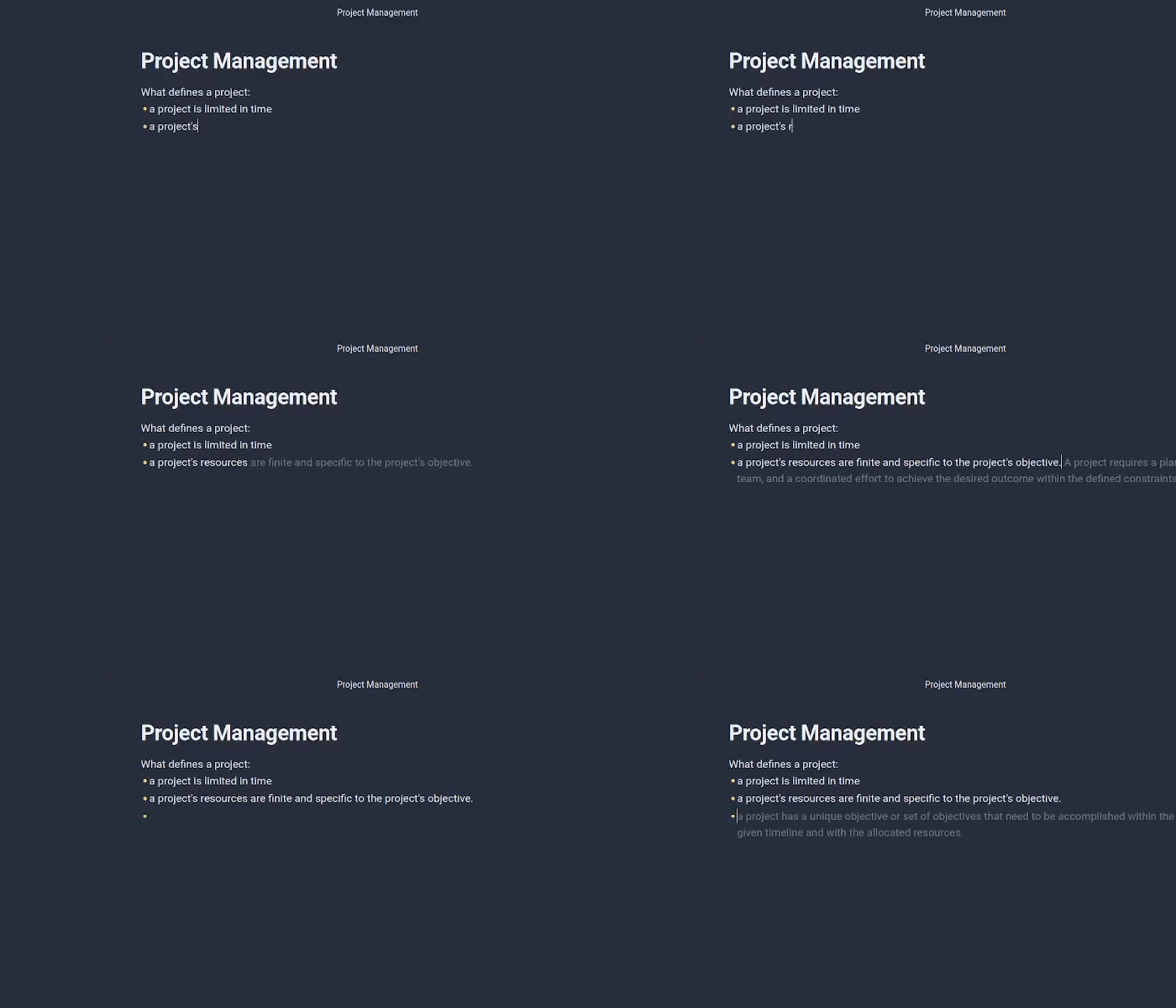
Autocomplete your obsidian notes with AI, including ChatGPT, through a copilot-like interface.
- 358
- TypeScript
- MIT
- 2 y ago
React app that highlights relevant segments in a PDF document based on user questions using natural language processing and AI context segmentation. A useful tool for quickly extracting information from large PDF documents.
Repo admineral/PDF-Pilot, read from GitHub 1 min ago. admineral has not joined Take My Repo.
admineral/PDF-Pilot is a public repo on GitHub by admineral. React app that highlights relevant segments in a PDF document based on user questions using natural language processing and AI context segmentation. A useful tool for quickly extracting information from large PDF documents. It declares no license on GitHub. Public does not mean open source: without a license, nobody is granted the right to reuse it. It is written mainly in Python, has 11 stars and last changed on 2023-05-18. Nobody has reviewed it on Take My Repo yet, which says nothing about its quality. Read from GitHub on 2026-11-23.
Autocomplete your obsidian notes with AI, including ChatGPT, through a copilot-like interface.
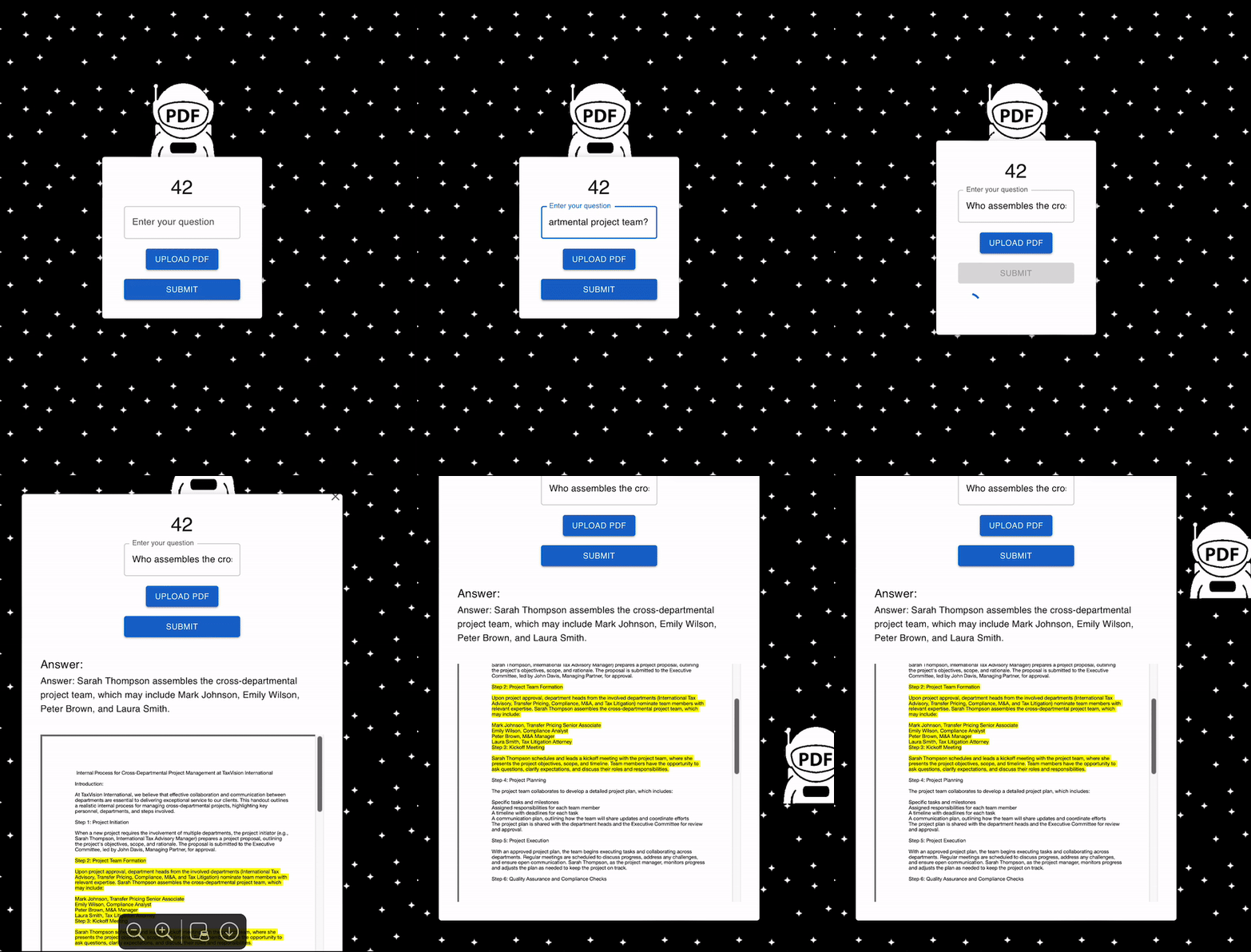
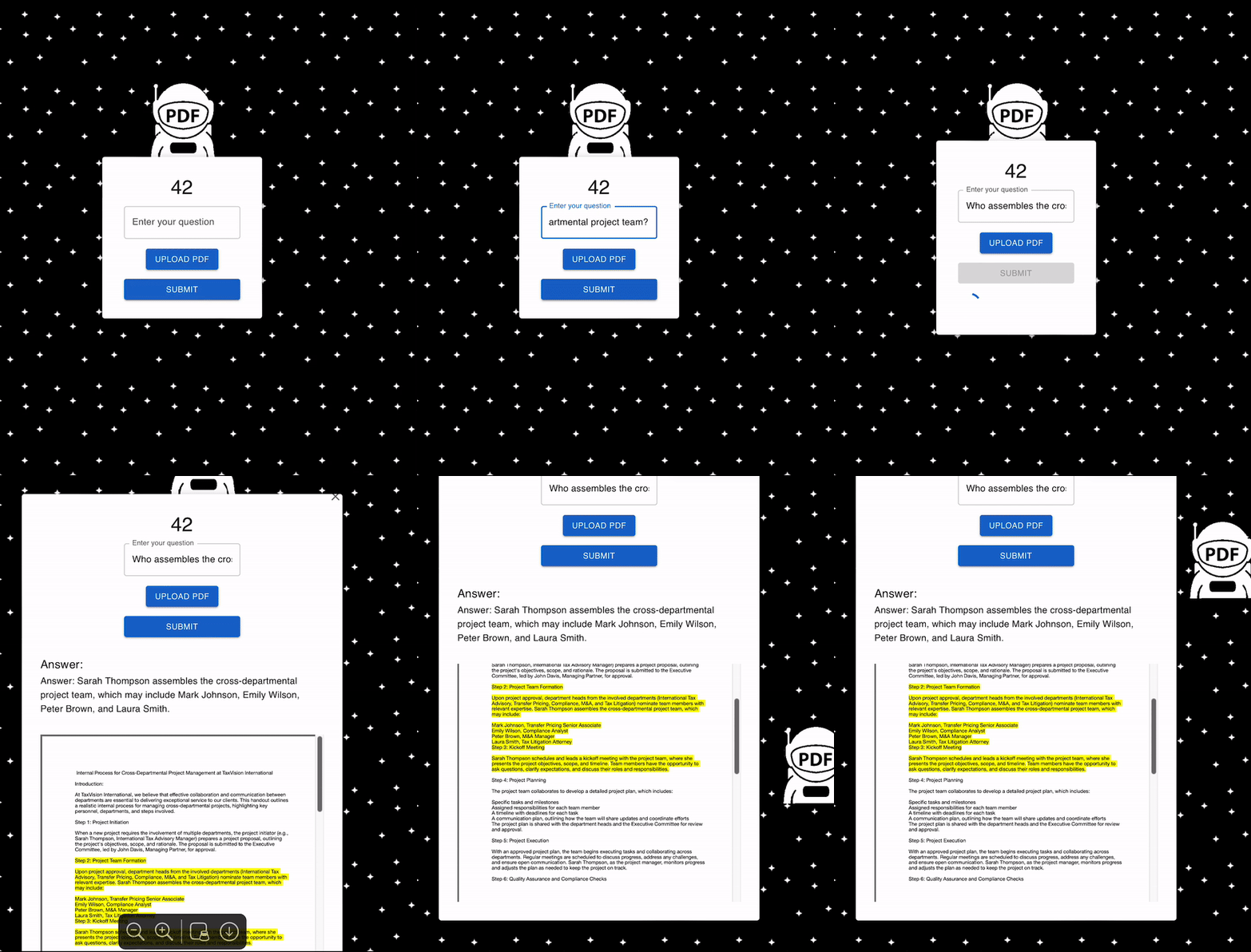
is an AI-powered web application that allows users to upload PDFs, ask questions related to the content, and receive answers along with the relevant text highlighted in the PDF.
You can quickly find answers to your questions within large PDF documents, without having to read through the entire content.

Follow these steps to run the web application on your local machine.
git clone https://github.com/admineral/PDF-Pilot
cd PDF-Pilotpython -m venv venv
source venv/bin/activate
pip3 install -r requirements.txtcd PDF-Pilot
npm installSet up API keys
a. Sign up for an AI21 Studio account to obtain an API key.
b. Sign up for an OpenAI account to obtain an API key.
c. Create a .env file in the root directory of the project and add your API keys:
AI21_API_KEY=your_ai21_api_key
OPENAI_API_KEY=your_openai_api_key
src directory of the project (python or python3)cd src
python3 server.pyroot directory:cd ..
npm startOpen a browser and navigate to http://localhost:3000. You should see the PDF-Pilot web application.
Upload a PDF, enter a question, and click "Submit" to see the AI-generated answer and the relevant text highlighted in the PDF.
navigate to PDF-Pilot/PDF-Pilot_v1/src
Edit the main() function in the HandoutAssistand.py script to provide the path to your input PDF file and the desired output PDF file. Also, input the question you want the Handout Assistant to answer.
pdf_path = "/path/to/your/input.pdf"
output_pdf = "/path/to/your/output.pdf"
question = "Your question here"
python HandoutAssistant.py
PDF text extraction: HandoutAssistant.py uses the PyMuPDF library (fitz) to extract text from the PDF document. The text is then stored in a data structure with the corresponding page numbers.
Text segmentation: The extracted text is segmented into meaningful chunks using AI21 Studio's text segmentation API. These segments are assigned unique IDs and linked to their respective page numbers.
Building the FAISS index: HandoutAssistant creates a FAISS index using the segmented text and OpenAI embeddings. This index is used to search for relevant text segments efficiently.(Faiss is a library for efficient similarity search and clustering of dense vectors. It contains algorithms that search in sets of vectors)
Question answering: When a user asks a question, HandoutAssistant retrieves the most relevant text segments from the FAISS index. It then generates a prompt for OpenAI's GPT-3.5 engine, which uses the provided information to answer the question.
Highlighting and page number identification: Once the answer is generated, Handout Assistant identifies the page number and relevant text segment in the PDF. The PyMuPDF library is then used to highlight the identified text segment in the output PDF file.
Flowchart

Explained by Google Bard:
The program first uses the pdf_to_text() function to extract the text from the PDF file. This text is then segmented into smaller pieces using the segment_text() function. The assign_page_numbers_and_ids_to_segments() function then assigns page numbers and IDs to each segment. The build_faiss_index() function creates a vector store that can be used to search for relevant segments. The get_relevant_segments() function uses the vector store to search for the most relevant segments for a given question. The generate_prompt() function generates a prompt that can be used to ask an AI Q&A bot for an answer to a question. The process_pdf_and_get_answer() function uses the get_relevant_segments() and generate_prompt() functions to answer a question about the content of a PDF file. The main() function provides an example of how to use the process_pdf_and_get_answer() function.
Here is a more detailed explanation of each function:
pdf_to_text(): This function uses the fitz library to extract the text from a PDF file. The text is returned as a string. segment_text(): This function uses the spacy library to segment the text from a PDF file into smaller pieces. The segments are returned as a list of dictionaries. Each dictionary contains the text of the segment, the page number of the segment, and the ID of the segment. assign_page_numbers_and_ids_to_segments(): This function assigns page numbers and IDs to each segment in a list of segments. The page numbers are assigned based on the page numbers in the PDF file. The IDs are assigned sequentially, starting with 1. build_faiss_index(): This function creates a vector store that can be used to search for relevant segments. The vector store is created using the faiss library. The text from each segment is converted to a vector and added to the vector store. get_relevant_segments(): This function uses the vector store to search for the most relevant segments for a given question. The question is first converted to a vector. The vector is then used to search the vector store for the most similar segments. The most similar segments are returned as a list. generate_prompt(): This function generates a prompt that can be used to ask an AI Q&A bot for an answer to a question. The prompt is generated by combining the question with the IDs of the most relevant segments. process_pdf_and_get_answer(): This function uses the get_relevant_segments() and generate_prompt() functions to answer a question about the content of a PDF file. The function first gets the most relevant segments for the question. The function then generates a prompt that includes the question and the IDs of the most relevant segments. The prompt is then used to ask an AI Q&A bot for an answer. The answer from the AI Q&A bot is then returned. main(): This function provides an example of how to use the process_pdf_and_get_answer() function. The function first gets the path to a PDF file. The function then gets the question that you want to answer. The function then uses the process_pdf_and_get_answer() function to get the answer to the question. The answer is then printed to the console.
This guide provides a step-by-step explanation of the HandoutAssistant.py code and how it processes the PDF file to answer user questions.
HandoutAssistant.py uses the PyMuPDF library (fitz) to extract text from the PDF document. The PDFHandler class has a static method called pdf_to_text that takes a PDF path as input and extracts the text and page number for each page.
class PDFHandler:
    @staticmethod
    def pdf_to_text(pdf_path):
        doc = fitz.open(pdf_path)
        text = ""
        page_texts = []

        for page in doc:
            page_text = page.get_text("text")
            text += page_text
            page_texts.append({"text": page_text, "page_number": page.number})
        return text, page_texts
The extracted text is segmented into meaningful chunks using the AI21 Studio's text context segmentation API. The AI21Segmentation class has a static method called segment_text that takes the extracted text and returns a list of segments.
class AI21Segmentation:
    @staticmethod
    def segment_text(text):
        url = "https://api.ai21.com/studio/v1/segmentation"
        payload = {
            "sourceType": "TEXT",
            "source": text
        }
        headers = {
            "accept": "application/json",
            "content-type": "application/json",
            "Authorization": f"Bearer {os.environ['AI21_API_KEY']}"
        }
        response = requests.post(url, json=payload, headers=headers)

        if response.status_code == 200:
            json_response = response.json()
            return json_response.get("segments")
        else:
            print(f"An error occurred: {response.status_code}")
            return None
The assign_page_numbers_and_ids_to_segments method of the HandoutAssistant class assigns unique IDs and corresponding page numbers to each segment.
def assign_page_numbers_and_ids_to_segments(self, segmented_text, page_texts):
    for idx, segment in enumerate(segmented_text):
        segment_text = segment["segmentText"]
        segment["id"] = idx + 1
        max_overlap = 0
        max_overlap_page_number = None

        for page_text in page_texts:
            overlap = len(set(segment_text.split()).intersection(set(page_text["text"].split())))
            if overlap > max_overlap:
                max_overlap = overlap
                max_overlap_page_number = page_text["page_number"]
        segment["page_number"] = max_overlap_page_number + 1
Handout Assistant creates a FAISS index using the segmented text and OpenAI embeddings. This index is used to search for relevant text segments efficiently.
def build_faiss_index(self, questions_data):
    # Convert questions_data to a list of Documents
    documents = [Document(page_content=q_data["segmentText"], metadata={"id": q_data["id"], "page_number": q_data["page_number"]}) for q_data in questions_data]

    # Create the FAISS index (vector store) using the langchain.FAISS.from_documents() method
    vector_store = langchain.FAISS.from_documents(documents, self.embedder)

    return vector_store
The get_relevant_segments method of the HandoutAssistant class retrieves the most relevant text segments from the FAISS index based on the user's question.
admineral/PDF-Pilot is a public repo on GitHub by admineral. React app that highlights relevant segments in a PDF document based on user questions using natural language processing and AI context segmentation. A useful tool for quickly extracting information from large PDF documents.
It declares no license on GitHub. Public does not mean open source: without a license, nobody is granted the right to reuse it.
React app that highlights relevant segments in a PDF document based on user questions using natural language processing and AI context segmentation. A useful tool for quickly extracting information from large PDF documents.
The Enterprise-Grade Multi-Agent Orchestration Framework. Website: https://swarms.ai
A production-ready FastAPI template for building AI agent applications with LangGraph integration. This template provides a robust foundation for building scalable, secure, and maintainable AI agent services.
Its maker has not tagged a system, so it is unknown here. Its README says what it needs.
Open "Take it" on its page: Take My Repo writes an install plan for your machine and hands it to your AI agent (Claude Code, Codex or Cursor), which asks you before each step. Take My Repo has not tested it on any machine.
Its last change on GitHub was on 2023-05-18. GitHub counts 0 open issues and pull requests. Take My Repo does not judge from that whether it is maintained.
Nobody has reviewed it on Take My Repo yet, which says nothing about its quality.
Take My Repo cannot say: it does not audit code and has not run PDF-Pilot. What is known comes from GitHub. It declares no license on GitHub. Public does not mean open source: without a license, nobody is granted the right to reuse it. Its last change was on 2023-05-18. It has 11 stars, which measure popularity, not safety. Nobody has reviewed it on Take My Repo yet, which says nothing about its quality. Read the source before you run it. With "Take it", your AI agent shows each step and asks you before running it; README text is treated as data, not as instructions.