cc-switch
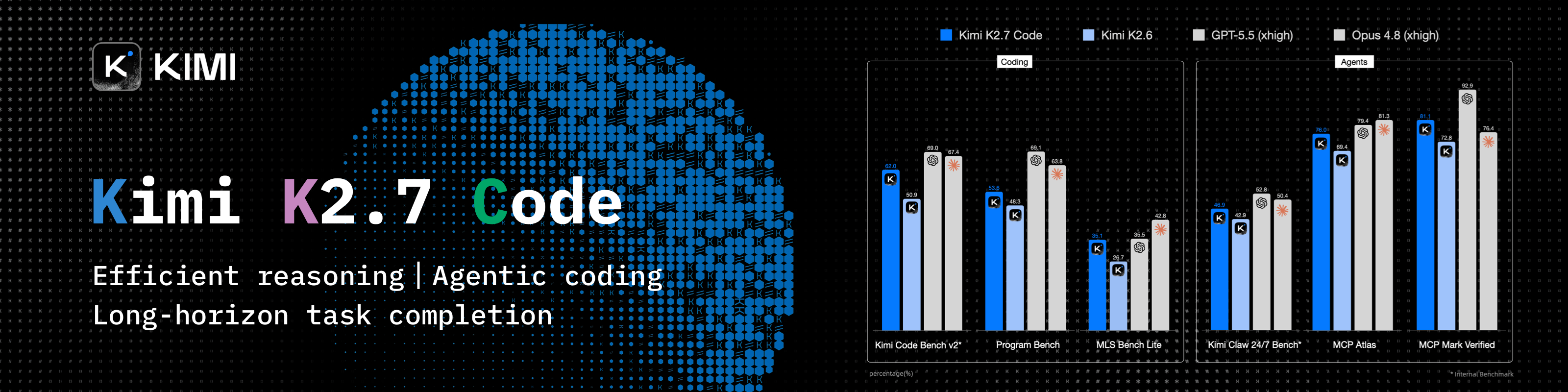
A cross-platform desktop All-in-One assistant for Claude Code, Codex, OpenCode,DeepSeek Harness and more. Only official website: ccswitch.io
- 157k
- Rust
- MIT
- 14 h ago
The official UGRC API client
Repo agrc/api-client, read from GitHub 8 h ago. agrc has not joined Take My Repo.
agrc/api-client is a public repo on GitHub by agrc. The official UGRC API client. It declares the MIT license on GitHub. It is written mainly in TypeScript, has 7 stars and last changed on 2026-11-16. Nobody has reviewed it on Take My Repo yet, which says nothing about its quality. Read from GitHub on 2026-11-24.
A cross-platform desktop All-in-One assistant for Claude Code, Codex, OpenCode,DeepSeek Harness and more. Only official website: ccswitch.io

The Utah Geospatial Resource Center (UGRC) is the State of Utah’s map technology coordination office. The UGRC creates, maintains, and stores geospatial data in the State Geographic Information Database (SGID), a one-stop shop to hundreds of data layers developed, aggregated, or acquired by state government. UGRC’s API is an http-enabled service for accessing this valuable geospatial data.
From querying any data layer in the SGID to geocoding addresses against the most accurate statewide roads dataset, the application of the API is endless. The API also powers UGRC’s widgets, toolboxes, and add-ins, which can help you navigate the sea of data in the SGID.
The UGRC API Client is an app to help make geocoding addresses simple. This app allows the user to use the UGRC API without any licensed software or programming knowledge; Drag and drop a file and then click start.
Check out our introductory blog post and our getting started video.
An apple developer certificate is required to sign the application for distribution.
Saved to diskDeveloper ID CertificateVerify attestation on the key versionpython3 pykmstool.py sign-csr --key-version-name projects/{project}/locations/us-central1/keyRings/default/cryptoKeys/default/cryptoKeyVersions/1 --x509-name "C=US,ST=Utah,L=Salt Lake City,O=State of Utah,OU=Technology Services,CN=Utah Geospatial Resource Center"base64 -i attestation.zip | pbcopybuild/cert foldersecurity find-certificate -a -c "State of Utah" -p | openssl x509 -noout -fingerprint -sha1Note: The build/install-kms.ps1 script verifies the KMS CNG Provider installer using Google's public signing key stored in build/cng-release-signing-key.pem. This provides cryptographic verification of the downloaded installer.
Create a prod and dev GitHub repo environment.
Store the password and the p12 certificate as GitHub Action secrets in the environment:
gh secret set APPLE_CERTIFICATE -b$(base64 -i ~/certificate.p12) --env=prodgh secret set APPLE_CERTIFICATE_PASSWORD -b<password> --env=prodgh secret set GCP_KEYRING_PATH -b<key-ring-or-key-version-path> --env=prodgh secret set GCP_KEY_NAME -b<key-alias> --env=prodAdd the rest of the environment variables as secrets:
APPLE_IDENTITY: the name of the developer id certificate name as it appears in keychainAPPLE_TEAM_ID: the team id to notarize under viewable on your Apple Developer Account "Membership details", pageAPPLE_USER_ID: the full email address of your Apple Developer AccountAPPLE_PASSWORD: the app-specific password (not your Apple ID password) created on Apple Developer AccountGCP_KEYRING_PATH examples:
projects/my-project/locations/cloud-region/keyRings/ring-name/cryptoKeys/key-name/cryptoKeyVersions/1GCP_KEY_NAME example (used as JSign alias -a):
key-nameSet secrets with the gh CLI (example):
gh secret set GCP_KEYRING_PATH -b"projects/my-project/locations/cloud-region/keyRings/ring-name/cryptoKeys/key-name/cryptoKeyVersions/1" --env=prod
gh secret set GCP_KEY_NAME -b"ring-name" --env=prod
This project uses our standard release action to create draft releases. Publishing a release triggers GitHub Actions to build/sign the distributables and attach them to the release; existing installs will silently download the update and the installation will occur on the next restart of the app.
Windows builds produce both Squirrel and WiX installers. WiX builds require the WiX v3 toolset on the machine that runs the build.
candle and light are available on PATH.build/cert/windows.cer and the KMS environment variables used by Forge in production builds.pnpm make:win to build all Windows installers, pnpm make:squirrel to build only the Squirrel artifacts, or pnpm make:wix to build only the .msi artifact.react-dropzone to version 14.3.0 or later breaks the ability to drag and drop files.This project was developed with the assistance of GitHub Copilot.
agrc/api-client is a public repo on GitHub by agrc. The official UGRC API client.
It declares the MIT license on GitHub.
Its maker has not tagged a system, so it is unknown here. Its README says what it needs.
Open "Take it" on its page: Take My Repo writes an install plan for your machine and hands it to your AI agent (Claude Code, Codex or Cursor), which asks you before each step. Take My Repo has not tested it on any machine.
Its last change on GitHub was on 2026-11-16. Take My Repo does not judge from that whether it is maintained.
Terraform On AWS for EC2, VPC, ASG, ALB, CLB, NLB, CloudWatch, SNS, S3, CodePipeline, ACM, Route53
This project is dedicated to collecting high-quality macOS software and organizing them systematically by different categories for easy search and use.
Nobody has reviewed it on Take My Repo yet, which says nothing about its quality.
Take My Repo cannot say: it does not audit code and has not run api-client. What is known comes from GitHub. It declares the MIT license on GitHub. Its last change was on 2026-11-16. It has 7 stars, which measure popularity, not safety. Nobody has reviewed it on Take My Repo yet, which says nothing about its quality. Read the source before you run it. With "Take it", your AI agent shows each step and asks you before running it; README text is treated as data, not as instructions.