Alauda Jenkins Pipeline (DSL) Plugin
Overview
The Alauda Pipeline
DSL Plugin is a Jenkins plugin which aims to provide a readable, concise, comprehensive, and fluent
Jenkins Pipeline syntax for rich interactions with an Alauda API Server. The
plugin leverages kubenetes command line tool (kubectl) which must be available on the nodes executing the script
(options for getting the binary on your nodes can be found here).
Reader Prerequisites
- Familiarity with Kubenetes command line interface
is highly encouraged before exploring the plugin's features. The DSL leverages the kubectl)
binary and, in many cases, passes method arguments directly on to the command line. This document cannot, therefore,
provide a complete description of all possible Alauda interactions -- the user may need to reference
the CLI documentation to find the pass-through arguments a given interaction requires.
- A fundamental level of understanding of the Jenkins Pipeline architecture and
basic pipeline steps may be required to appreciate
the remainder of this document. Readers may also find it useful to understand basic Groovy syntax,
since pipeline scripts are written using Groovy (Note: Jenkins sandboxes and interferes
with the use of some Groovy facilities).
Installing and developing
This plugin is available at the Jenkins Update Center.
Otherwise, if you are interested in building this plugin locally, follow these steps:
- Install maven (platform specific)
- Clone this git repository:
git clone git@github.com:alauda/alauda-devops-pipeline-plugin.git
- In the root of the local repository, run maven
cd alauda-devops-pipeline-plugin
mvn clean package
- Maven will build target/alauda-devops-pipeline.hpi (the Jenkins plugin binary)
- Open Jenkins in your browser, and navigate (as an administrator):
- Manage Jenkins > Manage Plugins.
- Select the "Advanced" Tab.
- Find the "Upload Plugin" HTML form and click "Browse".
- Find the alauda-devops-pipeline.hpi built in the previous steps.
- Submit the file.
- Check that Jenkins should be restarted.
You should now be able to configure an Alauda Cluster.
Before running a job, you may also need to ensure your Jenkins nodes have the 'kubectl' binary
installed.
Compatability with Declarative Pipeline
The means by which this plugin has been able to coexist with declarative pipeline
has taken a few twists and turns since v1.0 of that feature first arrived in early 2017.
In particular, the recommendation around leveraging this plugin's directives with the declarative pipeline { ... } directory have
had to be adjusted as the pipeline-model-definition plugin has evolved.
Currently, there are two requirements of note:
- Per the requirements of declarative pipelines, the
pipeline {

...

}
directive must be the outer most closure to fully enable all the declarative pipeline semantics and features.
- Declarative currently does not support groovy body/closures that are not pipeline script steps. And since
this plugin integrates into Jenkins as a Global Variable, it does not meet that restriction. As such, you must
encapsulate all use of this plugin with the declarative
script {

...

}
directive such that the declarative interpreter is told to treat this as scripted pipeline.
As development of this plugin continues, periodic attempts will be made to monitor that these recommendations
are still valid, and if not, either adjust recommendations accordingly, or leverage any new integration points
with declarative that are synergistic with this plugin's design.
But certainly if users of this plugin notice changes before the maintainers of the plugin, please advise via opening issues at
https://github.com/alauda/alauda-devops-pipeline-plugin/issues.
Examples
As the DSL is designed to be intuitive for experienced Alauda users, the following high level examples
may serve to build that intuition before delving into the detailed documentation.
Hello, World
Let's start with a "Hello world" style example.
/** Use of hostnames and OAuth token values in the DSL is heavily discouraged for maintenance and **/
/** security reasons. The global Jenkins configuration and credential store should be used instead. **/
/** Subsequent examples will demonstrate how to do this. **/
alaudaDevops.withCluster( 'https://10.13.137.207:8443', 'CO8wPaLV2M2yC_jrm00hCmaz5Jgw...' ) {
    alaudaDevops.withProject( 'myproject' ) {
        echo "Hello from project ${alaudaDevops.project()} in cluster ${alaudaDevops.cluster()}"
    }
}
Centralizing Cluster Configuration
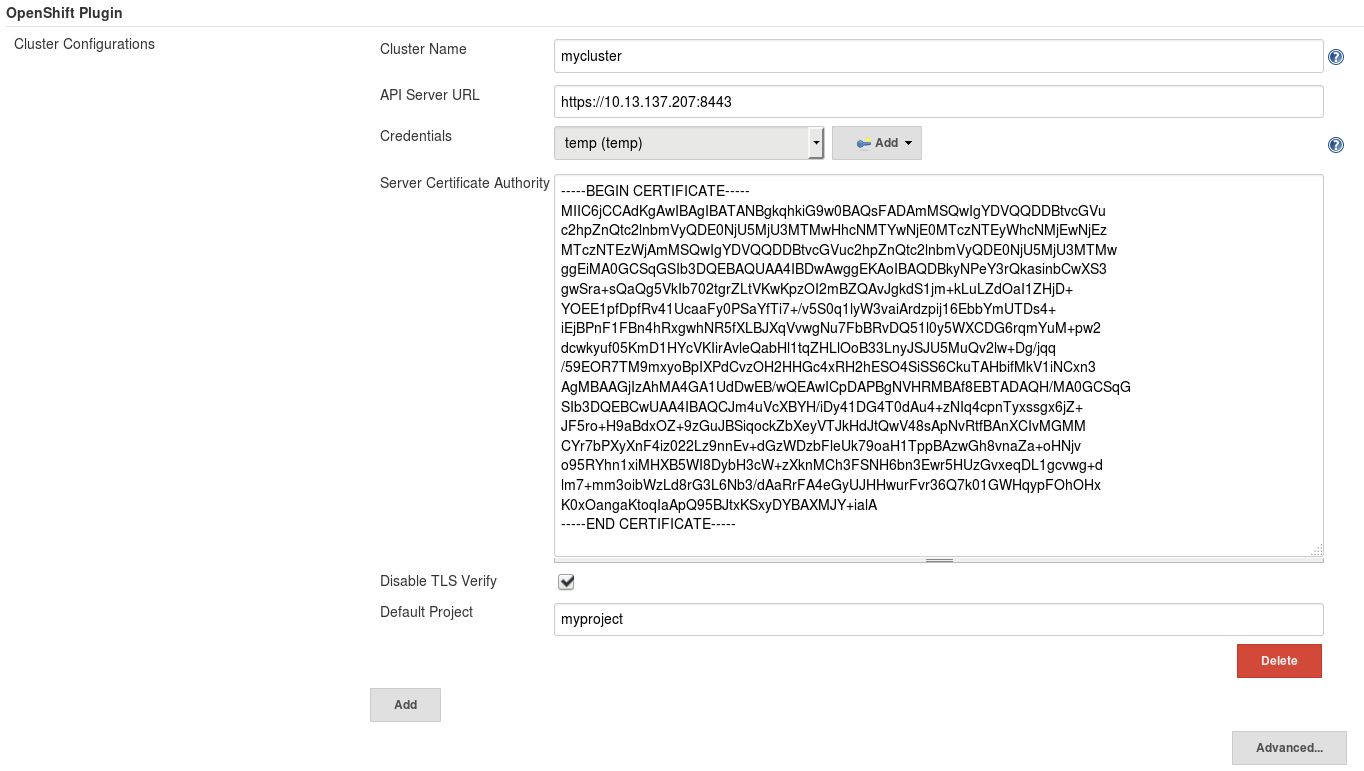
Now let's simplify the first example by moving host, port, token and project information out of the script and into the
Jenkins cluster configuration. A single logical name (e.g. "mycluster")
can now be used to reference these values. This means that if the cluster information changes in the future, your
scripts won't have to!
/** The logical name references a Jenkins cluster configuration which implies **/
/** API Server URL, default credentials, and a default project to use within the closure body. **/
alaudaDevops.withCluster( 'mycluster' ) {
    echo "Hello from ${alaudaDevops.cluster()}'s default project: ${alaudaDevops.project()}"

    // But we can easily change project contexts
    alaudaDevops.withProject( 'another-project' ) {
        echo "Hello from a non-default project: ${alaudaDevops.project()}"
    }

    // And even scope operations to other clusters within the same script
    alaudaDevops.withCluster( 'myothercluster' ) {
        echo "Hello from ${alaudaDevops.cluster()}'s default project: ${alaudaDevops.project()}"
    }
}
Sticking with the defaults
We can make the previous example even simpler! If you have defined a cluster configuration named
"default" or if the Jenkins instance is running within an Alauda pod, you
don't need to specify any cluster information.
alaudaDevops.withCluster() { // Use "default" cluster or fallback to Alauda cluster detection
    echo "Hello from the project running Jenkins: ${alaudaDevops.project()}"
}
Introduction to Selectors
Now a quick introduction to Selectors which allow you to perform operations
on a group of API Server objects.
alaudaDevops.withCluster( 'mycluster' ) {
    /** Selectors are a core concept in the DSL. They allow the user to invoke operations **/
    /** on group of objects which satisfy a given criteria. **/

    // Create a Selector capable of selecting all service accounts in mycluster's default project
    def saSelector = alaudaDevops.selector( 'serviceaccount' )

    // Prints `kubectl describe serviceaccount` to Jenkins console
    saSelector.describe()

    // Selectors also allow you to easily iterate through all objects they currently select.
    saSelector.withEach { // The closure body will be executed once for each selected object.
        // The 'it' variable will be bound to a Selector which selects a single
        // object which is the focus of the iteration.
        echo "Service account: ${it.name()} is defined in ${alaudaDevops.project()}"
    }

    // Prints a list of current service accounts to the console
    echo "There are ${saSelector.count()} service accounts in project ${alaudaDevops.project()}"
    echo "They are named: ${saSelector.names()}"

    // Selectors can also be defined using qualified names
    alaudaDevops.selector( 'deploymentconfig/frontend' ).describe()

    // Or Kind + Label information
    alaudaDevops.selector( 'dc', [ tier: 'frontend' ] ).describe()

    // Or a static list of names
    alaudaDevops.selector( [ 'dc/jenkins', 'build/ruby1' ] ).describe()
}
Actions speak louder than words
Describing things is fine, but let's actually make something happen! Here, notice
that new Selectors are regularly returned by DSL operations.
alaudaDevops.withCluster( 'mycluster' ) {
    // Run `kubectl new-app https://github.com/alaudaDevops/ruby-hello-world` . It
    // returns a Selector which will select the objects it created for you.
    def created = alaudaDevops.newApp( 'https://github.com/alaudaDevops/ruby-hello-world' )

    // This Selector exposes the same operations you have already seen.
    // (And many more that you haven't!).
    echo "new-app created ${created.count()} objects named: ${created.names()}"
    created.describe()

    // We can create a Selector from the larger set which only selects
    // the build config which new-app just created.
    def bc = created.narrow('bc')

    // Let's output the build logs to the Jenkins console. bc.logs()
    // would run `kubectl logs bc/ruby-hello-world`, but that might only
    // output a partial log if the build is in progress. Instead, we will
    // pass '-f' to `kubectl logs` to follow the build until it terminates.
    // Arguments to logs get passed directly on to the kubectl command line.
    def result = bc.logs('-f')

    // Many operations, like logs(), return a Result object (even a Selector
    // is a subclass of Result). A Result object contains detailed information about
    // what actions, if any, took place to accomplish an operation.
    echo "The logs operation require ${result.actions.size()} kubectl interactions"

    // You can even see exactly what kubectl command was executed.
    echo "Logs executed: ${result.actions[0].cmd}"

    // And even obtain the standard output and standard error of the command.
    def logsString = result.actions[0].out
    def logsErr = result.actions[0].err

    // And if after some processing within your pipeline, if you decide
    // you need to initiate a new build after the one initiated by
    // new-app, simply call the `kubectl start-build` equivalent:
    def buildSelector = bc.startBuild()
    buildSelector.logs('-f')
}
Peer inside of Alauda objects
alaudaDevops.withCluster( 'mycluster' ) {
    def dcs = alaudaDevops.newApp( 'https://github.com/alaudaDevops/ruby-hello-world' ).narrow('dc')

    // dcs is a Selector which selects the deployment config created by new-app. How do
    // we get more information about this DC? Turn it into a Groovy object using object().
    // If there was a chance here that more than one DC was created, we should use objects()
    // which would return a List of Groovy objects; however, in this example, there
    // should only be one.
    def dc = dcs.object()

    // dc is not a Selector -- It is a Groovy Map which models the content of the DC
    // new-app created at the time object() was called. Changes to the model are not
    // reflected back to the API server, but the DC's content is at our fingertips.
    echo "new-app created a ${dc.kind} with name ${dc.metadata.name}"
    echo "The object has labels: ${dc.metadata.labels}"

}
Watching and waiting? Of course!
Patience is a virtue.