syntax-highlight-element
👓 Syntax Highlighting using the CSS Custom Highlight API
- 638
- MIT
- 8 d ago
Repo andreruffert/syntax-highlight-element, read from GitHub 2 d ago. andreruffert has not joined Take My Repo.
In short
andreruffert/syntax-highlight-element is a public repo on GitHub by andreruffert. 👓 Syntax Highlighting using the CSS Custom Highlight API. It declares the MIT license on GitHub. It is written mainly in JavaScript, has 638 stars and last changed on 2026-11-16. Nobody has reviewed it on Take My Repo yet, which says nothing about its quality. Read from GitHub on 2026-11-22.
Similar repos
bat
A cat(1) clone with wings.

<syntax-highlight> element
Syntax Highlighting using the CSS Custom Highlight API.
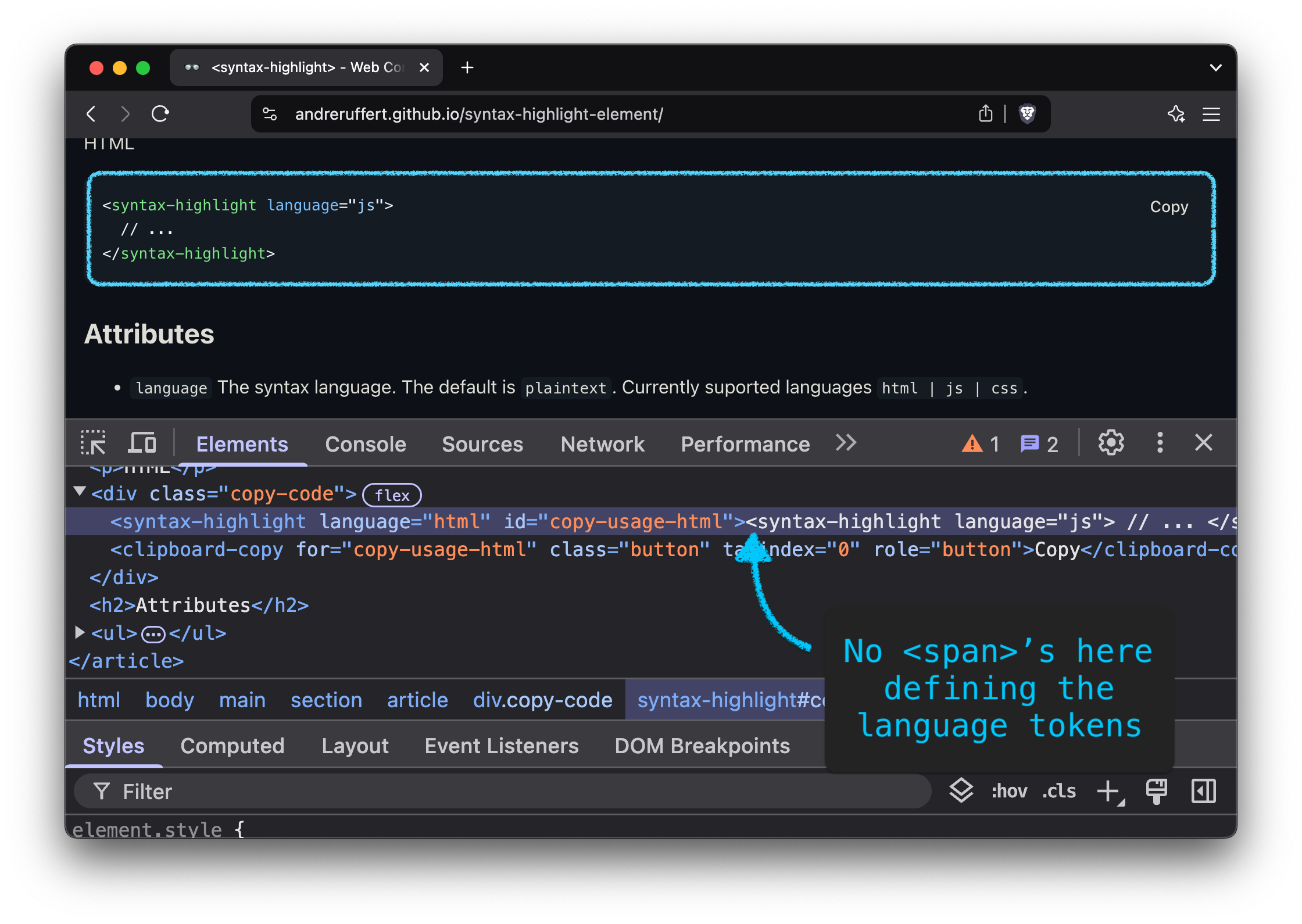
The code is highlighted without having to wrap a bunch of <span> elements around each token, thanks to Prism's tokenizer and the CSS Custom Highlight API.
Examples
For examples checkout the CodePen <syntax-highlight> collection.
Install
Install via npm
npm install syntax-highlight-element
Usage
JavaScript
Import as ES module
import 'syntax-highlight-element';
Or via CDN
<script type="module" src="https://cdn.jsdelivr.net/npm/syntax-highlight-element@1/+esm"></script>
HTML
<syntax-highlight language="js">
  // ...
</syntax-highlight>
CSS
Make sure to load a theme e.g. syntax-highlight-element/themes/prettylights.css.
Or via CDN
<link rel="stylesheet" href="https://cdn.jsdelivr.net/npm/syntax-highlight-element@1/dist/themes/prettylights.min.css">
Currently there are only limited themes available/converted. You can always create your own theme. Contributions are also very welcome.
Attributes
languageThe code language. The default isplaintext. Default suported languageshtml|css|js.content-selectorA CSS selector to specify the content element. The default is the element itself.
Configuration
/**
 * @typedef Config
 * @type {object}
 * @property {string[]} languages - List of languages to support for syntax highlighting.
 * @property {string[]} tokenTypes - Token types used during lexing/parsing.
 * @property {{[key: string]: string[]}} languageTokens - Mapping of language names to their specific tokenization rules.
 * @property {function} setup - Runs before the custom element gets defined in the registry.
 * @property {function} tokenize - Tokenize text based on the specified language grammar
 */

window.she = window.she || {};

/** @type {Config} */
window.she.config = {
  languages: ['markup', 'css', 'javascript'], // Default
  tokenTypes: [],
  languageTokens: {},
  setup: async () => {},
  tokenize: (text, language) => [],
};
Full list of all languages supported by the prism tokenizer.
Browser Support

Credits
- Bramus Van Damme and his blog post where I first read about using the CSS Custom Highlight API for syntax highlighting.
- Prism's tokenizer.
License
Distributed under the MIT license. See LICENSE for details.
Questions
What is syntax-highlight-element?
andreruffert/syntax-highlight-element is a public repo on GitHub by andreruffert. 👓 Syntax Highlighting using the CSS Custom Highlight API.
Is syntax-highlight-element open source?
It declares the MIT license on GitHub.
Does syntax-highlight-element run on macOS, Windows or Linux?
Its maker has not tagged a system, so it is unknown here. Its README says what it needs.
How do I install syntax-highlight-element?
Open "Take it" on its page: Take My Repo writes an install plan for your machine and hands it to your AI agent (Claude Code, Codex or Cursor), which asks you before each step. Take My Repo has not tested it on any machine.