Apache APISIX API Gateway | AI Gateway

Apache APISIX is a dynamic, real-time, high-performance API Gateway.
APISIX API Gateway provides rich traffic management features such as load balancing, dynamic upstream, canary release, circuit breaking, authentication, observability, and more. You can use it to handle traditional north-south traffic, as well as east-west traffic between services. It can also be used as a Kubernetes ingress controller.
Table of Contents
Why APISIX
APISIX is built on top of NGINX and etcd. Compared with traditional API gateways, APISIX has dynamic routing and hot-loading of plugins, which is especially suitable for API management under a microservice architecture.
The technical architecture of Apache APISIX:

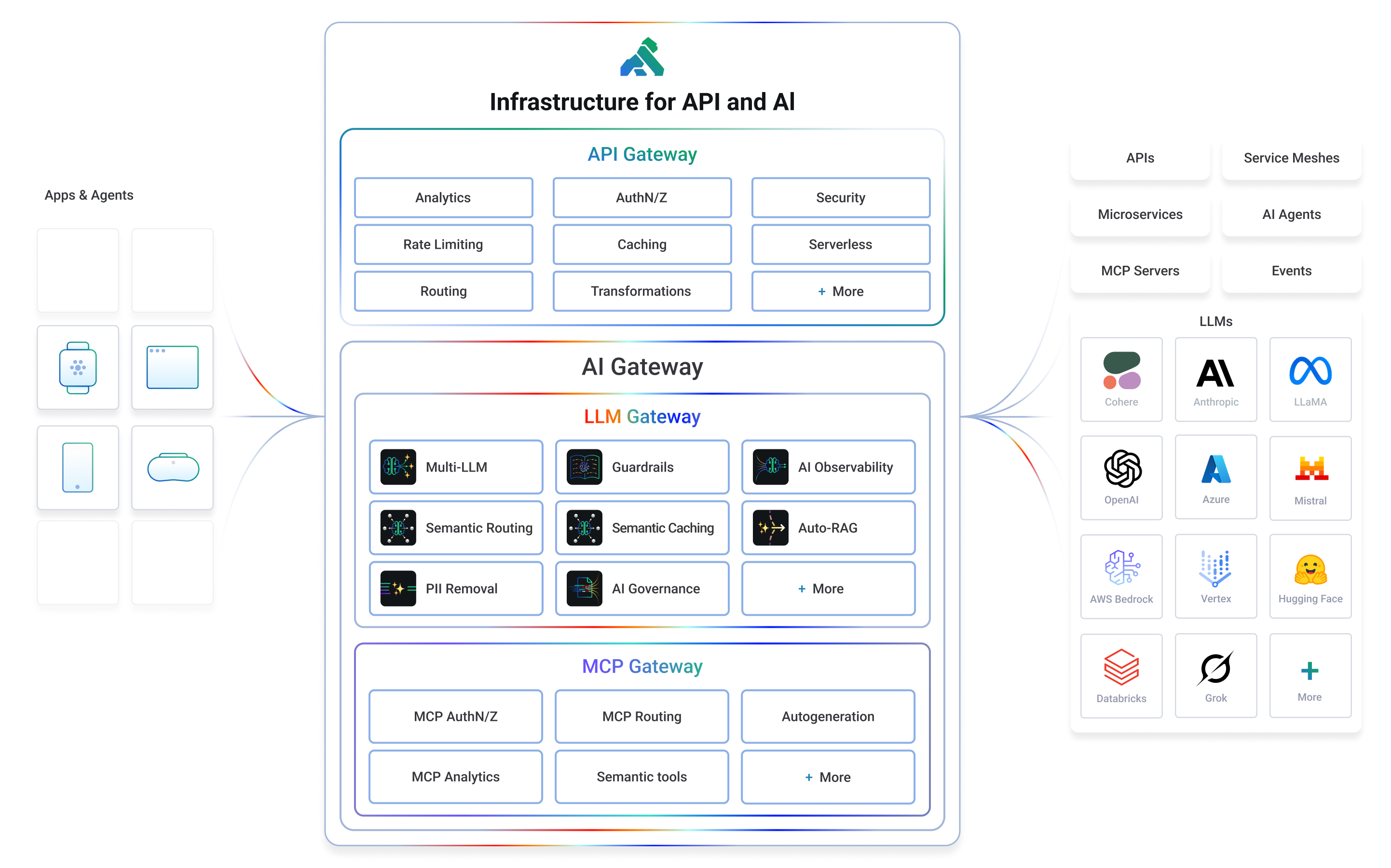
AI Gateway
APISIX can serve as an AI Gateway through its flexible plugin system, providing:
- AI proxying to route traffic to different LLM providers through a unified interface.
- Load balancing, retries, and fallbacks across multiple LLMs to ensure the efficiency and reliability of AI agents.
- Token-based rate limiting to control cost and protect upstream models.
- Robust security for authentication, authorization, and traffic control on AI workloads.
Get Started
Install and run APISIX with a single command using the quickstart script (requires Docker):
curl -sL https://run.api7.ai/apisix/quickstart | sh
This starts APISIX (listening on port 9080) together with its etcd configuration store. Verify it is running:
curl "http://127.0.0.1:9080" --head | grep Server
Create your first route via the Admin API (port 9180) to proxy requests to an upstream service:
curl -i "http://127.0.0.1:9180/apisix/admin/routes/1" -X PUT -d '
{
  "uri": "/get",
  "upstream": {
    "type": "roundrobin",
    "nodes": {
      "httpbin.org:80": 1
    }
  }
}'
Send a request through APISIX to confirm the route works:
curl "http://127.0.0.1:9080/get"
To learn more, follow the Getting Started guide and the installation documentation for other deployment methods. To extend APISIX, see the plugin development guide, the plugin concept, and the REST Admin API reference.
For more documents, please refer to the Apache APISIX Documentation site.
Features
You can use APISIX API Gateway as a traffic entrance to process all business data, including dynamic routing, dynamic upstream, dynamic certificates,
A/B testing, canary release, blue-green deployment, limit rate, defense against malicious attacks, metrics, monitoring alarms, service observability, service governance, etc.
-
All platforms
- Cloud-Native: Platform agnostic, No vendor lock-in, APISIX API Gateway can run from bare-metal to Kubernetes.
- Supports ARM64: Don't worry about the lock-in of the infra technology.
-
Multi protocols
-
Full Dynamic
- Hot Updates And Hot Plugins: Continuously updates its configurations and plugins without restarts!
- Proxy Rewrite: Support rewrite the
host, uri, schema, method, headers of the request before send to upstream.
- Response Rewrite: Set customized response status code, body and header to the client.
- Dynamic Load Balancing: Round-robin load balancing with weight.
- Hash-based Load Balancing: Load balance with consistent hashing sessions.
- Health Checks: Enable health check on the upstream node and will automatically filter unhealthy nodes during load balancing to ensure system stability.
- Circuit-Breaker: Intelligent tracking of unhealthy upstream services.
- Proxy Mirror: Provides the ability to mirror client requests.
- Traffic Split: Allows users to incrementally direct percentages of traffic between various upstreams.
-
Fine-grained routing
-
Security