
watchstate
Self-hosted service to sync your plex, jellyfin and emby play state. without relying on 3rd-party external services.
- 1.6k
- PHP
- MIT
- 9 h ago
Something to inspect HTTP requests.
Repo arabcoders/http_inspector, read from GitHub 38 min ago. arabcoders has not joined Take My Repo.
arabcoders/http_inspector is a public repo on GitHub by arabcoders. Something to inspect HTTP requests. It declares the MIT license on GitHub. It is written mainly in TypeScript, has 1 stars and last changed on 2026-11-21. Nobody has reviewed it on Take My Repo yet, which says nothing about its quality. Read from GitHub on 2026-11-23.
In the maintainer's words. Shown from GitHub; Take My Repo does not keep a copy.
HTTP Inspector is a self-hosted debugging console for capturing, inspecting, and viewing requests traffic in real time. It pairs an intuitive client UI with a full HTTP API so teams can test integrations with predictable, isolated endpoints.
runBoth Docker and Podman work with the same flags; substitute podman for docker if you prefer Podman. The example below starts the inspector with a persistent volume for the SQLite database and publishes the UI on port 3001.
docker run -d \
  --name http_inspector \
  -p 3001:3000 \
  -v http_inspector_data:/config \
  ghcr.io/arabcoders/http_inspector:latest
services:
  http_inspector:
    image: ghcr.io/arabcoders/http_inspector:latest
    container_name: http_inspector
    restart: unless-stopped
    ports:
      - "3001:3000"
    volumes:
      - http_inspector_data:/config
    environment:
      - TRUST_PROXY_CLIENT_IP=false # Set to true if running behind a trusted proxy

volumes:
  http_inspector_data:
Use the provided compose.yaml to launch the service from the repository root.
docker compose up -d
# podman compose up -d
The UI is available at http://localhost:3001 and the container persists until you run docker compose down (or podman compose down).
![NOTE] The default container run using the root user for simplicity. For production deployments, consider running as a non-root user by adding
user: "1000:1000"(or similar) to the Compose service definition or Docker run command.
| Variable | Required | Default | Description |
|---|---|---|---|
| STORAGE_PATH | No | /config or ./var) | Path for storing db and request bodies |
| SESSION_TTL_DAYS | No | 30 | Session lifetime in days before automatic cleanup |
| TOKEN_TTL_DAYS | No | 30 | Token lifetime in days before automatic cleanup |
| REQUEST_TTL_DAYS | No | 7 | Request history lifetime in days |
| CLEANUP_ENABLED | No | true | Enable automatic cleanup of expired data |
| CLEANUP_ON_STARTUP | No | true | Run cleanup when server starts (in addition to scheduled runs) |
| CLEANUP_INTERVAL_HOURS | No | 1 | How often to run cleanup (in hours) |
| TRUST_PROXY_CLIENT_IP | No | false | Honor X-Forwarded-For when running behind a trusted proxy |
| AUTH_USERNAME | No | - | Username required for login when authentication is enabled |
| AUTH_PASSWORD | No | - | Password required for login when authentication is enabled |
| SESSION_RESTORE_ENABLED | No | true | Enable restoring previous sessions by friendly ID |
| RAW_FULL_URL | No | false | Include full URL in raw request output |
| ENABLE_LLM_ENDPOINT | No | false | Enable LLM API endpoints for programmatic access |
A Python client library and CLI tool is available for programmatic access to the LLM API endpoints. The client provides:
# Get API information
./bin/http_inspector_client info

# Create a webhook token
./bin/http_inspector_client create

# View captured requests
./bin/http_inspector_client get <token-id>

# Get latest request
./bin/http_inspector_client latest <token-id>

# Configure custom response
./bin/http_inspector_client update <token-id> --status 201 --body "Created"
Unless noted, endpoints require an authenticated session when authentication is enabled. Dates in examples use ISO 8601 format.
Returns the active session.
Response:
{
  "id": "550e8400-e29b-41d4-a716-446655440000",
  "friendlyId": "famous-amethyst-panda",
  "createdAt": "2025-01-15T10:30:00.000Z",
  "lastAccessedAt": "2025-01-15T10:30:00.000Z"
}
Restore a prior session by its friendly ID.
{
  "sessionId": "famous-amethyst-panda"
}
Response: { "ok": true }
List tokens for the current session.
Response:
[
  {
    "id": "550e8400-e29b-41d4-a716-446655440000",
    "createdAt": "2025-01-15T10:30:00.000Z",
    "_count": {
      "requests": 5
    }
  }
]
Create a new token.
Response:
{
  "id": "550e8400-e29b-41d4-a716-446655440000"
}
Retrieve token configuration.
Response:
{
  "id": "550e8400-e29b-41d4-a716-446655440000",
  "createdAt": "2025-01-15T10:30:00.000Z",
  "responseEnabled": true,
  "responseStatus": 200,
  "responseHeaders": {
    "Content-Type": "application/json"
  },
  "responseBody": "{\"status\": \"ok\"}"
}
Update token response configuration.
Request Body:
{
  "enabled": true,
  "status": 204,
  "headers": {
    "X-Request-Signature": "abc123"
  },
  "body": "{\"processed\": true}"
}
Response: { "ok": true }
Delete a token and its stored requests.
Response: { "ok": true }
List requests captured for a token.
Response:
[
  {
    "id": "650e8400-e29b-41d4-a716-446655440000",
    "tokenId": "550e8400-e29b-41d4-a716-446655440000",
    "sessionId": "450e8400-e29b-41d4-a716-446655440000",
    "method": "POST",
    "url": "/api/payload/550e8400-e29b-41d4-a716-446655440000?status=success",
    "headers": "{\"content-type\":\"application/json\",\"user-agent\":\"curl/7.79.1\"}",
    "contentType": "application/json",
    "contentLength": 45,
    "isBinary": false,
    "clientIp": "192.168.1.100",
    "remoteIp": "203.0.113.1",
    "bodyPath": "450e8400-e29b-41d4-a716-446655440000/550e8400-e29b-41d4-a716-446655440000/1.bin",
    "createdAt": "2025-01-15T10:30:00.000Z"
  }
]
Fetch metadata for a specific request.
Response:
{
  "id": "650e8400-e29b-41d4-a716-446655440000",
  "tokenId": "550e8400-e29b-41d4-a716-446655440000",
  "sessionId": "450e8400-e29b-41d4-a716-446655440000",
  "method": "POST",
  "url": "/api/payload/550e8400-e29b-41d4-a716-446655440000?status=success",
  "headers": "{\"content-type\":\"application/json\"}",
  "contentType": "application/json",
  "contentLength": 45,
  "isBinary": false,
  "clientIp": "192.168.1.100",
  "remoteIp": "203.0.113.1",
  "bodyPath": "450e8400-e29b-41d4-a716-446655440000/550e8400-e29b-41d4-a716-446655440000/1.bin",
  "createdAt": "2025-01-15T10:30:00.000Z"
}
Return decoded request body with metadata when the payload is text-based.
{
  "body": "{\"event\": \"test\"}",
  "headers": {
    "content-type": "application/json"
  },
  "isBinary": false
}
Return the raw HTTP request payload as a string. Binary content returns 400 Bad Request with a JSON error payload.
Download the original request body. Responses stream the binary payload with a Content-Disposition header.
Delete a single stored request. Response: { "ok": true }
Delete all stored requests for a token. Response: { "ok": true }
Manually ingest a raw HTTP request into the system.
Request Body:
{
  "raw": "POST /api/webhook HTTP/1.1\r\nHost: example.com\r\nContent-Type: application/json\r\n\r\n{\"event\":\"test\"}",
  "clientIp": "192.168.1.100",
  "remoteIp": "203.0.113.1"
}
raw (required): The raw HTTP request in standard HTTP/1.1 format. Supports both path-only URLs (/api/test) and full URLs (http://example.com/api/test)clientIp (optional): Override the client IP addressremoteIp (optional): Override the remote IP addressResponse:
{
  "ok": true,
  "request": {
    "id": "650e8400-e29b-41d4-a716-446655440000",
    "method": "POST",
    "url": "/api/webhook",
    "createdAt": "2025-01-15T10:30:00.000Z"
  }
}
Example:
# Ingest a previously exported raw request with path-only URL
curl -X POST http://localhost:3000/api/token/your-token-id/ingest \
  -H "Content-Type: application/json" \
  -d '{
    "raw": "POST /api/data HTTP/1.1\r\nHost: api.example.com\r\nContent-Type: application/json\r\n\r\n{\"name\":\"test\"}",
    "clientIp": "10.0.0.5"
  }'

# Ingest a request with full URL
curl -X POST http://localhost:3000/api/token/your-token-id/ingest \
  -H "Content-Type: application/json" \
  -d '{
    "raw": "GET https://api.example.com/webhook?token=abc123 HTTP/1.1\r\nHost: api.example.com\r\nAuthorization: Bearer token\r\n\r\n"
  }'
Public endpoint used by third-party services to deliver requests. Accepts every HTTP method and captures:
The response mirrors the token’s default configuration or returns 200 OK when unset.
Examples:
# JSON payload
curl -X POST http://localhost:3000/api/payload/your-token-id \
  -H "Content-Type: application/json" \
  -d '{"event": "user.created", "id": "123"}'

# Custom headers
curl -X POST http://localhost:3000/api/payload/your-token-id \
  -H "Content-Type: application/json" \
  -H "X-Request-Signature: abc123" \
  -H "X-Event-Type: user.created" \
  -d '{"user_id": 123, "email": "user@example.com"}'

# Binary upload
curl -X POST http://localhost:3000/api/payload/your-token-id \
  -H "Content-Type: image/png" \
  --data-binary @image.png

# GET with query parameters
curl "http://localhost:3000/api/payload/your-token-id?status=success&id=123"
Subscribe to session-wide Server-Sent Events. Example client:
const eventSource = new EventSource('/api/events');

eventSource.onmessage = (event) => {
  const data = JSON.parse(event.data);
  console.log('Event:', data);
};
Events include:
request.receivedrequest.deletedrequest.clearedtoken.createdtoken.deletedtoken.clearedtoken.response.updatedEvent payload example:
{
  "type": "request.received",
  "token": "550e8400-e29b-41d4-a716-446655440000",
  "request": {
    "id": "650e8400-e29b-41d4-a716-446655440000",
    "method": "POST",
    "createdAt": "2025-01-15T10:30:00.000Z"
  }
}
Stream events for a single token. Delivers the same event types as /api/events, filtered by token ID.
Authenticate a user when auth is enabled. Sets the auth_token HTTP-only cookie.
{
  "username": "admin",
  "password": "secret"
}
Response: { "ok": true, "message": "Login successful" }
Clear the authentication cookie. Response: { "ok": true, "message": "Logout successful" }
Report authentication status.
{
  "authenticated": true,
  "required": true
}
The LLM API provides programmatic access designed for automation tools and LLMs. Must be enabled with ENABLE_LLM_ENDPOINT=true.
Key Features:
?secret=UUID parameterGet API information and documentation.
Response:
{
  "name": "HTTP Inspector LLM API",
  "version": "1.0.0",
  "description": "API endpoints designed for programmatic access",
  "endpoints": [...],
  "notes": [...]
}
Create a new payload token in the LLM session.
Response:
{
  "id": "550e8400-e29b-41d4-a716-446655440000",
  "friendlyId": "abc12345",
  "sessionId": "llm-session-static-id",
  "createdAt": "2025-01-15T10:30:00.000Z",
  "payloadUrl": "http://localhost:3000/api/payload/abc12345",
  "responseEnabled": false,
  "responseStatus": 200,
  "responseHeaders": null,
  "responseBody": null
}
Get token details and all captured requests.
Parameters:
:token - Token ID (UUID) or friendlyId (8-char)?secret=UUID - Required for user tokens (read-only access)Response:
{
  "token": {
    "id": "550e8400-e29b-41d4-a716-446655440000",
    "friendlyId": "abc12345",
    "createdAt": "2025-01-15T10:30:00.000Z",
    "payloadUrl": "http://localhost:3000/api/payload/abc12345"
  },
  "requests": [
    {
      "id": "650e8400-e29b-41d4-a716-446655440000",
      "method": "POST",
      "url": "/api/payload/abc12345?test=1",
      "headers": {"content-type": "application/json"},
      "contentType": "application/json",
      "contentLength": 42,
      "isBinary": false,
      "body": "{\"test\":\"data\"}",
      "clientIp": "192.168.1.100",
      "remoteIp": "203.0.113.1",
      "createdAt": "2025-01-15T10:30:00.000Z"
    }
  ],
  "total": 1
}
Notes: Binary data in request bodies is marked as [Binary data not included].
List captured requests. Use a returned request UUID with the single-request endpoint when its headers or body are needed.
Parameters:
:token - Token ID (UUID) or friendlyId (8-char)?secret=UUID - Required for user tokens (read-only access)Response:
{
  "requests": [
    {
      "id": "650e8400-e29b-41d4-a716-446655440000",
      "method": "POST",
      "url": "/api/payload/abc12345?test=1",
      "contentType": "application/json",
      "contentLength": 42,
      "isBinary": false,
      "clientIp": "192.168.1.100",
      "remoteIp": "203.0.113.1",
      "createdAt": "2025-01-15T10:30:00.000Z"
    }
  ],
  "total": 1
}
Get one captured request, including parsed headers and its text body.
Parameters:
:token - Token ID (UUID) or friendlyId (8-char):request - Request UUID from the request list?secret=UUID - Required for user tokens (read-only access)Response: Single request object in the aggregate response format above.
Binary bodies are represented as [Binary data not included].
Get a request body separately. Text bodies are returned in text; binary
bodies are returned as hexadecimal in hex. The response also includes
contentType and isBinary.
This endpoint accepts the same :token, :request, and ?secret=UUID
parameters as the single-request endpoint.
Get the most recent request for a token.
Parameters:
:token - Token ID (UUID) or friendlyId (8-char)?secret=UUID - Required for user tokens (read-only access)Response: Single request object (same format as requests array above).
Returns 404 if no requests exist for the token.
Update token response settings. LLM tokens only (user tokens not allowed).
Parameters:
:token - Token ID (UUID) or friendlyId (8-char)Request Body:
{
  "responseEnabled": true,
  "responseStatus": 201,
  "responseHeaders": "{\"Content-Type\":\"application/json\"}",
  "responseBody": "{\"status\":\"created\"}"
}
All fields are optional. Configure what the webhook endpoint returns when it receives requests.
Response: { "ok": true }
Delete a token and all its associated requests. LLM tokens only (user tokens not allowed).
Parameters:
:token - Token ID (UUID) or friendlyId (8-char)Response: { "ok": true }
Common status codes:
200 OK — Successful request201 Created — Resource created400 Bad Request — Invalid request parameters or body401 Unauthorized — Authentication required or failed404 Not Found — Resource not found405 Method Not Allowed — Unsupported HTTP method500 Internal Server Error — Unhandled errorError responses follow this shape:
{
  "statusCode": 404,
  "message": "Token not found"
}
arabcoders/http_inspector is a public repo on GitHub by arabcoders. Something to inspect HTTP requests.
It declares the MIT license on GitHub.
Its maker has not tagged a system, so it is unknown here. Its README says what it needs.
Open "Take it" on its page: Take My Repo writes an install plan for your machine and hands it to your AI agent (Claude Code, Codex or Cursor), which asks you before each step. Take My Repo has not tested it on any machine.
Its last change on GitHub was on 2026-11-21. Take My Repo does not judge from that whether it is maintained.
Nobody has reviewed it on Take My Repo yet, which says nothing about its quality.
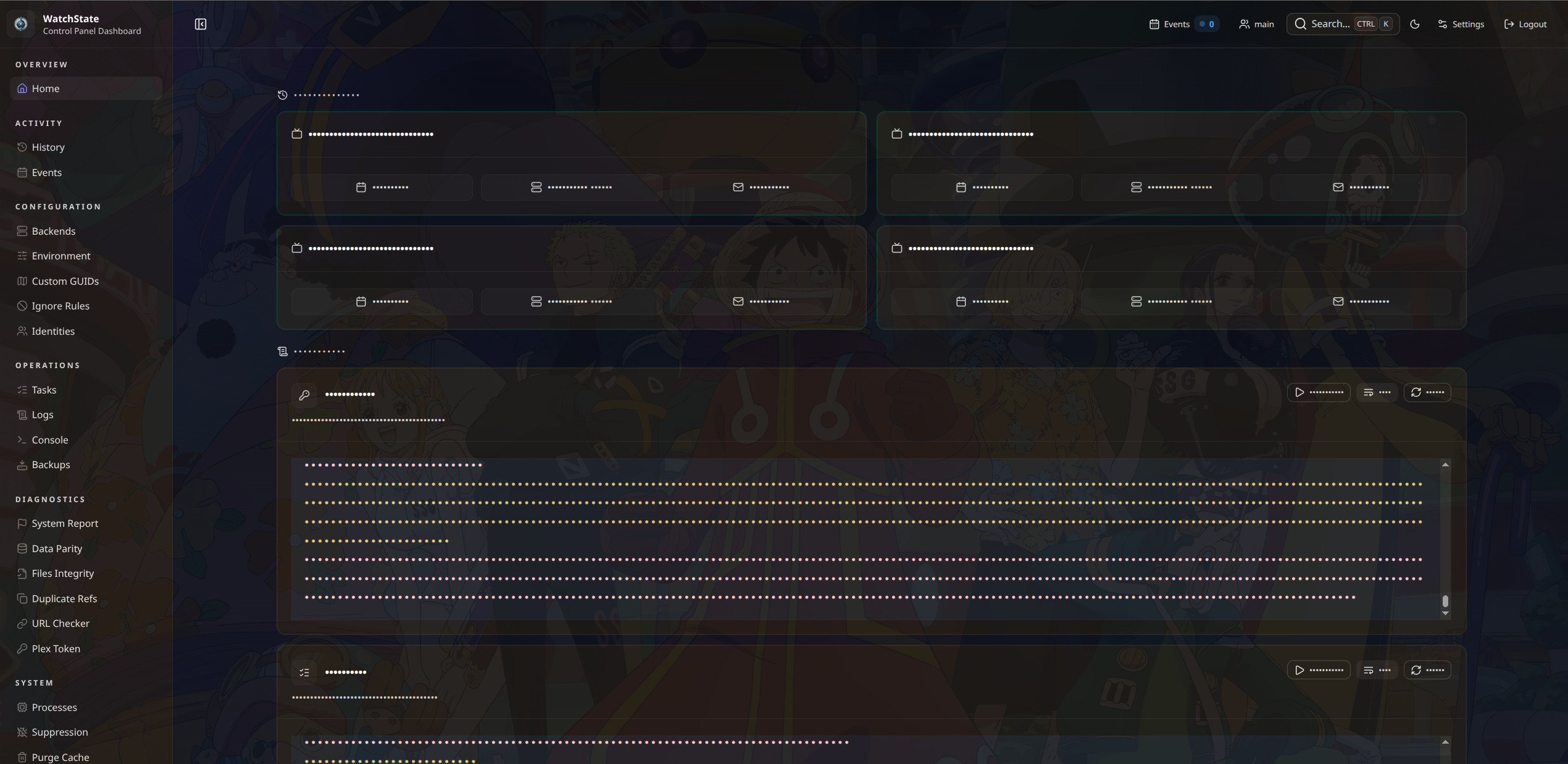
Self-hosted service to sync your plex, jellyfin and emby play state. without relying on 3rd-party external services.
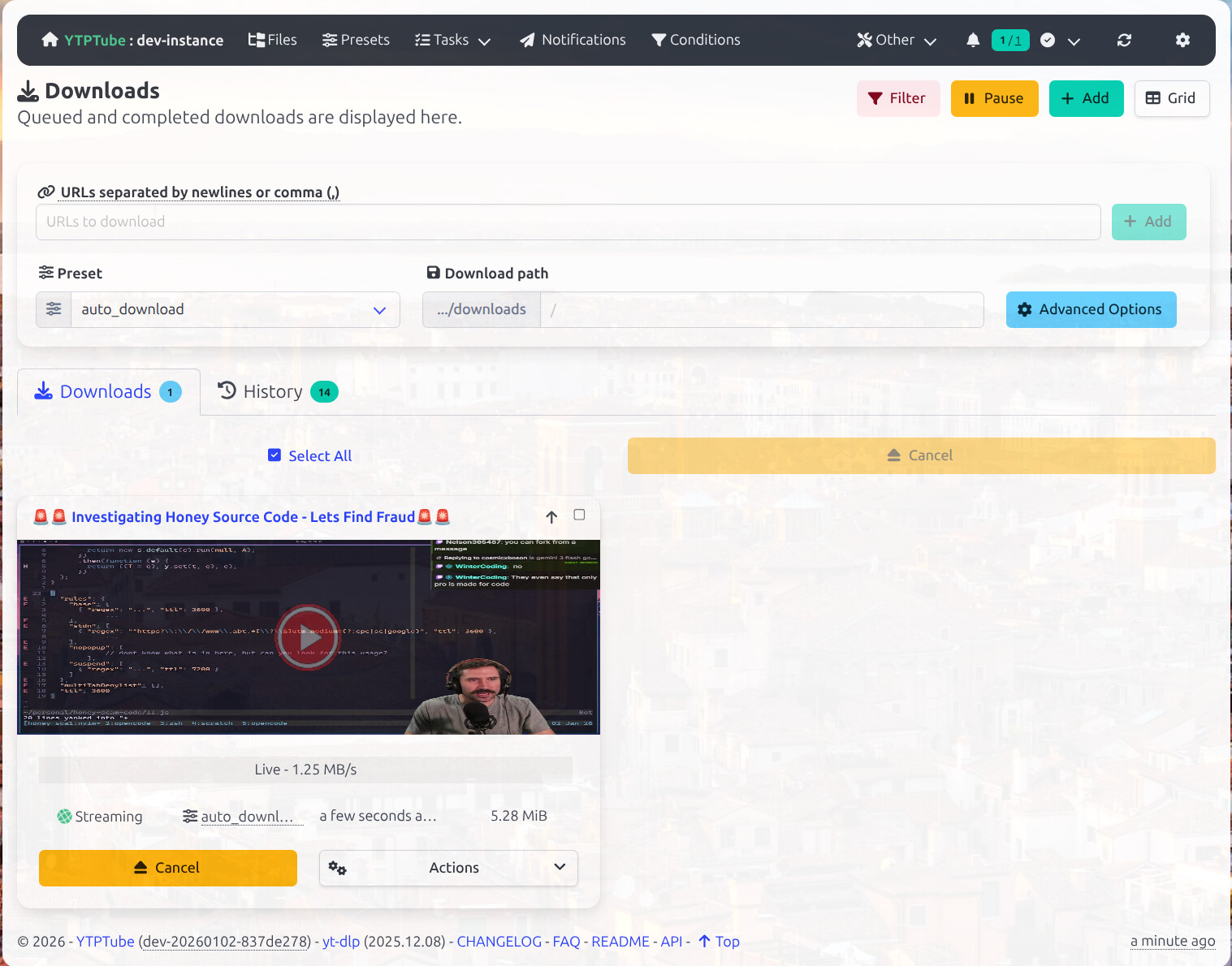
Media download manager, automation interface, and media library preparation layer for yt-dlp
Take My Repo has not tested this on your machine. Requirements come from the project's own documentation.
