CLIProxyAPI for Home Assistant OS
A lightweight Home Assistant app that runs the official
CLIProxyAPI Docker image. Supports
Raspberry Pi 4 (ARM64) and AMD64, with persistent OAuth credentials, native
configuration, and updates through Home Assistant.
Features
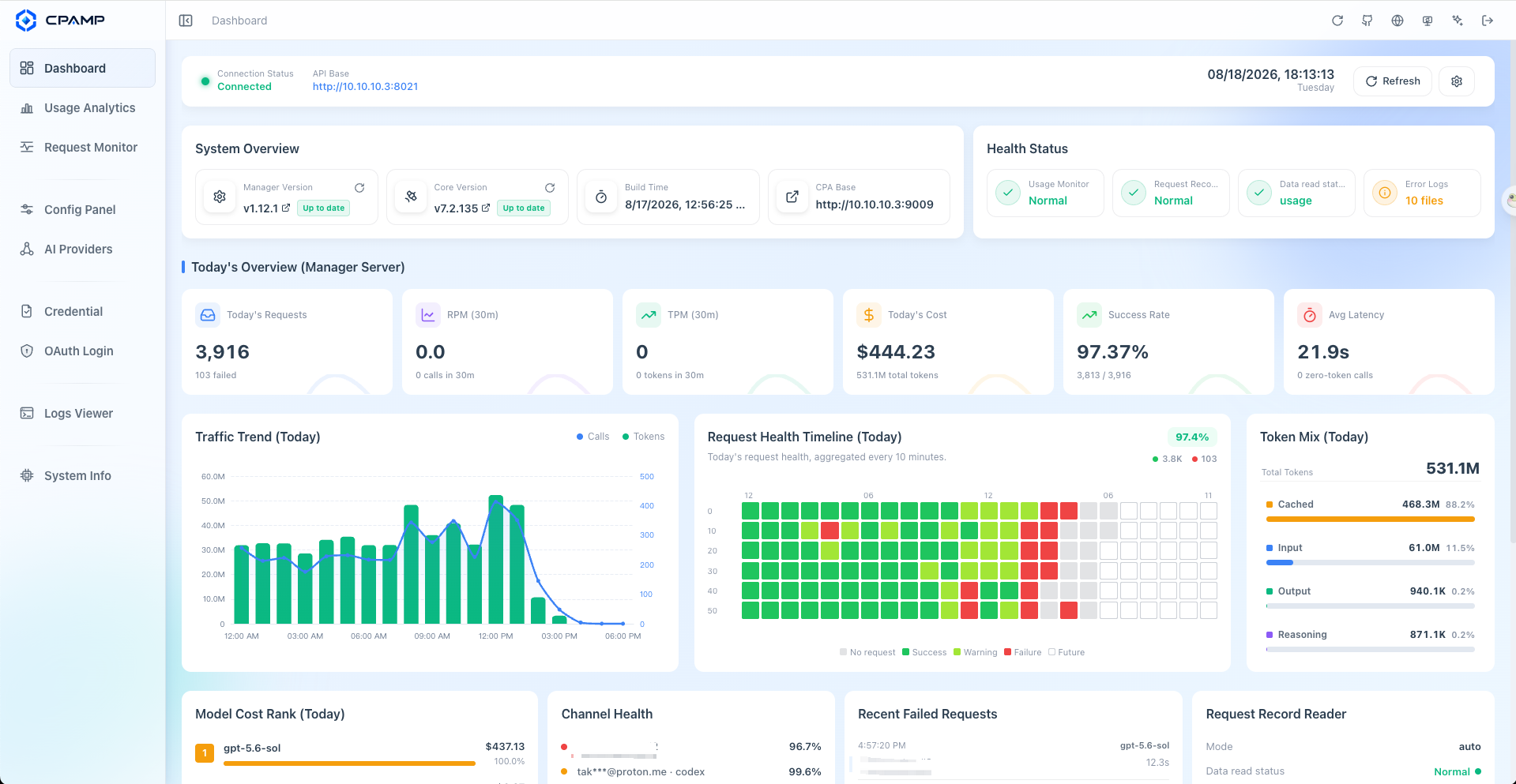
- Official CLIProxyAPI server and management panel on port 8317.
- OAuth login for Codex and other upstream-supported providers.
- Multiple accounts, with upstream routing and failover settings.
- Configuration and credentials preserved across restarts and updates.
- ARM64 and AMD64 images published to GitHub Container Registry.
Installation
- Add
https://github.com/b1scuitdev/ha-cliproxyapi to the repositories in the
Home Assistant app store, then install CLIProxyAPI.
- Run
openssl rand -hex 32 twice on your computer. Enter the two different
keys as initial_api_key and initial_management_key in the app's
Configuration tab, then save and start the app.
- Open
http://HOME_ASSISTANT_IP:8317/management.html and sign in with the
management key.
- Clear both initial key fields in Home Assistant and save. Keep your keys in
a password manager; future changes are made through CLIProxyAPI.
Configuration & OAuth
Use the management panel to configure CLIProxyAPI and connect your accounts.
For Codex, start an OAuth login, open the authorization URL in your browser,
and complete sign-in. Submit the returned callback URL in the panel, then repeat
for any additional accounts.
Account selection, session affinity, retries, and failover use the usual upstream
settings. See configuration and OAuth
for callback troubleshooting and configuration references.
T3 Code
Use your Home Assistant LAN address or a reachable Tailscale address:
| Connection |
URL |
Key |
| Model requests |
http://HOST:8317/v1 |
API key |
| Usage Hub |
http://HOST:8317 |
Management key |
Configure the model provider separately in T3 Code. For Usage Hub, open
Settings → Providers → Usage providers → Add hub and enter the server URL
and management key. The hub connection grants administrative access to
CLIProxyAPI, so only share that key with trusted clients.
See T3 setup details for provider configuration.
Use this service on your trusted LAN or Tailscale network; keep port 8317 off
the public internet.
Enable Watchdog in the Home Assistant app settings to let the Supervisor
monitor port 8317 and restart the app if its TCP listener becomes unavailable.
Updates & Backups
Home Assistant notifies you when a new app version is available. Leave automatic
updates off and install updates when you're ready. Configuration and OAuth
credentials stay in the app's persistent storage and are included in HA backups.
See updates and backups for recovery,
Docker migration to move your
accounts to Linux, or contributing for build and test details.