
webssh
Security-focused, self-hosted SSH and SFTP workspace for homelabs and teams - multi-user, passkeys, OIDC, encrypted keys, backups, and offline-ready.
- 339
- Apache-2.0
- 3 h ago
Repo bifrost0x/webssh, read from GitHub 1 h ago. bifrost0x has not joined Take My Repo.
In short
bifrost0x/webssh is a public repo on GitHub by bifrost0x. Security-focused, self-hosted SSH and SFTP workspace for homelabs and teams - multi-user, passkeys, OIDC, encrypted keys, backups, and offline-ready. It declares the Apache-2.0 license on GitHub. It is written mainly in JavaScript, has 339 stars and last changed on 2026-11-24. Nobody has reviewed it on Take My Repo yet, which says nothing about its quality. Read from GitHub on 2026-11-24.
Similar repos



WebSSH 3 - your self-hosted SSH, files and automation workspace.
Product site · Watch the full tour · Quick Start · Documentation · Roadmap · Container image · Discussions
Product tour
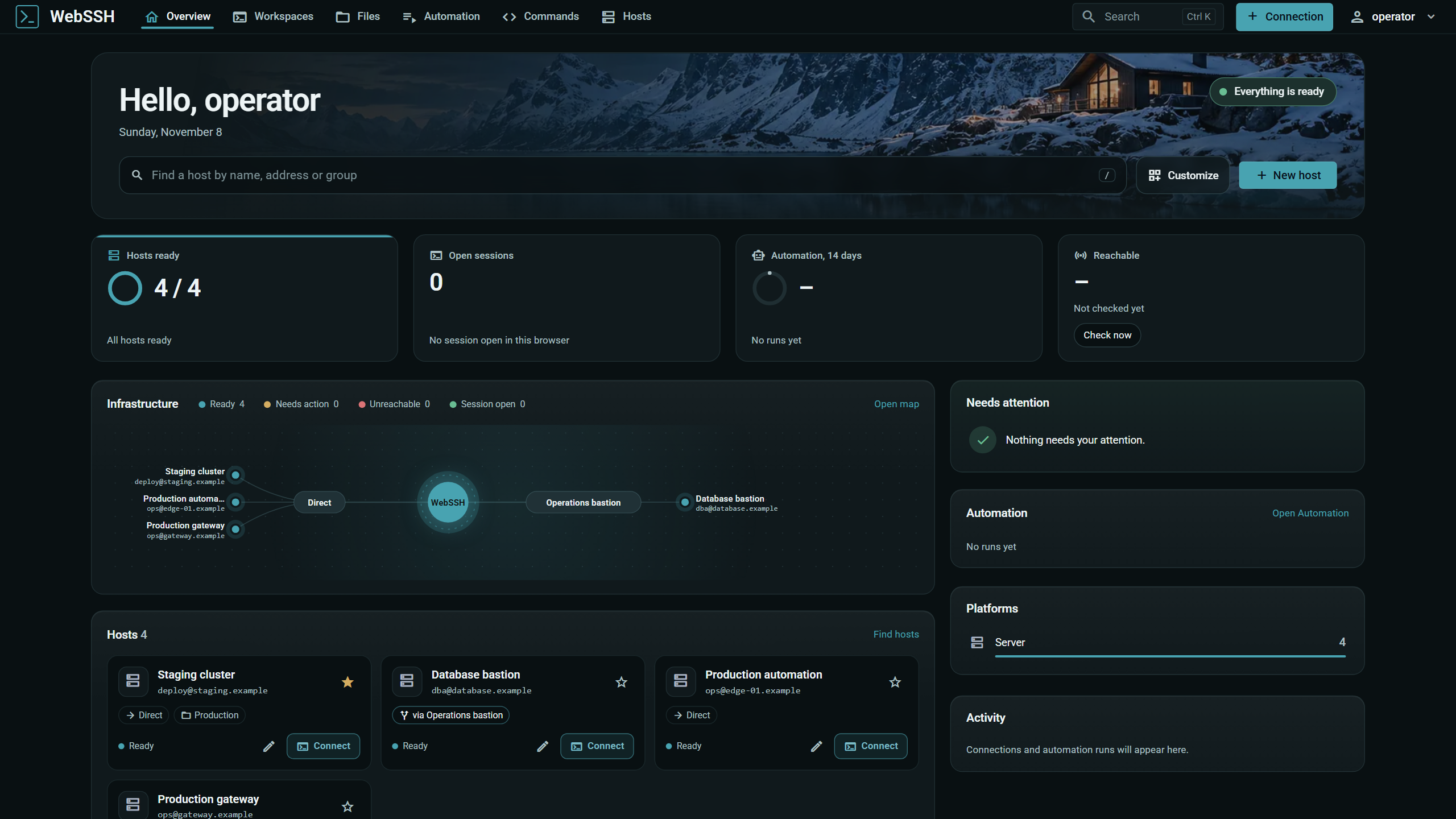
WebSSH keeps terminal work, files, commands, diagnostics, and notes in one responsive browser workspace. It is self-hosted, multi-user, and built without a hosted control plane or runtime CDN dependencies.
Preview the animated product tour
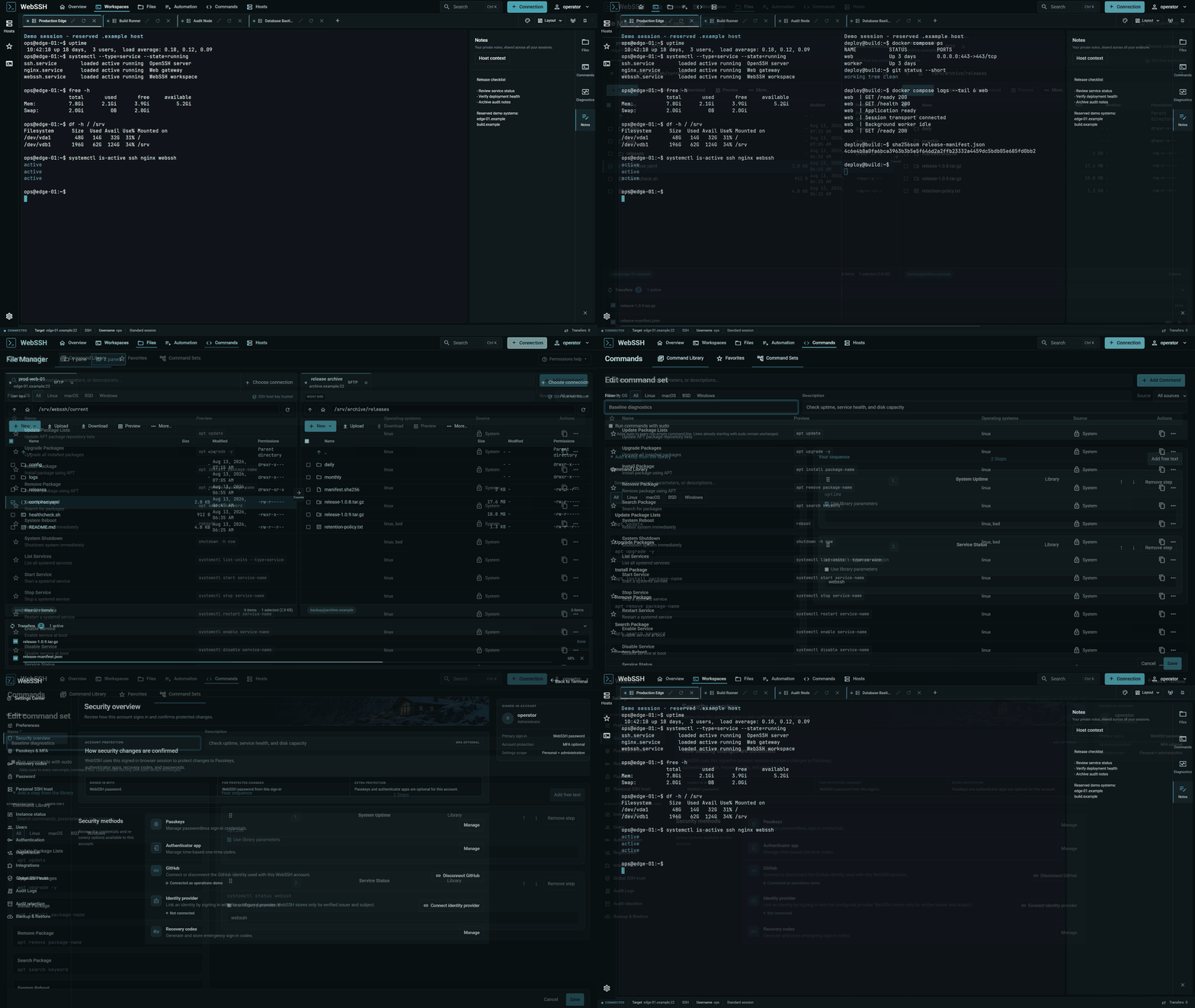
Why WebSSH
- One workspace, not a terminal tab. Keep SSH sessions, SFTP sources, commands, live Linux context, and notes aligned with the active server.
- Self-hosted by design. Accounts, profiles, encrypted keys, host trust, audit records, and application data remain on your WebSSH instance.
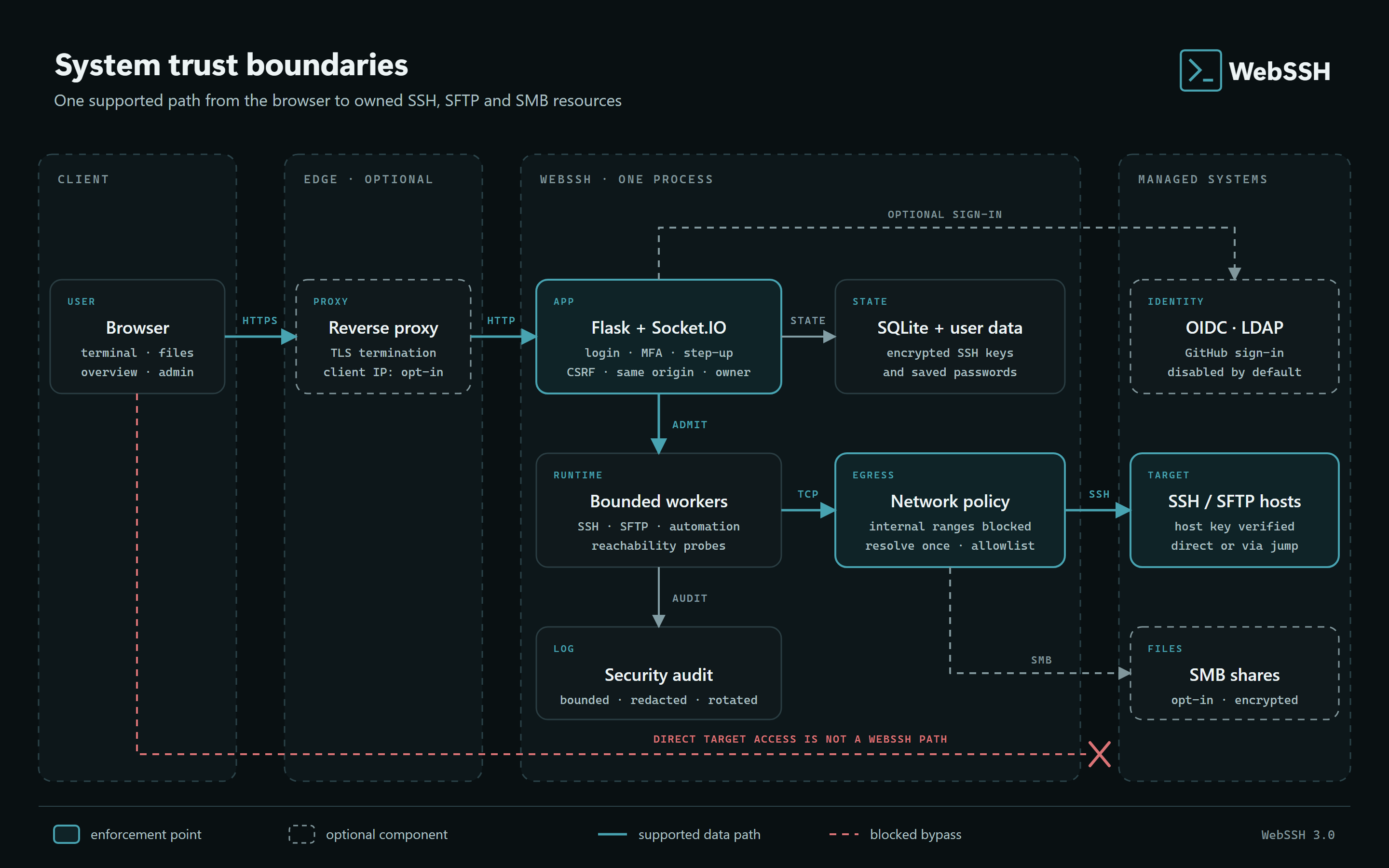
- Safe operational boundaries. Authentication, ownership checks, network policy, host-key verification, quotas, and bounded runtime work are explicit.
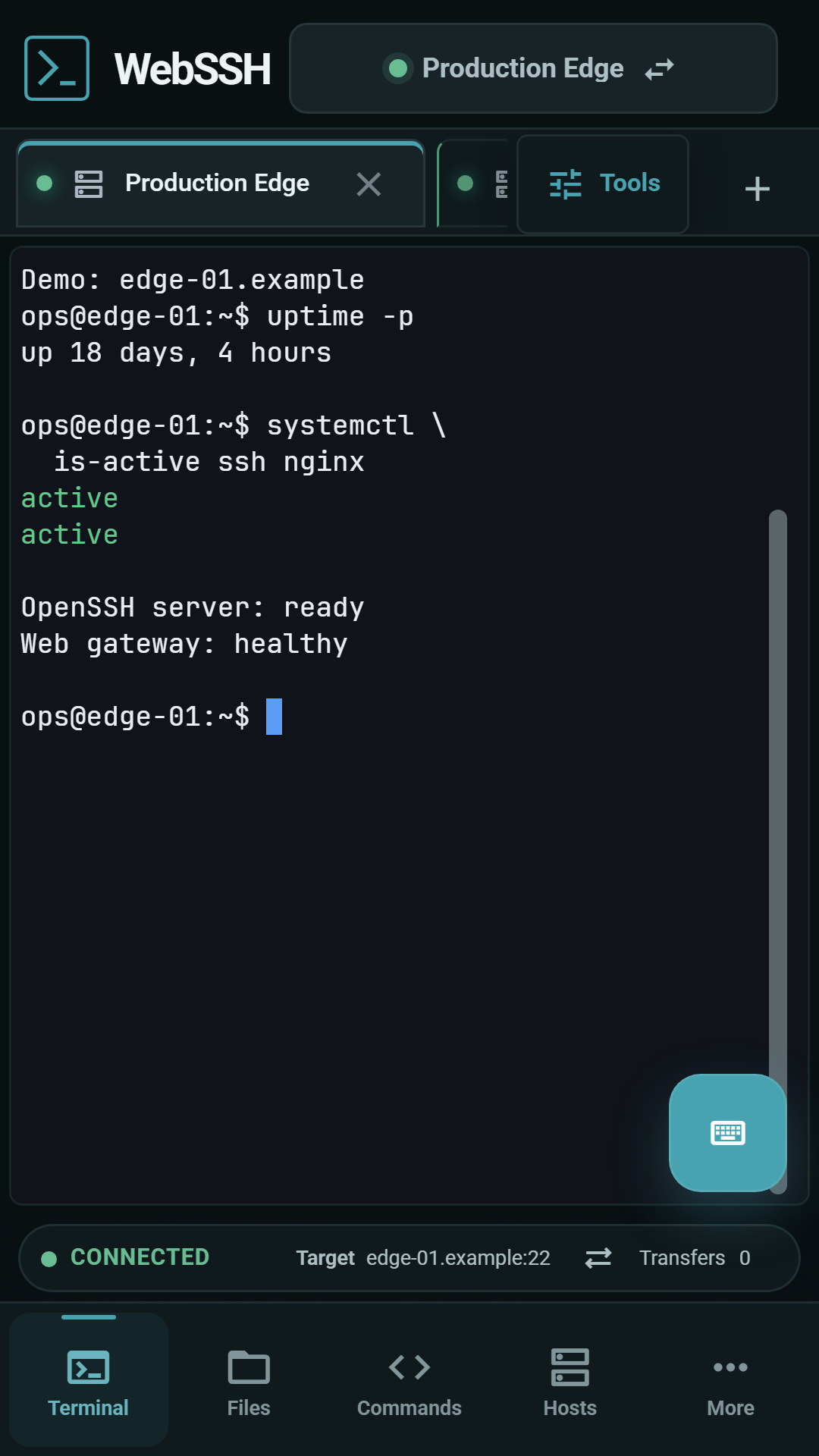
- Useful from phone to workstation. The same interface adapts from a focused mobile shell to multi-pane desktop operations.
Features
The WebSSH Wiki covers each area in depth. Upgrading from 2.x? Read the WebSSH 3 changes and upgrade notes.
Overview and automation
- Status overview with host readiness, open sessions, automation results, reachability and recent activity, in a layout you arrange per account.
- Needs attention lists unverified host keys, missing jump hosts or SOCKS5 proxies, changed saved passwords and failed runs.
- Find hosts scans a network range you name for SSH and SFTP servers, only on request, and opens the host form prefilled.
- Automation runs commands, command sets and templates now or on a cron schedule, for saved hosts or complete groups. Administrators enable it; it is disabled by default and requires HTTPS.
- Optional encrypted, per-account saved passwords, enabled by an administrator.
See the automation guide and credential guide.
See all eleven themes in WebSSH 3
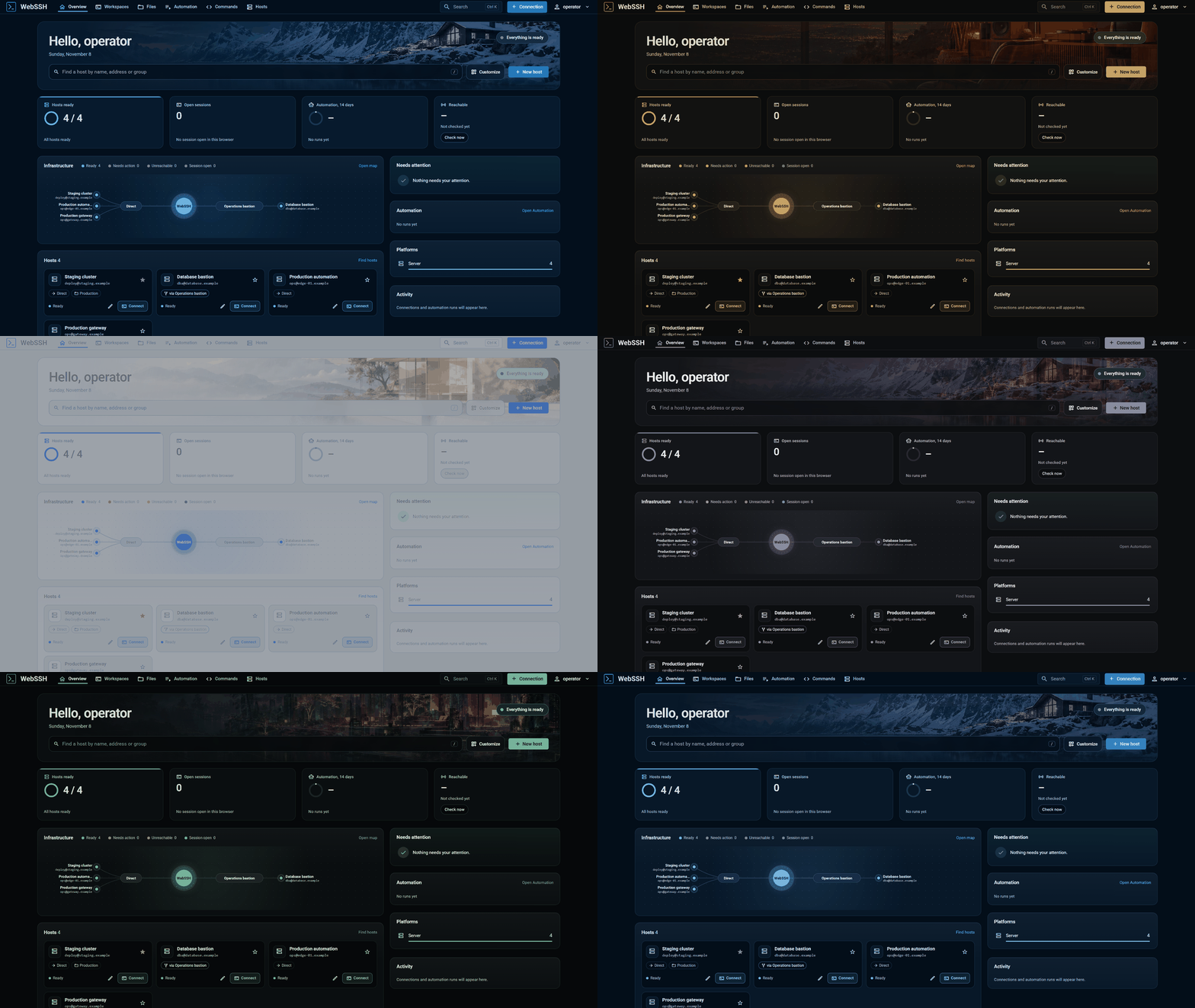
Terminal workspace
- Multiple SSH sessions with tabs and 1-, 2-, or 4-pane layouts.
- Saved connections, jump hosts, key, password, SSH server PAM MFA, and optional Tailscale SSH authentication paths.
- Per-host SOCKS5 proxy routes for terminal sessions and their SFTP files, with optional proxy login and remote DNS.
- Optional persistent remote shells through tmux.
- Optional Herdr integration, off by default: a read-only overview of the agents Herdr reports on connected hosts and Herdr as a terminal session mode.
- Broadcast input, terminal search, transcripts, reconnect controls, and configurable scrollback.
- Session-aware Files, Commands, Diagnostics, and Notes contexts.
- Named, account-owned workspace presets for pane layouts and saved hosts, with explicit connections and visible session-continuity guidance.
- Active Session Monitoring for supported Linux resource and runtime data.
- Expanded Diagnostics for resource history, processes, systemd services, and Docker containers.
- Clipboard-Only Service Actions that prepare allowlisted commands without executing the service change inside WebSSH.
- Per-account terminal appearance with four locally served Nerd Font Mono families; see the terminal font guide.
Files and transfers
- SFTP file workspace with independent tabs and one or two file panes; SMB sources are opt-in.
- Uploads, downloads, previews, inline text editing, and common file operations.
- Server-to-server transfers across SFTP and SMB sources with progress, cancellation, explicit conflict handling, and a shared transfer queue.
- Per-user ownership checks, size limits, quotas, and path validation.
SMB is disabled by default (SMB_ENABLED=false) and needs an exact
SMB_ALLOWED_TARGETS allowlist. WebSSH requires SMB 3.1.1 with signing and
encryption, never silently overwrites a destination and refuses symlink and
wide-link traversal. See the
file workspace guide
for authentication, access checks, limits and the trust boundary.
Identity and security
- Local multi-user accounts with isolated profiles, keys, files, settings, and SSH host trust.
- Optional Passkeys, authenticator apps (TOTP), and one-time Recovery Codes.
- Optional OIDC, admin-configured GitHub App, and LDAP/Active Directory sign-in.
- Action-bound confirmation for protected account and administrative changes.
- Encrypted SSH private-key storage and per-user known-host decisions.
- CSRF protection, secure response headers, rate limits, request limits, audit logging, and production fail-closed checks.
Operations and administration
- Docker and Docker Compose deployment with a persistent data volume.
- Health and readiness endpoints for deployment checks.
- User administration, registration controls, and structured audit export and retention.
- Online backup and restore with maintenance mode and explicit confirmation.
- Optional Redis-backed rate-limit counters.
- Vendored browser dependencies, a same-origin Content Security Policy, and no built-in telemetry.
Screenshots
Captured from the current interface with synthetic hosts and example data.
Arrange the overview
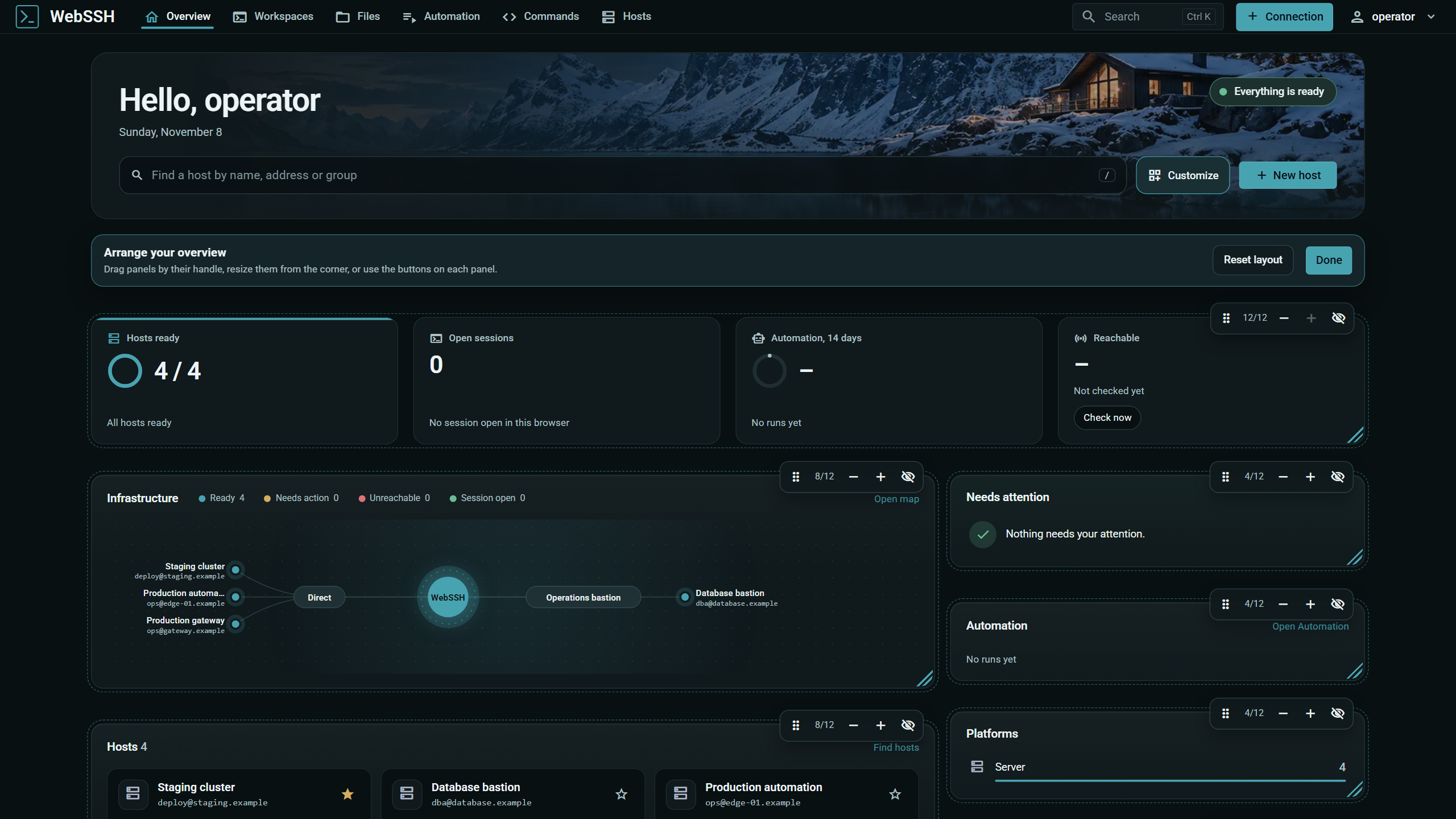
Every panel can be moved, resized or hidden. The arrangement belongs to your account and stacks in the same order on small screens.
Find SSH hosts
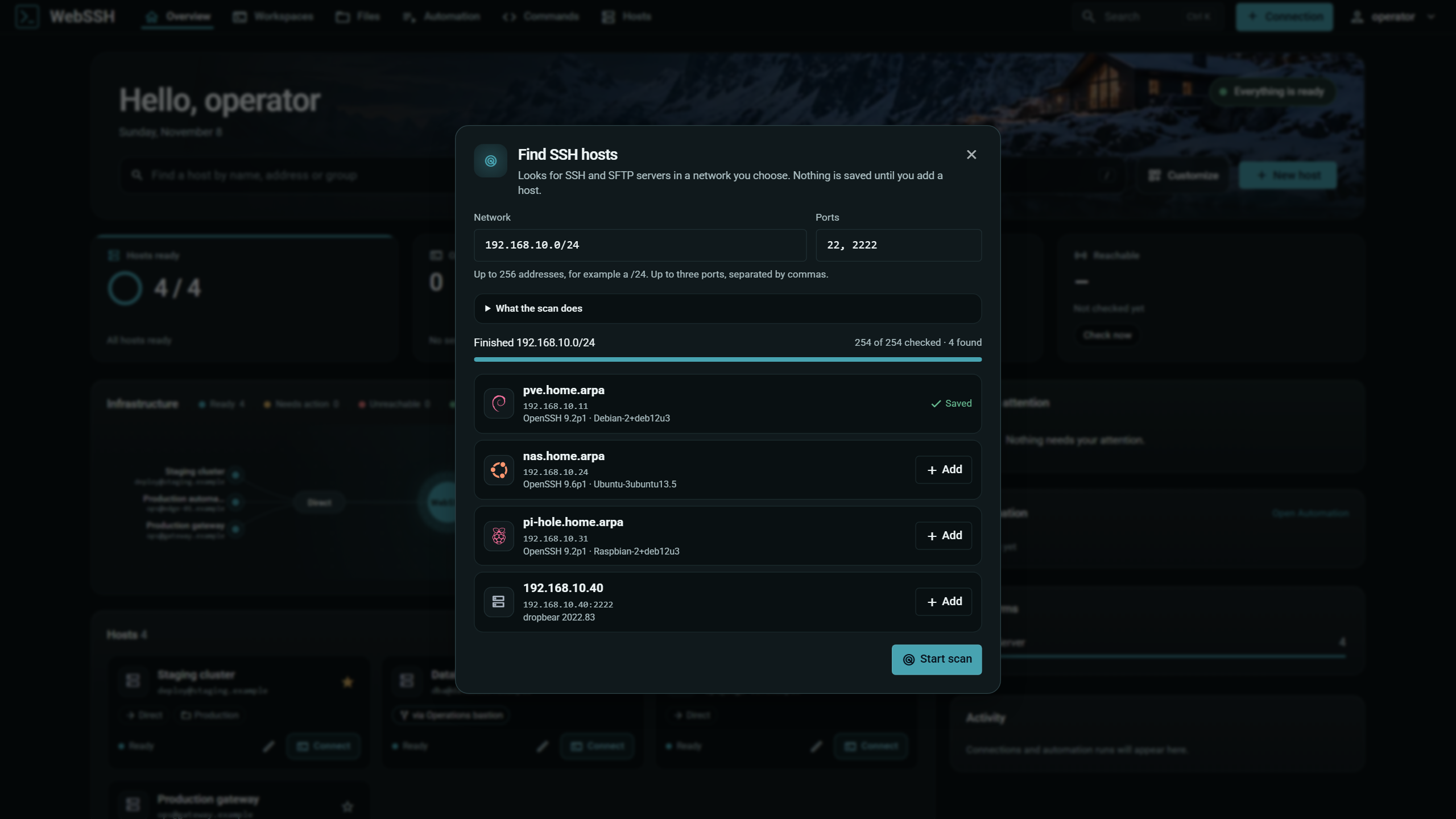
Discovery reads only the greeting an SSH server sends by itself, marks hosts you already saved and turns a result into a prefilled new host.
Focused session workspace
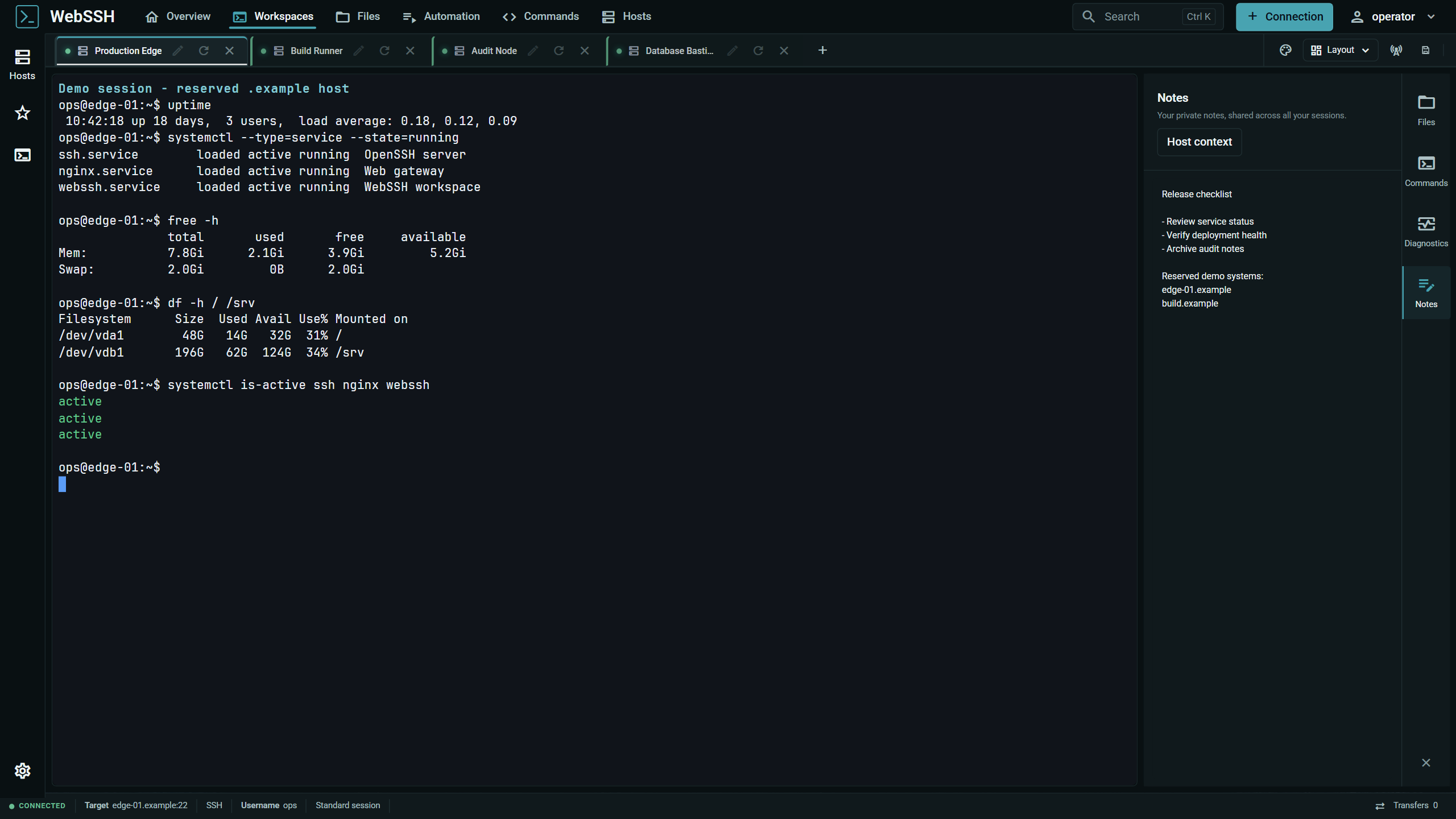
The active session stays central while contextual tools remain close at hand.
Multiple live sessions
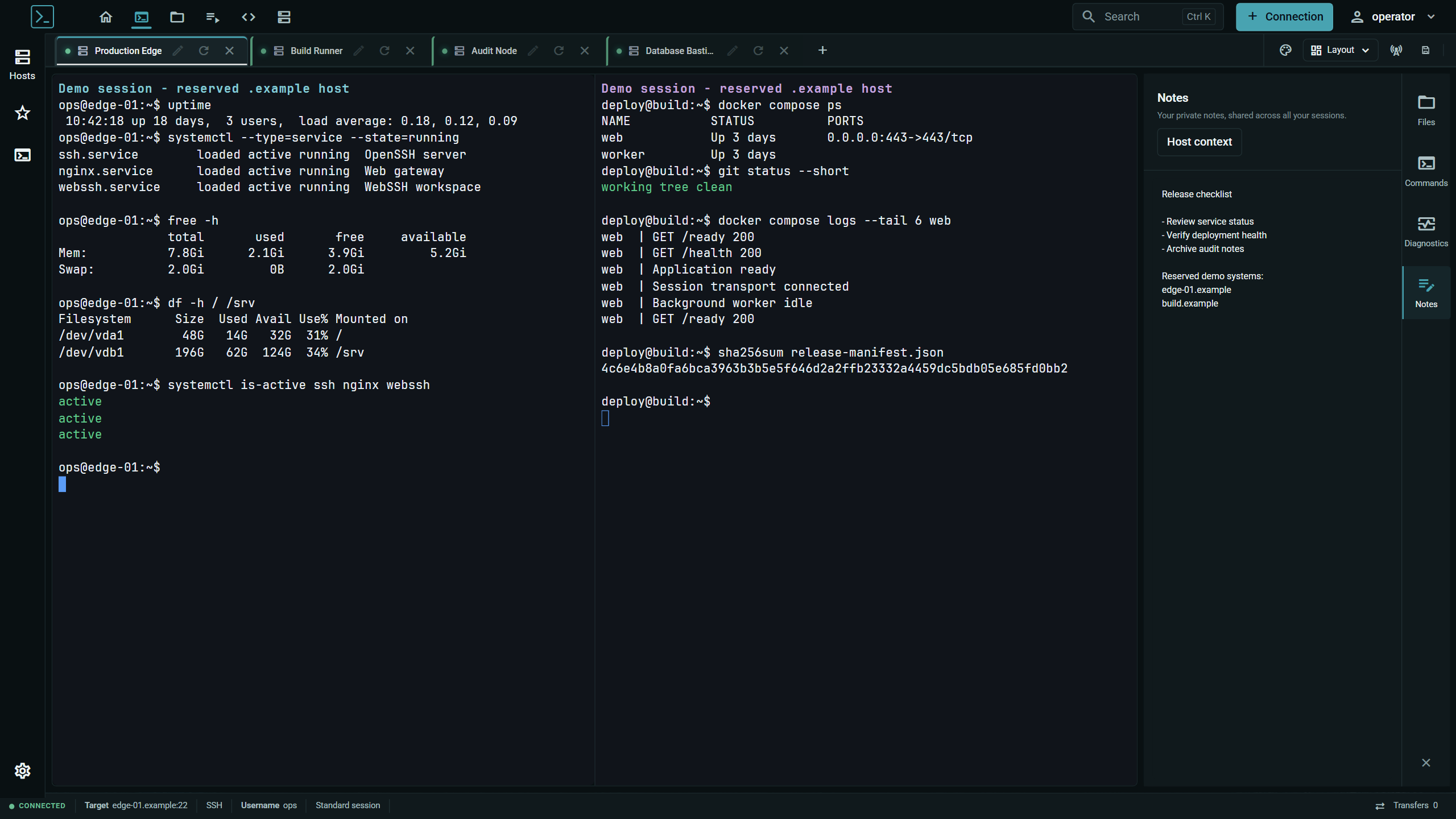
Split panes make side-by-side observation and coordinated work visible without mixing session ownership or terminal state.
Commands, favorites, and reusable sequences
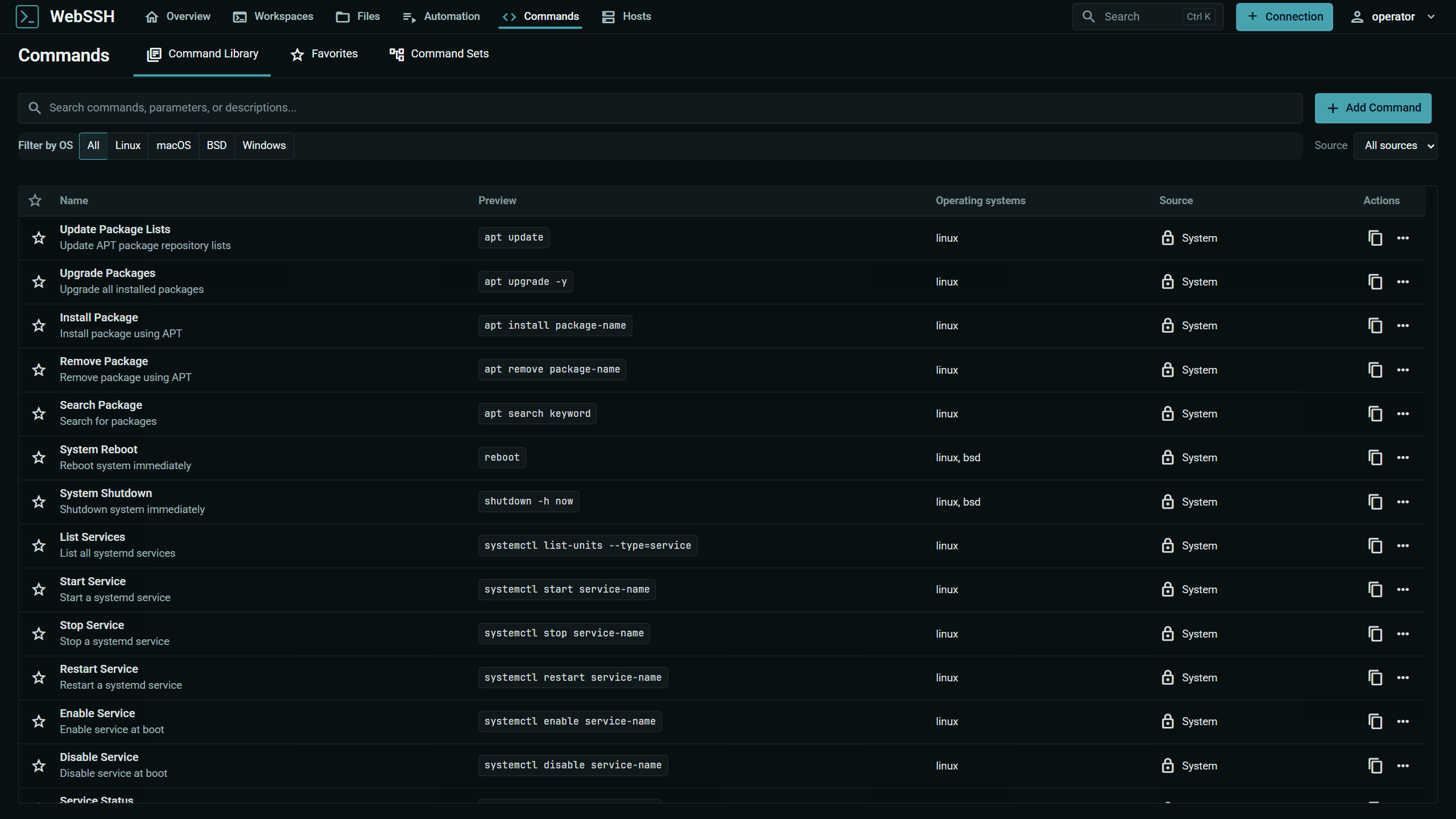
Browse the library, keep frequently used entries in Favorites, and build reusable Command Sets. Each has its own label, icon, and color.
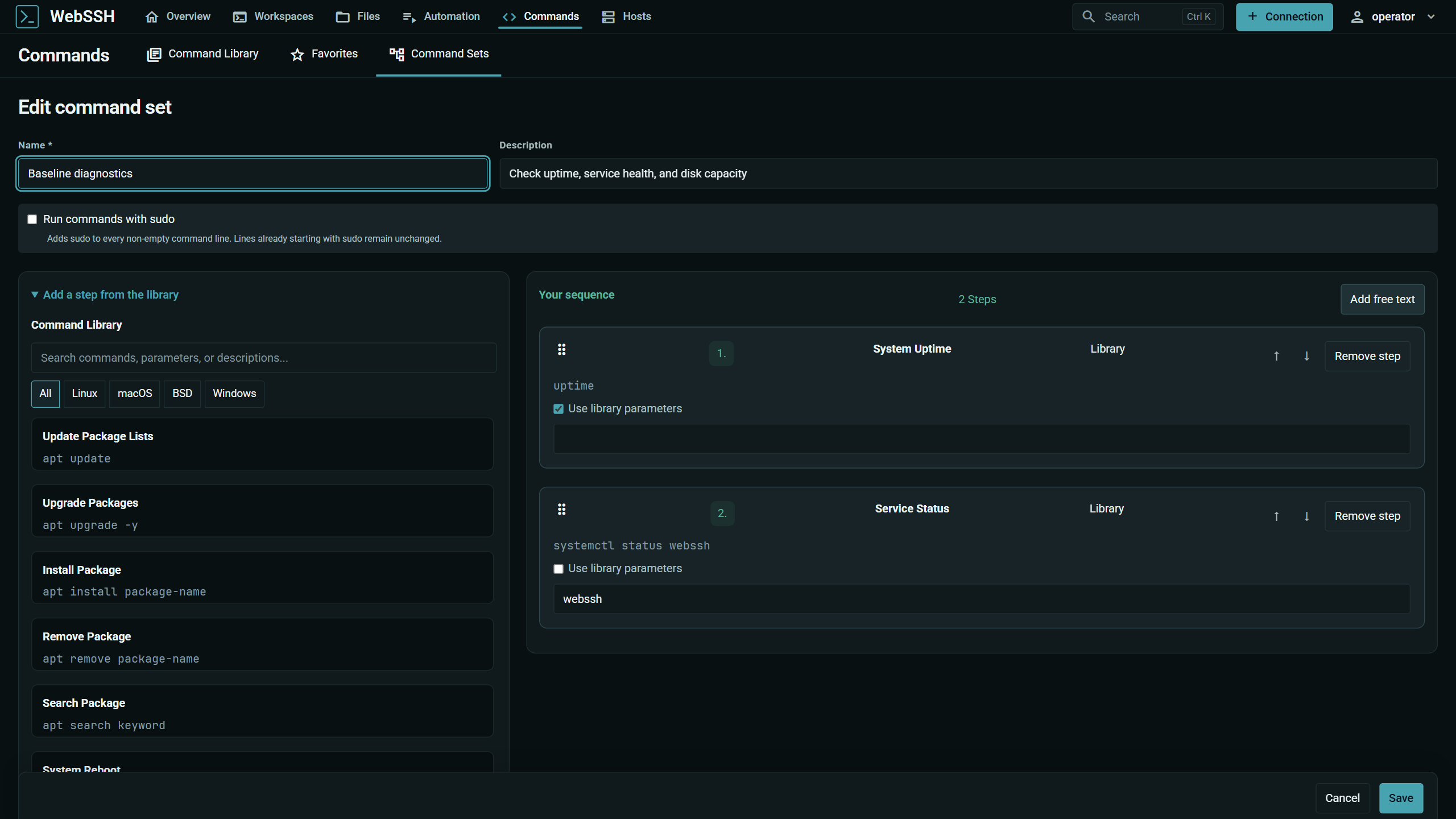
Arrange steps, review parameters, and assign a saved sequence to a connection.
File workspace
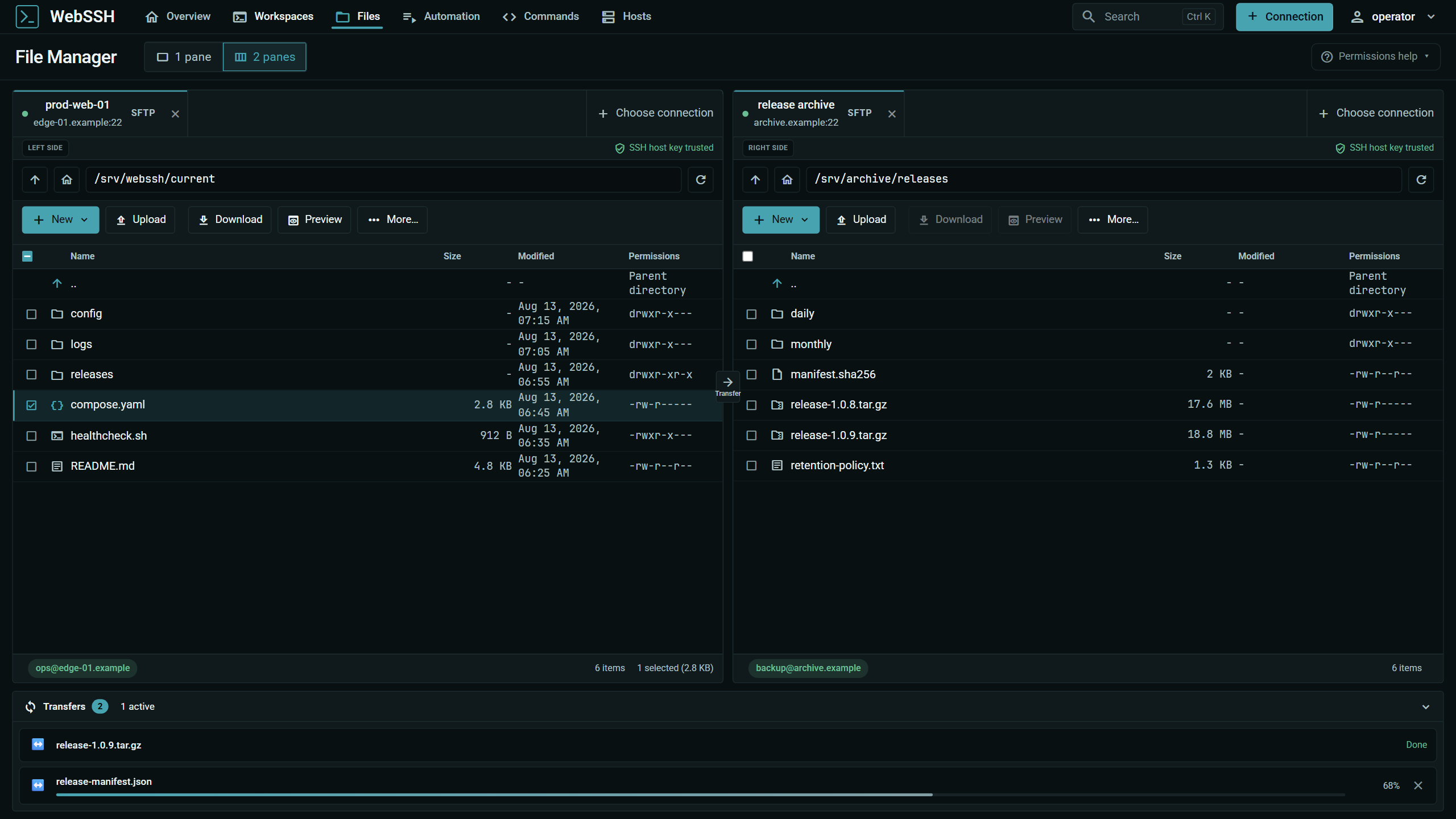
Each pane has an explicit source, endpoint, path, trust state, and selection.
Optional SFTP Unix permissions (disabled by default) preview changes before applying them; see the permissions guide.
Review file changes before saving
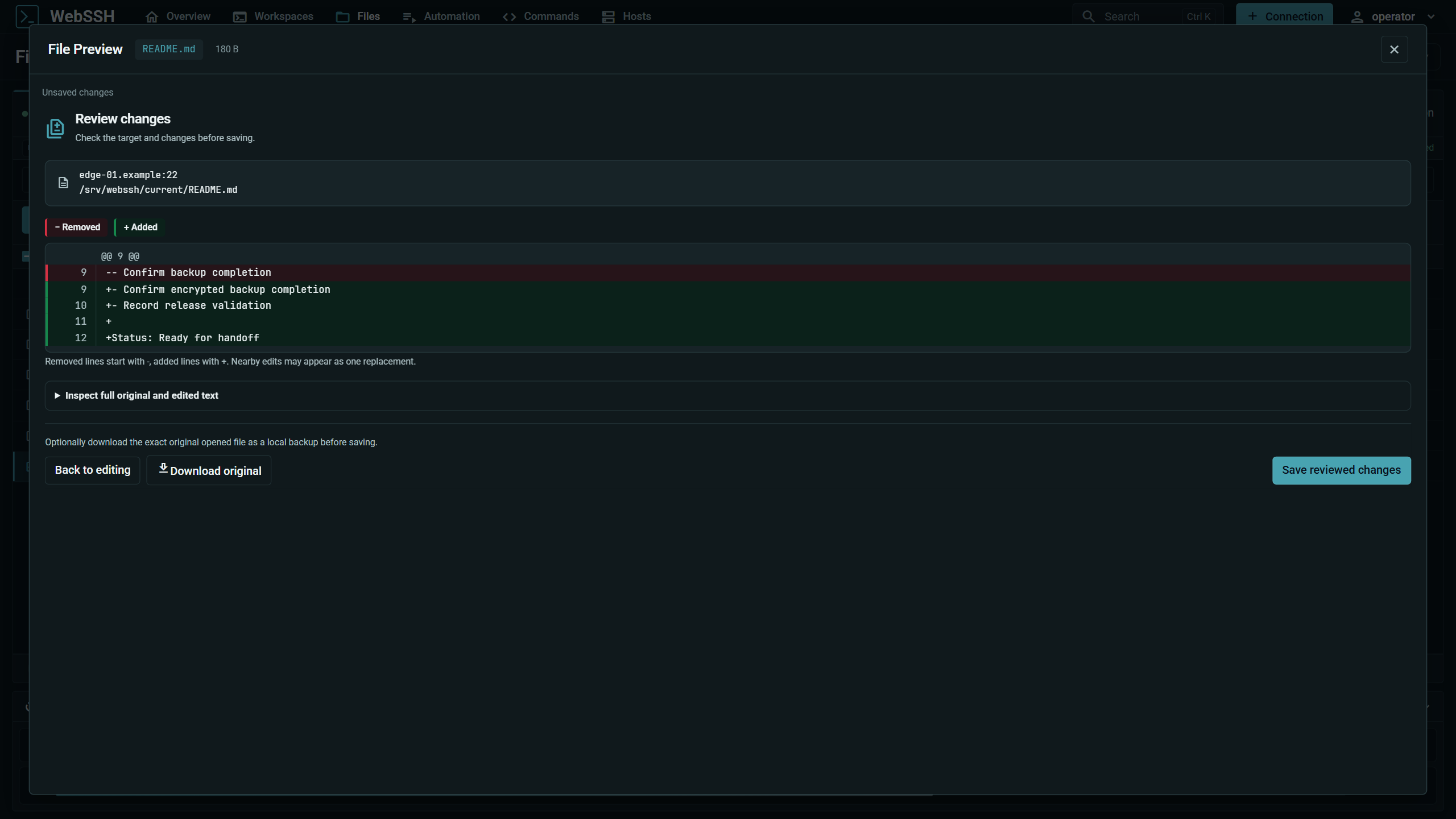
Check the target and changed lines, optionally download the original, then explicitly save the reviewed content.
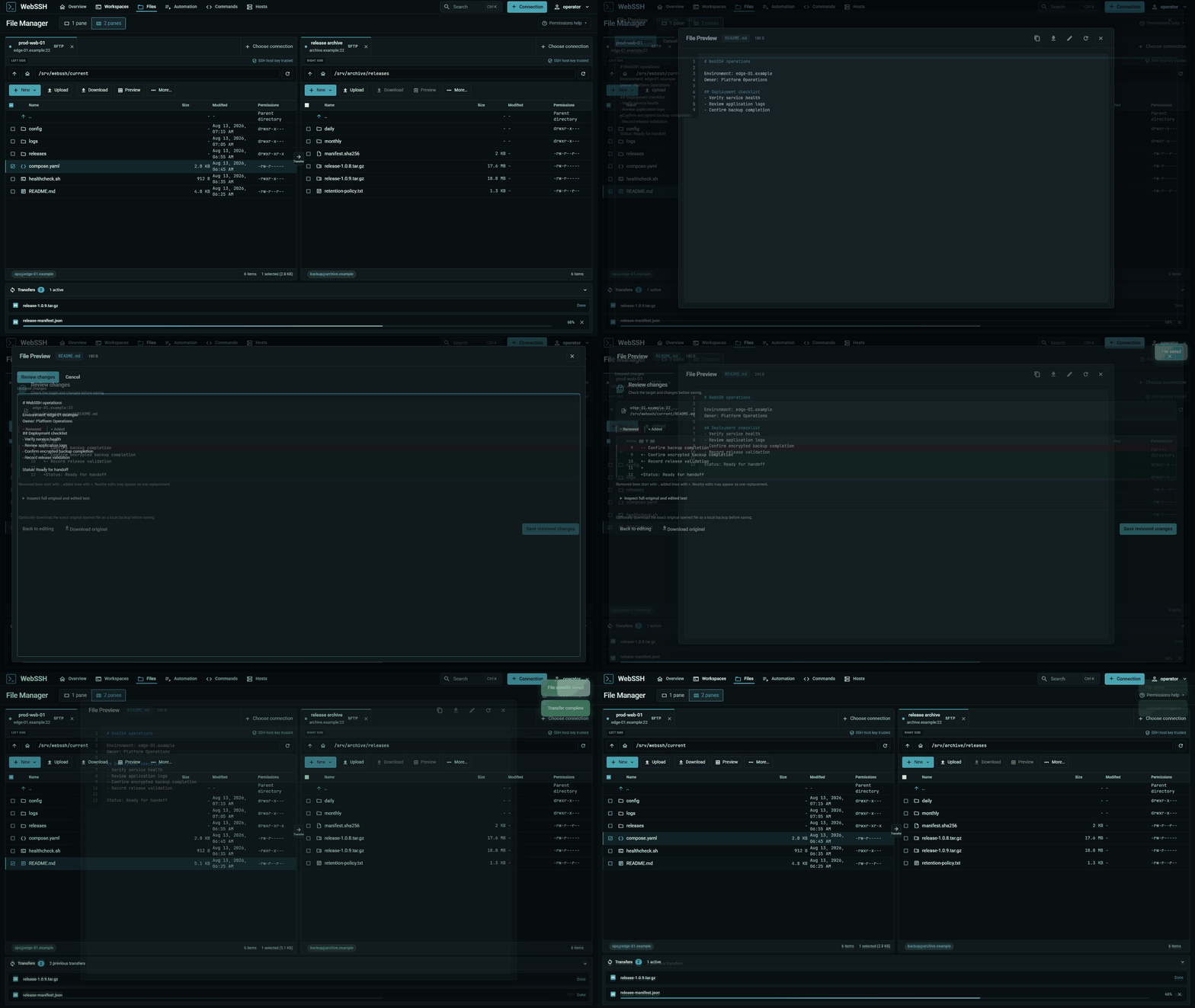
Preview the file editing workflow
Security Center
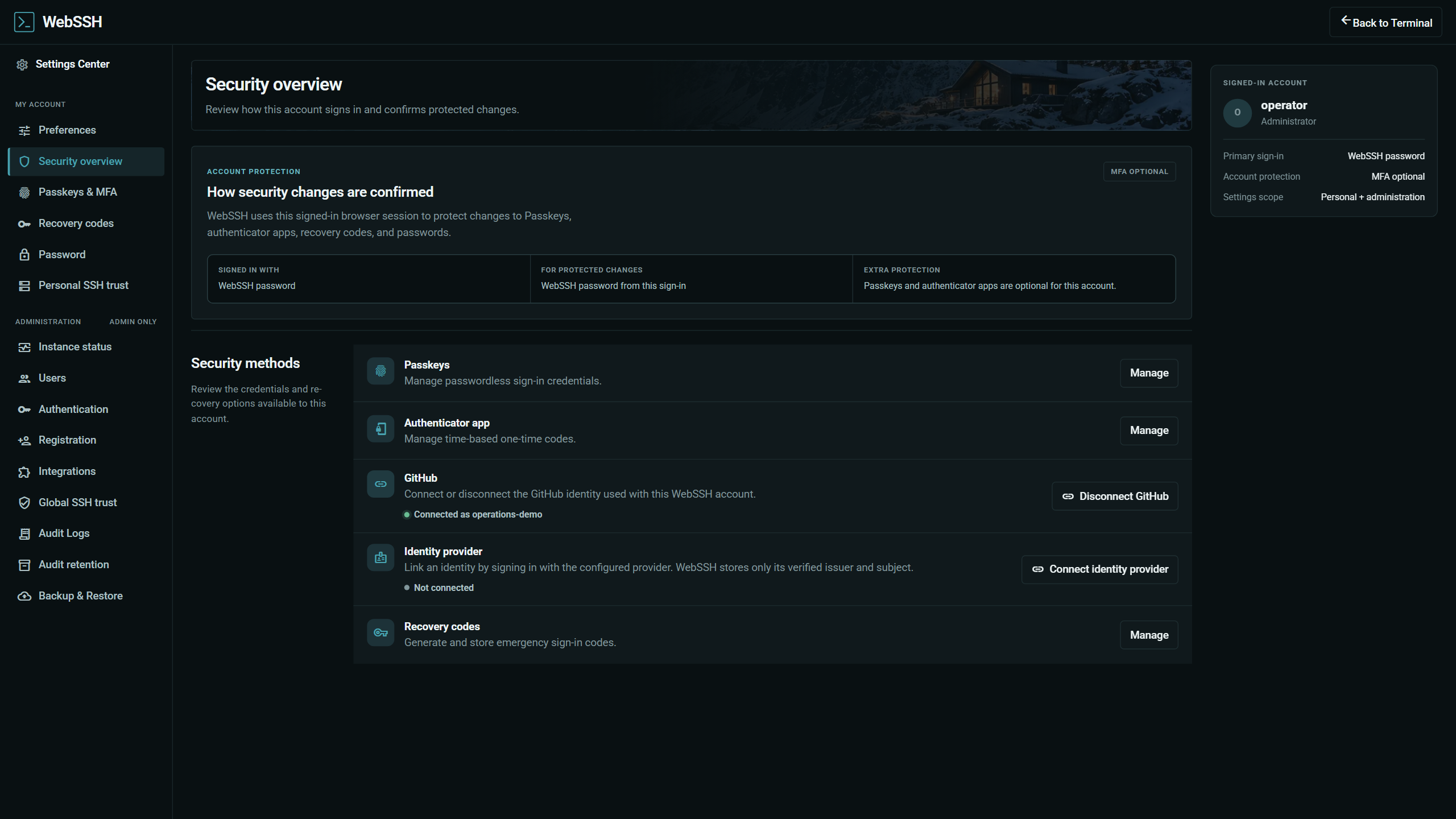
The Security Center explains how the current sign-in confirms protected changes and keeps factors and SSH trust in one account-owned view.
Mobile workspace
Quick Start
Requires Docker with the Compose plugin on linux/amd64 or linux/arm64.
mkdir webssh-deployment
cd webssh-deployment
curl -O https://raw.githubusercontent.com/bifrost0x/webssh/main/docker-compose.yml
docker compose up -d
Open http://localhost:5000. On a new instance, create the first administrator
immediately from a trusted network. The one-time browser bootstrap closes after
that account exists. Readiness: curl -fsS http://localhost:5000/ready.
The supplied Compose file is intended for evaluation and trusted homelab
networks. It stores the database, generated application secret, user data, and
encrypted keys in the webssh_data volume, and it follows latest. For
controlled upgrades, pin a published version or verified image digest, keep
Compose files from the same release, and back up the data with matching
secrets. See
upgrade and rollback guidance.
Do not expose this homelab configuration to the Internet unchanged. Read the Quick Start, the Production Deployment guide and the production container boundaries.
Security Boundary
Questions
What is webssh?
bifrost0x/webssh is a public repo on GitHub by bifrost0x. Security-focused, self-hosted SSH and SFTP workspace for homelabs and teams - multi-user, passkeys, OIDC, encrypted keys, backups, and offline-ready.
Is webssh open source?
It declares the Apache-2.0 license on GitHub.
Does webssh run on macOS, Windows or Linux?
Its maker tagged it for macOS, Windows and Linux, or as Docker or cross-platform. That is declared by the maker; Take My Repo has not tested it.
How do I install webssh?
Open "Take it" on its page: Take My Repo writes an install plan for your machine and hands it to your AI agent (Claude Code, Codex or Cursor), which asks you before each step. Take My Repo has not tested it on any machine.


