LLMs-from-scratch
Implement a ChatGPT-like LLM in PyTorch from scratch, step by step
- 109k
- Jupyter Notebook
- 1 h ago

Crosslingual Generalization through Multitask Finetuning
Repo bigscience-workshop/xmtf, read from GitHub 13 h ago. bigscience-workshop has not joined Take My Repo.
bigscience-workshop/xmtf is a public repo on GitHub by bigscience-workshop. Crosslingual Generalization through Multitask Finetuning. It declares the Apache-2.0 license on GitHub. It is written mainly in Jupyter Notebook, has 534 stars and last changed on 2024-09-22. Nobody has reviewed it on Take My Repo yet, which says nothing about its quality. Read from GitHub on 2026-11-23.
Implement a ChatGPT-like LLM in PyTorch from scratch, step by step
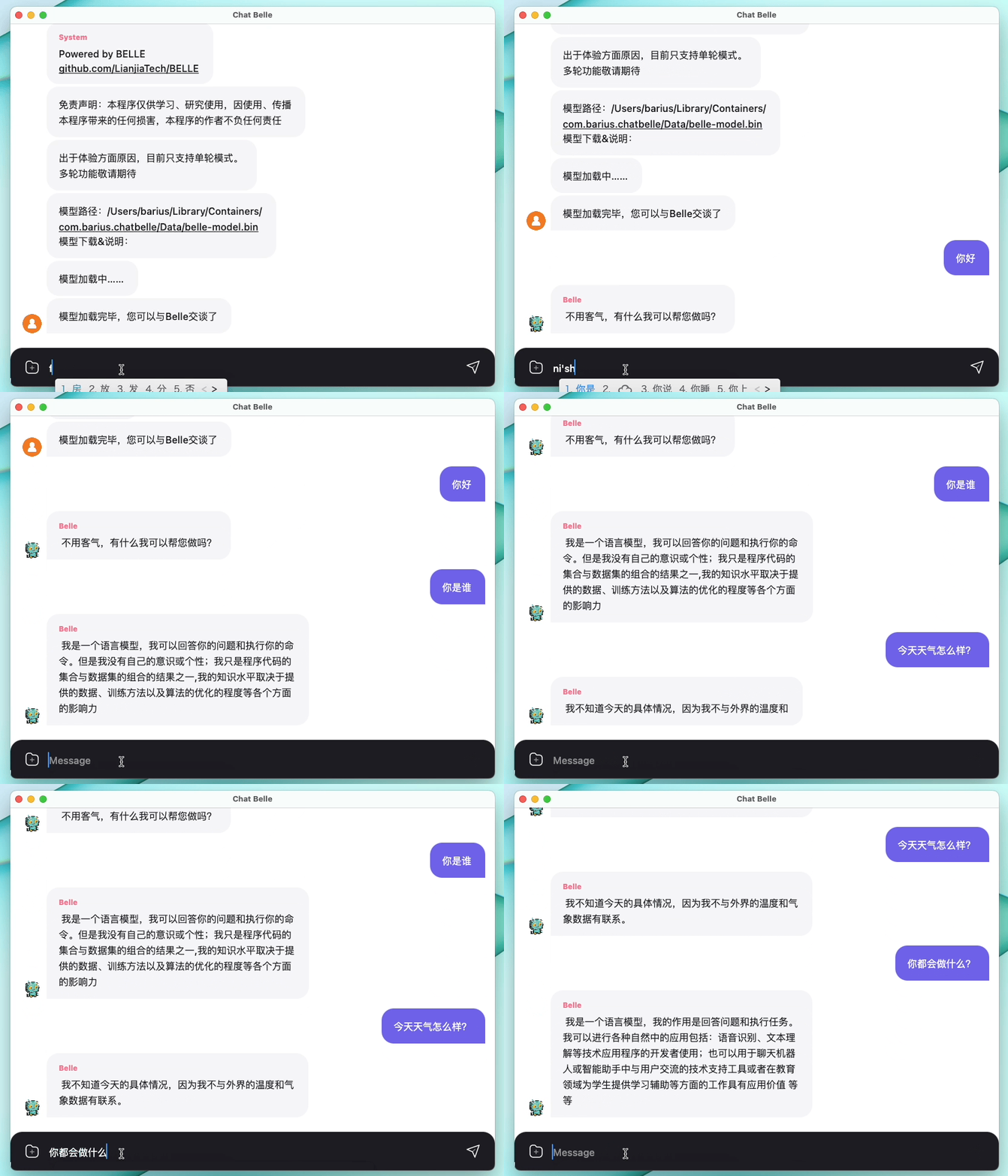
BELLE: Be Everyone's Large Language model Engine(开源中文对话大模型)
This repository provides an overview of all components used for the creation of BLOOMZ & mT0 and xP3 introduced in the paper Crosslingual Generalization through Multitask Finetuning. Link to 25min video on the paper by Samuel Albanie; Link to 4min video on the paper by Niklas Muennighoff.
| Name | Explanation | Example models |
|---|---|---|
| xP3x | Mixture of 17 tasks in 277 languages with English prompts | WIP - Join us at Project Aya @C4AI to help! |
| xP3 | Mixture of 13 training tasks in 46 languages with English prompts | BLOOMZ & mT0-13B |
| xP3mt | Mixture of 13 training tasks in 46 languages with prompts in 20 languages (machine-translated from English) | BLOOMZ-MT & mT0-13B-MT |
| xP3all | xP3 + our evaluation datasets adding an additional 3 tasks for a total of 16 tasks in 46 languages with English prompts | |
| xP3megds | Megatron-DeepSpeed processed version of xP3 | BLOOMZ |
| P3 | Repreprocessed version of the English-only P3 with 8 training tasks | BLOOMZ-P3 & mT0-13B-P3 |
| Multitask finetuned on xP3. Recommended for prompting in English. | |||||||||||
|---|---|---|---|---|---|---|---|---|---|---|---|
| Parameters | 300M | 580M | 1.2B | 3.7B | 13B | 560M | 1.1B | 1.7B | 3B | 7.1B | 176B |
| Finetuned Model | mt0-small | mt0-base | mt0-large | mt0-xl | mt0-xxl | bloomz-560m | bloomz-1b1 | bloomz-1b7 | bloomz-3b | bloomz-7b1 | bloomz |
| Multitask finetuned on xP3mt. Recommended for prompting in non-English. | |||||||||||
| Finetuned Model | mt0-xxl-mt | bloomz-7b1-mt | bloomz-mt | Multitask finetuned on P3. Released for research purposes only. Strictly inferior to above models! | |||||||
| Finetuned Model | mt0-xxl-p3 | bloomz-7b1-p3 | bloomz-p3 | Original pretrained checkpoints. Not recommended. | |||||||
| Pretrained Model | mt5-small | mt5-base | mt5-large | mt5-xl | mt5-xxl | bloom-560m | bloom-1b1 | bloom-1b7 | bloom-3b | bloom-7b1 | bloom |
We have processed & uploaded xP3. If you want to recreate it, follow these steps:
git clone -b xp3mt https://github.com/Muennighoff/promptsource.git, for xP3 git clone -b tr13 https://github.com/Muennighoff/promptsource.git & install cd promptsource; pip install -e .pip install -q datasets iso-639USE_ENGLISH_PROMPTS = False in the beginningUSE_ENGLISH_PROMPTS = True in the beginningpython prepare_xp3.py or a SLURM scriptFor the new extension of xP3, xP3x, the process is largely the same except:
xp3x branch instead i.e. pip install git+https://github.com/Muennighoff/promptsource.git@xp3xcreate_xp3x.py.xP3x is a superset of xP3, so unless you want to reproduce the paper, we recommend always using xP3x (or xP3mt if you want machine-translated prompts).
git clone -b t0loading https://github.com/bigscience-workshop/Megatron-DeepSpeed & follow its setup guide to create an environment with necessary packages.merged_{lang}.jsonl files & preprocess it using the script here.xp3capmixnewcodelonglossseq. E.g. this is the script launched to train bloomz. Important parts of the script to modify are:#SBATCH variables, such as nodes, gpus, time, etc. - Our SLURM guide is heresource $six_ALL_CCFRWORK/start-tr13f-6B3-ml-t0 to point to your own conda environment setup via Megatron-DeepSpeedTRAIN_DATA_PATH & VALID_DATA_PATH, which point to files pointing to your processed training and validation data. We provide our files in this repository (xp3capmixnewcodelong_train.txt & xp3capmixnewcodelong_validation.txt), but you will likely want to change the paths inside. The percentages per language are based on how much each language makes up in xP3 with code being slightly upsampled.--universal flag in the script. We recommend saving a new checkpoint right after & then continuing training without --universal, which will be faster.--no-load-optim & --reset-progress flagsHelpful resources:
bigscience-workshop/xmtf is a public repo on GitHub by bigscience-workshop. Crosslingual Generalization through Multitask Finetuning.
It declares the Apache-2.0 license on GitHub.
Its maker has not tagged a system, so it is unknown here. Its README says what it needs.
Open "Take it" on its page: Take My Repo writes an install plan for your machine and hands it to your AI agent (Claude Code, Codex or Cursor), which asks you before each step. Take My Repo has not tested it on any machine.
Its last change on GitHub was on 2024-09-22. GitHub counts 11 open issues and pull requests. Take My Repo does not judge from that whether it is maintained.
Nobody has reviewed it on Take My Repo yet, which says nothing about its quality.
Take My Repo cannot say: it does not audit code and has not run xmtf. What is known comes from GitHub. It declares the Apache-2.0 license on GitHub. Its last change was on 2024-09-22. It has 534 stars, which measure popularity, not safety. Nobody has reviewed it on Take My Repo yet, which says nothing about its quality. Read the source before you run it. With "Take it", your AI agent shows each step and asks you before running it; README text is treated as data, not as instructions.