
gpt_academic
为GPT/GLM等LLM大语言模型提供实用化交互接口,特别优化论文阅读/润色/写作体验,模块化设计,支持自定义快捷按钮&函数插件,支持Python和C++等项目剖析&自译解功能,PDF/LaTex论文翻译&总结功能,支持并行问询多种LLM模型,支持chatglm3等本地模型。接入通义千问, deepseekcoder, 讯飞星火, 文心一言, llama2, rwkv, claude2, moss等。
- 72k
- Python
- GPL-3.0
- 10 mo ago
The maintainer has not written a description at the source.
Repo binary-husky/AlphaAutoResearch, read from GitHub 1 min ago. binary-husky has not joined Take My Repo.
binary-husky/AlphaAutoResearch is a public repo on GitHub by binary-husky. It declares the MIT license on GitHub. It is written mainly in Python, has 11 stars and last changed on 2026-05-08. Nobody has reviewed it on Take My Repo yet, which says nothing about its quality. Read from GitHub on 2026-11-21.
In the maintainer's words. Shown from GitHub; Take My Repo does not keep a copy.
2025-2026, "AI doing research autonomously" went from an academic dream to engineering reality. AI Scientist was published in Nature, AI-Researcher earned NeurIPS 2025 Spotlight, and OpenAI declared fully-automated research its North Star. But most of these systems focus on writing papers. We focus on running experiments.
Alpha Auto Research is an automated RL research system built on a Leader-Worker architecture. A leader agent reads a natural-language research topic, designs multi-stage experiment plans, generates structured experiment blueprints, dispatches them to GPU clusters, monitors progress, collects results, and writes analysis reports — while worker agents execute individual training runs on distributed compute backends. Submit a research topic before bed, wake up to a finished report.
The system is fully open-source, powered by OpenCode AI agents and AgentJet (an open-source RL training framework by ModelScope). As the oh-my-opencode author put it: "Claude Code's a nice prison, but it's still a prison." — we need full control over conversation history, breakpoint recovery, and agent behavior, which only open-source tooling can provide. It supports Alibaba Cloud PAI DLC (灵骏) and SSH-based clusters as compute backends. No expensive frontier models required — the entire system runs on affordable LLM APIs like MiniMax M2.7 or GLM coding plans. Got unused coding plan quota sitting idle overnight? Let Auto Research squeeze every last drop of value out of it.
--no-human-in-the-loopThe system has been validated on 6 independent research topics, all completed autonomously by AI agents — from topic submission to final report, with zero human intervention. Here are the highlights:
| # | Research Topic | Key Finding | Model | Duration |
|---|---|---|---|---|
| 1 | AppWorld max_steps hyperparameter search |
max_steps=15 is optimal: same accuracy as 25, but 40% faster (efficiency 1.87x) |
Qwen2.5-14B | ~8h overnight |
| 2 | LoRA Rank & Alpha for math reasoning | rank=32, alpha=64 is the sweet spot: rank 8→32 gives +15.1%, but 32→128 only +1.3% (diminishing returns) |
Qwen2.5-7B | ~6h |
| 3 | Qwen3 multi-scale comparison (GSM8K) | 14B beats 32B (94.67% vs 92.87%) — bigger is not always better; 8B shows the highest learning efficiency (+34.93%) | Qwen3-8B/14B/32B | ~12h |
| 4 | Countdown math reasoning | 8B achieves a 3x performance leap (26.78% → 83.64%), nearly closing the gap with 14B | Qwen3-8B/14B/32B | ~12h |
| 5 | Learn2Ask medical dialogue | 14B wins again (82.14%); agent auto-diagnosed an API key failure and generated a detailed error report | Qwen3-8B/14B | ~8h |
| 6 | Training anomaly detection mechanisms | Studied compute_madness_checklist, agent_madness_termination, and agent_madness_reward effects on training stability |
Qwen2.5-7B | ~3h |
What the AI research agent did well:
For a detailed walkthrough with figures and analysis, see the full blog post:
subject_ajet_appworld_step_study/auto_research_blog.md
pip install -e .cp research_config.example.jsonc research_config.jsonc
# Edit research_config.jsonc with your credentials and backend settingsgit clone https://github.com/modelscope/AgentJet.git codebase/agentjet
# Plan a new research topic (using SSH backend)
alpha-new-plan --runner=ssh --topic="research_topic/my_topic.md"

# Review the plan, then begin experiments
alpha-resume --runner=ssh \
    --topic="research_topic/my_topic.md" \
    -r "permission granted, begin research"
After pip install -e ., the following commands are available:
| Command | Description |
|---|---|
alpha-new-plan |
Plan a research topic from scratch |
alpha-resume-plan |
Resume and refine an existing plan |
alpha-resume |
Start or resume experiment execution |
alpha-auto |
Fully autonomous research, no human review |
All accept --topic=<path> and --runner=<ssh|pai> (defaults to ssh). The -r <text> flag is available on all except alpha-auto.
| Command | Description |
|---|---|
alpha-rl-research leader [OPTIONS] |
Full leader role with all flags |
alpha-rl-research worker [OPTIONS] |
Worker role (runs on compute nodes) |
alpha-run-blueprint --blueprint=<path> |
Launch a single experiment blueprint |
alpha-scan-jobs |
List running and recent jobs |
alpha-stop-jobs --stop-job-id=<id> |
Stop a running job (--delete to remove) |
--topic PATH               Research topic file or inline text
--blueprint PATH           Path to a research skill .md file
--resume                   Resume the latest session
-r, --resume-instruction   Instruction for the resumed session
--only-run-planning        Generate plan only, don't execute experiments
--no-human-in-the-loop     Fully autonomous role, no human review steps
                           (leader only; conflicts with --only-run-planning,
                           --resume, and -r)
The Leader Agent receives a natural-language research topic and autonomously:
Each Worker Agent runs on an independent GPU node:
Blueprints are structured markdown files with 7 standard sections that serve as the communication protocol:
| Section | Purpose |
|---|---|
[exp_purpose] |
Hypothesis being tested, and how this experiment differs from others |
[exp_codebase_dir] |
Absolute path to experiment code |
[exp_venv_exe] |
Path to Python executable / virtual environment |
[exp_yaml_path] |
Path to training config YAML |
[exp_launch_command] |
Command to start training |
[exp_result_dir] |
Output directory for results |
[exp_max_time] |
Maximum allowed runtime |
An optional notes section can include environment setup steps, config references, and pre-experiment hypotheses — so the analysis can judge whether results matched expectations rather than rationalizing after the fact.
 Research Topic (.md)
        |
        v
  +-- LEADER AGENT --+
  |  1. Read topic    |
  |  2. Design plan   |  <--- User reviews & confirms (optional)
  |  3. Generate      |
  |     blueprints    |
  +--------+----------+
           |
     dispatch via runner
     (PAI DLC or SSH)
           |
    +------+------+
    |      |      |
    v      v      v
 WORKER  WORKER  WORKER    Each worker:
  exp_1   exp_2   exp_3    - Sets up environment
    |      |      |        - Runs training
    v      v      v        - Monitors & fixes errors
 results results results   - Writes experiment_log.md
    |      |      |
    +------+------+
           |
           v
  +-- LEADER AGENT --+
  |  Review results   |
  |  Update progress  |  ---> Iterate or finalize
  |  Generate report  |
  +-------------------+
The --runner CLI argument selects the compute backend (ssh or pai). Both backends expose the same interface to the Leader Agent — submit blueprint, wait for results, collect data — so switching backends requires changing only one flag, with zero impact on the research workflow.
Tip: Debug and iterate on a local SSH server first, then switch to
--runner=paito scale the same research topic to cloud GPUs seamlessly.
--runner ssh)Launches workers on SSH-accessible machines via tmux sessions. Ideal for teams with their own GPU servers — zero additional cost. Configure hosts in the ssh section:
"ssh": {
    "hosts": [
        { "host": "192.168.1.10", "port": 22, "user": "root" }
    ]
}
Supports localhost with automatic SSH key setup.
--runner pai)Launches workers as Alibaba Cloud PAI DLC (灵骏) jobs by cloning a template job. Ideal for elastic scaling — run 6+ experiments in parallel without worrying about local hardware limits. Configure credentials and job defaults in the alibaba_cloud and pai_job_template sections.
See research_config.example.jsonc for all options. Key sections:
| Section | Purpose |
|---|---|
runner |
Backend selection: "pai" or "ssh" |
paths |
Home directory and project root |
alibaba_cloud |
PAI DLC credentials and region |
api_keys |
API keys for training services |
pai_job_template |
Job cloning template and defaults |
remote_monitor |
Optional kite-client remote monitoring |
ssh |
SSH host list for the SSH runner |
alpha_auto_research/
  config.py                  Config loader (research_config.jsonc)
  opencode_runner.py         Leader/worker agent orchestrator
  cli.py                     Convenience CLI entry points
  blueprint_runner/
    base.py                  Abstract ExperimentSubagent interface
    pai_runner.py            Alibaba PAI DLC backend
    ssh_runner.py            SSH/tmux backend
    blueprint_runner.py      Single blueprint executor
    scan_jobs.py             Job listing
    stop_jobs.py             Job management
  pai/
    client.py                PAI DLC API client
  utils/
    pty.py                   Pseudo-terminal runner
    smart_daemon.py          Detached process management
  skills/
    leader_experiment/SKILL.md       Leader agent instructions
    worker_experiment/SKILL.md       Worker agent instructions
# Step 1: Generate a research plan (Leader reads the topic, designs experiments)
alpha-new-plan \
    --runner=ssh \
    --topic="research_topic/example_01_content_madness_detect.md"

# Step 2: Review the generated plan, then confirm execution
alpha-resume \
    --runner=ssh \
    --topic="research_topic/example_01_content_madness_detect.md" \
    -r "permission granted, begin research"
# Generate initial plan
alpha-new-plan \
    --runner=ssh \
    --topic="research_topic/example_02_kl_abl.md"

# Refine the plan with specific instructions
alpha-resume-plan \
    --runner=ssh \
    --topic="research_topic/example_02_kl_abl.md" \
    -r "max_env_worker: 64 -> 128, max_num_seqs->1024, revise your plan accordingly"

# Confirm execution
alpha-resume \
    --runner=ssh \
    --topic="research_topic/example_02_kl_abl.md" \
    -r "permission granted, begin research"
alpha-new-plan \
    --runner=pai \
    --topic="research_topic/example_03_appworld.md"

alpha-resume-plan \
    --runner=pai \
    --topic="research_topic/example_03_appworld.md" \
    -r "polish your plan"

alpha-resume \
    --runner=pai \
    --topic="research_topic/example_03_appworld.md" \
-r "permission granted, begin research"# Resume a broken experiment with corrective instructions alpha-new-plan \ --runner=ssh \ --topic="research_topic/example_02_kl_abl.md" \ -r "Look at what you have done! Yaml is all wrong, refer to agentjet/ajet/default_config/ajet_default.yaml" # Tell the leader to write the final report after experiments finish alpha-resume \ --runner=pai \ --topic="research_topic/example_03_appworld.md" \ -r "the experiment is finished, write report" # Customize report style alpha-resume-plan \ --runner=pai \ --topic="research_topic/example_03_appworld.md" \ -r "use seaborn! show as many details as possible, write report in markdown format with figures included."
alpha-auto \
    --runner=ssh \
--topic="research_topic/my_topic.md"# List all running and recent jobs alpha-scan-jobs --runner=ssh # Stop a specific job alpha-stop-jobs --runner=ssh --stop-job-id=<job_id> # Stop and delete a job alpha-stop-jobs --runner=ssh --stop-job-id=<job_id> --delete
A research topic is a markdown file describing what you want to investigate. Example:
## Research Task

Investigate the effect of `max_steps` on the balance between training effectiveness and speed.
Use `Qwen2.5-14B-Instruct`, 8 GPUs per experiment, max 24 hours per experiment.

## Capacity

Max parallel experiment blueprints: 3
Key elements to include:
See research_topic/ for complete examples.
| Component | Role |
|---|---|
| OpenCode | Open-source AI agent runtime — reads files, executes commands, manages processes. Supports conversation persistence and resume-from-breakpoint |
| AgentJet | Open-source RL training framework (Apache 2.0) by ModelScope. Multi-GPU distributed training, LoRA, diverse tasks (math, AppWorld, medical dialogue, etc.) |
| LLM API (affordable) | Powers the agents' reasoning. Uses exclusively low-cost models (e.g., MiniMax M2.7) via OpenAI-compatible APIs — no expensive frontier models needed |
binary-husky/AlphaAutoResearch is a public repo on GitHub by binary-husky. Its maker has not written a description.
It declares the MIT license on GitHub.
Its maker has not tagged a system, so it is unknown here. Its README says what it needs.
Open "Take it" on its page: Take My Repo writes an install plan for your machine and hands it to your AI agent (Claude Code, Codex or Cursor), which asks you before each step. Take My Repo has not tested it on any machine.
Its last change on GitHub was on 2026-05-08. Take My Repo does not judge from that whether it is maintained.
Nobody has reviewed it on Take My Repo yet, which says nothing about its quality.

为GPT/GLM等LLM大语言模型提供实用化交互接口,特别优化论文阅读/润色/写作体验,模块化设计,支持自定义快捷按钮&函数插件,支持Python和C++等项目剖析&自译解功能,PDF/LaTex论文翻译&总结功能,支持并行问询多种LLM模型,支持chatglm3等本地模型。接入通义千问, deepseekcoder, 讯飞星火, 文心一言, llama2, rwkv, claude2, moss等。
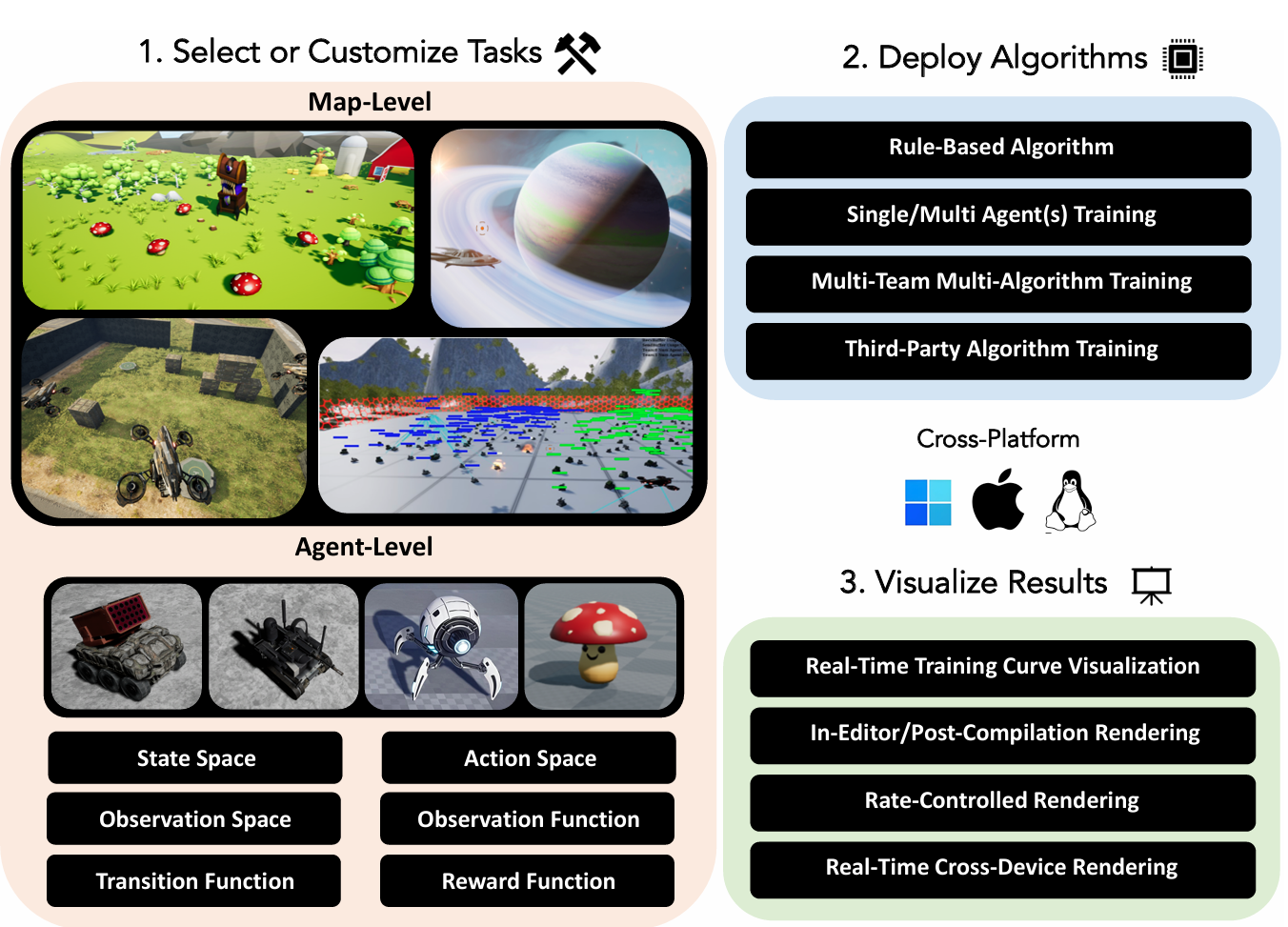
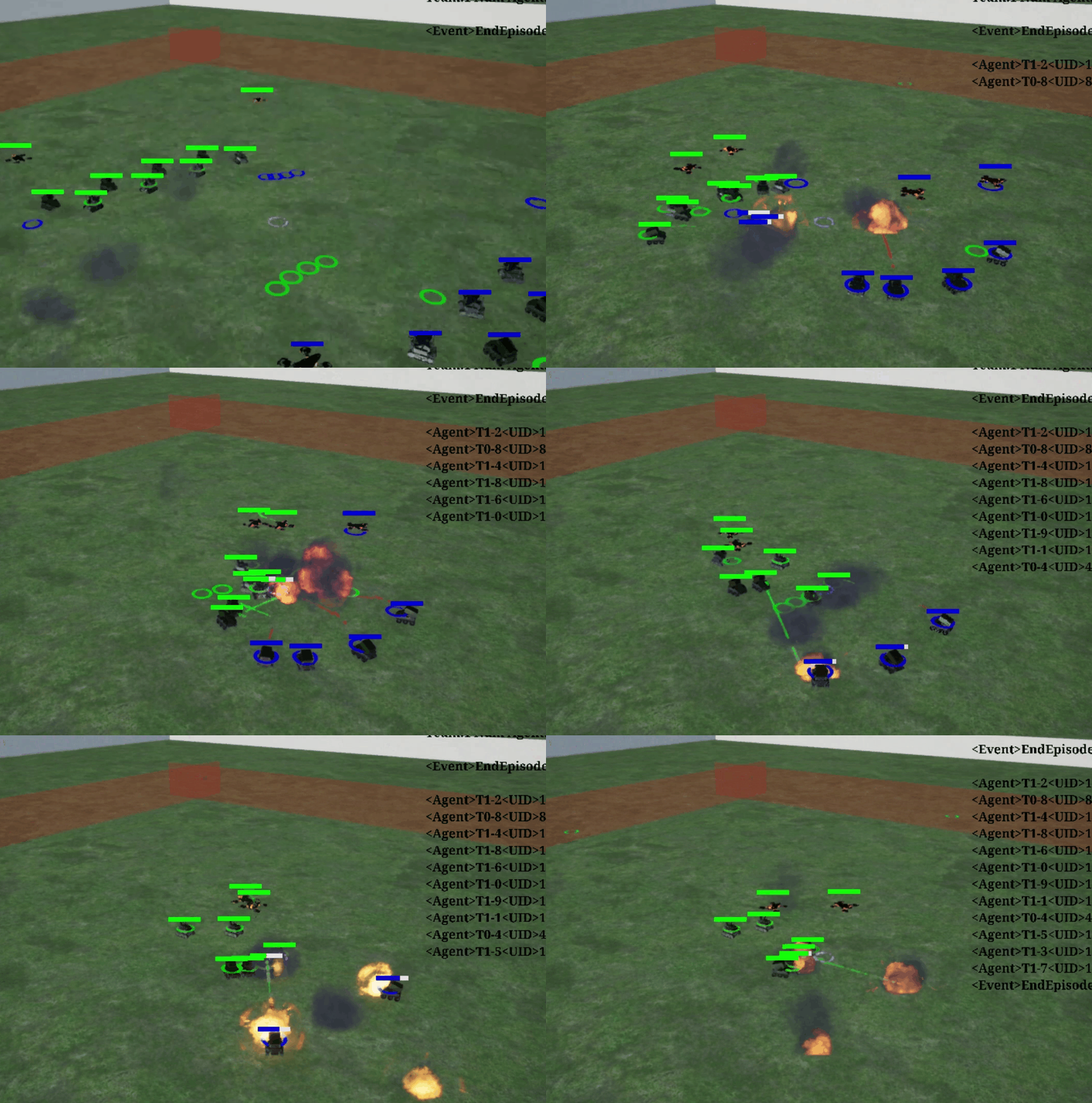
Multiagent research environment toolbox based on Unreal Engine
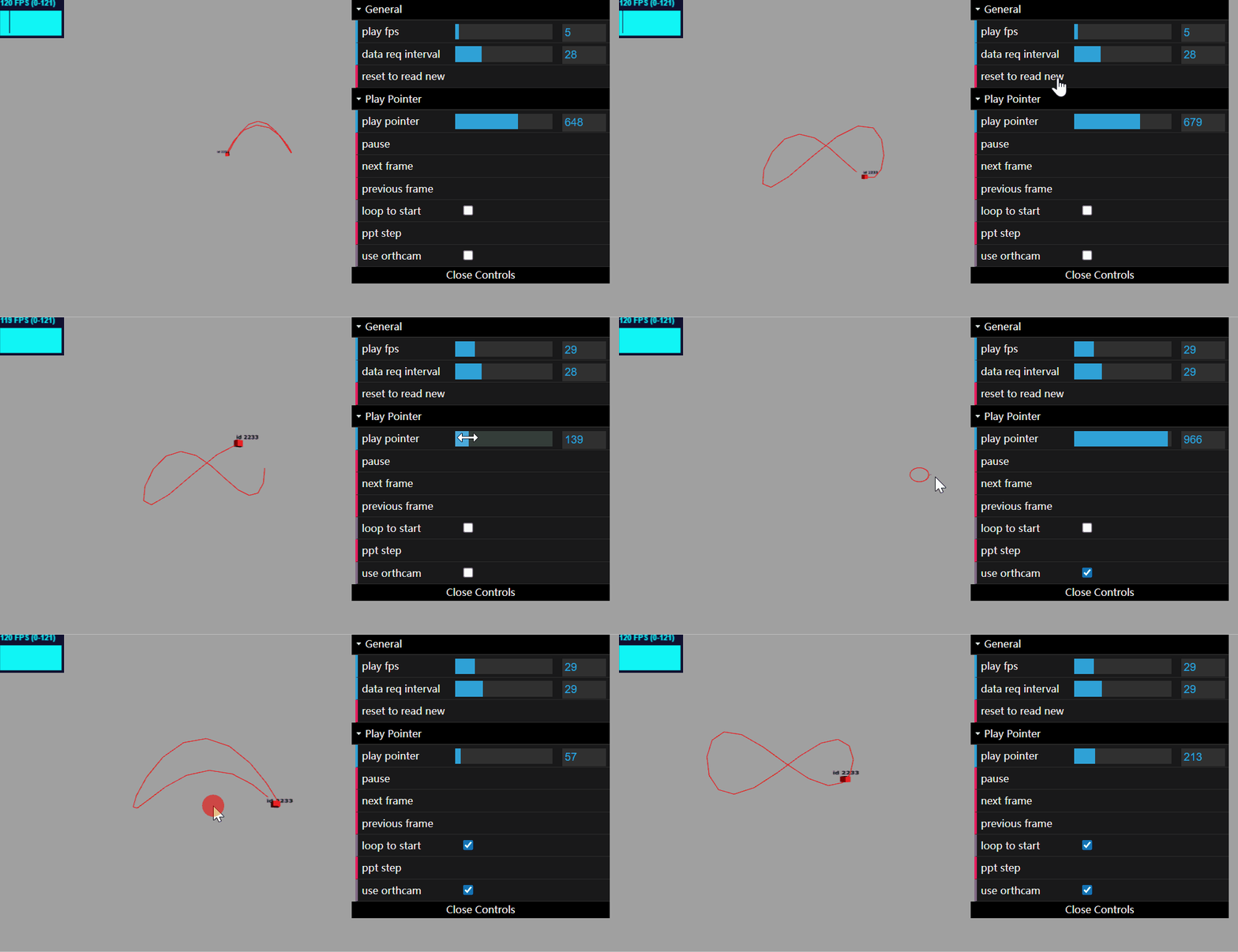
一个简洁易用3D场景创建和控制工具。基于ThreeJS。纯Python接口。它适用于科研、多智能体强化学习领域的3D演示、娱乐等应用。
The CLI & python API for the well-known project gpt-academic.
This page is also available as structured data, with the same sources and dates.
/api/v1/resources/gh/binary-husky/AlphaAutoResearchTake My Repo has not tested this on your machine. Requirements come from the project's own documentation.
