
cloop
An agentic software factory driven by tasks and requirements
- 1
- MIT
- 4 h ago
Repo blechschmidt/cloop, read from GitHub 12 min ago. blechschmidt has not joined Take My Repo.
In short
blechschmidt/cloop is a public repo on GitHub by blechschmidt. An agentic software factory driven by tasks and requirements. It declares the MIT license on GitHub. It is written mainly in Go, has 1 stars and last changed on 2026-11-24. Nobody has reviewed it on Take My Repo yet, which says nothing about its quality. Read from GitHub on 2026-11-25.
cloop
cloop is a Software Factory: it builds software for you with AI coding agents. You tell it what you want: a one-line goal, a list of tasks, or a written specification. cloop splits the work into tasks and hands them, one after another, to a coding agent such as Claude Code, which writes the code in your repository and runs your tests. cloop keeps track of every task and its outcome, retries what fails, and keeps going until the job is done. If you let it, cloop also comes up with new tasks once the plan is finished, from more tests and better documentation to new features and ideas of its own. It works on those too, so your software keeps evolving without you writing each task.
You can read the task list before anything runs, change it while cloop is working, and look up afterwards what was done for each task.
📖 Documentation · Getting started · How it works
Try the demo to see the web dashboard without installing anything. It is a read-only copy of the dashboard with canned data from three demo projects, and nothing you click changes anything.
Quick start
go install github.com/blechschmidt/cloop@latest

cd ~/src/my-project
cloop init "Add a health check endpoint to the HTTP server"
cloop run
If you don't have Go installed, download a static binary for Linux or macOS from the latest release. Installation has a one-line installer that checks the download for you.
cloop init saves the goal. cloop run first asks the model to turn it into a
plan:
Task Plan (3 tasks):
  1. [P1] Add a /healthz handler returning 200 and a JSON body
  2. [P2] Write a table-driven test for the /healthz handler
  3. [P3] Document the endpoint in the README
Then it works through the tasks in priority order. For each one it starts the agent with the goal, the task and a summary of what has been done so far. The agent changes the code and runs the tests, and cloop records the result before it starts the next task.
While it runs, these commands show you where things stand:
cloop status     # the goal and how far the plan has got
cloop task list  # every task and its status
cloop log        # what the agent did, step by step
cloop ui         # the same in a web dashboard, updated live
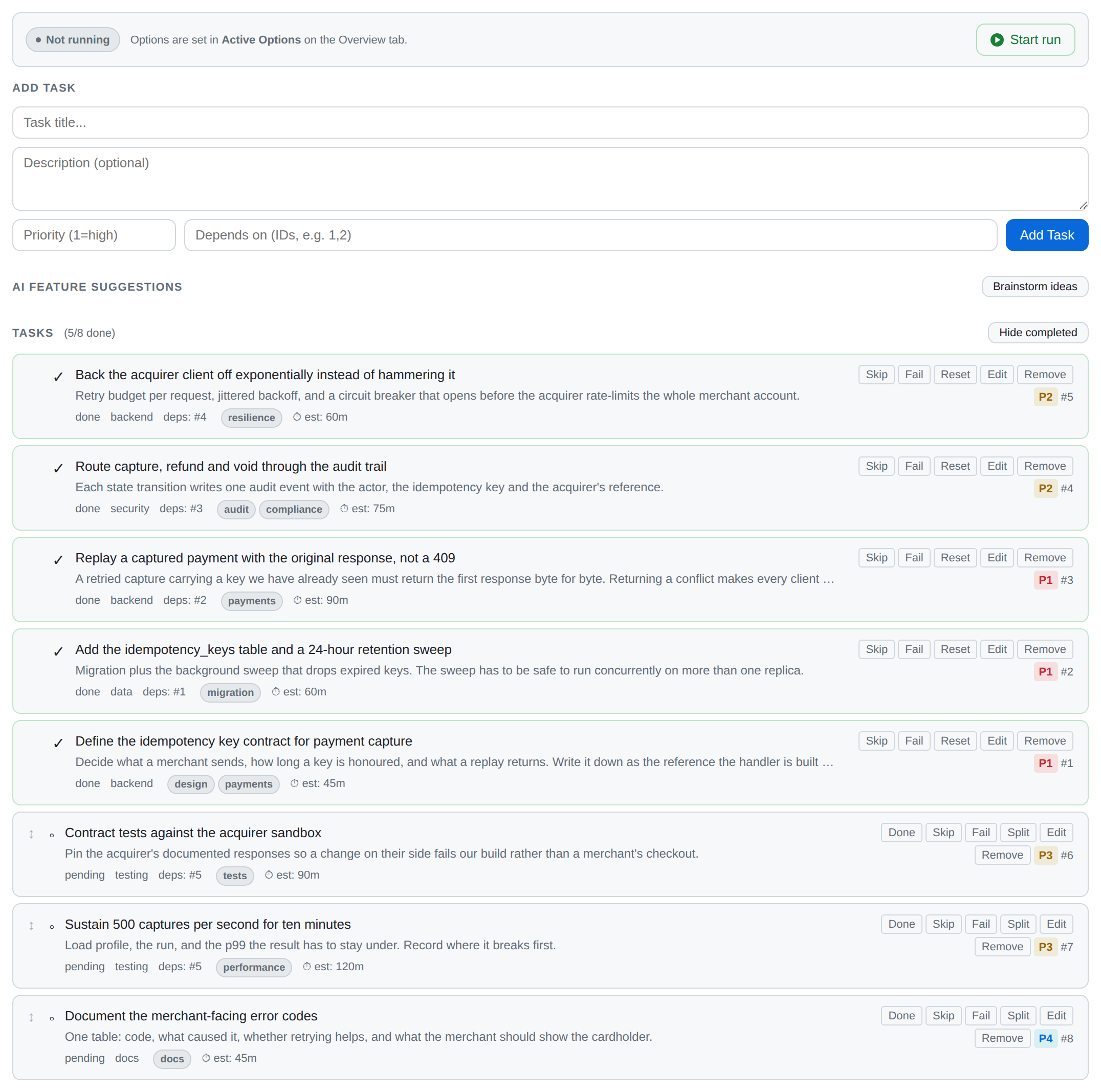
Your first project goes through a first run in more detail, including what to do when a task fails. The dashboard walkthrough shows the same in the browser, with screenshots.
Starting from a specification
If you already have a specification, cloop can turn it into requirements and plan the work from those instead of from a one-line goal:
cloop init "Build the order service described in spec.md"
cloop requirements draft --from-file spec.md   # the model proposes testable requirements
cloop requirements approve --all-drafts        # once you have reviewed and edited them
cloop requirements plan                        # plan the tasks that meet them
cloop requirements gate linked                 # count a task as done only when its requirements pass
cloop run
Each planned task is linked to the requirements it is meant to meet, and the
agent gets those requirements as its acceptance criteria.
Requirements explains the details, including how
to keep requirements in the repository as .cloop/requirements.yaml.
Requirements
- Go 1.26 or later to build it (
go.modpins the toolchain). - A model provider. The default is the
Claude Code CLI:
claudemust be on yourPATHand signed in. The Anthropic and OpenAI providers only need an API key, and Ollama needs nothing.
To build from source:
git clone https://github.com/blechschmidt/cloop.git
cd cloop && go build -o cloop .
What cloop does
It plans. A goal becomes a list of 5 to 15 concrete tasks, each with a
priority and the tasks it depends on. You can also write the tasks yourself
(cloop task add), start from a template (cloop init --template), or import
them from a Jira, Linear or GitHub Issues export (cloop import).
It builds. Each task goes to a coding agent that works directly in your repository and reports at the end whether the task is done, failed or not applicable. Tasks that don't depend on each other can run in parallel, each in its own git worktree.
It handles failures. When a task fails, cloop works out what went wrong and retries it with an adjusted prompt. After three failures in a row it stops the run, so that a broken plan doesn't burn through your budget.
It checks the work against your specification. You can write requirements for the project, each with an optional test command, or let cloop draft them from a specification document. Tasks can be linked to the requirements they implement, and with the requirements gate switched on, a task only counts as done once those requirements pass their tests.
It keeps going. With --auto-evolve, cloop suggests new tasks once the plan
is finished and works on them as well. Add --innovate and it also looks for
creative ideas and new capabilities. The new tasks are added to the plan like
any other task, so you can review or delete them. In the dashboard, the Evolve
Mode and Innovate Mode badges on the Overview tab switch the same options.
It picks up where it left off. The plan and every task's result are stored
in .cloop/state.db. If you stop a run with Ctrl+C, the next cloop run
continues from the task it was working on.
Providers
Choose one with --provider, or set a default with
cloop config set provider <name>.
| Provider | What it is | Sign-in |
|---|---|---|
claudecode |
the Claude Code CLI (default) | an existing claude login |
copilot |
the GitHub Copilot CLI | an existing copilot login, or COPILOT_GITHUB_TOKEN |
anthropic |
the Anthropic API | ANTHROPIC_API_KEY |
openai |
Chat Completions, including OpenAI-compatible endpoints | OPENAI_API_KEY |
ollama |
a local Ollama server, free to use | none |
cloop providers --test shows which providers are configured and whether they
respond. For tests and CI there is also a mock provider that never touches
the network.
Choosing and configuring a provider explains how cloop decides which provider and model to use, and which environment variables override what.
Documentation
The documentation is published at
blechschmidt.github.io/cloop. Its
source is in docs/.
| Getting started | installing cloop, a first project, how the task loop works, providers, and the web dashboard |
| Component and security architecture | an overview of the whole system: the processes, what each package does, how a run travels from Start to a commit, and how the security pieces fit together |
| Executor architecture | how a task gets from the hub to a sandbox and back: the four backends, how a machine is chosen, health checks, failover, and enrolling remote machines |
| Security model | the trust boundaries, why the hub never runs agents on its own host, sign-in and roles, and which test checks each guarantee |
| Threat model | the threats at each boundary, what stops them, and the risks that remain |
| Secrets and egress | giving a task access to a GitHub repository, a token, a kubeconfig, a registry login or the Internet, for a limited time |
| Git interception proxy | letting a sandbox push to some branches but not others, without giving it the token |
| Kata Containers | running each sandbox in its own lightweight VM |
| Operator runbook | backups, restores, audit checks, key rotation, upgrades, rollbacks and what to do in an incident |
| Command reference | every command and flag |
| Configuration reference | every .cloop/config.yaml key |
| Per-project sandbox | .cloop/sandbox.yaml: the image, setup steps, resource limits and mounts for a project's tasks |
| Deployment | the container image, a docker-compose stack for trying cloop out, and the Helm chart |
cloop <command> --help covers everything else.
Running cloop for a team
So far everything runs as one process on your machine. cloop can also run as a shared server, the hub, that a team signs in to with single sign-on. The hub doesn't run agents on its own machine. Tasks run in containers, on other machines you enroll as executors (an edge device or a build server, say), or as Kubernetes Pods. Agents only get the access you grant to their project, such as push access to particular branches of a GitHub repository, read access to one Kubernetes namespace, or a connection to the Internet, and every grant can expire. For GitHub and Kubernetes the hub can keep the real credential to itself and put a proxy in front of it, so the agent never holds the token. A hub can also connect to your Confluence and Jira so that agents can look up what your team has written down.
To set up a hub:
cloop hub bootstrap --external-url https://cloop.example.com \
  --oidc-issuer https://idp.example.com --oidc-client-id cloop-hub
The configuration this writes has executors.allow_host_process: false, so no
task can run on the hub's host, and default_role: none, so a new user can do
nothing until you give them a role. Then read the
component and security architecture, the
security model and the
operator runbook.
Developers can use a hub from their terminal. cloop login https://cloop.example.com
prints a code that they approve in the browser they are already signed in
with. After that, cloop remote works with the hub's projects, tasks, runs and
live logs, and cloop task attach opens a shell inside a running task's
sandbox. See working from a terminal.
Security tests
Questions
What is cloop?
blechschmidt/cloop is a public repo on GitHub by blechschmidt. An agentic software factory driven by tasks and requirements.
Is cloop open source?
It declares the MIT license on GitHub.
Does cloop run on macOS, Windows or Linux?
Its maker has not tagged a system, so it is unknown here. Its README says what it needs.
How do I install cloop?
Open "Take it" on its page: Take My Repo writes an install plan for your machine and hands it to your AI agent (Claude Code, Codex or Cursor), which asks you before each step. Take My Repo has not tested it on any machine.
Is cloop still maintained?
Its last change on GitHub was on 2026-11-24. Take My Repo does not judge from that whether it is maintained.