browser-use
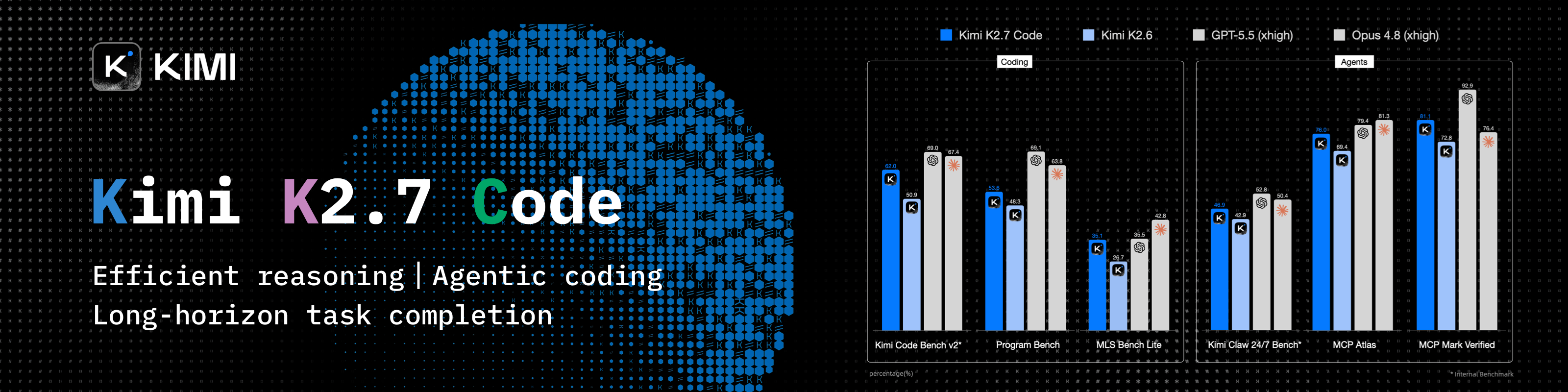
Open-source Python library for AI browser agents, plus Browser Use Cloud: stealth browsers and a hosted agent API.
- 122k
- Python
- MIT
- 6 h ago
Gives the agent native browser control through browser-use: the package installs itself into a managed environment, updates itself on every launch, and answers through first-class tools.
Repo borncode-app/dsh-browser-use, read from GitHub 1 min ago. borncode-app has not joined Take My Repo.
borncode-app/dsh-browser-use is a public repo on GitHub by borncode-app. Gives the agent native browser control through browser-use: the package installs itself into a managed environment, updates itself on every launch, and answers through first-class tools. It declares the MIT license on GitHub. It is written mainly in JavaScript, has 0 stars and last changed on 2026-11-14. It is archived: its maker no longer maintains it. Nobody has reviewed it on Take My Repo yet, which says nothing about its quality. Read from GitHub on 2026-11-22.
This repository has moved into one monorepo.
The BornCode plugins — agent customization, desktop control, auto-continue, auto-shutdown, browser use, session instructions, session sync, and the side chat — now live in
borncode-app/dsh-borncode, one repository with one Plugins entry.
this repo new home dsh-agent-customizerpackages/dsh-agent-customizerdsh-agent-desktoppackages/dsh-agent-desktopdsh-auto-continuepackages/dsh-auto-continuedsh-auto-shutdownpackages/dsh-auto-shutdowndsh-browser-usepackages/dsh-browser-usedsh-session-instructionspackages/dsh-session-instructionsdsh-session-syncpackages/dsh-session-syncdsh-side-chatpackages/dsh-side-chatThe code and its history are unchanged; only the repository is shared. Install
dsh-borncodeinstead of the individual bundles. This repository stays open so the old links keep working.
This plugin owns the Python browser-use package the same way dsh-agent-desktop owns its binary: it creates a
managed virtual environment under ~/.dsh/browser-use/, installs the package into it, keeps it current from PyPI
on every launch, and exposes the browser actions as first-class tools.
Two browsers come out of it:
autoUpdate: true keeps browser-use current; pin it by turning that off.browser_open, browser_tab_read, browser_tab_click, browser_tab_type,
browser_tabs, browser_screenshot, browser_exec, browser_login, plus the sidebar-attach helper.browser_login connects a Browser Use Cloud browser
when a key is configured.toolTimeoutMs (120 s default) stops a page that never settles.| DeepSeek Harness | 0.2.x (Web GUI) |
| Runtime | Python 3.12 + Node 24, both supplied by the Harness runtime |
| Disk | ~170 MB for the venv after first install |
| Browser | A local Chrome/Chromium; optional Browser Use Cloud key for remote browsers |
git clone https://github.com/borncode-app/dsh-browser-use.git dsh-browser-use
Then in DSH: Plugins → install the bundle from that directory, or:
plugin_manager install_bundle target=C:\path\to\dsh-browser-use
Restart once. The package installs itself into the managed venv on the first browser tool call.
| field | default | meaning |
|---|---|---|
endpoint |
/plugins/browser-use |
Path the Web GUI reads and writes plugin data at |
autoUpdate |
true |
Check PyPI for a newer release on every Harness launch |
package |
browser-use |
Package the plugin installs and keeps current |
registerTools |
true |
Register the browser_* tools the model calls |
guideInPrompt |
true |
Add the operating guide to the model's system prompt |
toolTimeoutMs |
120000 |
Longest one browser command may run, in milliseconds |
tool call ──▶ plugin host row ──▶ managed venv (python) ──▶ browser-use ──▶ CDP
                    │                                          │
                    └── install / update from PyPI ◀────────────┘
The venv can be thrown away at any time: the next call reinstalls it and nothing of yours is lost.
| file | role |
|---|---|
index.js |
host row: venv management, install/update, tool registration |
cdp.js |
DevTools-protocol bridge for the owned Chrome |
mcp.js |
JSON-RPC surface the tools speak |
client.js |
the Settings page |
cordis.patch.yml |
the bundle patch that inserts the row |
locale/{en,th,zh}.json |
UI strings |
icon.svg |
plugin icon |
Plugin นี้ให้ agent ควบคุมเบราว์เซà¸à¸£à¹Œà¹„ด้จริง ผ่านà¹�พ็à¸�เà¸�จ Python browser-use:
~/.dsh/browser-use/venv) à¹�ละà¸à¸±à¸›à¹€à¸”ตจาà¸� PyPI ทุà¸�ครั้งที่เปิด DSHbrowser_* ให้โมเดลเรียà¸� (browser_open, browser_tab_read, browser_tab_click, browser_exec, …)browser_login ถ้ามี keyMIT © 2026 BornCode
borncode-app/dsh-browser-use is a public repo on GitHub by borncode-app. Gives the agent native browser control through browser-use: the package installs itself into a managed environment, updates itself on every launch, and answers through first-class tools.
It declares the MIT license on GitHub.
Its maker has not tagged a system, so it is unknown here. Its README says what it needs.
Open "Take it" on its page: Take My Repo writes an install plan for your machine and hands it to your AI agent (Claude Code, Codex or Cursor), which asks you before each step. Take My Repo has not tested it on any machine.
No. It is archived on GitHub: its maker no longer maintains it.
Nobody has reviewed it on Take My Repo yet, which says nothing about its quality.
Open-source Python library for AI browser agents, plus Browser Use Cloud: stealth browsers and a hosted agent API.
A cross-platform desktop All-in-One assistant for Claude Code, Codex, OpenCode,DeepSeek Harness and more. Only official website: ccswitch.io
Reverse engineer anything with agents, from app behavior down to native binaries.
The 1st Collaborative AI Design Agent Workspace. Local-first and open source. Create motion, prototypes, websites, apps, dashboards, presentations, images, and videos with your team and AI agents. Share work, exchange feedback, and iterate together in one workspace.
A Flutter-based email client application with enhanced features for managing and fixing common email issues.
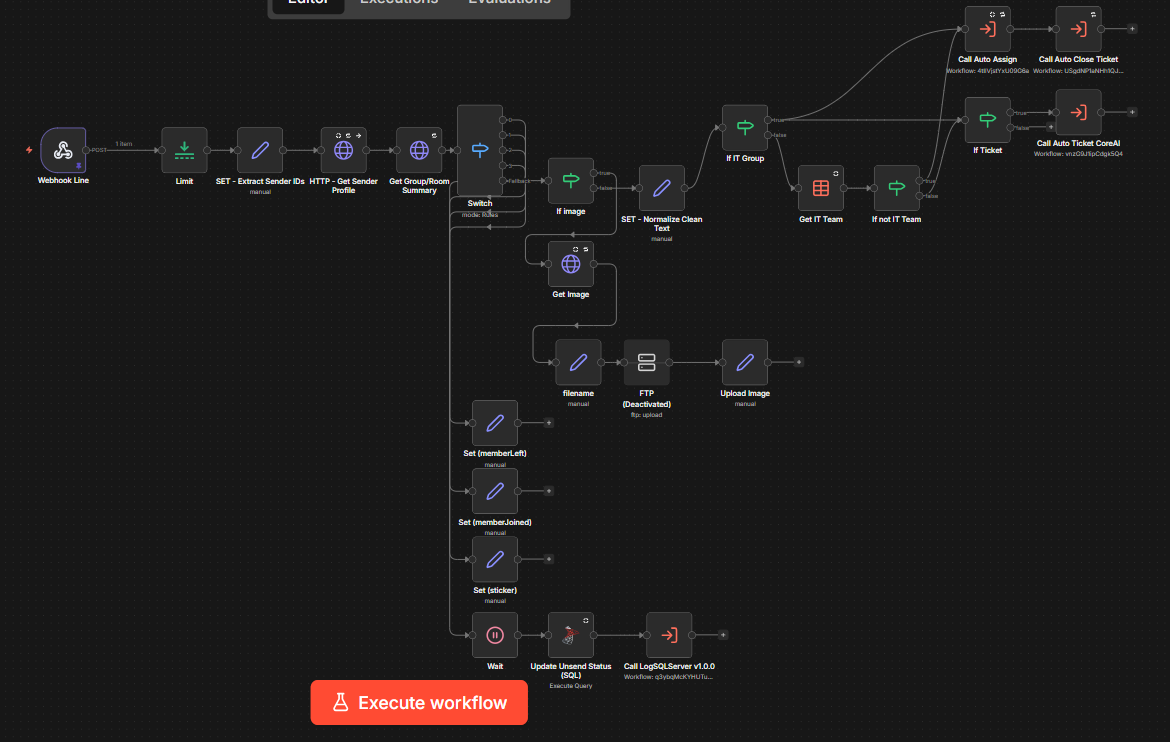
AI-powered IT helpdesk automation with n8n — classify tickets, auto-assign, and track audit trails via LINE
Skill planning tool for Seven Knights (7K) - Capture, arrange, and export your skill builds
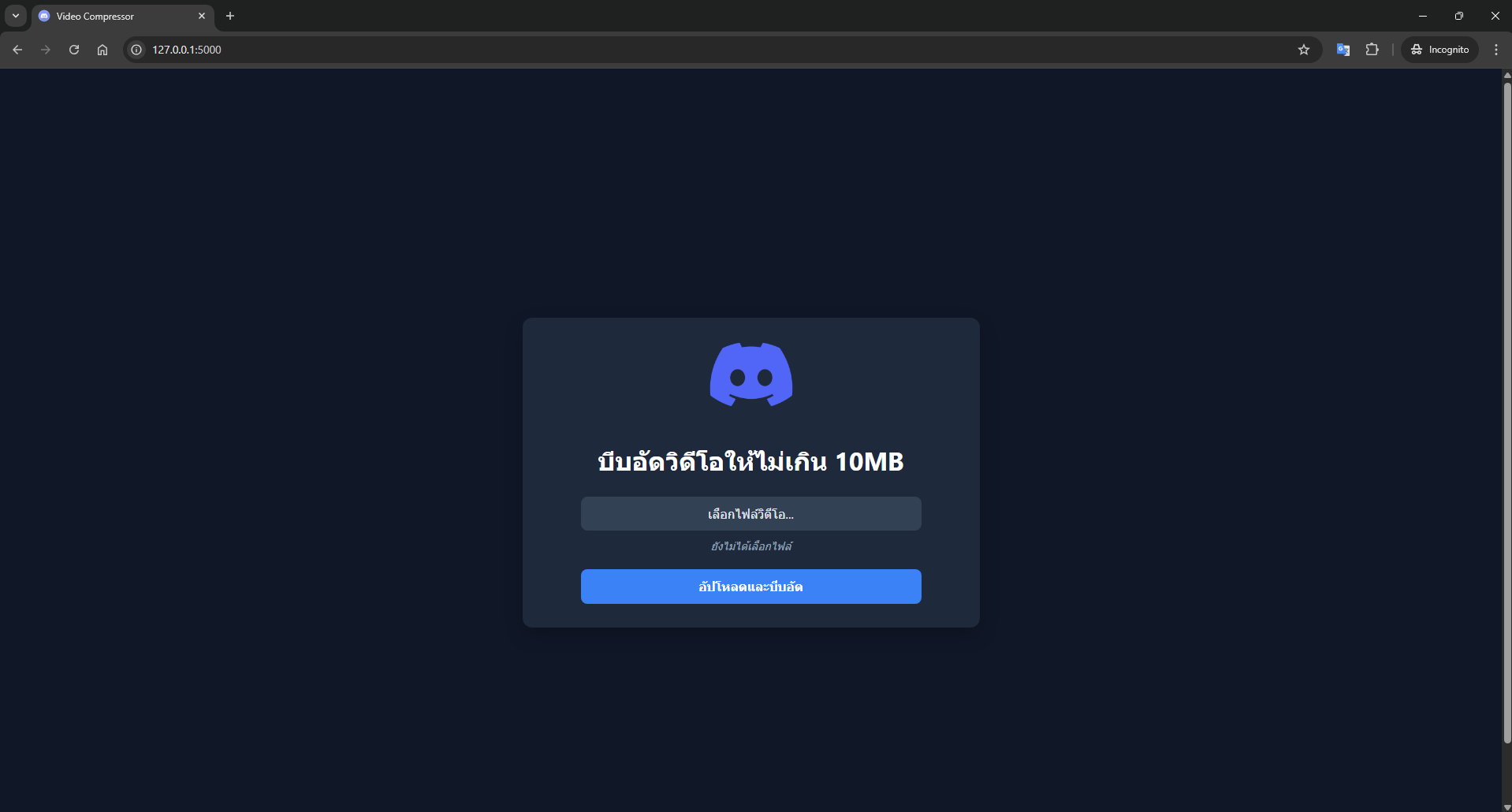
A free, open-source tool to compress your videos under 10MB in seconds. The perfect solution for bypassing file size limits on Discord.
Compress videos to under 10MB for Discord Free Tier. Smart bitrate calculation, GUI + CLI, right-click context menu.
The BornCode plugins for DeepSeek Harness in one repository and one Plugins entry: agent customization, desktop control, auto-continue, auto-shutdown, browser use, session instructions, session sync, and the side chat.