
cccs
Claude Code Configuration Switcher
- 77
- MIT
- 16 mo ago
Repo breakstring/cccs, read from GitHub 21 h ago. breakstring has not joined Take My Repo.
In short
breakstring/cccs is a public repo on GitHub by breakstring. Claude Code Configuration Switcher. It declares the MIT license on GitHub. It is written mainly in Rust, has 77 stars and last changed on 2025-08-14. Nobody has reviewed it on Take My Repo yet, which says nothing about its quality. Read from GitHub on 2026-11-23.
CCCS - Claude Code Configuration Switcher
中文文档 | English
A lightweight desktop application for quickly switching Claude Code configuration files.
Features
- Quick Profile Switching: Switch between different Claude Code configurations with a single click from the system tray
- Smart Status Indicators: Visual indicators showing profile status:
- ✅ Full Match - Configuration fully matches current settings
- 🔄 Partial Match - Identical except model field (auto-updated by Claude Code)
- ❌ Error - Failed to read or parse configuration file
- No Icon - Configuration differs from current settings
- Automatic Detection: Automatically detects Claude Code installation and configuration files
- Real-time Monitoring: Monitors configuration changes and updates status accordingly
- Multi-language Support: Supports English and Chinese interfaces
- System Tray Integration: Runs in the background with minimal resource usage
Installation
Prerequisites
- Claude Code must be installed on your system
- macOS, Windows, or Linux
Download
Currently, please download the source code and build it yourself. Pre-built binaries will be available in future releases.
# Clone the repository
git clone https://github.com/breakstring/cccs.git
cd cccs

# Install dependencies
npm install

# Build for production
npm run tauri build
Usage
System Tray Menu
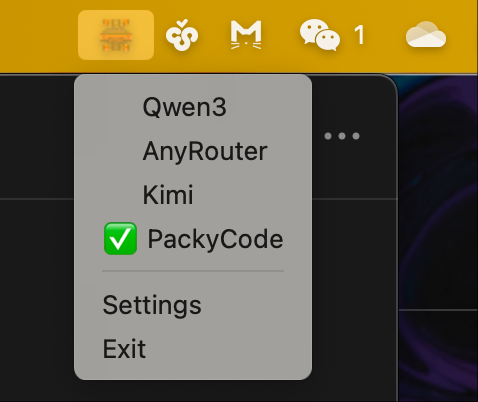
CCCS system tray menu showing different profile statuses
Profile File Format
CCCS automatically scans for configuration files in your Claude Code directory (~/.claude/ on macOS/Linux, %USERPROFILE%\.claude\ on Windows).
Profile File Naming Convention:
- Profile files must follow the pattern:
{ProfileName}.settings.json - Examples:
Work.settings.jsonPersonal.settings.jsonDevelopment.settings.json
File Location:
- macOS/Linux:
~/.claude/ - Windows:
%USERPROFILE%\.claude\
Important Notes:
- The main
settings.jsonfile is your current active configuration - Profile files should contain valid JSON configuration data
- CCCS intelligently ignores the
modelfield when comparing configurations, as Claude Code updates this automatically
Getting Started
- Launch CCCS: The application will appear in your system tray
- Create Profiles: Copy your current
~/.claude/settings.jsonto create profile files (e.g.,Work.settings.json) - Switch Profiles: Right-click the tray icon and select your desired profile
- Monitor Status: Hover over the tray icon to refresh profile status
Configuration Editor
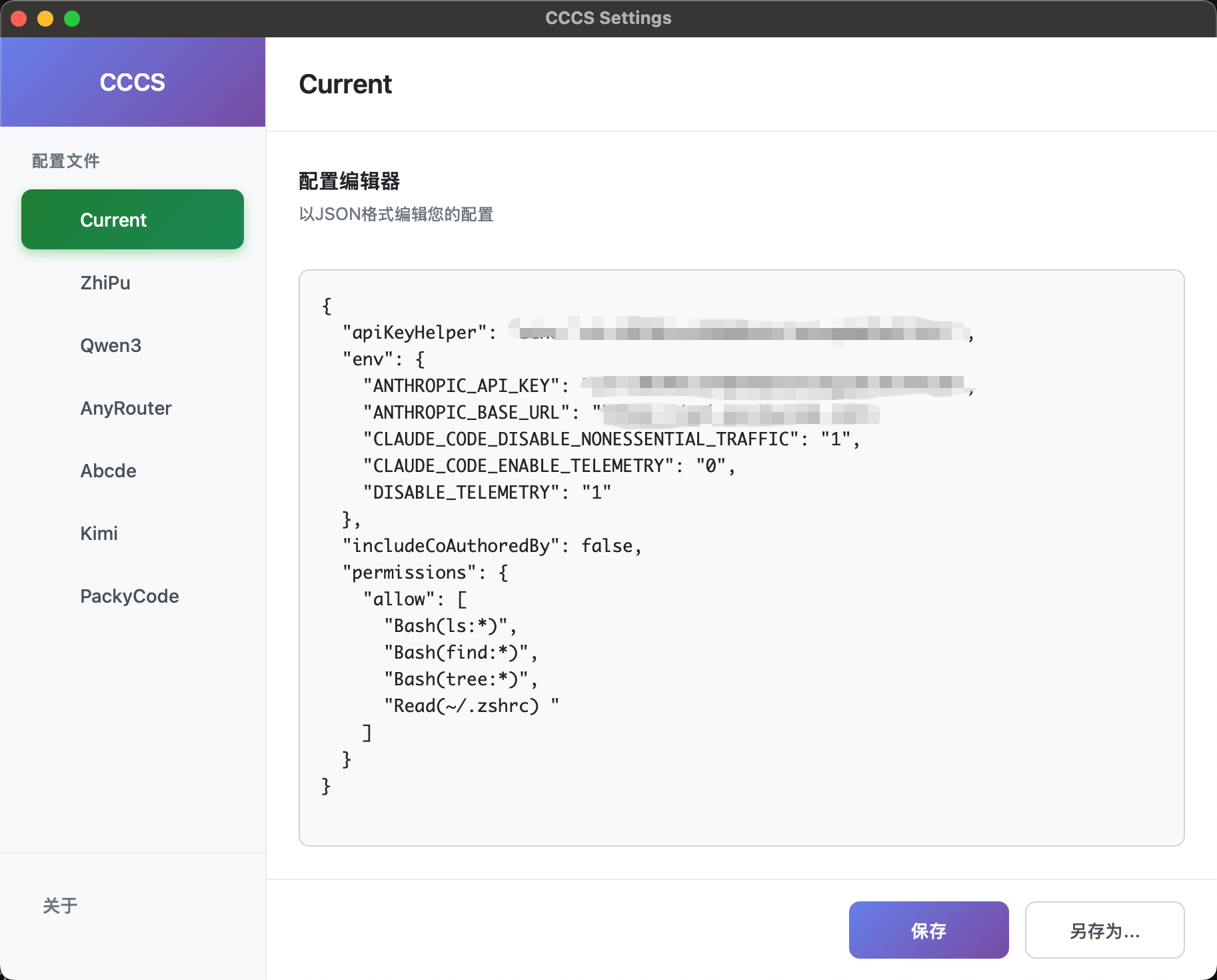
CCCS configuration editor for modifying profile settings
CCCS includes a built-in configuration editor that allows you to modify profile settings directly within the application:
- JSON Editor: Edit configuration files in JSON format with syntax highlighting
- Real-time Validation: Automatic validation of JSON syntax and structure
- Profile Management: Create, edit, and save configuration profiles
- Safe Editing: All changes are validated before being applied
Settings
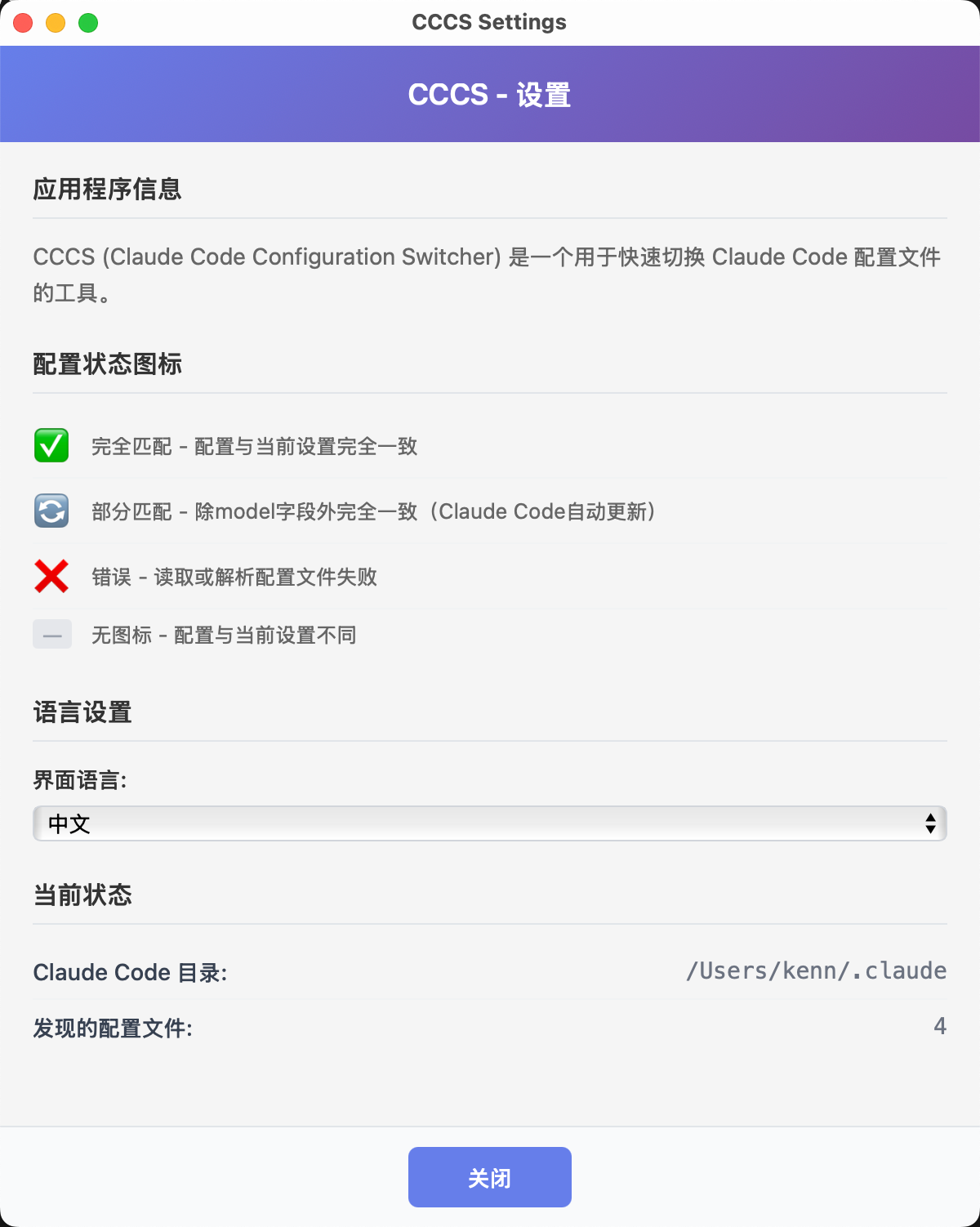
CCCS settings page with profile status explanations
Access settings by right-clicking the tray icon and selecting "Settings":
- Language: Choose between English and Chinese
- Status Icons Guide: Reference for understanding profile status indicators
About This Project
This project serves as a demonstration of Vibe Coding using Claude Code. We've included the original prompts and development artifacts produced using Kiro's SPECS methodology for reference:
- Original Prompts: Located in
./doc/- Contains the initial project requirements and development prompts - SPECS Development Process: Located in
./kiro/claude-config-switcher/- Shows the complete development workflow using Kiro's structured approach
If you're interested in learning about AI-assisted development workflows or want to see how this project was built from scratch using Claude Code, feel free to explore these resources.
Development
Prerequisites
- Node.js (v16 or later)
- Rust (latest stable)
- Tauri CLI
Note: This project has only been tested on macOS as the developer currently has access to only a Mac laptop. While Tauri framework theoretically supports Linux and Windows, users on these platforms are welcome to explore and test the compatibility themselves.
Building from Source
# Clone the repository
git clone https://github.com/breakstring/cccs.git
cd cccs

# Install dependencies
npm install

# Run in development mode
npm run tauri dev

# Build for production
npm run tauri build
Project Structure
cccs/
├── src/                # Frontend (TypeScript/Vite)
├── src-tauri/          # Backend (Rust/Tauri)
├── public/             # Static assets
└── dist/               # Built frontend assets
Contributing
- Fork the repository
- Create a feature branch
- Commit your changes
- Push to the branch
- Create a Pull Request
License
This project is licensed under the MIT License - see the LICENSE file for details.
Roadmap
- Profile Configuration Editor
- Custom Icon Support
- JSON Schema Validation for Configuration Files
Support
If you encounter any issues or have questions:
- Check the Issues page
- Create a new issue if your problem isn't already reported
- Provide detailed information about your system and the issue
Made with ❤️ by KZAI Lab
Questions
What is cccs?
breakstring/cccs is a public repo on GitHub by breakstring. Claude Code Configuration Switcher.
Is cccs open source?
It declares the MIT license on GitHub.
Does cccs run on macOS, Windows or Linux?
Its maker has not tagged a system, so it is unknown here. Its README says what it needs.
How do I install cccs?
Open "Take it" on its page: Take My Repo writes an install plan for your machine and hands it to your AI agent (Claude Code, Codex or Cursor), which asks you before each step. Take My Repo has not tested it on any machine.
Is cccs still maintained?
Its last change on GitHub was on 2025-08-14. Take My Repo does not judge from that whether it is maintained.