This project is currently in beta and APIs are subject to change before v1.0 release.
react-scroll-view [WIP]
React scroll component using Intersection Observer API in favor of scroll events.
Features
- Support sticky for cross browsers (including Mobile Safari)
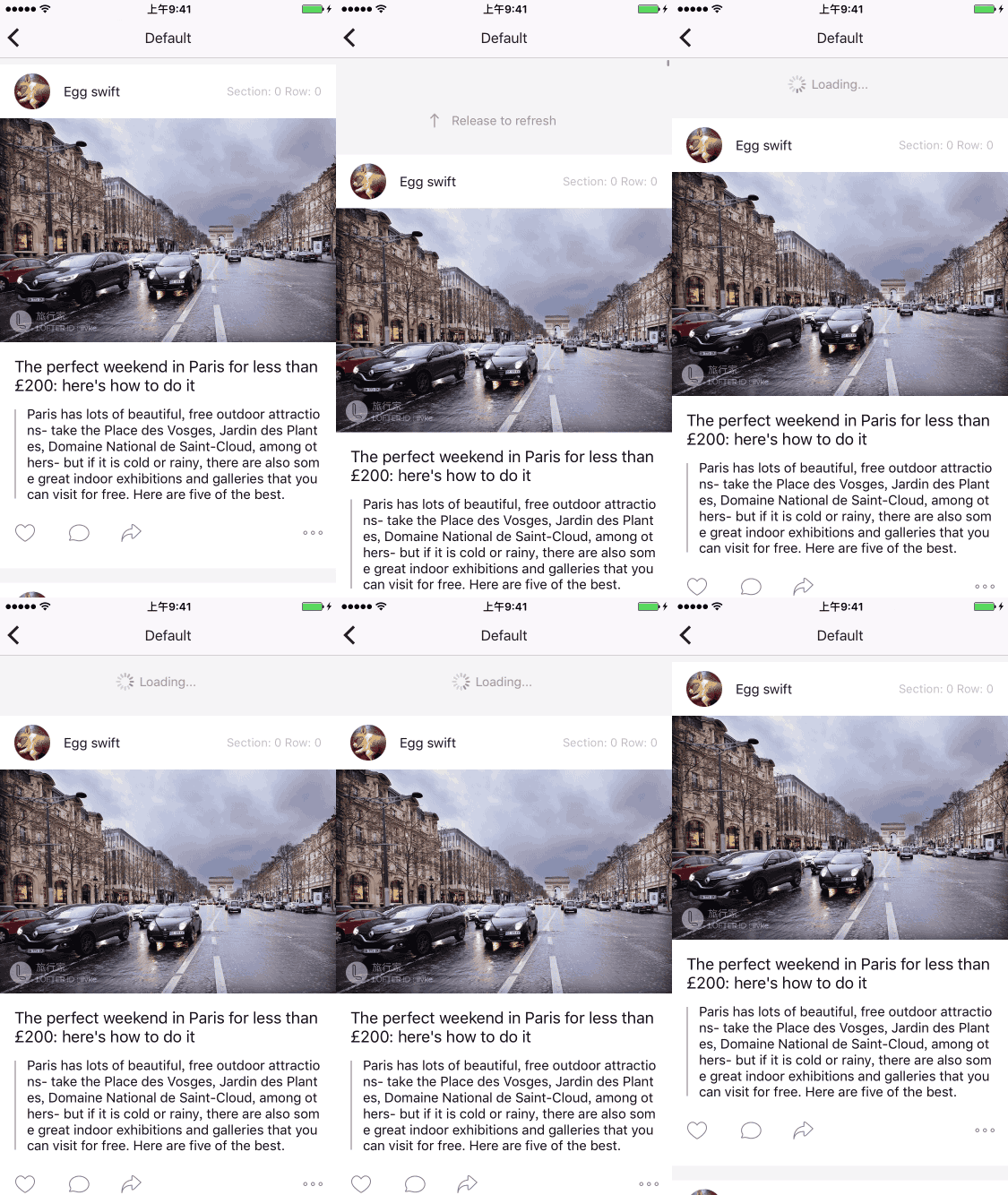
- Support refresh control
- Support
onEndReach(), onScrollStart() and onScrollEnd() events
- Easy to observe the intersections between ScrollView and children
Installation
$ yarn add @cantonjs/react-scroll-view intersection-observer
Intersection Observer API is required. You should include the polyfill yourself for cross-browser support
Getting Started
import "intersection-observer";
import React, { Component } from "react";
import { ScrollView } from "@cantonjs/react-scroll-view";

export default class App extends Component {
  handleEndReached = () => {
    console.log("load more");
  };

  render() {
    return (
      <ScrollView onEndReached={this.handleEndReached} style={{ height: '100vh' }}>
        <h1>React Scroll View</h1>
        <p>Awseome!</p>
      </ScrollView>
    );
  }
}
References
ScrollView Component
import { ScrollView } from "@cantonjs/react-scroll-view";
Scroll view component
Props
| Property |
Description |
Type |
| style |
These styles will be applied to the ScrollView container |
Object |
| className |
The className will be applied to the ScrollView container |
string |
| contentContainerStyle |
These styles will be applied to the ScrollView content container which wraps all of the child views |
Object |
| contentContainerClassName |
The className will be applied to the ScrollView content container which wraps all of the child views |
string |
| onScroll |
Fires at most once per frame during scrolling |
Function |
| onScrollStart |
Called once when the scroll starts |
Function |
| onScrollEnd |
Called once when the scroll ends |
Function |
| onEndReached |
Called once when the scroll position gets within endReachedThreshold of the rendered content |
Function |
| endReachedThreshold |
How far from the end (in pixels) the bottom to trigger the onEndReached callback |
Number |
| isHorizontal |
When true, the ScrollView's children are arranged horizontally in a row instead of vertically in a column. Defaults to false |
Boolean |
| disabled |
When true, the view cannot be scrolled. Defaults to false |
Boolean |
| refreshControl |
A RefreshControl component, used to provide pull-to-refresh functionality for the ScrollView. Only works for vertical ScrollViews |
Element |
| innerRef |
Use this to access the dom (DIV) ref |
Function |
The rest of the props are exactly the same as the original DOM attributes.
Methods
| Method |
Description |
| scrollTo(val) |
Scrolls to a given value immediately |
ScrollObserver Component
import { ScrollObserver } from "@cantonjs/react-scroll-view";
Wrap any child component and observe it when in ScrollView.
Props
| Property |
Description |
Type |
| onEnter |
Fires once when the children nodes enter |
Function |
| onLeave |
Fires once when the children nodes leave |
Function |
| innerRef |
Use this to access the internal ref |
Function |
| children |
Children must be a function. Will receive an object with isIntersecting and ref props |
Function |
Children function
The children prop will receive the following object shape:
| Property |
Description |
Type |
| ref |
Must be passed down to your component's ref in order to obtain a proper node to observe |
Function |
| isIntersecting |
Will be true if the target element intersects with the ScrollView |
Boolean |
Example
import "intersection-observer";
import React, { Component } from "react";
import { ScrollView, ScrollObserver } from "@cantonjs/react-scroll-view";

export default class App extends Component {
  render() {
    return (
      <ScrollView style={{ height: '100vh' }}>
        <h1>React Scroll View</h1>
        <p>Awseome!</p>
        <ScrollObserver>
          {({ ref, isIntersecting }) =>
            <img
              ref={ref}
              src="/img.jpg"
              alt="lazy image"
              style={{ display: isIntersecting ? 'inline-block' : 'none' }}
            />
          }
        </ScrollObserver>
      </ScrollView>
    );
  }
}
StickySection Component
import { StickySection } from "@cantonjs/react-scroll-view";
Section component with a sticky header.
Props
| Property |
Description |
Type |
| sticky |
Sticky header node element |
Node/Function |
The rest of the props are exactly the same as the original DOM attributes.
Example
import "intersection-observer";
import React, { Component } from "react";
import { ScrollView, ScrollSection } from "@cantonjs/react-scroll-view";

export default class App extends Component {
  render() {
    return (
      <ScrollView style={{ height: '100vh' }}>
        <StickySection sticky={<h1>A</h1>}>
          <ul>
            <li>Adelia Pisano</li>
            <li>Alayna Loredo</li>
          </ul>
        </StickySection>
        <StickySection sticky={<h1>B</h1>}>
          <ul>
            <li>Brant Hunsberger</li>
          </ul>
        </StickySection>
        <StickySection sticky={<h1>C</h1>}>
          <ul>
            <li>Carl Wetzler</li>
            <li>Cherry Greeno</li>
            <li>Cris Kepley</li>
          </ul>
        </StickySection>
      </ScrollView>
    );
  }
}
RefreshControl Component
import { RefreshControl } from "@cantonjs/react-scroll-view";
RefreshControl component
Props
| Property |
Description |
Type |
| onRefresh |
Called when the view starts refreshing |
Function |
| isRefreshing |
Whether the view should be indicating an active refresh |
Boolean |
| color |
The refreshControl icon color |
String |
The rest of the props are exactly the same as the original DOM attributes.
Methods
| Method |
Description |
| requestRefresh() |
Request to call onRefresh() |
Example
import "intersection-observer";
import React, { Component } from "react";
import { ScrollView, RefreshControl } from "@cantonjs/react-scroll-view";

export default class App extends Component {
  state = {
    isRefreshing: false,
  };

  handleRefresh = () => {
    this.setState({
      isRefreshing: true,
    });
  };

  render() {
    const { isRefreshing } = this.state;
    return (
      <ScrollView
        style={{ height: '100vh' }}
        refreshControl={
          <RefreshControl
            onRefresh={this.handleRefresh}
            isRefreshing={isRefreshing}
          />
        }
      >
        <h1>React Scroll View</h1>
        <p>Awseome!</p>
      </ScrollView>
    );
  }
}
License
MIT