
my-claude-code-setup
Shared starter template configuration and CLAUDE.md memory bank system for Claude Code
- 2.7k
- Python
- MIT
- 12 d ago
The maintainer has not written a description at the source.
Repo centminmod/claude-code-devcontainers, read from GitHub 1 min ago. centminmod has not joined Take My Repo.
centminmod/claude-code-devcontainers is a public repo on GitHub by centminmod. It declares no license on GitHub. Public does not mean open source: without a license, nobody is granted the right to reuse it. It is written mainly in Shell, has 32 stars and last changed on 2026-01-01. Nobody has reviewed it on Take My Repo yet, which says nothing about its quality. Read from GitHub on 2026-11-21.
In the maintainer's words. Shown from GitHub; Take My Repo does not keep a copy.
A production-ready VS Code devcontainer that combines Claude Code, OpenAI Codex CLI, and Google Gemini CLI in a secure, sandboxed environment as per https://claude-devcontainers.centminmod.com.
What is this?
This is a pre-configured development environment that runs in an isolated container on your computer. Think of it as a "development workspace in a box" - everything you need to code with AI assistants is already set up and ready to go.
How does it work?
Instead of installing Claude Code, Python, Node.js, and dozens of other tools directly on your computer, this devcontainer packages everything into a Docker container. When you open your project in VS Code, it automatically:
Why use this?
If your project already has a Dockerfile (for production), you can add this devcontainer without conflicts:
# From this repository
cp -r .devcontainer /path/to/your/project/

# Your project structure will be:
# your-project/
# ├── Dockerfile              ← Your production Dockerfile (no conflict!)
# ├── .devcontainer/
# │   ├── devcontainer.json   ← Dev environment config
# │   ├── Dockerfile          ← Dev environment image
# │   └── init-firewall.sh    ← Firewall script
# └── src/
If you prefer, you can rename the devcontainer Dockerfile:
# Rename the Dockerfile
mv .devcontainer/Dockerfile .devcontainer/Dockerfile.devcontainer

# Update devcontainer.json line 4:
"dockerfile": "Dockerfile.devcontainer",
Copy only the configuration you need and customize for your stack.
You'll need to configure API keys for the AI assistants you want to use:
Claude Code:
claude config set apiKey YOUR_ANTHROPIC_API_KEYCodex CLI:
First run will prompt for authentication:
codex
Gemini CLI:
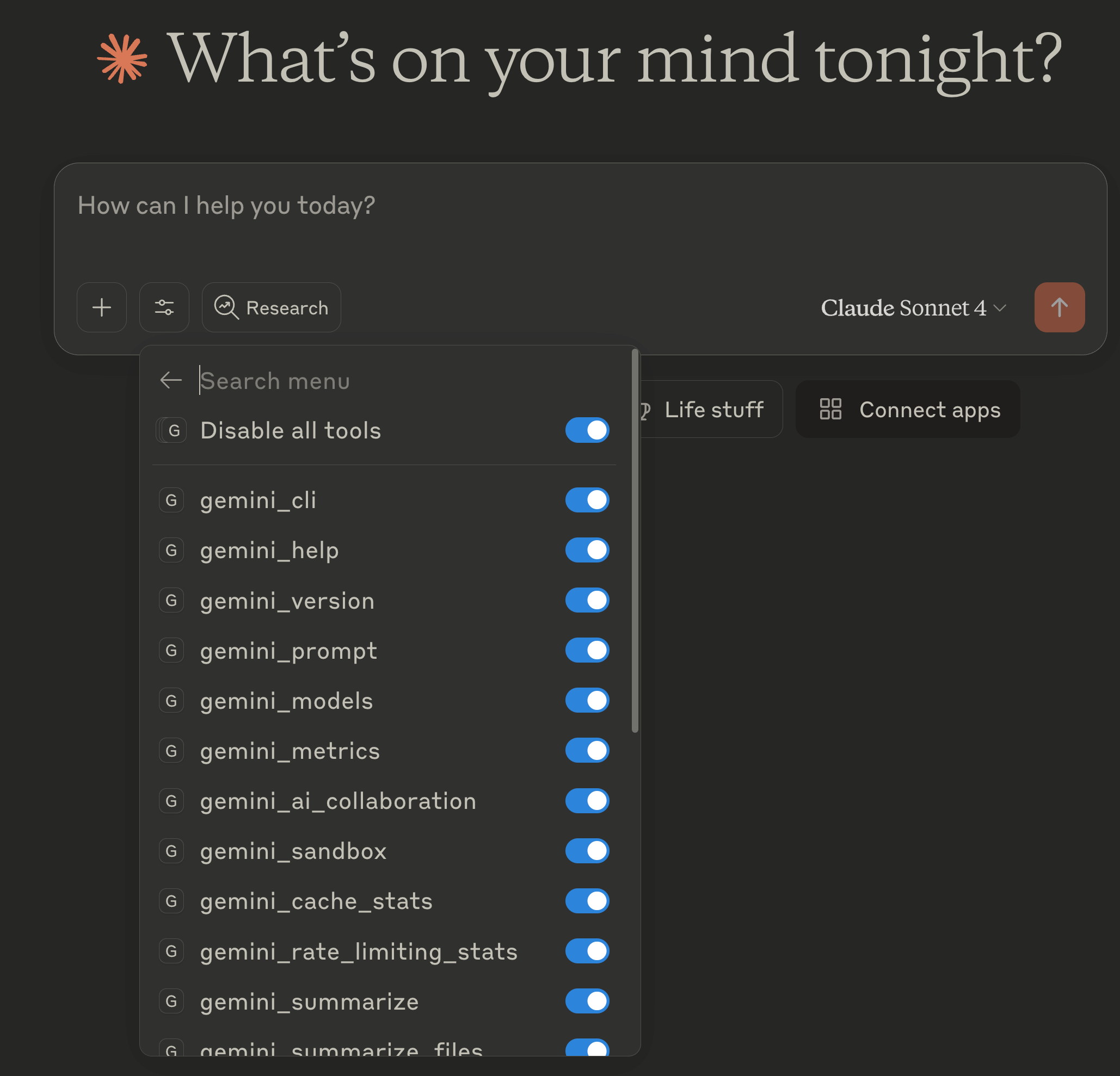
⚠️ Container Limitation: Google account authentication (/ide install) does not work in dev containers due to dynamic port forwarding issues (GitHub issue #6297). Use API key authentication instead.
Setup Options (choose one):
Option 1: .env File (Recommended for devcontainers) ⭐
# Copy the template
cp .env.example .env

# Edit .env and add your key
GEMINI_API_KEY=your_google_api_key_here
⚠️ Security: .env is git-ignored. Never commit API keys to version control.
Option 2: Environment variable (temporary)
export GEMINI_API_KEY=YOUR_GOOGLE_API_KEYOption 3: Settings file (persistent)
mkdir -p ~/.gemini
echo '{"apiKey": "YOUR_GOOGLE_API_KEY"}' > ~/.gemini/settings.json
Get your API key: https://makersuite.google.com/app/apikey
Note: While the google.gemini-cli-vscode-ide-companion extension is pre-installed, the IDE integration features requiring Google account authentication will not function in this containerized environment. API key authentication provides full CLI functionality.
OpenCode:
OpenCode is provider-agnostic and supports multiple AI providers. Configure your preferred provider:
Option 1: Anthropic (Claude)
# Set API key via environment variable
export ANTHROPIC_API_KEY=YOUR_ANTHROPIC_API_KEY

# Or use config command
opencode config set provider anthropic
opencode config set apiKey YOUR_ANTHROPIC_API_KEY
Option 2: OpenAI
export OPENAI_API_KEY=YOUR_OPENAI_API_KEY
opencode config set provider openai
Option 3: Google (Gemini)
export GOOGLE_API_KEY=YOUR_GOOGLE_API_KEY
opencode config set provider google
Option 4: .env file (persistent across sessions)
# Add to .env file in workspace root
echo "ANTHROPIC_API_KEY=your_key_here" >> .env
Verify configuration:
opencode config list
opencode --version
Note: OpenCode's multi-model support means you can switch providers based on your needs. Configuration persists in /home/node/.opencode via Docker volume. See the OpenCode documentation for local model setup.
GitHub CLI (gh):
The GitHub CLI is pre-installed for creating pull requests and managing repositories from the terminal.
One-time authentication required:
gh auth login
Interactive prompts:
? What account do you want to log into? GitHub.com
? What is your preferred protocol for Git operations? HTTPS
? Authenticate Git with your GitHub credentials? Yes
? How would you like to authenticate GitHub CLI? Login with a web browser

! First copy your one-time code: XXXX-XXXX
Press Enter to open github.com in your browser...
✓ Authentication complete.
Alternative: Personal Access Token
If browser authentication doesn't work in your Docker environment:
# Create token at: https://github.com/settings/tokens
# Required scopes: repo, workflow

echo "your_token_here" | gh auth login --with-token
Verify authentication:
gh auth status
gh api user --jq .login  # Should show your username
Persistence:
/home/node/.config/ghRequired for:
gh pr creategh pr viewgh issue creategh repo cloneThe following directories are persisted in named volumes:
/home/node/.claude - Claude Code configuration/home/node/.codex - Codex CLI configuration/home/node/.gemini - Gemini CLI settings/home/node/.opencode - OpenCode configuration/home/node/.config/gh - GitHub CLI authentication tokens/home/node/.npm-global - Global npm packages/home/node/.cargo - uv (Python package manager)/home/node/.bun - Bun runtime and cache/home/node/.local - AWS CLI binary and local installations/home/node/.aws - AWS CLI credentials and configuration/home/node/.wrangler - Cloudflare Wrangler configuration/home/node/.vercel - Vercel CLI configuration/commandhistory - Shell command historyThis devcontainer includes a git workflow safeguard system to prevent accidental data loss and ensure code quality through automated pre-commit hooks and branch protection.
Pre-commit Hook Enforcement:
main/master branches are technically blocked by a git hook--no-verify (not recommended)postStartCommand in devcontainer.jsonWorkflow Requirements:
STEP 0: Pre-Work Sync Check (MANDATORY)
Before creating any new branch or starting work, ALWAYS ensure master is up-to-date:
# 1. Switch to master (if not already there)
git checkout master

# 2. Fetch latest changes from remote (safe, doesn't merge)
git fetch origin

# 3. Check sync status
git status
Interpret status and take action:
✅ "Your branch is up to date with 'origin/master'" → Proceed to step 1 below
⚠️ "Your branch is behind 'origin/master' by X commits" → Pull first:
git pull origin master
# Verify: git status  # Should now show "up to date"
⚠️ "Your branch and 'origin/master' have diverged" → Resolve divergence:
# Option 1: If you have no local commits on master, force update
git reset --hard origin/master

# Option 2: If you have local commits, merge or rebase
git pull origin master  # Creates merge commit
# OR
git rebase origin/master  # Replays your commits on top
Why this matters: Ensures your feature branch is based on the latest code, preventing work on outdated master and reducing future merge conflicts.
Only after master is up-to-date, proceed with the workflow below:
Before ANY destructive operation (rm, major refactors, rewrites):
git status - must show clean working tree or committed changesfeature/description - for new featuresfix/description - for bug fixessession/YYYYMMDD-HHMM-description - for session-based workrefactor/description - for refactoring workgit branch --show-current - must NOT be main/masterNEVER:
rm -rf without verifying you're on a feature branchWhen work is complete and ready for review:
gh pr create or skill workflowThis project uses a defense-in-depth approach:
Git hooks are stored in .git/hooks/ and are NOT committed to the repository. This devcontainer automatically installs hooks on container start via postStartCommand.
Manual reinstallation (if needed):
bash /workspaces/claude-devcontainer/.devcontainer/setup-git-hooks.sh
The setup script includes robust git repository detection that works with git worktrees, submodules, and any clone location.
This devcontainer follows a security-first design with defense-in-depth principles:
Capability Model:
cap-drop=ALL to remove all Linux capabilities by defaultcap-add:
NET_ADMIN + NET_RAW - Network firewall management (iptables, ipset)SETUID + SETGID - User switching for proper file permissionsSYS_ADMIN - Kernel parameter control for IPv6 disablingSecurity Benefits:
The devcontainer includes a network firewall that restricts outbound connections to:
All other outbound connections are blocked by default.
Dynamic IP Range Whitelisting:
The firewall automatically fetches and whitelists IP ranges for:
Uses ipset for efficient IP range matching, supporting both DNS-resolvable domains and direct IP address ranges.
Resilient DNS Resolution:
The firewall script handles DNS resolution failures gracefully:
This ensures the container starts reliably in all network environments while maintaining security through the domains that do resolve.
To whitelist additional domains, edit .devcontainer/init-firewall.sh and add them to the domain list around line 47:
for domain in \
    "registry.npmjs.org" \
    "api.anthropic.com" \
    "api.openai.com" \
    "generativelanguage.googleapis.com" \
    "your-new-domain.com" \
    ...
Then rebuild the container.
The devcontainer implements defense-in-depth IPv6 protection for maximum compatibility:
Layer 1: Container Creation (Most Reliable)
--sysctl flags in devcontainer.jsonLayer 2: Runtime Disable with Graceful Degradation
Layer 3: IPv6 Firewall Rules (Security Backup)
This approach ensures the container starts successfully while maintaining security across all environments (Docker Desktop, Podman, cloud, various host configurations).
⚠️ IMPORTANT: Only use this devcontainer with trusted repositories. When Claude Code is run with --dangerously-skip-permissions, malicious code could potentially exfiltrate data accessible in the container, including API credentials.
The container automatically configures git to ignore .claude/settings.local.json globally. This prevents accidentally committing:
This is an official Anthropic best practice that Claude Code itself implements.
Claude Code uses two configuration files with different purposes:
.claude/settings.json (Committed to Git)Purpose: Project-wide configuration shared with your team
What goes here:
MAX_MCP_OUTPUT_TOKENS, timeout values)includeCoAuthoredBy)Example (already included in this repo):
{
  "env": {
    "MAX_MCP_OUTPUT_TOKENS": "60000",
    "BASH_DEFAULT_TIMEOUT_MS": "300000",
    "BASH_MAX_TIMEOUT_MS": "600000",
    "MAX_THINKING_TOKENS": "8192"
  },
  "includeCoAuthoredBy": false
}
.claude/settings.local.json (Git-Ignored, Personal)Purpose: Personal overrides and machine-specific settings
What goes here:
Example:
{
  "apiKey": "your-api-key-here",
  "dangerouslySkipPermissions": true
}
Settings merge with the following priority (highest to lowest):
.claude/settings.local.json (personal, git-ignored).claude/settings.json (project-wide, committed)This means you can override team settings locally for testing without affecting others.
The following ports are automatically forwarded:
Pre-installed extensions:
# ripgrep - blazing fast text search
rg "TODO"                    # Find all TODOs (smart-case by default)
rg -i "error"                # Case-insensitive search
rg -t js "function"          # Search only JavaScript files
rg "api" --stats             # Show search statistics

# fd - fast file finder
fd test                      # Find files/dirs matching "test"
fd -e js                     # Find all .js files
fd -H config                 # Include hidden files
fd -t f ".*\.py$"           # Find only files (not dirs) matching pattern
# Start an interactive session
claude

# Run a specific task
claude "refactor this function to use async/await"

# Work with specific files
claude "add error handling to api.ts"
Claude Code has access to three pre-configured MCP (Model Context Protocol) servers:
Context7 - Library documentation and code examples
# In Claude Code, you can ask:
"Show me Next.js documentation for app router"
"How do I use MongoDB aggregation pipelines?"
"Give me examples of React hooks"
Cloudflare Docs - Cloudflare products documentation
# In Claude Code, you can ask:
"How do I deploy a Worker to Cloudflare?"
"Show me R2 storage API documentation"
"What are the limits for Durable Objects?"
Chrome DevTools - Browser automation and testing
# In Claude Code, you can ask:
"Take a screenshot of https://example.com"
"Navigate to this URL and click the login button"
"Get the console logs from the current page"
All three MCP servers are automatically installed during container initialization via .devcontainer/mcp-install.sh:
Transport Types:
Configuration Storage:
/home/node/.claude/mcp.json (JSON format)claude mcp add command)Verify Installation:
# List all configured MCP servers
claude mcp list

# Expected output:
# context7: https://mcp.context7.com/sse (SSE) - ✓ Connected
# cf-docs: https://docs.mcp.cloudflare.com/sse (SSE) - ✓ Connected
# chrome-devtools: npx chrome-devtools-mcp@latest ... - ✓ Connected
Container-Specific Chromium Flags:
Chrome DevTools MCP uses special flags for containerized environments:
--executablePath=/usr/bin/chromium - Use container's Chromium installation--headless - Run without GUI (server environment)--no-sandbox - Required for Docker containers (no kernel sandboxing)--disable-setuid-sandbox - Disable SUID sandbox (incompatible with containers)--disable-dev-shm-usage - Use /tmp instead of /dev/shm (avoids Docker memory limits)These flags are necessary because Docker's security model conflicts with Chrome's native sandboxing.
Reinstall All Servers:
.devcontainer/mcp-install.sh
Add Individual Server:
# SSE server example
claude mcp add --transport sse context7 https://mcp.context7.com/sse

# stdio server example (with flags after --)
claude mcp add --transport stdio chrome-devtools npx chrome-devtools-mcp@latest -- \
  --executablePath=/usr/bin/chromium \
  --headless \
  --chromeArg='--no-sandbox'
Remove Server:
claude mcp remove <server-name>
Template Configuration (SSE servers only):
The template at /usr/local/share/claude-defaults/mcp.json contains baseline configuration for SSE servers, copied to ~/.claude/mcp.json if not present. stdio servers like Chrome DevTools are stored separately in Claude's internal config.
{
  "mcpServers": {
    "context7": {
      "transport": {
        "type": "sse",
        "url": "https://mcp.context7.com/sse"
      }
    },
    "cf-docs": {
      "transport": {
        "type": "sse",
        "url": "https://docs.mcp.cloudflare.com/sse"
      }
    }
  }
}# Start interactive mode codex # Run with a prompt codex "create a REST API with Express" # Configure settings codex --help
Note: Requires GEMINI_API_KEY environment variable or ~/.gemini/settings.json configured (see Configuration section above).
# Start interactive session
gemini

# Run a specific task
gemini "explain this code"

# Configure model
gemini --model gemini-pro
Note: OpenCode supports multiple AI providers. Configure your preferred provider first (see Configuration section above).
# Start interactive session
opencode

# Run with a specific task
opencode "refactor this function to use async/await"

# Check version and configuration
opencode --version
opencode config list

# Switch providers on the fly
opencode config set provider anthropic
opencode config set provider openai
opencode config set provider google
# Create a new Python project
uv init my-project

# Install dependencies
uv pip install requests pandas numpy

# Run Python with uv
uv run python script.py

# Sync dependencies from pyproject.toml
uv sync
# Initialize a new project
bun init

# Install dependencies (much faster than npm)
bun install

# Run scripts
bun run dev

# Execute a file
bun index.ts

# Add packages
bun add react next shadcn-ui
# Login to Vercel
vercel login

# Deploy current directory
vercel

# Deploy to production
vercel --prod

# Link to existing project
vercel link

# Check deployment status
vercel ls

# View deployment logs
vercel logs <deployment-url>

# Pull environment variables
vercel env pull

# List projects
vercel projects ls
Dev Containers: Rebuild Container./cleanup-devcontainer.sh → option 2sudo /usr/local/bin/init-firewall.shcurl https://api.anthropic.comSymptom:
gh pr create
To get started with GitHub CLI, please run:  gh auth login
Alternatively, populate the GH_TOKEN environment variable with a GitHub API authentication token.
Solution:
Run the one-time authentication setup:
gh auth login
Follow the interactive prompts to authenticate via web browser.
Verify authentication:
gh auth status
# Expected: ✓ Logged in to github.com as <your-username>
Alternative (if browser auth fails):
# Create a Personal Access Token at: https://github.com/settings/tokens
# Required scopes: repo, workflow

echo "your_token_here" | gh auth login --with-token
Persistence:
/home/node/.config/ghThis devcontainer uses a pre-commit hook to prevent accidental commits directly to main/master branches. If you encounter issues with the hook system, use these troubleshooting steps:
Symptom: You can commit directly to main/master without any warning or block.
Verification:
# Check if hook is installed
ls -la .git/hooks/pre-commit

# Check if hook is executable
test -x .git/hooks/pre-commit && echo "Hook is executable" || echo "Hook is NOT executable"

# View hook content
cat .git/hooks/pre-commit
Solutions:
Reinstall the hook:
bash /workspaces/claude-devcontainer/.devcontainer/setup-git-hooks.sh
Check permissions:
chmod +x .git/hooks/pre-commit
Verify hook is working:
# Switch to master and try a test commit (should be blocked)
git checkout master
touch test-file.txt
git add test-file.txt
git commit -m "test" # Should be blocked with error message
Symptom: Running setup-git-hooks.sh produces errors or doesn't create the hook file.
Check logs:
bash -x /workspaces/claude-devcontainer/.devcontainer/setup-git-hooks.sh
Common issues:
Not a git repository: The script uses robust git detection via git rev-parse --git-dir, which works with standard repos, worktrees, and submodules. If it still fails:
# Verify you're in a git repository
git rev-parse --git-dir
Permission denied: Ensure .git/hooks/ directory is writable:
ls -la .git/hooks/
chmod u+w .git/hooks/
Container initialization: The hook is automatically installed via postStartCommand in devcontainer.json. If the container started but hook wasn't installed, manually run:
bash /workspaces/claude-devcontainer/.devcontainer/setup-git-hooks.sh
To verify the hook logic works correctly:
# Direct execution test
.git/hooks/pre-commit
echo $?  # Should output: 1 (blocked) if on main/master, 0 (allowed) otherwise
If you need to bypass the hook for a specific commit (not recommended):
git commit --no-verify -m "emergency commit message"⚠️ Warning: Only use --no-verify in genuine emergencies. The hook exists to protect you from accidentally committing to main/master. Always prefer creating a feature branch instead.
/home/node/.npm-global/binnpm config get prefix (should be /home/node/.npm-global)Problem: When running codex commands, you see:
thread 'main' panicked at linux-sandbox/src/linux_run_main.rs:30:9:
error running landlock: Sandbox(LandlockRestrict)
Cause: Docker Desktop's LinuxKit kernel doesn't include Landlock support (a Linux security module). This is a known limitation of containerized environments.
Solution: Disable Codex's sandboxing (safe in containers):
The configuration is already applied in ~/.codex/config.toml:
sandbox_mode = "danger-full-access"
approval_policy = "never"
This is OpenAI's officially recommended approach for Docker containers. Security is provided by:
Verify it's working:
codex --version
codex exec "echo 'Hello from Codex'"
⚠️ Known Limitation: VSCode Extension
The above fix only works for Codex CLI, not the VSCode extension. This is a known OpenAI issue:
sandbox_mode in config.toml (issue #5041)codex exec "your prompt" instead of the VSCode extensionThe VSCode extension tries to use Landlock sandboxing regardless of config settings, causing the same error in Docker environments. Until OpenAI fixes this, use the CLI for Codex functionality.
/models crash or TUI freezeSymptom:
TypeError: undefined is not an object (evaluating 'flat().length')
    at <anonymous> (src/cli/cmd/tui/ui/dialog-select.tsx:49:49)
Cause: Incompatible providers in auth.json (cloudflare-workers-ai doesn't support AI SDK v5, expired OAuth tokens)
Solution:
Backup your configuration:
cp ~/.local/share/opencode/auth.json ~/.local/share/opencode/auth.json.backup
Edit auth.json to remove incompatible providers:
nano ~/.local/share/opencode/auth.json
# Remove: cloudflare-workers-ai, expired github-copilot entries
# Keep: anthropic, openrouter, nvidia, openai, google
Clear OpenCode cache:
rm -rf ~/.cache/opencode/*
Verify fix:
opencode models # Should list models without errorsCompatible providers: anthropic, openai, google, openrouter, nvidia
Known incompatible: cloudflare-workers-ai (AI SDK v5), requesty
Reference: Similar issue reported in OpenCode Issue #2468
┌─────────────────────────────────────────────┐
│           VS Code (Host)                     │
└─────────────────┬───────────────────────────┘
                  │
┌─────────────────▼───────────────────────────┐
│         Docker Container                     │
│  ┌─────────────────────────────────────┐    │
│  │  Node.js 22 + TypeScript             │    │
│  │  - Claude Code                        │    │
│  │  - Codex CLI                          │    │
│  │  - Gemini CLI                         │    │
│  └─────────────────────────────────────┘    │
│                                              │
│  ┌─────────────────────────────────────┐    │
│  │  Network Firewall (iptables)         │    │
│  │  - Whitelist-based filtering         │    │
│  │  - Default deny policy               │    │
│  └─────────────────────────────────────┘    │
│                                              │
│  ┌─────────────────────────────────────┐    │
│  │  Persistent Volumes                  │    │
│  │  - ~/.claude                          │    │
│  │  - ~/.codex                           │    │
│  │  - ~/.gemini                          │    │
│  │  - ~/.config/gh                       │    │
│  │  - ~/.npm-global                      │    │
│  │  - ~/.cargo                           │    │
│  │  - ~/.bun                             │    │
│  │  - ~/.local                           │    │
│  │  - ~/.aws                             │    │
│  │  - ~/.wrangler                        │    │
│  └─────────────────────────────────────┘    │
└──────────────────────────────────────────────┘
The container includes a comprehensive set of development tools:
rg): 10-100x faster than grep, respects .gitignore by default, colored outputThis comprehensive toolset ensures Claude Code, Codex CLI, and Gemini CLI can:
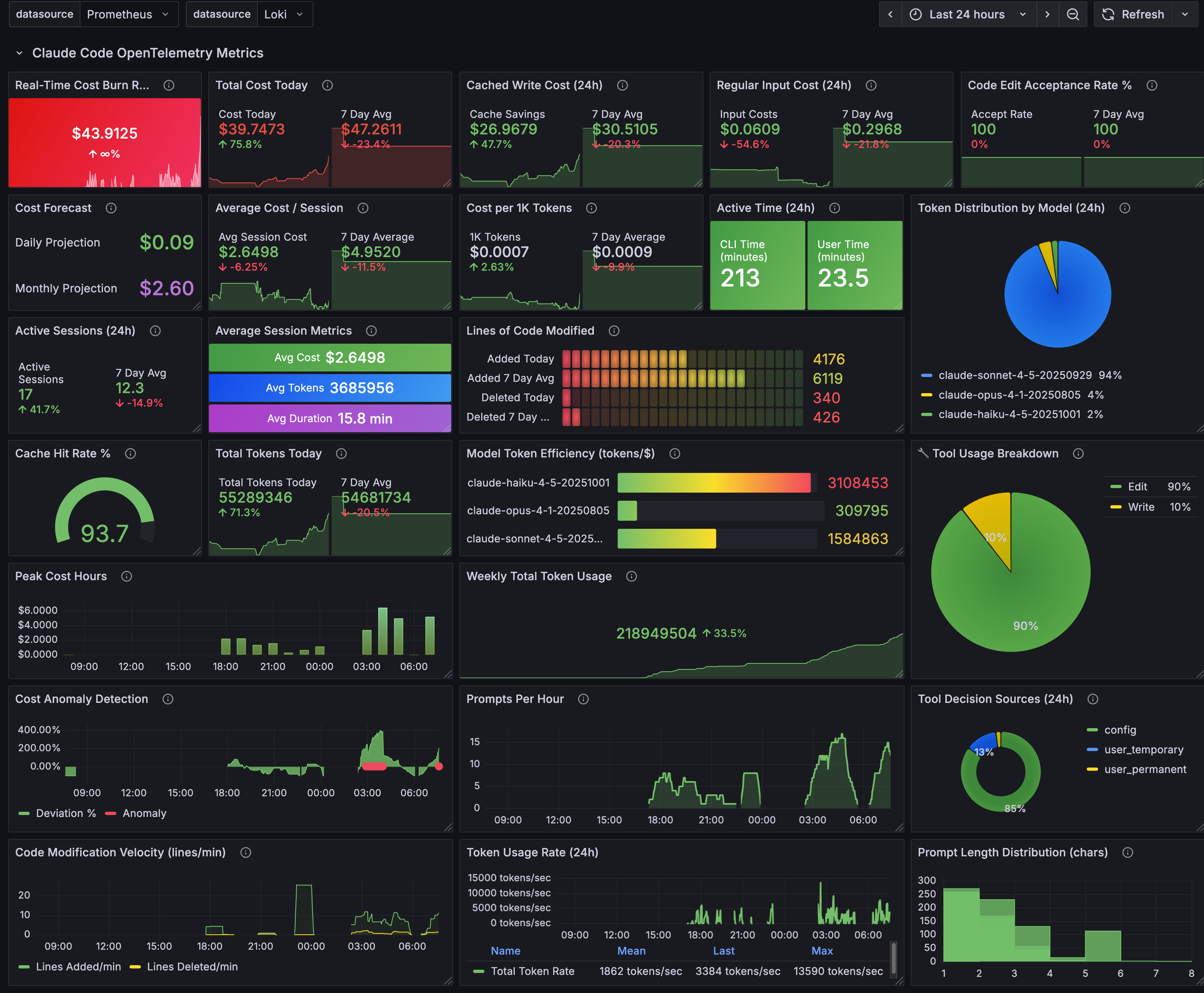
This devcontainer can optionally be configured to send telemetry data to an external OpenTelemetry collector for monitoring Claude Code usage, costs, and performance.
The devcontainer includes optional pre-configured OpenTelemetry environment variables in two locations:
1. Container Environment (.devcontainer/devcontainer.json - containerEnv section)
2. Claude Code Settings (.devcontainer/settings.json.template - env section)
Environment Variables:
{
  "CLAUDE_CODE_ENABLE_TELEMETRY": "1",
  "OTEL_LOG_USER_PROMPTS": "1",
  "OTEL_METRICS_EXPORTER": "otlp",
  "OTEL_LOGS_EXPORTER": "otlp",
  "OTEL_EXPORTER_OTLP_PROTOCOL": "grpc",
  "OTEL_EXPORTER_OTLP_ENDPOINT": "http://otel-collector:4317",
  "OTEL_RESOURCE_ATTRIBUTES": "deployment.environment=devcontainer,service.name=claude-code"
}
Note: The settings are duplicated in both locations for redundancy. Claude Code reads from its own settings.json env section, so having them there ensures telemetry works regardless of container configuration changes.
The devcontainer automatically connects to the claude-code-opentelemetry_otel Docker network to communicate with your monitoring stack.
Claude Code currently ignores the OTEL_RESOURCE_ATTRIBUTES environment variable and hardcodes deployment.environment=local for all telemetry data, regardless of the configured value.
This means:
service.name=claude-code (same label)deployment.environment=local (cannot differentiate)Since Claude Code won't honor the deployment.environment attribute, you can differentiate devcontainer vs macOS usage using the os_type label:
| Environment | os_type | Terminal |
|---|---|---|
| macOS Local | darwin |
iTerm.app |
| Devcontainer | linux |
vscode |
Example Prometheus/Grafana Queries:
# Devcontainer usage only
claude_code_cost_usage_USD_total{os_type="linux"}

# macOS local usage only
claude_code_cost_usage_USD_total{os_type="darwin"}

# All Claude Code usage (both environments)
claude_code_cost_usage_USD_total{service_name="claude-code"}
Grafana Dashboard Filtering:
If your Grafana dashboards filter by service_name=claude-code, they will show combined metrics from both macOS and devcontainer. To separate them, add an additional filter:
# Devcontainer only dashboard
claude_code_cost_usage_USD_total{service_name="claude-code",os_type="linux"}
The devcontainer must be connected to your OpenTelemetry network:
claude-code-opentelemetry_otel (auto-configured in devcontainer.json)otel-collector:4317 (gRPC)For more details on setting up an OpenTelemetry monitoring stack for Claude Code, see the official Claude Code monitoring documentation.
centminmod/claude-code-devcontainers is a public repo on GitHub by centminmod. Its maker has not written a description.
It declares no license on GitHub. Public does not mean open source: without a license, nobody is granted the right to reuse it.
Its maker has not tagged a system, so it is unknown here. Its README says what it needs.
Open "Take it" on its page: Take My Repo writes an install plan for your machine and hands it to your AI agent (Claude Code, Codex or Cursor), which asks you before each step. Take My Repo has not tested it on any machine.
Its last change on GitHub was on 2026-01-01. Take My Repo does not judge from that whether it is maintained.
Shared starter template configuration and CLAUDE.md memory bank system for Claude Code
Nobody has reviewed it on Take My Repo yet, which says nothing about its quality.

Shell menu based Nginx LEMP web stack auto installer (GPLv3 licensed) for AlmaLinux and Rocky Linux
Multi-AI documentation for OpenClaw: architecture, security audits, deployment guide
Self-hosted email verification script to clean up bad invalid email address lists. Supports various commercial email verification provider APIs all in one script
This page is also available as structured data, with the same sources and dates.
/api/v1/resources/gh/centminmod/claude-code-devcontainersTake My Repo has not tested this on your machine. Requirements come from the project's own documentation.
