
ECC
The agent harness performance optimization system. Skills, instincts, memory, security, and research-first development for Claude Code, Codex, Opencode, Cursor and beyond.
- 307k
- JavaScript
- MIT
- 17 h ago
🧩 Claude Code Neovim IDE Extension
Repo coder/claudecode.nvim, read from GitHub 1 min ago. coder has not joined Take My Repo.
coder/claudecode.nvim is a public repo on GitHub by coder. 🧩 Claude Code Neovim IDE Extension. It declares the MIT license on GitHub. It is written mainly in Lua, has 3,162 stars and last changed on 2026-11-16. Nobody has reviewed it on Take My Repo yet, which says nothing about its quality. Read from GitHub on 2026-11-20.
In the maintainer's words. Shown from GitHub; Take My Repo does not keep a copy.
The first Neovim IDE integration for Claude Code — bringing Anthropic's AI coding assistant to your favorite editor with a pure Lua implementation.
🎯 TL;DR: When Anthropic released Claude Code with VS Code and JetBrains support, I reverse-engineered their extension and built this Neovim plugin. This plugin implements the same WebSocket-based MCP protocol, giving Neovim users the same AI-powered coding experience.
When Anthropic released Claude Code, they only supported VS Code and JetBrains. As a Neovim user, I wanted the same experience — so I reverse-engineered their extension and built this.
vim.loop and Neovim built-ins{
"coder/claudecode.nvim",
dependencies = { "folke/snacks.nvim" },
config = true,
-- `cmd` lets lazy.nvim create command stubs that load the plugin on first use,
-- so `:ClaudeCode` and friends work on a fresh start. Without it, a keys-only
-- spec defers loading until a <leader>a* mapping is pressed and the commands
-- would not exist yet.
cmd = {
"ClaudeCode",
"ClaudeCodeFocus",
"ClaudeCodeSelectModel",
"ClaudeCodeAdd",
"ClaudeCodeSend",
"ClaudeCodeTreeAdd",
"ClaudeCodeStatus",
"ClaudeCodeStart",
"ClaudeCodeStop",
"ClaudeCodeOpen",
"ClaudeCodeClose",
"ClaudeCodeDiffAccept",
"ClaudeCodeDiffDeny",
"ClaudeCodeCloseAllDiffs",
},
keys = {
{ "<leader>a", nil, desc = "AI/Claude Code" },
{ "<leader>ac", "<cmd>ClaudeCode<cr>", desc = "Toggle Claude" },
{ "<leader>af", "<cmd>ClaudeCodeFocus<cr>", desc = "Focus Claude" },
{ "<leader>ar", "<cmd>ClaudeCode --resume<cr>", desc = "Resume Claude" },
{ "<leader>aC", "<cmd>ClaudeCode --continue<cr>", desc = "Continue Claude" },
{ "<leader>am", "<cmd>ClaudeCodeSelectModel<cr>", desc = "Select Claude model" },
{ "<leader>ab", "<cmd>ClaudeCodeAdd %<cr>", desc = "Add current buffer" },
{ "<leader>as", "<cmd>ClaudeCodeSend<cr>", mode = "v", desc = "Send to Claude" },
{
"<leader>as",
"<cmd>ClaudeCodeTreeAdd<cr>",
desc = "Add file",
ft = { "NvimTree", "neo-tree", "oil", "minifiles", "netrw", "snacks_picker_list" },
},
-- Diff management
{ "<leader>aa", "<cmd>ClaudeCodeDiffAccept<cr>", desc = "Accept diff" },
{ "<leader>ad", "<cmd>ClaudeCodeDiffDeny<cr>", desc = "Deny diff" },
},
}That's it! The plugin will auto-configure everything else.
Lazy-loading: with this spec the plugin loads on first use — when a listed
cmdis run or a mapped key is pressed — not at startup. Thecmdlist is what makes:ClaudeCode(and the other commands below) available before any keymap is pressed. If you would rather load the plugin eagerly at startup, setlazy = false(thecmd/keystriggers then become optional).
If you've used Claude Code's migrate-installer command to move to a local installation, you'll need to configure the plugin to use the local path.
Claude Code offers a claude migrate-installer command that:
~/.claude/local/Check your installation type:
# Check where claude command points
which claude

# Global installation shows: /usr/local/bin/claude (or similar)
# Local installation shows: alias to ~/.claude/local/claude

# Verify installation health
claude doctor
If you have a local installation, configure the plugin with the direct path:
{
  "coder/claudecode.nvim",
  dependencies = { "folke/snacks.nvim" },
  opts = {
    terminal_cmd = "~/.claude/local/claude", -- Point to local installation
  },
  config = true,
  -- Also copy the `cmd = { ... }` list from the Installation section above so the
  -- :ClaudeCode* commands load without having to press a key first.
  keys = {
    -- Your keymaps here
  },
}Claude Code also offers an experimental native binary installation method currently in alpha testing. This provides a single executable with no Node.js dependencies.
Install the native binary using one of these methods:
# Fresh install (recommended)
curl -fsSL claude.ai/install.sh | bash

# From existing Claude Code installation
claude install
The exact binary path depends on your shell integration. To find your installation:
# Check where claude command points
which claude

# Verify installation type and health
claude doctor
Configure the plugin with the detected path:
{
  "coder/claudecode.nvim",
  dependencies = { "folke/snacks.nvim" },
  opts = {
    terminal_cmd = "/path/to/your/claude", -- Use output from 'which claude'
  },
  config = true,
  -- Also copy the `cmd = { ... }` list from the Installation section above so the
  -- :ClaudeCode* commands load without having to press a key first.
  keys = {
    -- Your keymaps here
  },
}Note: If Claude Code was installed globally via npm, you can use the default configuration without specifying
terminal_cmd.
" Launch Claude Code in a split
:ClaudeCode

" Claude now sees your current file and selections in real-time!

" Send visual selection as context
:'<,'>ClaudeCodeSend

" Claude can open files, show diffs, and more
:ClaudeCode to open Claude in a split terminal:ClaudeCodeSend to send it to Claude (the keys in the Installation spec map <leader>as to it)nvim-tree/neo-tree/oil.nvim/mini.nvim, or a focused snacks picker list / the Snacks Explorer sidebar, run :ClaudeCodeTreeAdd on a file to add it to Claude's context (the keys in the Installation spec map <leader>as to it in the file types that the spec lists)Snacks.picker.files()/grep()), which keep focus in the input box, bind a picker action that calls require("claudecode").send_at_mention(...) for the selected item(s) — the claude-fzf.nvim community extension does the equivalent for fzf-lua:ClaudeCode - Toggle the Claude Code terminal window:ClaudeCodeFocus - Smart focus/toggle Claude terminal:ClaudeCodeSelectModel - Select Claude model and open terminal with optional arguments:ClaudeCodeSend - Send current visual selection to Claude:ClaudeCodeSendText {text} - Send text to the open Claude terminal and submit it (! to insert without submitting; native/snacks providers only):ClaudeCodeAdd <file-path> [start-line] [end-line] - Add specific file to Claude context with optional line range. Paths with spaces work via %/# expansion (e.g. :ClaudeCodeAdd %) or by escaping the spaces (:ClaudeCodeAdd my\ notes.md 10 20):ClaudeCodeDiffAccept - Accept diff changes:ClaudeCodeDiffDeny - Reject diff changes:ClaudeCodeCloseAllDiffs - Close Claude diffs: rejects pending ones, closes rejected ones, and closes accepted ones once the file or its buffer holds the accepted text:ClaudeCodeSendText {text} types {text} into the open Claude terminal and submits it — useful for scripting and keymaps. Use :ClaudeCodeSendText! to insert the text without submitting. The same is available programmatically:
local terminal = require("claudecode.terminal")
terminal.send_to_terminal("run the test suite") -- types + submits
terminal.send_to_terminal("draft prompt", { submit = false }) -- insert only
This writes directly to the terminal's job channel, so it only works with the in-editor providers (native/snacks). The external/none providers run Claude outside Neovim, where there is no pane to write to (a warning is logged).
When Claude proposes changes, the plugin opens a native Neovim diff view:
:w (save) or :ClaudeCodeDiffAccept:q or :ClaudeCodeDiffDenyRun these in the proposal buffer. The plugin sets no keymaps for the diff. The keys in the Installation spec map <leader>aa to :ClaudeCodeDiffAccept and <leader>ad to :ClaudeCodeDiffDeny.
You can edit Claude's suggestions before accepting them.
If a diff is resolved outside this Neovim (for example via Claude remote control on another device) the diff windows would otherwise stay open. They are now closed automatically when the Claude session that opened them disconnects. If you resolve diffs remotely while the session is still connected, run :ClaudeCodeCloseAllDiffs to clear the leftover pending proposals.
A diff you accepted with :w stays open until Claude writes the file and closes it. If that Claude session exits or stops before it writes the file, :ClaudeCodeCloseAllDiffs finishes the diff. When the file does not hold the accepted text yet, the command puts the text into the file's buffer as unsaved changes and closes the diff: :w in that buffer writes it (:checktime, then :w! for a read-only file, so Neovim still warns about a change on disk, :w ++p for a new file whose folder does not exist yet, or on Neovim 0.8 :call mkdir(expand('%:p:h'), 'p') | w), and :e! drops it. The plugin never writes the file. In a CRLF file, :w writes every line break as CRLF, with one CR each, whether Claude's text had CRLF, LF, or both. A file with a BOM keeps one BOM. In any other file, :w writes the text's own line endings and BOM. When the buffer's 'fileencoding' cannot hold the text, the command says so: run :set fileencoding=utf-8 before :w. The command does this for a Claude session that is still connected too, and until you write or drop the text, that session's next diff on the same file fails because the buffer has unsaved changes. A diff whose file buffer already has unsaved changes, cannot be written (a 'buftype' such as nofile), or refuses the text (for example a swap file from another Neovim, or 'nomodifiable'), stays open, and the command names the reason, so neither those changes nor your accepted edits are lost. For a swap file, open the file with :split <file> (answer the swap file prompt if Neovim shows one), then run the command again. The command also closes a diff you rejected whose Claude session exited before it closed the diff.
The plugin fires User autocmds you can hook with nvim_create_autocmd.
ClaudeCodeSendCompleteFired once per file, synchronously, when a send (:ClaudeCodeSend, :ClaudeCodeAdd, tree add, etc.) is accepted while a Claude client is connected. This is the recommended way to focus a Claude session that runs outside Neovim (provider = "none"/"external"), where focus_after_send cannot help.
The autocmd data carries:
| field | type | notes |
|---|---|---|
file_path |
string |
The absolute path Claude received (a directory ends in /) |
start_line |
integer|nil |
0-indexed (Claude convention, not 1-indexed editor lines); nil for whole files |
end_line |
integer|nil |
0-indexed; nil for whole-file/directory sends |
context |
string|nil |
Internal trigger tag (e.g. "ClaudeCodeSend"); best-effort, may change |
Notes and caveats:
:ClaudeCodeSend / :ClaudeCodeTreeAdd) fires it once per file. :ClaudeCodeAdd sends a single path and fires once. Keep handlers idempotent.Example — focus a tmux pane after sending (supply your own pane target):
vim.api.nvim_create_autocmd("User", {
  pattern = "ClaudeCodeSendComplete",
  callback = function(ev)
    -- ev.data.file_path / ev.data.start_line / ev.data.end_line / ev.data.context
    if vim.env.TMUX then
      vim.fn.system({ "tmux", "select-pane", "-t", "{last}" }) -- replace target as needed
    end
  end,
})
This plugin creates a WebSocket server that Claude Code CLI connects to, implementing the same protocol as the official VS Code extension. When you launch Claude, it automatically detects Neovim and gains full access to your editor.
The protocol uses a WebSocket-based variant of MCP (Model Context Protocol) that:
~/.claude/ide/[port].lock (or $CLAUDE_CONFIG_DIR/ide/[port].lock if CLAUDE_CONFIG_DIR is set and not empty) with connection info📖 Read the full reverse-engineering story → 🔧 Complete protocol documentation →
Built with pure Lua and zero external dependencies:
vim.loopFor deep technical details, see ARCHITECTURE.md.
{
  "coder/claudecode.nvim",
  dependencies = { "folke/snacks.nvim" },
  opts = {
    -- Server Configuration
    port_range = { min = 10000, max = 65535 },
    auto_start = true,
    log_level = "info", -- "trace", "debug", "info", "warn", "error"
    terminal_cmd = nil, -- Custom terminal command (default: "claude")
                        -- For local installations: "~/.claude/local/claude"
                        -- For native binary: use output from 'which claude'

    -- Send/Focus Behavior
    -- When true, successful sends focus the in-editor Claude terminal if already
    -- connected. NOTE: this only works for in-editor providers (snacks/native);
    -- it has no effect with provider = "none"/"external" (Claude runs outside
    -- Neovim). For those, hook the `User ClaudeCodeSendComplete` event (see Events).
    focus_after_send = false,

    -- Selection Tracking
    track_selection = true,
    visual_demotion_delay_ms = 50,

    -- Terminal Configuration
    terminal = {
      split_side = "right", -- "left" or "right"
      split_width_percentage = 0.30,
      -- Optional: shrink (or widen) the terminal while a diff is open. Defaults to
      -- split_width_percentage when unset, preserving today's behavior.
      diff_split_width_percentage = nil, -- e.g. 0.20 to give diffs more room
      provider = "auto", -- "auto", "snacks", "native", "external", "none", or custom provider table
      auto_close = true,
      -- Auto-enter terminal mode when the plugin opens or focuses the Claude terminal
      -- (e.g. :ClaudeCodeFocus). With the snacks provider it also enters terminal mode
      -- whenever the window gains focus, e.g. via <C-w>l. With native, <C-w>l back into
      -- the terminal stays in Normal mode, except after a diff opened in a new tab
      -- (diff_opts.open_in_new_tab) has put the terminal in its tab, until that terminal
      -- window closes, even if it shows another buffer by then. Set to false to stay in
      -- Normal mode with either provider and preserve your scroll position; press `i` to type.
      -- Note: false also opens the terminal in Normal mode (it gates start-insert too).
      auto_insert = true,
      snacks_win_opts = {}, -- Opts to pass to `Snacks.terminal.open()` - see Floating Window section below
                            -- (defaults to `bo = { filetype = "claudecode" }`, see Terminal Buffer Filetype)
      -- Work around a Neovim core bug (< 0.12.2) that fragments large pastes into
      -- the terminal, making Cmd+V appear to truncate ([#161]). true | false | "auto"
      -- ("auto", the default, enables it only on affected Neovim versions).
      fix_streamed_paste = "auto",

      -- Provider-specific options
      provider_opts = {
        -- Command for external terminal provider. Can be:
        -- 1. String with %s placeholder: "alacritty -e %s" (backward compatible)
        -- 2. String with two %s placeholders: "alacritty --working-directory %s -e %s" (cwd, command)
        -- 3. Function returning command: function(cmd, env) return "alacritty -e " .. cmd end
        external_terminal_cmd = nil,
      },
    },

    -- Diff Integration
    diff_opts = {
      layout = "vertical", -- "vertical" (default), "horizontal", or "unified"
      -- "unified": VS Code-style unified diff in a single buffer with deleted
      --   (red/strikethrough) and added (green) lines interleaved. Highlight groups
      --   are customizable: ClaudeCodeInlineDiffAdd, ClaudeCodeInlineDiffDelete,
      --   ClaudeCodeInlineDiffAddSign, ClaudeCodeInlineDiffDeleteSign.
      open_in_new_tab = false,
      keep_terminal_focus = false, -- If true, moves focus back to terminal after diff opens (a floating terminal then stays on screen)
      hide_terminal_in_new_tab = false,
      auto_resize_terminal = true, -- Let the plugin manage the terminal width across the diff lifecycle; set false to own it via the User autocmds below
      -- on_new_file_reject = "keep_empty", -- "keep_empty" or "close_window"

      -- Legacy aliases (still supported):
      -- vertical_split = true,
      -- open_in_current_tab = true,
    },
  },
  keys = {
    -- Your keymaps here
  },
}The plugin fires User autocmds when a diff opens and closes, so you can react to
the review lifecycle from your own config (resize windows, toggle a colorscheme,
update a statusline, etc.). They are emitted regardless of auto_resize_terminal.
| Event pattern | When | event.data fields |
|---|---|---|
ClaudeCodeDiffOpened |
A proposed-edit diff has opened | tab_name, file_path, new_file_path, is_new_file, diff_window, target_window, terminal_window, tab_number |
ClaudeCodeDiffClosed |
The diff was accepted/rejected/closed | tab_name, file_path, reason |
reason is a best-effort, human-readable label (e.g. "diff accepted", "diff rejected", "replaced by new diff"); treat it as diagnostic text, not a stable enum to branch on. tab_number is only set when the diff opened in its own tab, and terminal_window may be nil if no Claude terminal is visible.
To fully own the terminal width during diffs, set diff_opts.auto_resize_terminal = false
(so the plugin applies no width policy of its own) and resize from the events yourself.
Note this is "own the width via the events", not "freeze the width": the diff layout still
runs wincmd =, which equalizes splits, so set your desired width in the ClaudeCodeDiffOpened
handler — it fires after the layout is built, so it wins. When the diff closes, the windows of
the tab it split get back the sizes they had before it (if that tab still has the same window
layout and the same space for it), and then ClaudeCodeDiffClosed fires:
vim.api.nvim_create_autocmd("User", {
  pattern = "ClaudeCodeDiffOpened",
  callback = function(ev)
    local term = ev.data.terminal_window
    if term and vim.api.nvim_win_is_valid(term) then
      vim.api.nvim_win_set_width(term, math.floor(vim.o.columns * 0.20))
    end
  end,
})

vim.api.nvim_create_autocmd("User", {
  pattern = "ClaudeCodeDiffClosed",
  callback = function(ev)
    -- restore your preferred idle layout here
  end,
})
For the common "just make the terminal narrower during diffs" case you don't need the events at all — set
terminal.diff_split_width_percentageand leaveauto_resize_terminal = true.
You can fix the Claude terminal's working directory regardless of autochdir and buffer-local cwd changes. Options (precedence order):
cwd_provider(ctx): function that returns a directory string. Receives { file, file_dir, cwd }.cwd: static path to use as working directory.git_repo_cwd = true: resolves git root from the current file directory (or cwd if no file).A cwd_provider result or a cwd that starts with ~ or $ always goes through vim.fn.expand, so ~/projects/my-app
and $HOME/my-app work. Any other text that names an existing folder is used as written, so a folder name with $, \,
[ or { in it works. Other text goes through expand too.
Examples:
require("claudecode").setup({
  -- Top-level aliases are supported and forwarded to terminal config
  git_repo_cwd = true,
})

require("claudecode").setup({
  terminal = {
    cwd = vim.fn.expand("~/projects/my-app"),
  },
})

require("claudecode").setup({
  terminal = {
    cwd_provider = function(ctx)
      -- Prefer repo root; fallback to file's directory
      local cwd = require("claudecode.cwd").git_root(ctx.file_dir or ctx.cwd) or ctx.file_dir or ctx.cwd
      return cwd
    end,
  },
})
The native and snacks providers set the filetype of the Claude terminal buffer to claudecode, so autocmds and
ftplugins can target it. For example, to keep the Claude buffer out of the buffer list (#201):
vim.api.nvim_create_autocmd("FileType", {
  pattern = "claudecode",
  callback = function(args)
    vim.bo[args.buf].buflisted = false
  end,
})
native sets the filetype once per terminal, after the job starts, so buftype is already terminal in the handler.
snacks sets it through the Snacks window options (bo.filetype). That replaces the snacks_terminal filetype that
snacks.nvim gives its terminals, so a FileType snacks_terminal autocmd no longer matches the Claude buffer. To get
the Snacks filetype back, or to pick another name, set it in snacks_win_opts:
terminal = {
  snacks_win_opts = { bo = { filetype = "snacks_terminal" } }, -- or any filetype you like
}
Only snacks_win_opts changes it. A bo.filetype in your global snacks.nvim config (styles.terminal or
terminal.win), or in a style that snacks_win_opts names, does not apply to the Claude buffer.
Snacks applies bo when it creates the buffer, before the job starts (buftype is still nofile) and before it
opens the window. So a window option set in the handler (vim.opt_local.colorcolumn = ...) does not reach the Claude
window. Use snacks_win_opts.wo for that. Snacks applies bo again when it re-creates a floating window that was
closed, so FileType can fire twice for one buffer. Keep the handler idempotent.
external and none create no Neovim buffer, so they set no filetype.
A Neovim terminal passes Ctrl-Z to its job, and Claude Code then suspends itself. Nothing in the terminal can resume
it (#194). So the native and snacks providers map <C-z> in terminal mode on the Claude terminal buffer to
:suspend. Ctrl-Z there suspends Neovim, as it does in any other window. The mapping is buffer-local, so other
terminals keep their own Ctrl-Z behavior. external and none create no Neovim buffer, so they map nothing.
The buffer-local mapping shadows a global terminal-mode <C-z> mapping of yours in the Claude buffer. To keep your
own mapping there, set it buffer-local for the Claude buffer. The plugin keeps a buffer-local <C-z> terminal mapping
that already exists. For example, to send Ctrl-Z to Claude Code again:
vim.api.nvim_create_autocmd("FileType", {
  pattern = "claudecode", -- the filetype of the Claude buffer (see Terminal Buffer Filetype above)
  callback = function(args)
    vim.keymap.set("t", "<C-z>", "<C-z>", { buffer = args.buf })
  end,
})
Replace the mapping with vim.keymap.set, as the example does. Do not remove it with vim.keymap.del on snacks:
Snacks fires FileType before the plugin maps <C-z>, so the handler finds nothing to delete, and the plugin then
maps its default. On native, the plugin maps first, so vim.keymap.del works there.
The pattern must match the filetype of the Claude buffer. With snacks, if you changed it in
snacks_win_opts.bo.filetype, use that filetype. To avoid the filetype, set the mapping from snacks_win_opts.on_buf,
which the plugin calls before it maps <C-z>:
terminal = {
  snacks_win_opts = {
    on_buf = function(win)
      vim.keymap.set("t", "<C-z>", "<C-z>", { buffer = win.buf })
    end,
  },
}
With the native and snacks providers (external and none create no Neovim buffer), the Claude terminal runs in
terminal mode. There Neovim sends your keys to Claude Code, so <C-w>h and your Normal-mode window mappings do
nothing. A single <Esc> does not leave terminal mode either: it goes to Claude Code, which acts on it itself (#53,
#77). With the snacks provider, a double-tap of <Esc> (two presses within about 200 ms) does leave terminal mode,
but the first press still reaches Claude Code.
The plugin maps no key that leaves terminal mode or moves between windows, so you choose them:
<C-\><C-n> works with no setup. Neovim handles it, so Claude Code never sees it. You stay in the Claude window in
Normal mode, and <C-w>h and the other window commands work. To type to Claude Code again, press i in the Claude
window. When you come back to it from another window with the default terminal.auto_insert = true, :ClaudeCodeFocus
enters terminal mode with either provider. <C-w>l and the other window commands do so only with snacks, or with
native after a diff opened in a new tab (diff_opts.open_in_new_tab) has put the terminal in its tab, until that
terminal window closes, even if it shows another buffer by then. With auto_insert = false, none of them do.FileType autocmd for claudecode (see Terminal Buffer Filetype above). It exists on
the Claude buffer only, so other terminals keep their keys, and a single <Esc> still goes to Claude Code.To switch windows with <C-h>, <C-j>, <C-k> and <C-l> (each key leaves terminal mode and moves to the window in
that direction, or stays in the Claude window when there is none):
vim.api.nvim_create_autocmd("FileType", {
  pattern = "claudecode",
  callback = function(args)
    for _, key in ipairs({ "h", "j", "k", "l" }) do
      vim.keymap.set("t", "<C-" .. key .. ">", "<C-\\><C-n><C-w>" .. key, {
        buffer = args.buf,
        desc = "Leave terminal mode and move to the window in direction " .. key,
      })
    end
  end,
})
To leave terminal mode and stay in the Claude window, here with <C-q>:
vim.api.nvim_create_autocmd("FileType", {
  pattern = "claudecode",
  callback = function(args)
    vim.keymap.set("t", "<C-q>", "<C-\\><C-n>", { buffer = args.buf, desc = "Leave terminal mode" })
  end,
})
A key you map no longer reaches Claude Code, so pick keys you do not need there. The first example takes <C-j> (new
line), <C-k> (delete to the end of the line) and <C-l> (redraw the screen) away from the Claude Code prompt. Its
interactive mode reference lists them and lists no binding for
<C-h> or <C-q>. Do not map <Esc>: the snacks provider sets its own <Esc> key on the Claude buffer, and it
replaces a mapping from your autocmd.
If <C-h> and the others clash with tmux or a navigation plugin, use <A-h> and the others instead (write "<A-"
for "<C-" in the first block). On macOS, <A-h> fires only when your terminal sends Option as Meta, and many
terminals need that turned on first (see Claude Code's
Option key setup). These keys
move between Neovim windows only. To move between tmux panes as well, use vim-tmux-navigator: map the key to
<C-\><C-n><Cmd>TmuxNavigateLeft<CR> (and TmuxNavigateDown, TmuxNavigateUp, TmuxNavigateRight) in place of
<C-\><C-n><C-w>h.
In a floating Claude window (snacks_win_opts.position = "float"), the four keys all go back to the window you came
from.
The snacks_win_opts configuration allows you to create floating Claude Code terminals with custom positioning, sizing, and key bindings. Here are several practical examples:
local toggle_key = "<C-,>"
return {
  {
    "coder/claudecode.nvim",
    dependencies = { "folke/snacks.nvim" },
    keys = {
      { toggle_key, "<cmd>ClaudeCodeFocus<cr>", desc = "Claude Code", mode = { "n", "x" } },
    },
    opts = {
      terminal = {
        ---@module "snacks"
        ---@type snacks.win.Config|{}
        snacks_win_opts = {
          position = "float",
          width = 0.9,
          height = 0.9,
          keys = {
            claude_hide = {
              toggle_key,
              function(self)
                self:hide()
              end,
              mode = "t",
              desc = "Hide",
            },
          },
        },
      },
    },
  },
}
local toggle_key = "<M-,>"  -- Alt/Meta + comma
return {
  {
    "coder/claudecode.nvim",
    dependencies = { "folke/snacks.nvim" },
    keys = {
      { toggle_key, "<cmd>ClaudeCodeFocus<cr>", desc = "Claude Code", mode = { "n", "x" } },
    },
    opts = {
      terminal = {
        snacks_win_opts = {
          position = "float",
          width = 0.8,
          height = 0.8,
          border = "rounded",
          keys = {
            claude_hide = { toggle_key, function(self) self:hide() end, mode = "t", desc = "Hide" },
          },
        },
      },
    },
  },
}
require("claudecode").setup({
  terminal = {
    snacks_win_opts = {
      position = "float",
      width = 0.6,
      height = 0.6,
      border = "double",
      backdrop = 80,
      keys = {
        claude_hide = { "<Esc>", function(self) self:hide() end, mode = "t", desc = "Hide" },
        claude_close = { "q", "close", mode = "n", desc = "Close" },
      },
    },
  },
})
{
  "coder/claudecode.nvim",
  dependencies = { "folke/snacks.nvim" },
  keys = {
    { "<C-,>", "<cmd>ClaudeCodeFocus<cr>", desc = "Claude Code (Ctrl+,)", mode = { "n", "x" } },
    { "<M-,>", "<cmd>ClaudeCodeFocus<cr>", desc = "Claude Code (Alt+,)", mode = { "n", "x" } },
    { "<leader>tc", "<cmd>ClaudeCodeFocus<cr>", desc = "Toggle Claude", mode = { "n", "x" } },
  },
  opts = {
    terminal = {
      snacks_win_opts = {
        position = "float",
        width = 0.85,
        height = 0.85,
        border = "rounded",
        keys = {
          -- Multiple ways to hide from terminal mode
          claude_hide_ctrl = { "<C-,>", function(self) self:hide() end, mode = "t", desc = "Hide (Ctrl+,)" },
          claude_hide_alt = { "<M-,>", function(self) self:hide() end, mode = "t", desc = "Hide (Alt+,)" },
          claude_hide_esc = { "<C-\\><C-n>", function(self) self:hide() end, mode = "t", desc = "Hide (Ctrl+\\)" },
        },
      },
    },
  },
}-- Bottom floating (like a drawer) snacks_win_opts = { position = "bottom", height = 0.4, width = 1.0, border = "single", } -- Side floating panel snacks_win_opts = { position = "right", width = 0.4, height = 1.0, border = "rounded", } -- Small centered popup snacks_win_opts = { position = "float", width = 120, -- Fixed width in columns height = 30, -- Fixed height in rows border = "double", backdrop = 90, }
When a diff opens in the tab where a floating Claude terminal sits, the plugin hides the float so it does not cover the diff, and the diff window has focus. A float that the user shows while the diff is open stays visible until another diff opens in that tab. The float stays hidden when the diff closes, and :ClaudeCodeFocus brings it back. A diff in its own tab leaves a visible float in the original tab alone while it is open. A diff is in its own tab with open_in_new_tab, and a split diff also opens in a new tab on its own when its tab already shows a diff. When a diff in its own tab closes, the plugin shows the terminal again if a window of it was visible in any tab when the diff opened, and none is visible then. A terminal split that another diff's new tab shows counts. The close does not look at other open diffs, so it can show the float over a diff that is still open: diff A hides the float, diff B opens in a new tab, diff C opens in another new tab while B's tab shows the terminal, and the close of C after the close of B shows the float over A. With diff_opts.keep_terminal_focus = true, the float stays on screen and keeps focus, and it covers the diff.
For complete configuration options, see:
Run Claude Code without any terminal management inside Neovim. This is useful for advanced setups where you manage the CLI externally (tmux, kitty, separate terminal windows) while still using the WebSocket server and tools.
You have to take care of launching CC and connecting it to the IDE yourself. (e.g. claude --ide or launching claude and then selecting the IDE using the /ide command)
{
  "coder/claudecode.nvim",
  opts = {
    terminal = {
      provider = "none", -- no UI actions; server + tools remain available
    },
  },
}
Notes:
:ClaudeCode and related commands will not open anything.focus_after_send has no effect here (there is no in-editor terminal to focus); enabling it logs a one-time warning at startup. To focus your external session after a send, hook the User ClaudeCodeSendComplete event.Run Claude Code in a separate terminal application outside of Neovim:
-- Using a string template (simple)
{
  "coder/claudecode.nvim",
  opts = {
    terminal = {
      provider = "external",
      provider_opts = {
        external_terminal_cmd = "alacritty -e %s", -- %s is replaced with claude command
        -- Or with working directory: "alacritty --working-directory %s -e %s" (first %s = cwd, second %s = command)
      },
    },
  },
}

-- Using a function for dynamic command generation (advanced)
{
  "coder/claudecode.nvim",
  opts = {
    terminal = {
      provider = "external",
      provider_opts = {
        external_terminal_cmd = function(cmd, env)
          -- You can build complex commands based on environment or conditions
          if vim.fn.has("mac") == 1 then
            return { "osascript", "-e", string.format('tell app "Terminal" to do script "%s"', cmd) }
          else
            return "alacritty -e " .. cmd
          end
        end,
      },
    },
  },
}
You can create custom terminal providers by passing a table with the required functions instead of a string provider name:
require("claudecode").setup({
  terminal = {
    provider = {
      -- Required functions
      setup = function(config)
        -- Initialize your terminal provider
      end,

      open = function(cmd_string, env_table, effective_config, focus)
        -- Open terminal with command and environment
        -- focus parameter controls whether to focus terminal (defaults to true)
      end,

      close = function()
        -- Close the terminal
      end,

      simple_toggle = function(cmd_string, env_table, effective_config)
        -- Simple show/hide toggle
      end,

      focus_toggle = function(cmd_string, env_table, effective_config)
        -- Smart toggle: focus terminal if not focused, hide if focused
      end,

      get_active_bufnr = function()
        -- Return terminal buffer number or nil
        return 123 -- example
      end,

      is_available = function()
        -- Return true if provider can be used
        return true
      end,

      -- Optional functions (auto-generated if not provided)
      toggle = function(cmd_string, env_table, effective_config)
        -- Defaults to calling simple_toggle for backward compatibility
      end,

      _get_terminal_for_test = function()
        -- For testing only, defaults to return nil
        return nil
      end,
    },
  },
})
Here's a complete example using a hypothetical my_terminal plugin:
local my_terminal_provider = {
  setup = function(config)
    -- Store config for later use
    self.config = config
  end,

  open = function(cmd_string, env_table, effective_config, focus)
    if focus == nil then focus = true end

    local my_terminal = require("my_terminal")
    my_terminal.open({
      cmd = cmd_string,
      env = env_table,
      width = effective_config.split_width_percentage,
      side = effective_config.split_side,
      focus = focus,
    })
  end,

  close = function()
    require("my_terminal").close()
  end,

  simple_toggle = function(cmd_string, env_table, effective_config)
    require("my_terminal").toggle()
  end,

  focus_toggle = function(cmd_string, env_table, effective_config)
    local my_terminal = require("my_terminal")
    if my_terminal.is_focused() then
      my_terminal.hide()
    else
      my_terminal.focus()
    end
  end,

  get_active_bufnr = function()
    return require("my_terminal").get_bufnr()
  end,

  is_available = function()
    local ok, _ = pcall(require, "my_terminal")
    return ok
  end,
}

require("claudecode").setup({
  terminal = {
    provider = my_terminal_provider,
  },
})
The custom provider will automatically fall back to the native provider if validation fails or is_available() returns false.
Optional functions: ensure_visible() shows the terminal without focusing it. hide_float(tab) hides the terminal when it is a visible floating window, and when tab is not nil only when that window is in tab. It returns true when it did. The plugin calls it with the diff's tab when a diff opens in the tab of a floating terminal, so the float does not cover the diff, unless diff_opts.keep_terminal_focus is set. A provider that ignores tab hides its float in any tab. A diff does not show the float again, except that a diff in its own tab calls ensure_visible() in the original tab when it closes (in the current tab when the original tab is gone), if a window of the terminal was visible in any tab when the diff opened. :ClaudeCodeSend, :ClaudeCodeAdd and :ClaudeCodeTreeAdd also call ensure_visible() after a send to a connected Claude (they call open instead with focus_after_send, or when Claude is not connected).
Note: If your command or working directory may contain spaces or special characters, prefer returning a table of args from a function (e.g., { "alacritty", "--working-directory", cwd, "-e", "claude", "--help" }) to avoid shell-quoting issues.
The following are third-party community extensions that complement claudecode.nvim. These extensions are not affiliated with Coder and are maintained independently by community members. We do not ensure that these extensions work correctly or provide support for them.
Integrates fzf-lua's file selection with claudecode.nvim's context management:
Provides convenient Claude interaction history management and access for enhanced workflow continuity.
Disclaimer: These community extensions are developed and maintained by independent contributors. The authors and their extensions are not affiliated with Coder. Use at your own discretion and refer to their respective repositories for installation instructions, documentation, and support.
Using auto-save plugins can cause diff windows opened by Claude to immediately accept without waiting for input. You can avoid this using a custom condition:
opts = {
  -- ... other options
  condition = function(buf)
    local fn = vim.fn
    local utils = require("auto-save.utils.data")

    -- First check the default conditions
    if not (fn.getbufvar(buf, "&modifiable") == 1 and utils.not_in(fn.getbufvar(buf, "&filetype"), {})) then
      return false
    end

    -- Exclude claudecode diff buffers by buffer name patterns
    local bufname = vim.api.nvim_buf_get_name(buf)
    if bufname:match("%(proposed%)") or
       bufname:match("%(NEW FILE %- proposed%)") or
       bufname:match("%(New%)") then
      return false
    end

    -- Exclude by buffer variables (claudecode sets these)
    if vim.b[buf].claudecode_diff_tab_name or
       vim.b[buf].claudecode_diff_new_win or
       vim.b[buf].claudecode_diff_target_win then
      return false
    end

    -- Exclude by buffer type (claudecode diff buffers use "acwrite")
    local buftype = fn.getbufvar(buf, "&buftype")
    if buftype == "acwrite" then
      return false
    end

    return true -- Safe to auto-save
  end,
},
opts = {
  -- ... other options
  condition = function(buf)
    -- Exclude claudecode diff buffers by buffer name patterns
    local bufname = vim.api.nvim_buf_get_name(buf)
    if bufname:match('%(proposed%)') or bufname:match('%(NEW FILE %- proposed%)') or bufname:match('%(New%)') then
      return false
    end

    -- Exclude by buffer variables (claudecode sets these)
    if
      vim.b[buf].claudecode_diff_tab_name
      or vim.b[buf].claudecode_diff_new_win
      or vim.b[buf].claudecode_diff_target_win
    then
      return false
    end

    -- Exclude by buffer type (claudecode diff buffers use "acwrite")
    local buftype = vim.fn.getbufvar(buf, '&buftype')
    if buftype == 'acwrite' then
      return false
    end

    return true -- Safe to auto-save
  end,
},
:checkhealth claudecode — it verifies the Claude CLI is installed, the WebSocket server is running, the lock file exists and can be read, and whether Claude is connected:ClaudeCodeStatus and verify lock file exists in ~/.claude/ide/ (or $CLAUDE_CONFIG_DIR/ide/ if CLAUDE_CONFIG_DIR is set and not empty)log_level = "debug" in optsprovider = "native" if using snacks.nvimclaude migrate-installer, set terminal_cmd = "~/.claude/local/claude" in your config. Check which claude vs ls ~/.claude/local/claude to verify your installation type.claude doctor to verify installation health and use which claude to find the binary path. Set terminal_cmd = "/path/to/claude" with the detected path in your config.This section is the contract map of the source tree. Each linked README lists the interface, invariants, and side effects of one package.
Neovim loads plugin/claudecode.lua, which guards the load and can schedule
require("claudecode").setup(). setup in lua/claudecode validates config, sets up
the logger, terminal, and diff modules, calls start when auto_start is true, and then registers the :ClaudeCode*
commands. start opens the
WebSocket server on 127.0.0.1, writes a lock file with an auth token, and enables
selection tracking when track_selection is true. The Claude CLI finds the lock file, connects, and calls the MCP tools.
The plugin runs the CLI through a terminal provider. Files under
scripts/ are dev and release tooling and are never loaded by the plugin.
dev-config.lua returns a lazy.nvim plugin spec for local development: "coder/claudecode.nvim" with dev = true, a
cmd list of :ClaudeCode* command stubs (it omits ClaudeCodeSendText), <leader>a* keys mappings, and opts that set only
focus_after_send = true [dev-config.lua:return]. The plugin never requires it. It has no side effects until a user
symlinks it into a Neovim config (see the comment at the top of the file).claudecode package.:checkhealth.vim.loop TCP, with auth-token-checked upgrade and a keep-alive ping timer.paste_fix for Neovim < 0.12.2.tools/list plus the hidden close_tab. openDiff runs in a coroutine and defers its response.vim.g.loaded_claudecode
guard, and optional vim.g.claudecode_auto_setup.openDiff helper, and the release-please runner.fixtures/ (Neovim configs for manual repros) holds repro notes (README.md in some folders) but no EGM contracts.
tests/ (Busted specs) holds no contracts.
127.0.0.1 [lua/claudecode/server/tcp.lua:M._bind_and_listen].x-claude-code-ide-authorization that matches the lock-file token, compared in constant
time [lua/claudecode/server/handshake.lua:M.validate_upgrade_request]. start returns false before it starts the server
if the token is shorter than 10 characters. If the token does not match the token that lockfile.create wrote, it tries to remove the lock file (a failed removal is only logged) and stops the
server [lua/claudecode/init.lua:M.start].vim.loop.random or /dev/urandom, never math.random [lua/claudecode/lockfile.lua:get_random_bytes].$CLAUDE_CONFIG_DIR/ide, or in ~/.claude/ide when that variable is unset or empty, named <port>.lock [lua/claudecode/lockfile.lua:M.lock_dir]. repro_issue_238.sh,
repro_issue_248.sh, and the verify skill's ws-client.mjs read the port from that basename [scripts/repro_issue_238.sh:PORT] [scripts/repro_issue_248.sh:PORT]
[.agents/skills/verify-claudecode-nvim/scripts/ws-client.mjs:port]. repro_issue_70.sh and repro_issue_277.sh get the port another way.:ClaudeCode* commands exist only after setup runs [lua/claudecode/init.lua:M._create_commands]. The loader defines
none [plugin/claudecode.lua].openDiff must run in a non-main coroutine. Its response is deferred until the diff resolves
[lua/claudecode/diff.lua:M.open_diff_blocking] [lua/claudecode/server/init.lua:M._setup_deferred_response]. The user
resolves it by accepting or rejecting it. The plugin also rejects a pending diff when the server stops
[lua/claudecode/server/init.lua:M.stop], when the client that opened it disconnects
[lua/claudecode/server/init.lua:M.start], or when a new diff reuses its tab_name
[lua/claudecode/diff.lua:M.open_diff_blocking]. Claude's close_tab and closeAllDiffTabs calls also reject a
pending diff [lua/claudecode/diff.lua:M.close_diff_by_tab_name]. A diff that resolves before openDiff yields, for example from a
ClaudeCodeDiffOpened handler, is answered at once [lua/claudecode/diff.lua:M.open_diff_blocking].openDiff setup has finished and nobody has
answered its diff. Each fact below was probed with a real WebSocket client on Neovim 0.8.0, 0.9.5, 0.10.4, 0.11.5
and 0.12.3. SIGKILL stands in for a crash, which was not probed:
VimLeavePre (:qa!, SIGTERM or SIGHUP) gives each waiting call one DIFF_REJECTED
[lua/claudecode/diff.lua:cleanup_at_exit]. A call that already has its answer, such as a FILE_SAVED,
gets no second one.openDiff setup gets one -32603 error from the server stop. It has no
response sender yet, so nothing else can answer it. This happens when a nested = true ClaudeCodeDiffOpened
handler runs :qa! during the setup. A server stop that is not an exit, for example :ClaudeCodeStop from such a
handler, gives the same error [lua/claudecode/server/init.lua:M.stop]
[lua/claudecode/server/init.lua:M._handle_request].stop also tries to remove the lock
file [lua/claudecode/init.lua:M.stop].:noautocmd qa!, a Lua os.exit() and a :qa! from inside an autocmd that is not nested run
no VimLeavePre. A :qa!, SIGTERM or SIGHUP that Neovim handles while an autocmd that is not nested is still
running can end Neovim without VimLeavePre too. A synchronous LSP format on save, which waits in vim.wait, is
the common example. In these exits, Claude gets no answer, its socket closes with 1006, and the lock file
stays.VimLeavePre, the autocmd of ClaudeCodeMCPDiff rejects every diff with the status
pending first and removes every diff after that [lua/claudecode/diff.lua:cleanup_at_exit]. A reject can remove
its own diff at once. With the default on_new_file_reject = "keep_empty", a new-file diff in the vertical
or horizontal layout that is not in its own tab is removed when it is rejected, so its ClaudeCodeDiffClosed
handler runs while a later diff is still pending [lua/claudecode/diff.lua:M._resolve_diff_as_rejected]. With
"close_window", both waiting calls have their answers before the first ClaudeCodeDiffClosed fires (probed in
the vertical, horizontal and unified layouts with one new-file and one existing-file diff, for :qa! and
SIGTERM). A call that the exit cuts off during its setup is not waiting: it gets its -32603 after the
ClaudeCodeDiffClosed events, in every layout and with either on_new_file_reject (probed with a nested :qa!
in a ClaudeCodeDiffOpened handler, on each Neovim version above). Every call still gets one answer before the
server closes its client with 1001.start writes <port>.lock (file 0600, atomic rename). A new lock directory gets 0700, and the chmod of an existing one is best-effort [lua/claudecode/lockfile.lua:M.create]. stop tries to delete it and logs a warning when it cannot
[lua/claudecode/lockfile.lua:M.remove] [lua/claudecode/init.lua:M.stop]. The ClaudeCodeShutdown VimLeavePre autocmd runs stop
[lua/claudecode/init.lua:M.setup].selection_changed
[lua/claudecode/selection.lua:M.send_selection_update] and at_mentioned [lua/claudecode/init.lua:M._broadcast_at_mention].ENABLE_IDE_INTEGRATION, FORCE_CODE_TERMINAL,
loopback no_proxy/NO_PROXY, and, while the server runs, CLAUDE_CODE_SSE_PORT
[lua/claudecode/terminal.lua:get_claude_command_and_env]. :checkhealth claudecode runs the CLI with --version
[lua/claudecode/health.lua:check_cli]. With terminal.git_repo_cwd, the terminal module runs
git rev-parse --show-toplevel [lua/claudecode/cwd.lua:M.git_root].open_diff writes diff temp files under stdpath("cache")/claudecode_diffs, or
stdpath("cache")/claudecode_diffs_fallback when a directory cannot be created in the first. If both fail, it returns
an error that names both directories [lua/claudecode/diff.lua:create_temp_file]. The openDiff tool writes no temp
files [lua/claudecode/diff.lua:M.open_diff_blocking]. The saveDocument tool writes an open buffer to its file
[lua/claudecode/tools/save_document.lua:handler].ClaudeCodeShutdown, ClaudeCodeSelection, ClaudeCodeMCPDiff,
ClaudeCodeDiffCleanup, ClaudeCodeNativeAdopted, ClaudeCodeOpenFileNewFiles, and snacks_win_<id>, one per
Snacks terminal whose split the plugin re-creates [lua/claudecode/terminal/snacks.lua:register_window_events]),
nvim_buf_attach change listeners on the buffer of a held selection and on every buffer where a visual selection
starts, until the first edit after the selection ends [lua/claudecode/selection.lua:watch_selection_buffer], a
vim.on_key listener (one namespace) that an edit of the buffer in which you select sets, at the latest until the next
key [lua/claudecode/selection.lua:note_visual_edit], User
events (ClaudeCodeSendComplete, ClaudeCodeDiffOpened, ClaudeCodeDiffClosed), the four global
ClaudeCodeInlineDiff* highlight groups for the "unified" diff layout
[lua/claudecode/diff_inline.lua:setup_highlights], and a wrapped global vim.paste when
terminal.fix_streamed_paste is true, or "auto" on Neovim < 0.12.2 or a 0.12.2 prerelease
[lua/claudecode/terminal/paste_fix.lua:M.apply] [lua/claudecode/terminal/paste_fix.lua:M.install]
[lua/claudecode/terminal/paste_fix.lua:M.is_affected_version].openDiff response senders in _G.claude_deferred_responses
[lua/claudecode/server/init.lua:M._setup_deferred_response]. The diff module calls and clears them
[lua/claudecode/diff.lua:M.open_diff_blocking]. _G.claudecode_clients_created counts connections
[lua/claudecode/server/client.lua:M.create_client]. See the server README.scripts/release-please-runner.js without --dry-run creates GitHub tags, releases, and PRs
[scripts/release-please-runner.js:main].mise run all (format, lint, test)mise run test (Busted suite with coverage, in a random order whose seed it prints; BUSTED_SEED=<seed> mise run test repeats that order, and a test registered inside a pairs() loop fails the run) or one file with busted -v tests/unit/<name>_spec.luamise run check (a Lua syntax check on lua/, then luacheck on lua/ and tests/)npm --prefix scripts run test:release-please-runner (release runner and the communique.toml output budget,
after npm --prefix scripts ci, with a real communique binary on PATH, for example under mise exec --, not a
mise shim. See the scripts README.)See DEVELOPMENT.md for build instructions and development guidelines. Tests can be run with mise run test.
coder/claudecode.nvim is a public repo on GitHub by coder. 🧩 Claude Code Neovim IDE Extension.
It declares the MIT license on GitHub.
Its maker has not tagged a system, so it is unknown here. Its README says what it needs.
Open "Take it" on its page: Take My Repo writes an install plan for your machine and hands it to your AI agent (Claude Code, Codex or Cursor), which asks you before each step. Take My Repo has not tested it on any machine.
Its last change on GitHub was on 2026-11-16. Take My Repo does not judge from that whether it is maintained.
Nobody has reviewed it on Take My Repo yet, which says nothing about its quality.

The agent harness performance optimization system. Skills, instincts, memory, security, and research-first development for Claude Code, Codex, Opencode, Cursor and beyond.
Reverse engineer anything with agents, from app behavior down to native binaries.


Ghostty for the web with xterm.js API compatibility
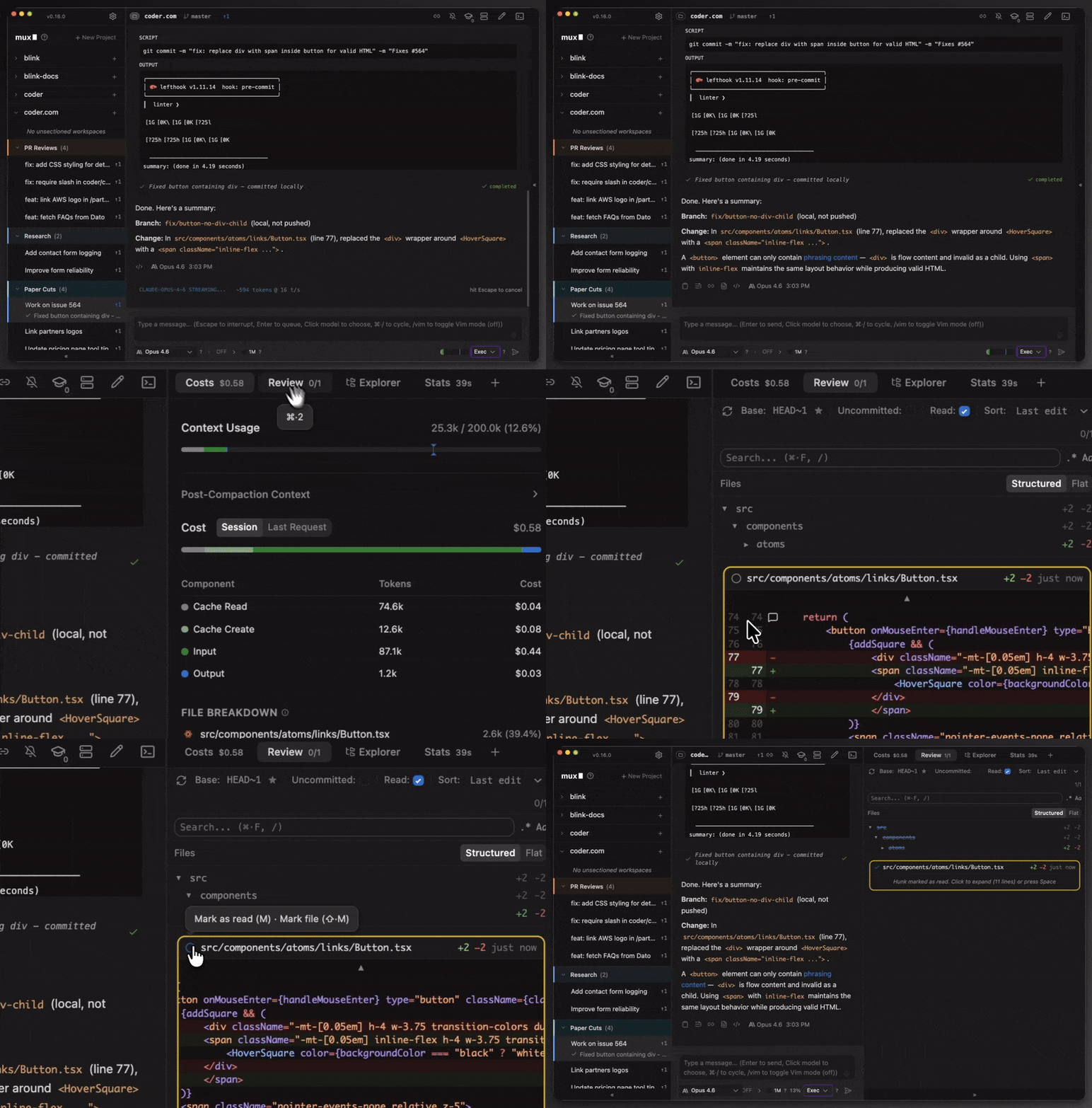
A desktop app for isolated, parallel agentic development
This page is also available as structured data, with the same sources and dates.
/api/v1/resources/gh/coder/claudecode.nvimTake My Repo has not tested this on your machine. Requirements come from the project's own documentation.


