rea
Reverse engineer anything with agents, from app behavior down to native binaries.
- 474k
- TypeScript
- MIT
- 2 h ago

Argon Dashboard React Nodejs
Repo creativetimofficial/argon-dashboard-react-nodejs, read from GitHub 3 d ago. creativetimofficial has not joined Take My Repo.
creativetimofficial/argon-dashboard-react-nodejs is a public repo on GitHub by creativetimofficial. Argon Dashboard React Nodejs. It declares the MIT license on GitHub. It is written mainly in CSS, has 38 stars and last changed on 2022-01-19. Nobody has reviewed it on Take My Repo yet, which says nothing about its quality. Read from GitHub on 2026-11-19.

Start your development with a Dashboard for Bootstrap 4, React, NodeJS and Reactstrap, made with create-react-app. It is open source, free and it features many components that can help you create amazing websites.
Fully Coded Components
Argon Dashboard React Nodejs is built with over 100 individual components, giving you the freedom of choosing and combining. All components can take variations in color, that you can easily modify using SASS files. You will save a lot of time going from prototyping to full-functional code, because all elements are implemented. This Dashboard is coming with pre-built examples, so the development process is seamless, switching from our pages to the real website is very easy to be done. Every element has multiple states for colors, styles, hover, focus, that you can easily access and use.
Rest API
Get connected to the real world with a fully functional API made in NodeJS, containing multiple endpoints for managing the platform, each one of them being well documented and easily configurable.
Complex Documentation
Each element is well presented in a very complex documentation. You can read more about the idea behind this dashboard here. You can check the components here and the foundation here.
Example Pages
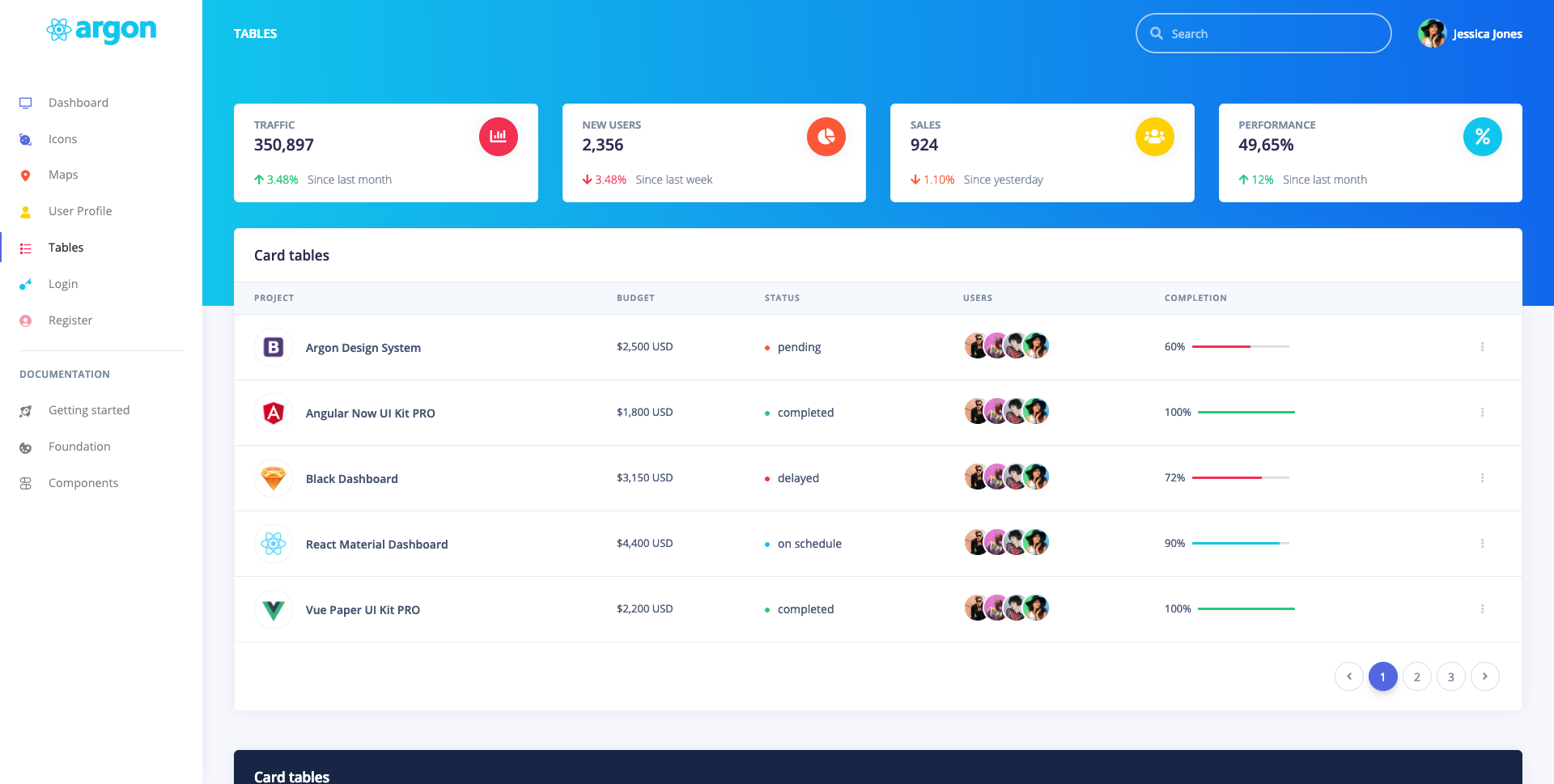
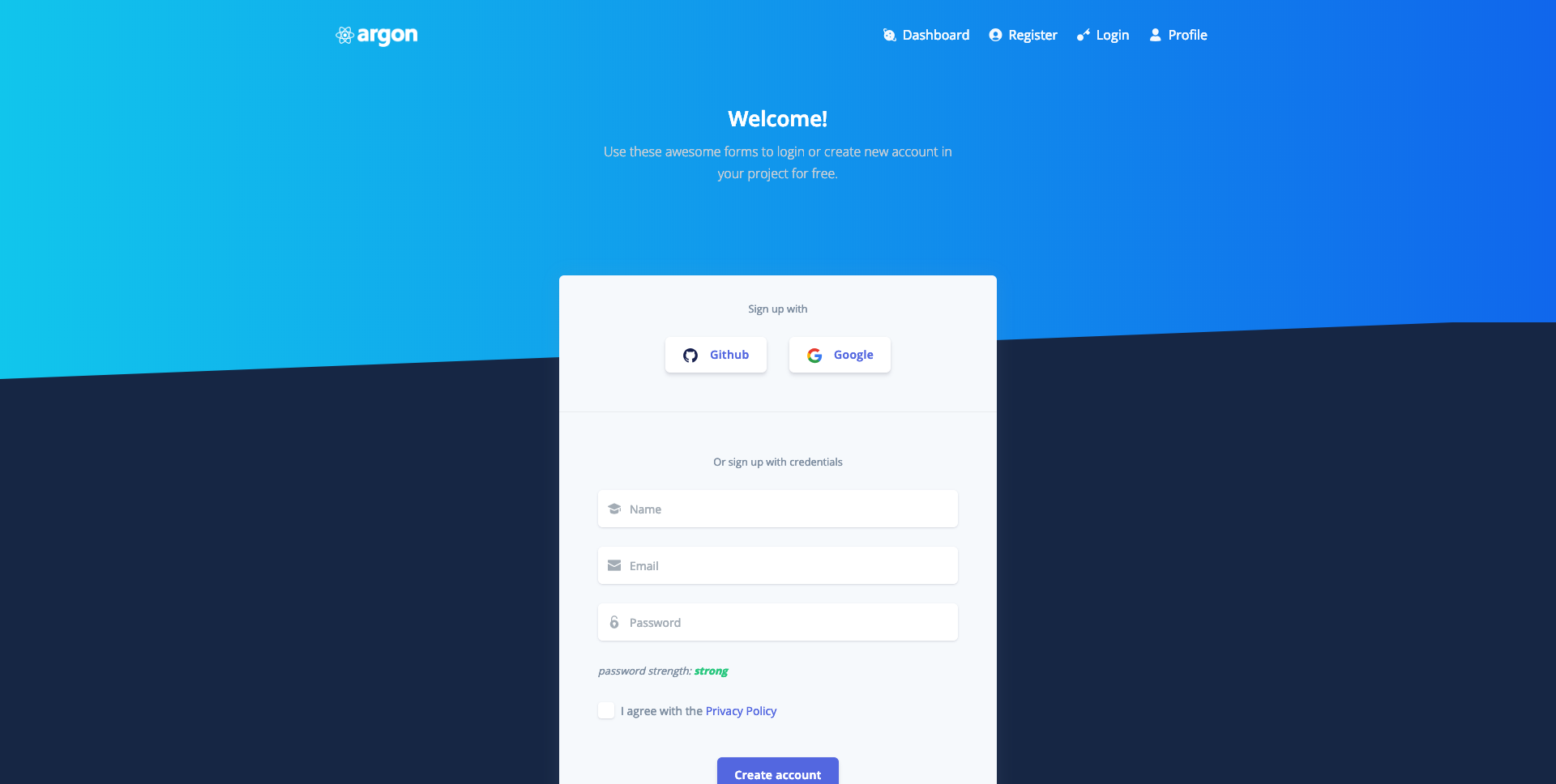
If you want to get inspiration or just show something directly to your clients, you can jump start your development with our pre-built example pages. You will be able to quickly set up the basic structure for your web project.
| Dashboard Page | Icons Page | Tables Page | Maps Page |
|---|---|---|---|
 |
 |
 |
 |
| Register Page | Login Page Page | Profile Page |
|---|---|---|
 |
 |
 |
git clone https://github.com/creativetimofficial/argon-dashboard-react-nodejs.npm install in both front-end and back-end foldernpm run build in front-end folder and then move the build folder in back-end -> this is for production modenodemon in backend folder and the server will startnpm start in front-endnodemon in back-endThe documentation for the Argon Dashboard React with Node JS is hosted at our website.
Within the download you'll find the following directories and files:
Argon Dashboard React Nodejs
.
├── CHANGELOG.md
├── Documentation
│   └── documentation.html
├── ISSUE_TEMPLATE.md
├── LICENSE
├── README.md
├── back-end
│   ├── README.md
│   ├── app.js
│   ├── b78de_ab899_1576205276_51a83e5f3b2afb4a72888806732c61fe.crt
│   ├── b78de_ab899_457b6766b38e3a90a3a5c80685b6dd43.key
│   ├── config
│   │   ├── config.js
│   │   ├── crons.js
│   │   ├── keys.js
│   │   ├── passport.js
│   │   └── safeRoutes.js
│   ├── models
│   │   ├── activeSession.js
│   │   └── user.js
│   ├── package-lock.json
│   ├── package.json
│   └── routes
│       └── users.js
└── front-end
    ├── README.md
    ├── gulpfile.js
    ├── jsconfig.json
    ├── package-lock.json
    ├── package.json
    ├── public
    │   ├── apple-icon.png
    │   ├── favicon.ico
    │   ├── index.html
    │   └── manifest.json
    └── src
        ├── assets
        │   ├── css
        │   │   ├── argon-dashboard-react.css
        │   │   ├── argon-dashboard-react.css.map
        │   │   └── argon-dashboard-react.min.css
        │   ├── fonts
        │   │   ├── nucleo.eot
        │   │   ├── nucleo.ttf
        │   │   ├── nucleo.woff
        │   │   └── nucleo.woff2
        │   ├── img
        │   │   ├── brand
        │   │   │   ├── argon-react-white.png
        │   │   │   ├── argon-react.png
        │   │   │   ├── blue.png
        │   │   │   ├── favicon.png
        │   │   │   └── white.png
        │   │   ├── icons
        │   │   │   └── common
        │   │   │       ├── github.svg
        │   │   │       └── google.svg
        │   │   └── theme
        │   │       ├── angular.jpg
        │   │       ├── bootstrap.jpg
        │   │       ├── profile-cover.jpg
        │   │       ├── react.jpg
        │   │       ├── sketch.jpg
        │   │       ├── team-1-800x800.jpg
        │   │       ├── team-2-800x800.jpg
        │   │       ├── team-3-800x800.jpg
        │   │       ├── team-4-800x800.jpg
        │   │       └── vue.jpg
        │   ├── plugins
        │   │   └── nucleo
        │   │       ├── css
        │   │       │   ├── nucleo-svg.css
        │   │       │   └── nucleo.css
        │   │       └── fonts
        │   │           ├── nucleo-icons.eot
        │   │           ├── nucleo-icons.svg
        │   │           ├── nucleo-icons.ttf
        │   │           ├── nucleo-icons.woff
        │   │           └── nucleo-icons.woff2
        │   └── scss
        │       ├── argon-dashboard
        │       │   ├── bootstrap
        │       ├── argon-dashboard-react.scss
        │       └── react
        │           ├── _buttons.scss
        │           ├── _mixins.scss
        │           ├── _navbar-dropdown.scss
        │           ├── _navbar.scss
        │           ├── _tables.scss
        │           ├── bootstrap
        │           │   └── _spinners.scss
        │           ├── plugins
        │           │   └── _plugin-react-datetime.scss
        │           └── react-differences.scss
        ├── components
        │   ├── Footers
        │   │   ├── AdminFooter.js
        │   │   └── AuthFooter.js
        │   ├── Headers
        │   │   ├── EditHeader.js
        │   │   ├── Header.js
        │   │   └── UserHeader.js
        │   ├── Navbars
        │   │   ├── AdminNavbar.js
        │   │   └── AuthNavbar.js
        │   ├── PrivateRoute
        │   │   ├── AuthRoutes.js
        │   │   └── PrivateRoute.js
        │   └── Sidebar
        │       └── Sidebar.js
        ├── config.js
        ├── index.js
        ├── layouts
        │   ├── Admin.js
        │   └── Auth.js
        ├── network
        │   └── ApiAxios.js
        ├── routes.js
        ├── variables
        │   └── charts.js
        └── views
            ├── Index.js
            └── examples
                ├── ConfirmEmail.js
                ├── ConfirmPassword.js
                ├── EditProfile.js
                ├── Icons.js
                ├── Login.js
                ├── Maps.js
                ├── Profile.js
                ├── Register.js
                ├── ResetPassword.js
                ├── ResetPasswordSuccess.js
                ├── Tables.js
                └── UsersTable.js
At present, we officially aim to support the last two versions of the following browsers:



We use GitHub Issues as the official bug tracker for the Argon Dashboard React with Node JS. Here are some advices for our users that want to report an issue:
Twitter: https://twitter.com/CreativeTim?ref=creativetim
Facebook: https://www.facebook.com/CreativeTim?ref=creativetim & https://www.facebook.com/projectdatadevelopement/
Dribbble: https://dribbble.com/creativetim?ref=creativetim
Instagram: https://www.instagram.com/CreativeTimOfficial?ref=creativetim
creativetimofficial/argon-dashboard-react-nodejs is a public repo on GitHub by creativetimofficial. Argon Dashboard React Nodejs.
It declares the MIT license on GitHub.
Its maker has not tagged a system, so it is unknown here. Its README says what it needs.
Open "Take it" on its page: Take My Repo writes an install plan for your machine and hands it to your AI agent (Claude Code, Codex or Cursor), which asks you before each step. Take My Repo has not tested it on any machine.
Its last change on GitHub was on 2022-01-19. Take My Repo does not judge from that whether it is maintained.
Nobody has reviewed it on Take My Repo yet, which says nothing about its quality.
Reverse engineer anything with agents, from app behavior down to native binaries.
Simple React Bootstrap 5 components
Flutter makes it easy and fast to build beautiful apps for mobile and beyond
f.k.a. Awesome ChatGPT Prompts. Share, discover, and collect prompts from the community. Free and open source — self-host for your organization with complete privacy.
freeCodeCamp.org's open-source codebase and curriculum. Learn math, programming, and computer science for free.
CoreUI React.js UI Components. CoreUI for React.js replaces and extends the Bootstrap javascript. Components have been built from scratch as true React.js hook components, without jQuery and unneeded dependencies.
Open-source components, blocks, and AI agents designed to speed up your workflow. Import them seamlessly into your favorite tools through Registry and MCPs.
David AI is a free and open-source collection of customizable, production-ready UI components built with Tailwind CSS.
Free and Open Source UI Kit for Bootstrap 5, React, Vue.js, React Native and Sketch based on Google's Material Design
@material-tailwind is an easy-to-use components library for Tailwind CSS and Material Design.