
rea
Reverse engineer anything with agents, from app behavior down to native binaries.
- 475k
- TypeScript
- MIT
- 2 h ago

Remote Wallpaper Android Application. Set wallpaper from remote URLs at a defined interval. Supports any link that redirects to an image.
Repo cssnr/remote-wallpaper-android, read from GitHub 18 h ago. cssnr has not joined Take My Repo.
cssnr/remote-wallpaper-android is a public repo on GitHub by cssnr. Remote Wallpaper Android Application. Set wallpaper from remote URLs at a defined interval. Supports any link that redirects to an image. It declares the GPL-3.0 license on GitHub. It is written mainly in Kotlin, has 19 stars and last changed on 2026-10-14. Nobody has reviewed it on Take My Repo yet, which says nothing about its quality. Read from GitHub on 2026-11-22.
[!CAUTION]
:rotating_light: Free and Open-Source Android is under threat!
Google will turn Android into a locked-down platform, restricting your essential freedom to install apps of your choice. Make your voice heard – Keep Android Open.
Remote Wallpaper Android Application.
Set wallpaper from remote URLs at a defined interval. Supports any image link or links that redirect to an image.
Example Remotes:

Note: If installing directly, you may need to allow installation of apps from unknown sources.
For more information, see Release through a website.
Note: Downloading and Installing the apk should take you to the settings area to allow installation if not already enabled. Otherwise:
The GitHub APK has been registered with Google's Android developer verification.
69:49:A3:78:A6:30:92:86:32:20:D1:08:AD:66:FC:F3:FB:26:C3:47:28:2A:68:BE:F4:5F:05:30:0C:73:2B:D9
How to Verify an APK Signature
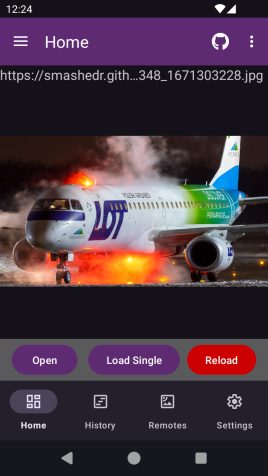
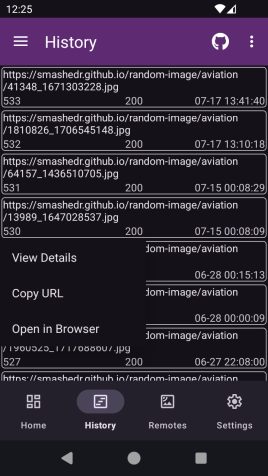
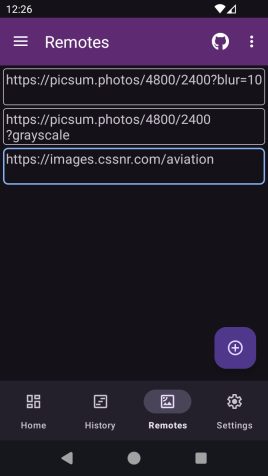
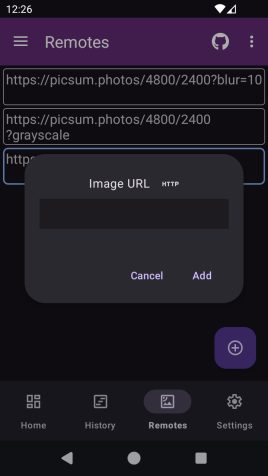
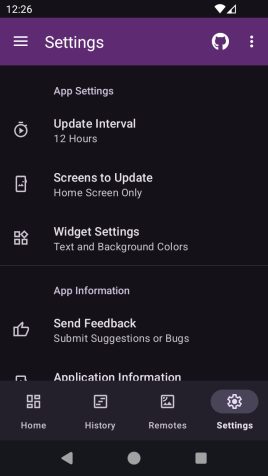
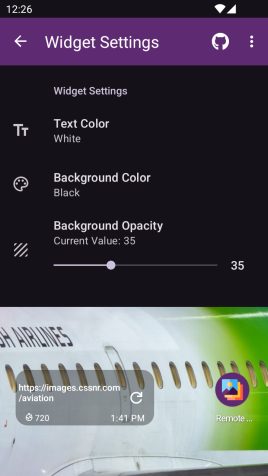
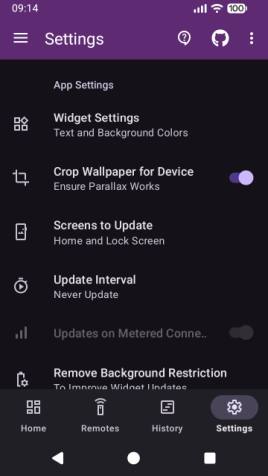
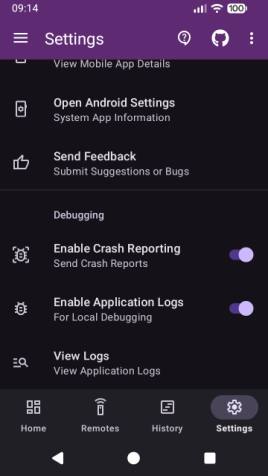
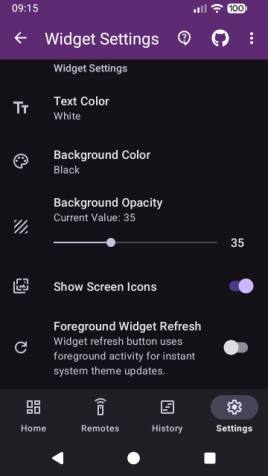
If you run into any issues or need help getting started, please do one of the following:
Without crash reporting, fixing a bug requires you to:
That's a heavy ask for an app that's already broken — it leaves you with a bad experience and me without enough data to fix it.
To close that gap without compromising your data or privacy, this app uses ACRA — an open-source crash reporting library. Reports are received by a self-hosted Acrarium backend that runs on my own infrastructure, so crash data doesn't go to any third parties — no Google or other big-data services.
You can turn crash reporting on or off at any time with a toggle on the Settings page.
ACRA only sends reports when the app hits an unhandled crash. By default, it only sends the technical context needed to diagnose the crash:
It does not track usage or activity, collect a device identifier, or send system or other apps' logs. Each report is anonymized and sent directly to my server, so only I receive the data.
Documentation for building the app and docs.
This section briefly covers running and building in Android Studio and the Command Line.
https://developer.android.com/studio
Ensure that usb or wifi debugging is enabled in the Android developer settings and verify.
Then build or run the app on your device.
To Run: Select a device and press Play ▶️
To Build:
Note: This section is a WIP! For more details see the release.yaml.
You will need to have ADB installed.
https://developer.android.com/tools/releases/platform-tools#downloads
Ensure that adb is in your PATH.
$ adb devices
List of devices attached
RF9M33Z1Q0M     device
./gradlew assemble
./gradlew assembleRelease
Note: Use gradlew.bat for Windows.
$ cd app/build/outputs/apk/debug
$ adb -s RF9M33Z1Q0M install app-debug.apk
$ cd app/build/outputs/apk/release
$ adb -s RF9M33Z1Q0M install app-release-unsigned.apk
Note: you may have to uninstall before installing due to different certificate signatures.
For more details, see the ADB Documentation.
The docs are built using Zensical.
task docs
A Taskfile.yml is used to run development commands.
To easily install GitHub Release Binaries use install-release.
If you would like to submit a PR, please review the CONTRIBUTING.md.
Please consider making a donation to support the development of this project and additional open source projects.

You can also star this project on GitHub and support other related projects:
For a full list of current projects visit: https://cssnr.github.io/
cssnr/remote-wallpaper-android is a public repo on GitHub by cssnr. Remote Wallpaper Android Application. Set wallpaper from remote URLs at a defined interval. Supports any link that redirects to an image.
It declares the GPL-3.0 license on GitHub.
Its maker has not tagged a system, so it is unknown here. Its README says what it needs.
Open "Take it" on its page: Take My Repo writes an install plan for your machine and hands it to your AI agent (Claude Code, Codex or Cursor), which asks you before each step. Take My Repo has not tested it on any machine.
Its last change on GitHub was on 2026-10-14. Take My Repo does not judge from that whether it is maintained.
Reverse engineer anything with agents, from app behavior down to native binaries.
Nobody has reviewed it on Take My Repo yet, which says nothing about its quality.
This is a sample app that is part of a series of blog posts I have written about how to architect an android application using Uncle Bob's clean architecture approach.
Flutter makes it easy and fast to build beautiful apps for mobile and beyond
f.k.a. Awesome ChatGPT Prompts. Share, discover, and collect prompts from the community. Free and open source — self-host for your organization with complete privacy.
Web Extension to extract, parse, and open links with optional filters.
Easily Deploy a Docker Swarm or Compose Stack to a Remote Docker Host over SSH, with Keyfile or Password Authentication
Modern Chrome Web Extension and Firefox Browser Addon for Automatic Basic HTTP Authentication with many Options and Features.
Deploy or Update a Portainer Swarm Stack or Standalone Docker Compose Stack Easily from GitHub Actions with Custom Options
Web Extension to Open Links in New Tabs for Specified Domains or Temporarily on Any Tab.



