llm-wiki-memory
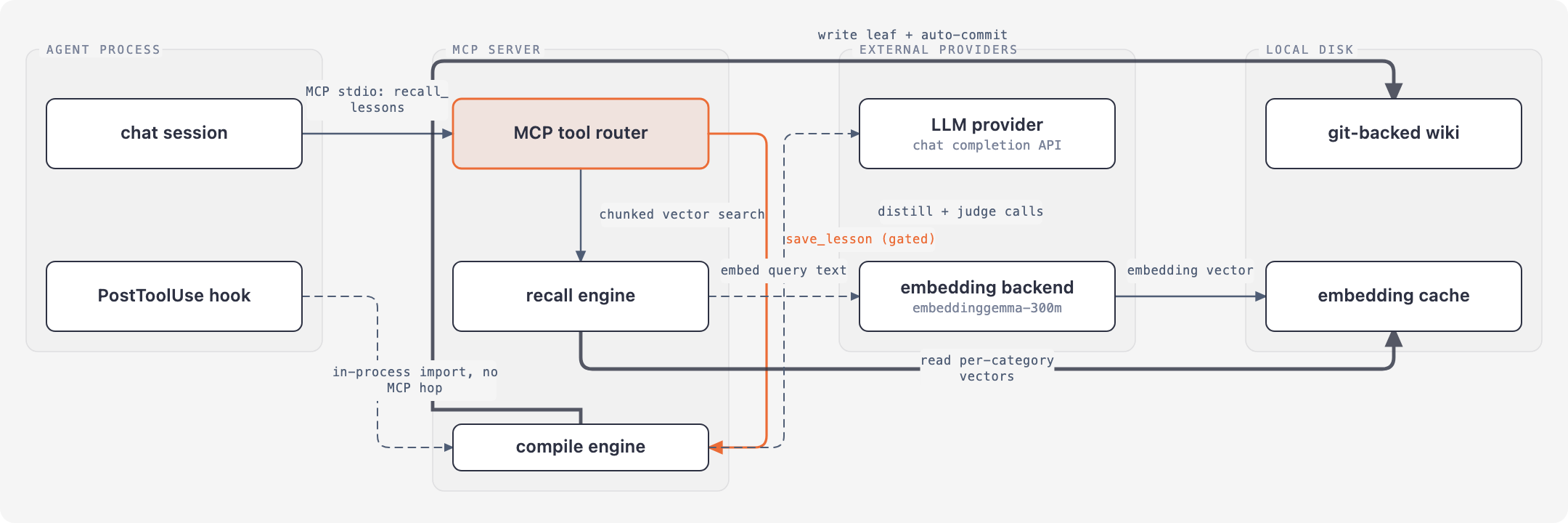
Local, git-versioned memory for AI coding agents. No RAG, no Docker, no external service. Capture, compile, recall over a local LLM wiki with on-device embeddings and an MCP server.
- 130
- JavaScript
- MIT
- 2 mo ago
Make agents stop fucking your brain with academic language
Repo ctxr-dev/simple-language, read from GitHub 1 min ago. ctxr-dev has not joined Take My Repo.
ctxr-dev/simple-language is a public repo on GitHub by ctxr-dev. Make agents stop fucking your brain with academic language. It declares the MIT license on GitHub. It is written mainly in JavaScript, has 5 stars and last changed on 2026-10-01. Nobody has reviewed it on Take My Repo yet, which says nothing about its quality. Read from GitHub on 2026-11-21.

An Agent Skill that makes your coding agent explain things like a senior engineer, not like a research paper.
Same technical depth. Plain words.
Two steps. The first installs the Skill, the second makes it always on.
# 1. the Skill - the full guidance, loaded on demand
npx skills add ctxr-dev/simple-language

# 2. the Rule - makes it the default for every message
mkdir -p ~/.claude/rules
curl -fsSL https://raw.githubusercontent.com/ctxr-dev/simple-language/main/rules/simple-language.md \
  -o ~/.claude/rules/simple-language.md
Restart Claude Code. Your agent applies it on its own from then on. You can also ask directly: "rewrite that in simple language."
Why two steps. Skills load on demand, so the agent reads the description and decides. Rules load every session, with no decision involved. The Skill alone gives you this style most of the time; the Rule makes it the default every time. The skills CLI installs Skills, so it cannot place a rule file for you.
Updating. Re-run both steps after each release. The rule's heading and the Skill's metadata.version show the version.
Global: add -g to the skills command to install for all your projects.
Project-level rule: put the rule at .claude/rules/simple-language.md in your repo root, or paste its contents into CLAUDE.md.
Other agents: Codex, omp, Cursor, Copilot, Gemini CLI, Windsurf and OpenCode each get a ready-made block in the next section.
Windows PowerShell: use $env:USERPROFILE\.claude\rules in place of ~/.claude/rules.
Track the repo instead of copying: ln -sf "$PWD/rules/simple-language.md" ~/.claude/rules/simple-language.md
Try it without installing: npx skills use ctxr-dev/simple-language | claude
Inspect first: npx skills add ctxr-dev/simple-language --list
Every block installs the same file: rules/simple-language.md. Run the one for your agent once. All of them are user-global unless the comment says project.
Agents with a rules directory. Each needs its own frontmatter to mark the rule as always-on, so the block writes that frontmatter and then appends the rule body.
omp:
mkdir -p ~/.omp/agent/rules
{ printf -- '---\nalwaysApply: true\n---\n\n'
  curl -fsSL https://raw.githubusercontent.com/ctxr-dev/simple-language/main/rules/simple-language.md
} > ~/.omp/agent/rules/simple-language.md
alwaysApply: true is not optional here. omp discovers a rule file that has no alwaysApply, no description and no trigger condition, then drops it. The file would sit on disk doing nothing. For one project only, write to .omp/rules/simple-language.md instead.
Cursor (project):
mkdir -p .cursor/rules
{ printf -- '---\ndescription: Plain, direct language in every message a person reads\nglobs:\nalwaysApply: true\n---\n\n'
  curl -fsSL https://raw.githubusercontent.com/ctxr-dev/simple-language/main/rules/simple-language.md
} > .cursor/rules/simple-language.mdc
Windsurf (project):
mkdir -p .windsurf/rules
{ printf -- '---\ntrigger: always_on\n---\n\n'
  curl -fsSL https://raw.githubusercontent.com/ctxr-dev/simple-language/main/rules/simple-language.md
} > .windsurf/rules/simple-language.md
Agents that read one Markdown context file. Same block for all of them. Set FILE from the table, then run it. It is safe to re-run: the marker pair is deleted and rewritten, so you never get two copies.
FILE=~/.codex/AGENTS.md            # pick your path from the table below

mkdir -p "$(dirname "$FILE")" && touch "$FILE"
sed -i.bak '/<!-- BEGIN simple-language -->/,/<!-- END simple-language -->/d' "$FILE" && rm -f "$FILE.bak"
{ echo '<!-- BEGIN simple-language -->'
  curl -fsSL https://raw.githubusercontent.com/ctxr-dev/simple-language/main/rules/simple-language.md
  echo '<!-- END simple-language -->'
} >> "$FILE"
| Agent | FILE |
Scope |
|---|---|---|
| Codex CLI | ~/.codex/AGENTS.md |
user |
| Gemini CLI | ~/.gemini/GEMINI.md |
user |
| OpenCode | ~/.config/opencode/AGENTS.md |
user |
| GitHub Copilot | .github/copilot-instructions.md |
project |
Any other agent that reads AGENTS.md |
AGENTS.md |
project |
Codex inlines the body because it does not expand @path imports. Gemini CLI and omp do expand them, so you can point at a clone instead of copying, with @~/src/simple-language/rules/simple-language.md on its own line.
Every example below is real, unedited agent output. Same question, same model, same prompt. One agent had this skill loaded, the other did not. Neither was told to be brief, except in the last three examples, as How this was measured explains.
The level 2 block comes from a separate run. An agent with this skill loaded was handed the level 1 answer, then the reply "explain it like I'm five". The writing-as-the-user block comes from another separate run. Only the bold labels were added here.
Explaining a concept
Caution
No skill. Eventual consistency means a write is acknowledged before every replica or derived view has it, and the system only promises they all converge if you stop writing long enough.
Tip
Level 1, plain. Eventual consistency means a write is not visible everywhere at once.
Tip
Level 2, simplest. Eventual consistency: you write here. The copy gets it later.
Note
Writing as the user, a teammate asks in a thread what eventually consistent means in the design doc. eventual consistency means you write here, and the copy gets it later
Diagnosing a problem
Caution
No skill. Adding retries doesn't reduce the total work a failing service has to do; it multiplies it.
Tip
Level 1, plain. Retries multiply load at the worst possible moment.
Tip
Level 2, simplest. Retries send more work when servers fail.
Note
Writing as the user, an incident thread asks why it got worse after retries were turned on. retries send more work when servers fail
Saying you don't know
Caution
No skill. I don't know the exact production Stripe webhook rate limit, and I have no verified source for it in this session — check your API gateway or webhook endpoint configuration (or ask the team that owns it) rather than relying on a number from me.
Tip
Level 1, plain. I don't know — I have no information about your production Stripe webhook endpoint's rate limit, so you need to check your own gateway or Stripe config for that number.
Tip
Level 2, simplest. I do not know your rate limit. I cannot see your system. Look in your gateway, or your Stripe webhook page.
Note
Writing as the user, a DM asks for the prod rate limit on the stripe webhook. dont know your rate limit, i cant see your sytem. look in your gateway or the stripe webhook page
Defining a term
Caution
No skill. A race condition is a bug where a program's outcome depends on the unpredictable timing of two or more concurrent operations touching the same shared state, so an unlucky interleaving produces a wrong result.
Tip
Level 1, plain. A race condition is when two threads or processes touch the same data at the same time, and the result depends on which one happens to get there first.
Tip
Level 2, simplest. Race condition: two jobs read the count at the same time. Both see 5. Both take one away. Both write 4. It should be 3.
Note
Writing as the user, a PM asks in a ticket comment what race condition means here. race condition means two jobs read the count at the same time. both see 5, both take one away, both write 4, and it shoud be 3
Reporting progress
Caution
No skill. Retry logic with exponential backoff is now in place on the payment client, and I am about to run the integration tests to check it works.
Tip
Level 1, plain. The retry logic with exponential backoff is in the payment client, and I am running the integration tests now.
Tip
Level 2, simplest. The payment client now retries with exponential backoff. The integration tests are running. I have no results yet.
Note
Writing as the user, the user posts progress as a ticket comment. the payment client now retries with exponential backoff, the integration tests are runing and i have no results yet
Answering yes or no
Caution
No skill. Usually yes, if the migration is backward compatible (for example adding a nullable column or a new table, and not dropping or renaming anything the running code still uses) and it doesn't take long-held locks on busy tables, but otherwise you should use an expand-and-contract approach or schedule downtime.
Tip
Level 1, plain. Yes, but only if the migration is backward compatible with the code that is running now (for example adding a nullable column or an index built without a long table lock), because a migration that locks a table, or renames or drops something the live app still uses, will block or break requests.
Tip
Level 2, simplest. Yes, but only if the migration is backward compatible. The code that runs now must still work. Adding a nullable column is safe. So is an index with no long table lock. A table lock makes requests wait. Rename or drop what the app uses: requests break.
Note
Writing as the user, a teammate asks in slack if they can run the migration while prod is serving traffic. yes, but only if the migration is backward compatible with the code thats running now, like adding a nullable column or an index with no long table lock, because a migration that locks a table, or renames or drops somethng the live app still uses, will block or break requests
Explaining an error
Caution
No skill. It means every connection in the service's database (or other backend) connection pool is already in use, so new requests have to wait or fail until a connection is returned, which usually points to slow queries, leaked connections that are never closed, or more concurrent load than the pool size allows.
Tip
Level 1, plain. "Connection pool exhausted" means every connection in the service's pool is in use, so a new request has to wait for one to free up or fails with that error.
Tip
Level 2, simplest. Connection pool exhausted means the pool is full. Every connection is in use. A new request must wait. Or it fails with this error.
Note
Writing as the user, an on-call engineer asks in the incident channel what connection pool exhausted means in the logs. "Connection pool exhausted" meand the pool is full and every connection is in use. a new request has to wait, or it fails with this error
Explaining a trade-off
Caution
No skill. Every index has to be updated on each insert, update and delete, so indexing every column slows writes, uses a lot of disk and memory, and gives the query planner more options to choose badly from, while most of those indexes never get used by your real queries.
Tip
Level 1, plain. Every index makes each insert, update and delete slower because the database must update all of them, and each one takes disk and memory, so you should index only the columns your queries filter, join or sort on.
Tip
Level 2, simplest. Each index makes every insert, update and delete slower. The database must update every index each time. Each index also takes disk and memory. Index only columns queries filter, join or sort on.
Note
Writing as the user, a reviewer asks in a PR comment why not just index every column. each index makes every insert, update and delete slower because the database must update every index each time
each index also takse disk and memory, so index only the columns queries filter, join or sort on
| Example | Without | Level 1 | Level 2 | As the user |
|---|---|---|---|---|
| Explaining a concept | 29 words | 11 words | 10 words | 12 words |
| Diagnosing a problem | 16 words | 8 words | 7 words | 7 words |
| Saying you don't know | 44 words | 29 words | 21 words | 19 words |
| Defining a term | 34 words | 29 words | 25 words | 27 words |
| Reporting progress | 26 words | 19 words | 18 words | 19 words |
| Answering yes or no | 49 words | 53 words | 47 words | 50 words |
| Explaining an error | 51 words | 30 words | 24 words | 26 words |
| Explaining a trade-off | 48 words | 38 words | 33 words | 36 words |
| All eight | 297 words | 217 words | 185 words | 196 words |
Across the first five examples, level 1 scores 62.2 for reading ease against 43.7 without the skill. That is the Flesch score: below 30 needs a university degree to read comfortably, and 60 to 70 is plain English. Every technical term survived: eventual consistency, replica, race condition, exponential backoff.
The writing-as-the-user drafts come from a separate run, contain deliberate typos, and are not scored for reading ease.
Say "simpler", or "like I'm five", or just say again that you do not understand. You get level 2.
Level 2 writes for someone who barely reads English, with a year of it and maybe a thousand words. It never uses more words than the answer you did not understand, and it uses no word of three syllables or more, except the technical term itself. Sentences of nine words at most. Numbers in place of descriptions, because a number needs no vocabulary at all.
Three things it does not do:
eventual consistency, race condition, exponential backoff, rate limit. You leave knowing what the thing is called.Sometimes you want the agent to write something you will send to another person as your own words. That is a separate register, also called tier 3. It triggers on a chat or Slack message, a ticket description, a ticket or task comment, a review reply, a PR description, an email, or a question to someone. It also triggers when you ask for any text "as me" or "like a human". Your own replies from the agent stay at level 1, a prompt for another agent stays out of scope, and anything else stays at level 1.
It never touches the agent's replies to you, or the commits, PR text, docs and code comments it writes as part of its own work, unless you ask for that text in this register.
The draft starts from the level 2 answer, with its simple words, and then gets typed like a busy person would: lowercase in chat and comments, a typo about every two to three sentences, short sentences sometimes joined with a comma, no em dashes, no headings. Emails, PR descriptions and ticket descriptions use capitals. Numbers, ticket keys, flags, paths and technical terms stay exact. Ask it to clean a draft up and you get the same simple words with normal casing and no typos.
The typos copy real ones: a key next to the right one, a dropped or doubled letter, two letters swapped, a space typed one key late. Their kinds and weights come from typing studies and from real Reddit comments, collected in corpus/typos/. That folder also says how to add fresh examples: every processed source is logged, so a re-run never processes it twice. A typo never makes a different real word, never looks like a spelling mistake, and never touches a number, a term or a word that carries meaning.
For each new draft, the agent asks how to deliver it and whether you have samples of your own writing. Edits to the same draft reuse your answer. You can pick more than one delivery: show it in the chat as plain text, save a .md file, or save a .txt file. Saved files go to ~/.simple-language/generated/<yyyy-mm-dd>/<hh-mm-ss>/<title>.<ext>.
Samples teach it your own habits. They live in ~/.simple-language/human-language/samples/, and the habits found in them live in ~/.simple-language/human-language/patterns/. Only your own lines are stored, and secrets are replaced with [redacted]. references/sample-registry.md describes the format.
It never posts on its own. It shows you the exact text first, and posts only if you tell it to send that text.
It does not promise the text cannot be detected as AI. It aims for short text that looks like your own writing.
This is the part people expect to be a trade-off. Three tests say it is not.
It keeps more, not less. Asked why retries worsen an outage, the answer without the skill never used the word idempotent. The answer with the skill was longer, and spent the extra words on the trap that actually loses money:
Tip
One more caveat: retrying a request that is not idempotent can duplicate work, so a retry on a payment or an order needs an idempotency key. Idempotent means running it twice gives the same result as running it once.
Precision survives a subtle caveat. Asked to explain at-least-once versus exactly-once delivery in Kafka, the ruled agent kept the part that is easy to lose: exactly-once holds inside Kafka only, and a write to an external database or an HTTP call is not covered. One gap did appear. It dropped two config key names, so the rule now names config keys and exact identifiers in its precision limit.
Code is untouched. Asked for a retry helper with exponential backoff and full jitter, the ruled agent produced the same quality of TypeScript as the unruled one: correct full-jitter maths, AbortSignal support, injectable random for deterministic tests, and real names like retryWithBackoff and maxDelayMs. Nothing renamed to sound friendlier, nothing simplified into being wrong.
That last result comes from how the rule is scoped. It states what it governs, prose addressed to a person, instead of listing exceptions. An instruction built as "simplify everything except code" leaks, because the model absorbs "simplify" and the exception does not reliably fence off the code. Defining prose as the whole domain means code was never inside it.
The rule also says outright that reasoning is out of scope, and ranks precision above style. Those two lines are what stop an always-on rule from becoming pressure to be brief.
Word swaps are the small part:
- utilize / leverage    facilitate    in order to    prior to    subsequently
+ use                   help          to             before      then

- approximately    demonstrate    optimal    suboptimal    it is worth noting that
+ about            show           best       worse         (delete it)
The core is the six habits that produce heavy prose:
That distinction is not theoretical. In every answer above, both agents used zero words from any avoid-list. The whole measured difference came from sentence structure, so a word list alone would have changed nothing.
| Left exactly as it is | Why |
|---|---|
| Code, identifiers, types, tests, config keys | Not prose. Outside the rule's domain |
| Technical terms, like race condition, idempotent, quorum | The correct word is the clear word |
| Technology names, like PostgreSQL, gRPC, Kafka, Temporal | Written the way their docs write them, except that a draft you send as yourself may lowercase them |
| Numbers, error text, log lines, quoted text | Reproduced exactly |
| An artifact whose style you asked for | An RFC stays RFC style, an abstract stays academic |
| Ticket keys, flags, dates and numbers inside a draft you send as yourself | Kept byte for byte, even when the rest is lowercase with typos |
A term you may not know arrives with one plain sentence explaining it, exactly as idempotent did above. After that it is used without further hand-holding.
Heavy prose costs real time. You read every answer twice, the point sits in sentence four instead of sentence one, and long words hide how certain the agent really is. If English is your second language, every extra clause is extra work.
None of that comes from the agent thinking too much. It comes from the agent writing in the wrong register, so this changes only the writing.
Fresh agents, same model (Claude Opus), no shared context. One agent in each pair loaded the skill; the other was told not to load any skill. Both got the same prompt otherwise, with no instruction about style, length, or word choice. Every quoted sentence is unedited. Word counts, syllable counts and Flesch scores were computed from the raw text.
The level 2 answers came from a separate run. They were produced later, against the shipped SKILL.md, with an agent given the level 1 answer and then the reply "explain it like I'm five". They are unedited too, but they were not part of the original paired comparison, so the reading-ease score above covers level 1 only.
The writing-as-the-user drafts came from a separate run too. They were produced against the shipped SKILL.md and references/typo-kinds.md. Each fresh subagent got the situation and the facts of the level 1 answer, and nothing else. Drafts that failed the automatic checks (a dash, a heading, a colon in prose, a changed number or term, a dropped causal word, a spelling-rule typo, two typos in one sentence, mixed casing) were regenerated, not edited. Each draft starts from the level 2 version of its source; the README examples used their own level 2 answer as that base. Across all 27 drafts there are 14 typos in 37 sentences, about one every 2.6 sentences.
The last three examples came from a later run. Both agents got the same question and the same extra line, "Reply in one sentence.", so they are shorter by request, not by style. They are unedited, and they are not part of the reading-ease score. One level 2 answer in them came out longer than its level 1 answer and was regenerated, not edited. In the yes-or-no example, level 1 came out longer than the answer without the skill, because it kept the reason a migration breaks requests.
Two cases barely moved. Reviewing one line of code came out 6% shorter, and recommending a queue also 6%. In both, the unruled answer was already plain, so there was little to fix. The skill helps most where the topic invites dense prose and least where the answer is already concrete.
This is a demonstration, not a benchmark.
SKILL.md                            the skill your agent reads
rules/simple-language.md            the always-on rule, loaded every turn
README.md                           this file
references/word-swaps.md            the full word list, plus the words to leave alone
references/writing-as-the-user.md   the good examples from SKILL.md, written as the user would type them
references/sample-registry.md       how samples of your own writing are stored and used
references/typo-kinds.md            which typos to make, how often, and which never to make
corpus/typos/                       real typos from public sources, and how to collect more
LICENSE                             MIT
SKILL.md sits at the repo root, so the skills CLI resolves it with no flags. rules/simple-language.md is deliberately short because it loads on every turn, and it carries instructions only. The reasoning behind its wording lives here, where it costs nothing at runtime.
references/word-swaps.md holds the long lookup list, including a "keep these words" section. That section matters more than it sounds: without it a style pass will happily turn CPU utilization into CPU use and implement the interface into build the interface, and both are now wrong.
MIT. See LICENSE.
ctxr-dev/simple-language is a public repo on GitHub by ctxr-dev. Make agents stop fucking your brain with academic language.
It declares the MIT license on GitHub.
Its maker has not tagged a system, so it is unknown here. Its README says what it needs.
Open "Take it" on its page: Take My Repo writes an install plan for your machine and hands it to your AI agent (Claude Code, Codex or Cursor), which asks you before each step. Take My Repo has not tested it on any machine.
Its last change on GitHub was on 2026-10-01. Take My Repo does not judge from that whether it is maintained.
Nobody has reviewed it on Take My Repo yet, which says nothing about its quality.
Local, git-versioned memory for AI coding agents. No RAG, no Docker, no external service. Capture, compile, recall over a local LLM wiki with on-device embeddings and an MCP server.