sensor.feedparser
RSS feed custom component for Home Assistant which can be used in conjunction with the custom Lovelace list-card
Installation
- Open HACS Settings and add this repository (https://github.com/custom-components/feedparser/)
as a Custom Repository (use Integration as the category).
- The
feedparser page should automatically load (or find it in the HACS Store)
- Click
Install
Alternatively, click on the button below to add the repository:
Configuration
Feeds can be set up in the UI, in configuration.yaml, or both. Feeds from YAML show up in the UI too, so you can see all of them in one place.
UI configuration
- Go to Settings -> Devices & Services -> Integrations.
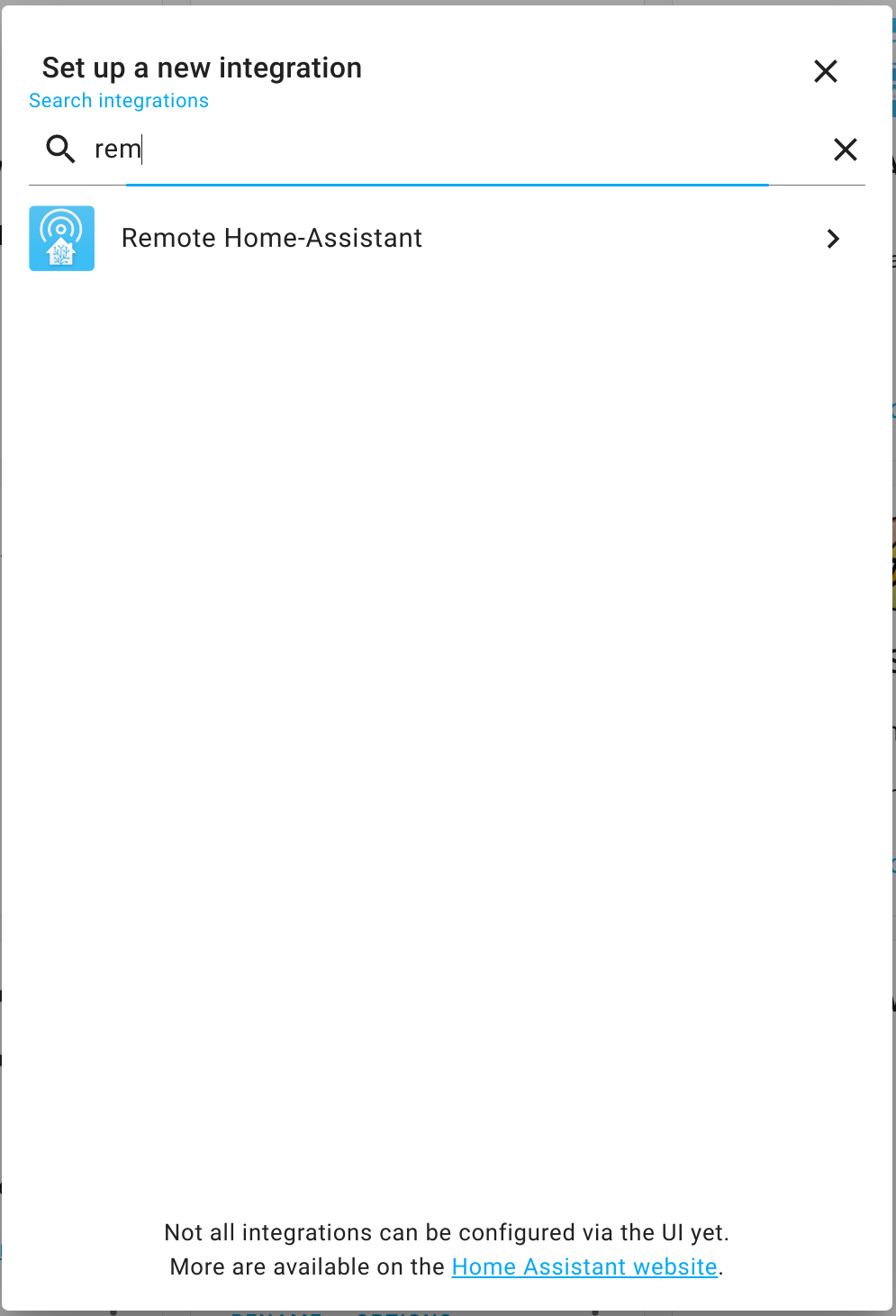
- Click Add Integration and search for Feedparser.
- Fill in
Name and either Feed URL or Feed URL entity (see Feed URLs that change).
- Set the refresh interval with the duration field (minimum 1 minute).
- Optional include/exclude fields are entered as comma-separated values.
To update refresh or parsing behavior later, open the Feedparser integration card and use Configure (options flow). Saved changes reload only that feed entry so the new settings take effect immediately.
To fix the sensor name or feed URL, open the entry's menu (⋮) and choose Reconfigure. The new URL is checked like it is at setup, and the entity ID and history are kept. Feeds from configuration.yaml are renamed in the YAML instead (or move them to the UI first).
- The same feed URL can be added more than once (for example, once with all fields and once with only titles), as long as each sensor has a different name.
- If a feed cannot be reached when Home Assistant starts, the entry is retried automatically in the background. If a later refresh fails, the sensor becomes
unavailable until the feed responds again.
Feed URLs that change
Some feeds publish a new URL every day, such as .../programme-tv-rss_15-11-2026.xml. Instead of typing a URL, choose a Feed URL entity: an input_text, text or template sensor whose state is the feed URL. The URL is read from that entity on every refresh, and the feed is fetched again as soon as its value changes.
To build a URL with today's date, create a template sensor helper (Settings -> Devices & Services -> Helpers -> Create helper -> Template -> Template a sensor) with a state template like:
https://example.com/epg/programme-tv-rss_{{ now().strftime('%d-%m-%Y') }}.xmlThen pick that sensor as the feed's Feed URL entity. To switch feeds from an automation or script instead, use an input_text helper and set its value with input_text.set_value.
- Home Assistant limits entity states to 255 characters, so longer URLs can't be passed this way.
input_text helpers default to a maximum of 100 characters; raise their maximum length if needed.
- While the entity is missing,
unknown, unavailable or holds something that is not an http, https or file URL (or an absolute file path), the feed can't be refreshed and the sensor becomes unavailable.
In YAML, use feed_url_entity instead of feed_url:
sensor:
  - platform: feedparser
    name: TV Tonight
    feed_url_entity: sensor.todays_tv_feed_url
YAML configuration
Add sensor: entries with platform: feedparser to configuration.yaml (example below) and restart Home Assistant. YAML is handy when you copy a setup between Home Assistant instances or keep it in version control.
- YAML feeds show up in the UI. Each one appears on the Feedparser integration card like a feed added in the UI. Its entity ID is
sensor.<name>.
- YAML is the source of truth for YAML feeds. Edit
configuration.yaml and restart to change one. Remove it from configuration.yaml and restart to remove it, along with its entity. Configure on a YAML feed explains this instead of showing the options form.
- Feeds added in the UI stay in the UI. They are never written to
configuration.yaml.
- Moving a feed to the UI is optional. Open Configure on a YAML feed and choose Manage this feed in the UI instead. The sensor and its entity ID stay the same. From then on you edit it in the UI, and its YAML entry is ignored, so remove it from
configuration.yaml. Until you do, a Repairs notice reminds you.
- The name identifies a YAML feed. Changing a feed's URL or options in YAML updates the same sensor, but renaming it creates a new sensor (and removes the old one).
- If a YAML sensor cannot be set up, a Repairs notice names it.
Upgrading from 1.0.0: 1.0.0 deprecated YAML and copied YAML feeds into the UI. After upgrading, any of those feeds still in configuration.yaml follow the YAML again, and the deprecation notice goes away. Feeds you already removed from YAML stay in the UI as they are. If you changed a feed in the UI after 1.0.0 imported it, but left it in configuration.yaml, the YAML values replace your UI changes. To keep them, remove that feed from configuration.yaml before upgrading.
Example configuration.yaml:
sensor:
  - platform: feedparser
    name: Engineering Feed
    feed_url: 'https://www.sciencedaily.com/rss/matter_energy/engineering.xml'
    date_format: '%a, %d %b %Y %H:%M:%S %Z'
    scan_interval:
      hours: 3
    inclusions:
      - title
      - link
      - summary
      - image
      - published
    exclusions:
      - language

  # Configuration of the second sensor tracking a different RSS feed
  - platform: feedparser
    name: Algemeen
    feed_url: https://www.nu.nl/rss/Algemeen
    local_time: true
    show_topn: 1

  # Some servers block or stall unknown clients; send a browser User-Agent instead
  - platform: feedparser
    name: Picky Server Feed
    feed_url: https://example.com/rss
    user_agent: 'Mozilla/5.0 (Windows NT 10.0; Win64; x64) AppleWebKit/537.36 (KHTML, like Gecko) Chrome/130.0 Safari/537.36'

  # Only keep weather warnings that mention Leicester
  - platform: feedparser
    name: Leicester Weather Warnings
    feed_url: http://www.metoffice.gov.uk/public/data/PWSCache/WarningsRSS/Region/em
    match: Leicester

  # A feed that is blocked on this network, fetched through a SOCKS proxy
  - platform: feedparser
    name: Blocked Feed
    feed_url: https://blocked.example.org/rss
    proxy: socks5h://192.168.1.10:1080
If you wish the integration to look for enclosures in the feed entries, add image to the inclusions list. Do not use enclosure.
The integration tries to extract an image URL and stores it under the image attribute. If no image can be found, it uses the Home Assistant logo as a fallback.
Note that the original pubDate field is available under published. Other date-like fields that may be present are updated, created, and expired. Refer to the original feedparser date parsing documentation for feed-specific details.
Field names
Entries use feedparser's field names, which differ from the raw RSS element names. Use these names in inclusions and exclusions:
| RSS / Atom element |
Field |
<description> |
summary |
<pubDate> |
published |
<guid> |
id |
<dc:creator> |
author |
<content:encoded> |
content |
<media:content> |
media_content |
<enclosure> |
enclosures (add image to inclusions to get the image URL) |
Other namespaced elements, e.g. <tv:show_name> |
prefix and name joined by _, e.g. tv_show_name |
To see every field a feed provides, leave inclusions empty and look at the sensor's entries attribute under Developer tools → States.
Output
The sensor's state is the number of entries: 0 when the feed loads but has no entries (or none match match/exclude_match), and unavailable while the feed can't be fetched or parsed. The entries themselves are in the entries attribute, in the order the feed lists them (usually newest first). With inclusions: [title, link, published, summary, image] an entry looks like this:
entries:
  - title: Example headline
    link: https://example.com/news/1
    summary: <p>Short teaser text.</p>
    published: Fri, Nov 13 06:30 PM
    image: https://example.com/img/1.jpg
published is formatted with date_format. image is only added when image is in inclusions; it falls back to the Home Assistant logo if the entry has no image. The entries attribute isn't stored in history.
Showing a feed on a dashboard
A built-in Markdown card can list the entries:
type: markdown
title: News
content: >
  {% for entry in state_attr('sensor.engineering_feed', 'entries')[:5] %}
  - [{{ entry.title }}]({{ entry.link }}) · {{ entry.published }}
  {% endfor %}
The custom list-card and flex-table-card can also show entries as a table, including images. Point them at the entries attribute.
Configuration reference
The integration supports both UI and YAML setup. Most options are the same in both paths.
| Key |
Required |
Type |
Default |
Example |
What it does |
platform (YAML only) |
Yes (YAML) |
string |
- |
feedparser |
Home Assistant platform name used in YAML mode. |
name |
Yes |
string |
- |
Engineering Feed |
Name shown for the sensor entity. |
feed_url |
Yes (unless feed_url_entity is set) |
URL string |
- |
https://www.nu.nl/rss/Algemeen |
RSS/Atom feed URL to fetch and parse. Supports http, https, and file URLs. An absolute path such as /config/www/feed.xml is read as file:///config/www/feed.xml. |
feed_url_entity |
Yes (unless feed_url is set) |
entity ID |
- |
sensor.todays_tv_feed_url |
Entity (input_text, text or sensor) whose state is the feed URL, read on every refresh. See Feed URLs that change. |
date_format |
No |
string (strftime) |
%a, %b %d %I:%M %p |
%a, %d %b %Y %H:%M:%S %Z |
Output format for date fields in feed entries. |
local_time |
No |
boolean |
false |
true |
Converts parsed date values from feed timezone to Home Assistant local timezone. |
scan_interval |
No |
duration object |
1 hour |
{ hours: 1, minutes: 30 } |
Polling interval for refreshing feed data. UI input must be at least 1 minute. |
show_topn |
No |
integer |
9999 |
10 |
Maximum number of entries exposed in sensor attributes. |
remove_summary_image |
No |
boolean |
false |
true |
Strips <img ...> tags from the summary field. |
inclusions |
No |
list of strings (YAML) / comma-separated string (UI) |
all fields |
title, link, published, image |
If set, only listed fields are kept for each entry. |
exclusions |
No |
list of strings (YAML) / comma-separated string (UI) |
none |
summary, language |
Fields to remove from each entry after parsing. |
match |
No |
regular expression |
none |
Leicester or rain|snow |
Only entries whose title or summary contains a match are kept. Ignores case. |
exclude_match |
No |
regular expression |
none |
sponsored|advert |
Entries whose title or summary contains a match are removed. Ignores case. |
user_agent |
No |
string |
Home Assistant Feed-parser Integration <version> |
Mozilla/5.0 (compatible; MyFeedReader/1.0) |
User-Agent header sent when fetching the feed (and when validating it during UI setup). Leave empty in the UI to use the default. |
proxy |
No |
URL |
none |
socks5h://192.168.1.10:1080 or http://user:password@proxy.local:3128 |
Proxy used to fetch the feed (and to validate it during UI setup). Schemes: http, https, socks4, socks4a, socks5, socks5h. Leave empty to connect directly. |
Notes and behavior details
inclusions vs exclusions: If inclusions is set, only those fields are considered. exclusions then removes fields from that resulting set.- When neither
inclusions nor exclusions is set: all available feed fields are returned.
- Filtering entries with
match and exclude_match: these choose which entries are kept, while inclusions and exclusions choose which fields each entry keeps. They search the entry's title and summary (the RSS <description>), even if those fields are not in inclusions. Filtering runs before show_topn, so show_topn counts matching entries, and the sensor's state is the number of matching entries. To get several filtered sensors from one feed, add the feed more than once with different names and patterns. Patterns are Python regular expressions and are found anywhere in the text, so Leicester matches "Leicester, Leicestershire". Use a template sensor only if you need to reshape entries, not just choose them.
image extraction: adding image to inclusions enables image URL extraction from image enclosures, Media RSS (media:content, media:thumbnail), the first image in the summary HTML, or the first image in the full content (content:encoded, used by WordPress feeds).user_agent: some servers reject or never answer requests from unknown clients. If a feed works in a browser but fails in Home Assistant, try a browser User-Agent.proxy: use it to reach feeds that are blocked on your network or in your country. Prefer socks5h:// over socks5:// for SOCKS proxies: it also looks up the feed's host name through the proxy, which matters when DNS is what blocks the site. A password in the proxy URL is hidden in logs and errors, but it is stored in plain text in Home Assistant's configuration like other settings. Only the feed itself goes through the proxy: images and links in the entries are opened by your browser, which does not use it. Without this option the integration still honors the standard HTTP_PROXY, HTTPS_PROXY and ALL_PROXY environment variables if they are set for Home Assistant.- UI vs YAML input format:
- UI uses comma-separated text for
inclusions and exclusions.
- YAML uses proper lists.
- UI uses a single duration control for
scan_interval; YAML uses scan_interval object keys such as hours and minutes.
- Date parsing: RSS (RFC 822) and Atom (ISO 8601) dates are both supported, including US timezone abbreviations such as
EDT. A date without a time zone is taken to be UTC. %Z in date_format prints a zone name only when there is one (UTC, or Home Assistant's zone with local_time); for a numeric offset such as +0100 it prints nothing, so use %z to show the offset. If a date cannot be parsed at all, the original text is kept.
Due to how custom_components are loaded, it is normal to see a ModuleNotFoundError error on first boot after adding this, to resolve it, restart Home-Assistant.
The integration's icon and logo (custom_components/feedparser/brand/) are the artwork of the feedparser Python library this integration uses, by Kurt McKee, released under the BSD 2-clause license.
Development Container
This repository includes a devcontainer inspired by the custom-components/readme blueprint.
- Open the repo in VS Code.
- Run Dev Containers: Reopen in Container.
- After dependencies install, run
bash scripts/develop to start Home Assistant with test_hass.
Running tests
pip install -e ".[dev]"
pytest tests/
The suite uses pytest-homeassistant-custom-component, which blocks network access. Tests that need the internet are marked online and run separately:
pytest -p no:homeassistant -m online tests/