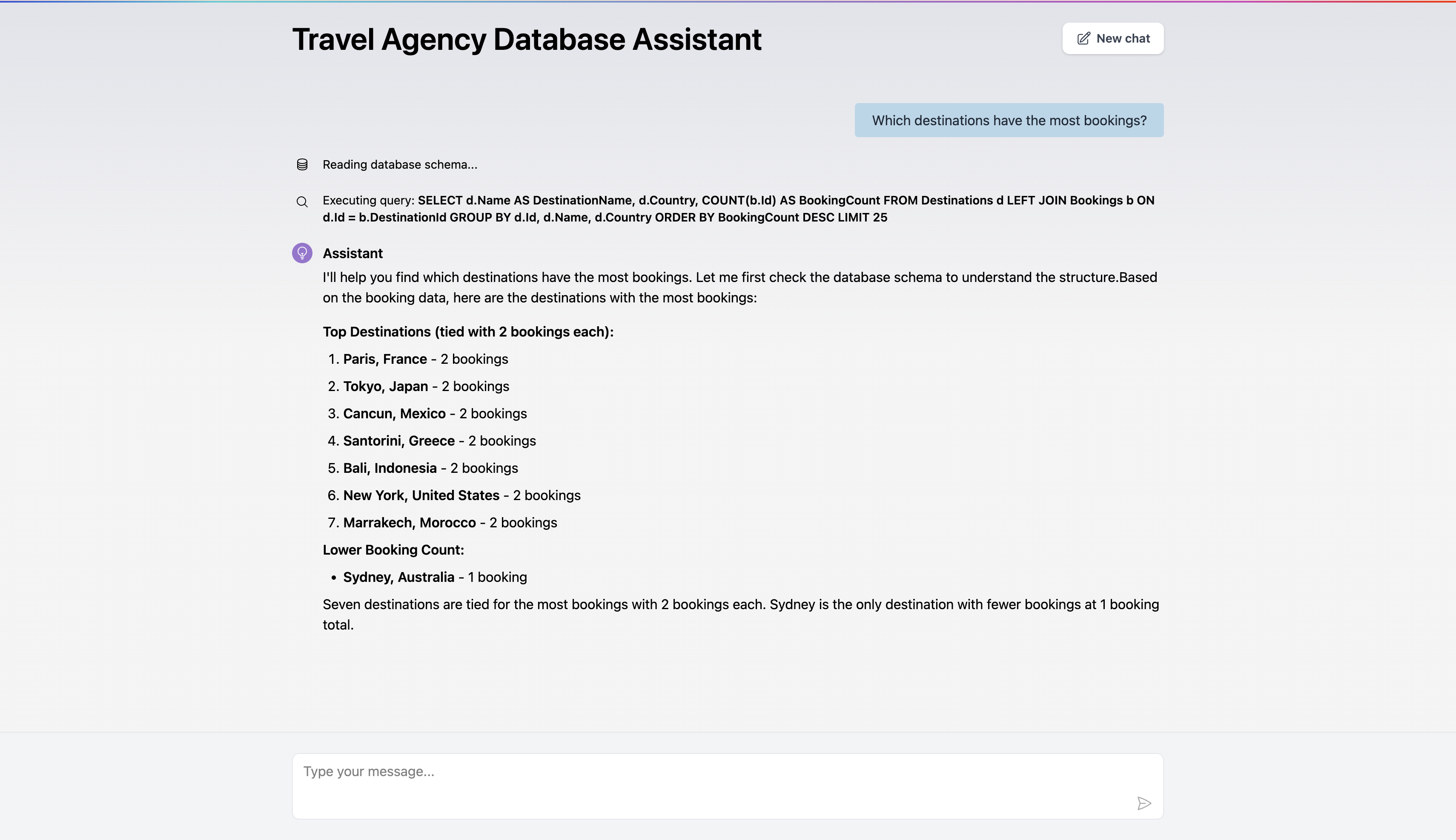
AgentQL
Reusable .NET library that translates EF Core DbContext models into LLM-friendly schema descriptions and provides safe SQL query execution. Enables LLMs to understand your database structure and query it via function calling.
See docs/ for full documentation.
Overview
AgentQL sits between your EF Core database and any AI provider (OpenAI, Anthropic, Ollama). It:
- Introspects your EF Core model — tables, columns, types, relationships, enums, inheritance — and produces a text description the LLM can reason about.
- Executes SQL queries safely inside transactions with configurable row limits, timeouts, and read-only enforcement.
- Exposes three LLM tool functions (
GetDatabaseSchema, ExecuteQuery, ReportFailure) through Microsoft.Extensions.AI, so any compatible chat client can call them automatically.
Packages
Installation
Pick the package that matches your needs:
# Full stack — schema + query + AI chat client (includes all dependencies)
dotnet add package Equibles.AgentQL.MicrosoftAI

# Schema introspection + query execution only (bring your own AI client)
dotnet add package Equibles.AgentQL.EntityFrameworkCore

# Core only — just the attributes and configuration (for shared model projects)
dotnet add package Equibles.AgentQL
Each package pulls in its dependencies automatically — MicrosoftAI includes EntityFrameworkCore, which includes Core.
Getting Started
Minimal setup:
builder.Services.AddDbContext<MyDbContext>(o => o.UseSqlite("DataSource=app.db"));

builder.Services.AddAgentQLChat<MyDbContext>(configureChat: options =>
{
    options.Provider = AiProvider.OpenAI;
    options.ApiKey = "sk-...";
    options.ModelName = "gpt-4o";
});
That's it — ISchemaProvider, IQueryExecutor, AgentQLPlugin, and IChatClient are all registered and ready for DI.
Full Example
using Equibles.AgentQL.MicrosoftAI;
using Equibles.AgentQL.MicrosoftAI.Configuration;
using Equibles.AgentQL.MicrosoftAI.Extensions;
using Microsoft.EntityFrameworkCore;
using Microsoft.Extensions.AI;
using Microsoft.Extensions.DependencyInjection;

var services = new ServiceCollection();

services.AddDbContext<MyDbContext>(o => o.UseSqlite("DataSource=app.db"));

services.AddAgentQLChat<MyDbContext>(
    configureAgentQL: agentQL =>
    {
        agentQL.MaxRows = 50;
        agentQL.ReadOnly = true;
        agentQL.CommandTimeout = 30;
    },
    configureChat: chat =>
    {
        chat.Provider = AiProvider.OpenAI;
        chat.ApiKey = Environment.GetEnvironmentVariable("OPENAI_API_KEY");
        chat.ModelName = "gpt-4o";
    });

var sp = services.BuildServiceProvider();

using var scope = sp.CreateScope();
var chatClient = scope.ServiceProvider.GetRequiredService<IChatClient>();
var plugin = scope.ServiceProvider.GetRequiredService<AgentQLPlugin>();

var chatOptions = new ChatOptions { Tools = [.. AIFunctionFactory.Create(plugin)] };
var messages = new List<ChatMessage> { new(ChatRole.System, "You are a helpful database assistant.") };

while (true)
{
    Console.Write("You: ");
    var input = Console.ReadLine();
    if (string.IsNullOrEmpty(input)) break;

    messages.Add(new ChatMessage(ChatRole.User, input));
    var response = await chatClient.GetResponseAsync(messages, chatOptions);
    messages.AddRange(response.Messages);

    Console.WriteLine($"Assistant: {response}");
}
Configuration
AgentQLOptions
Passed via configureAgentQL when calling AddAgentQL or AddAgentQLChat:
| Property |
Type |
Default |
Description |
MaxRows |
int |
25 |
Maximum rows returned per query |
MaxColumns |
int |
50 |
Maximum columns the result set may have. Wider queries are refused with an error message so the LLM picks a narrower projection list. Extraction defense on top of MaxRows |
MaxSqlLength |
int |
8192 |
Maximum length of the raw SQL string. Longer queries are refused before sanitization or transmission, so neither the executor nor the DBMS pays parse cost on pathological input |
MaxBytes |
long |
1048576 |
Maximum cumulative byte cost of the result. Checked per value during read so a single oversized cell aborts on the spot. Strings count UTF-8 bytes, byte arrays count raw length, primitives use fixed widths |
ReadOnly |
bool |
true |
When true, the executor refuses persisted writes — see ReadOnly mode below for per-provider enforcement details |
CommandTimeout |
int |
15 |
SQL command timeout in seconds |
DefaultBehavior |
IncludeBehavior |
IncludeAll |
Whether entities/properties are included or excluded by default |
ReadOnly mode
With ReadOnly = true the executor applies three layers of defense:
- Statement whitelist (provider-agnostic). Before the connection is opened, the SQL is parsed and any statement that is not a
SELECT, VALUES, TABLE, or WITH with a read-shaped body (CTEs validated recursively) is silently neutralized — the result returns Success=true with empty data, the write never reaches the database. Parenthesized query heads ((SELECT ...), alone or combined via UNION/INTERSECT/EXCEPT) are unwrapped and validated the same way, and any statement whose shape cannot be read is rejected rather than assumed harmless. Every DML, DDL, transaction-control, permission, session-settings, anonymous-block, and stored-procedure call is refused at this layer.
- DBMS session read-only (where the provider supports it). The connection's session is flipped to read-only so the database itself refuses any write that did somehow get past the whitelist — including writes attempted under an implicit autocommit transaction after an embedded
COMMIT.
- End-of-query rollback. The executor's transaction rolls back at the end of every query regardless of outcome.
| Provider |
DBMS-level enforcement |
Mechanism |
| PostgreSQL |
Yes |
SET SESSION CHARACTERISTICS AS TRANSACTION READ ONLY |
| SQLite |
Yes |
PRAGMA query_only = 1 |
| SQL Server |
No — covered only by the statement whitelist and rollback |
No equivalent in-band session command |
| MySQL |
Yes |
SET SESSION TRANSACTION READ ONLY |
| Oracle |
No — covered only by the statement whitelist and rollback |
SET TRANSACTION READ ONLY is per-transaction; no session-level equivalent |
Even with all three layers, the recommended production hardening is to point AgentQL at a least-privileged DB principal that has only SELECT (PostgreSQL/MySQL/Oracle) or db_datareader (SQL Server). Connection-level options such as ApplicationIntent=ReadOnly against an Always-On read-only secondary (SQL Server) or Options=-c default_transaction_read_only=on (PostgreSQL) provide a similar guarantee at the auth/config layer.
AgentQLChatOptions
Passed via configureChat when calling AddAgentQLChat:
| Property |
Type |
Default |
Description |
Provider |
AiProvider |
OpenAI |
AI provider (OpenAI, Anthropic, Ollama) |
ApiKey |
string |
— |
API key for the provider |
Endpoint |
string |
— |
Custom endpoint URL (auto-resolved per provider if omitted) |
ModelName |
string |
— |
Model identifier (e.g. gpt-4o, claude-sonnet-4-20250514) |
MaxOutputTokens |
int |
4096 |
Maximum tokens in the AI response |
SystemPrompt |
string |
(built-in) |
System prompt sent to the LLM |
AgentQLSelfCorrectionOptions
Passed via configureSelfCorrection when calling AddAgentQLChat:
| Property |
Type |
Default |
Description |
MaxAttempts |
int |
4 |
Maximum number of system-reminder nudges before giving up. Each nudge re-runs the tool loop |
ExhaustionMessage |
string |
(English default) |
Returned as the answer when the agent never produces a usable result within MaxAttempts. Override to match the app's language |
Self-Correction
The function-invocation loop ends as soon as the model stops calling tools — including when it gives up with an empty message after a failed query. The self-correction guard wraps that loop and inspects the final turn: if the model answered nothing, or stopped right after an ExecuteQuery error without retrying or calling ReportFailure, it injects a <system-reminder> (restating the question and telling the model to read the error, fix the SQL, and retry) and runs the loop again — up to MaxAttempts times. If it still can't answer, it returns ExhaustionMessage instead of an empty response.
It is enabled by default in AddAgentQLChat. To add it to a hand-built pipeline, register it before UseFunctionInvocation so it wraps the loop:
IChatClient pipeline = innerClient
    .AsBuilder()
    .UseAgentQLSelfCorrection()
    .UseFunctionInvocation()
    .Build();
Attributes
[AgentQLEntity]
Apply to entity classes to set descriptions or change the default property inclusion:
[AgentQLEntity(Description = "Customer orders", PropertyDefault = IncludeBehavior.ExcludeAll)]
public class Order
{
    public int Id { get; set; }

    [AgentQLProperty(Description = "Total in USD")]
    public decimal Total { get; set; }

    public string InternalNotes { get; set; } // excluded by PropertyDefault
}
[AgentQLProperty]
Apply to properties to add descriptions visible to the LLM:
[AgentQLProperty(Description = "ISO 4217 currency code")]
public string Currency { get; set; }
[AgentQLIgnore]
Exclude a property from the schema regardless of other settings:
[AgentQLIgnore]
public string PasswordHash { get; set; }
Fluent API
Configure inclusion/exclusion in code instead of (or in addition to) attributes:
builder.Services.AddAgentQLChat<MyDbContext>(configureAgentQL: options =>
{
    // Exclude an entire entity
    options.Entity<AuditLog>().Exclude();

    // Include an entity and configure individual properties
    options.Entity<Customer>(e =>
    {
        e.Include();
        e.Description = "Registered customers";
        e.Property<Customer>(c => c.Email).Include();
        e.Property<Customer>(c => c.Ssn).Exclude();
    });
});
Include/Exclude Hierarchy
Each level overrides the one above it:
- Context-level —
AgentQLOptions.DefaultBehavior (IncludeAll or ExcludeAll)
- Entity-level —
Entity<T>().Include() / .Exclude() or [AgentQLEntity]
- Property-level —
Property().Include() / .Exclude(), [AgentQLProperty], or [AgentQLIgnore]
Primary keys and discriminator columns are always included regardless of configuration.
Exclusion is schema hiding, not access control. Include/exclude only affects the schema description shown to the model — the query executor does not parse or block SQL that references excluded tables or columns. A model that guesses (or is prompt-injected into trying) SELECT "Ssn" FROM "Customers" will get real data back, and database error messages returned to the model can confirm that hidden columns exist. Treat exclusion as a token-budget and relevance tool; protect genuinely sensitive data at the database itself — column grants, views, or the least-privileged principal described under ReadOnly mode.
AI Providers
OpenAI
configureChat: options =>
{
    options.Provider = AiProvider.OpenAI;
    options.ApiKey = "sk-...";
    options.ModelName = "gpt-4o";
}
Anthropic
configureChat: options =>
{
    options.Provider = AiProvider.Anthropic;
    options.ApiKey = "sk-ant-...";
    options.ModelName = "claude-sonnet-4-20250514";
}
Ollama
configureChat: options =>
{
    options.Provider = AiProvider.Ollama;
    options.Endpoint = "http://localhost:11434"; // default
    options.ModelName = "llama3";
}
Using Without the AI Layer
If you only need schema introspection and query execution (no chat client):