ECC
The agent harness performance optimization system. Skills, instincts, memory, security, and research-first development for Claude Code, Codex, Opencode, Cursor and beyond.
- 310k
- JavaScript
- MIT
- 1 d ago
Installable Databricks Project that lets customers & partners build just about any use-case on our platform! Featuring vetted solution blueprints.
Repo databricks-solutions/solution-builder, read from GitHub 1 min ago. databricks-solutions has not joined Take My Repo.
databricks-solutions/solution-builder is a public repo on GitHub by databricks-solutions. Installable Databricks Project that lets customers & partners build just about any use-case on our platform! Featuring vetted solution blueprints. It declares no license on GitHub. Public does not mean open source: without a license, nobody is granted the right to reuse it. It is written mainly in TypeScript, has 64 stars and last changed on 2026-11-16. Nobody has reviewed it on Take My Repo yet, which says nothing about its quality. Read from GitHub on 2026-11-24.
The agent harness performance optimization system. Skills, instincts, memory, security, and research-first development for Claude Code, Codex, Opencode, Cursor and beyond.
Build real solutions on Databricks — with best practices built in.
Start with sample data, or your own. Same engine either way.

Describe what you want to build, and an AI agent builds it for you — on Databricks, done the right way. A quick demo, an internal proof of concept, or a pilot on your real data: same engine. What you get back is a real, running solution in your workspace — yours to inspect, edit, and keep.
Two ways to use it: run the full app for chat, a file viewer, and a template gallery, or install the CLI skill and work from your terminal. Same library, same results.
01 Start with our data, or bring your own

Trying an idea? The agent generates realistic synthetic data you can click through in minutes. Ready for the real thing? Point it at the tables you already have. You don't switch tools when you move from sandbox to production — same engine, same patterns, same result.
02 Done the Databricks way — every time

No improvisation, no guessing at the right pattern. The agent works from a curated library of Databricks best practices and builds every resource the right way — governed, owned, and inspectable. Show it to your customer on Monday with confidence.
03 A polished architecture diagram, generated for youEvery solution comes with an editable, live architecture diagram — the "Data + AI Platform" picture, wired to the resources it actually builds. Author it on a Lucidchart-style canvas (drag components, wire flows, drop in partner logos), then export to PNG or SVG for a deck or a one-pager.

Your solution's story can become a deck, too. Click Generate POV deck on the Overview for a client-facing Point of View (POV) deck and a runbook for whoever presents it, reviewed before you see them. To change a slide, click edit in the Deck tab, click the part, say what should change, and click Add. Then click Send to agent, and confirm in the dialog. The agent changes those words in the deck and the runbook, and the Deck tab reloads. Regenerate rebuilds from the story and drops these edits. The runbook links the app, each dashboard and Genie Agent, the setup job, any Genie Code skill, and the other resources the demo built. Until a fork of a template with a live demo is built, the runbook links that live demo instead, labeled as the template's.
04 A gallery of solutions to start from

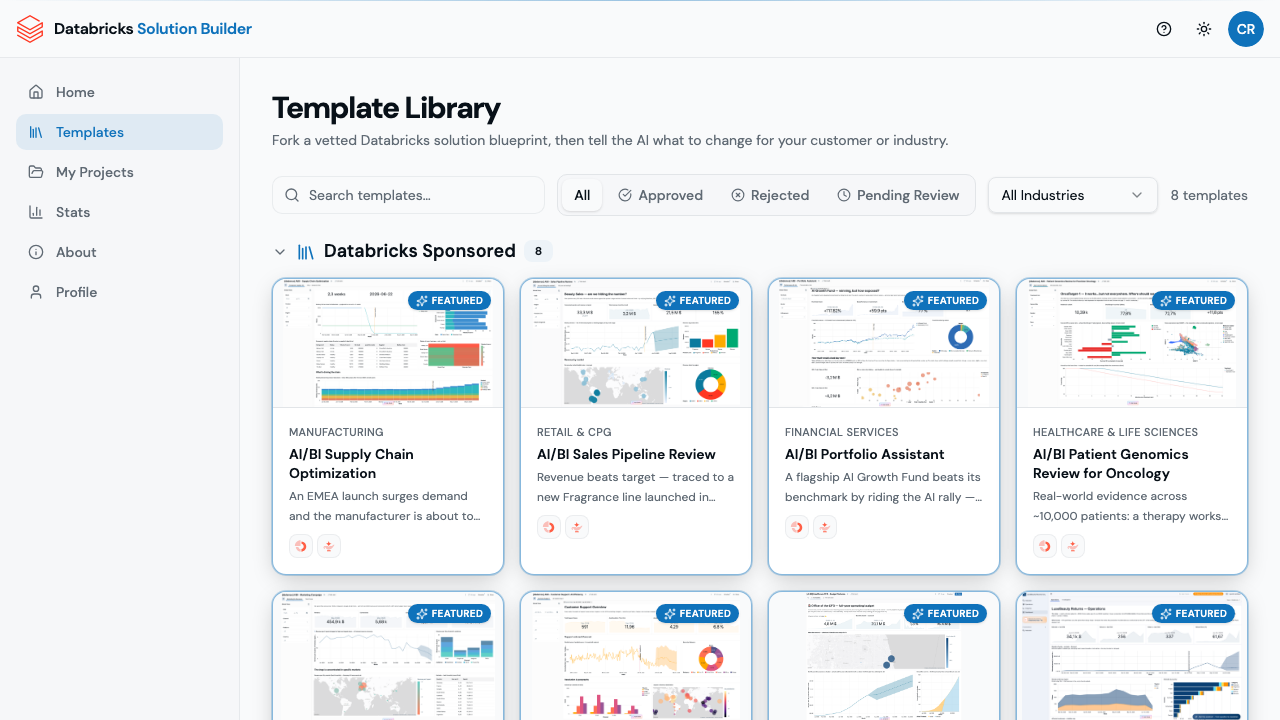
Fork a vetted blueprint and tell the agent what to change for your customer or industry. Publish any finished solution as a template your whole org can reuse — reskin one industry for another, swap a pattern, recombine for a new pitch. Every solution becomes a starting point for the next.
05 Two surfaces, one libraryPrefer your terminal? Install the Solution Builder skill into any Claude Code project and drive it from the CLI. Want a guided UI with chat, a file viewer, and live diagrams? Use this app. Same library, same outputs, same deploys — pick whichever fits the moment.
Important
Beta — account admin access needed. Solution Builder is in beta and needs the all-apis OAuth scope to use the full Databricks API surface reliably. Granting that scope requires account admin rights. For now, run it in a development or sandbox workspace, not production. No admin rights? Ask an admin to grant the scope after deploy (see Deploy to Databricks) or to run the app for you.
# 1. Clone
git clone https://github.com/databricks-solutions/solution-builder.git
cd solution-builder/app

# 2. Authenticate the Databricks CLI (one-time)
databricks auth login --host https://<workspace-url> --profile MY_WORKSPACE

# 3. Configure env
cp .env.example .env
# edit .env → DATABRICKS_CONFIG_PROFILE=MY_WORKSPACE

# 4. Install deps
uv sync          # Python (creates .venv)
bun install      # Frontend

# 5. Run (backend :8000 + frontend :5173, hot reload, opens browser)
./scripts/dev.sh
PGLite auto-provisions a local Postgres — no DB setup required. Reset with RESET_DB=1 ./scripts/dev.sh.
Prerequisites: uv · bun · Databricks CLI v0.239.0+ authenticated to a workspace.
All of these live in app/.env (copy from app/.env.example). The bold ones are the minimum to boot.
| Variable | Required | Default | Purpose |
|---|---|---|---|
DATABRICKS_CONFIG_PROFILE |
✅ | DEFAULT |
Profile from ~/.databrickscfg (set via databricks auth login) |
DATABRICKS_HOST / DATABRICKS_TOKEN |
alt | — | Direct token auth (CI/CD); use instead of the profile |
LAKEBASE_DATABASE_PATH |
optional | — | projects/<id>/branches/<id>/databases/<name> — omit to use PGLite |
USE_PGLITE |
optional | — | Force PGLite even if LAKEBASE_DATABASE_PATH is set |
ANTHROPIC_LLM_ENDPOINT |
✅ | databricks-claude-sonnet-4-6 |
Model the agent talks to (via FMAPI Anthropic bridge) |
ANTHROPIC_BASE_PATH |
✅ | serving-endpoints/anthropic |
FMAPI bridge path — switch to ai-gateway/anthropic for AI Gateway endpoints |
AI_GATEWAY |
✅ | databricks-claude-opus-4-7 |
Primary AI Gateway endpoint for the backend |
AI_GATEWAY_MINI |
✅ | databricks-gpt-5-4-mini |
Cheap/fast endpoint for utility calls |
AI_GATEWAY_EMBEDDING |
✅ | databricks-qwen3-embedding-0-6b |
Embedding endpoint for template semantic search |
DAS_BRANCH |
optional | main |
Branch of databricks-agent-skills that dev.sh clones (legacy alias: AI_DEV_KIT_BRANCH) |
DEMO_PROMPT_GENERATOR_TRACKER_ENABLED |
optional | 1 |
Anonymous usage analytics — see the privacy note below; set to 0 to opt out |
See app/.env.example for the full annotated list with inline guidance.
Anonymous usage analytics are on by default. We collect aggregated, anonymized events (page views, feature usage counts) only to understand what's working and what needs improvement — never for sales contact. The underlying
dbdemos-trackerpackage filters at the source so events fire only for@databricks.comusers; external installations send nothing. SeePRIVACY.mdfor the full list of fields. Opt out anytime withDEMO_PROMPT_GENERATOR_TRACKER_ENABLED=0.
Type checking:
cd app
npx tsc --noEmit          # TypeScript
uv run mypy src           # Python
| Mode | Where it runs | Auth model | Use case |
|---|---|---|---|
| Local dev | Your laptop | ~/.databrickscfg profile |
Day-to-day development with hot reload |
| Databricks App | A Databricks workspace | App service principal (OAuth) | Shared deployment for your team |
| Electron | Your laptop, packaged | ~/.databrickscfg profile |
Standalone desktop app for end-users |
The app deploys as a Databricks Asset Bundle — Lakebase database, App resource, model-serving permissions, and source code in one command.
cd app

# One-time setup
databricks auth login --host https://<workspace-url> --profile MY_WORKSPACE
cp databricks.prod.yml.example databricks.prod.yml
# fill in workspace.profile, variables, env

# Deploy
databricks bundle deploy
databricks bundle run demo-prompt-generator-app
databricks.prod.yml is gitignored — it holds workspace-specific values (profile, app name, Lakebase instance, model endpoints).
Verify:
databricks apps get <your-app-name> --output json | jq -r '
  "URL:    \(.url)",
  "App:    \(.app_status.state)",
  "Deploy: \(.active_deployment.status.state) — \(.active_deployment.status.message)"
'
# app_status.state should reach "RUNNING"
Post-deploy: grant the app all-apis OAuth scope. This step requires account admin access on the Databricks account — the app is in beta and currently depends on the full all-apis scope to function reliably, which is why we recommend deploying only to development/sandbox workspaces for now. Each databricks bundle deploy may rotate the OAuth integration ID, so re-run this whenever you redeploy:
./scripts/set-app-oauth-scopes.sh                 # uses target=prod
./scripts/set-app-oauth-scopes.sh --target prod   # explicit
The script reads the app name from databricks.<target>.yml, auto-detects your account-level CLI profile, finds the matching OAuth integration, and grants all-apis. Idempotent.
Config flow:
databricks.prod.yml (env:)  →  build.sh reads via `databricks bundle summary`
                            →  writes .build/app.yml (env: 1:1 copy)
                            →  Databricks Apps runtime exports env vars into the container
                            →  backend reads them via Pydantic Settings
Bundle targets: prod (default) and staging. Add a third with two files: databricks.qa.yml{,.example} + a stub targets.qa: in databricks.yml.
Staging-specific setup:
databricks-solutions/solution-builder is a public repo on GitHub by databricks-solutions. Installable Databricks Project that lets customers & partners build just about any use-case on our platform! Featuring vetted solution blueprints.
It declares no license on GitHub. Public does not mean open source: without a license, nobody is granted the right to reuse it.
Turn any codebase, with its docs, SQL schemas, configs, and PDFs, into a queryable knowledge graph. A /graphify skill for Claude Code, Cursor, Codex, and Gemini CLI: local deterministic AST parsing, every edge explained, no vector store.
Reverse engineer anything with agents, from app behavior down to native binaries.
FULL Augment Code, Claude Code, Cluely, CodeBuddy, Comet, Cursor, Devin AI, Junie, Kiro, Leap.new, Lovable, Manus, NotionAI, Orchids.app, Perplexity, Poke, Qoder, Replit, Same.dev, Trae, Traycer AI, VSCode Agent, Warp.dev, Windsurf, Xcode, Z.ai Code, Dia & v0. (And other Open Sourced) System Prompts, Internal Tools & AI Models
Its maker has not tagged a system, so it is unknown here. Its README says what it needs.
Open "Take it" on its page: Take My Repo writes an install plan for your machine and hands it to your AI agent (Claude Code, Codex or Cursor), which asks you before each step. Take My Repo has not tested it on any machine.
Its last change on GitHub was on 2026-11-16. GitHub counts 21 open issues and pull requests. Take My Repo does not judge from that whether it is maintained.
Nobody has reviewed it on Take My Repo yet, which says nothing about its quality.
Take My Repo cannot say: it does not audit code and has not run solution-builder. What is known comes from GitHub. It declares no license on GitHub. Public does not mean open source: without a license, nobody is granted the right to reuse it. Its last change was on 2026-11-16. It has 64 stars, which measure popularity, not safety. Nobody has reviewed it on Take My Repo yet, which says nothing about its quality. Read the source before you run it. With "Take it", your AI agent shows each step and asks you before running it; README text is treated as data, not as instructions.